
Can you make a portfolio website with Wix?
Yes. Wix has more than 270 portfolio templates. Some of them come with Wix Portfolio, Wix's app for showing your work as…
Wix Harmony is the editor Wix now uses for new websites. Wix launched it in January 2026. It works like a normal drag-and-drop website editor, with an AI helper called Aria built in. Aria can build a first version of your site from a description and change things when you ask. Harmony doesn't cost extra, and it works on Wix's free plan.
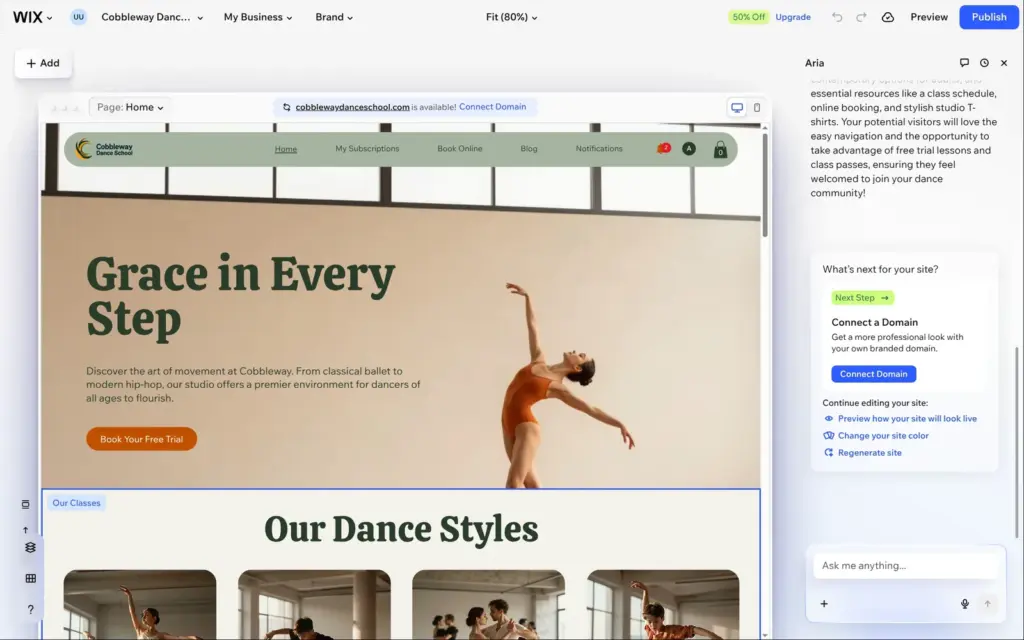
For my Wix review, I built a whole website for a made-up dance school in Harmony. For this article I also tried the part Wix calls vibe coding. On a copy of that site, I let Wix's AI make a price calculator from a short description.
I built the dance school site on October 12, 2026, and tried the AI element on October 24, 2026. Both times I used the free plan.
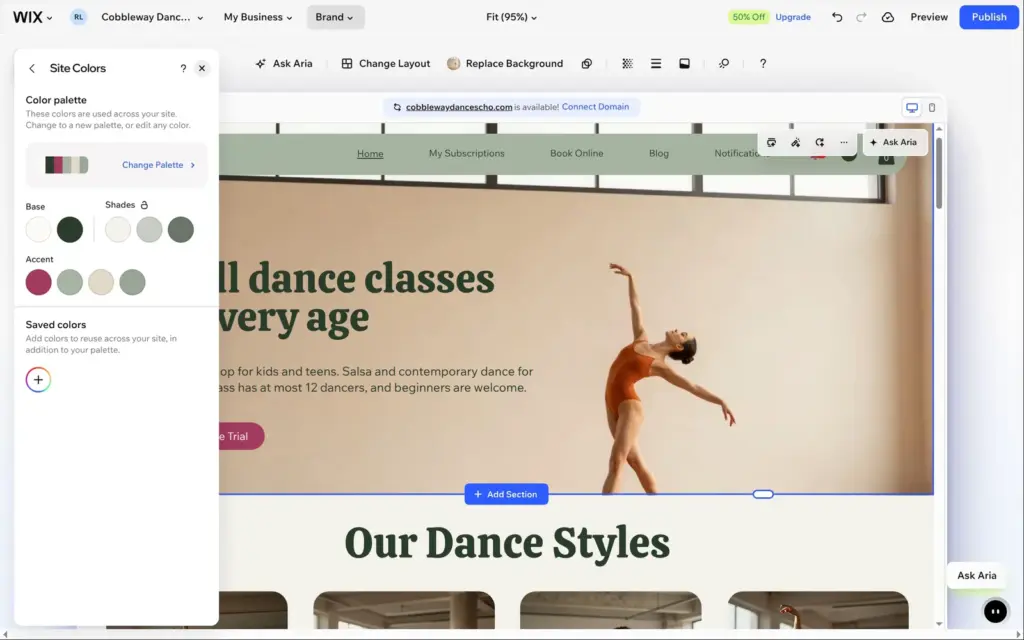
The page you work on fills the middle of the screen, and the main tools sit at the top. Add has the elements and ready-made sections. Brand holds the colors and fonts of the whole site. When you click something on the page, a small toolbar with its options appears above it, often with an Ask Aria button. Aria's chat is on the right.
Whatever Aria makes, you can change by hand. To change a text, you click it and type. In my review I changed the accent color once in the Brand panel, and every button on the site took the new color.
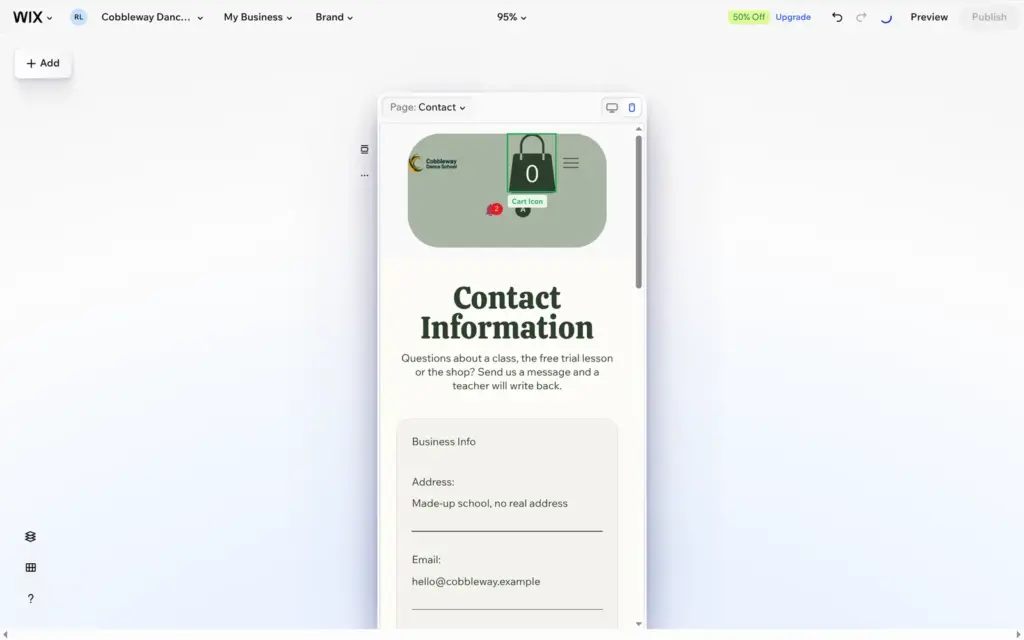
Harmony adjusts the site for phones by itself. In the phone view you can move and resize things, and that only changes the phone layout. Aria works in the desktop view only, so phone fixes are up to you. The phone header that Aria made for the dance school was broken, and I fixed it by hand.
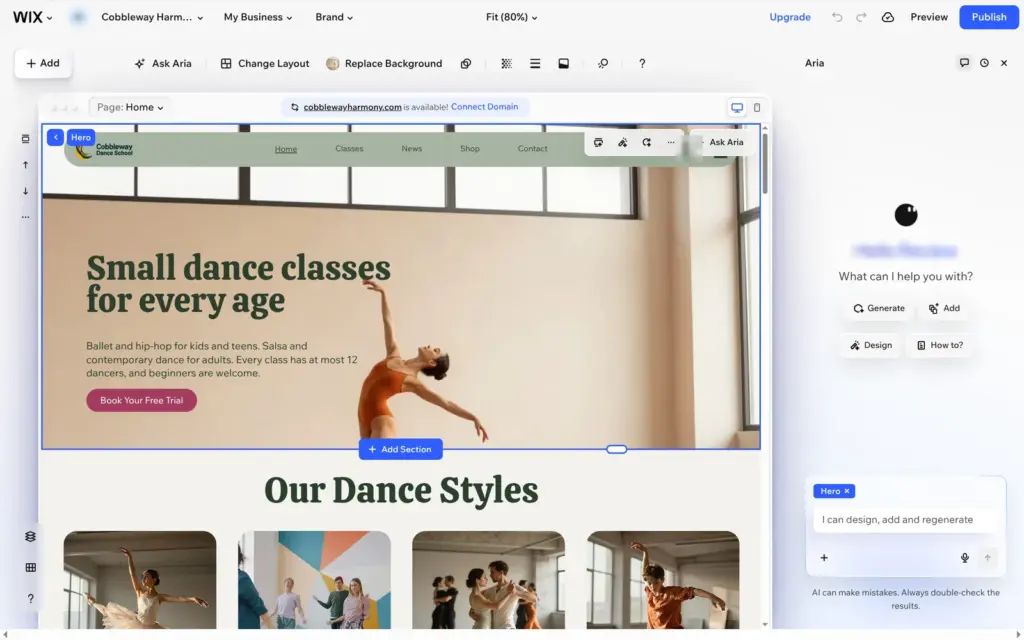
Aria can build the first version of a site for you. In my review I described the dance school in three sentences. Aria made a home page with photos and a class schedule, and it also set up a shop and a blog. About eight minutes after I clicked Generate, I could see the site. Some of its texts made things up, though, and the schedule showed sample classes.
After that, Aria works as a chat next to the page. You can ask it for a new section or a different look. You can also select a text and ask Aria to rewrite it. I tried the first two when I checked whether Wix can build your website with AI.
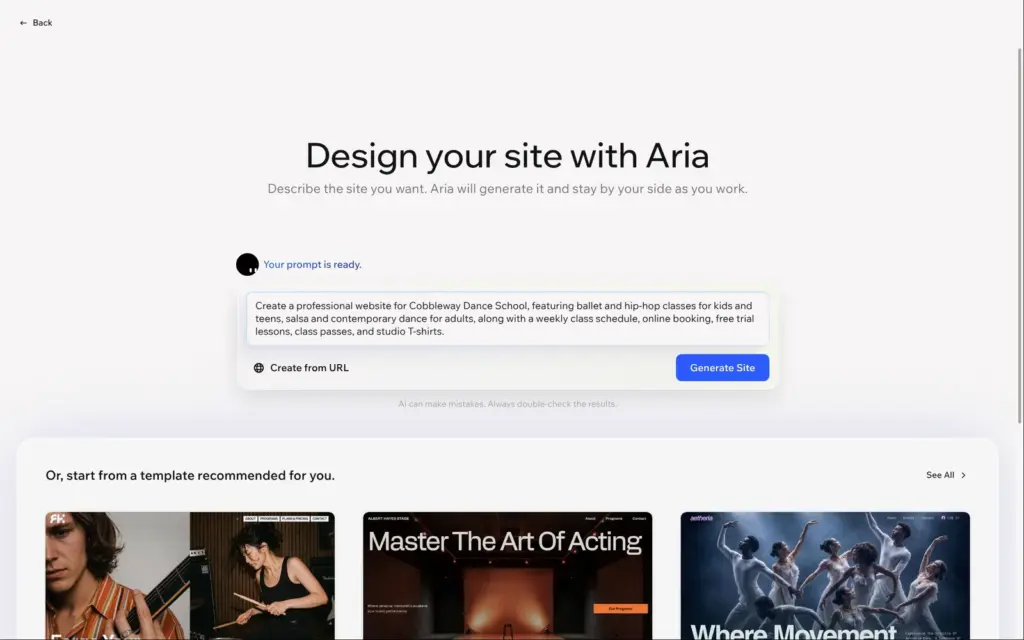
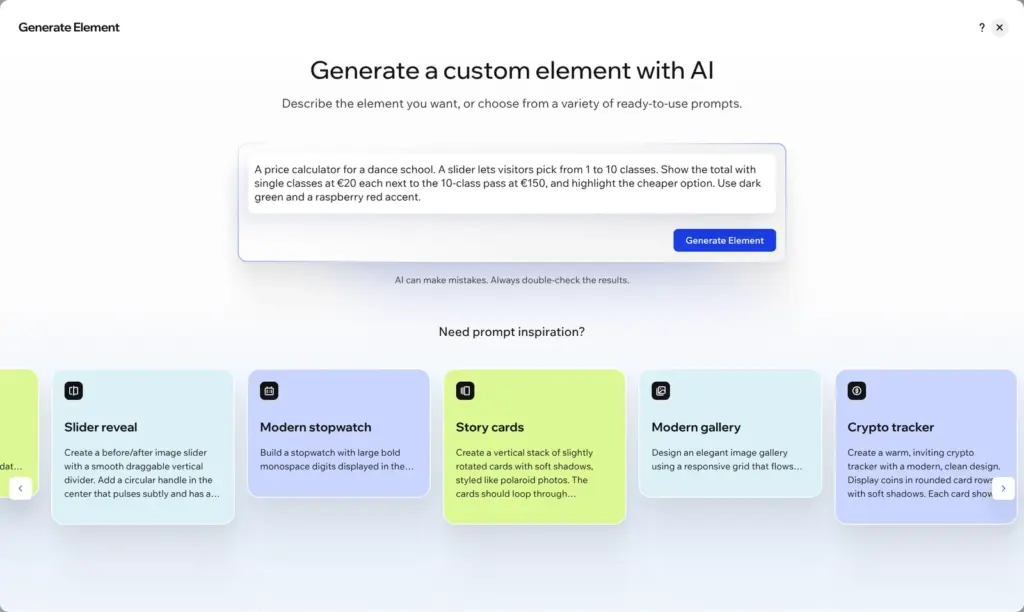
Wix's own page about Harmony says "Where vibe coding meets drag and drop freedom". Vibe coding means you describe what you want in plain words, and the AI writes the code for it. In Harmony that's the Generate Element button. You find it under Add and Elements, next to Generate Image.
I asked for this:
A price calculator for a dance school. A slider lets visitors pick from 1 to 10 classes. Show the total with single classes at €20 each next to the 10-class pass at €150, and highlight the cheaper option. Use dark green and a raspberry red accent.
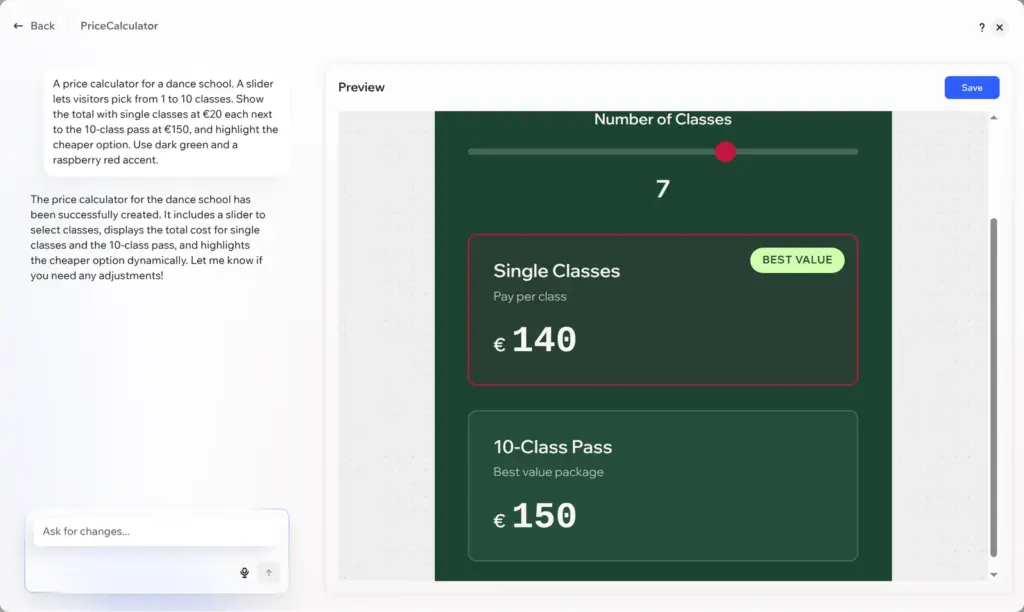
Wix said it may take a minute or two, and it took about two minutes. The result was a working calculator called "Dance Class Pricing" in dark green, with a raspberry red slider. Its math was right. At seven classes, paying per class costs €140 and wins. At eight classes it costs €160, and the €150 pass gets the "Best value" label. One line was wrong, though. The pass card always says "Best value package", even when single classes are cheaper.
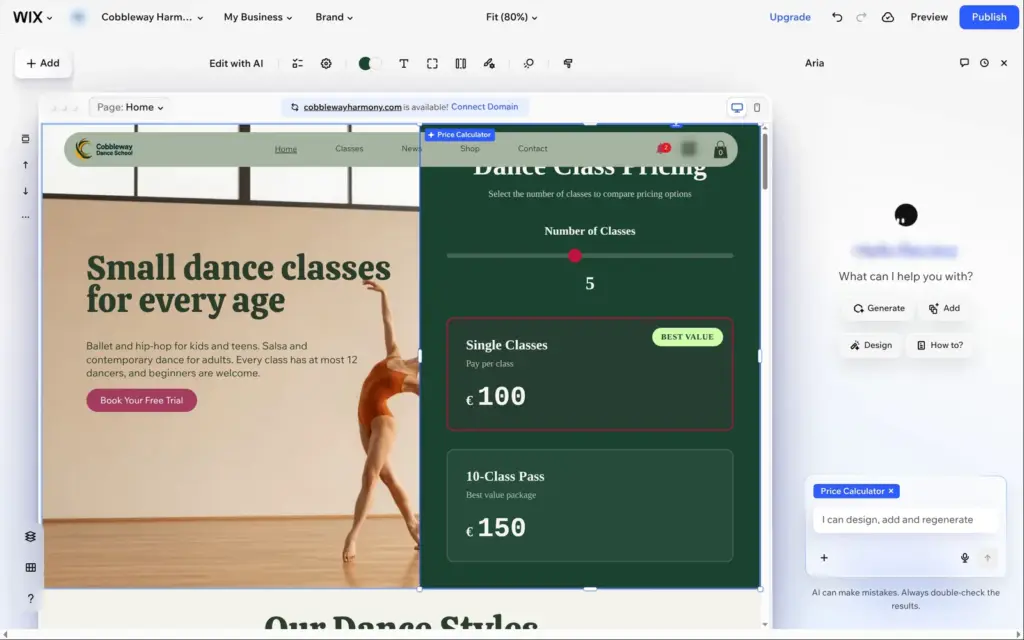
When you save the element, it goes into the Add panel under AI Generated. From there you drag it onto a page like any other element. On the page it used the site's fonts. It was large and covered half of the top section, and the site menu hid its heading. In the preview, the slider worked. Wix's help center says you change such an element later in its toolbar or by describing the change to the AI.
Yes. Harmony has no price of its own, and you can build and publish a site in it on the free plan. Free sites stay on a wixsite.com address and show a "Built on Wix Harmony" bar at the top of every page.
The AI in the editor didn't cost anything either. Chatting with Aria is free, according to Wix's help center. The AI credit counter in the dashboard showed 30 credits before and after I made the calculator. Some other AI tools use those credits, for example the Design Agent that makes banners and social media posts. On the free plan you get 30 credits a day and at most 120 a month.
A paid plan removes the bar and adds your own domain. When I checked from Germany on October 24, 2026, Light cost €16.66 a month on yearly billing, VAT included. For bookings or payments you need Core, at €29.75 a month. I went through all the plans when I checked how much Wix costs.
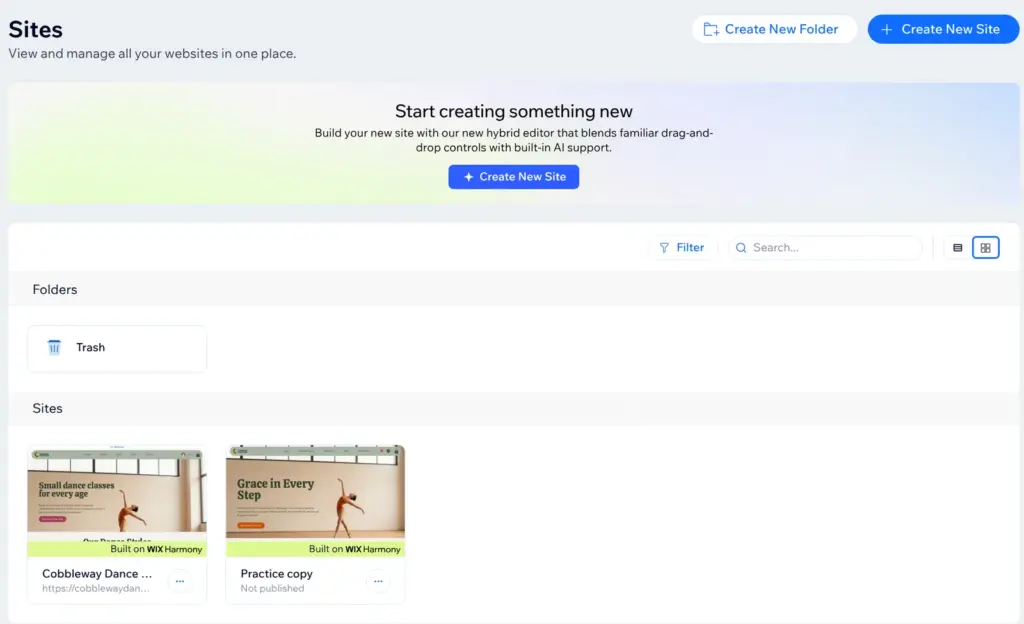
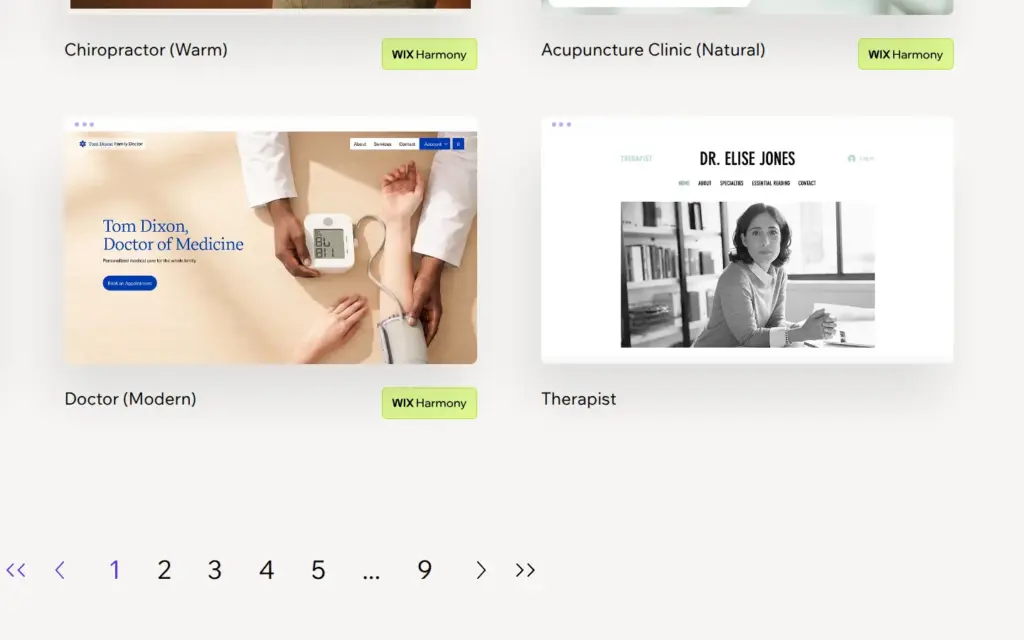
Wix's older editor, the classic Wix Editor, is still around. Older templates open in it instead of Harmony. When I looked through Wix's template gallery on October 22, 2026, only 465 of its 2,994 templates had the Wix Harmony label. I opened one of each kind when I checked whether Wix templates are free. In your list of sites, the cards of Harmony sites say "Built on Wix Harmony".
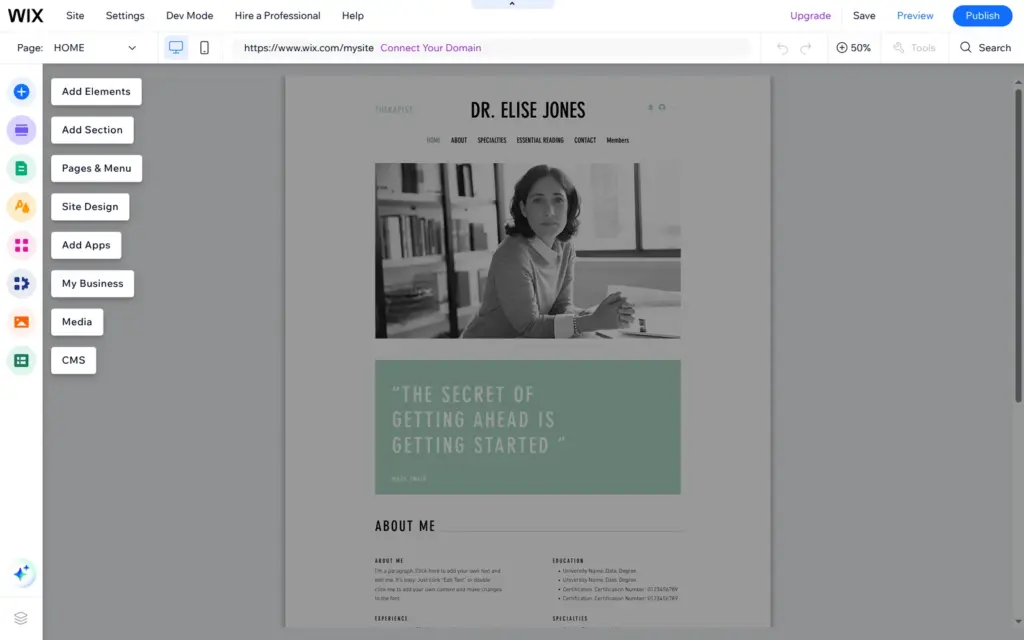
The classic editor keeps its tools in a column of big icons on the left, and it has no AI chat like Aria. According to Wix's help center, you can't move a site from one editor to the other. Harmony is also still missing some apps. Two of them are the CMS, for your own collections of content, and Wix Multilingual, for a site in several languages.
Wix says visitors can't tell which editor you used. On the free plan the bar at the top tells them anyway.
Wix Studio is a third editor, for agencies and freelancers who build sites for clients. Wix offered it when I signed up, and I tested it in my Wix Studio review.
Some steps take a while. Opening the editor of the dance school site took about half a minute, and a new site from a Harmony template took more than two minutes to open. After Aria said the site was ready, the page in the editor stayed empty for more than two minutes.
The published site was slow on phones, too. Google's PageSpeed test gave the dance school's home page 40 out of 100 on a simulated phone.
Harmony is a good start if you want the AI to make a first version and then change it by hand. Aria and the element generator saved me work, but I had to check everything they made. If you need the CMS or a site in several languages today, pick an older template instead, because you can't switch the editor later.
 What I'm building
Give Vroni a GitHub issue, bug report, spec, or rough idea. It reads the repo, plans the change, writes code, runs checks, and works toward a review-ready pull request.
Take a look at vroni.com