
Jimdo review
Jimdo is a website builder for small businesses. You answer a few questions, and Jimdo writes the first version of your website.…
Wix is a website builder with business tools for bookings, a shop, a blog and forms, and it hosts the site for you. New sites now start in Wix Harmony, the editor Wix launched in January 2026. It has an AI helper called Aria. This review covers Wix itself, which is made for business owners who build their own site. Web designers and agencies get Wix Studio, a separate product that I reviewed on its own. If you are thinking about Wix for your business, you probably want to know how far the free plan gets you, what the AI does for you and what you pay once customers should book or buy.
To find out, I built a website for a made-up dance school on the free plan. Aria made the first version from a short description. I rewrote the text, changed colors and photos, fixed the phone layout and added a contact page. I set up class bookings with a free trial lesson and a 10-class pass, and a small shop with a T-shirt in three sizes and two colors, shipping and German VAT. Then I published the site, tested it like a new student and placed a test order.
The website part works on the free plan, and Aria saved me a lot of setup. Its texts made things up, though, and the phone layout needed fixing by hand. Bookings and the shop worked well in the dashboard, but on the free plan visitors cannot book a single class or buy anything. That needs Core, the cheapest plan that takes payments, at €29.75 a month on yearly billing.
Wix suits you if you want one tool for your website, class or appointment bookings and a small shop, and you are fine paying for Core once customers should book or buy.
Look elsewhere if you want to take bookings or orders for free, or if you only need a simple site and do not want a dashboard full of business apps and upgrade offers.
The website: Aria builds a usable first version in about eight minutes. Changing text, colors and photos is easy. The free plan publishes the site on a wixsite.com address with a small Wix bar at the top.
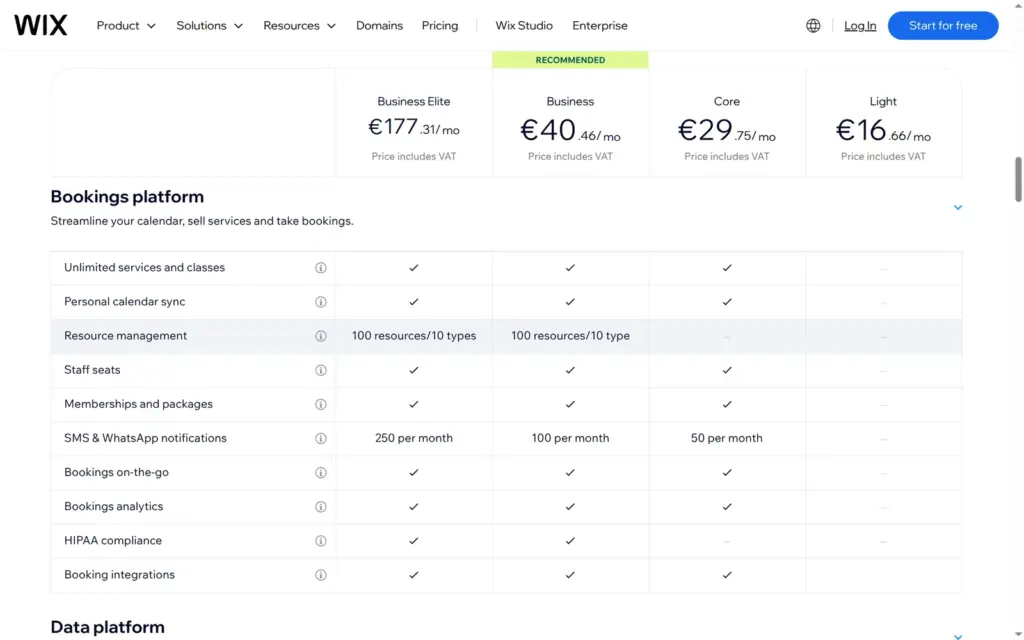
Bookings: classes, appointments, teacher hours and class passes are all there. On the free plan visitors can see the classes but cannot book, not even a free trial lesson.
The shop: variants, stock, shipping and VAT work well. Checkout needs a paid plan. On the free plan only the owner can place a test order.
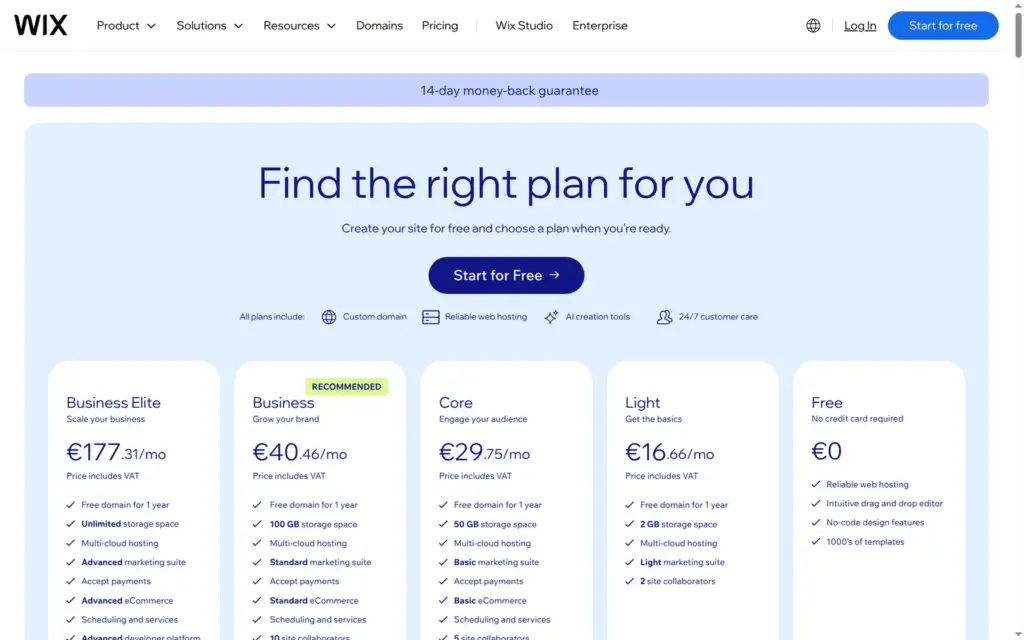
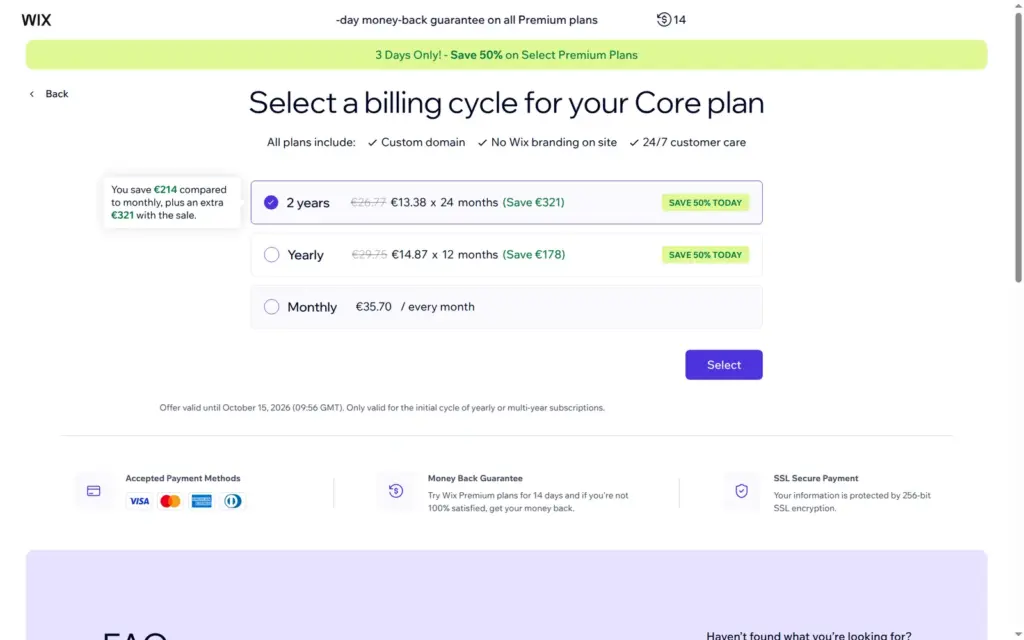
Price: building and publishing a site is free. Bookings, payments and the shop need Core or higher. From Germany, Core cost €29.75 a month on yearly billing and €35.70 on monthly billing, VAT included. Wix shows local prices, so other countries see other amounts. I tested Wix in October 2026 and checked the prices on October 12, 2026.
Not tested: paid plans, a custom domain, real payments, Wix's support and the Wix mobile app. Wix did not pay for this review, and there are no affiliate links.
What I liked:
What bothered me:
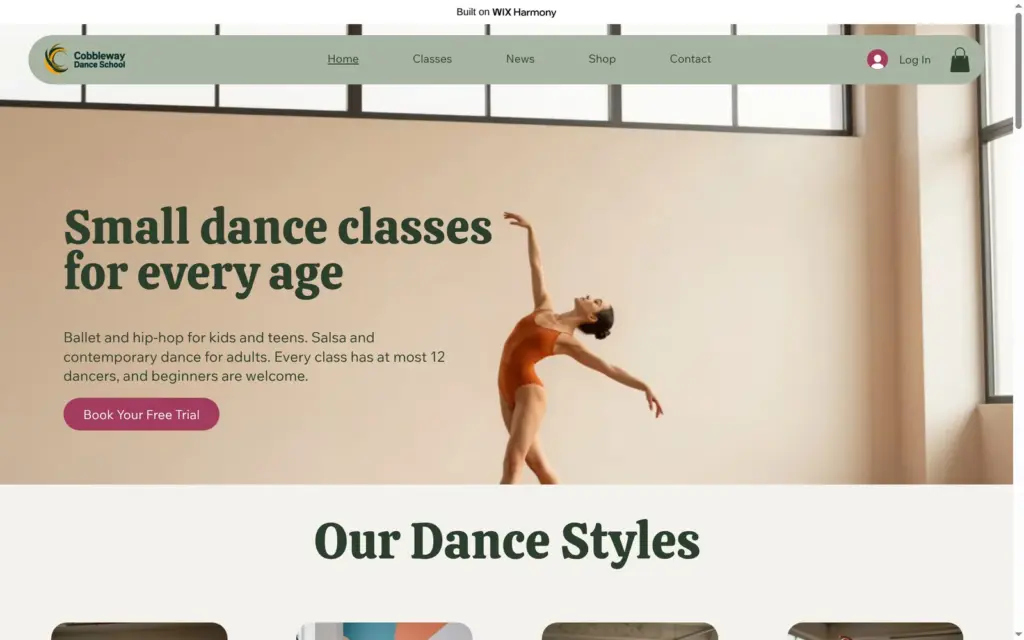
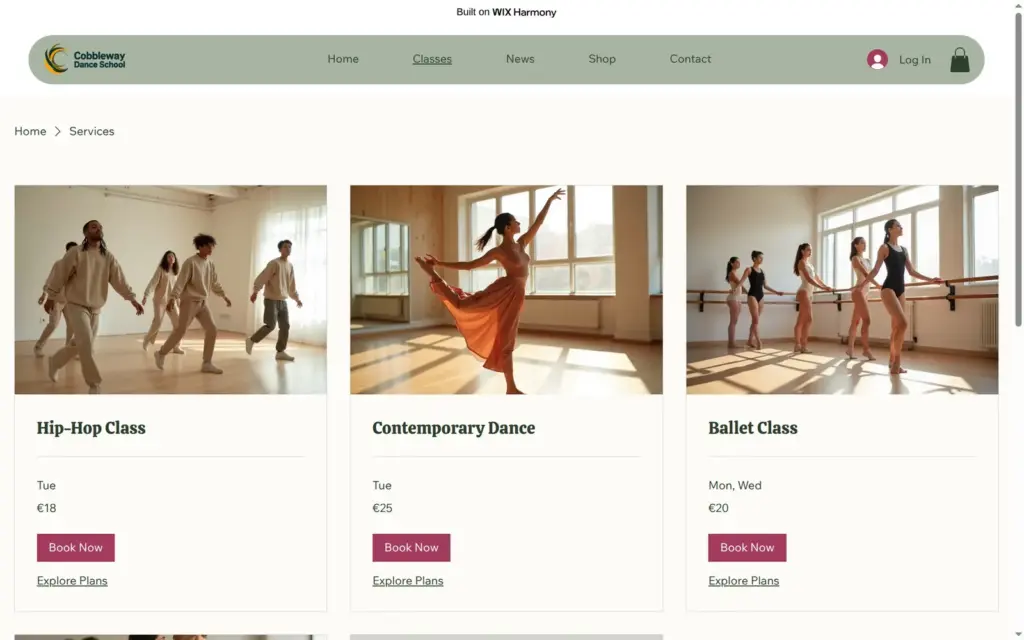
Cobbleway Dance School is a made-up school with ballet and hip-hop for kids and teens and salsa and contemporary dance for adults. The site has a home page with a weekly class schedule, a page with all classes, a shop, news and a contact page. Aria wrote the first version. I replaced most of its text, some of its photos and all of its blog posts.
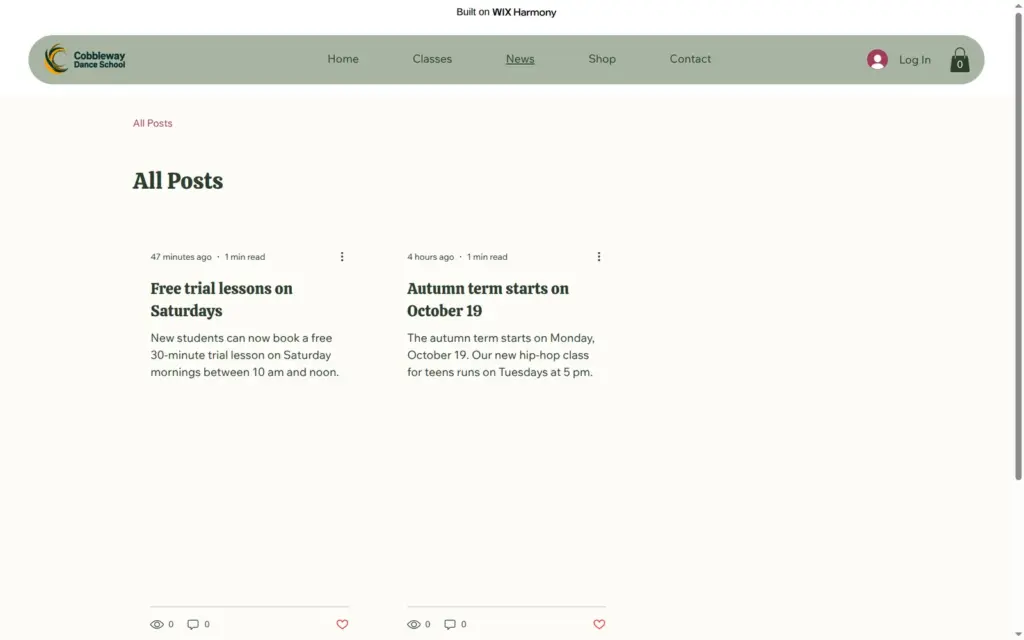
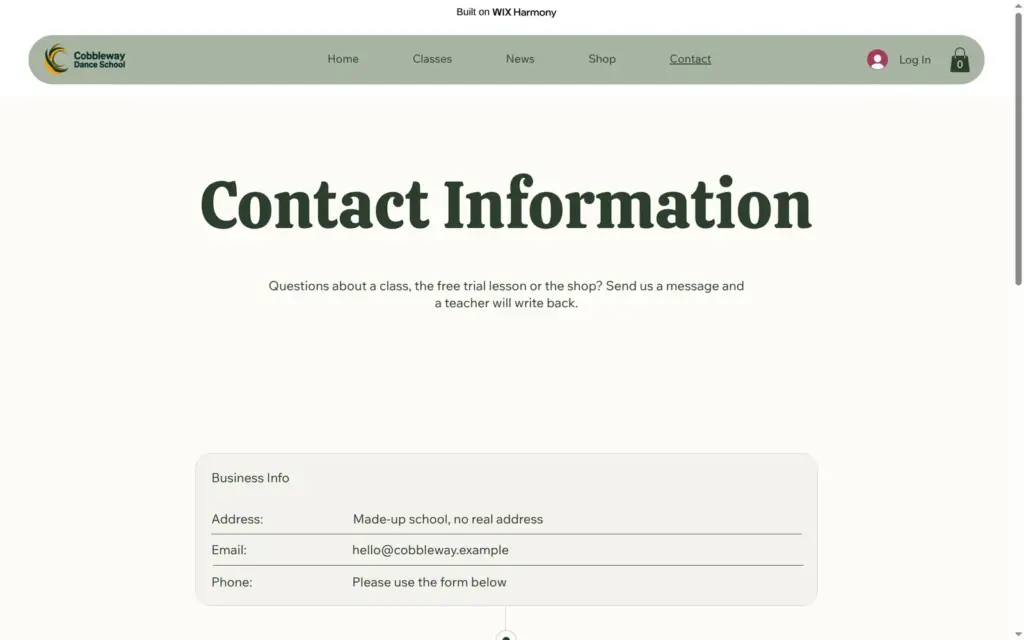
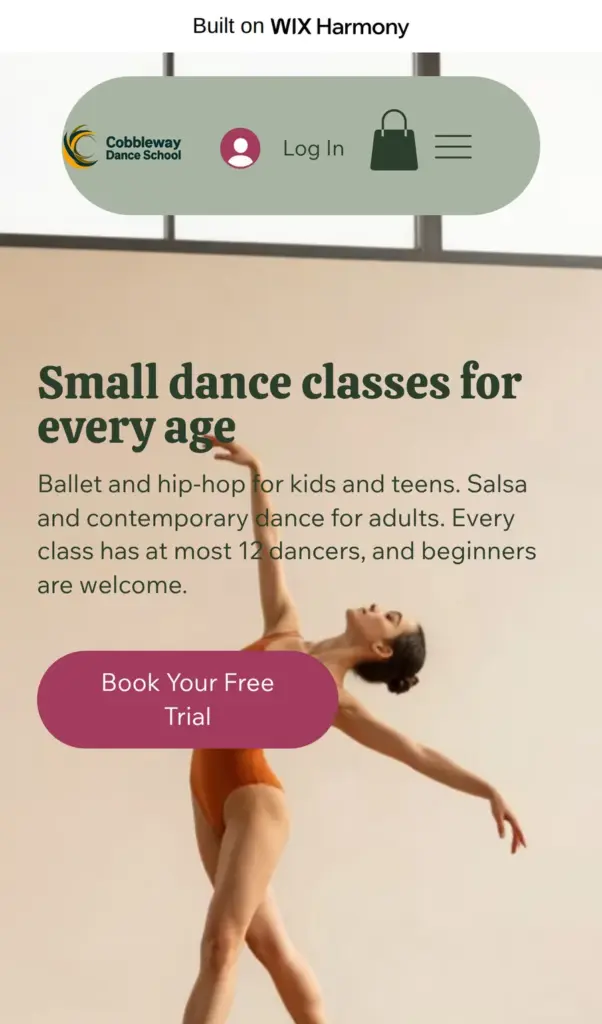

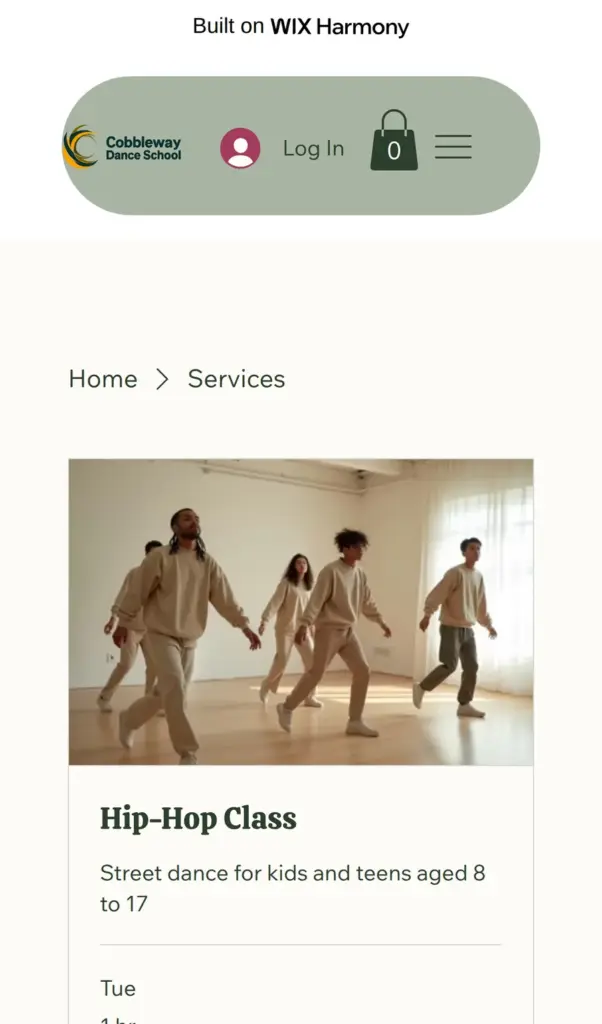
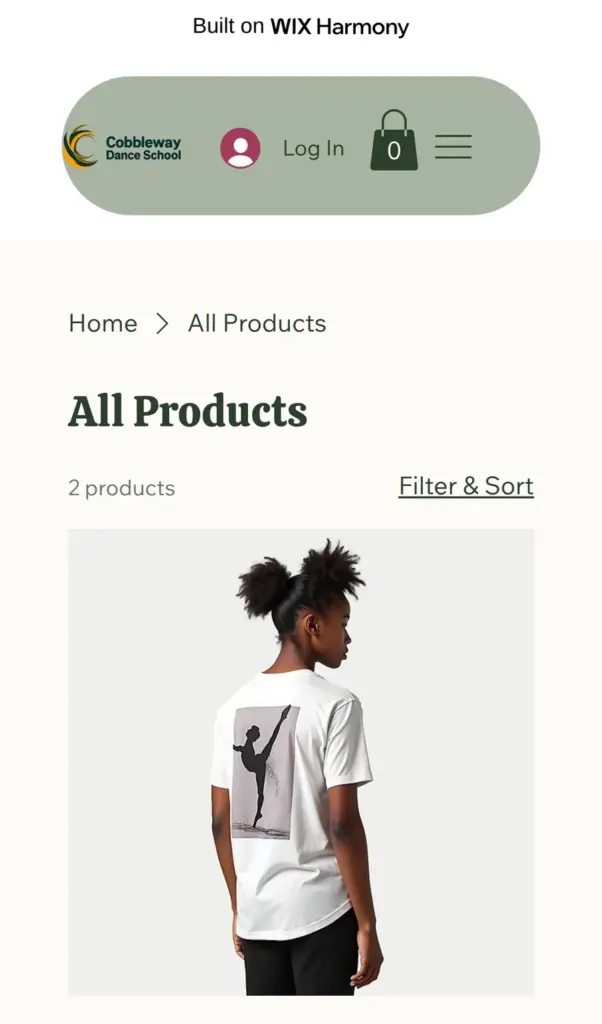
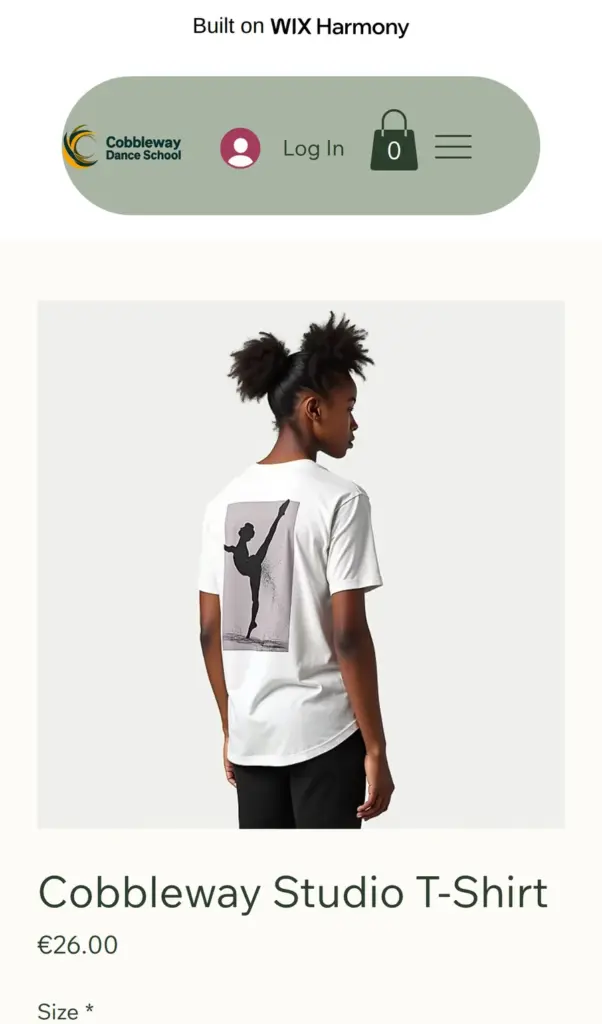
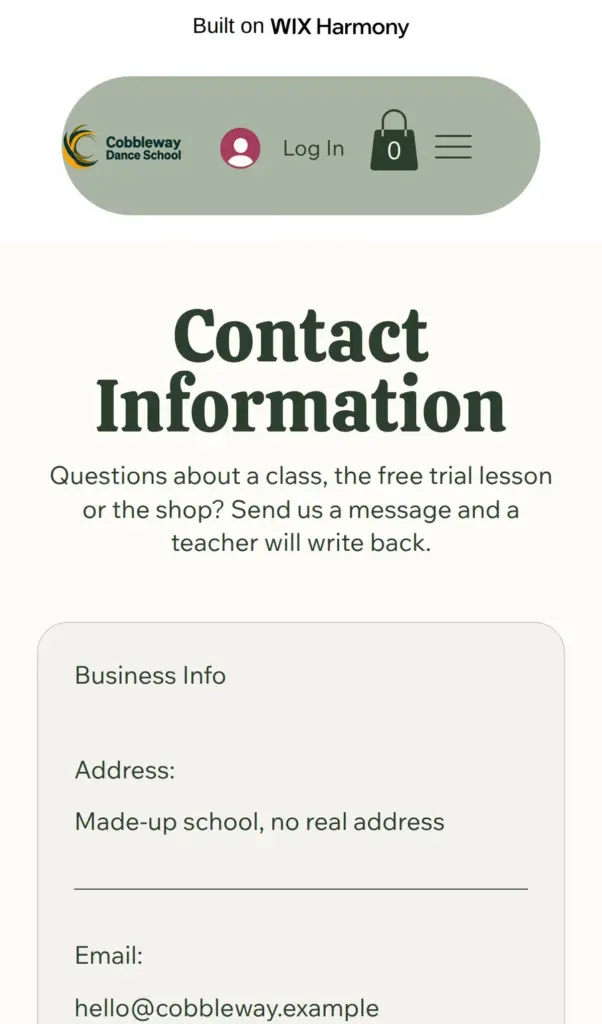
Open the dance school site. It is a demo, so please do not send personal information through its form.
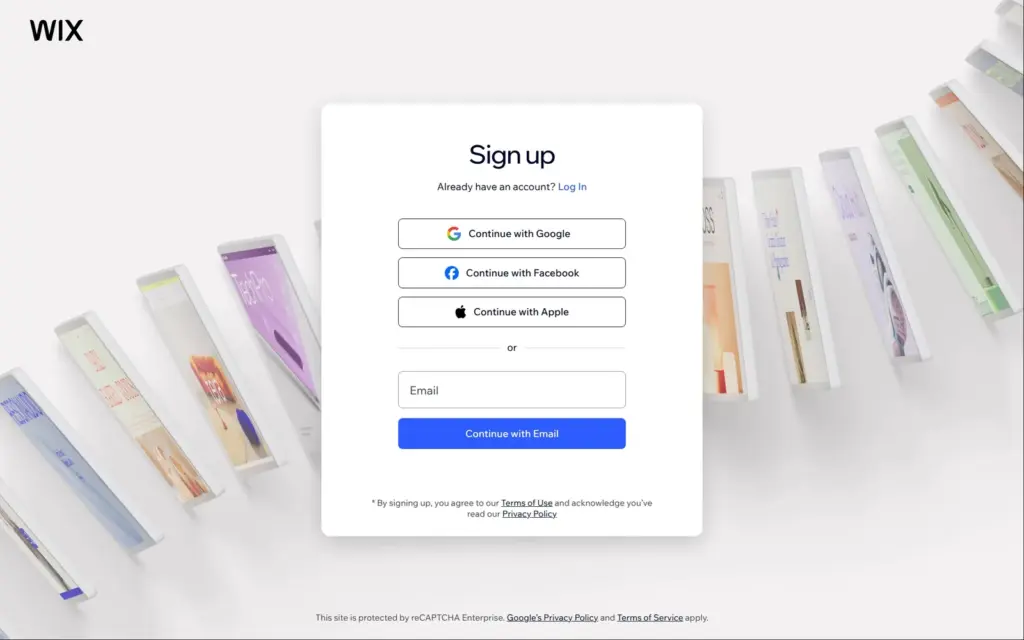
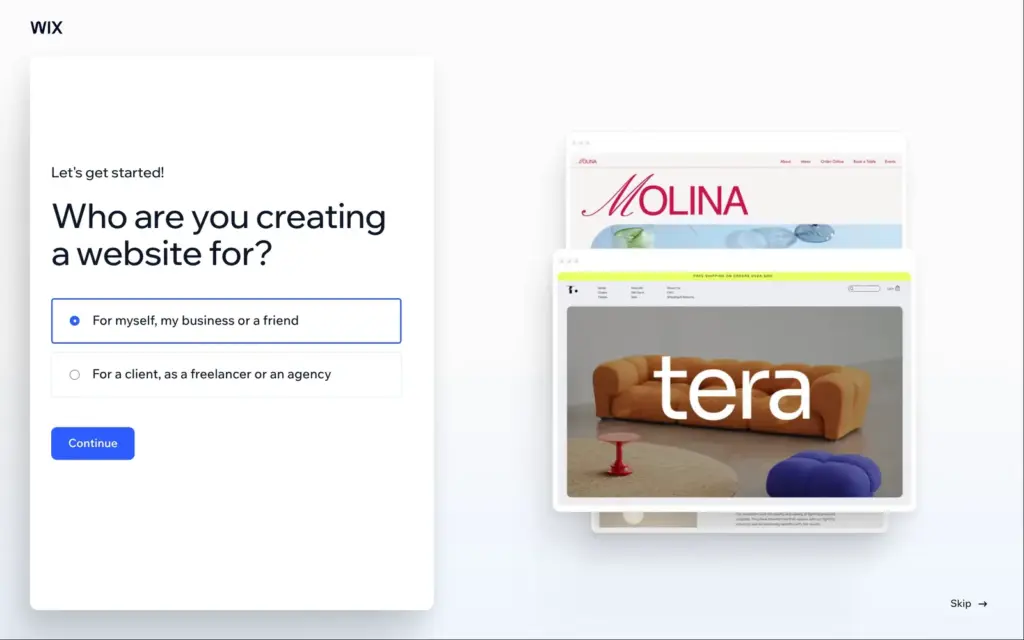
Signing up takes an email address and a password, or a Google, Facebook or Apple account. Wix did not send a code to confirm the email. It asked whether the site was for me or for a client and offered Wix Studio, its tool for agencies. I stayed with the normal Wix.
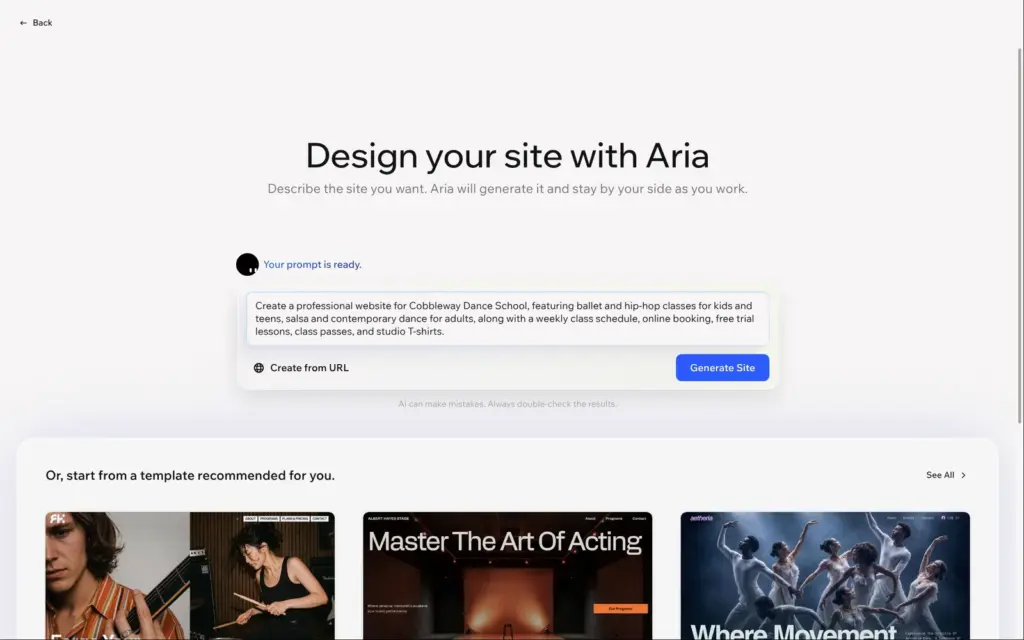
The main button then starts a chat with Wix's AI. I described the school in three sentences, with the dance styles, a weekly class schedule, online booking with a free trial lesson, and class passes and T-shirts to sell. The AI asked about online payments, other features and the story of the school. I skipped the story, because I did not want it to make one up. From my answers it picked five apps: Bookings, Stores, Pricing Plans, Blog and Forms. It also offered matching domains, which cost money, so I skipped that step.
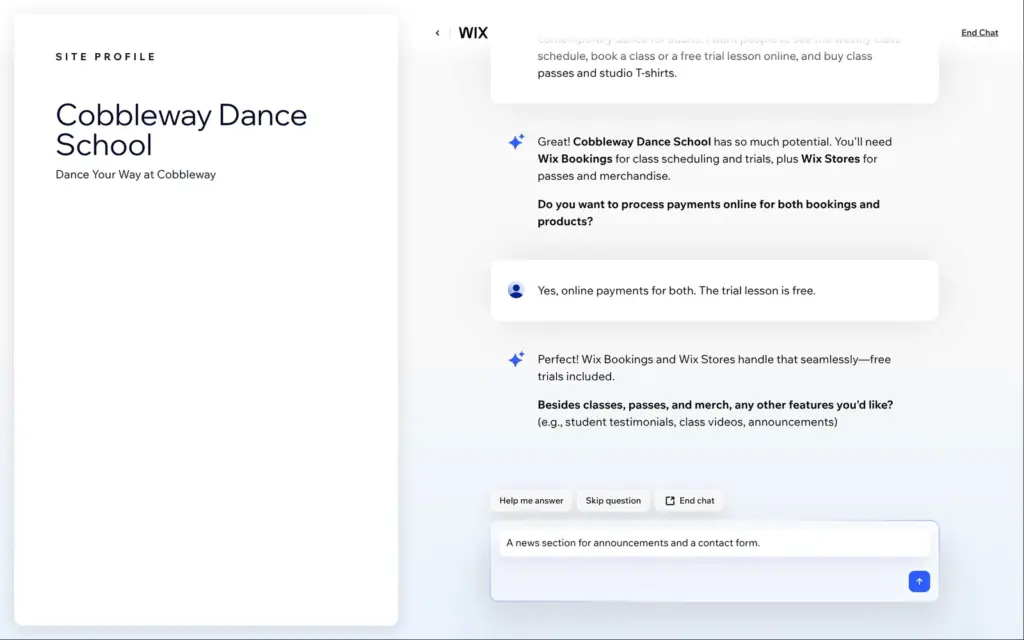
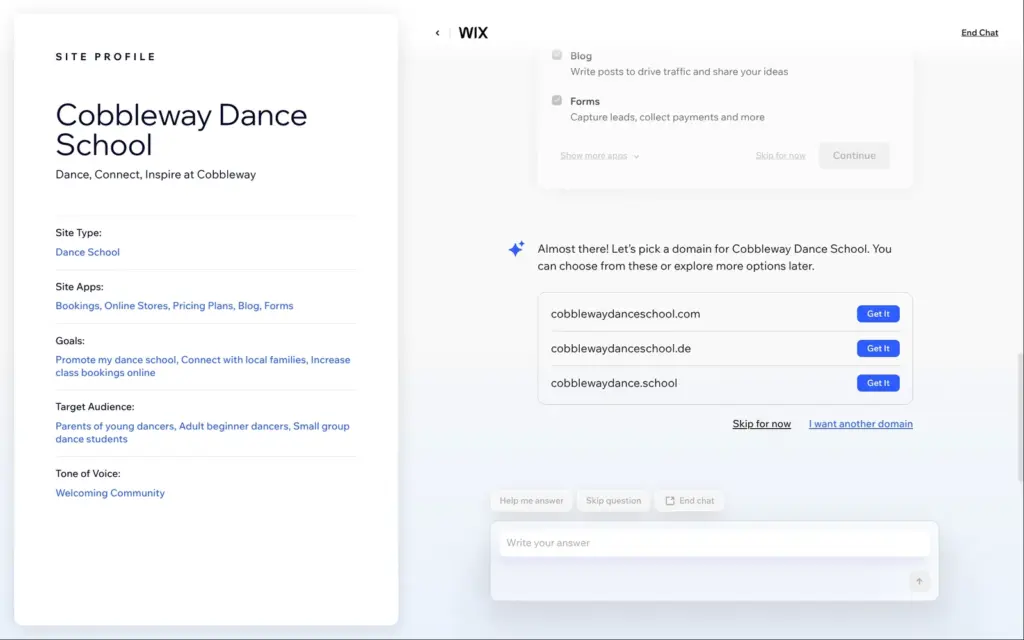
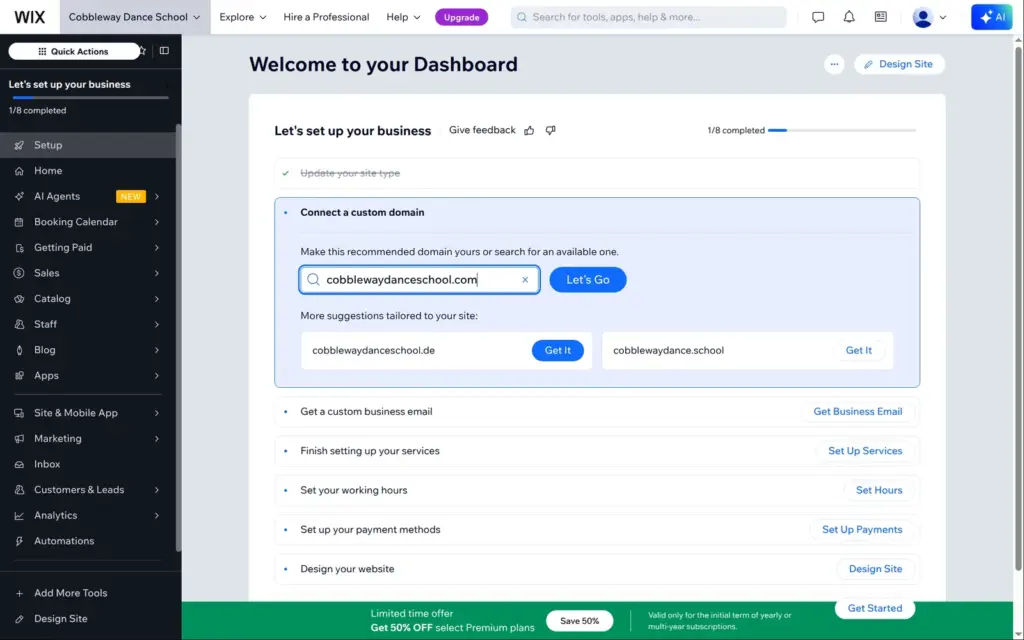
The chat ends in the dashboard. It already had menus for the booking calendar, the store, pricing plans and the blog, but no website yet.
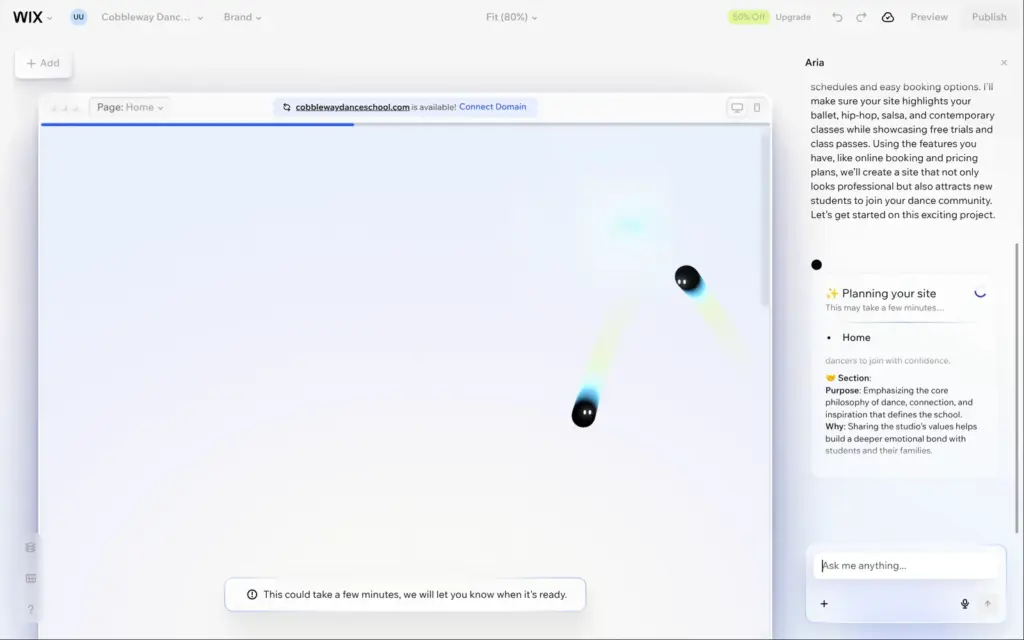
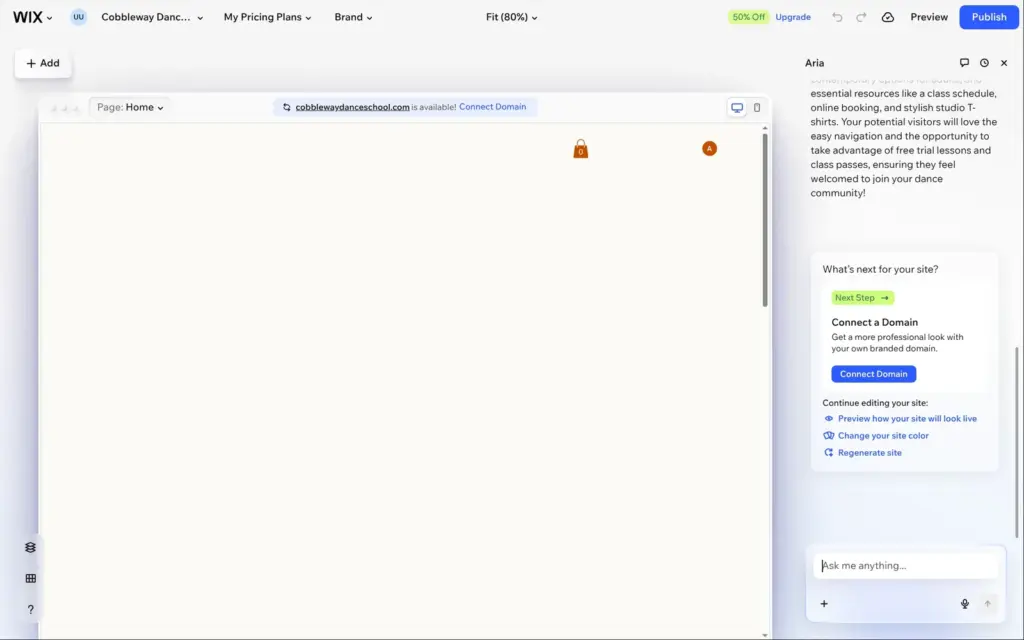
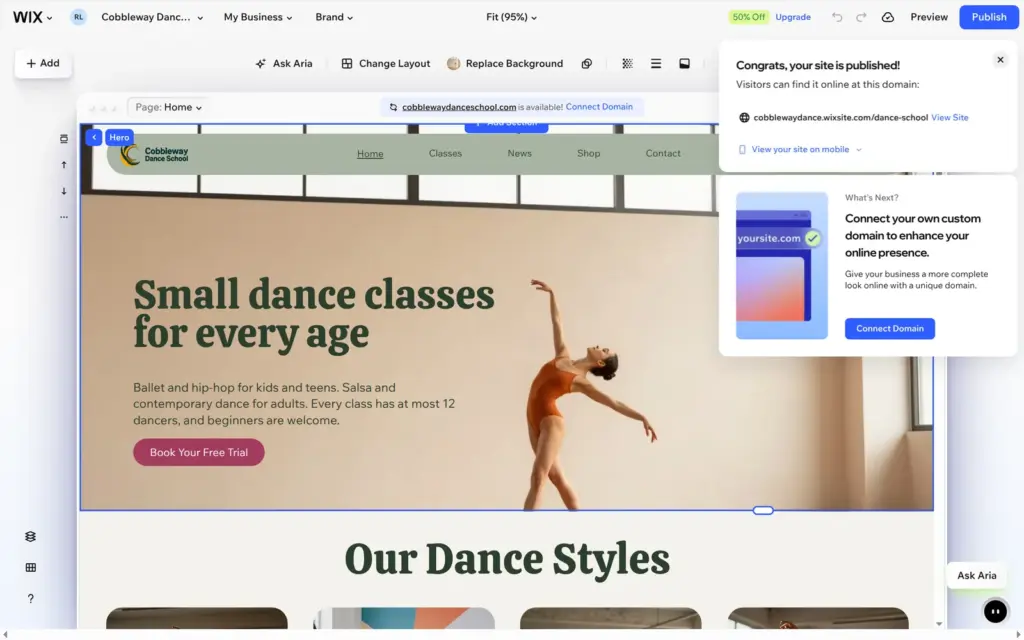
The editor opened with my answers as a prompt for Aria. Below it, Wix offered six templates for a music school, an acting school, a dance company and similar businesses. I let Aria generate the site. It wrote a plan for each section of the home page, and after about five and a half minutes it said the site was ready. The editor then showed an empty page for more than two minutes before the content appeared.
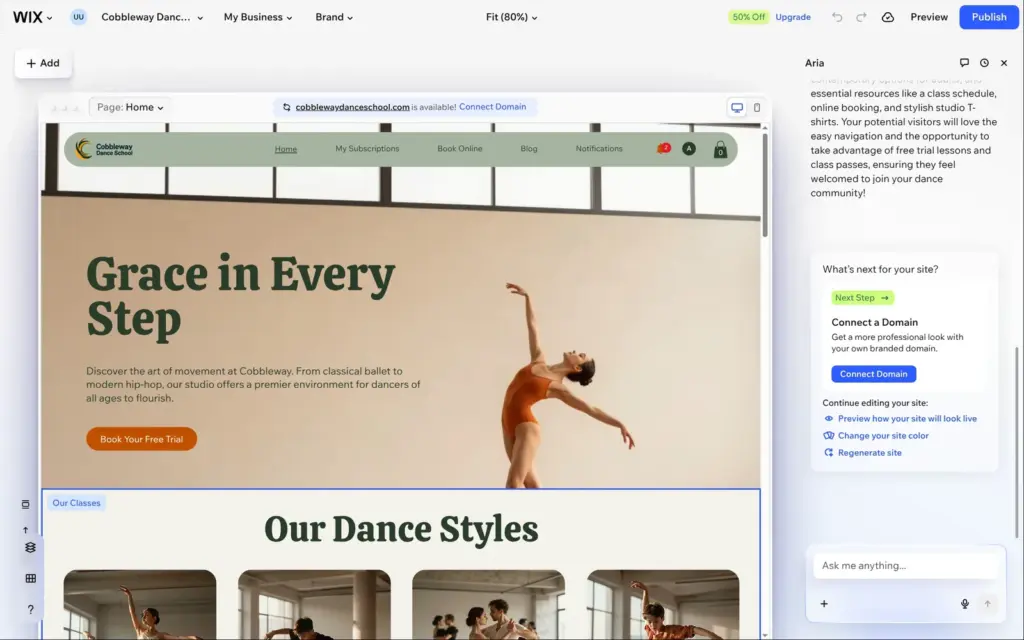
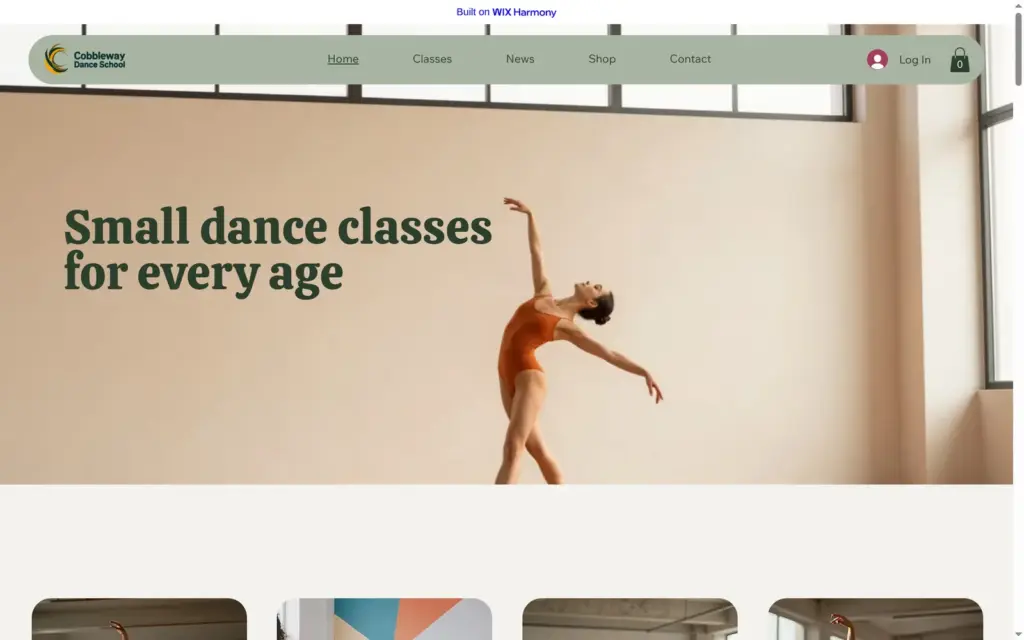
Aria's home page had a large photo of a dancer, four cards for the dance styles and a weekly class schedule. Further down came nine products under "Studio Apparel" and a section for class passes. It also created three bookable classes, three blog posts and a members area with a login. The photos were made with AI. The media library lists them as "ai-generated-IMAGE" files.
Some parts were placeholders. The schedule showed sample sessions called "Service Name" with a "Staff Member". The section for class passes had no passes in it.
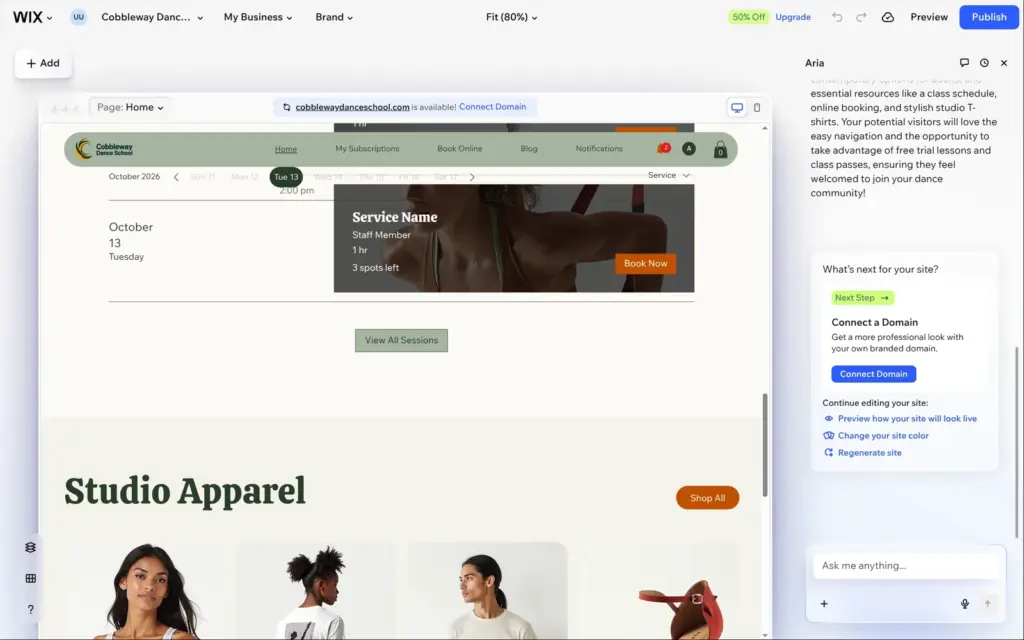
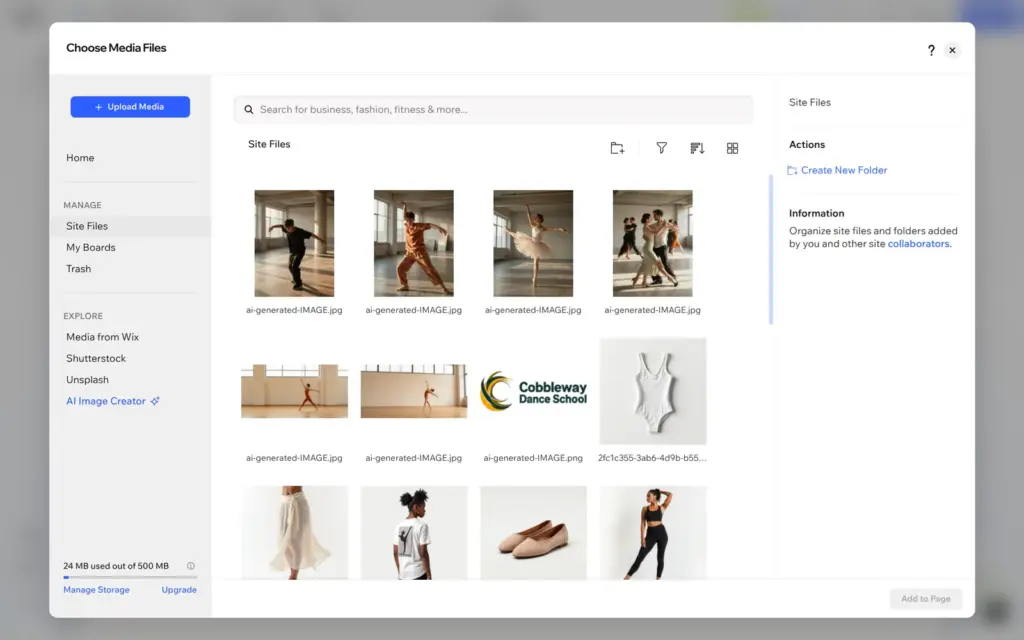
Chatting with Aria costs nothing, according to Wix's help center. Other AI tools, like Wix's AI agents, use AI credits. The free plan gets 30 credits a day and at most 120 a month.
To change text, you click it and type. Aria's heading said "Grace in Every Step", and the paragraph promised "a premier environment for dancers of all ages to flourish". I replaced both with plain facts. The longer heading ran into the menu, so I made the font smaller.
Colors and fonts are in the Brand panel. I changed the orange accent color to a raspberry red, and every button on the site followed.
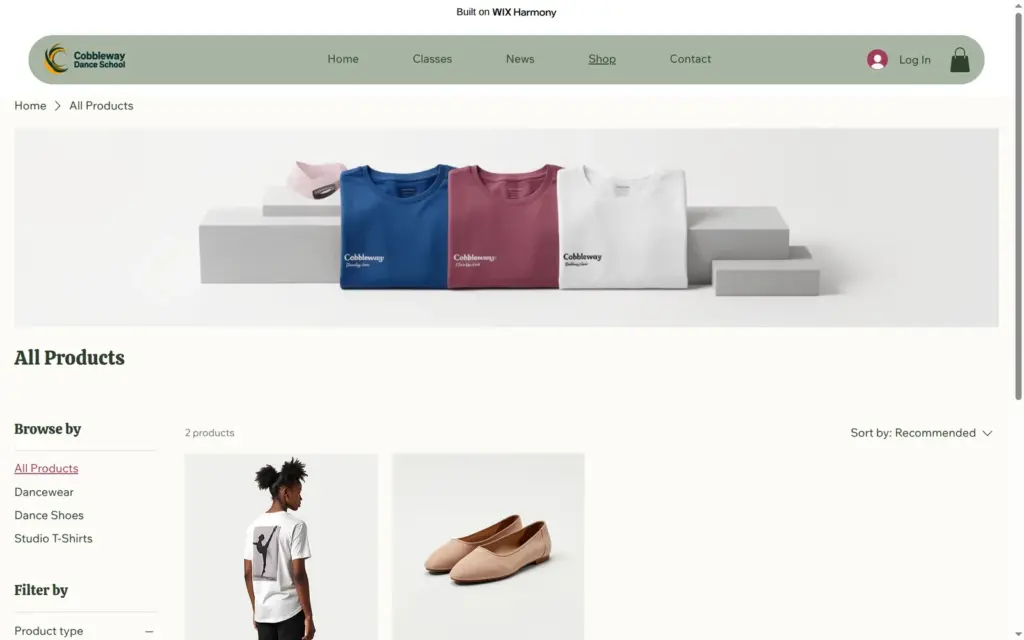
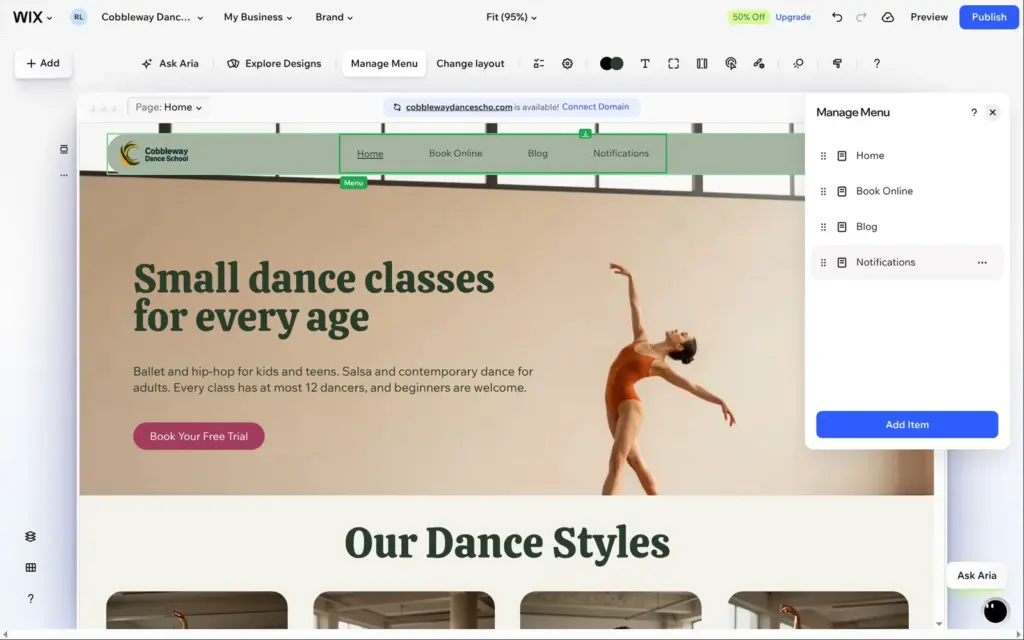
The menu had two links to the members area, My Subscriptions and Notifications, and no link to the shop. In Manage Menu I removed the two links and added the shop's category page. It came in as "All Products", so I renamed it to Shop. I also renamed Book Online to Classes and Blog to News.
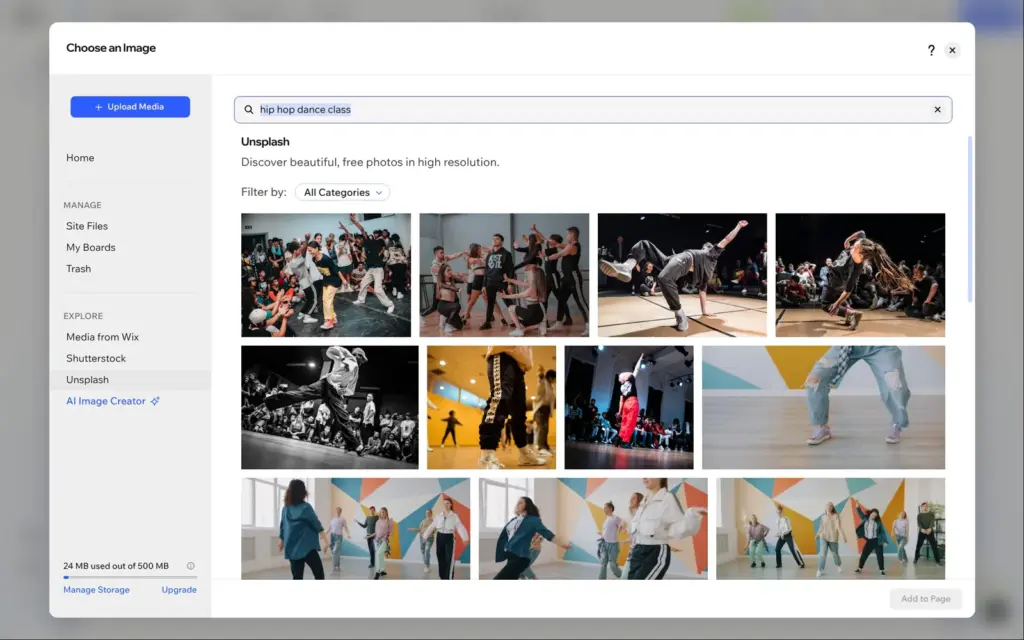
The media library has photos from Wix, Unsplash and Shutterstock and an AI image creator. I replaced Aria's hip-hop photo with a real one from Unsplash. The free plan has 500 MB of storage for media.
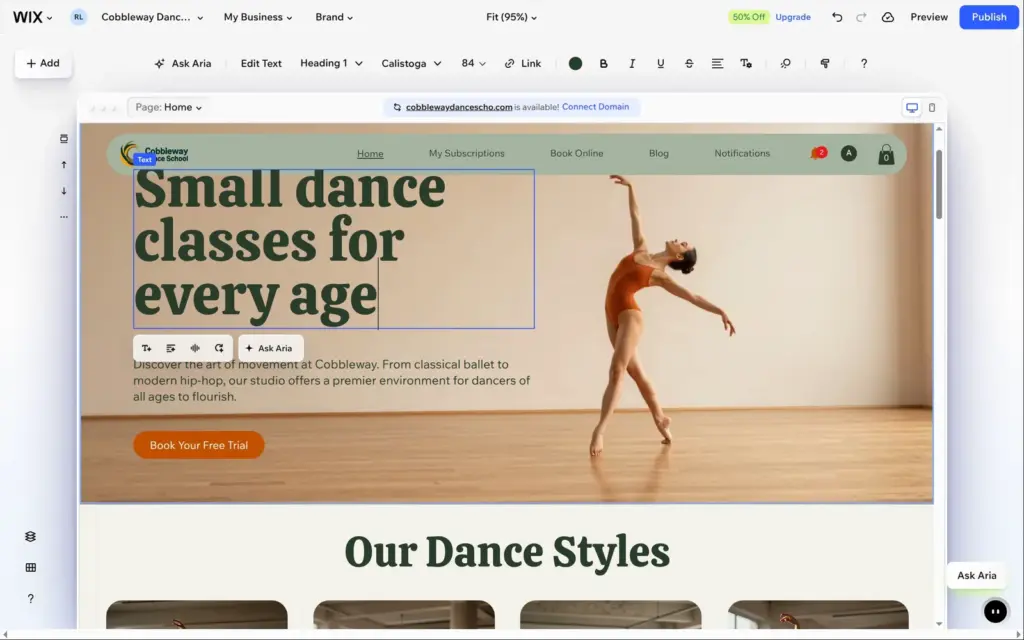
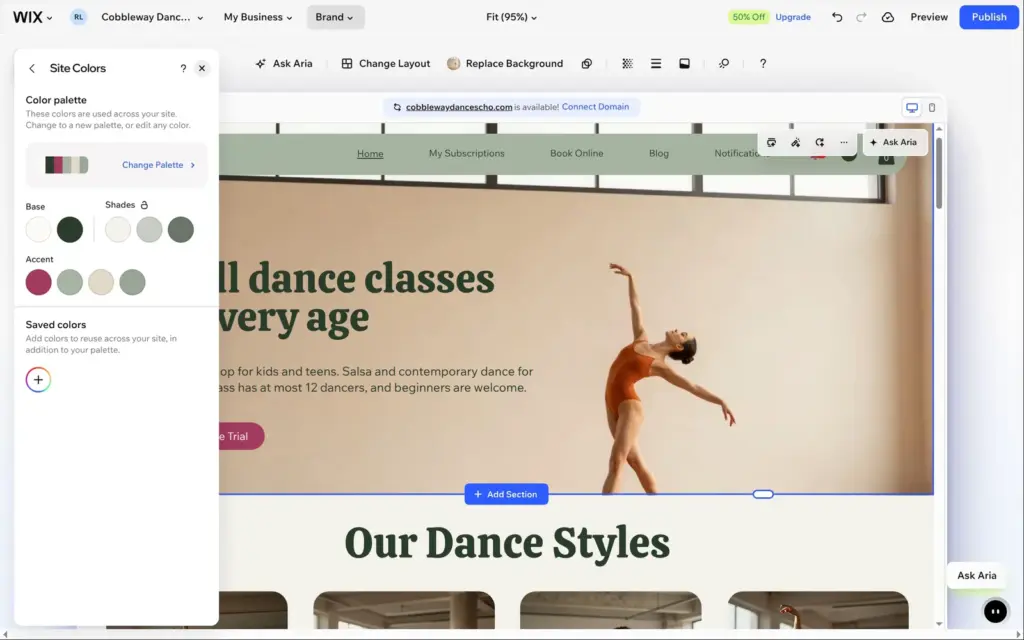
I also tried Aria for text. I selected the ballet description and asked for one plain sentence about ballet for kids and teens aged 6 to 17. Aria put in my request word for word. For a short text, typing it myself would have been as quick.
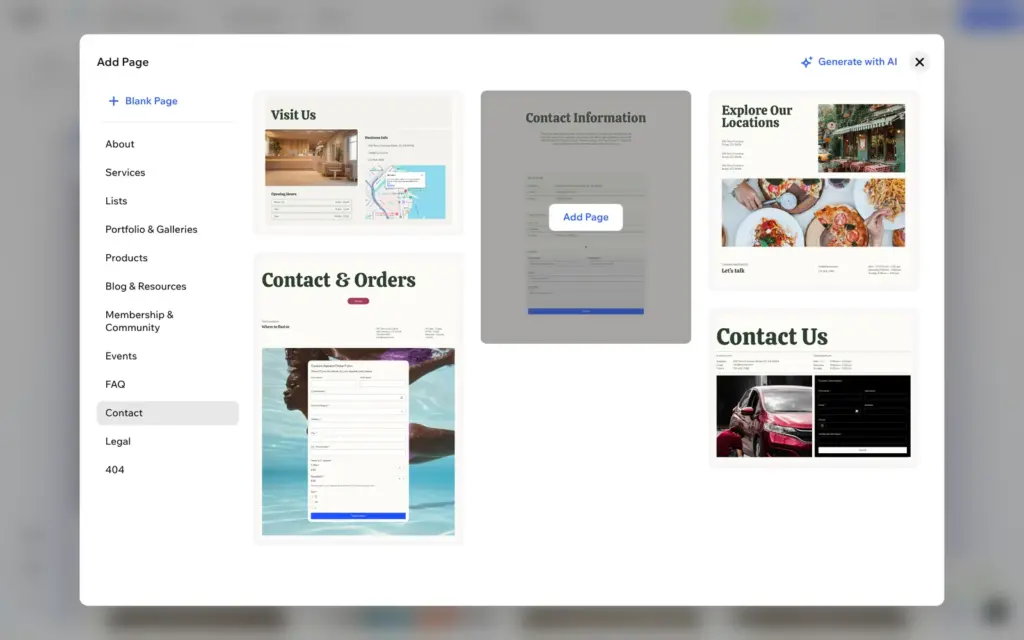
Aria did not make a contact page. Wix has ready-made page designs, and I picked one with contact details, opening hours and a form. The design came with sample text, a San Francisco address, the email address info@mysite.com and the phone number 123-456-7890. I replaced them, and the opening hours became the class times.
The form is made with Wix Forms. Fields come in groups like contact details, choices, dates, bookings and payments. File upload and signature fields need a paid plan. Each new message sends an email to the site owner.
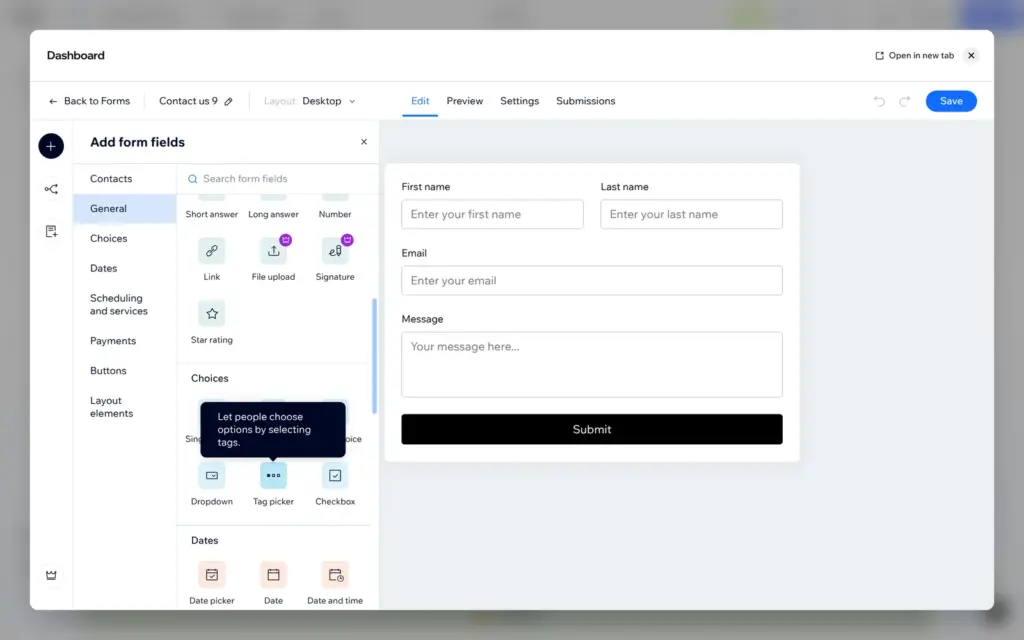
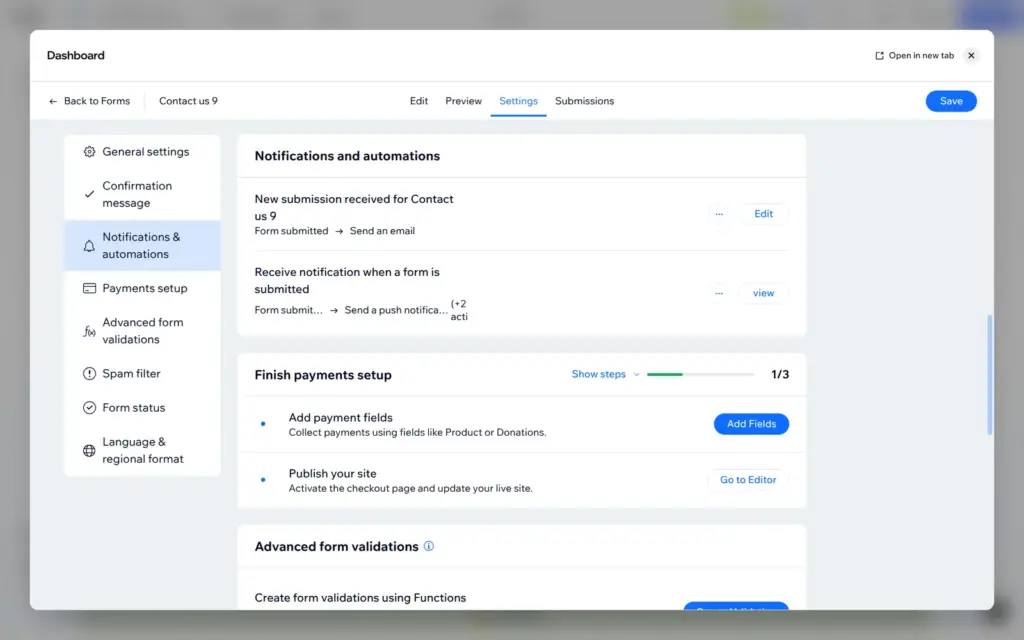
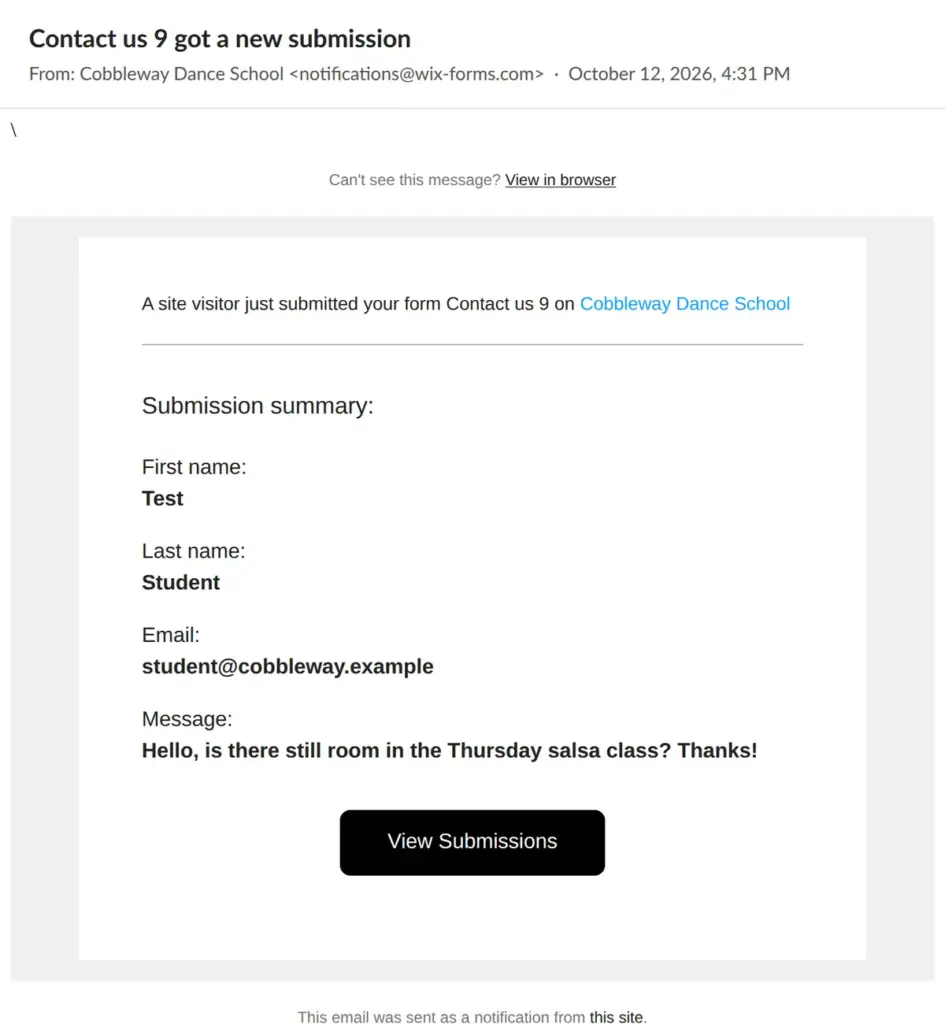
On the live site I sent a test message. The email arrived about a minute later from "Cobbleway Dance School" with the address notifications@wix-forms.com. It listed each field with its label: first name, last name, email and message. The subject called the form "Contact us 9", the name it got from the page design. You can rename the form in its editor.
Wix keeps a separate layout for phones. Sizes and positions you change there only affect the phone.
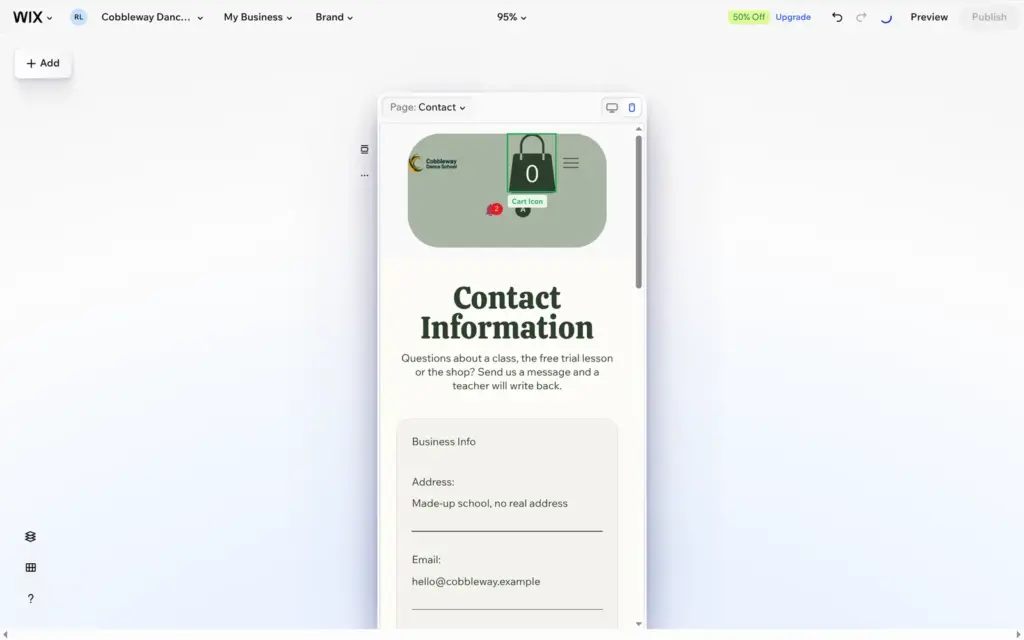
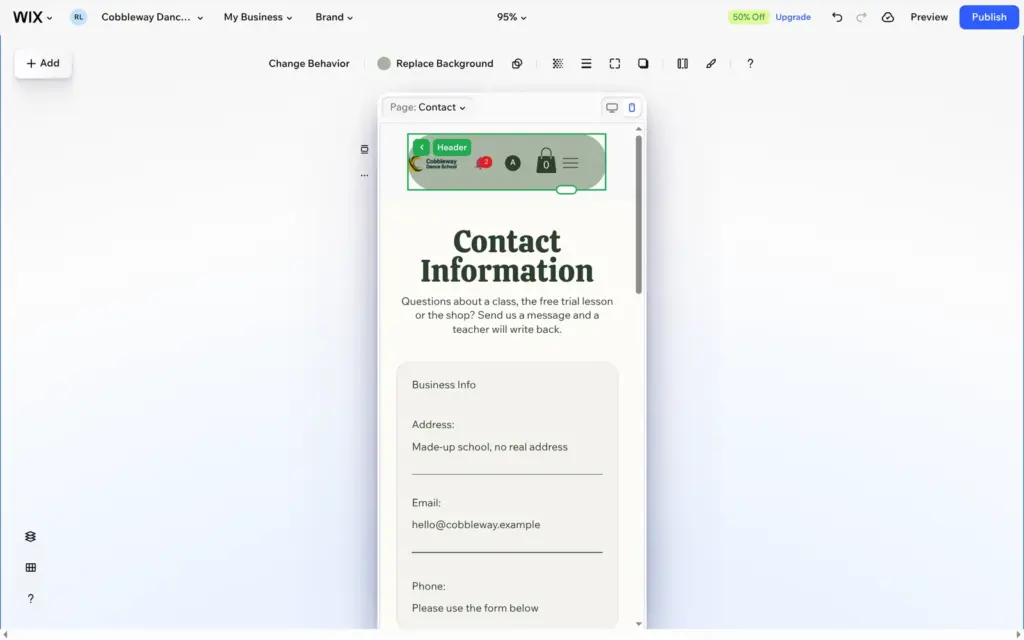
Aria's phone header was broken. The cart icon was huge, and the notification bell and the login button sat in a second row below the logo. I made the cart smaller, moved it next to the menu button, pulled the bell and the login button up and made the header shorter. The header is shared by all pages, so the fix showed everywhere.
The large photo at the top was the other problem. On the phone, the crop cut the dancer off at the right edge. Backgrounds have a focal point, and I dragged it onto the dancer. That fixed the phone, but the focal point counts for desktop too. There the dancer moved left and touched the text, so I made the text box narrower.
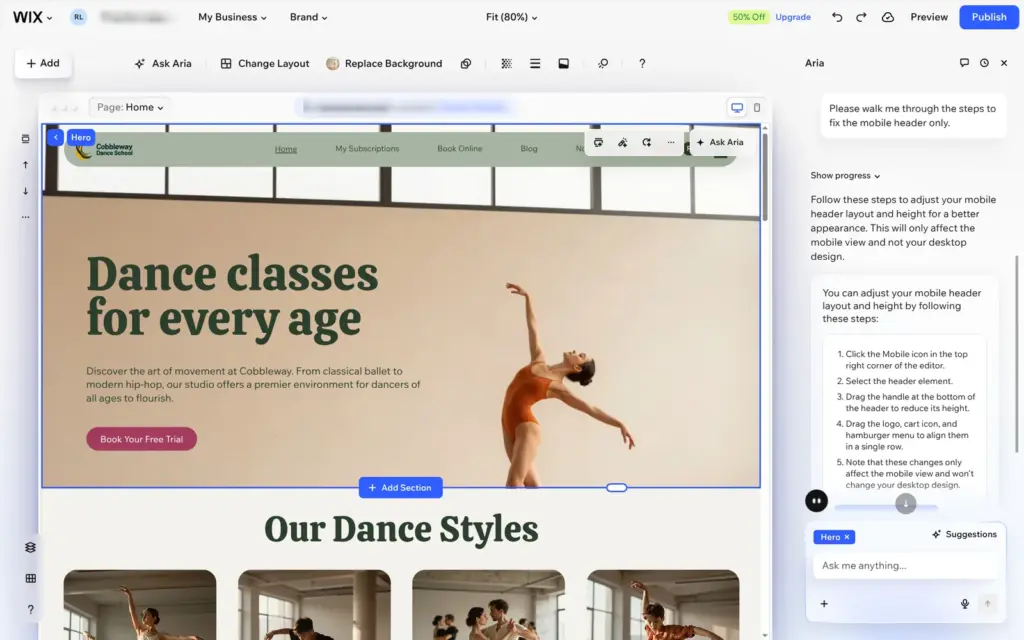
I also asked Aria to fix the phone header. It answered that it can only edit the desktop view and offered to explain the clicks instead.
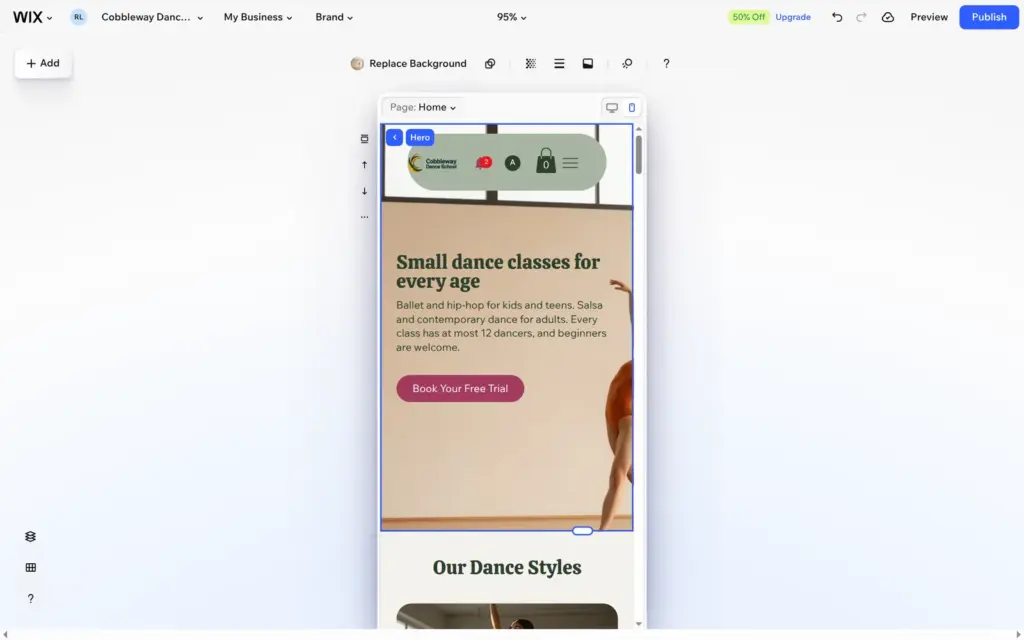
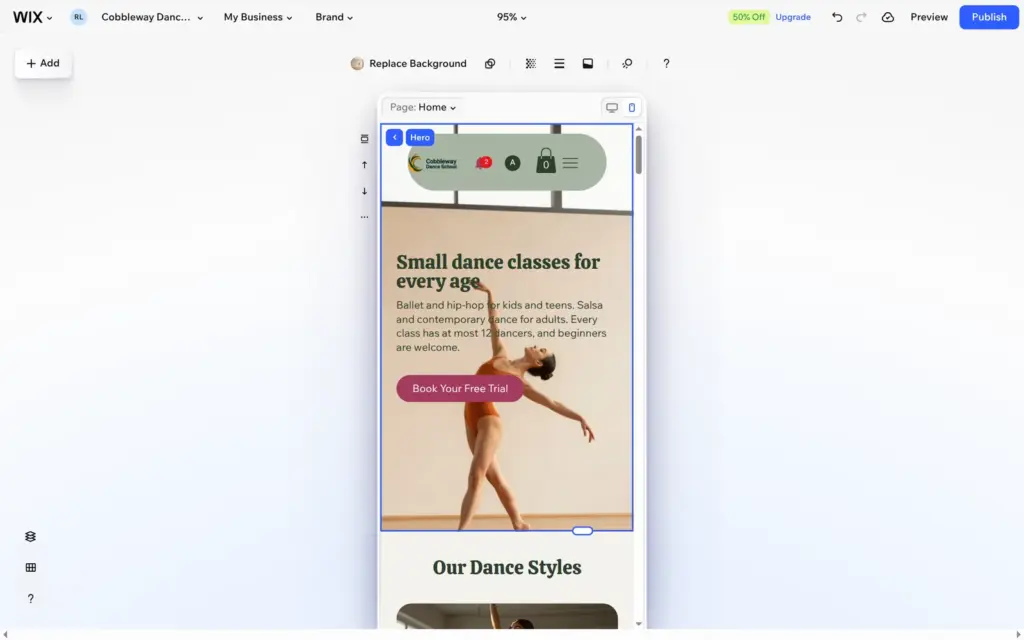
On the live site, the phone menu opens as a full-screen list with all five pages.
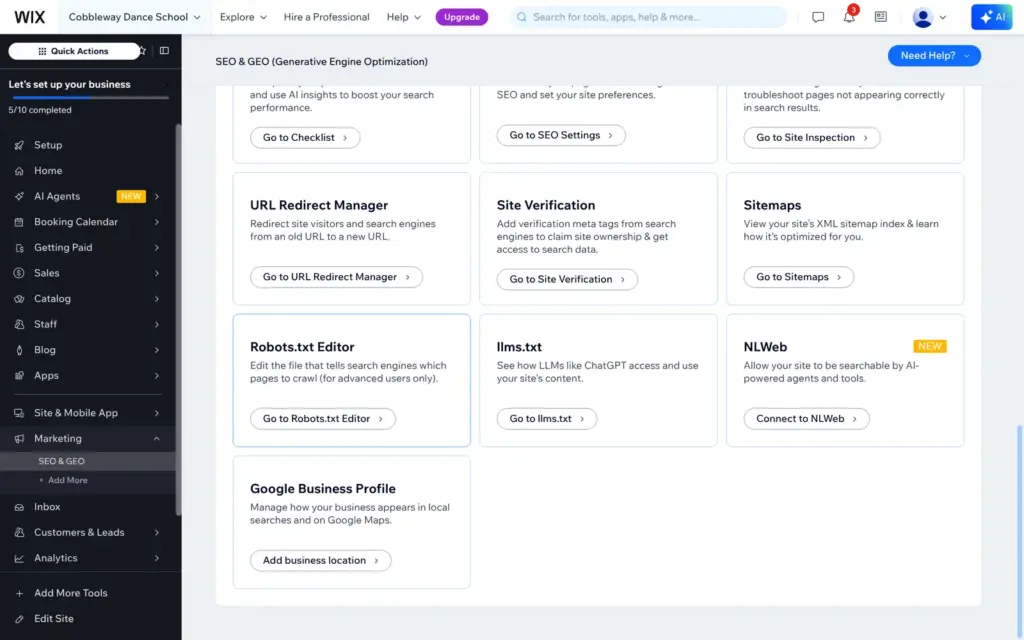
Search settings are under SEO & GEO in the dashboard. Each type of page gets a pattern for its title and description, and there are tools for redirects, sitemaps and verifying the site with Google. The robots.txt editor only works with your own domain.
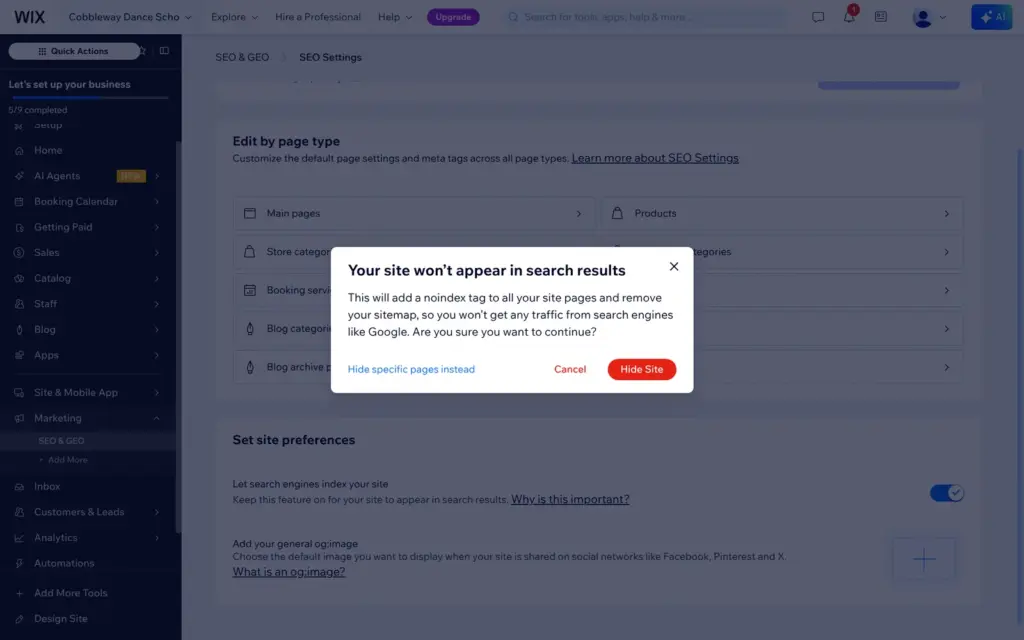
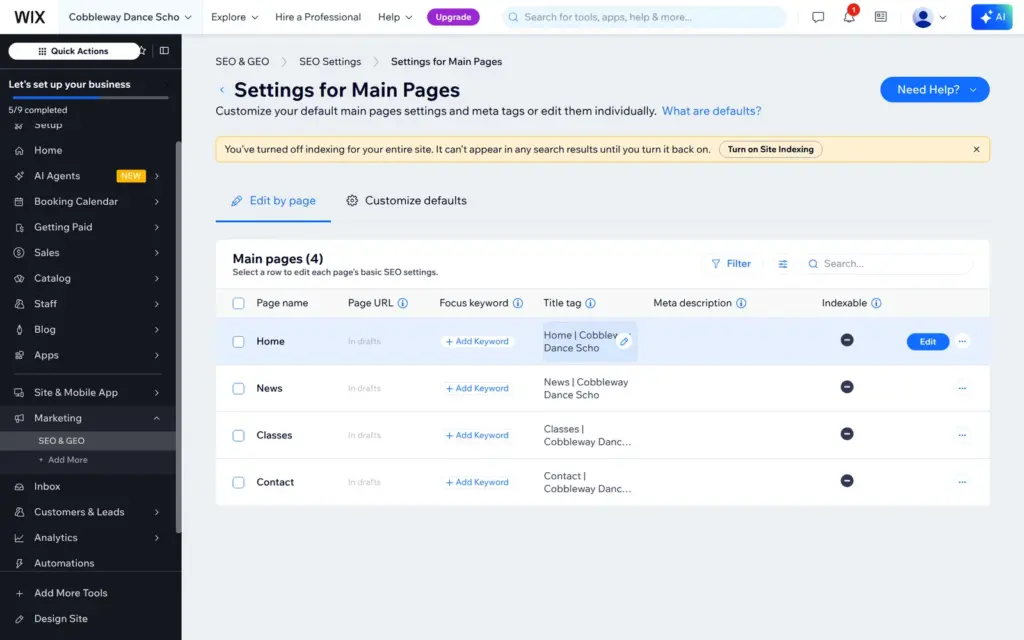
Because the school is made up, I switched off indexing. Wix warned that this adds a noindex tag to every page and removes the sitemap.
The page titles showed a mistake. The onboarding had cut the site name to "Cobbleway Dance Scho", 20 characters, and every title used it. Renaming the site in the website settings fixed all titles at once. In the same place I changed the end of the free address to /dance-school.
On the live site every page had its title, the noindex tag and English as its language. None had a meta description, because Aria had not written any.
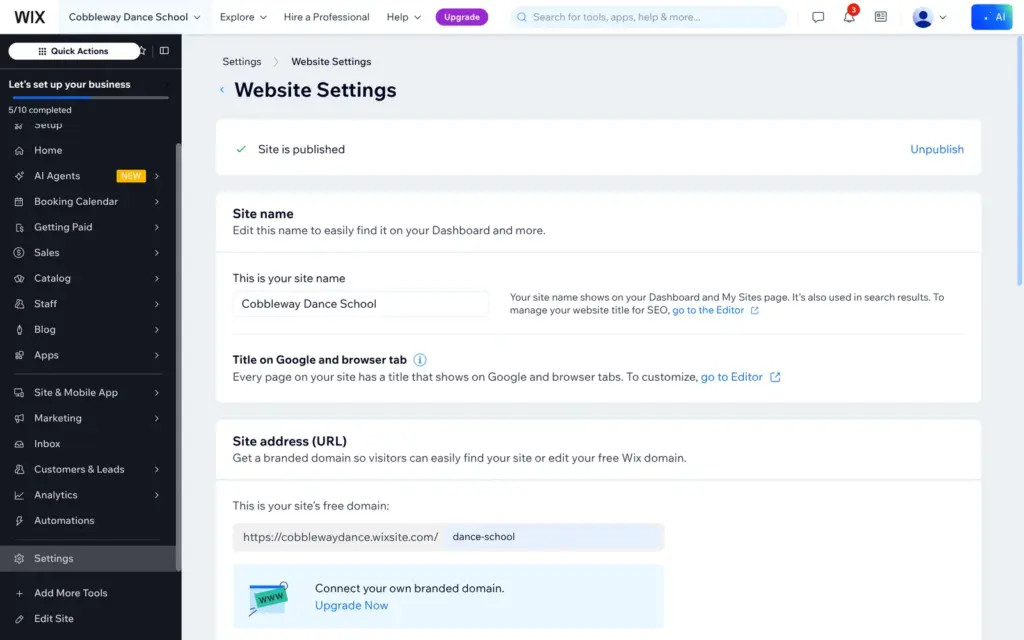
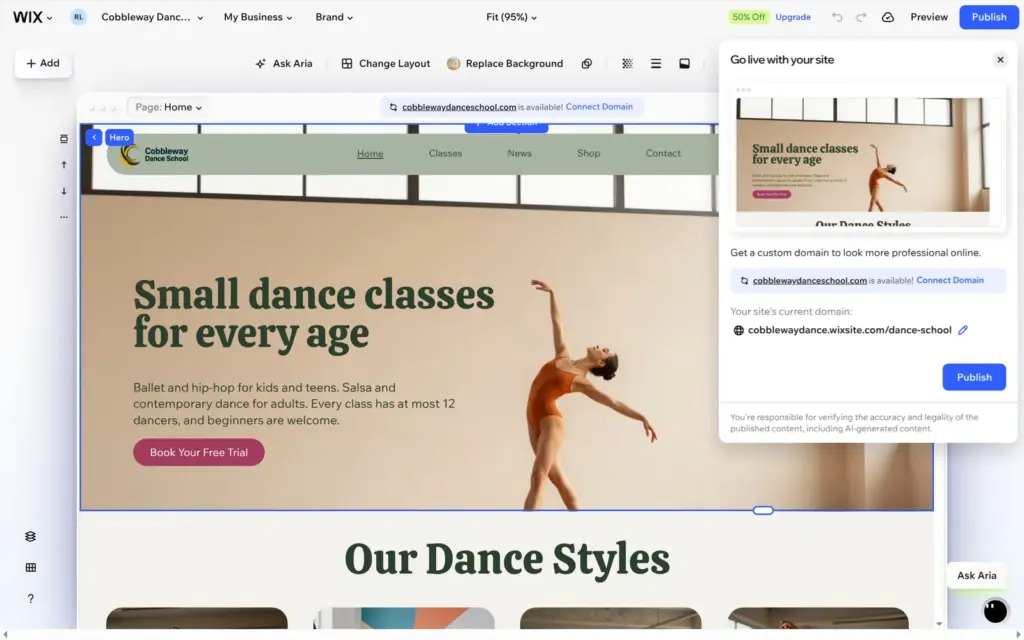
Publishing takes a click and a few seconds. Wix offers a custom domain first. On the free plan the site goes live at an address like cobblewaydance.wixsite.com/dance-school. Free sites show a "Built on Wix Harmony" bar at the top of every page, and the browser tab shows the Wix logo instead of your own icon. Your own domain and icon need a paid plan.
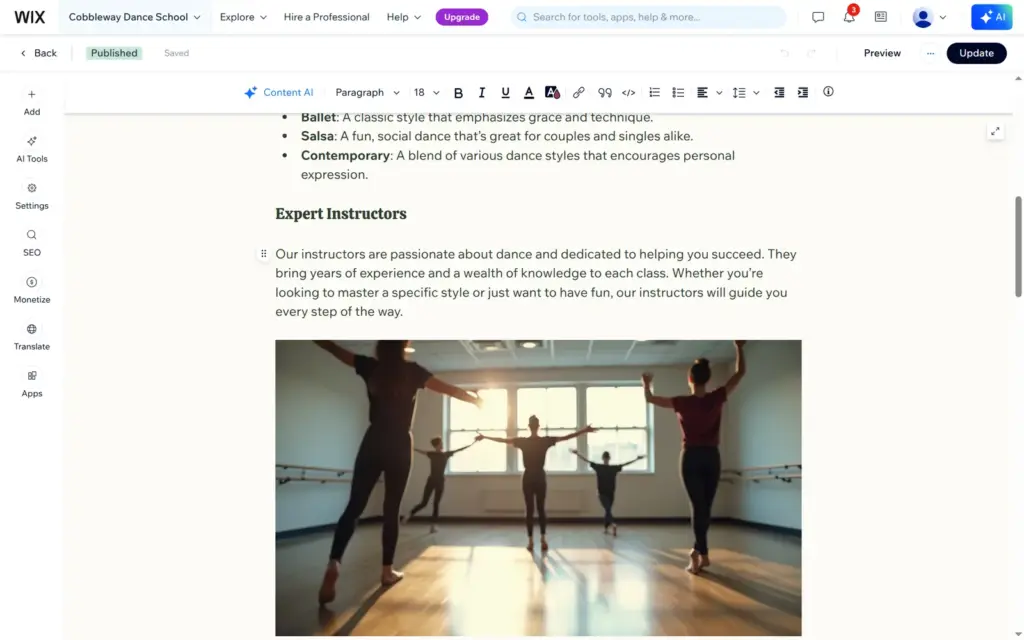
Aria had also written and published three blog posts. They read like general marketing and invented things I never said, like "expert instructors" who "bring years of experience". On a real school's site that would be a problem, so I moved them to the trash and wrote two short posts myself.
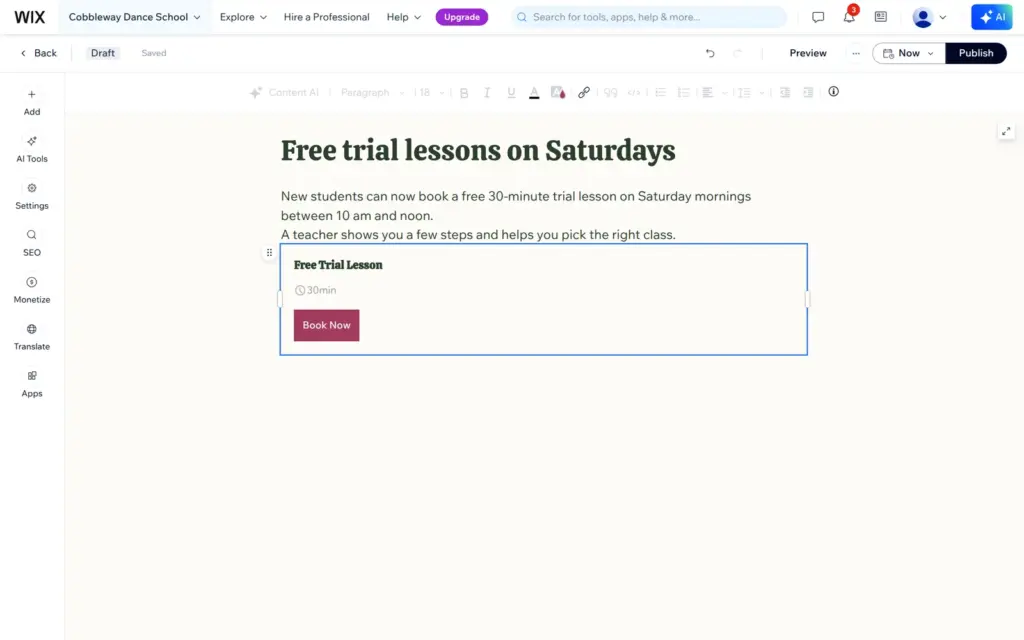
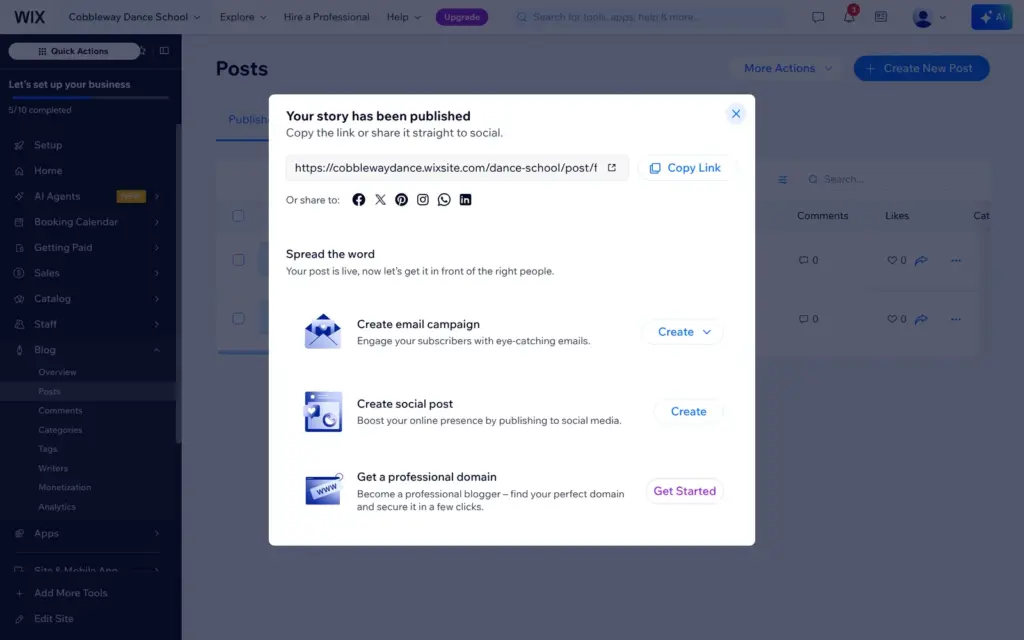
The post editor works like a simple word processor. Posts can also show a product from the shop or a bookable service, and I added the free trial lesson to one of them. A published post gets its own address right away, and Wix offers to turn it into an email campaign or a social media post.
Wix took the blog author name from my email address, and the live blog showed it next to each post. I renamed the writer in the dashboard and set member profiles to private. The page code still linked to my member profile, and that address contained the first part of my email address. I found no setting to change it, so I took the two posts offline again after the test.
I visited the published site like a new student, on a computer and on a phone, without a Wix login. The pages, the menu and the phone menu worked, and the buttons to book a lesson led to the class page.
The footer had six icons for Facebook, Instagram, YouTube, X, LinkedIn and TikTok. They linked to the home pages of those networks, not to accounts of the school. The class schedule named the teacher of every class "Business Owner", the default name of the account's staff member.
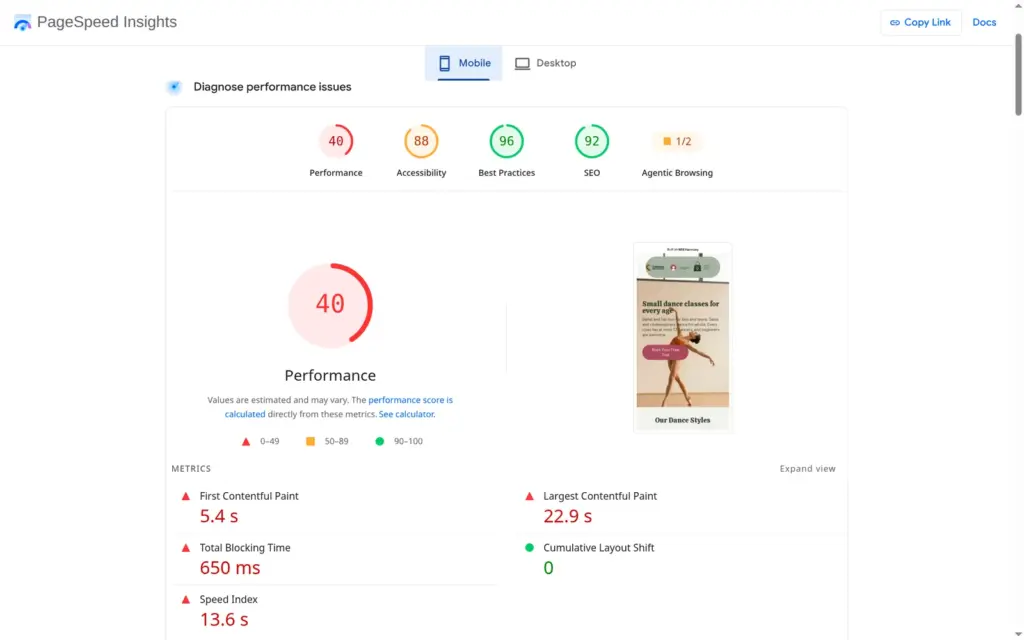
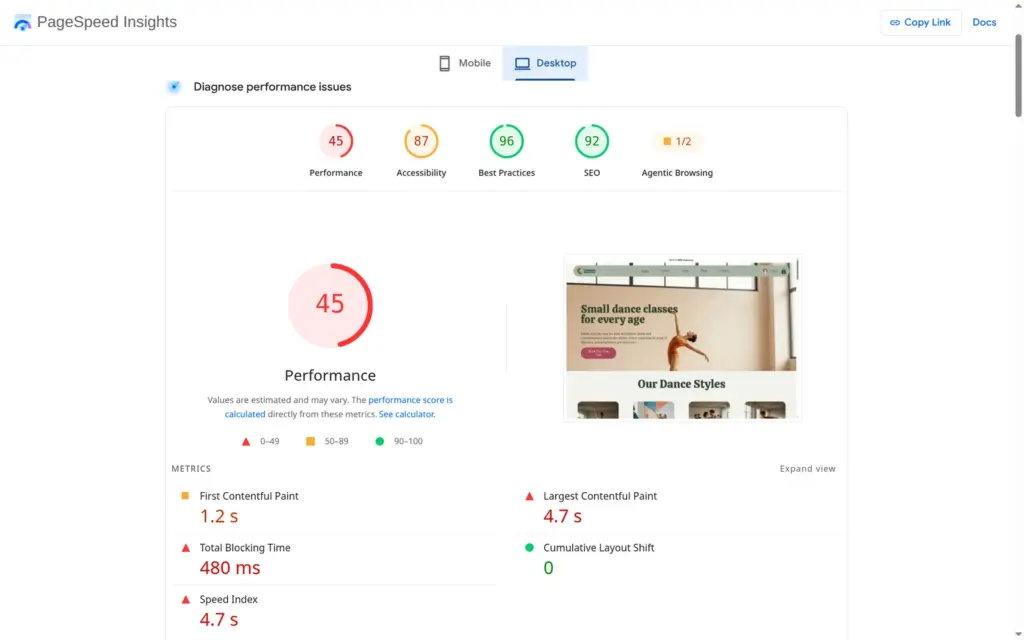
I ran the published home page through Google's PageSpeed Insights once. On a simulated phone it scored 40 out of 100. The first content appeared after 5.4 seconds and the largest image after 22.9 seconds. On desktop it scored 45, and the largest image appeared after 4.7 seconds. The report said the images could be about 860 KB smaller. The page loaded about 4.8 MB in total, and running its scripts took 2.2 seconds.
Accessibility scored 88 on the phone. The report listed buttons and links without names for screen readers, colors with too little contrast and headings out of order.
For a dance school, this is the part that decides. Wix Bookings has three kinds of services: classes with a fixed schedule, appointments where clients pick a free time, and courses that run as a series.
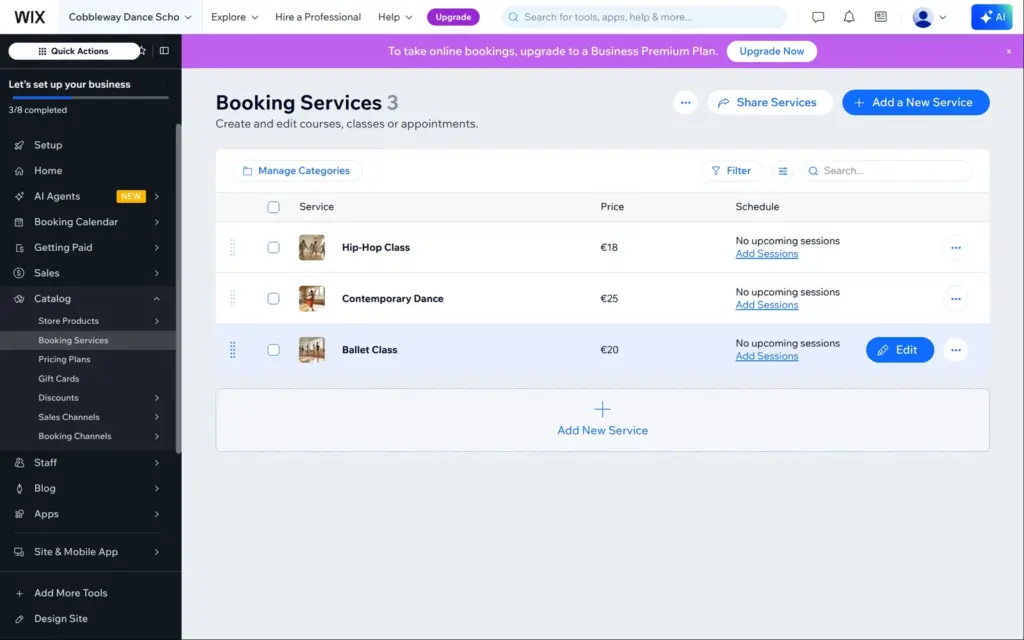
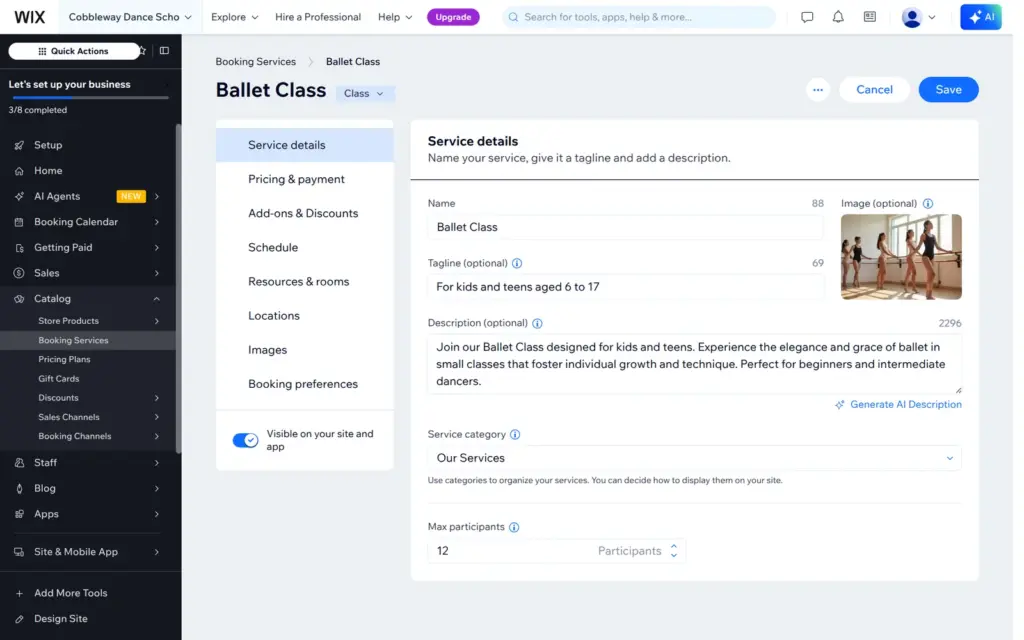
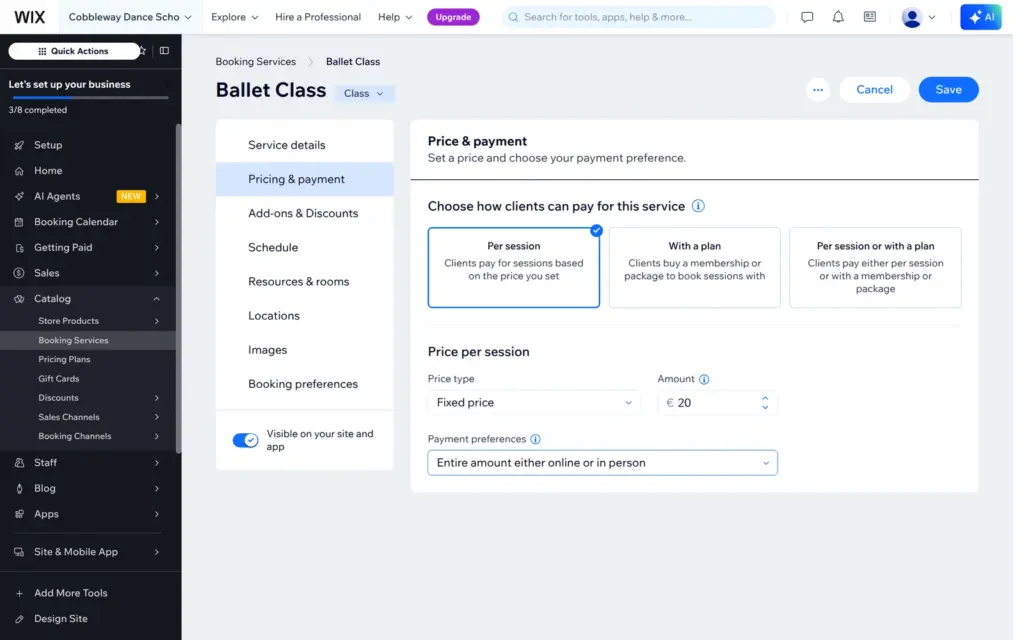
Aria had created ballet, hip-hop and contemporary classes with prices, but without times, and salsa was missing. Each class has a page with a name, a short line, a description and the maximum number of participants. I set the limit to 12 dancers. Clients can pay per session, with a plan like a class pass, or both. They can pay online, at the studio, either way, or a deposit online and the rest at the studio.
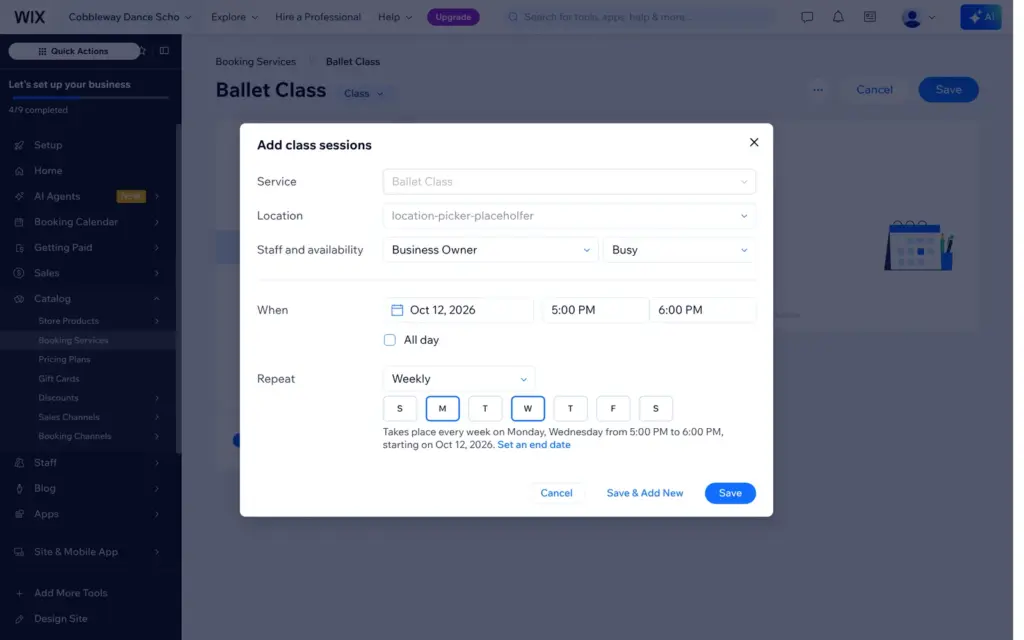
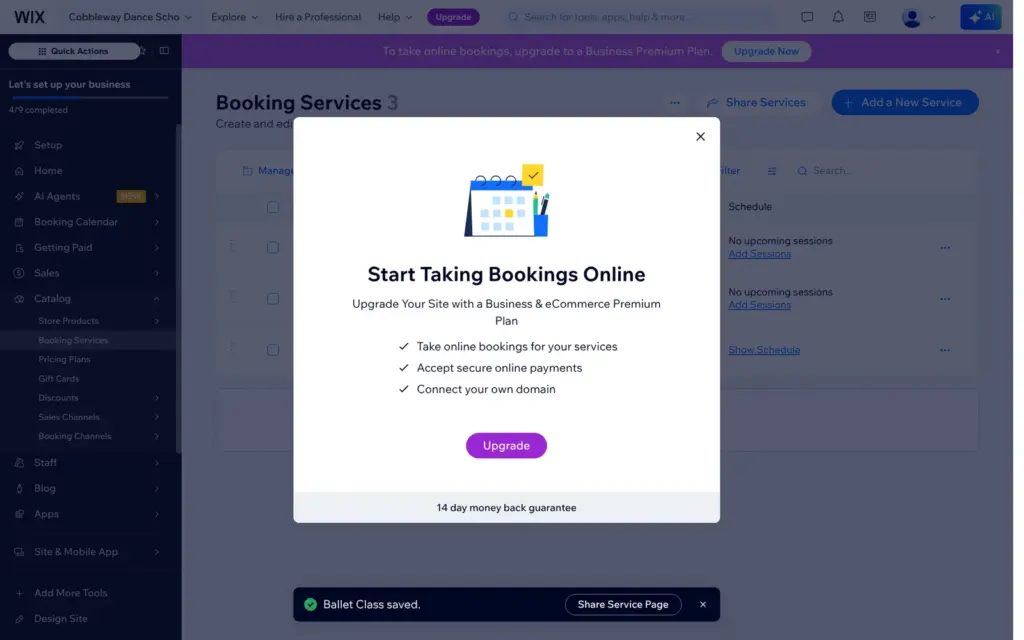
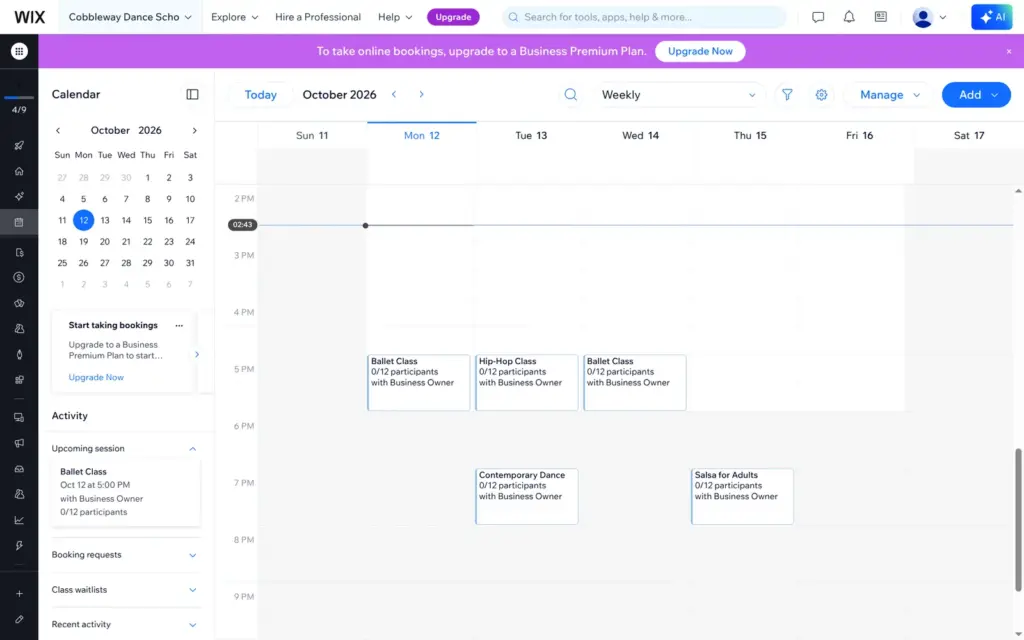
Sessions repeat weekly. Ballet runs every Monday and Wednesday from five to six. When I saved the class, a banner said that online bookings need a paid plan.
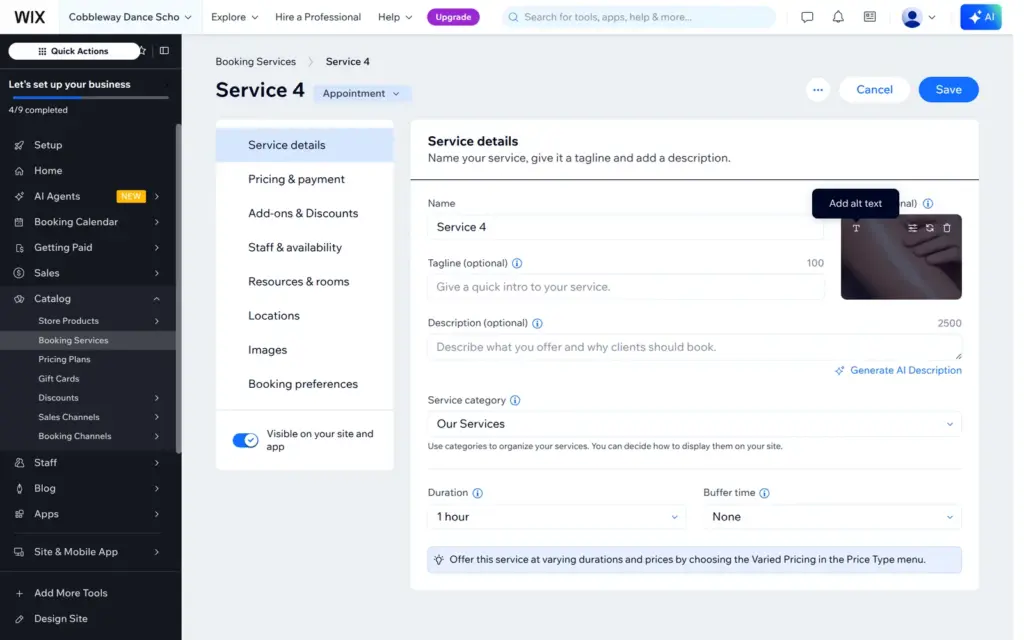
Wix can also create services from a description. I described the salsa class and the free trial lesson in two sentences, and Wix opened an empty form called "Service 4" with a stock photo of skin cream. The same text gave the same empty form in a second test. When I described only the salsa class, it worked. Wix filled in the name, a description, 12 participants and the price of 20 euros, but no times, and its summary mentioned a 10-class package I had not asked for. In the end I copied the ballet class and changed it to salsa.
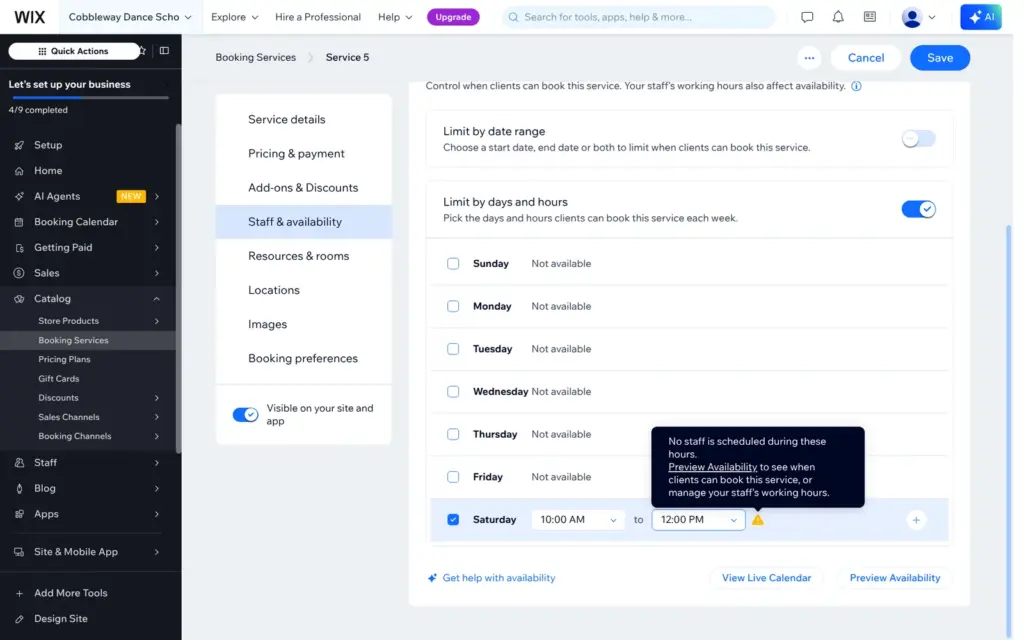
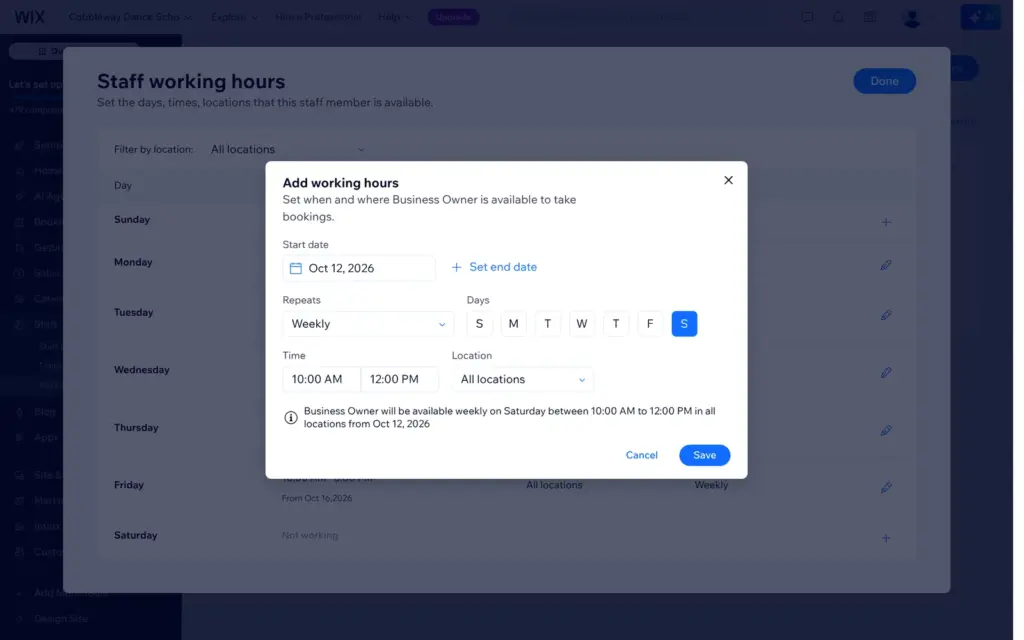
The free trial lesson became a 30-minute appointment. For appointments, clients pick a free slot within the working hours of the staff. I limited the trial to Saturday mornings, and Wix warned that nobody worked then. Working hours are set per staff member in a separate work schedule. The default for the owner was Monday to Friday from 10 to 6, so I added Saturday morning. The new hours only showed up after I reloaded the page.
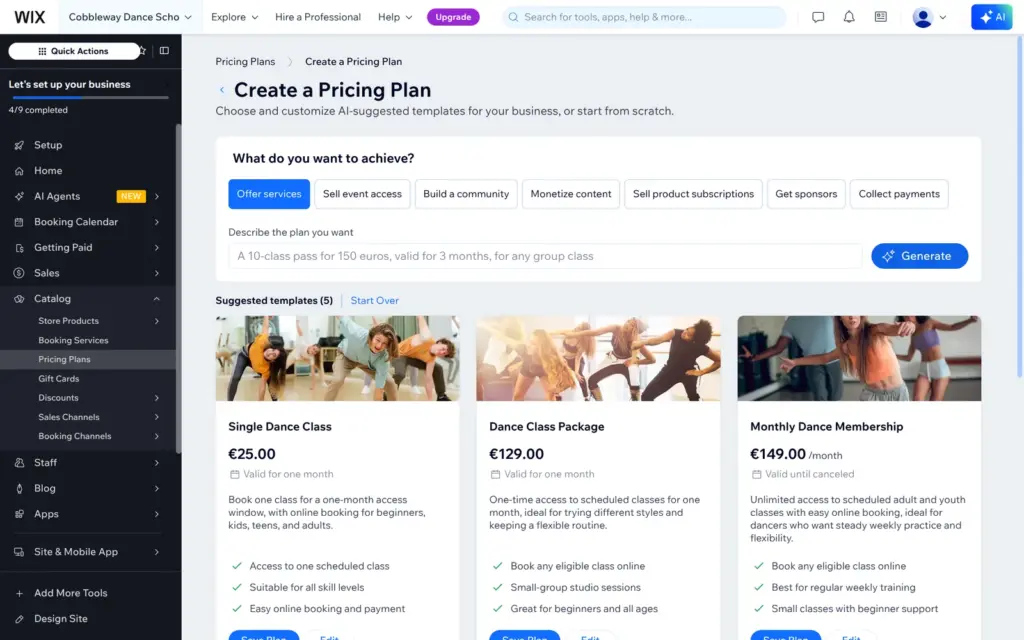
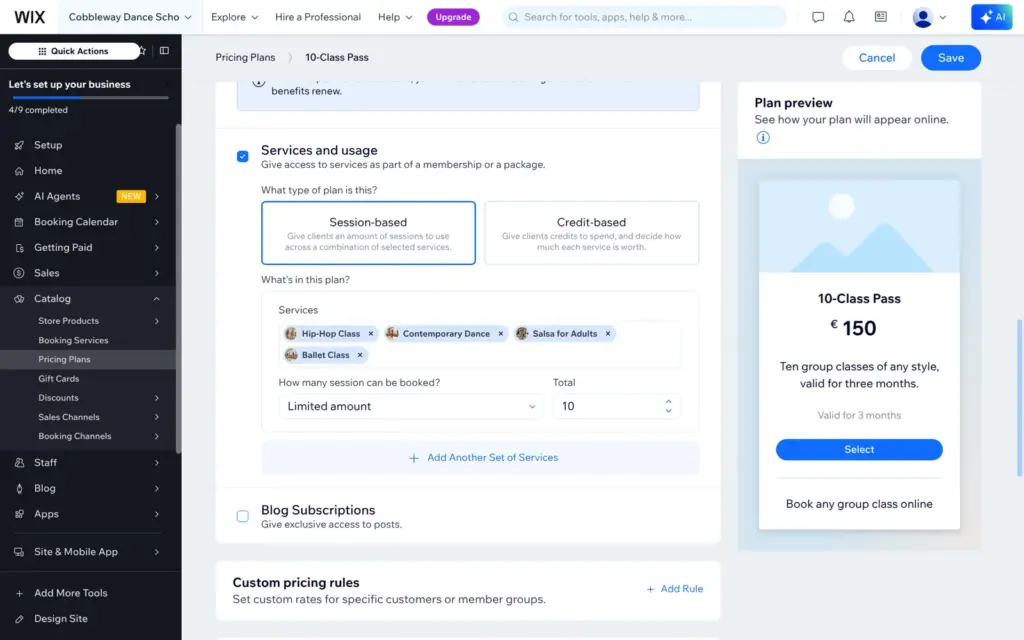
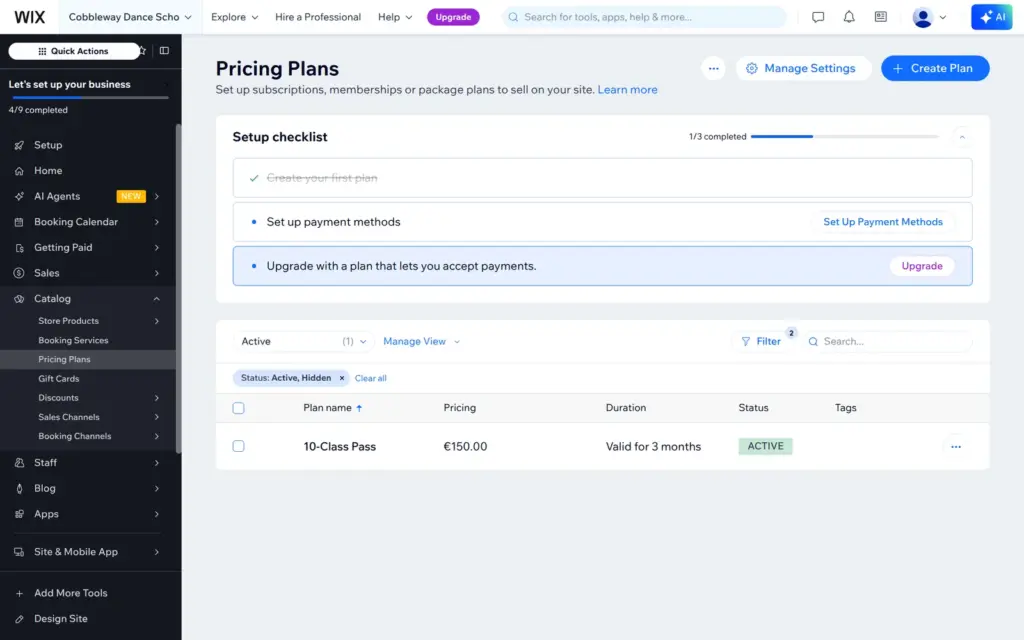
Wix sells class passes, memberships and packages as pricing plans. It suggested five ready-made plans, from a single class for €25 to a yearly membership for €899. Its "Dance Class Package" for €129 did not say how many classes it included. I described my own pass, but the generator only changed the photos of the same five plans. So I built the pass by hand: €150 once, ten group classes, valid for three months. It covers the four group classes but not the free trial.
On the live site every class has a Book Now button. When I clicked it as a visitor, a message said that the service was not yet available for online bookings. This also happened with the free trial lesson. Each try sent me an email from Wix with the subject "A client tried to book on your site—here's how to take bookings" and an upgrade button.
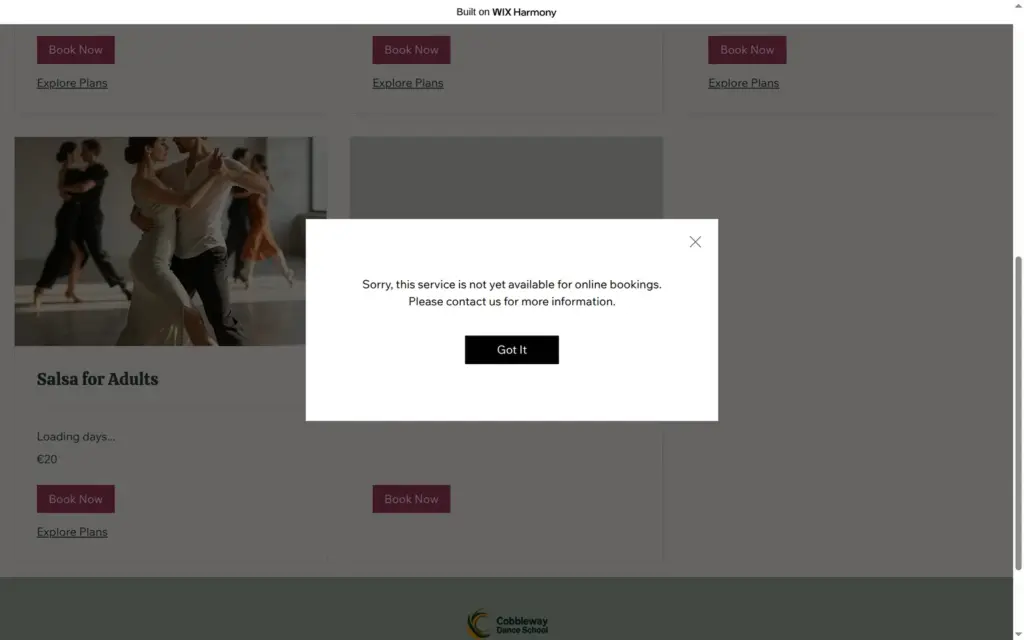
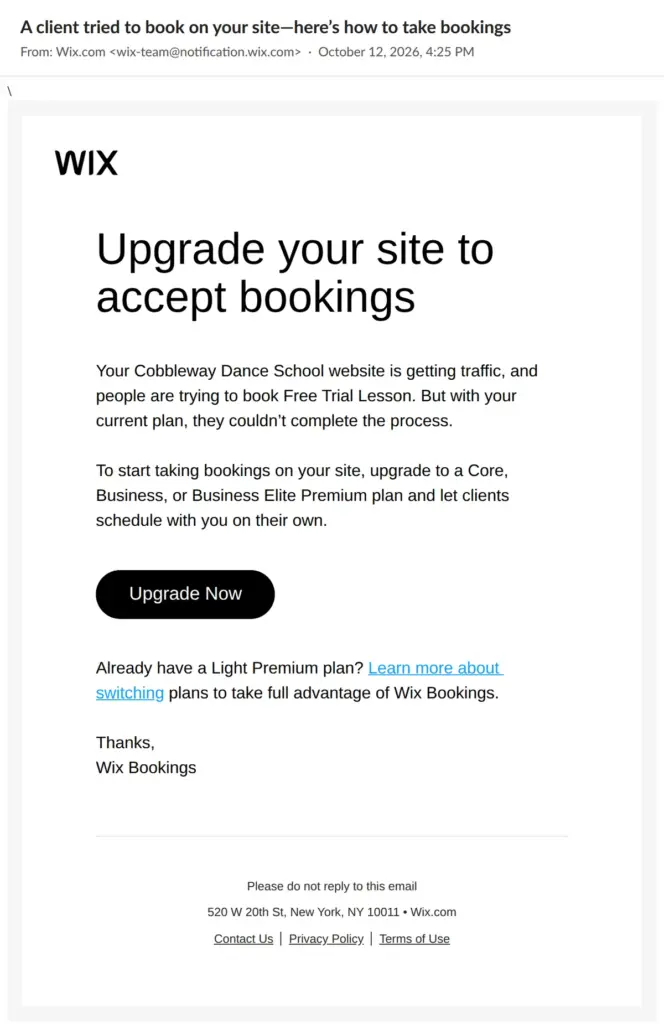
Taking bookings and selling the class pass need Core or higher.
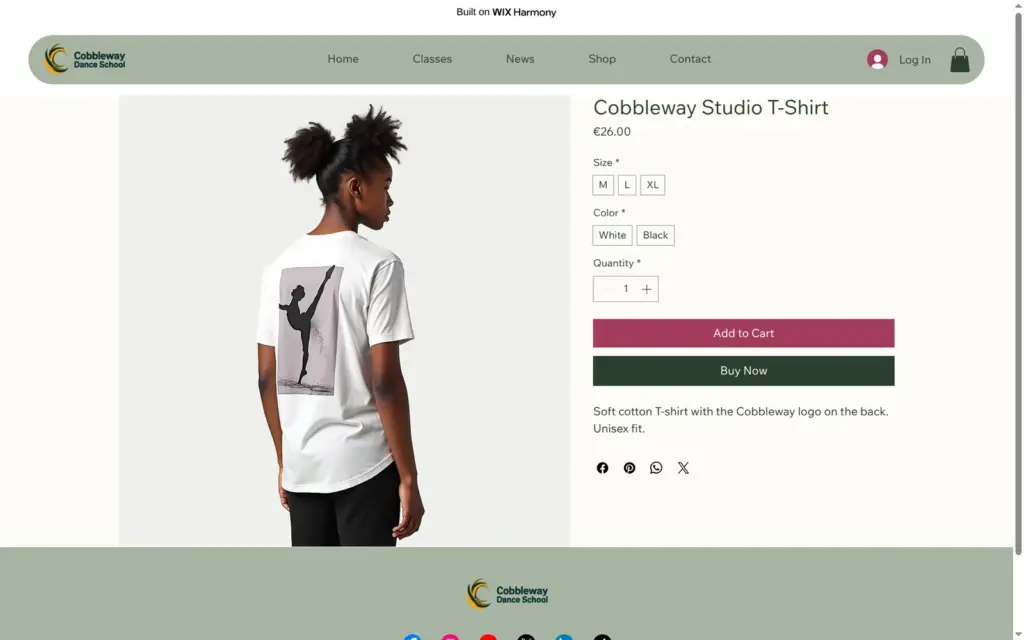
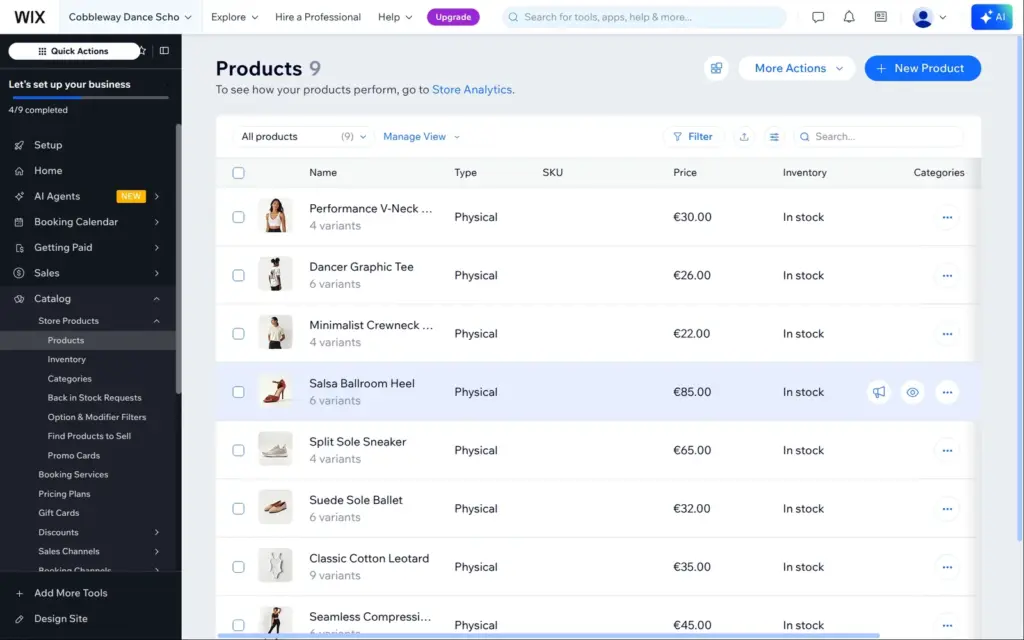
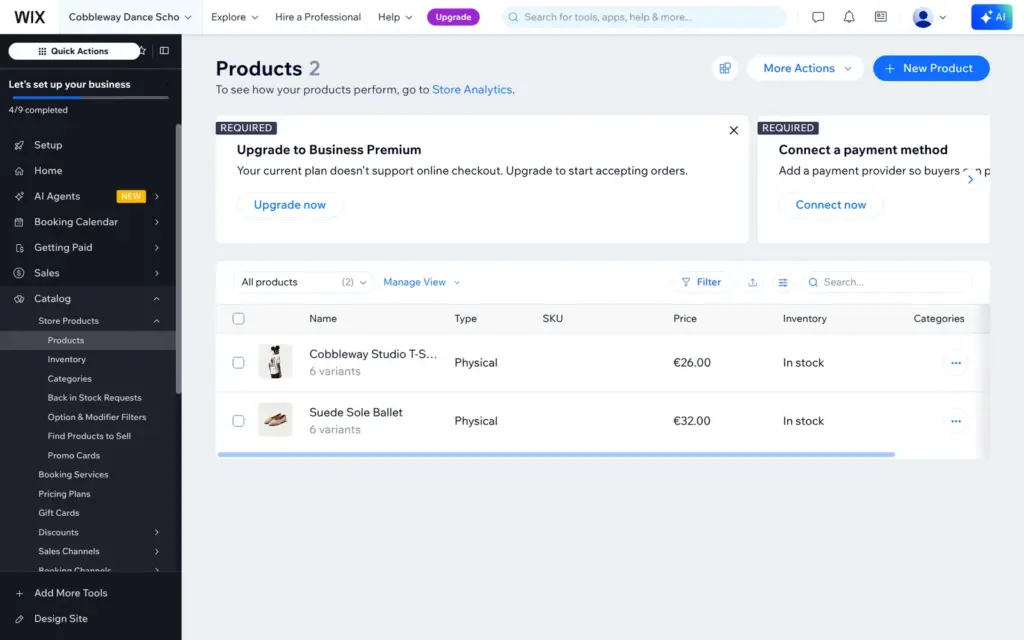
Aria filled the shop with nine sample products with sizes, colors and prices. I deleted seven of them and kept a T-shirt and ballet shoes. The T-shirt got the school's name and a plain description.
Sizes and colors become variants, six of them for the T-shirt. Each variant has its own price, stock count and weight. I turned on stock tracking and set XL in white to zero, to see how the shop shows a sold-out size. After I saved the product, a banner said that the free plan does not support online checkout.
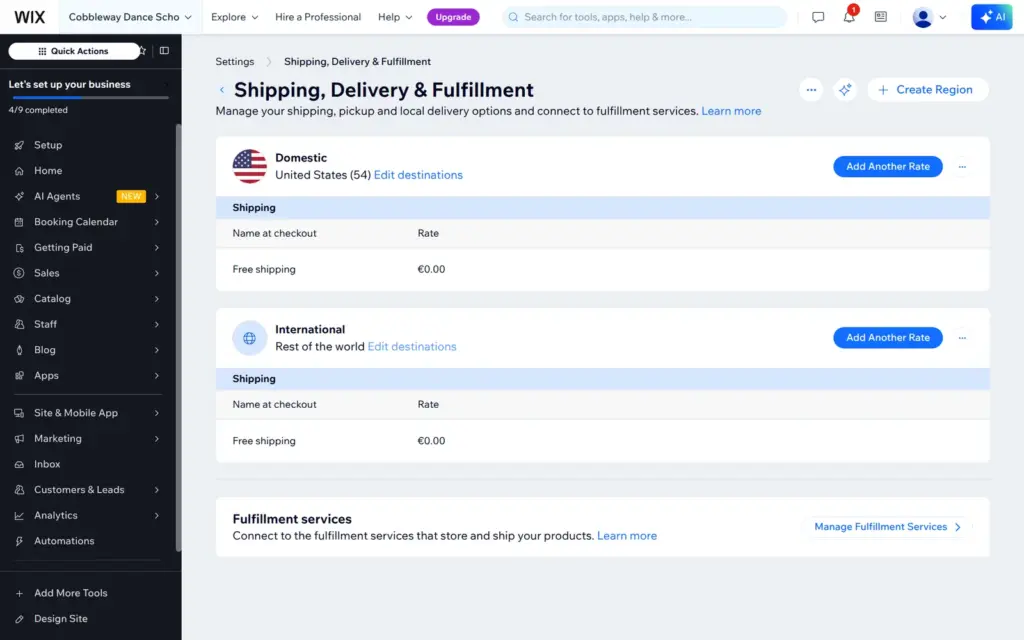
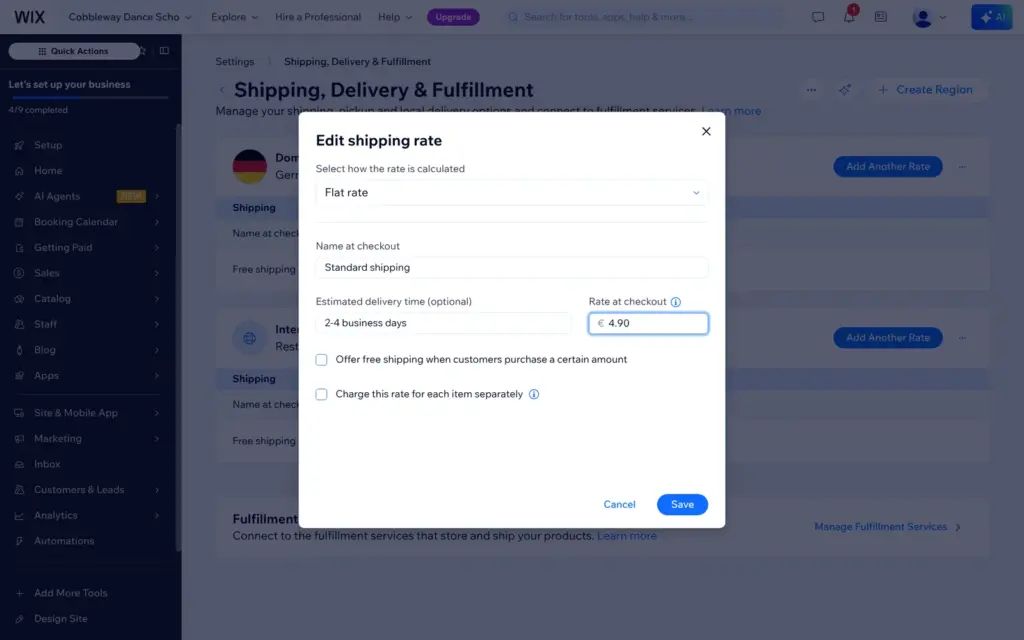
Shipping needed the most work. Wix had set up two regions: "Domestic" with the United States and "International" with the rest of the world, both with free shipping. For a school in Germany, I changed the domestic region to Germany with a flat rate of €4.90 and deleted the international one. Rates can also depend on weight, price or the number of items, and there are options for pickup and local delivery.
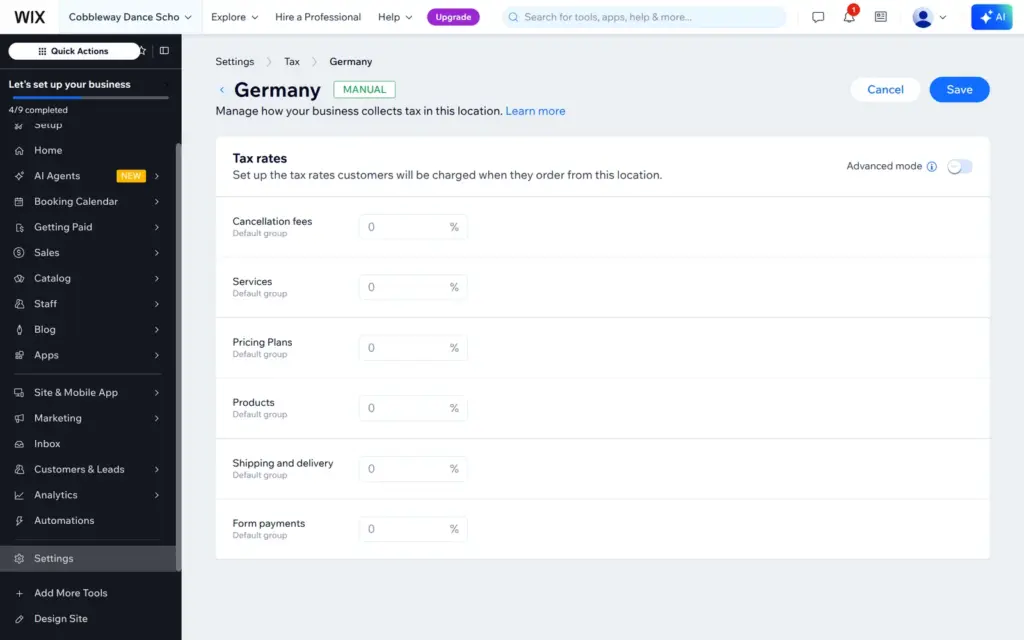
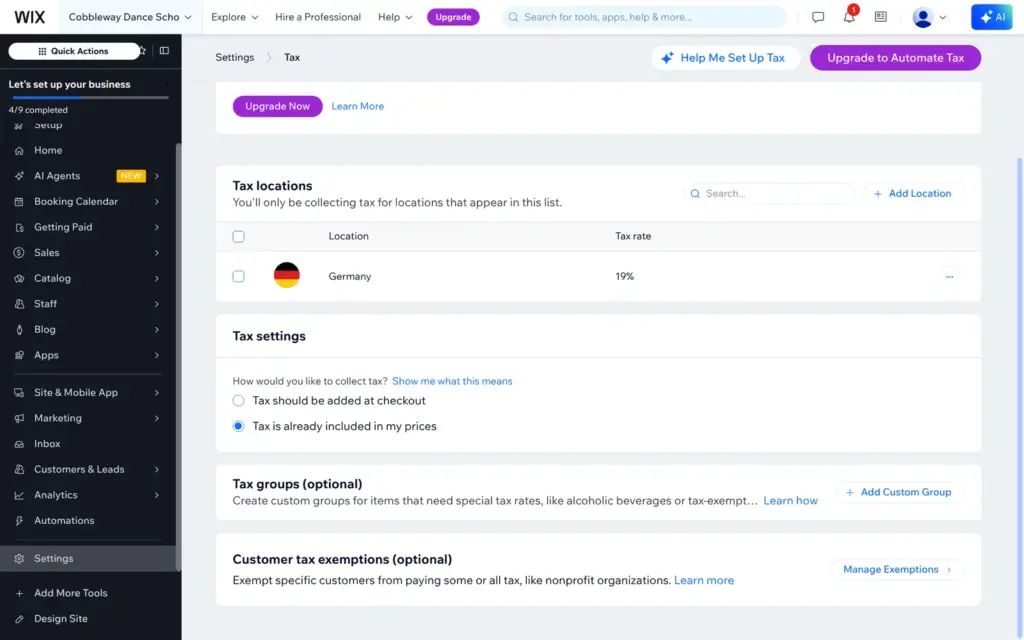
Tax was off until I added a country. Wix did not fill in the German VAT rate. Every tax group started at 0%, so I typed 19% for products and shipping. In Germany shop prices include VAT, so I switched to "Tax is already included in my prices". Automatic tax rates need the Business plan.
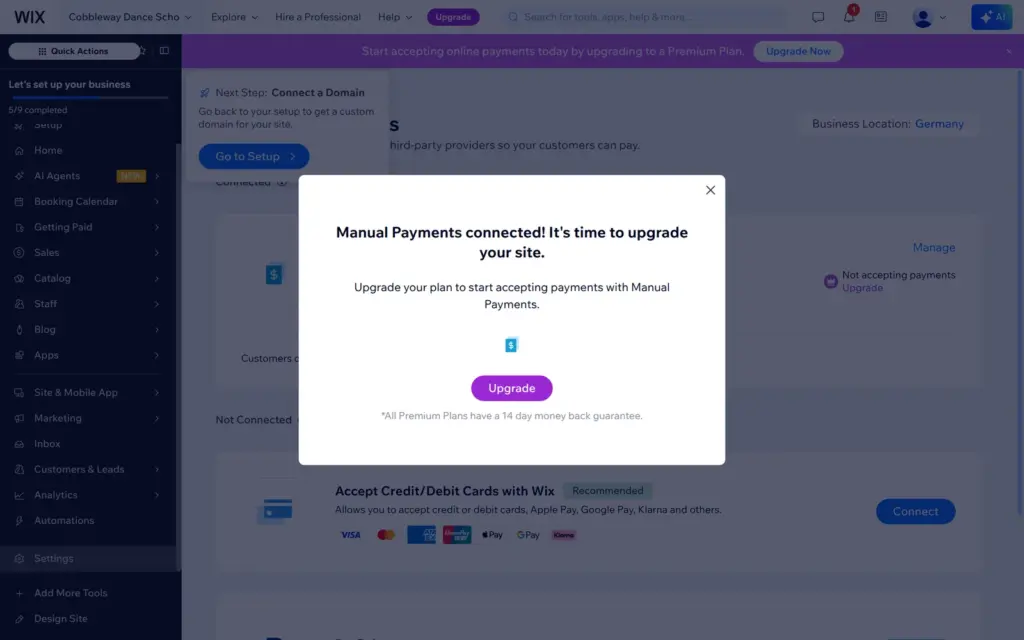
Wix Payments takes cards, Apple Pay, Google Pay and Klarna. PayPal and manual payments like cash are the other options. I connected a manual payment for cash at the studio, which has no fees. On the free plan it showed "Not accepting payments" with an upgrade button.
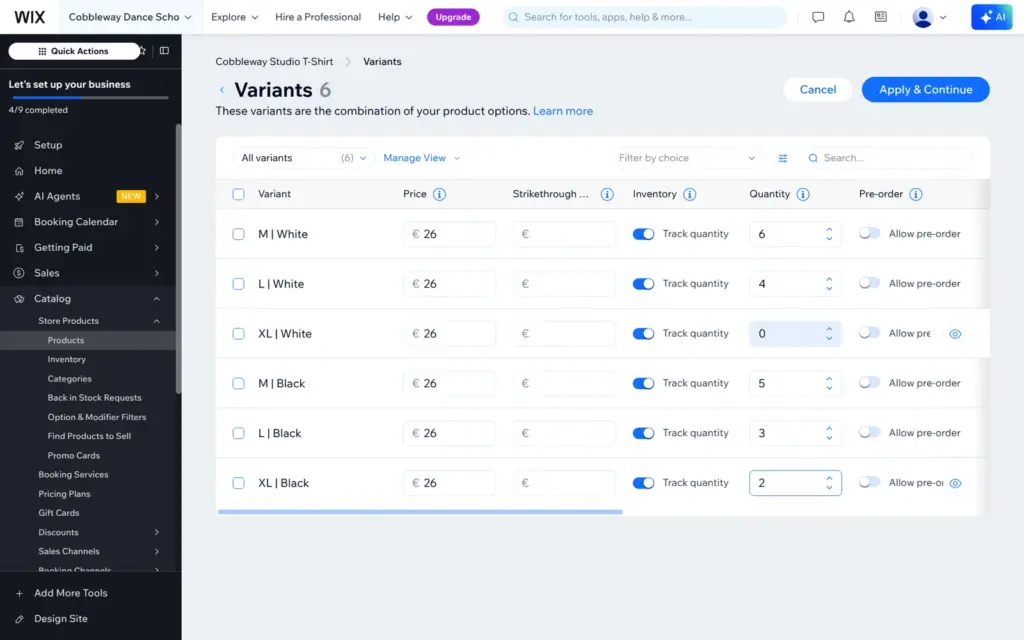
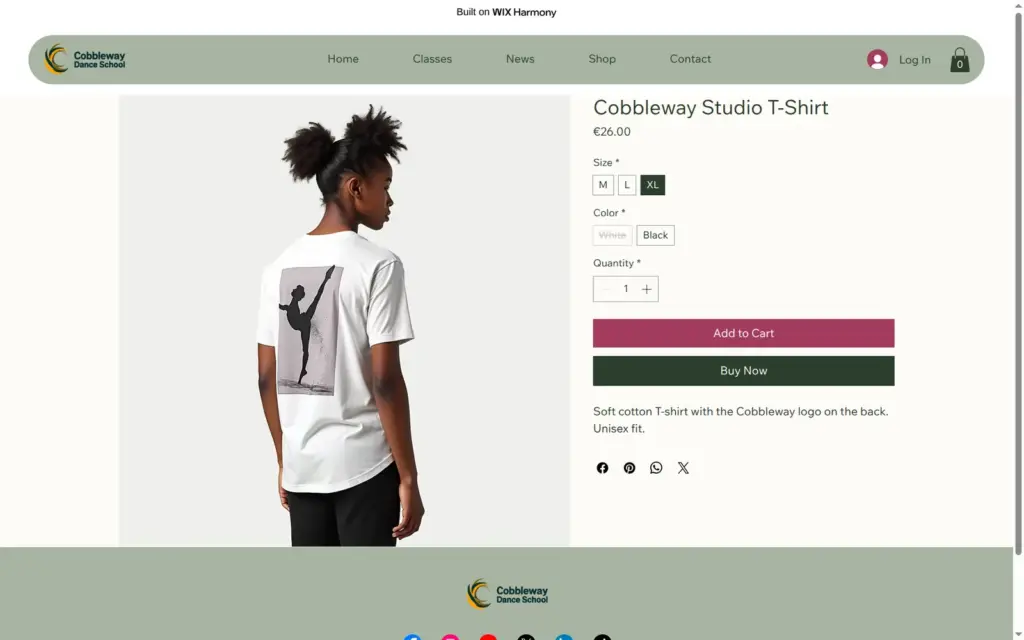
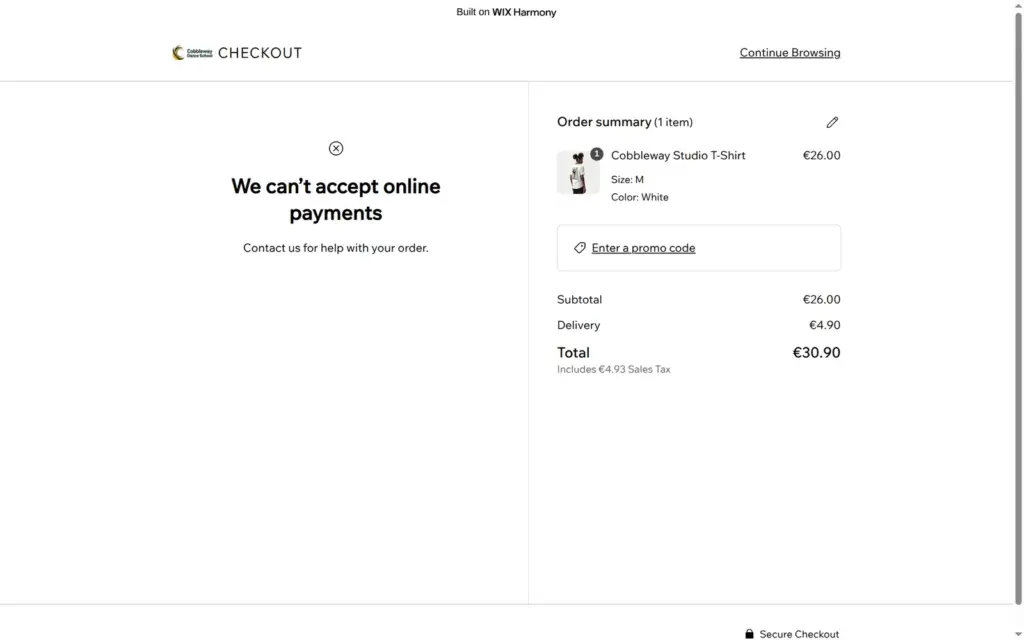
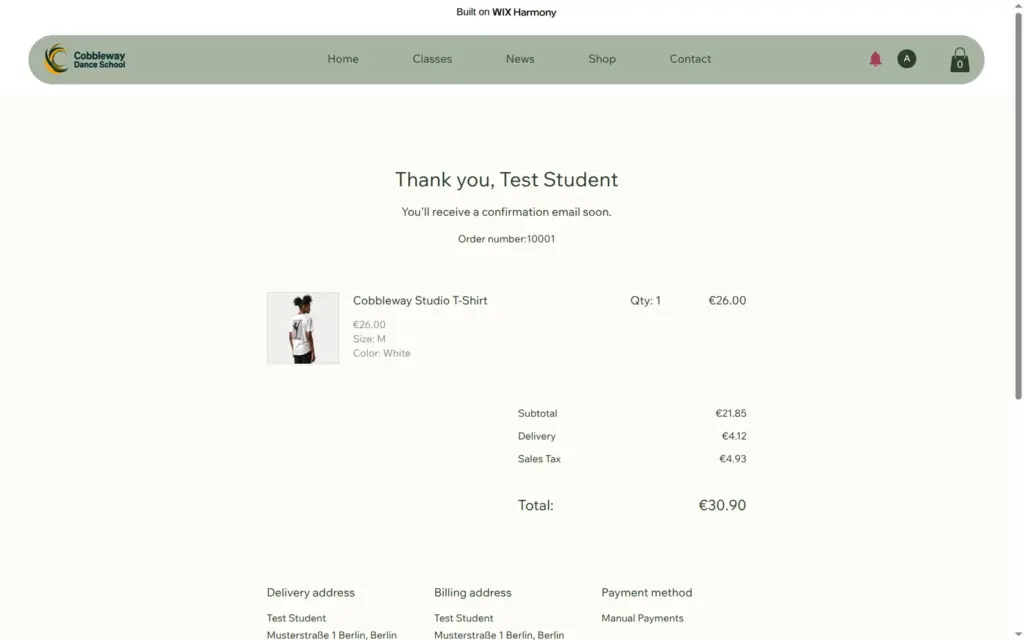
On the live site, the product page lets you pick a size and a color. With XL picked, white was crossed out. The cart worked, and the checkout added €4.90 shipping to the €26 shirt, €30.90 in total with €4.93 VAT included. Wix calls it "sales tax". Above the total, a message said that the shop cannot accept online payments, and visitors could not place the order.
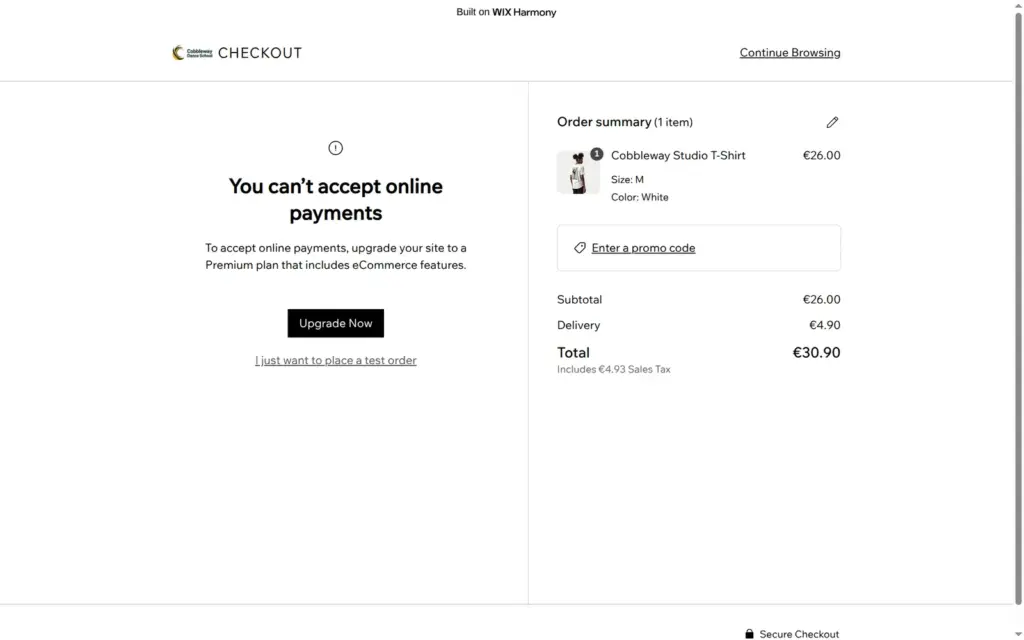
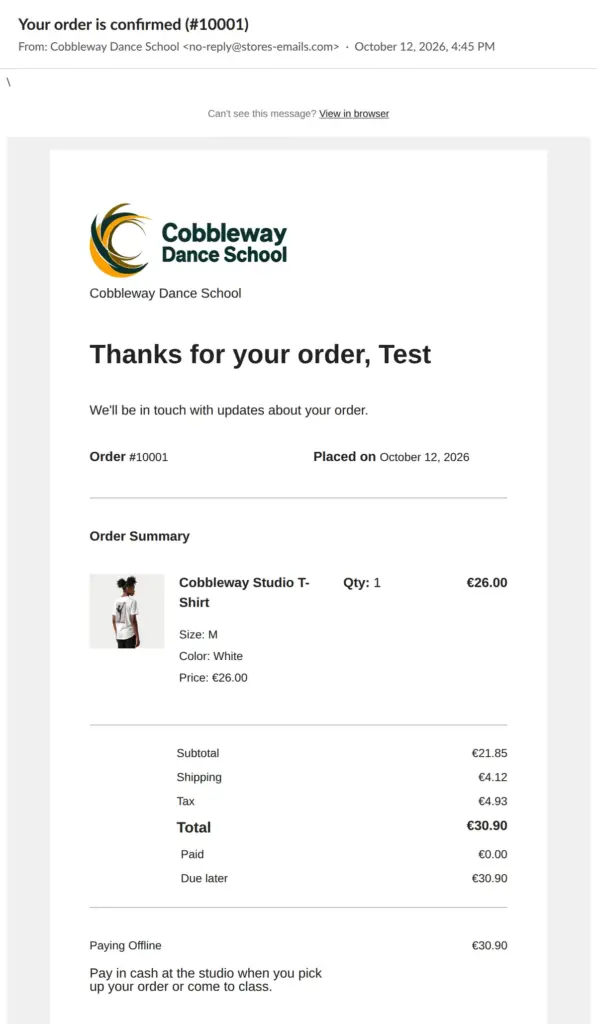
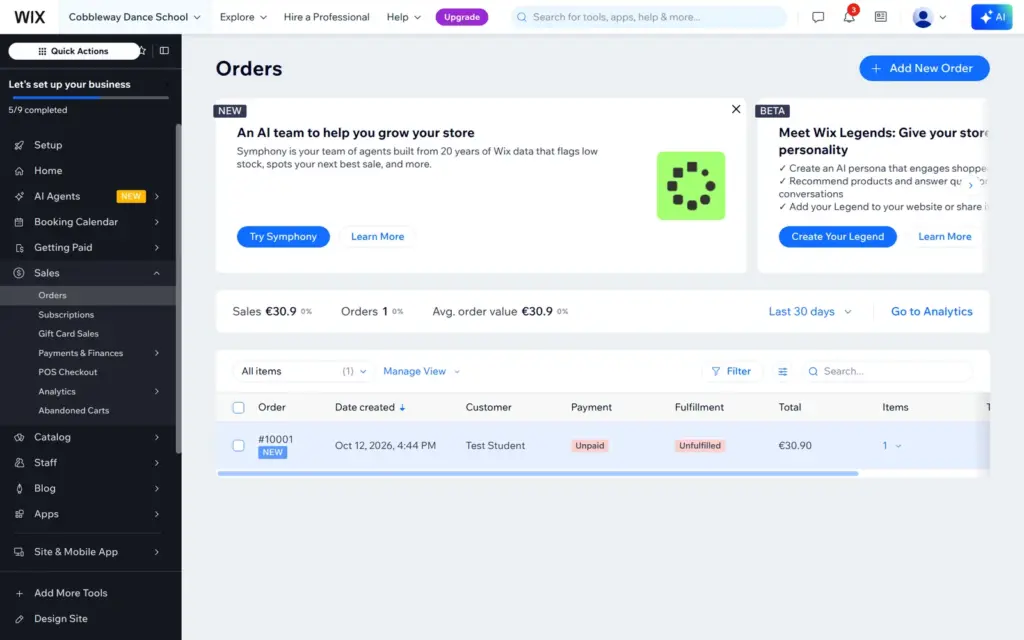
The owner gets one more option. Logged in to my own site, the same checkout showed a link that said "I just want to place a test order". It led through the normal checkout with a made-up address, the €4.90 shipping and the cash payment, and the order went through as number 10001. Two emails arrived within a minute, a confirmation for the customer and a notice for the owner. Both came from "Cobbleway Dance School" with the address no-reply@stores-emails.com.
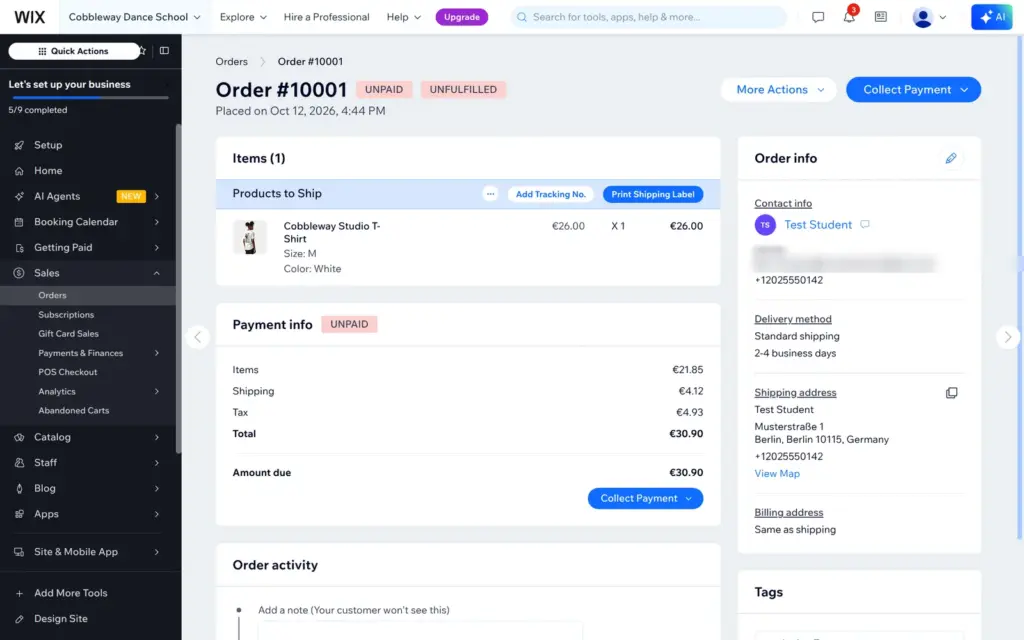
In the dashboard the test order looked like any real order. It was unpaid and not shipped, with buttons to collect the payment and print a shipping label. It also counted in the sales figures, and nothing marked it as a test.
The shop covers variants with stock, shipping rules, VAT and several ways to pay. Check its defaults, because they ship for free to the whole world and collect no tax. Selling needs Core at €29.75 a month on yearly billing, and automatic tax rates need Business at €40.46.
Wix also has an inbox for messages, a contact list, email marketing and visitor statistics. I did not test them.
Wix's help center lists apps that Harmony does not support yet, among them the CMS for your own collections of content and Wix Multilingual for other languages. It also says that sites from the older Wix Editor cannot be moved into Harmony.
I checked Wix's pricing page and the upgrade page in the dashboard on October 12, 2026, from Germany. Wix showed prices in euros with 19% VAT included. Wix adjusts prices by country, so other countries see other amounts.
| Free | Light | Core | Business | Business Elite | |
|---|---|---|---|---|---|
| Billed yearly | €0 | €16.66a month, €199.92 a year | €29.75a month, €357 a year | €40.46a month, €485.52 a year | €177.31a month, €2,127.72 a year |
| Billed monthly | €0 | €22.61a month | €35.70a month | €49.98a month | €189.21a month |
| Billed every two years | €0 | €14.87a month | €26.77a month | €36.89a month | €124.95a month |
| Web address | name.wixsite.com/site | Your own domain | Your own domain | Your own domain | Your own domain |
| Free domain for a year | No | With yearly or two-year billing | With yearly or two-year billing | With yearly or two-year billing | With yearly or two-year billing |
| Wix bar on the site | Yes | No | No | No | No |
| Storage | 500 MB | 2 GB | 50 GB | 100 GB | Unlimited |
| Online bookings | No, visitors only see the classes | No | Yes | Yes | Yes |
| Shop checkout and payments | No, test orders by the owner only | No | Yes | Yes | Yes |
| Fee on class passes and memberships | – | – | 4% | 2% | 0% |
| Automatic sales tax | No | No | No | 100 transactions a month | 500 transactions a month |
| SMS and WhatsApp booking messages | No | No | 50 a month | 100 a month | 250 a month |
| AI credits | 30 a day, up to 120 a month | 150 a month | 200 a month | 300 a month | 1,000 a month |
| Collaborators | Not listed | 2 | 5 | 10 | 100 |
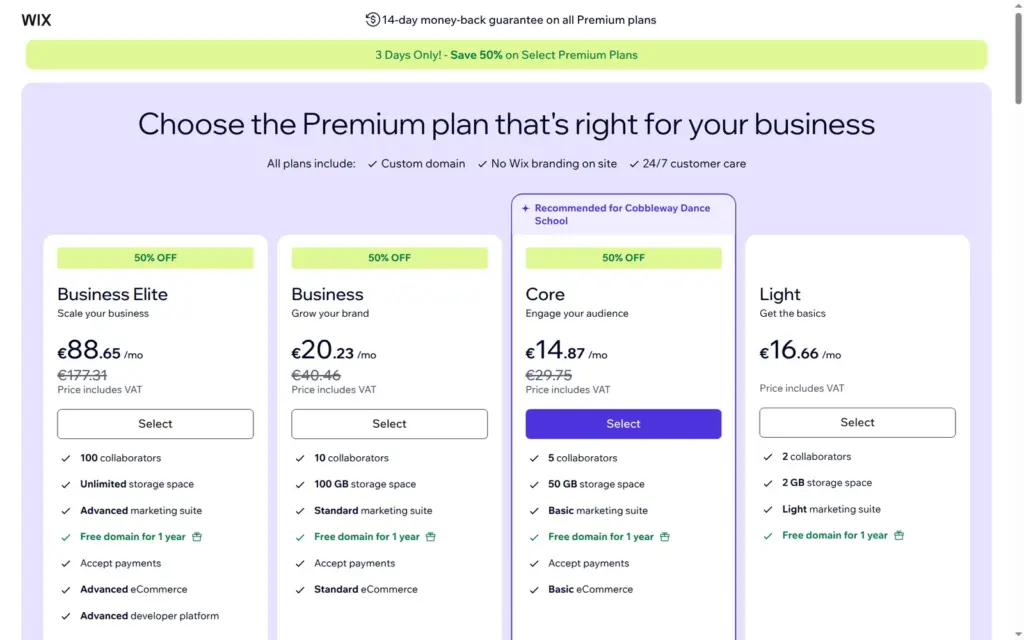
During my test, the upgrade page offered 50% off the first payment for yearly and two-year Core, Business and Business Elite plans, valid until October 15, 2026. The table shows the regular prices.
For the dance school, Core is the smallest plan that works. It takes bookings, payments and orders and sells the class pass. On yearly billing it costs €357 a year, and the first year includes a domain. Wix also keeps 4% of each class pass sale on Core, which is €6 on a €150 pass. On Business the fee is 2%, and Business Elite has none.
One limit is easy to miss. Light removes the Wix bar and adds your own domain, but it cannot take bookings or payments. A school that wants online bookings needs Core.
Wix hosts your site, so you do not need a separate web host. The other side is that you cannot take the site with you. Wix's help center says a Wix site has to run on Wix's servers, so you cannot move it to another host. The product list has an export button for the shop's products. If you move to another builder, you rebuild the pages there.
Wix fits a small business that wants its website, bookings and a small shop in one place. For the dance school, Aria gave me a usable first version in minutes, and the booking and shop tools covered classes, a trial lesson, a class pass and a T-shirt with sizes.
It fits less well if you want to take bookings or orders without paying, because the free plan only shows them. It also fits less well if you want an AI that does the whole job. Aria's texts needed rewriting, its blog posts made things up, and the phone layout needed work by hand.
If you try it, build the whole site on the free plan and check the shipping and tax defaults before you pay. After upgrading, book a class and buy something yourself before you tell your customers.
 What I'm building
Give Vroni a GitHub issue, bug report, spec, or rough idea. It reads the repo, plans the change, writes code, runs checks, and works toward a review-ready pull request.
Take a look at vroni.com