
WebStarts review
WebStarts is a website builder with a free plan. You drag text and photos onto a page wherever you like, and WebStarts…
Weblium is a website builder with ready-made templates and a built-in online shop. If you are thinking about it for your business, you probably want to know what it costs once the free period ends and whether the site can take bookings or sell products.
To find out, I built a website for a made-up hair salon, Hazelcomb Hair Studio, in November 2026. I started from Weblium's Hair Salon template and turned it into my own salon. I set up the booking form and an online shop with two hair care products. Then I published the site and tested it like a client, with a booking request and a test order.
The site looked good with little work, and the shop worked. The test order arrived with every detail, and Weblium emailed me about it eight seconds later. Bookings are the weak spot. Weblium has no booking calendar, and during the free trial the booking requests arrived with every detail hidden. A free site also stays online for only 60 days.
Weblium suits you if you want a good-looking business site with up to ten pages and a contact form, and you plan to pay for Starter from the beginning. The Business plan adds a simple shop for a few products, with pickup or a flat delivery fee.
Look elsewhere if your customers need to book appointments online. Weblium has no booking calendar. It also does not suit you if you want a website that stays free, or if your shop has to add VAT or sales tax.
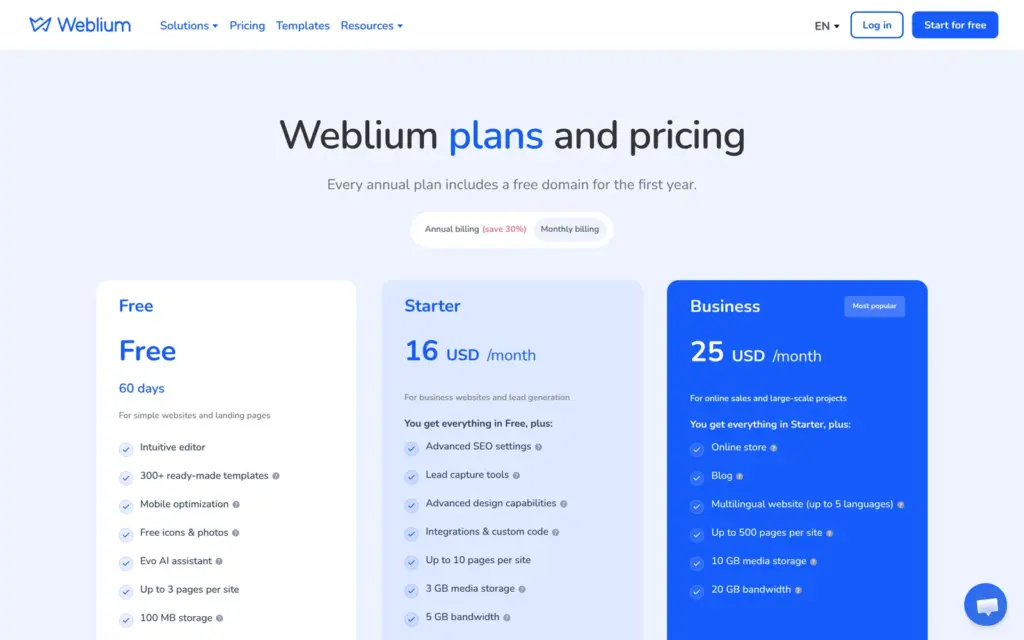
Price: Weblium lists its prices in US dollars only. Starter costs $11 a month on yearly billing and $16 on monthly billing. Business costs $17.50 a month on yearly billing and $25 on monthly billing. The free plan lasts 60 days, and after that the site goes offline. I checked the prices on November 3, 2026.
Shop: the test order worked, and the shop did not sell more than I had in stock. It has no tax rates, and it needs the Business plan.
Not tested: paid plans and card payments. I only looked at the blog and the settings for other languages, and I did not contact support. Weblium did not pay for this review, and there are no affiliate links.
What I liked:
What bothered me:
Hazelcomb Hair Studio is a made-up salon with four chairs, and its footer says so. The site has the template's four pages and a shop. The shop sells a shampoo and conditioner set in two sizes and a wooden hair brush.
The design comes from Weblium's free Hair Salon template. I replaced the texts and prices. I also changed the colors from plum and lime to brown and hazel. One photo is new, from the free library. The others came with the template.
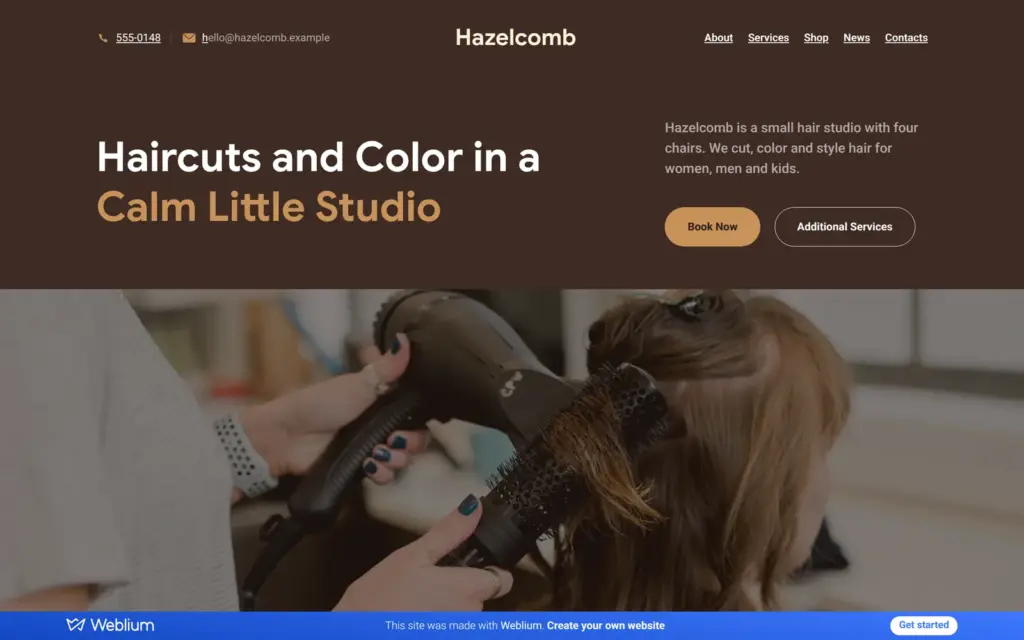
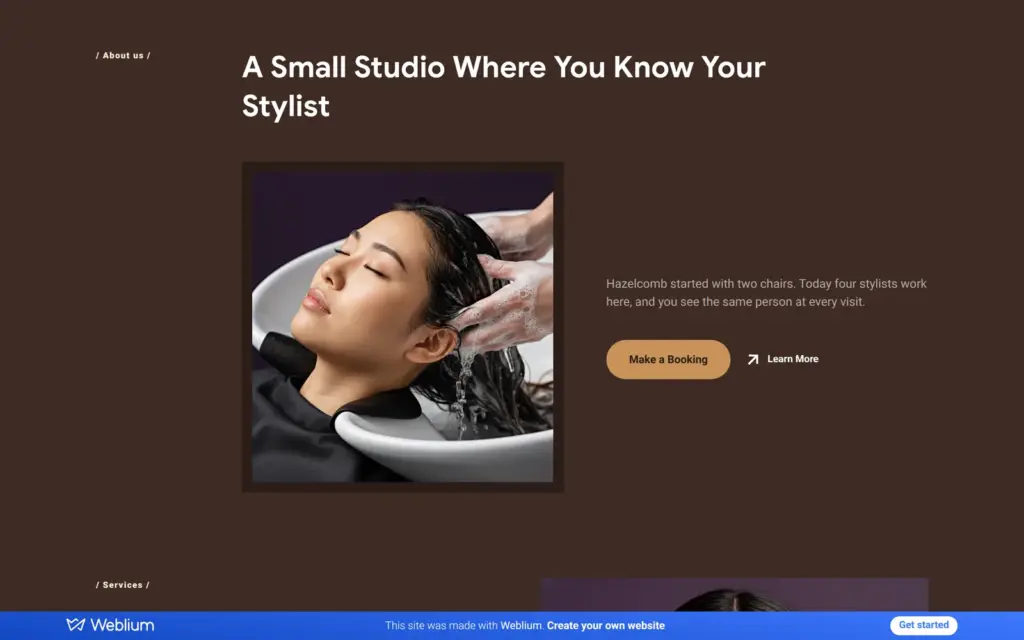
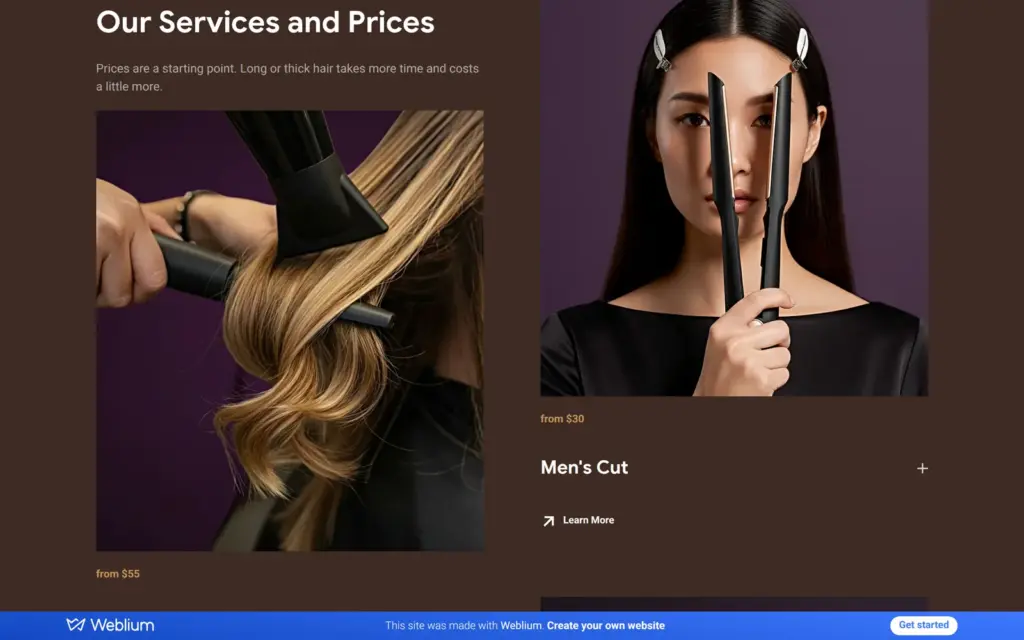
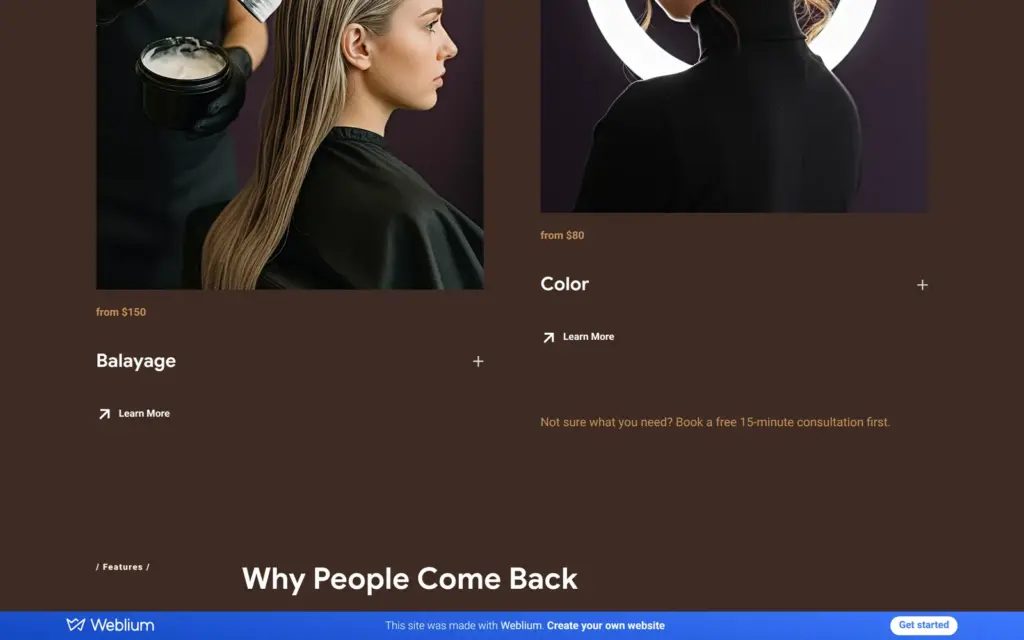
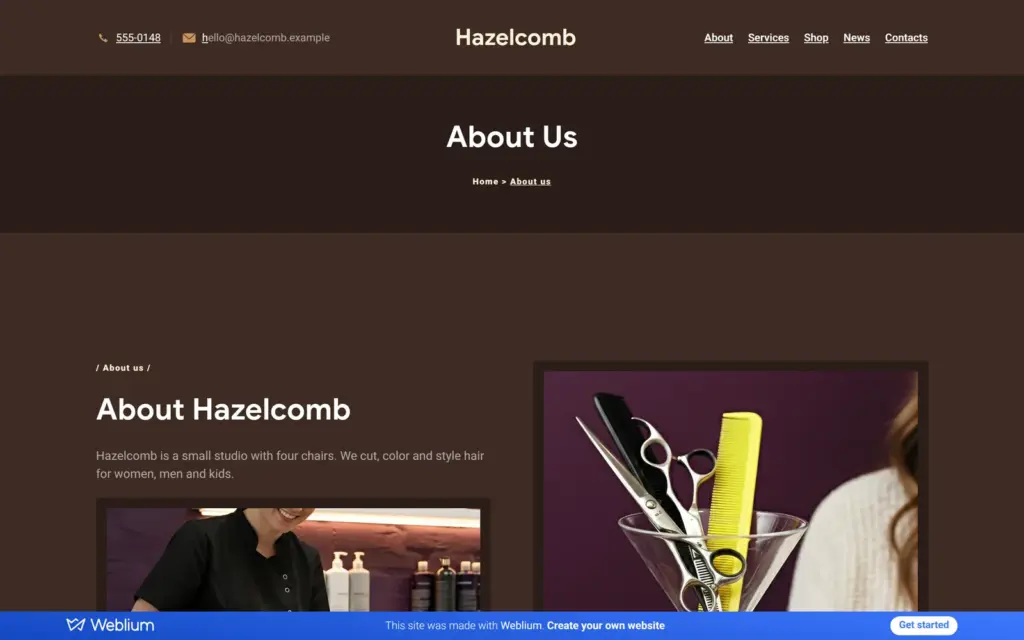
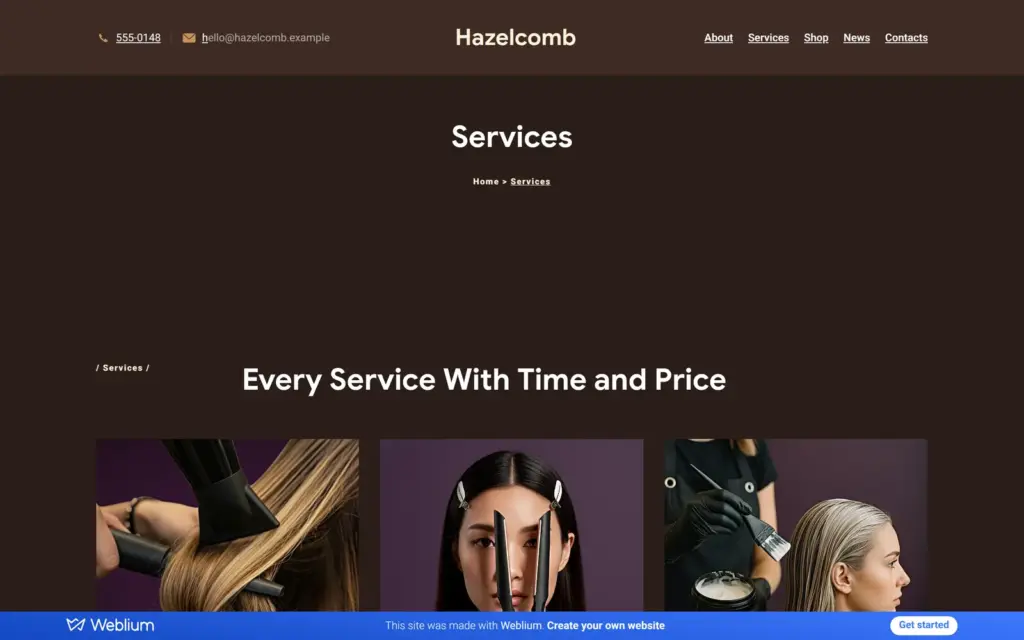
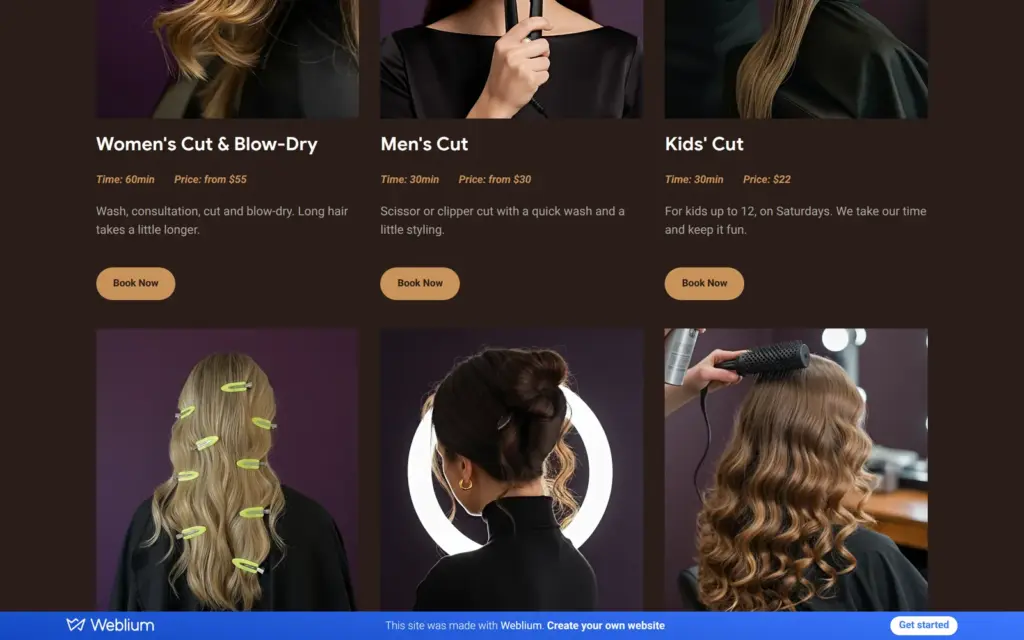
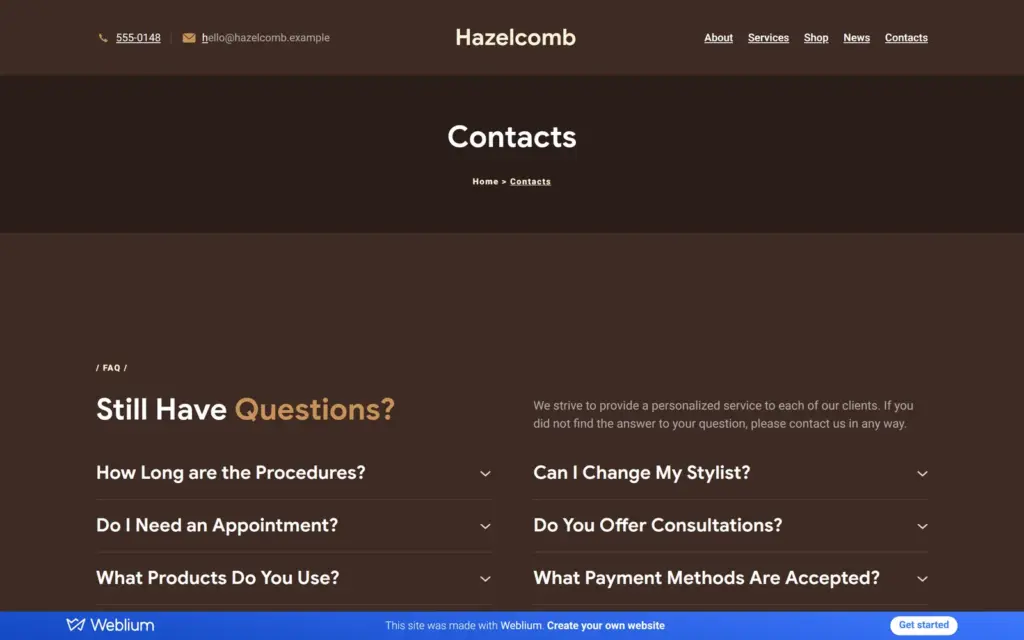
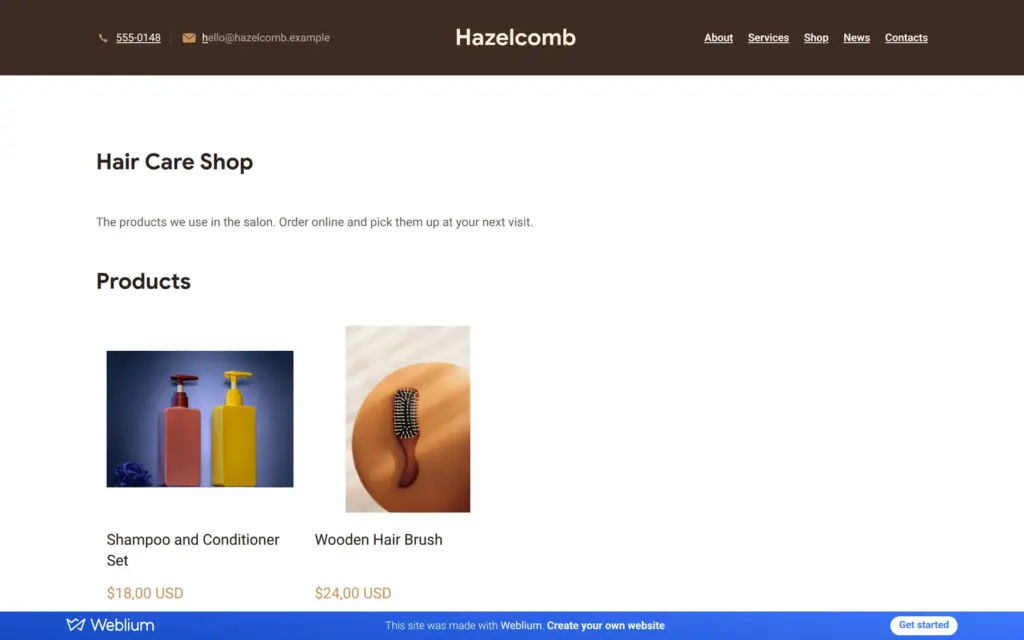
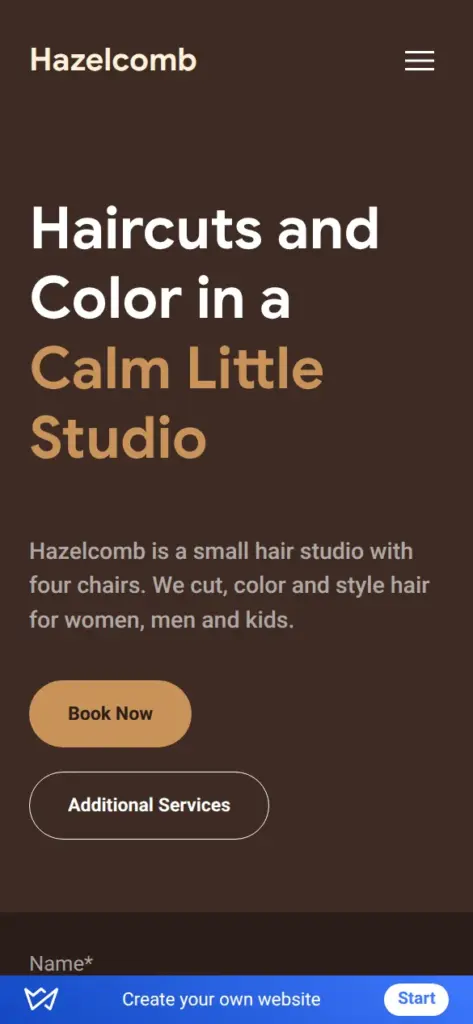
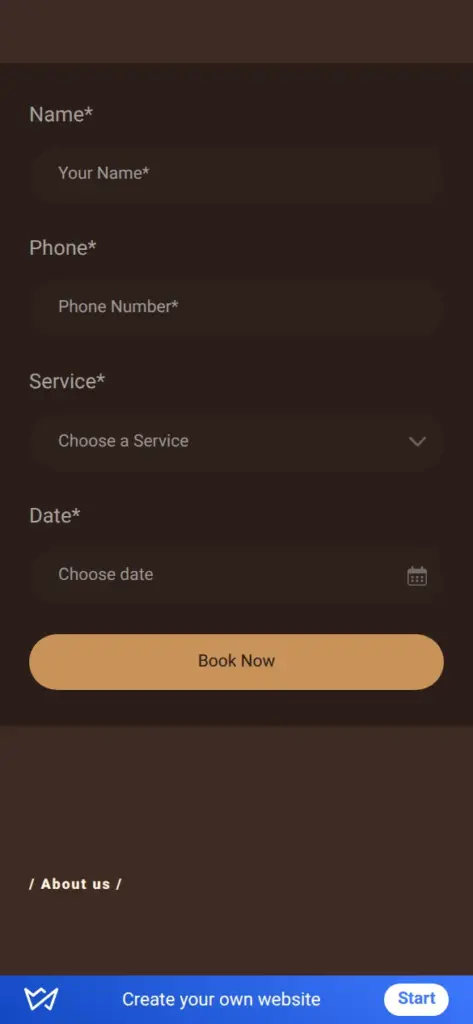
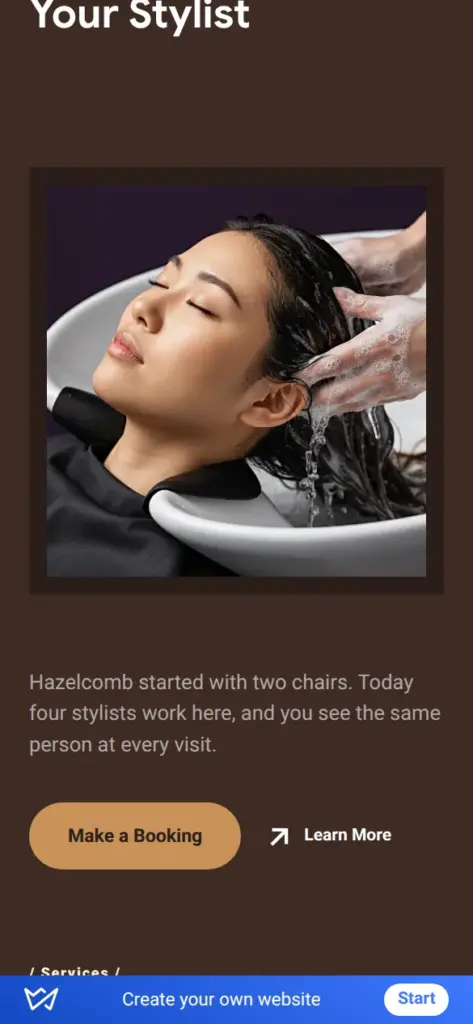
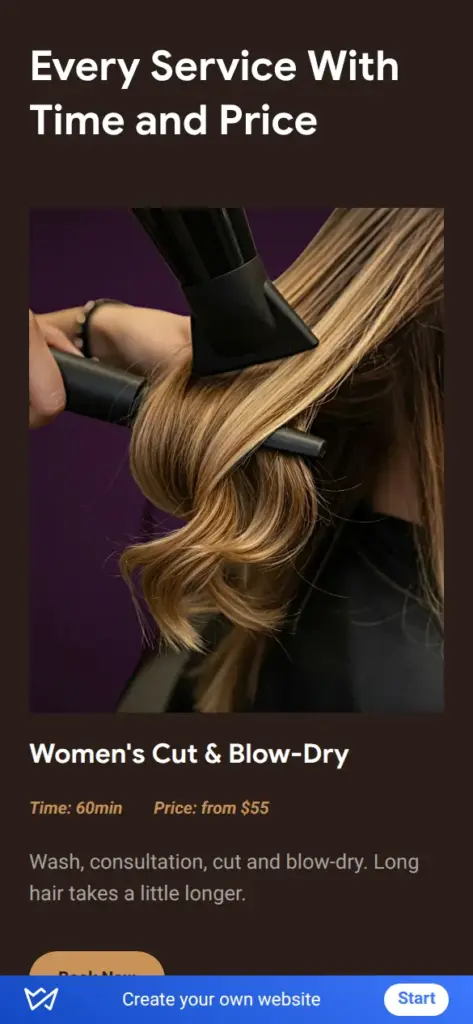
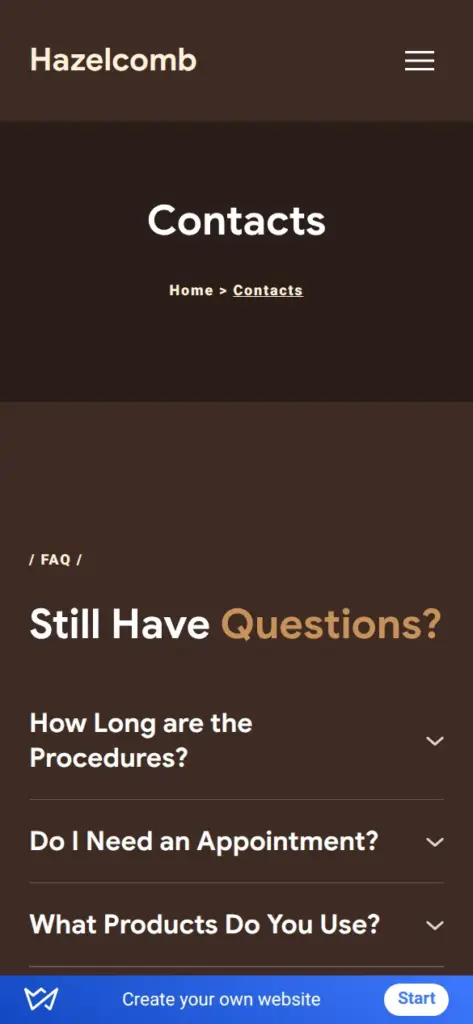
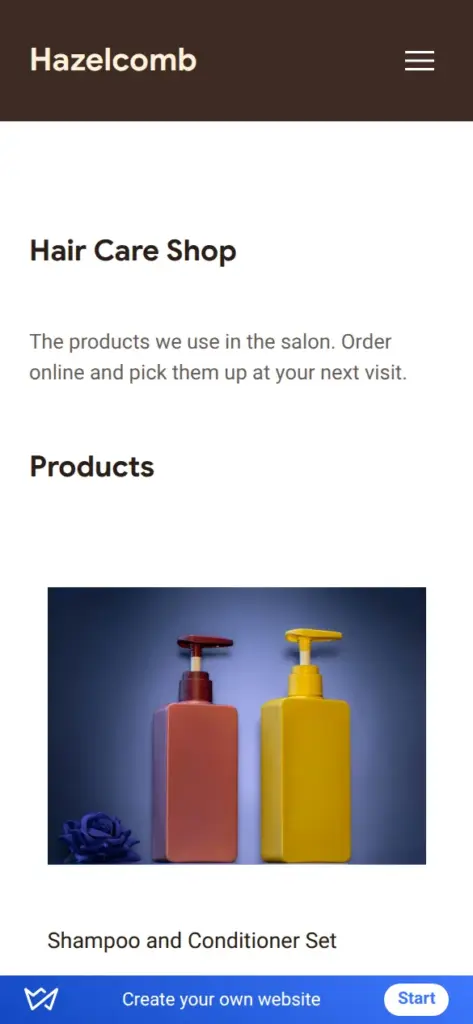
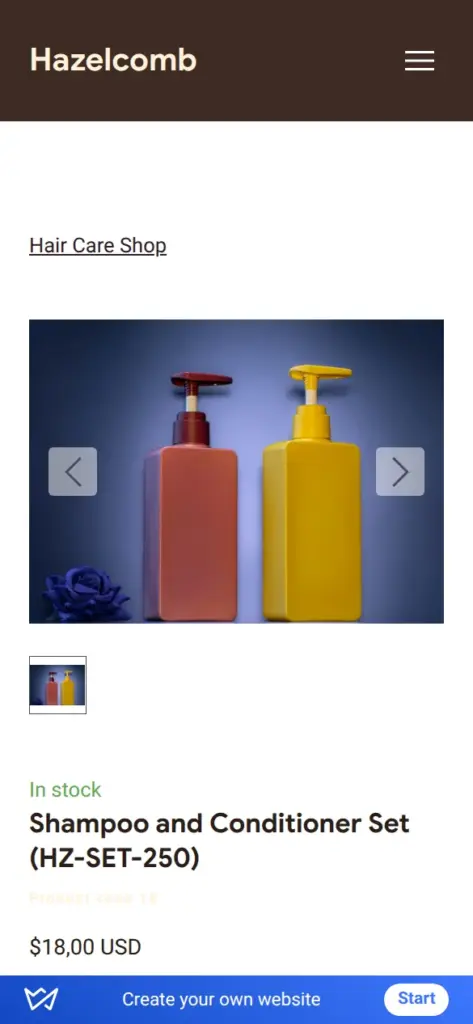
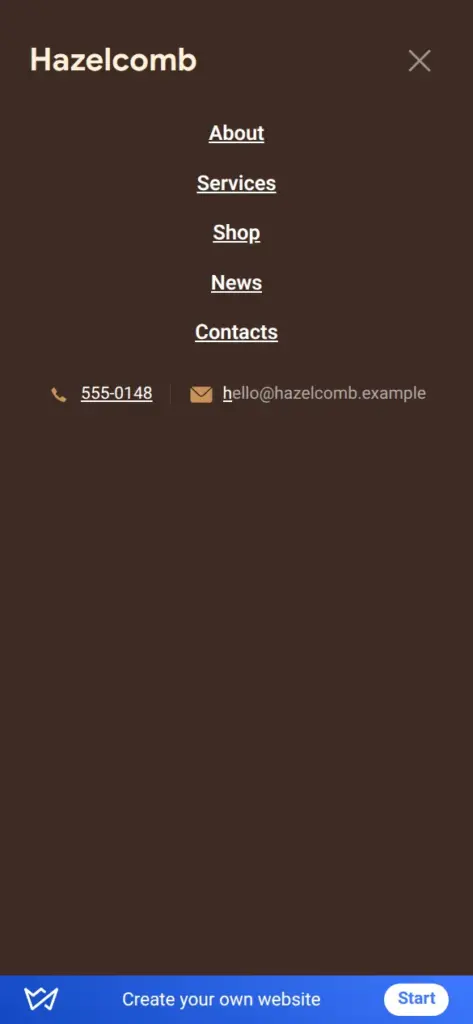
Open the salon site. It is a demo, so please do not send personal information through its forms. The trial ends on November 17, and then the shop and the forms stop working. Weblium takes the whole site offline in early January 2027.
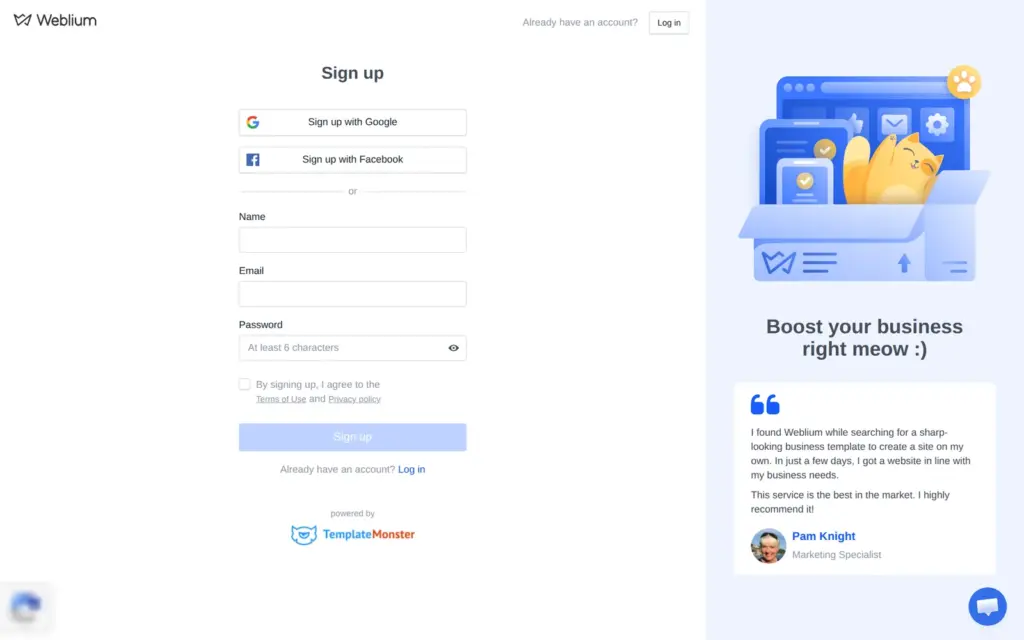
Signing up takes an email address and a password. You can also sign up with Google or Facebook. Weblium asked for no phone number and no payment details, and I did not have to confirm the email address before starting.
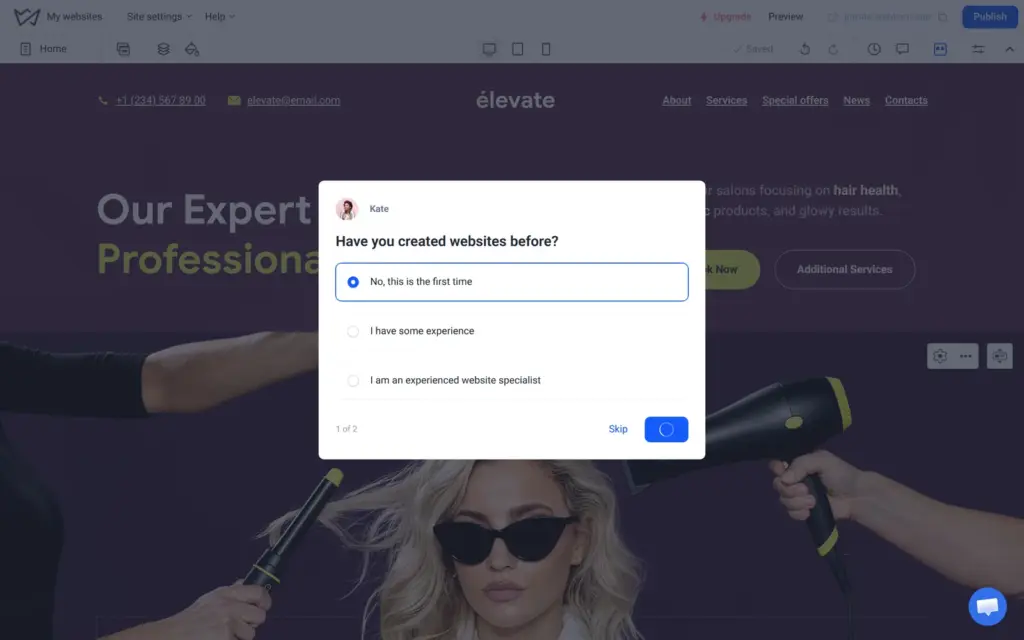
After the sign-up, Weblium opened its templates. The questions came later, inside the editor. It wanted to know whether I had made websites before and what describes me best. Then it offered an eight-step tour of the editor and a video about making a website for free.
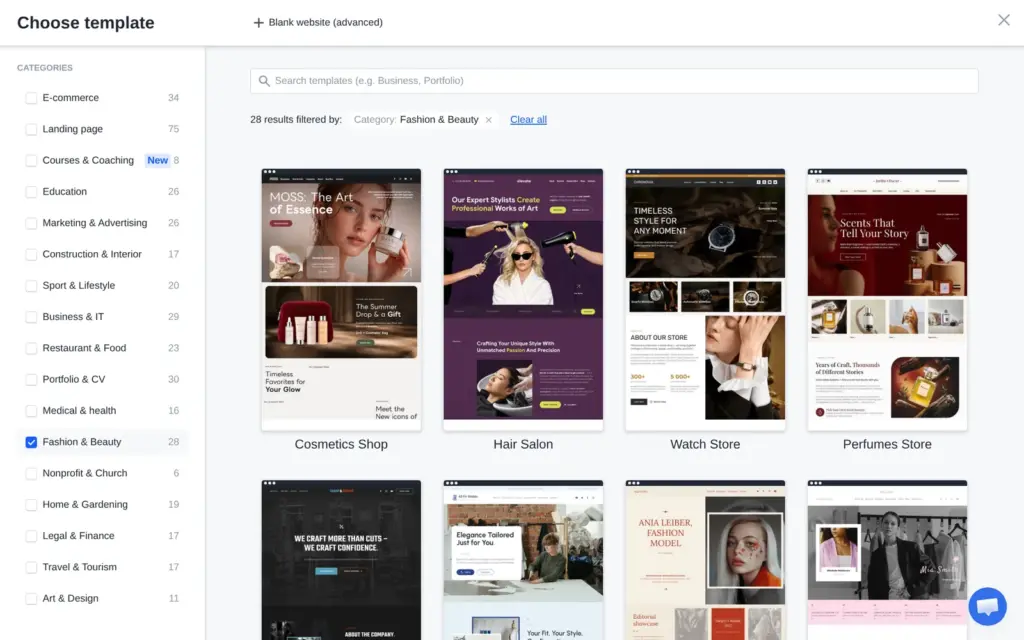
Weblium says it has more than 300 templates. The template list counted 341, and the Fashion & Beauty filter left 28. Several of them were for hair salons and barbershops.
Hair Stylist is one long page. Hair Salon has four pages and a list of services with prices, so I took that one. "Start editing" copies the template into a new site and opens the editor.
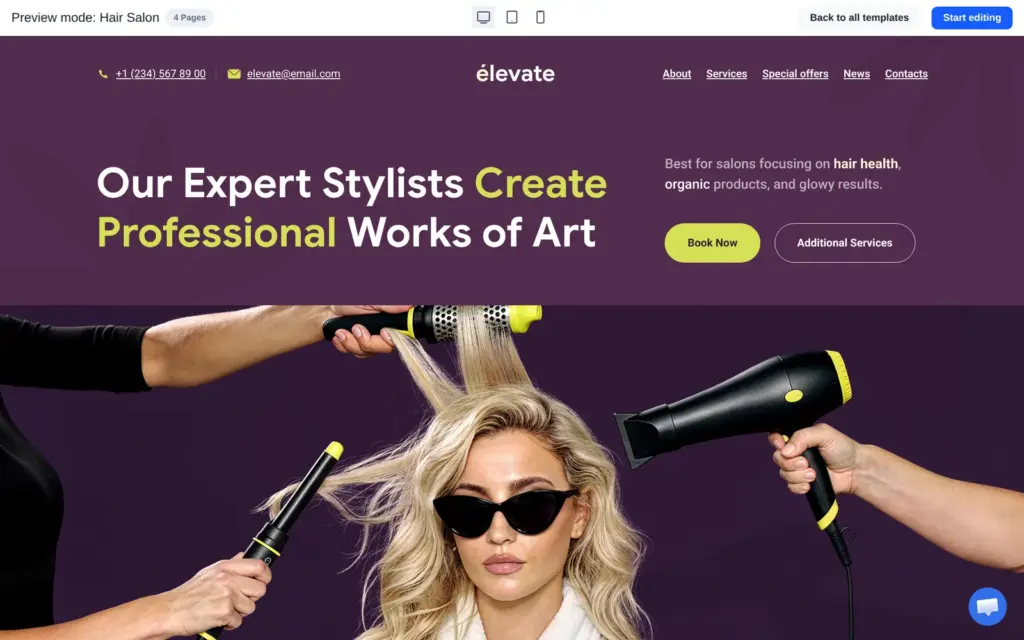
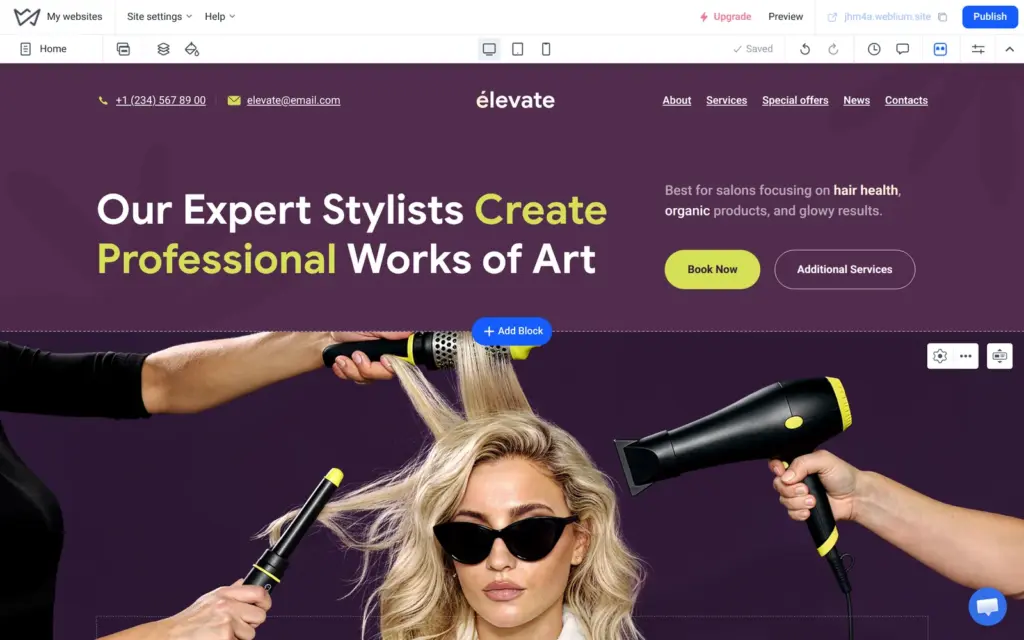
The template belongs to a made-up salon called élevate. Its header is shared by all pages, so I changed the name once.
To change a text, you click it and type. A toolbar appears with the usual text settings and an AI button that rewrites the text. The headline had two colors. When I retyped it, the second color was lost, and I had to give the last words the accent color again.
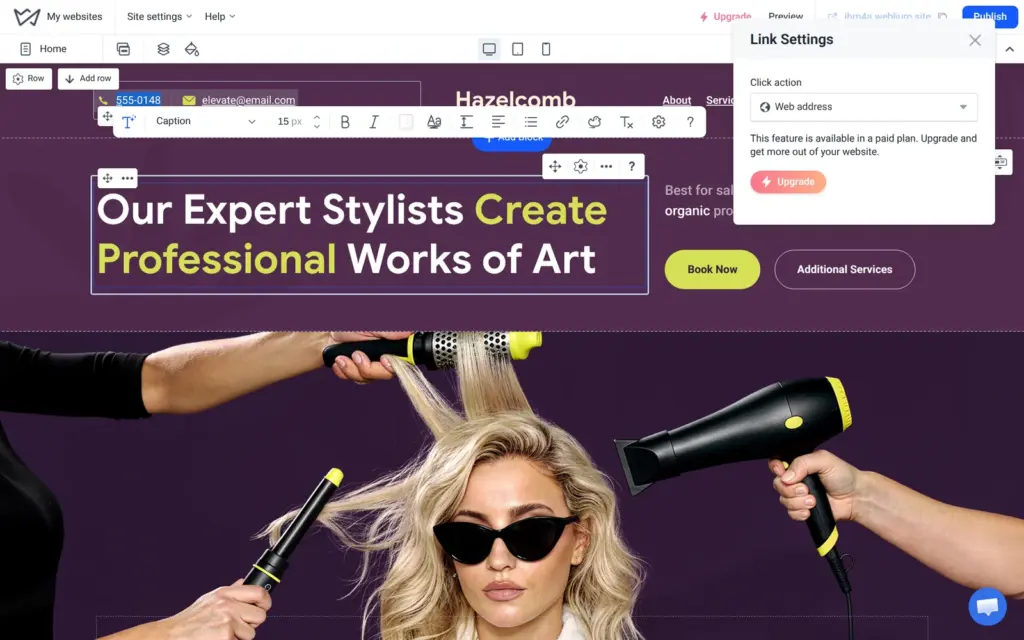
I changed the visible phone number and email address, but the links behind them still called the template's number and wrote to the template's address. In the link settings I switched them to my number and my address. The same menu offers a link to another website, but that option says "This feature is available in a paid plan", even during the trial.
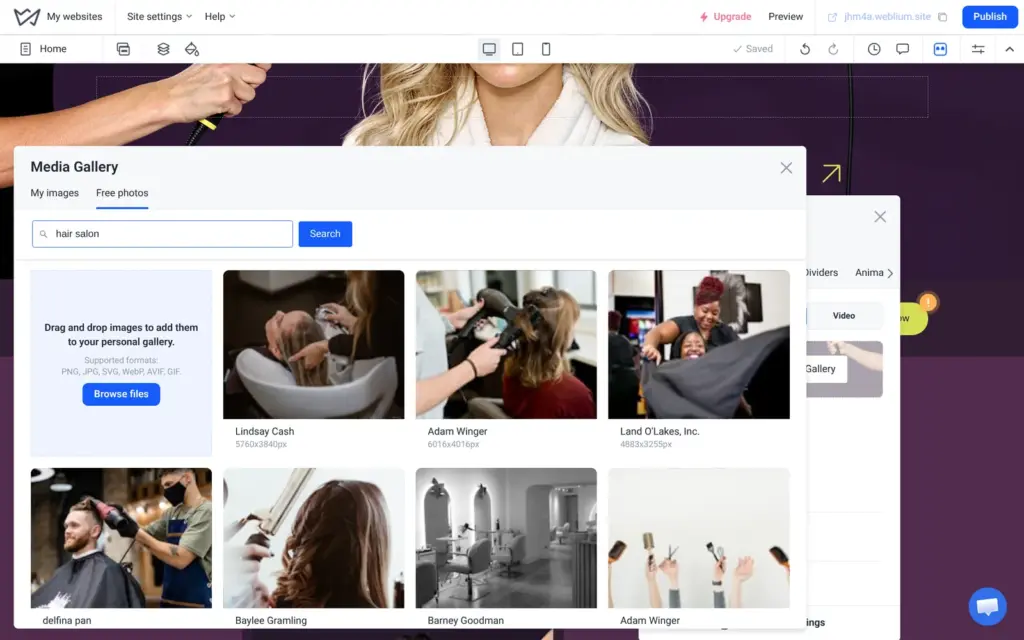
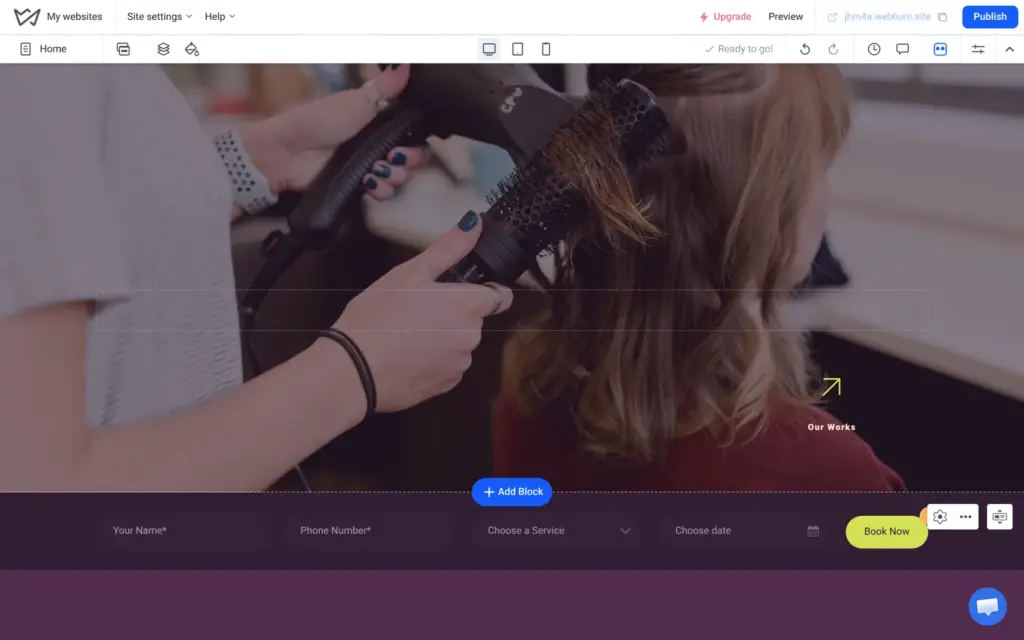
For the big photo, I opened the background settings of its block. The gallery has a "Free photos" tab that searches Unsplash, a large library of free photos. I searched for "hair salon" and picked a stylist with a blow dryer.
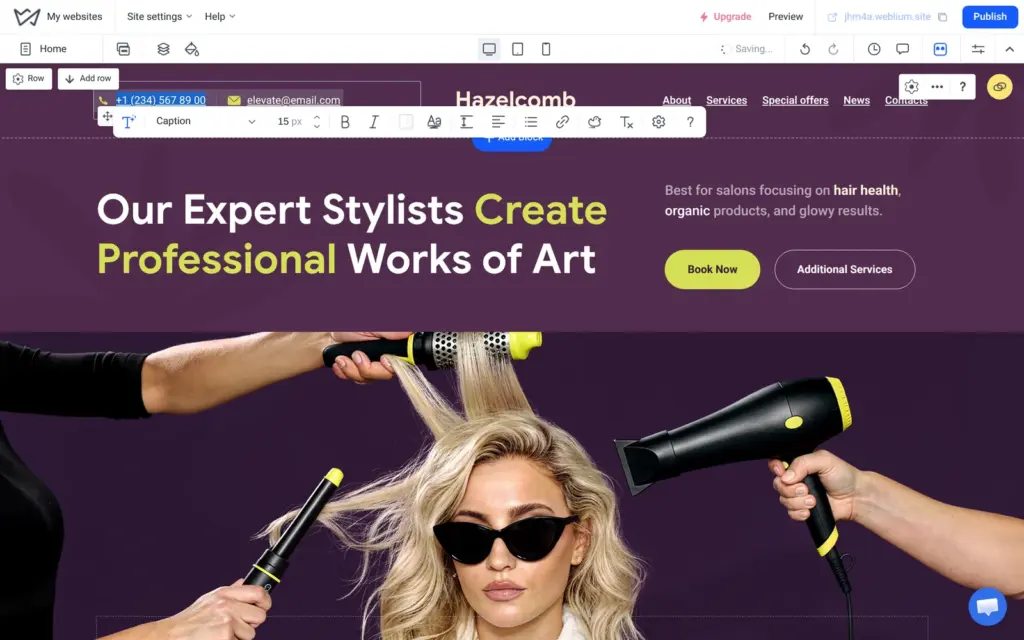
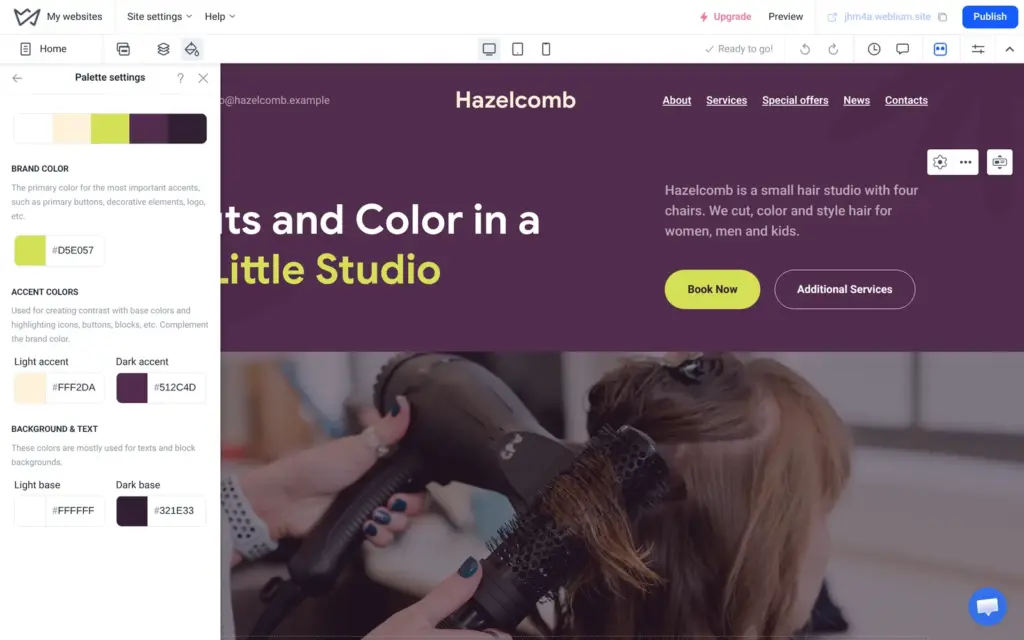
The site styles hold a palette of five colors. I typed in a hazel brown for the lime brand color and two dark browns for the plum colors. The buttons and accent texts changed on all pages.
The plum backgrounds did not change. The template had put a plum background picture behind most blocks, and those pictures ignore the palette. I switched each of these blocks from the picture to a plain color, one by one, on all four pages.
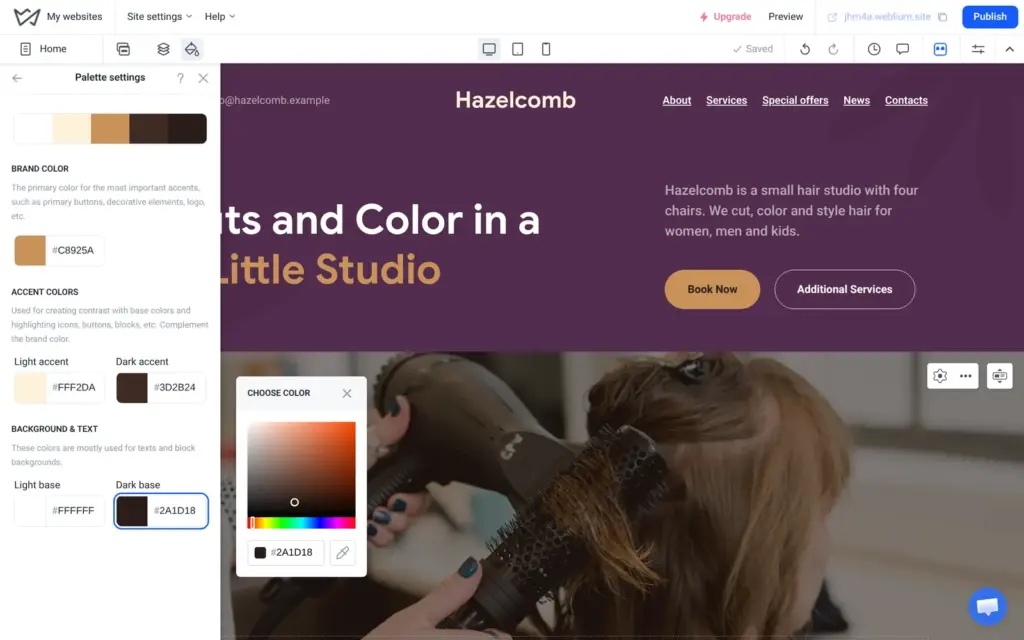
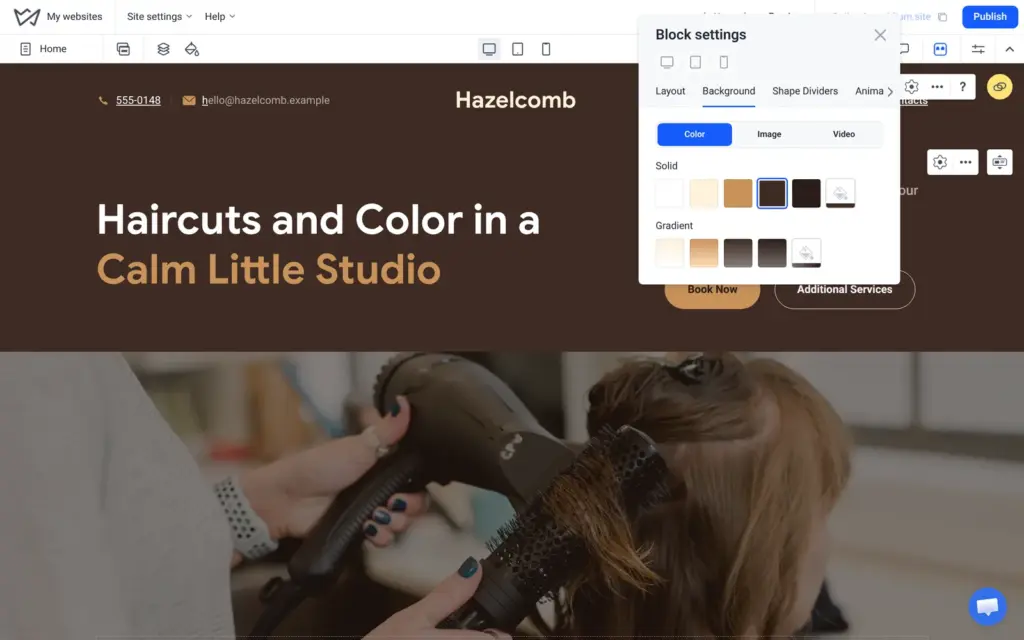
Some purple stays anyway, because the template's photos were taken against purple backgrounds.
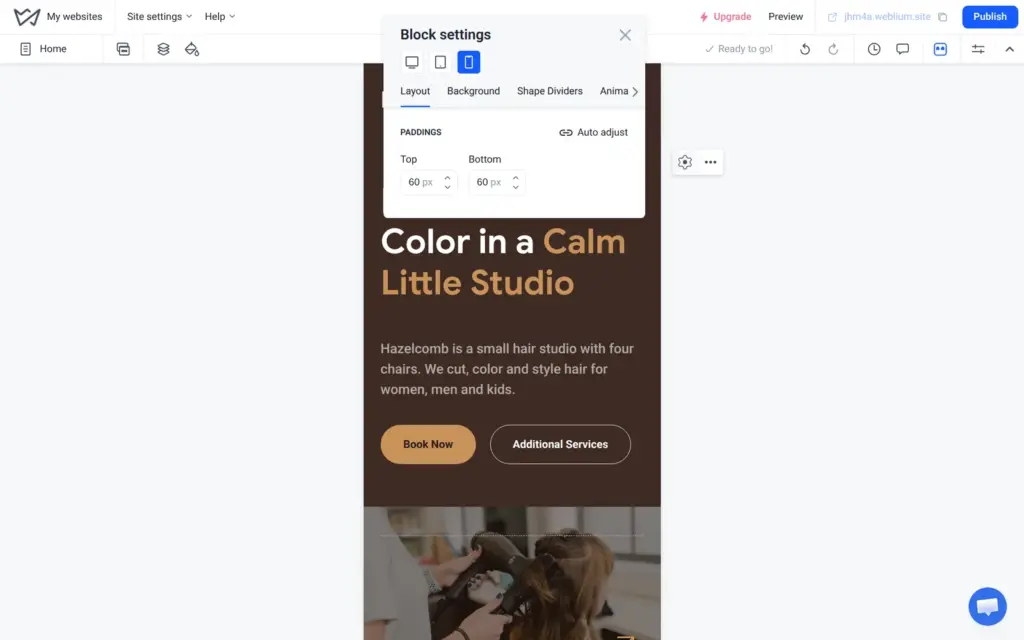
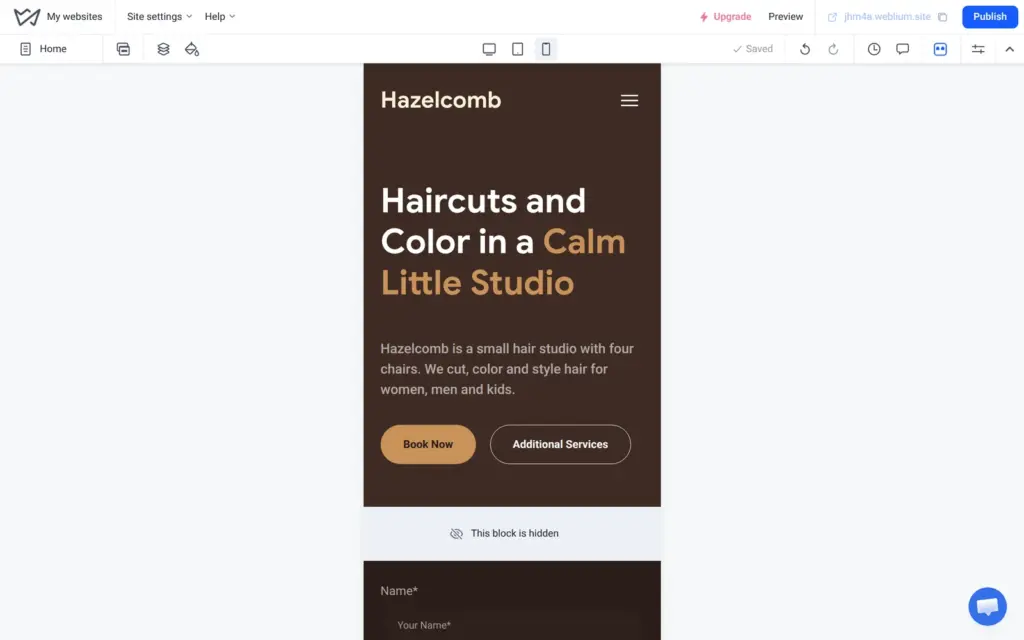
Weblium builds the phone version on its own. The blocks stack, and the menu turns into a button. Nothing needed fixing on the phone.
In the phone view you cannot change texts. You can change the spacing of each block for phones and hide a block on phones only. I hid a thin photo strip, so the booking form comes directly after the top block on a phone. The desktop still shows the photo.
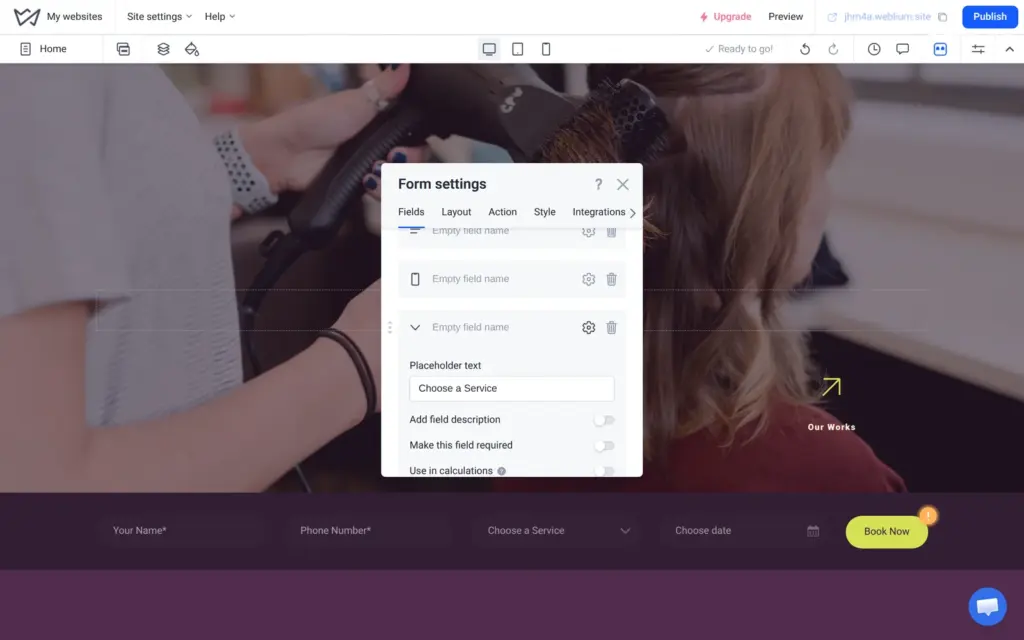
The Hair Salon template comes with a booking bar under the top block. Clients pick a service and a date and click "Book Now".
It is an ordinary form. Its four fields had no names, and the service list said "Service" five times plus one empty line. I named the fields and typed in six real services. The date field can also ask for a time, in steps from 15 to 60 minutes.
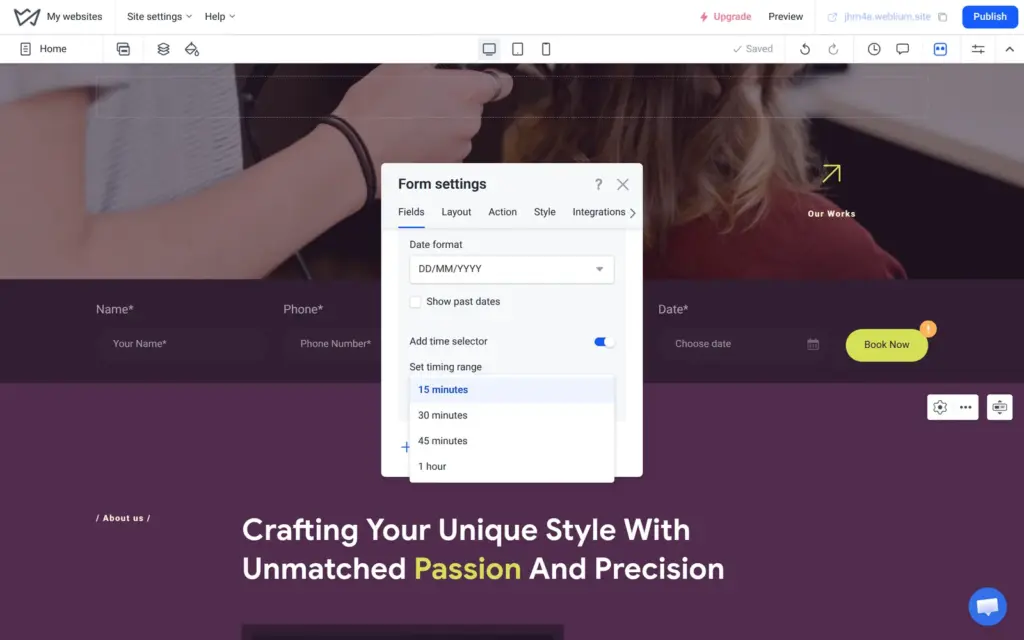
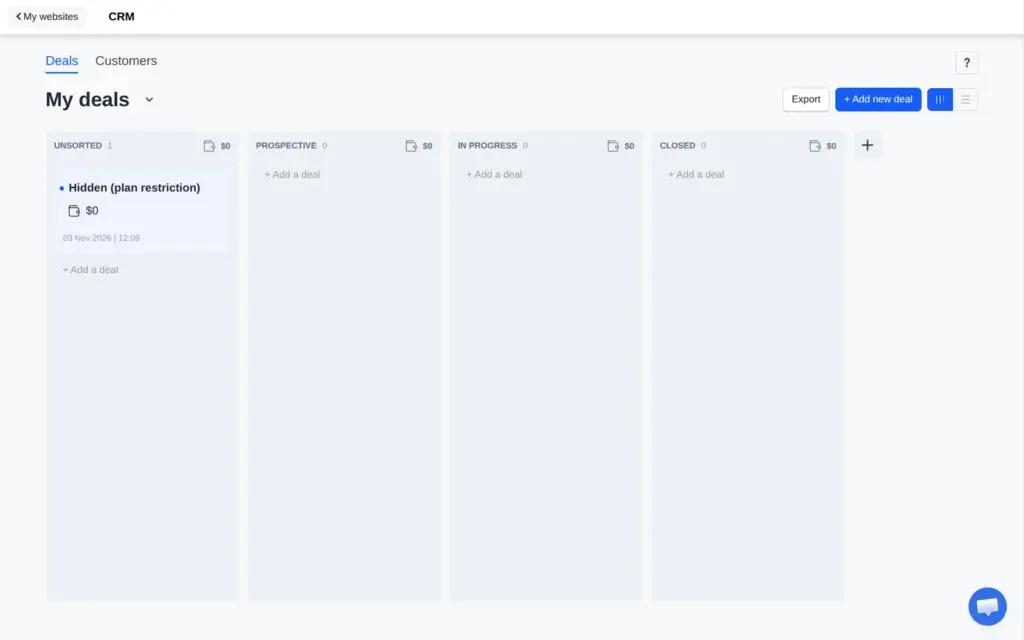
Each request becomes a new deal in Weblium's own CRM, a simple board for customer requests. Weblium can also send each request by email, and it connects to services like Telegram and Zapier. Email to the account address was switched on from the start.
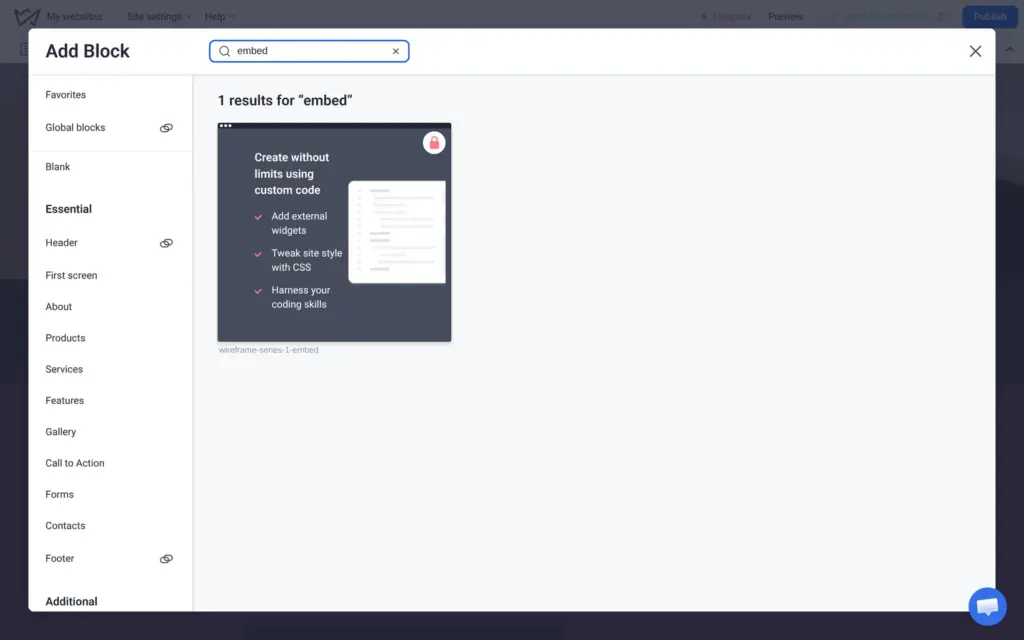
The form does not know the salon's opening hours, and it does not block a time that is already taken. Weblium also has no booking block. A search for "booking" in the block library found nothing. Its booking page says you add a booking system "using third-party code". The "Embed code" block for that code has a lock on it. It needs Starter or Business, and the trial does not include it.
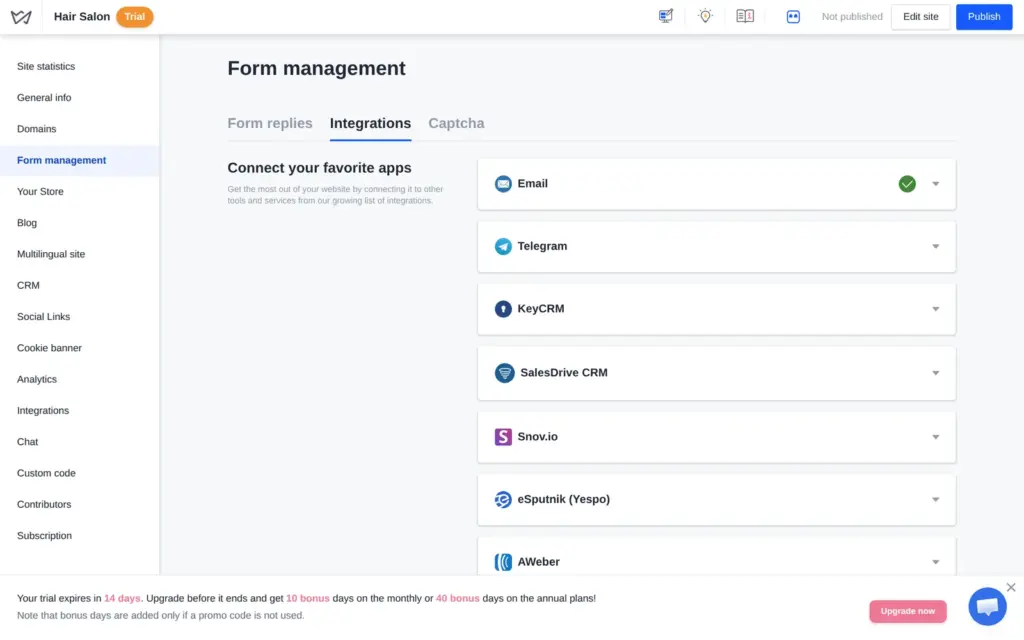
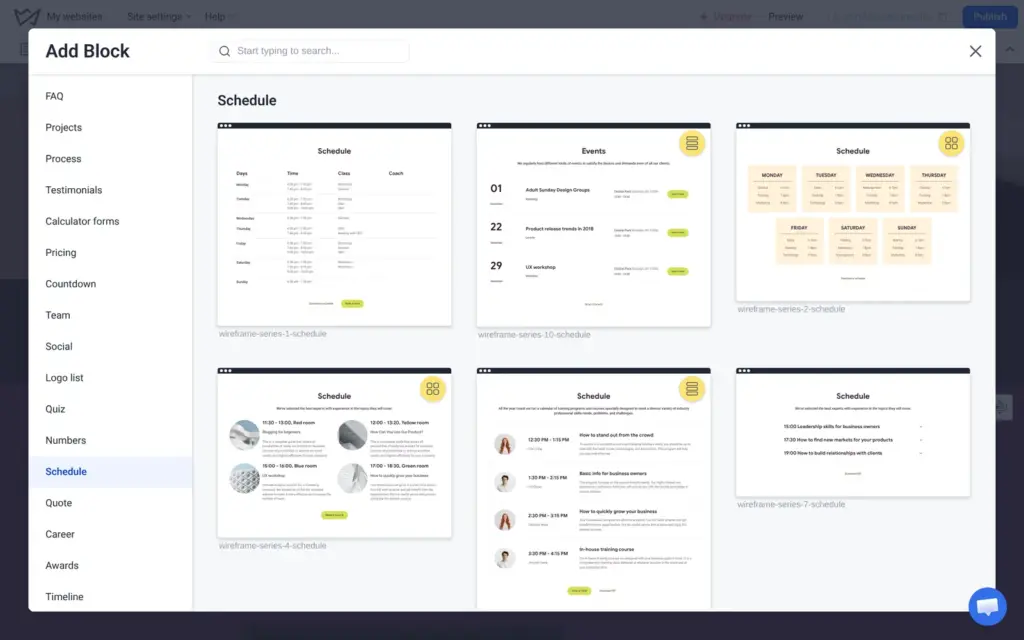
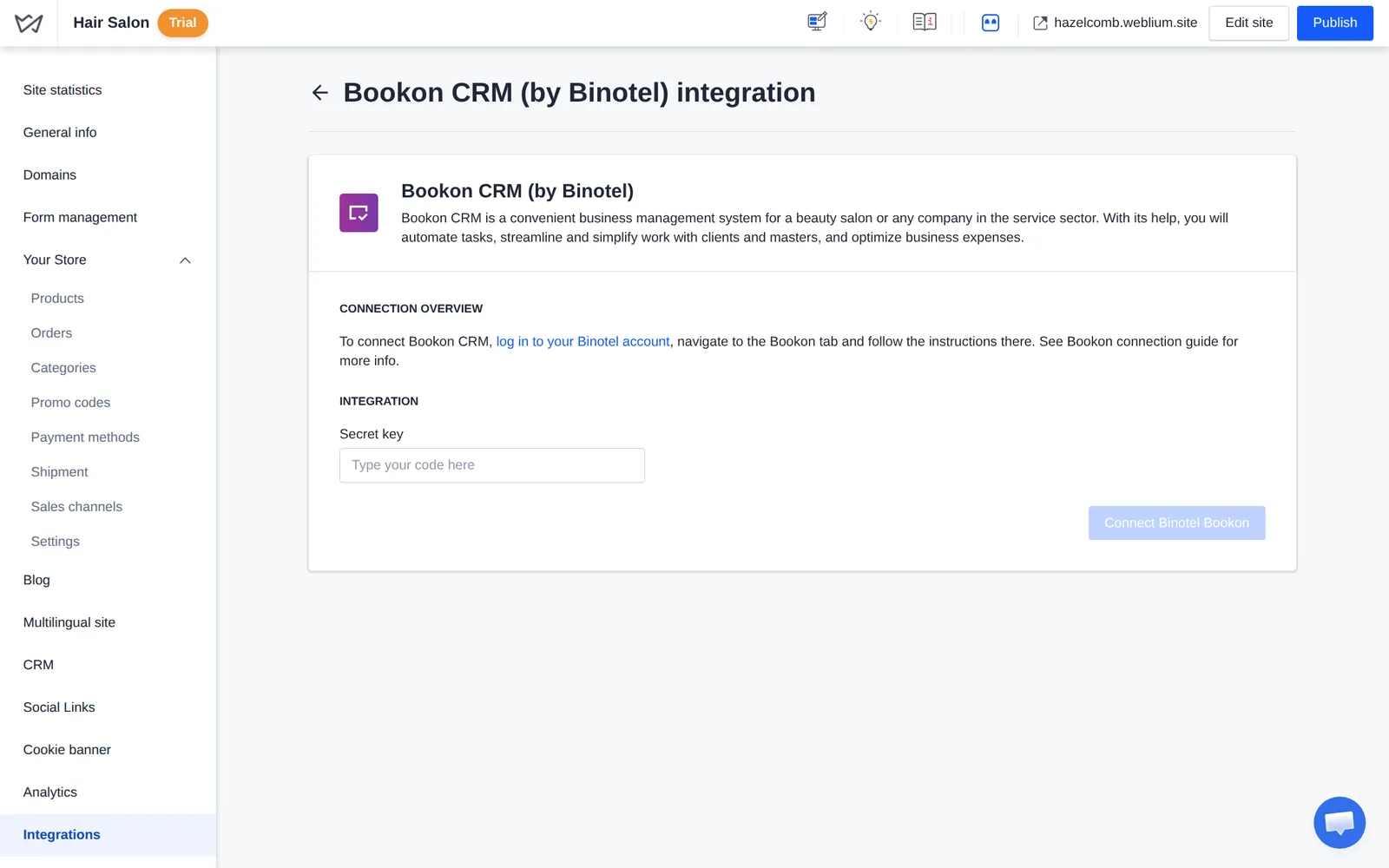
The integrations list one booking option for salons. Bookon CRM is a salon management system from Binotel, a company that sells phone systems to businesses. Connecting it needs an account there and a secret key. Weblium's help center says this option "is only available for sites with paid subscriptions". I did not test Bookon. The block group called "Schedule" only holds timetables for classes and events, which you type in by hand.
So on Weblium, a salon either works with a request form like mine or pays for a plan and adds an outside booking system.
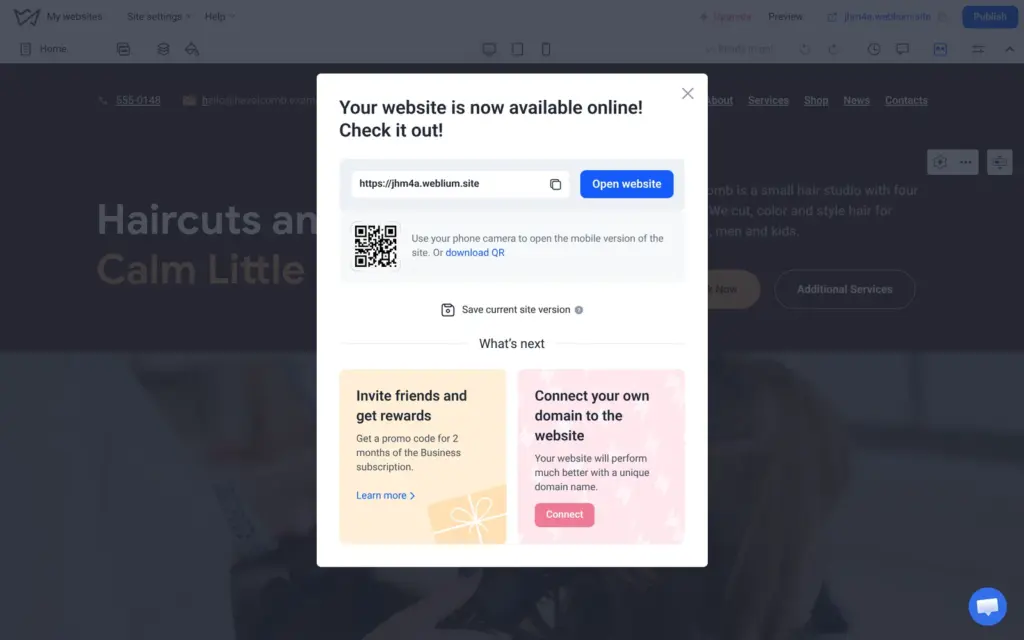
Changes are saved on their own, but visitors only see them after "Publish". Publishing took less than a minute. The site went online at a random address, jhm4a.weblium.site, and next to it Weblium suggested connecting my own domain.
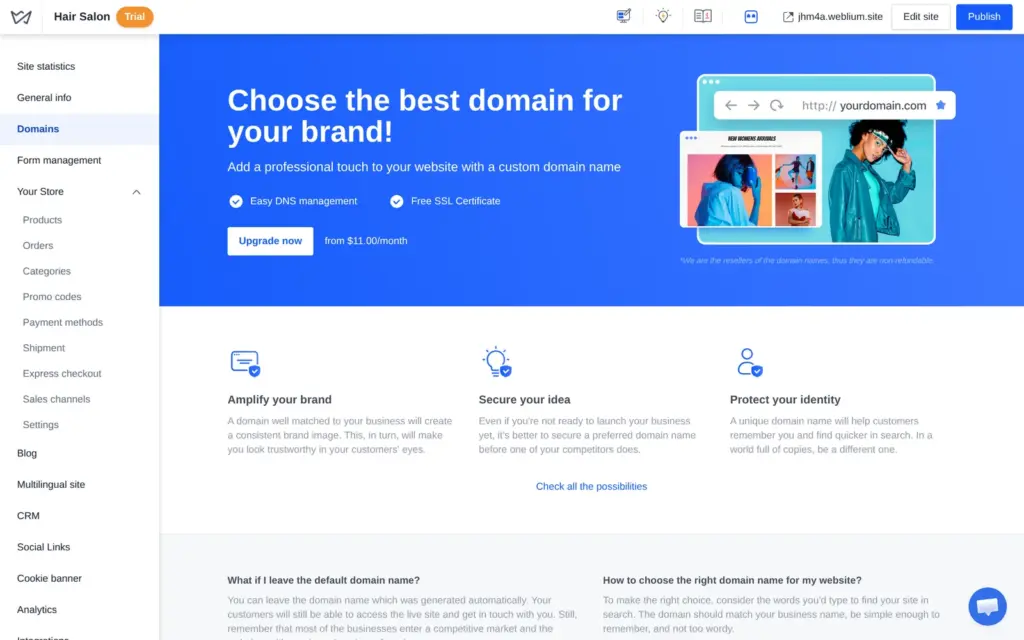
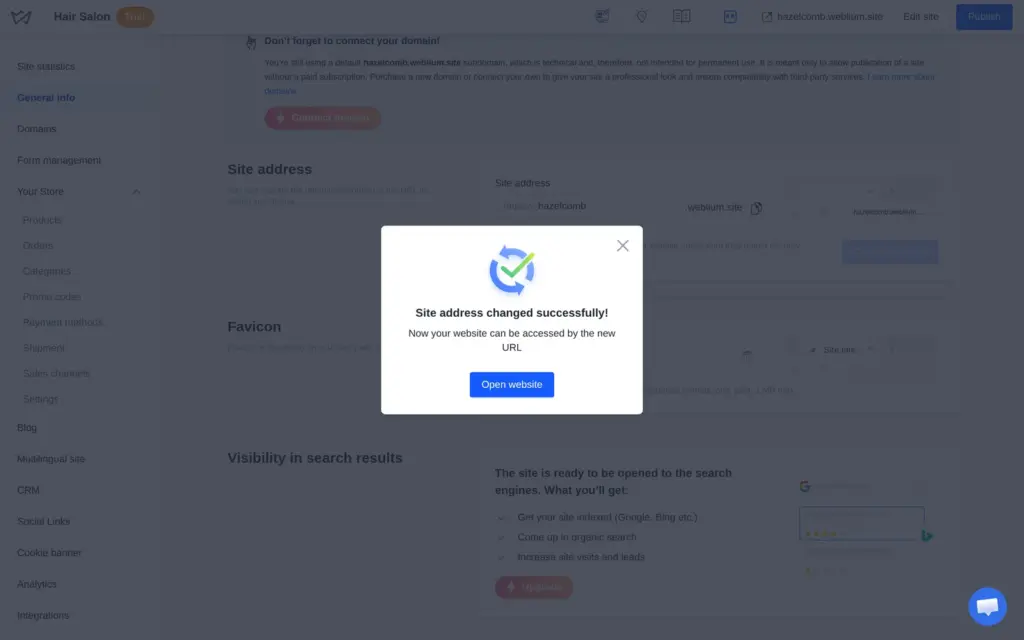
The random part can be changed for free under General info in the site settings. The Domains page offers a custom domain with a paid plan from $11 a month. I changed the address to hazelcomb.weblium.site. The old address stops working when you do that.
The live site has a blue bar at the bottom of every page: "This site was made with Weblium. Create your own website". It also shows during the trial. Only a paid plan removes it.
The pages and the shop worked on a computer and on a phone. When I clicked "Book Now" with empty fields, the browser asked me to fill in the name.
The date picker offers every day of the month in half-hour steps. Sundays are included, although the salon is closed then. I sent a request for balayage on a Thursday at two. The site showed "Thank you! We will contact you shortly".
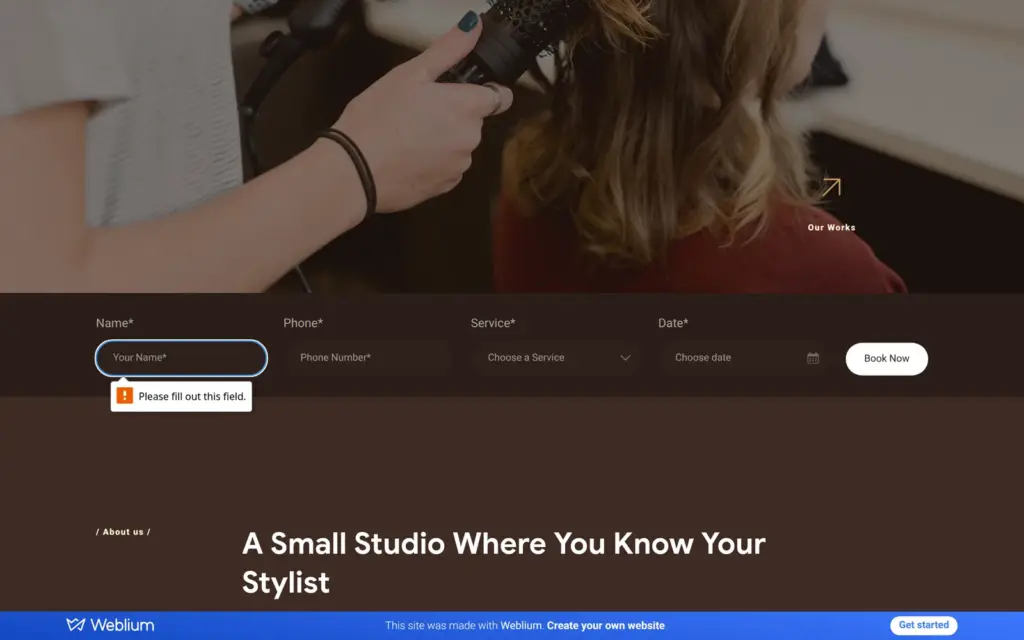
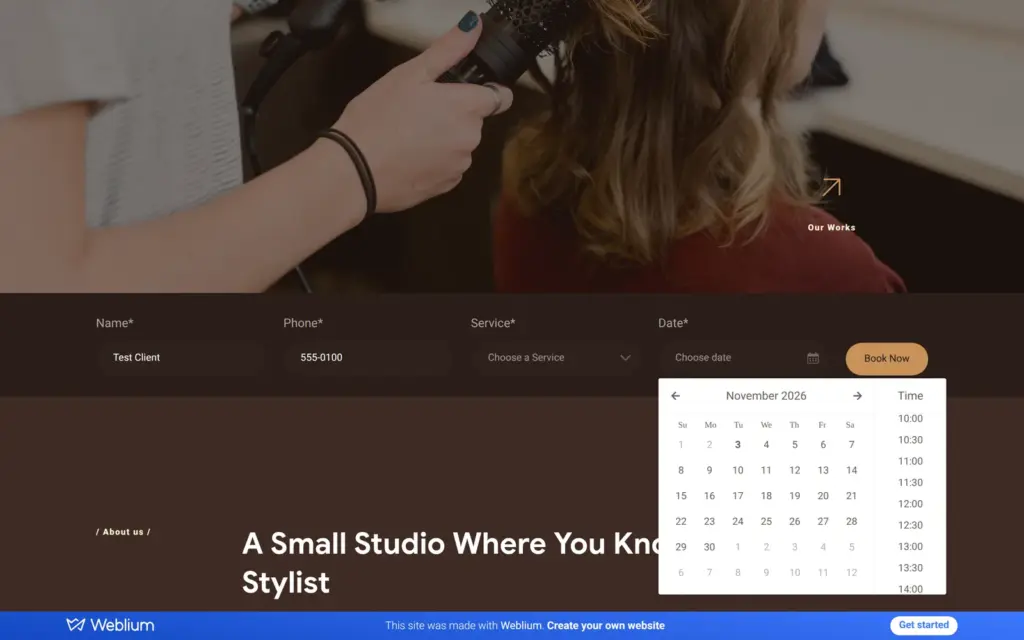
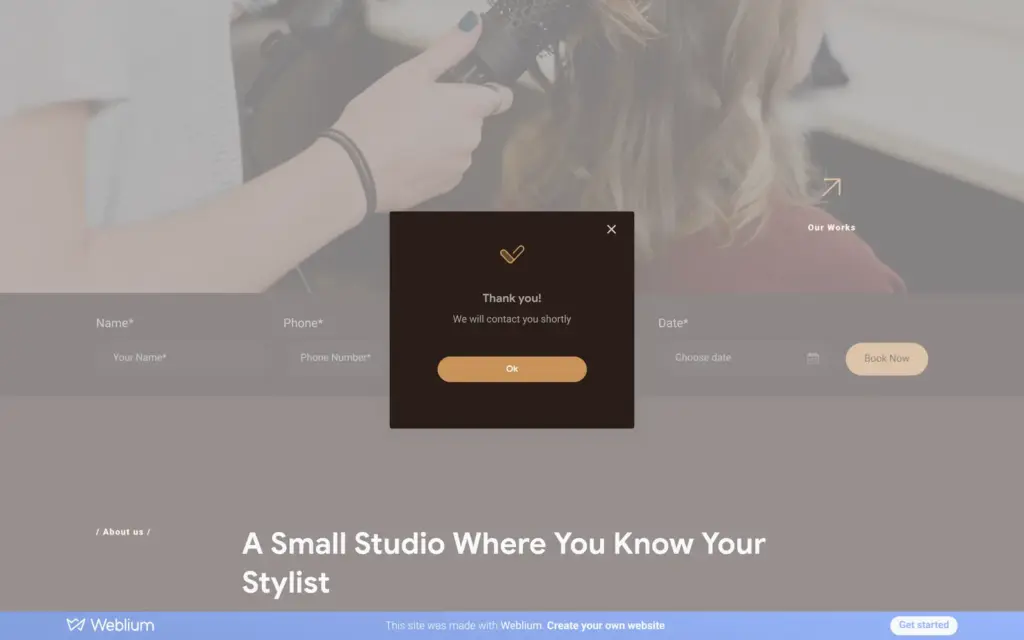
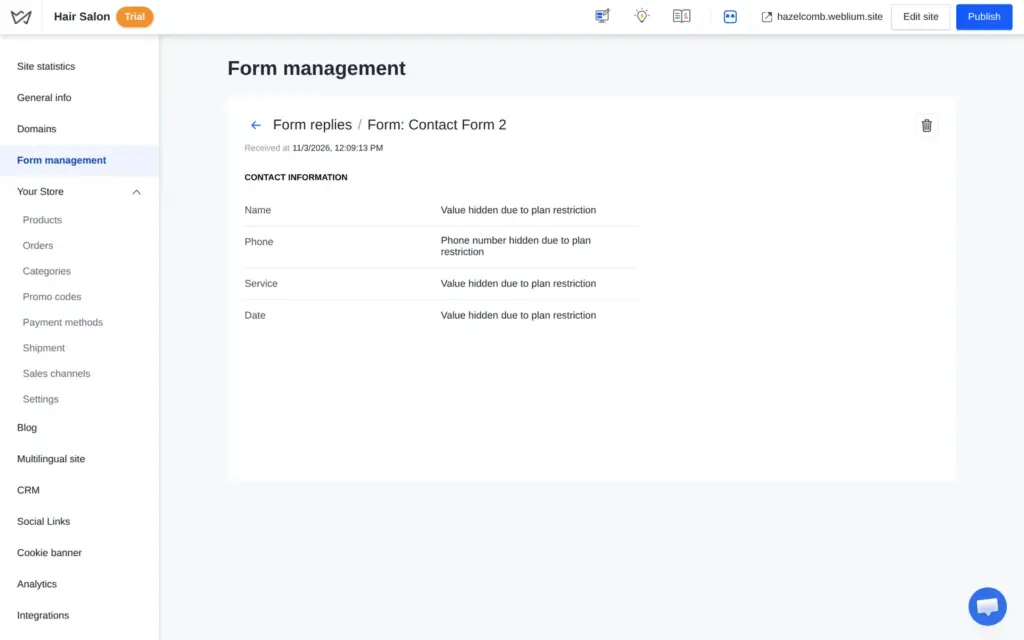
Then I looked for the request as the salon owner. It was there, under form replies, but every value said "Value hidden due to plan restriction". Opening the entry did not help. The CRM showed the same request as a deal called "Hidden (plan restriction)". No email arrived for it.
Weblium's help center says that on the trial, form responses "will come in encrypted form" and can be read after you buy a paid plan. On the free plan, contact forms are not available at all. So the salon can only read its booking requests after paying.
The search titles and descriptions were still the template's. The home page was called "Hair Salon Website Template Demo", and its description promised a "100% satisfaction guarantee". Each page has its own title and description in the page settings, so I wrote my own for all four pages.
The footer had the same link problem as the header. It showed my phone number and email address, but the links behind them still pointed to the template. When I tried to change the phone link, the old link stayed. Only the first digit carried it. I had to select the whole number and remove the link. Then I added it again. The email address needed the same steps.
Two links in the footer menu pointed to the reviews and press sections I had deleted. They led nowhere, so I removed them. The social icons still lead to the start pages of the social networks until you add your own profiles.
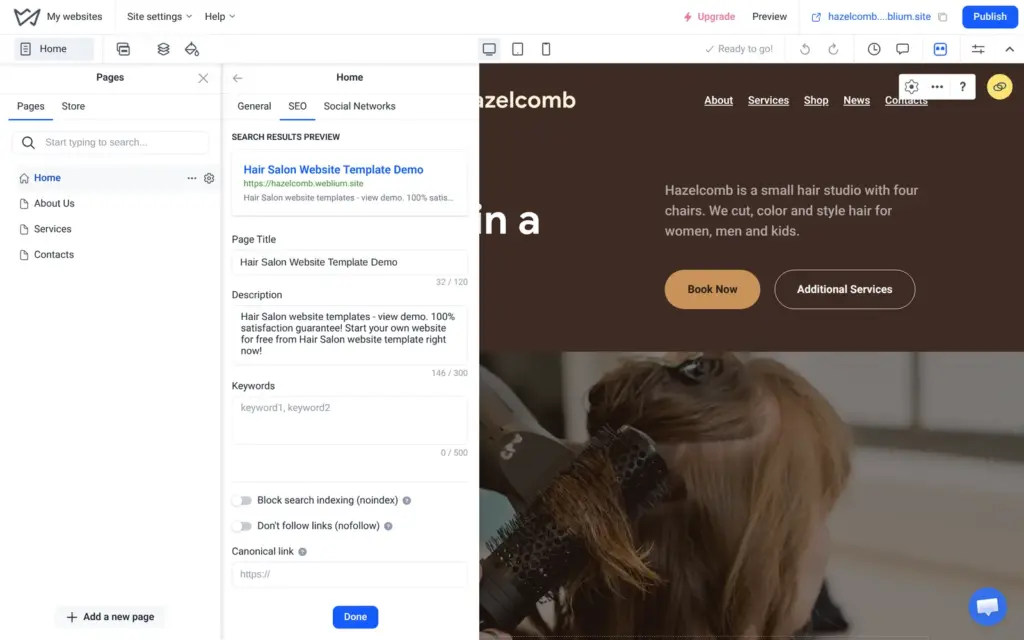
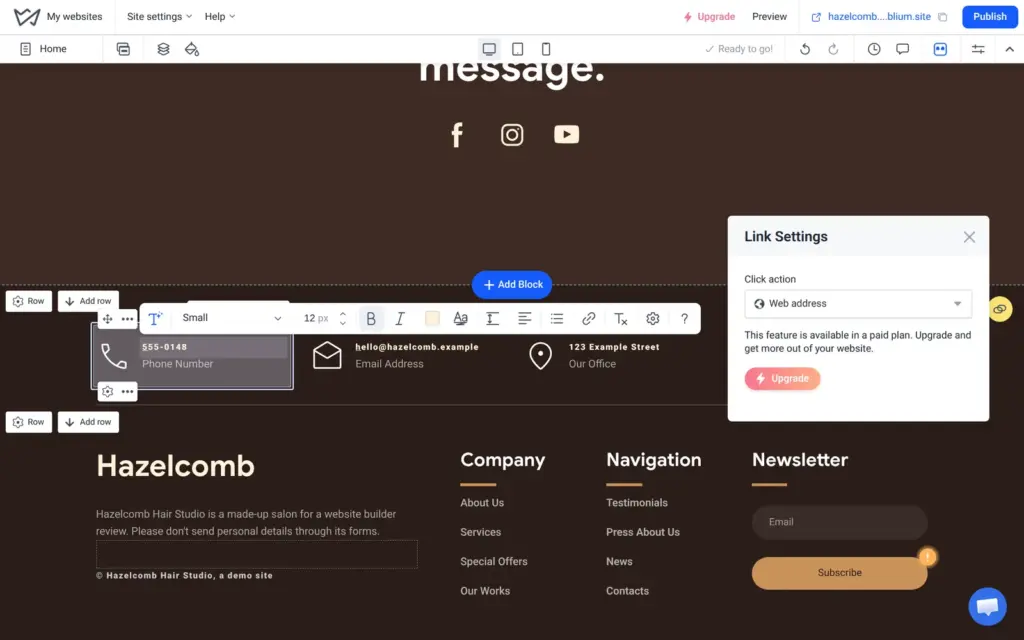
None of this is hard to fix. The risk is that you do not notice it. If you build from a template, click the phone number and email address on the published site and look at the page titles in the browser tab.
The page settings also have a switch that hides a page from search engines, and a place for redirects from old addresses. All of this worked on the trial. Because the salon is made up, I hid its pages from search engines.
On the trial and the free plan, Google cannot list the site anyway. The site's robots.txt file, which tells search engines what they may read, blocks everything. The dashboard marks the site as "Hidden from Google" until you upgrade.
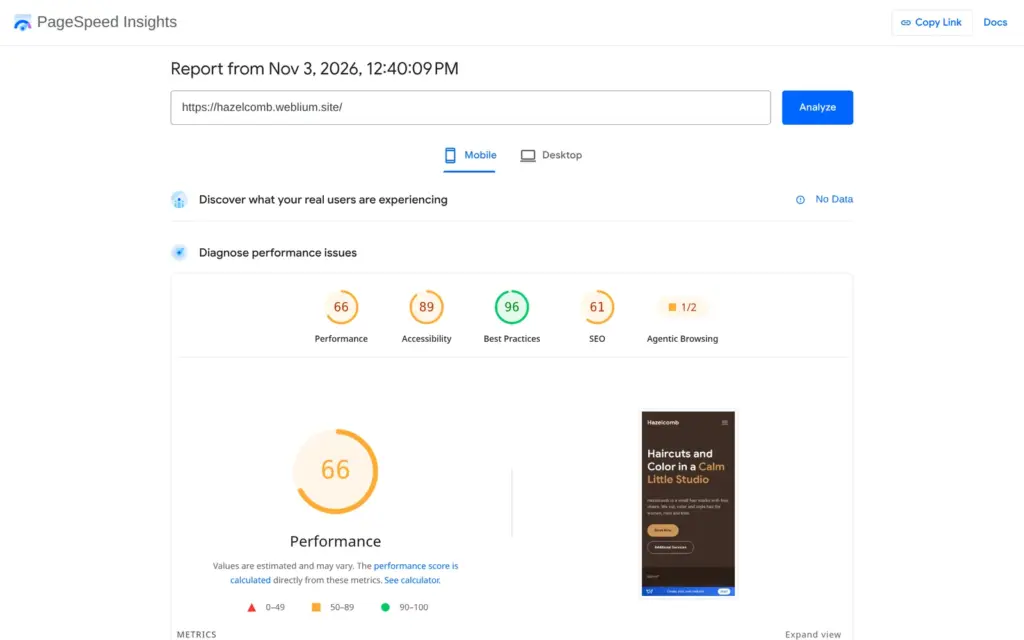
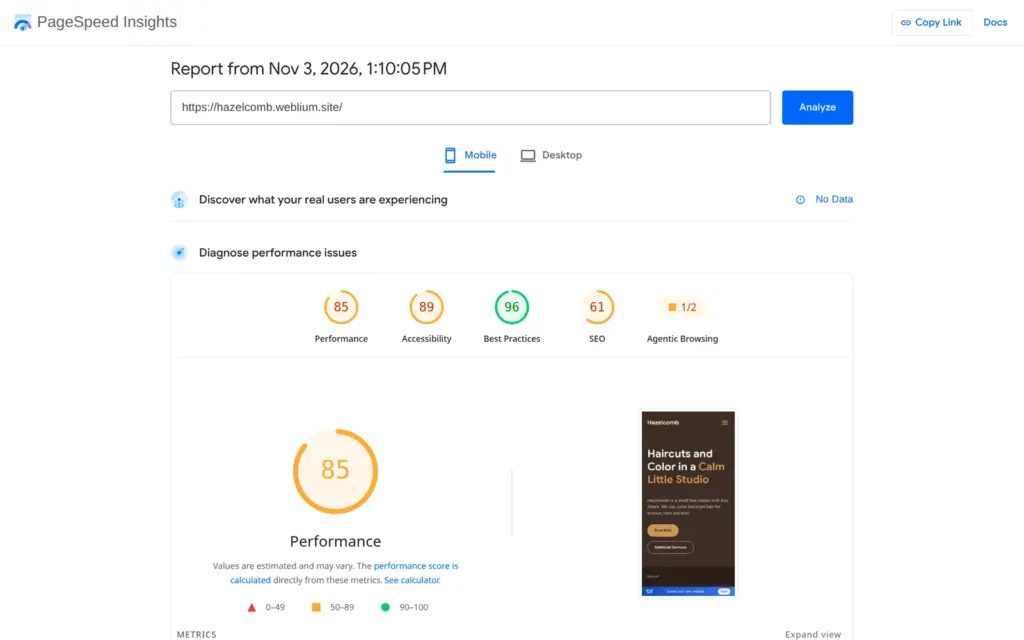
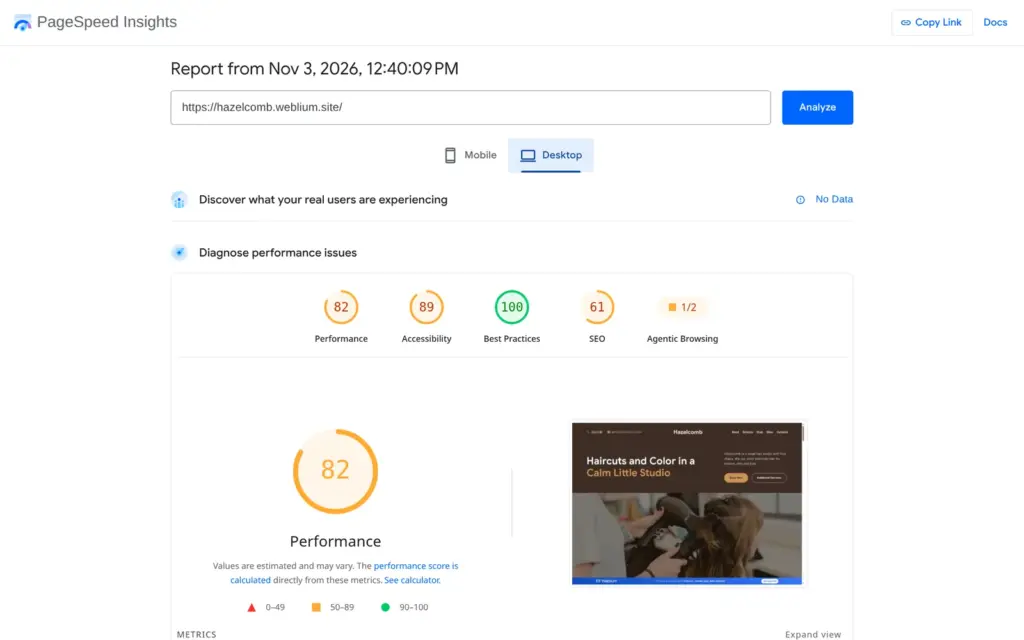
I ran the home page through Google's PageSpeed Insights. On desktop it scored 82 out of 100 for performance, and the largest part of the page appeared after 2.1 seconds. In the phone test, the first run scored 66 and the second 85, so the score changes from run to run. Both phone runs counted about 30 MB of downloads, against about 4 MB on desktop.
On phones and tablets, Weblium sends the template's photos as PNG files of 2.2 to 2.8 MB each. The home page has 14 of them, 27.8 MB in total. Computers get the same photos as WebP files of 60 to 94 KB. On desktop, Weblium served the photo from the free library as the 2.5 MB original.
The shop is part of the Business plan, and the trial includes it. A salon could sell its hair care products online, so I set up a shop with two products and placed a test order on the live site.
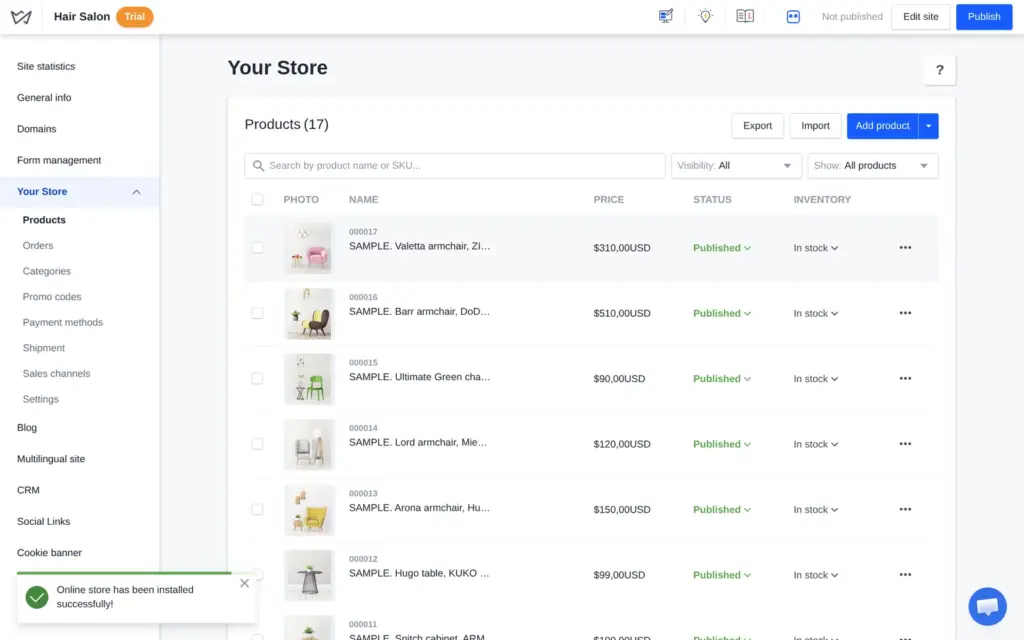
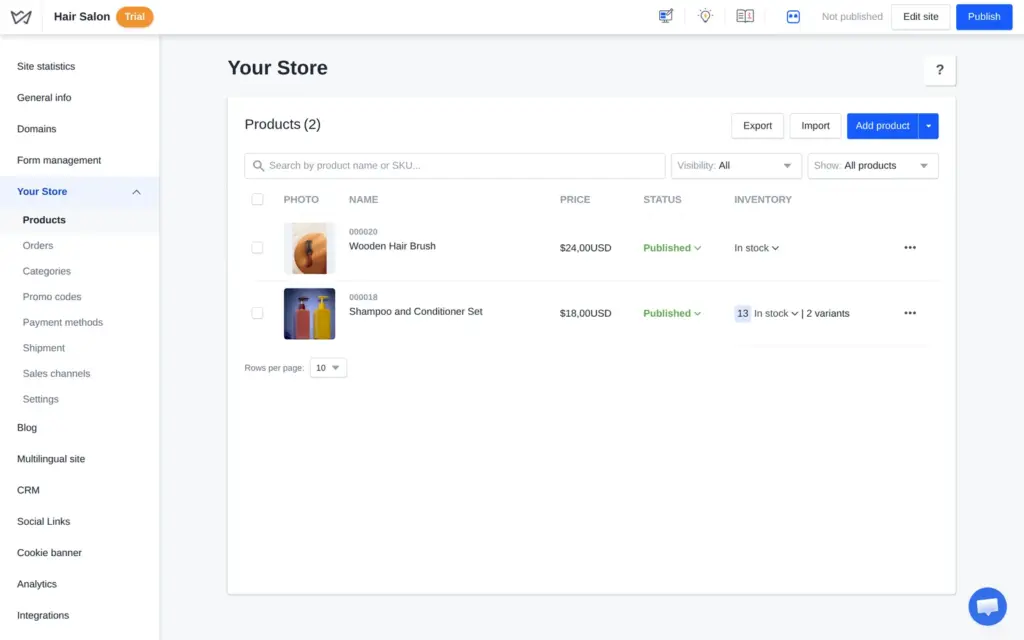
Connecting the shop added a shop page and 17 sample products. They were armchairs and tables, and all of them were already published on the site. I selected them and deleted them in two rounds, because the list shows ten at a time. In the editor, the shop page still showed sample armchairs as placeholders afterwards. The live shop only showed my own products.
Product photos have to be uploaded from your computer. The free photo library from the editor is not offered here. Each product has the usual fields, like price and stock.
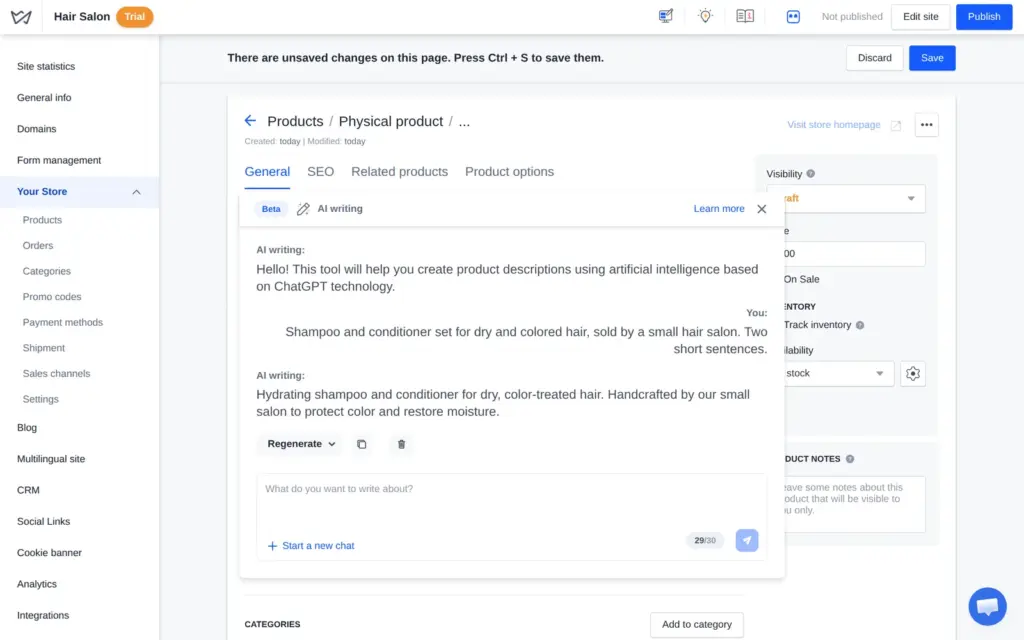
The description box has an "AI writing" button. It opens a beta chat with 30 requests. Weblium says it is based on ChatGPT technology. I asked for two sentences about a shampoo and conditioner set sold by a small salon. The text read well, but it said the set was "handcrafted by our small salon". I had not said that, so I fixed it by hand.
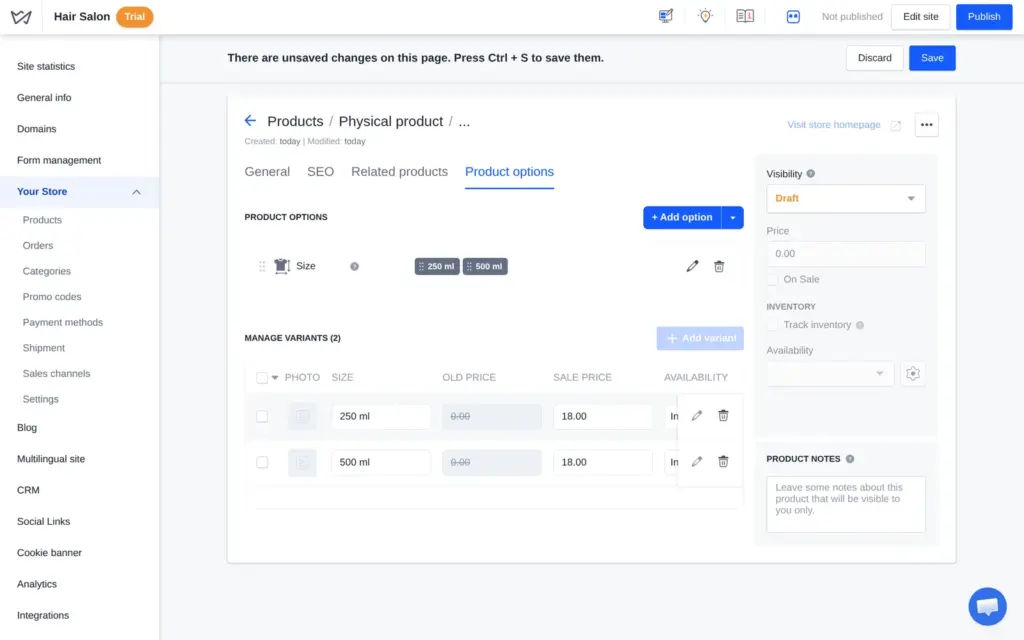
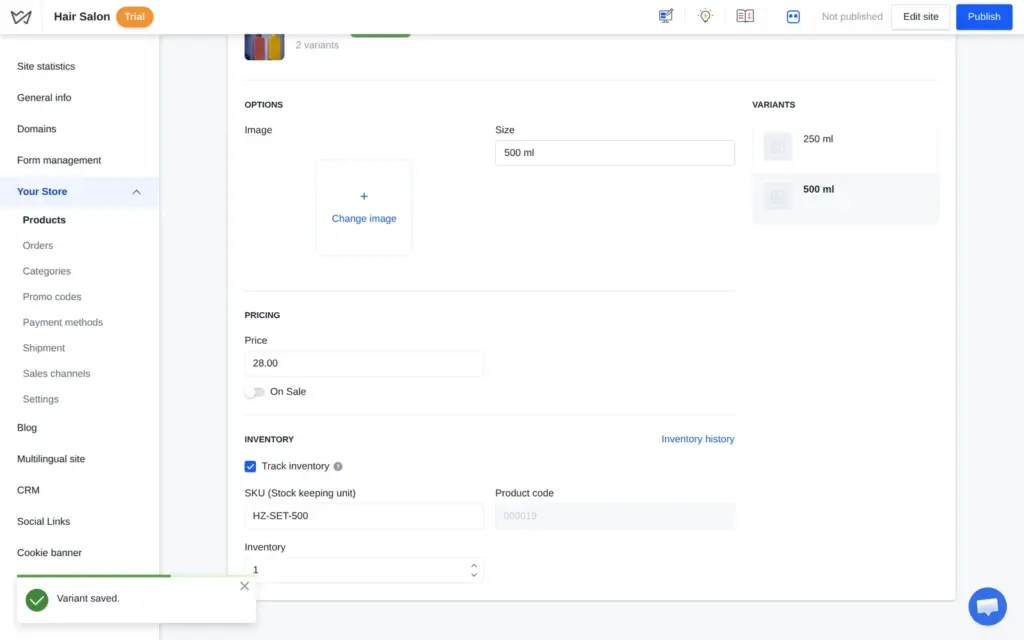
For the sizes, I added a "Size" option with 250 ml and 500 ml. Weblium turned them into two variants. Each variant has its own price and its own stock count. The variants can only be edited after the product is saved. I set 12 small bottles at $18 and one big bottle at $28. A wooden brush for $24 was the second product.
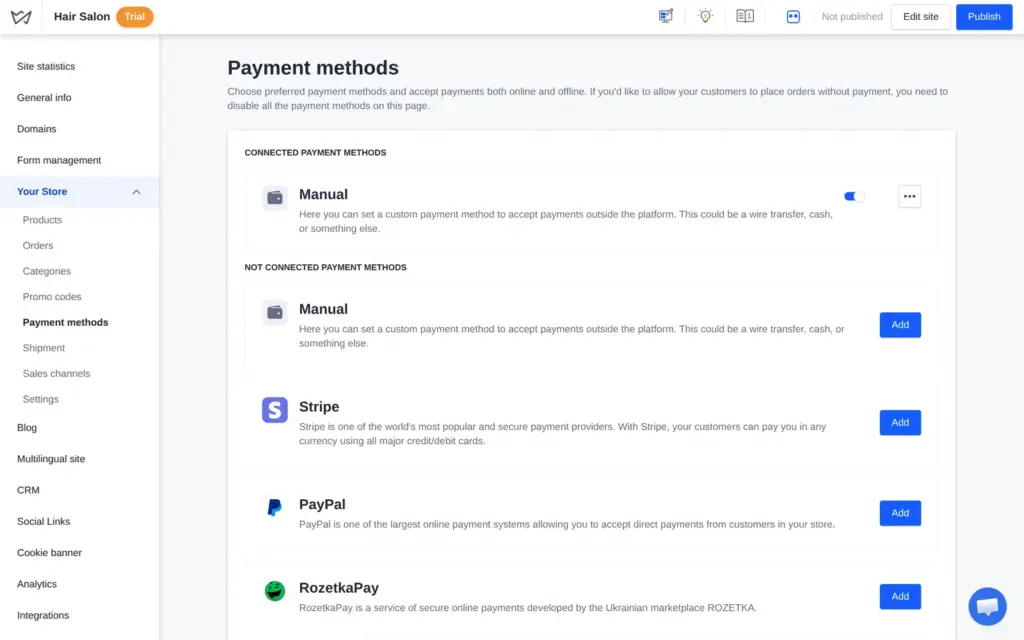
Weblium lists Stripe and PayPal for card payments, plus about a dozen other payment services. Several of them are for Ukraine. Each needs an account with that service, so I added a manual method called "Pay in the salon", with instructions for the customer.
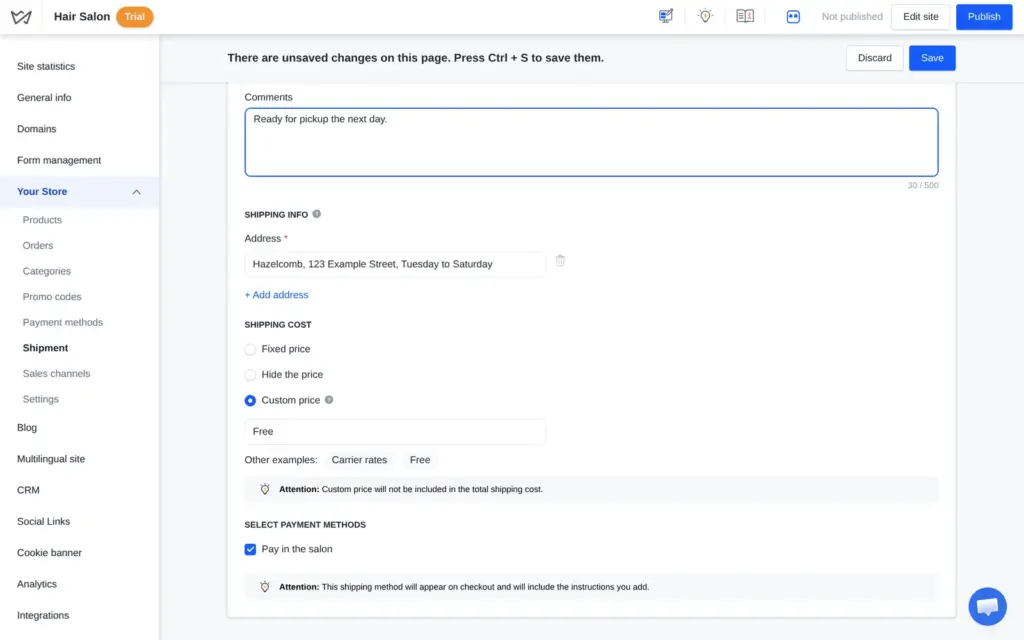
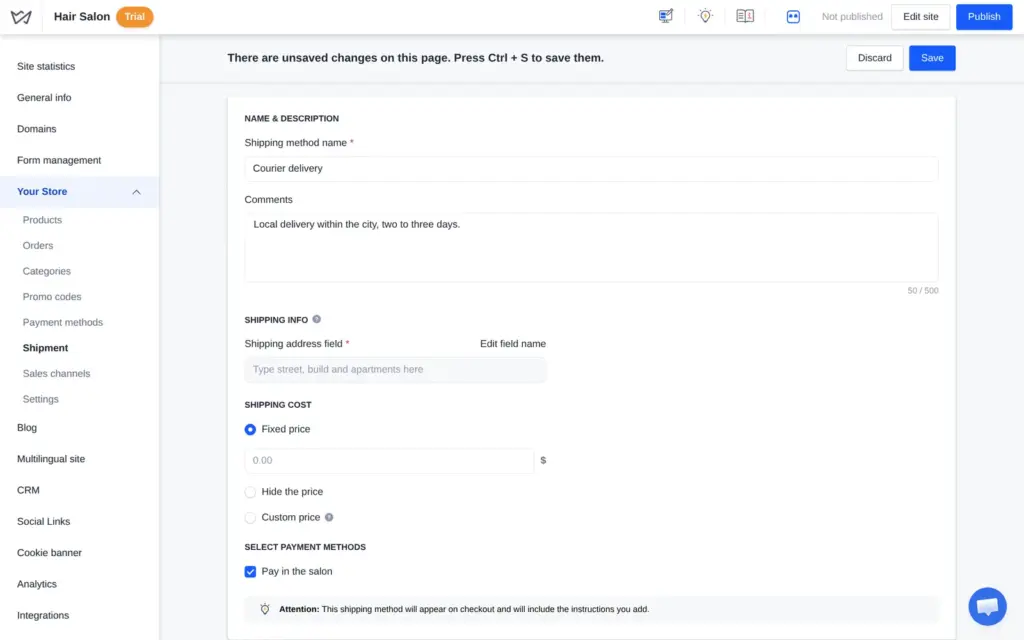
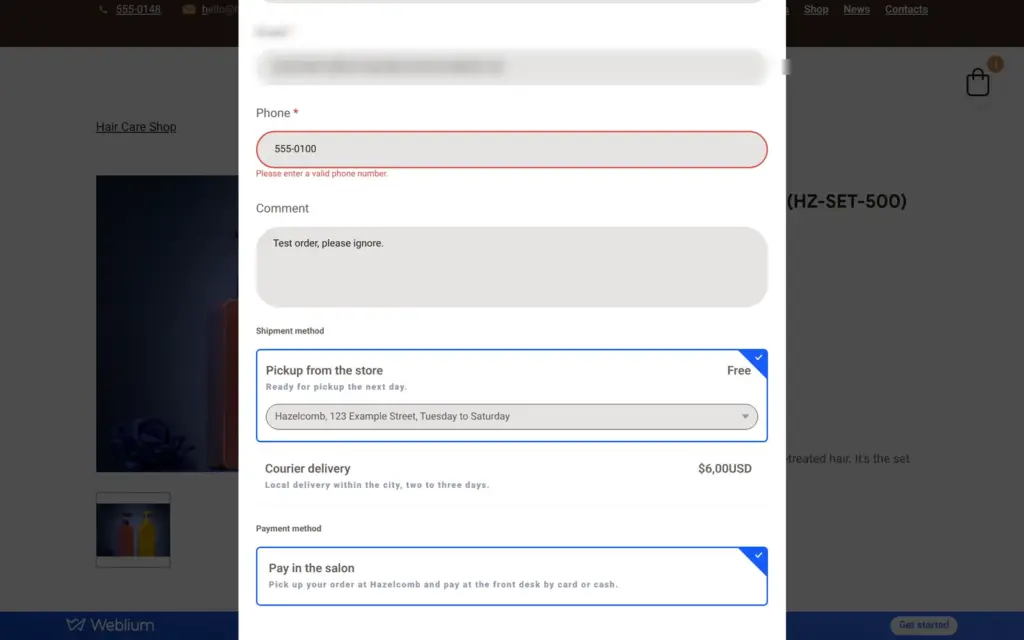
For shipping, I set up free pickup at the salon and courier delivery for a fixed $6. A Ukrainian parcel service is the third option. I found no free delivery above an order amount and no prices by weight or region.
Tax is the biggest gap. Each product has a field for tax codes, which according to Weblium's help center only passes data to outside systems. I found no place to add a VAT or sales tax rate, and the cart showed no tax.
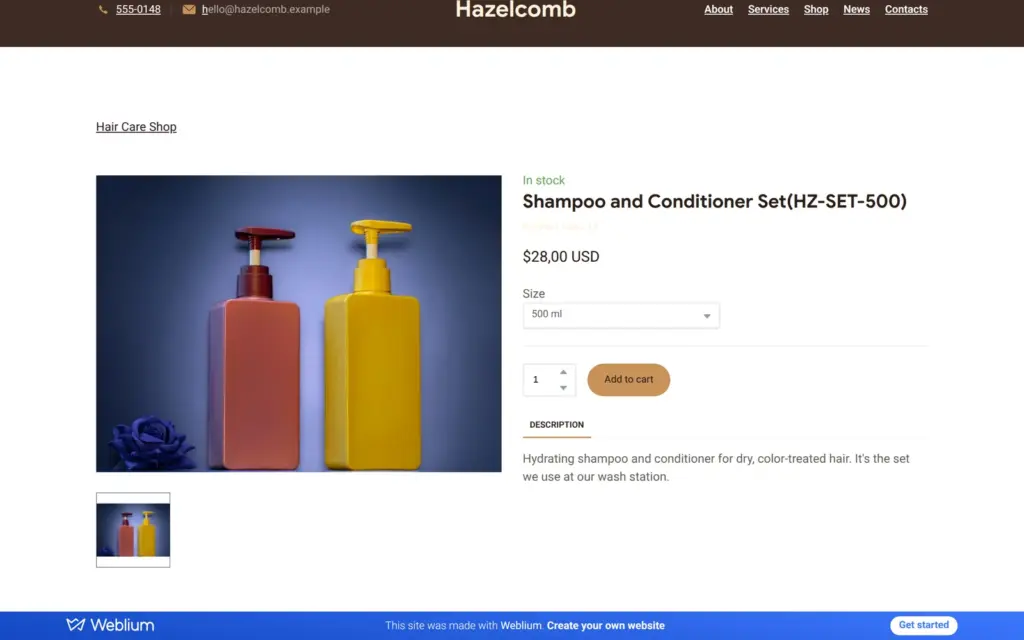
The store uses one currency, US dollars by default. Prices showed as "$28,00 USD", with a comma. The number format can be changed in the store settings.
I added a Shop link to the menu and opened the shop like a customer. The size menu on the product page switched the price. The page also showed the stock code in the product name, "Shampoo and Conditioner Set (HZ-SET-500)", which customers do not need to see.
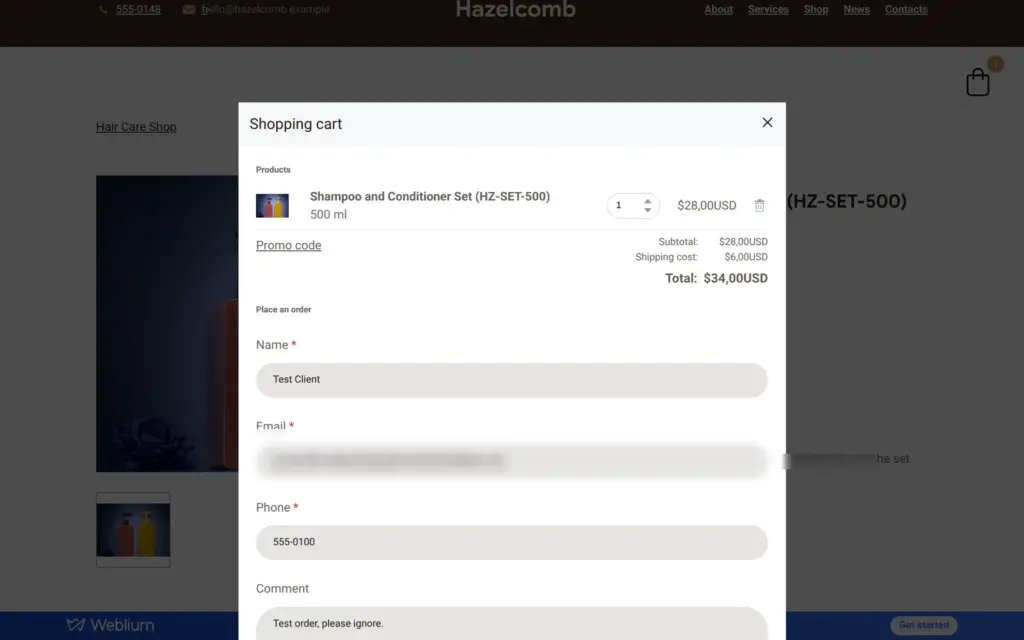
Only one big bottle was in stock, and the quantity counter did not go past one. The cart opens as a window with the order form inside, so there is no separate checkout page. With courier delivery, the total went up by $6. I chose pickup.
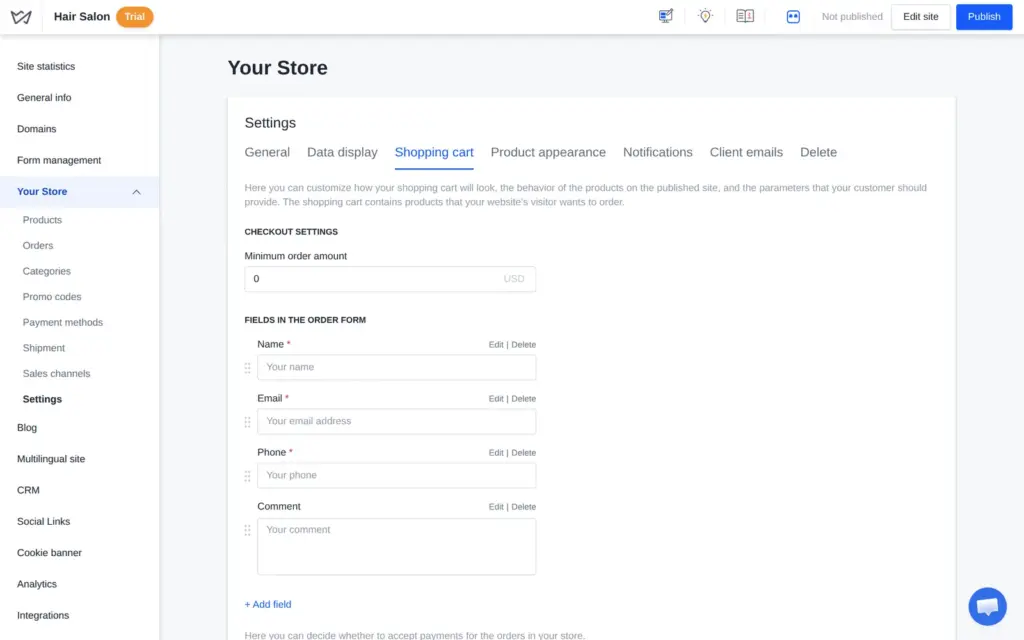
The first click on "Order" did nothing. The phone field had rejected 555-0100, and it also rejected +1 202 555 0100, with area code and country code. It only accepted the number written the American way, 202 555 0100. A customer from another country who types a number with spaces and a country code gets stuck here.
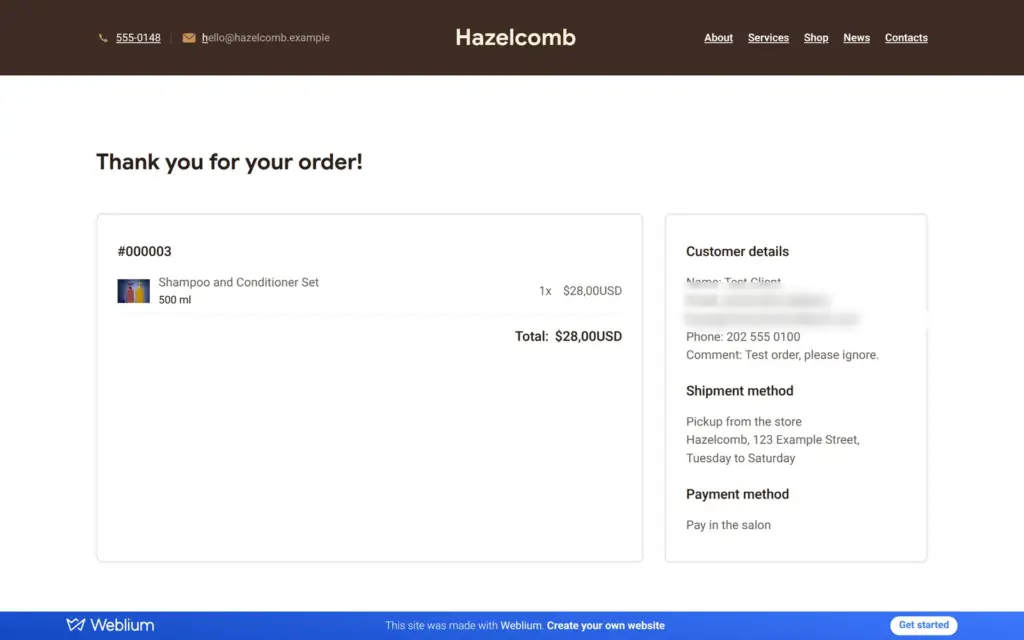
Then the order went through. The thank-you page listed the order and the pickup address.
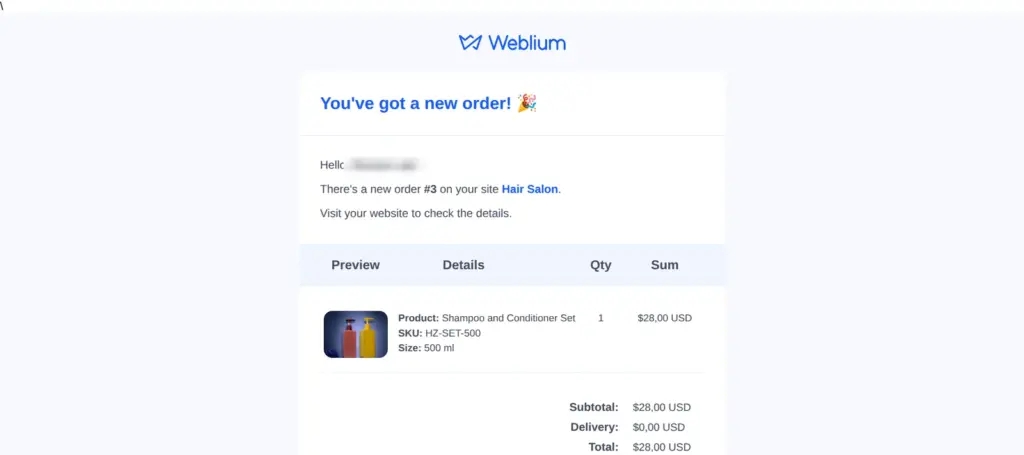
The owner email "You've got a new order!" arrived about eight seconds after the order. It listed the product with its size and the customer's details. Twelve seconds later a second email warned that the store was running out of stock. The customer got no email. Customer emails are not part of the trial, according to Weblium's help center.
In the dashboard, the order showed every customer detail, unlike the booking request. I marked it as paid and completed.
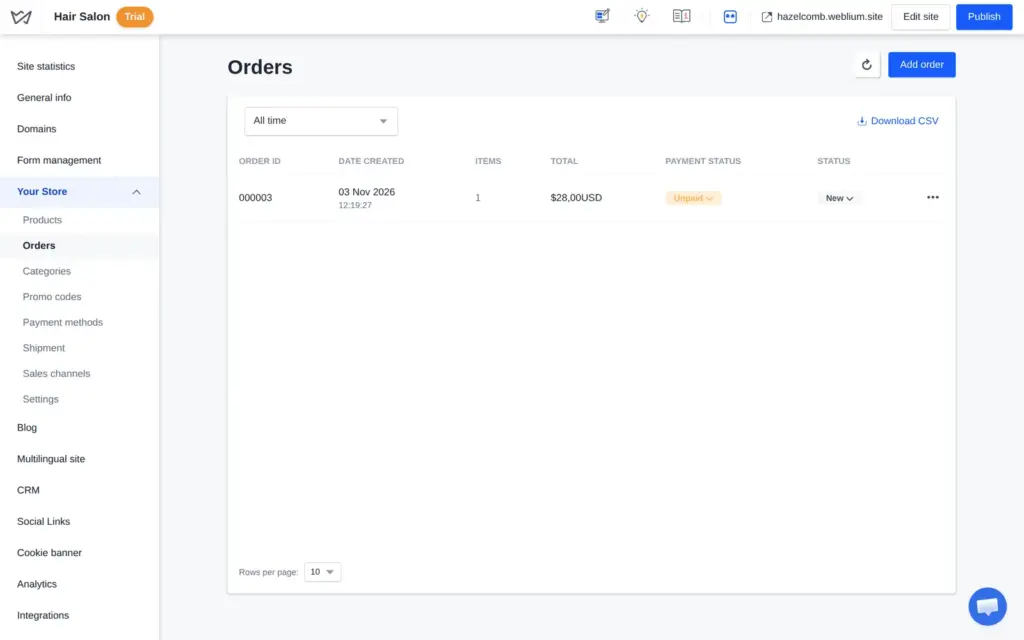
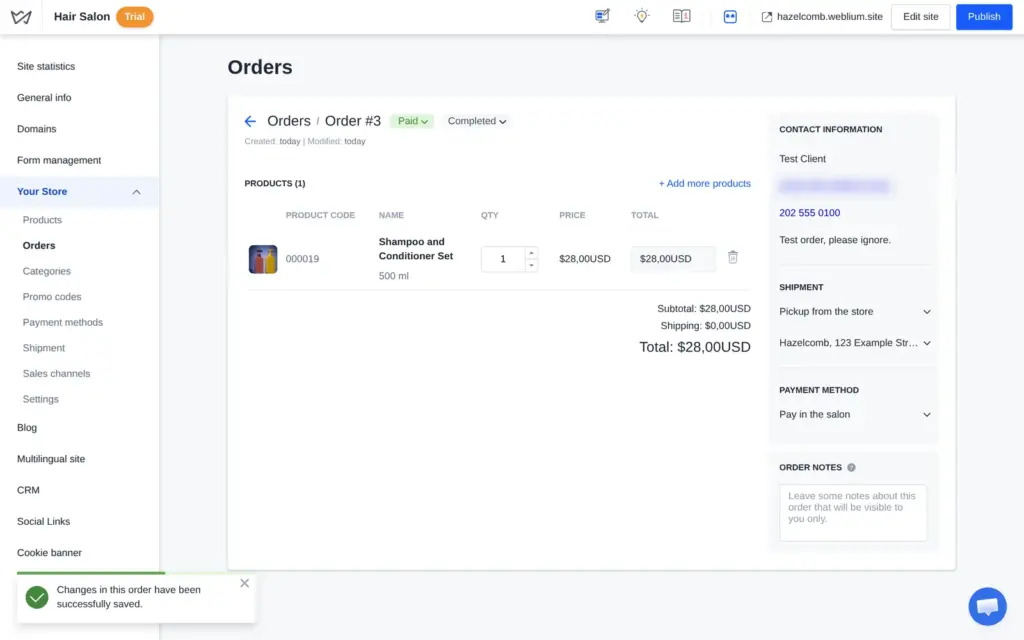
The shop works for a salon or a small shop that sells a few products to local customers. Sizes and stock worked well. It fits less well if you need tax rates or ship to many countries.
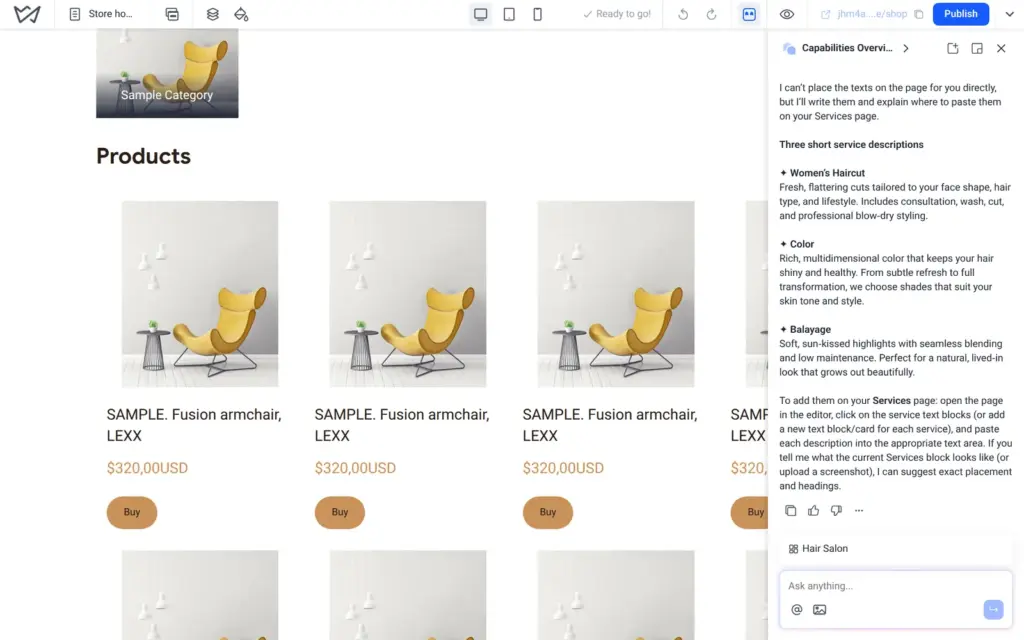
Evo sits behind the robot button in the editor. It is a chat in beta that knows which site you are working on. I asked what it can do. It gives advice, for example which blocks to add and how to word a text.
I asked whether clients can book a time with a stylist online. Evo answered that Weblium "does not have a built-in calendar/booking system with automatic time-slot management and double-booking protection". It suggested a request form or an outside booking service. It did not mention that the embed block and links to other websites both need a paid plan.
Then I asked Evo to write three service descriptions and put them on my services page. It answered "I can't place the texts on the page for you directly" and then wrote them. You copy and paste the texts yourself.
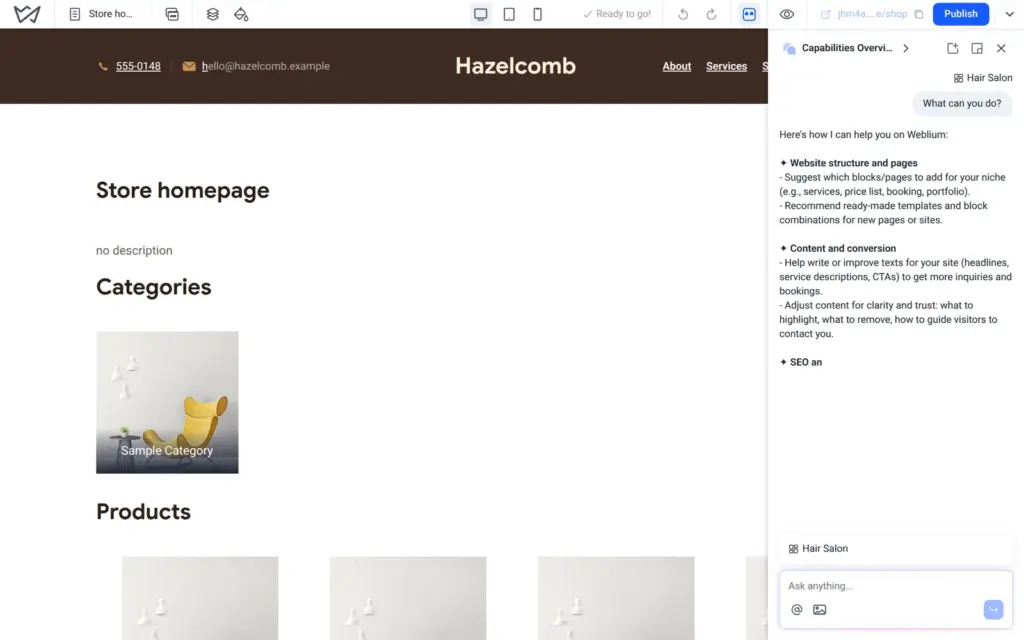
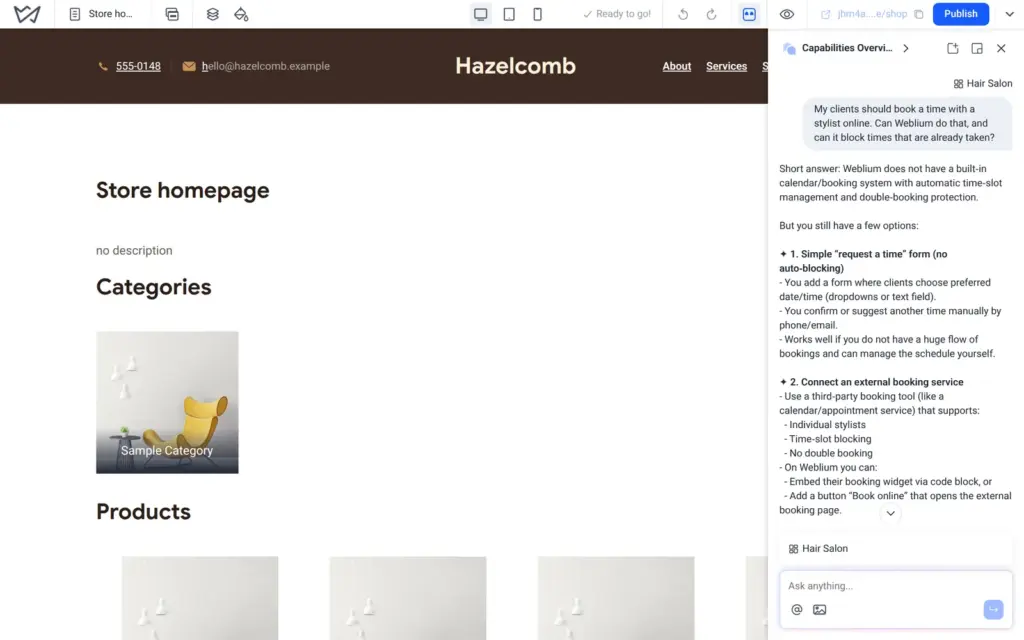
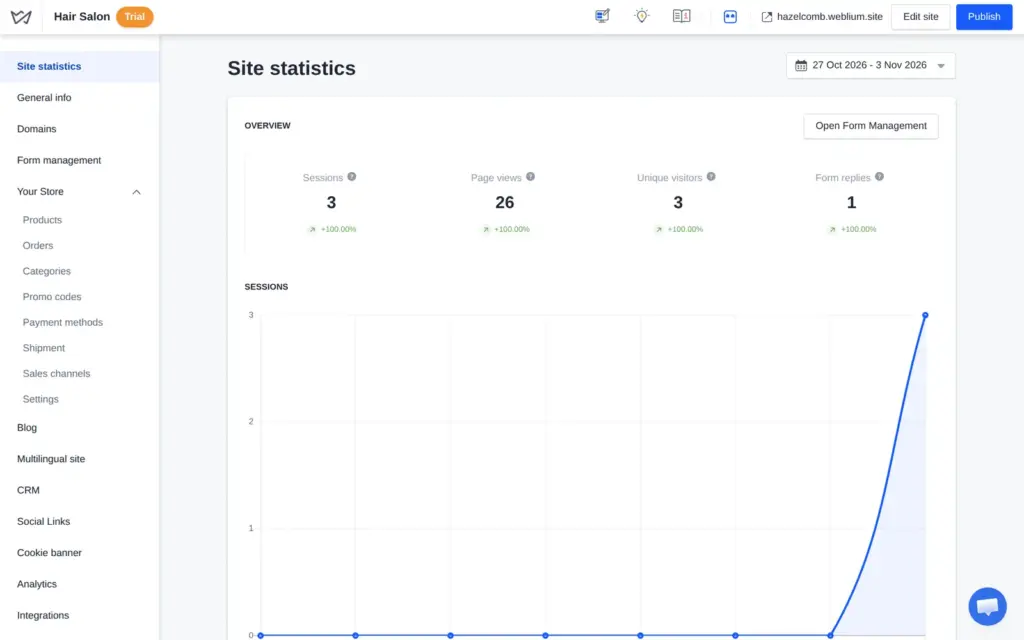
The trial includes site statistics. They count visitors and page views and show where the visitors came from. Outside tools like Google Analytics can be connected under Analytics.
The blog and other languages are part of the Business plan. I looked at both settings pages but did not write a post or translate the site.
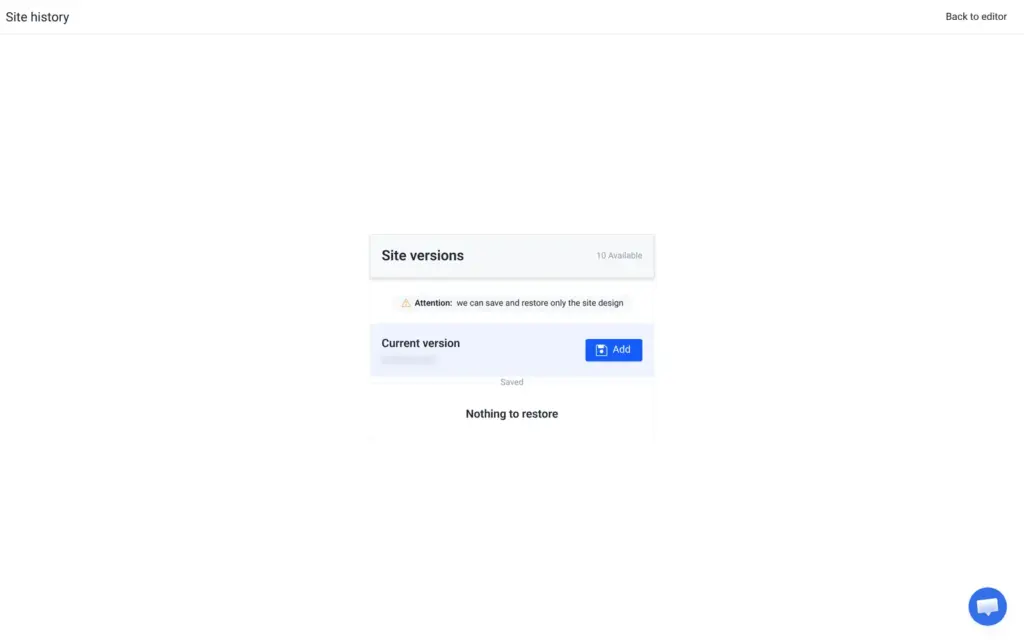
Site history holds up to ten versions on the trial, but only ones you save yourself. Weblium warns that it can save and restore "only the site design".
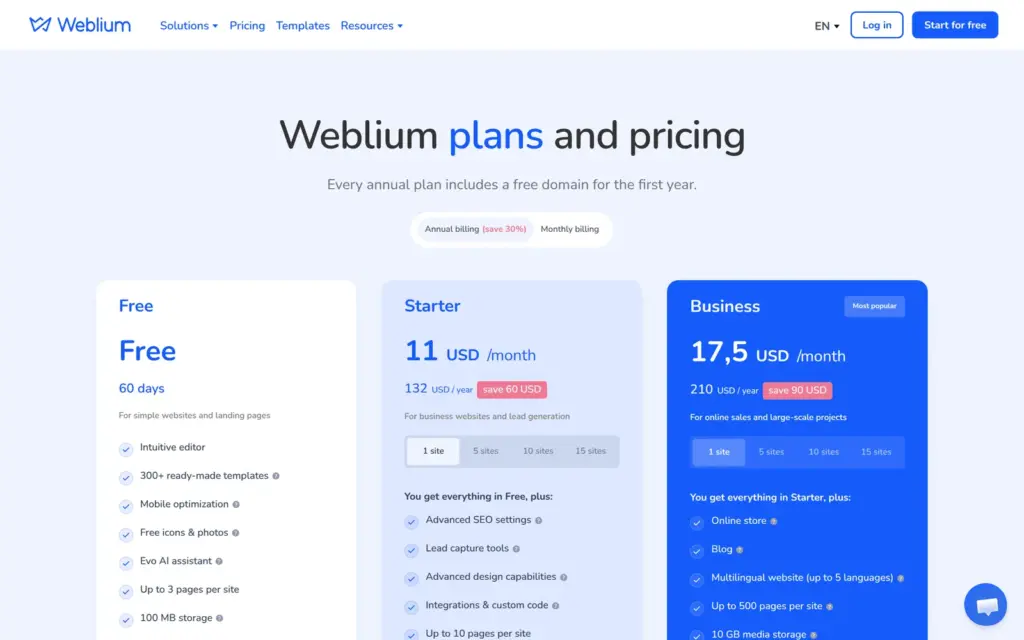
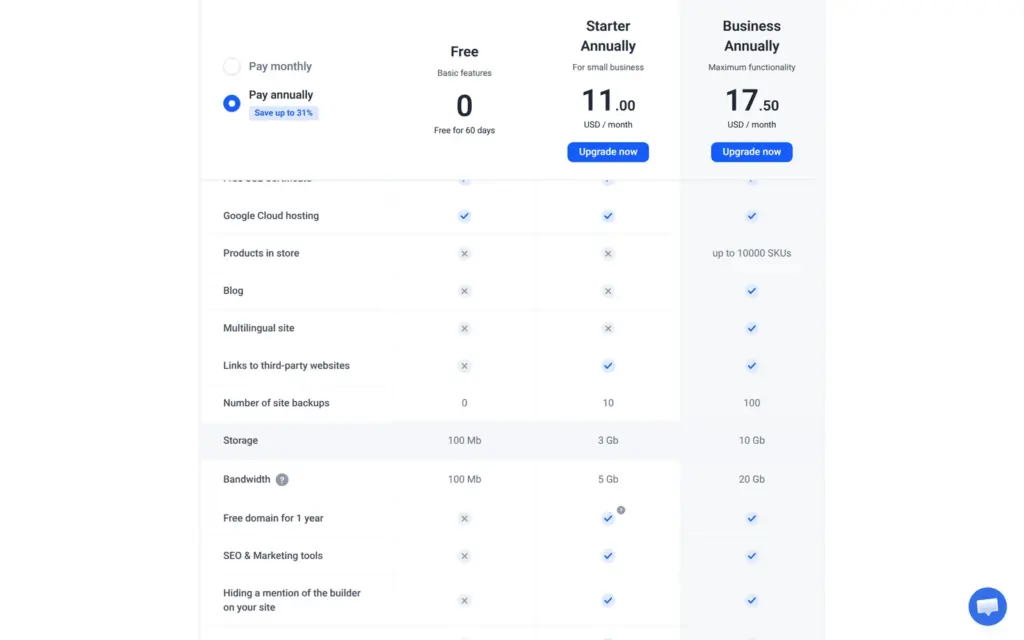
I checked Weblium's pricing page on November 3, 2026. All prices are in US dollars, and that is also what the page showed from Germany. You pay with a card or PayPal. Each plan covers one site, and the yearly plans include a free domain for the first year.
| Free | Starter | Business | |
|---|---|---|---|
| Billed yearly | $0for 60 days | $11a month, $132 a year | $17.50a month, $210 a year |
| Billed monthly | Not offered | $16a month | $25a month |
| How long the site stays online | 60 days, then blocked | As long as you pay | As long as you pay |
| Pages | 3 | 10 | 500 |
| Web address | name.weblium.site | Your own domain, free for the first year on yearly billing | Your own domain, free for the first year on yearly billing |
| Contact forms | No | Yes | Yes |
| Links to other websites and embed code | No | Yes | Yes |
| Online shop | No | No | Yes, up to 10,000 products |
| Blog and other languages | No | No | Yes, up to 5 languages |
| Weblium bar on every page | Yes | No | No |
| Listed by search engines | No | Yes | Yes |
| Storage | 100 MB | 3 GB | 10 GB |
| Bandwidth | 100 MB | 5 GB | 20 GB |
| Saved site versions | 0 | 10 | 100 |
For the salon, Business on yearly billing costs $210 a year, because the shop needs Business. Without the shop, Starter for $132 a year would do. An online booking system costs extra. Bookon is a separate paid service from Binotel, and an outside booking widget needs at least Starter.
If you run several sites, Weblium sells bundles with lower prices per site.
| Sites | Starter | Business |
|---|---|---|
| 1 site | $11per site and month, $132 a year | $17.50per site and month, $210 a year |
| 5 sites | $8.25per site and month, $495 a year | $13.13per site and month, $787.50 a year |
| 10 sites | $7.15per site and month, $858 a year | $11.38per site and month, $1,365 a year |
| 15 sites | $6.60per site and month, $1,188 a year | $10.50per site and month, $1,890 a year |
The pricing page lists the free plan as "Free" with "60 days". According to Weblium's help center, a new site starts with a 14-day trial of almost all Business features, without a card. Then it moves to the free plan for 46 days. After that, the site is blocked and visitors cannot reach it. Weblium stores the data for 60 more days and then deletes the site. The free plan also has no contact forms and no shop. It allows three pages.
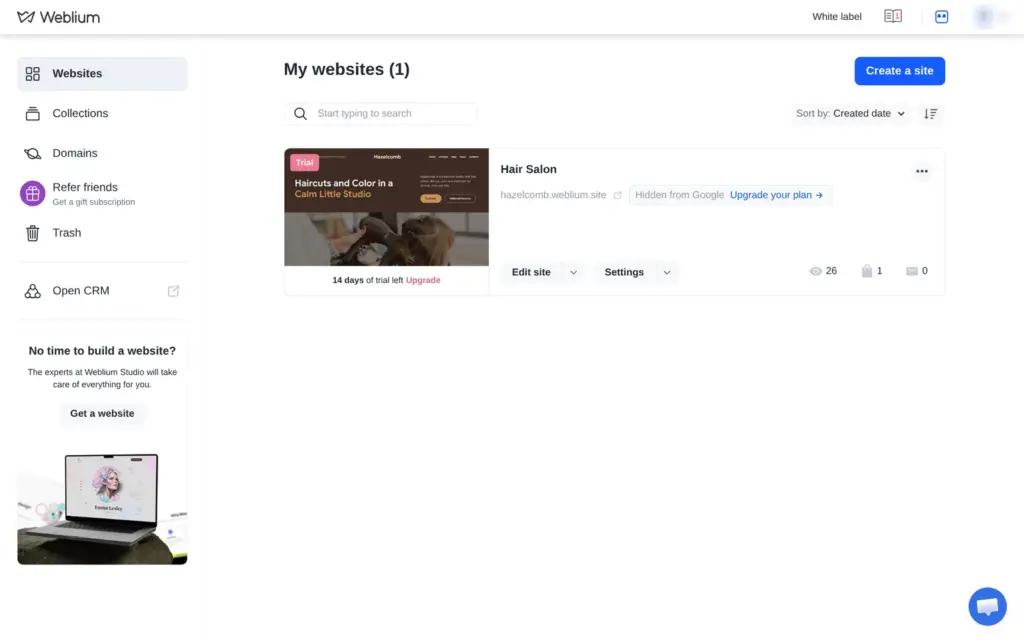
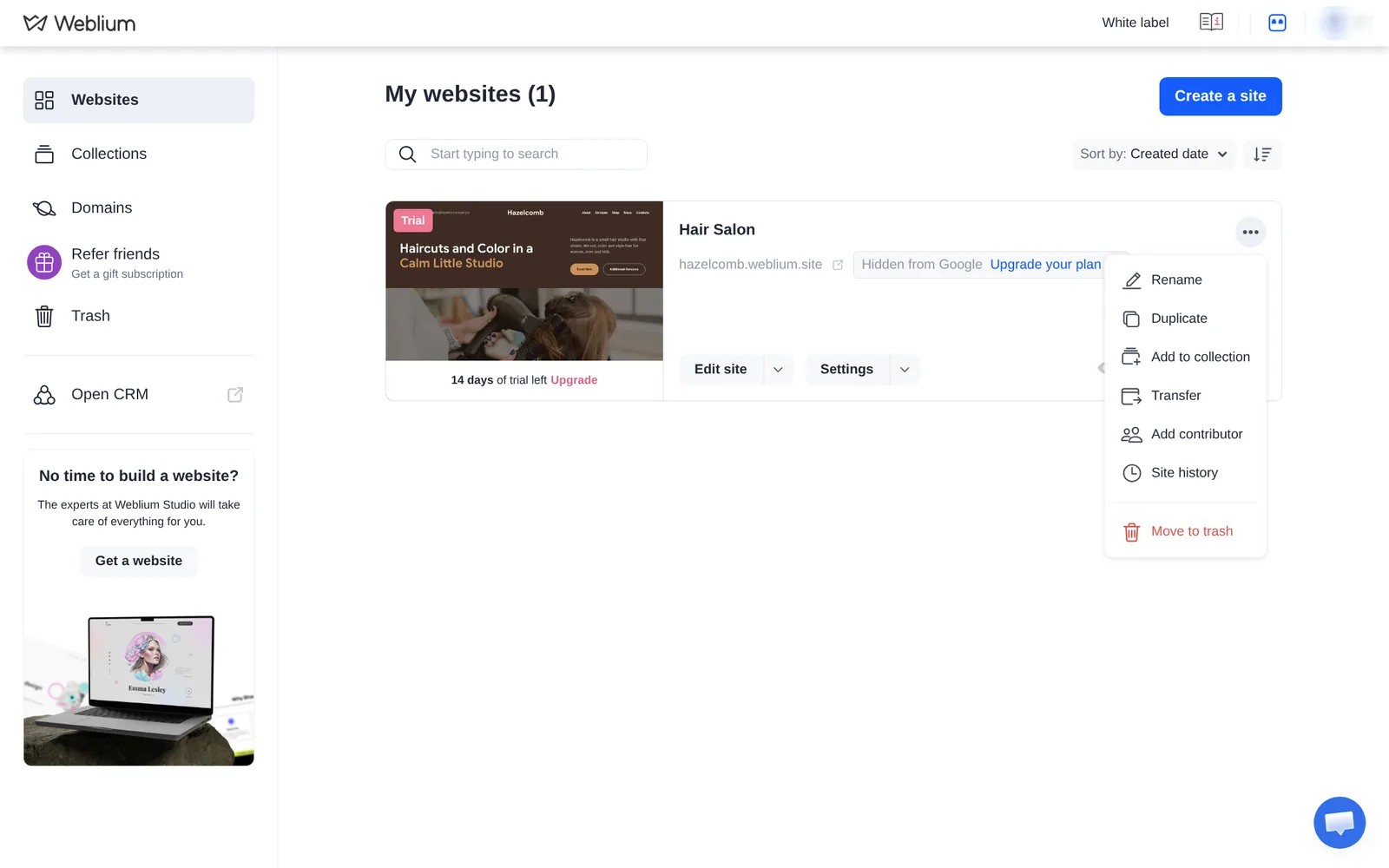
Weblium hosts your site, and I found no way to download it. The site menu offers "Transfer", which moves the site to another Weblium account, but nothing to export. If you leave Weblium, you take your texts and photos and rebuild the site elsewhere. The product list has an export button for the shop's products.
Weblium fits a small business that wants a good-looking site from a template and is ready to pay for Starter or Business from the start. The editor is easy, and the templates look finished.
It fits less well if your customers book appointments. Weblium has no booking calendar, and the form requests stay hidden until you pay. It also fits less well if you want a free website, because a free site goes offline after 60 days.
If you try it, use the 14-day trial to build the whole site, then send yourself a test request and a test order before you pay.
 What I'm building
Give Vroni a GitHub issue, bug report, spec, or rough idea. It reads the repo, plans the change, writes code, runs checks, and works toward a review-ready pull request.
Take a look at vroni.com