
How do you set up a Shopify store and start selling?
You start with Shopify's three-day trial, which needs no card. In the admin, you add your products and choose a theme for…
Yes. Shopify's barcode generator is free, and it works without a Shopify account or a shop. You enter an email address and the text for the barcode, and you get a PNG file. With the email address you also agree to Shopify's marketing emails. The generator only makes Code 128 barcodes. That's enough for labels on your own stock, but it doesn't give you a UPC or EAN code for selling through retail stores.
For my Shopify review, I built a shop for Larchfell, a made-up outdoor clothing brand. On November 3, 2026, I used the generator to make a barcode for its rain jacket in green, size M.
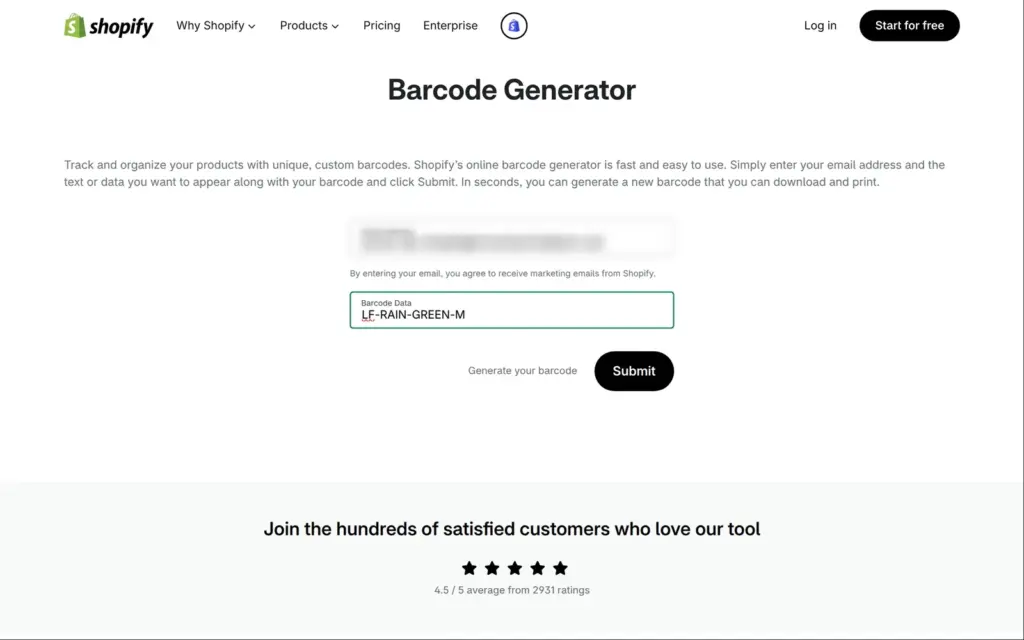
The generator is at shopify.com/tools/barcode-generator. It's a form with two fields. The first one wants an email address, and the small print under it says "By entering your email, you agree to receive marketing emails from Shopify."
The second field takes the text for the barcode, up to 30 characters. I used the jacket's SKU, LF-RAIN-GREEN-M. A SKU is the stock number you give a product. In my shop each size and colour of the jacket has its own SKU. I imported them from a spreadsheet when I set up the shop.
After Submit, a page said "Nicely done! Your barcode has been generated." Its Download Now button opened the PNG right away. The same barcode also came by email within a minute, as a download link. Under the link, the email advertised three more of Shopify's free tools.
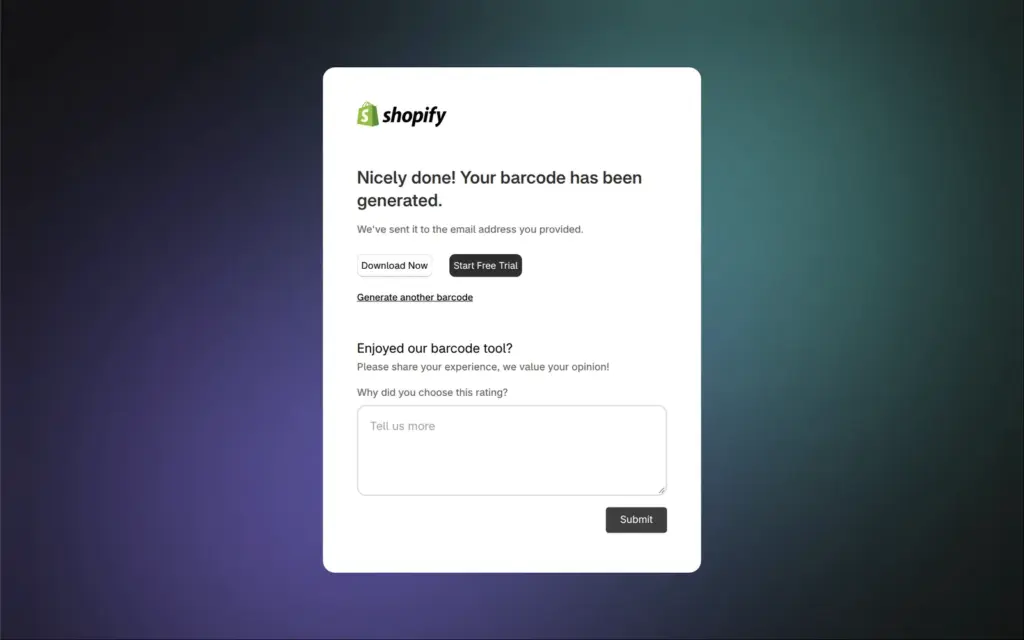
The result page also has a button for Shopify's free trial. Shopify itself isn't free, and after three days a shop needs a paid plan.
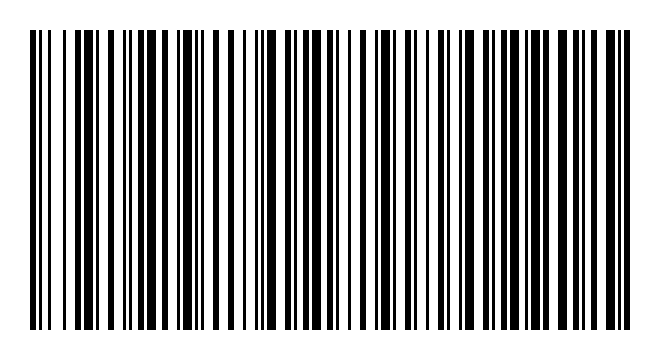
The PNG for my SKU was 220 by 120 pixels. The width depends on the text, and a 12-digit number gave me a file 187 pixels wide. The thinnest bars are one pixel wide, and there's no text under the bars. If you want the SKU printed under the barcode for people to read, you have to add it yourself.
I checked the file with a barcode reader on my computer. It's a Code 128 barcode, and it reads LF-RAIN-GREEN-M.
This is the barcode I got, shown three times larger than the file.
No. Shopify's own FAQ on the generator page says the tool makes Code 128. Even when I entered the 12-digit number 012345678905, the file was a Code 128 barcode.
Shopify's FAQ also says that a UPC number of your own comes from GS1, the organization that hands out product numbers. On November 3, 2026, GS1 US sold a single number for $30, with no yearly fee. Ten numbers cost $250 and then $50 a year. If a store asks you for a UPC or EAN, you need such a number and a barcode in the UPC-A or EAN-13 format. Shopify's generator can't make one.
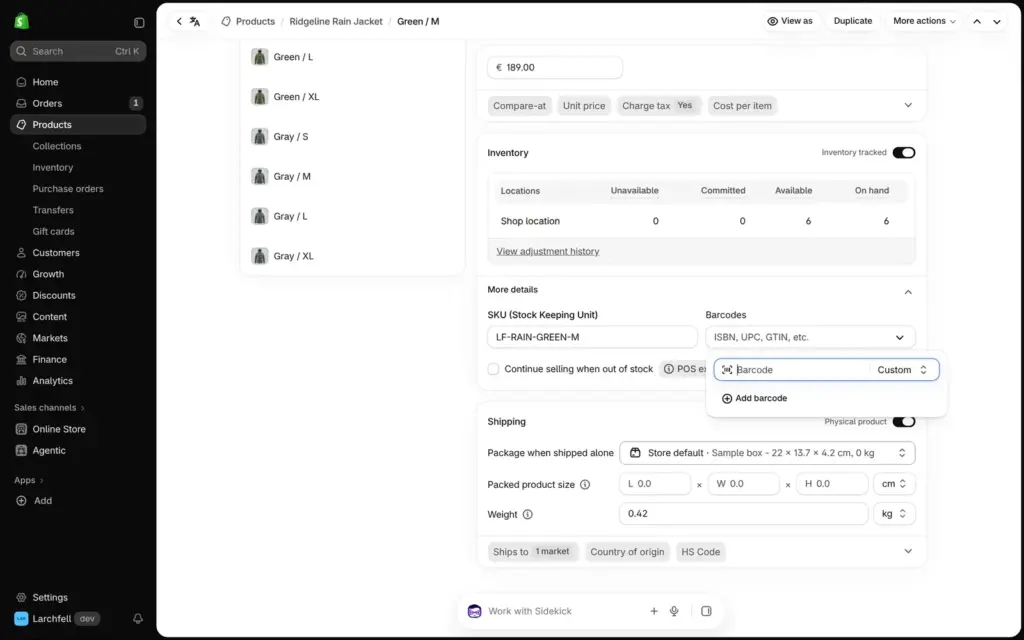
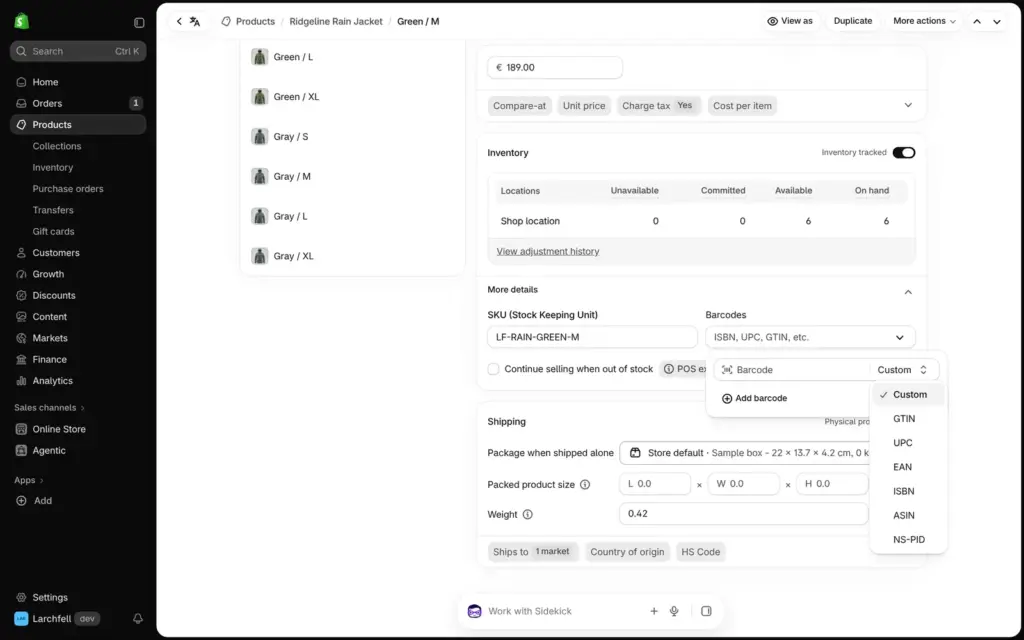
The generator doesn't put the barcode into your shop. You type its text into the product yourself. In the admin, each variant has a Barcodes field next to the SKU, under More details. You enter the code there and pick its type. Custom fits a Code 128 barcode with your own text, and the list also has types like UPC and EAN. A variant can hold more than one barcode.
The admin doesn't make barcodes itself. Shopify's free Retail Barcode Labels app can do that. According to its page in the App Store, it makes Code 128 barcodes for all of your products. It also prints labels with the price and the SKU. It had 2.3 of 5 stars from 476 reviews on November 3. I didn't install it.
For a few barcodes for your own stock, the generator is enough. It takes a minute and costs nothing apart from Shopify's marketing emails. You fill in the form once for each barcode, which gets slow for a whole shop. For barcodes that retail stores accept, you need UPC or EAN numbers from GS1 first.
 What I'm building
Give Vroni a GitHub issue, bug report, spec, or rough idea. It reads the repo, plans the change, writes code, runs checks, and works toward a review-ready pull request.
Take a look at vroni.com