
Grok Is Killing Cursor
Since SpaceX bought Cursor in August, it has been pushing Grok on every Cursor user, and I think that is slowly killing…
Shopify is software for running an online shop. You add your products, choose a design and set up shipping, taxes and payments, and Shopify hosts the shop and runs the checkout. If you are thinking about it for your business, you probably want to know how much work the setup is, what it costs per month and per sale, and what can go wrong.
To find out, I built a complete shop for a made-up outdoor clothing brand during Shopify's three-day free trial. I added seven products in several sizes and colours, chose and edited a free theme, set up shipping, VAT and payments, and translated the shop into German. The trial can't take orders, so I placed a test order in a free development store with the same setup. Then I shipped the order and refunded part of it.
The order side worked well. The checkout, the emails, shipping and refunds all did what they should. The trial was the weak spot. The theme's demo text and Shopify's legal templates also needed fixes, and I only found them by checking the shop like a customer. Shopify's AI assistant made all the product photos and did a few admin jobs correctly.
I tested Shopify in October 2026 and checked the prices on October 12, 2026.
As a shop, Shopify suits you if you want to sell physical products online and need a checkout, order emails, shipping and refunds that work without extra apps. It handles variants, stock, VAT and discount codes well.
As a website, it suits you if the website mainly exists to sell. The free themes look good, and you can change colours, photos, sections and menus without code. Pages like About or Contact are plain text pages.
Look elsewhere if you sell only a few items next to a bigger website, want to see real orders before paying, or can't live with a fee on each sale. With Shopify Payments on the Basic plan, a card payment costs 2.1 percent plus 30 cents. Other payment providers cost an extra 2 percent on top of their own fees.
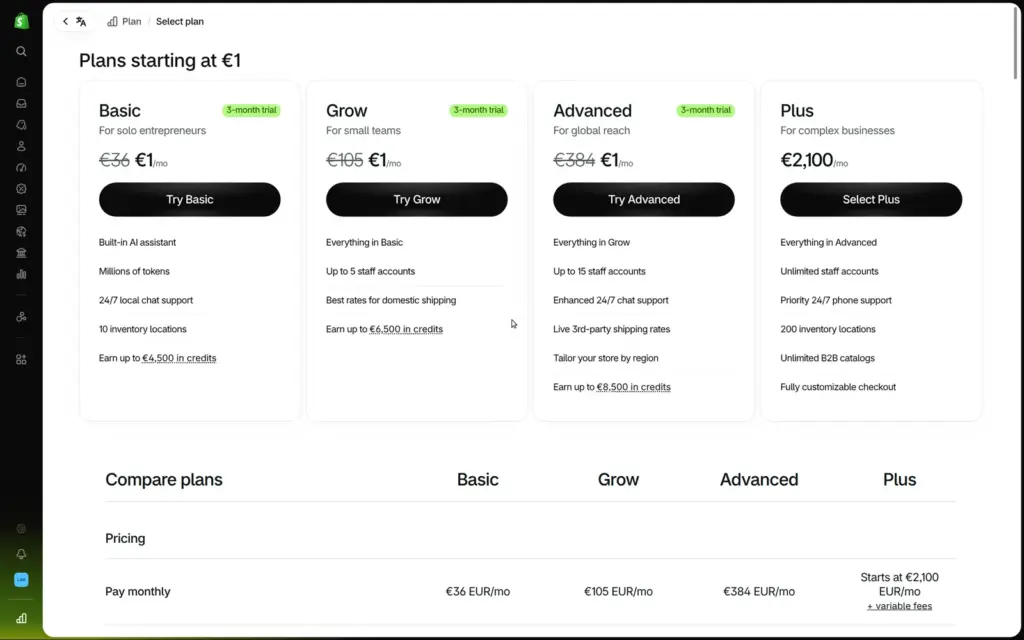
Price: there is no free plan. After the three-day trial, Basic costs €27 a month on yearly billing or €36 on monthly billing, plus VAT. If you pick a plan during the trial, the first three months cost €1 a month.
Not tested: real payments and payouts, in-person selling, a custom domain and Shopify's support. Shopify did not pay for this review, and there are no affiliate links.
What I liked:
What bothered me:
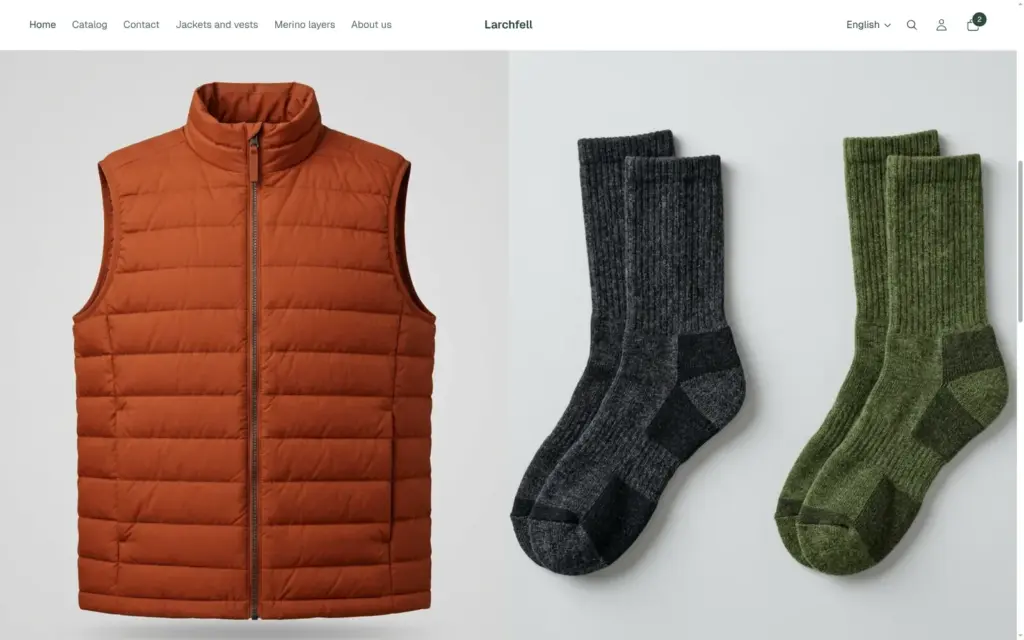
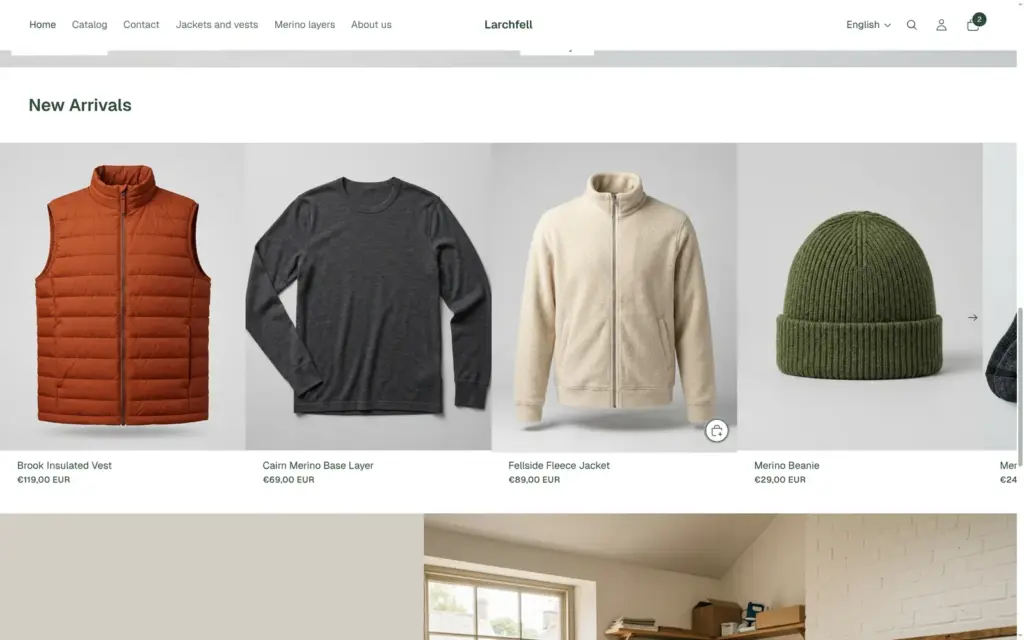
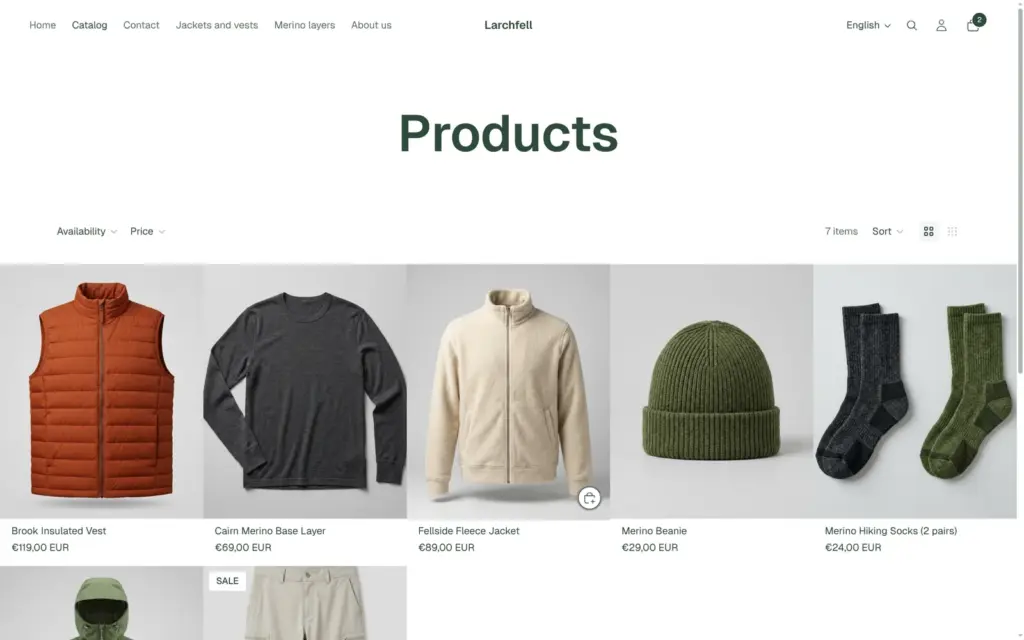
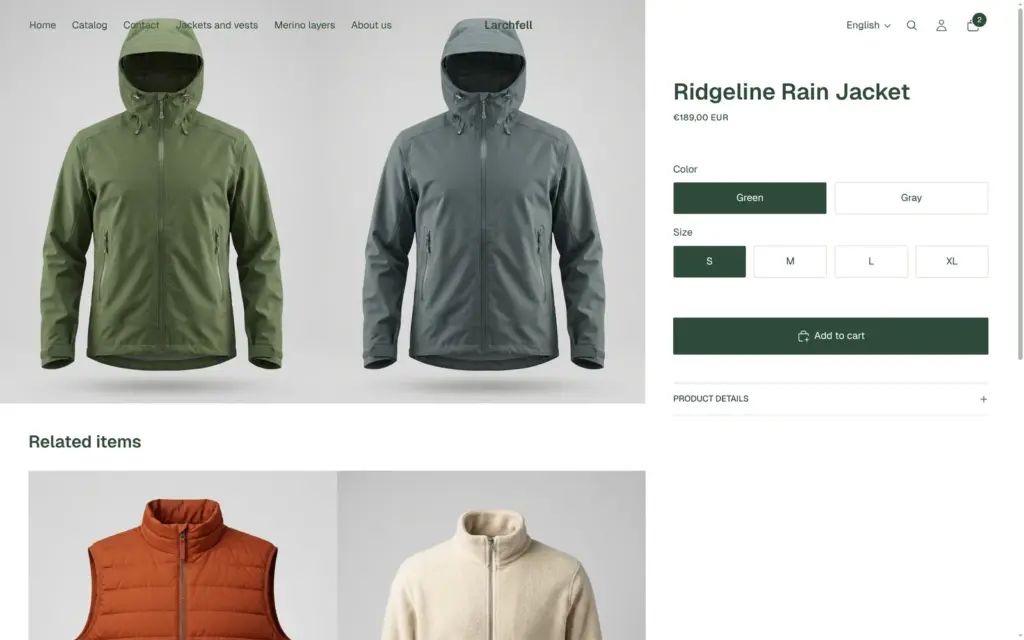
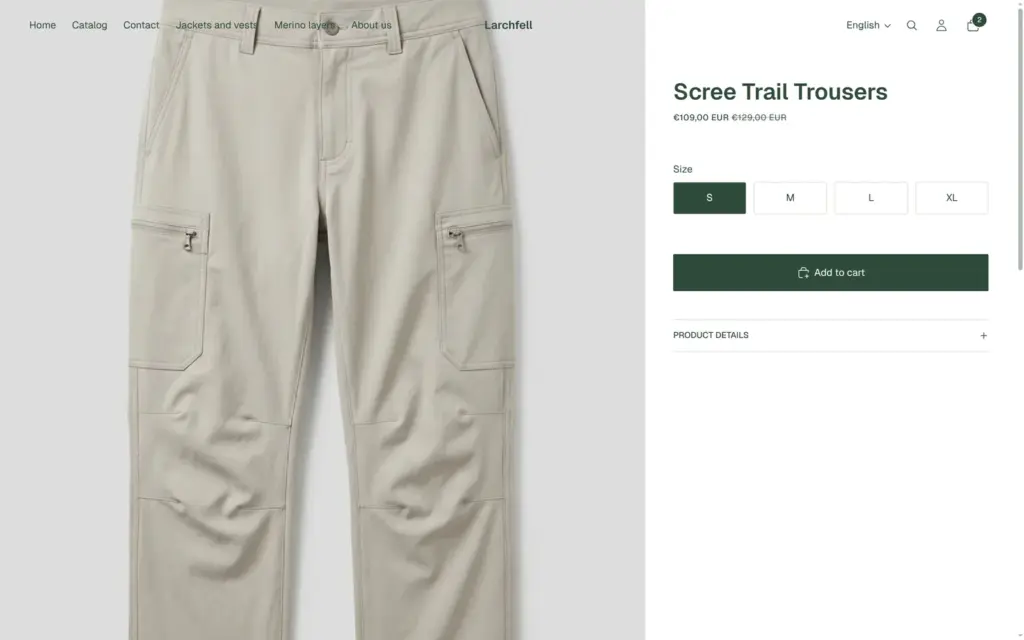
Larchfell is a made-up outdoor clothing brand. The shop sells seven products. There are two jackets, a vest, a merino base layer, hiking trousers, a beanie and a pack of socks. Most come in four sizes, two of them in two colours, and the trousers are on sale. There are two collections, an About page and a German version of the whole shop.
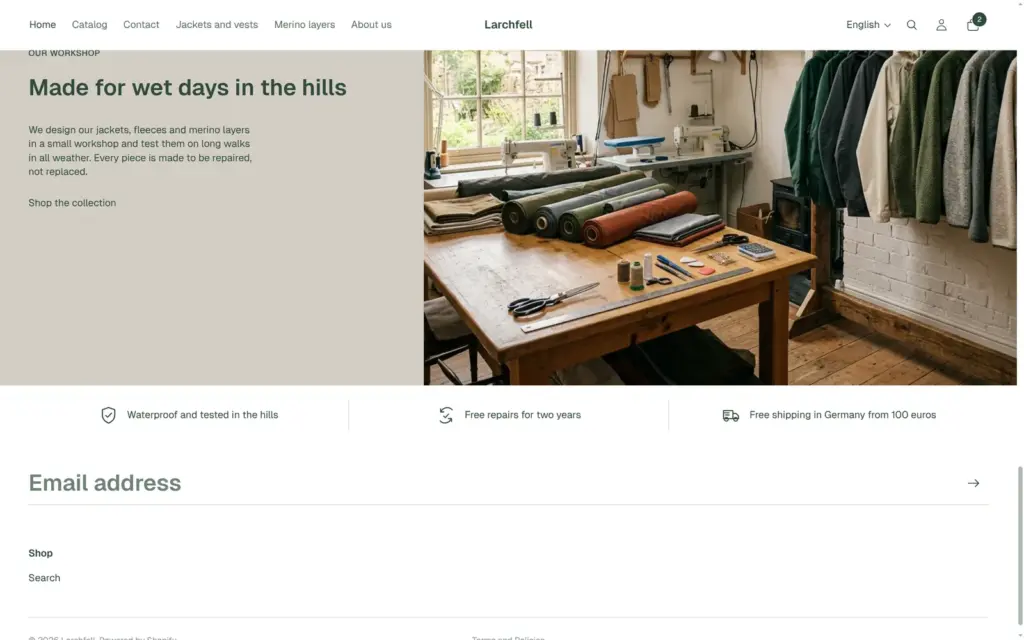
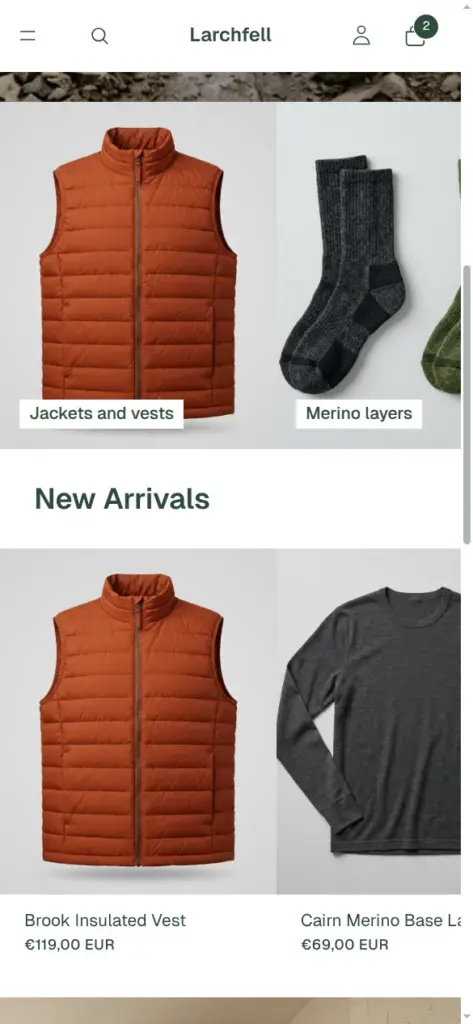
The design is Fabric, a free theme by Shopify. I replaced its illustrations with photos, changed the colours to a dark green, hid three sections and added a row of shop promises. Shopify's AI assistant, Sidekick, made all the photos. During the trial the shop sits behind a password, so there is no public demo.


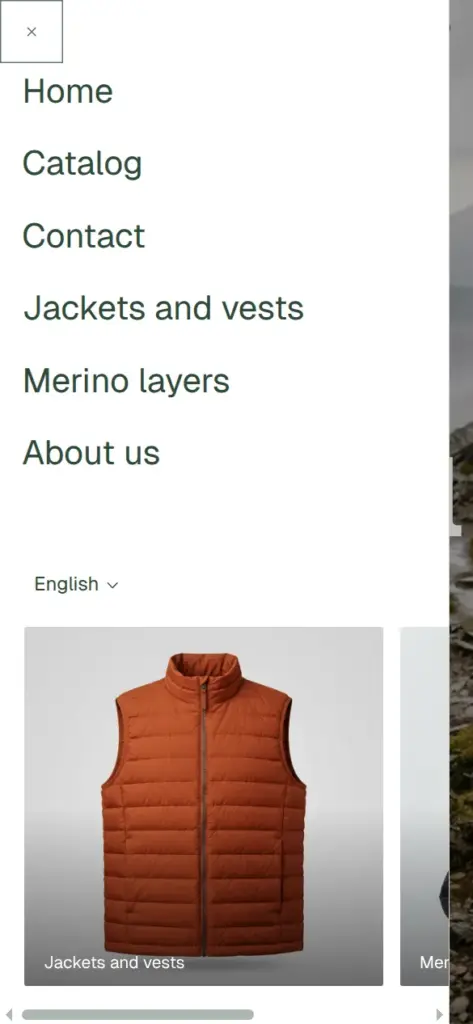
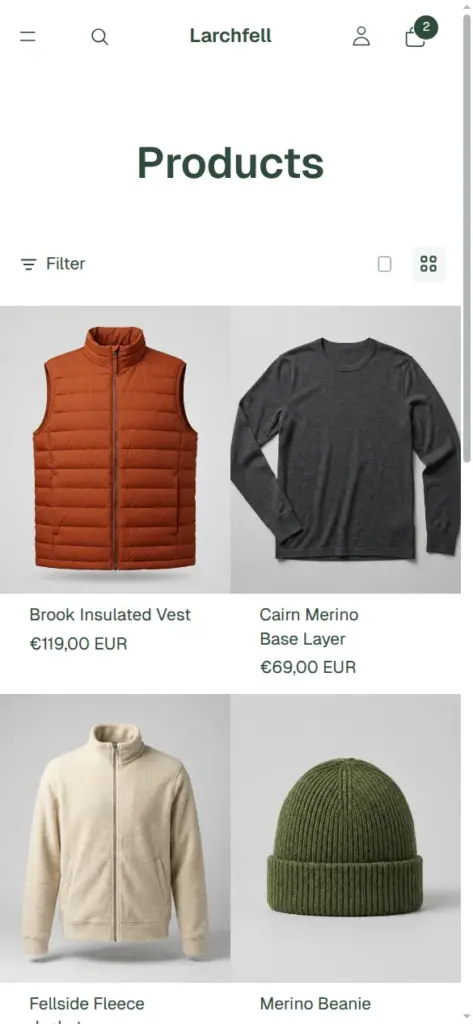
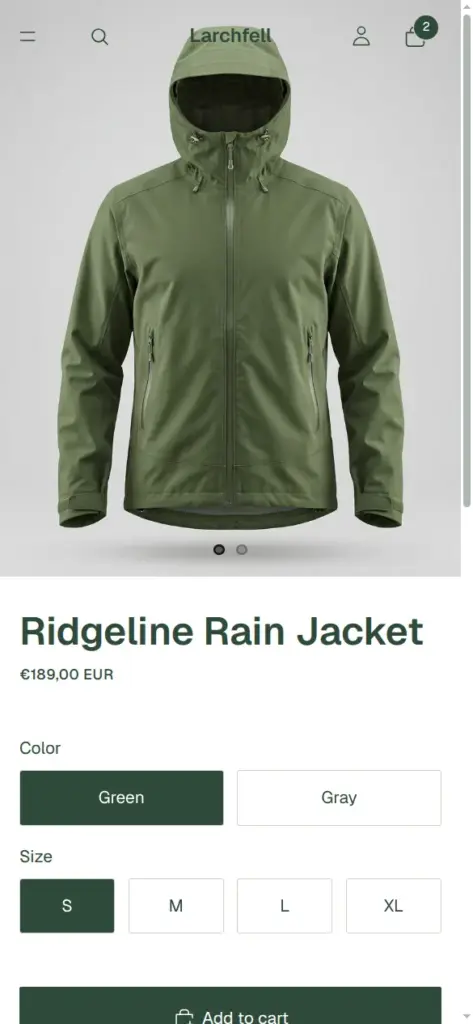
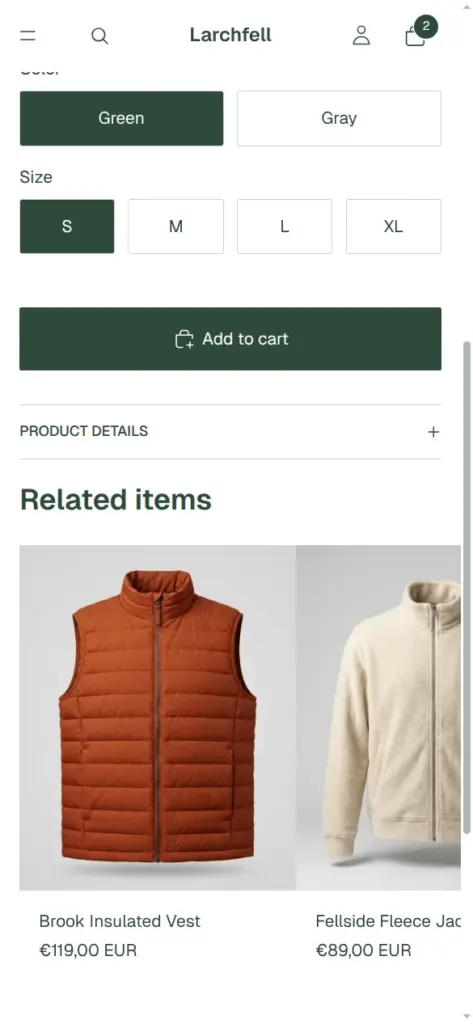
The trial lasts three days and needs no card. I signed up with an email address and a password. Shopify sent a confirmation email, but the admin opened without it.
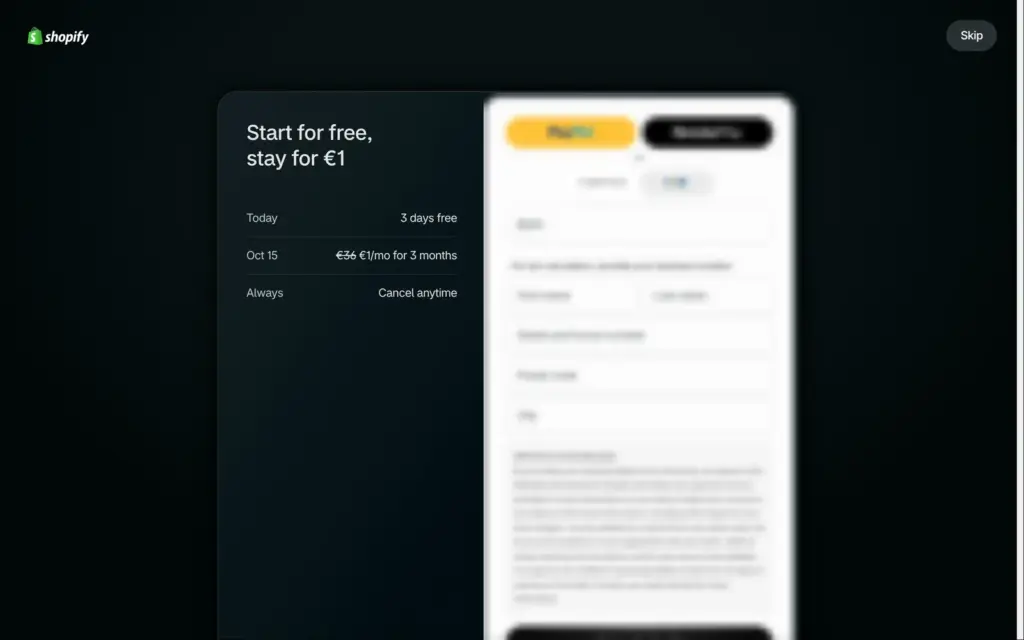
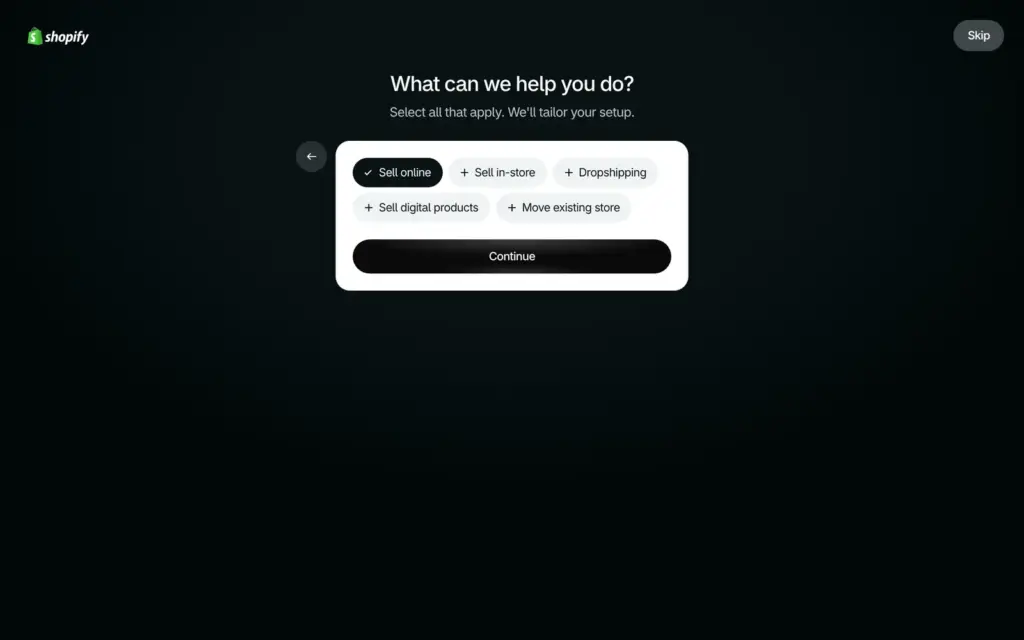
Right after the sign-up, Shopify shows a payment page with fields for a card or a SEPA bank account. It offers the first three months for €1 a month once the trial ends. A small Skip button in the top right corner leads past it without payment details. Then Shopify asks one question, what you want to do, with answers like selling online, selling in person or selling digital products. The admin opened about two minutes after I clicked Start for free.
The store is called My Store at first and gets a random web address. The home page lists the first jobs, plus a checklist for selling in Germany that includes the EU right of withdrawal.
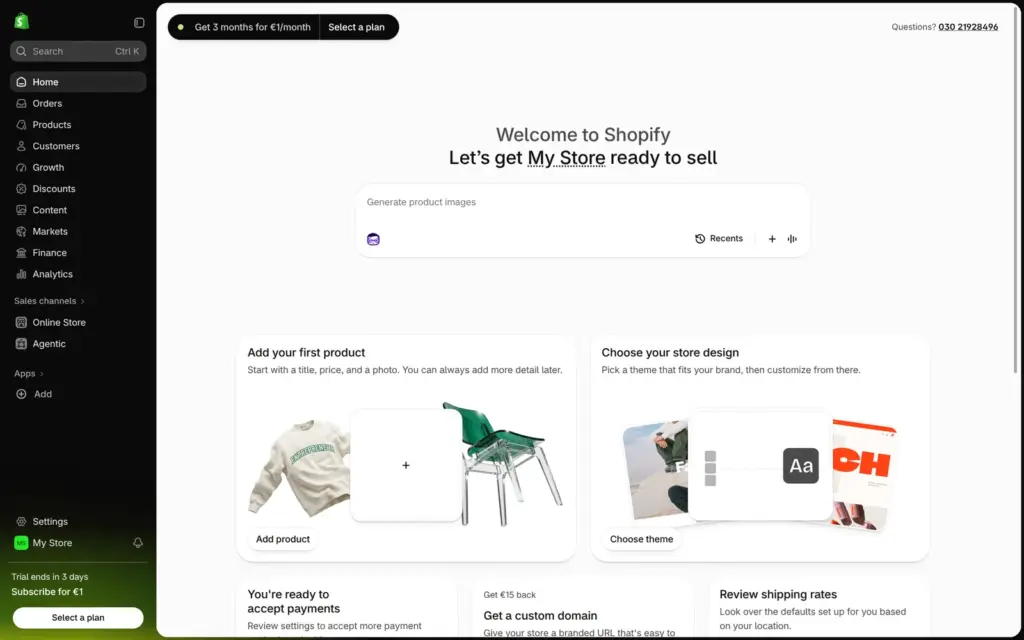
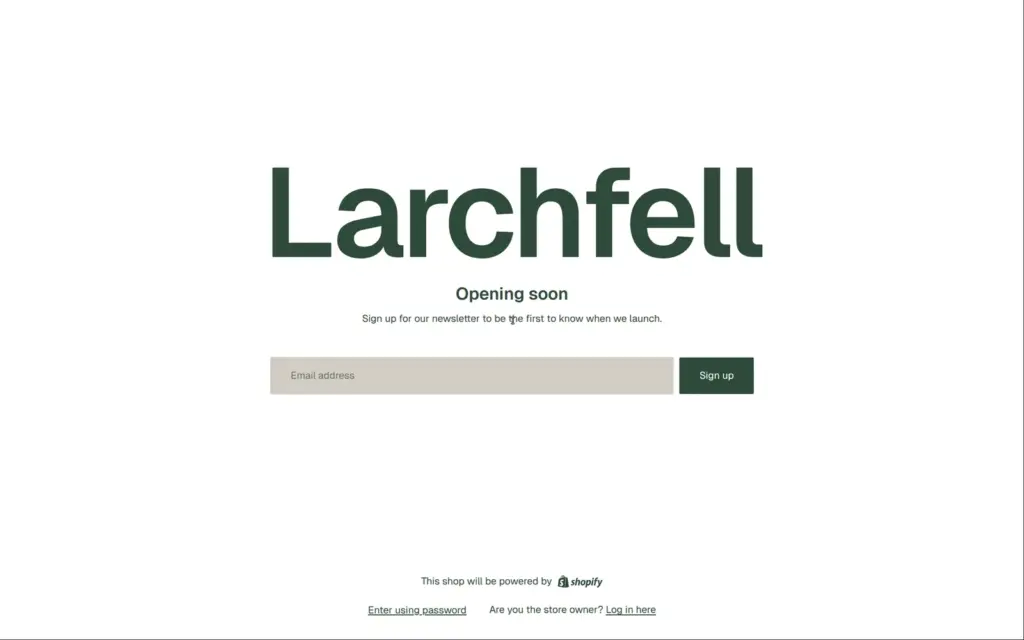
During the trial, the shop stays behind a password page until you pick a plan.
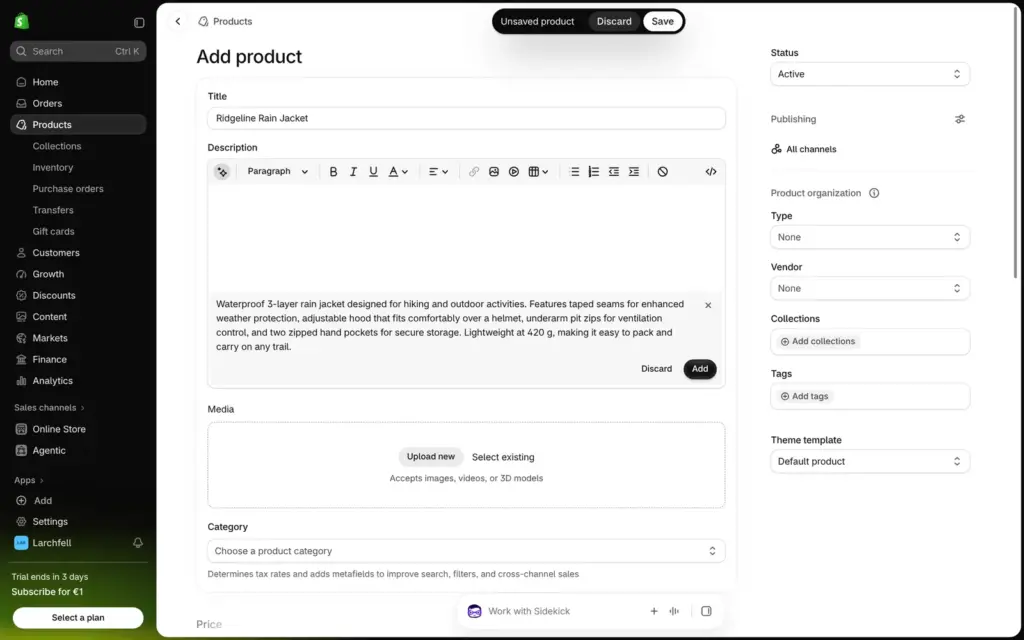
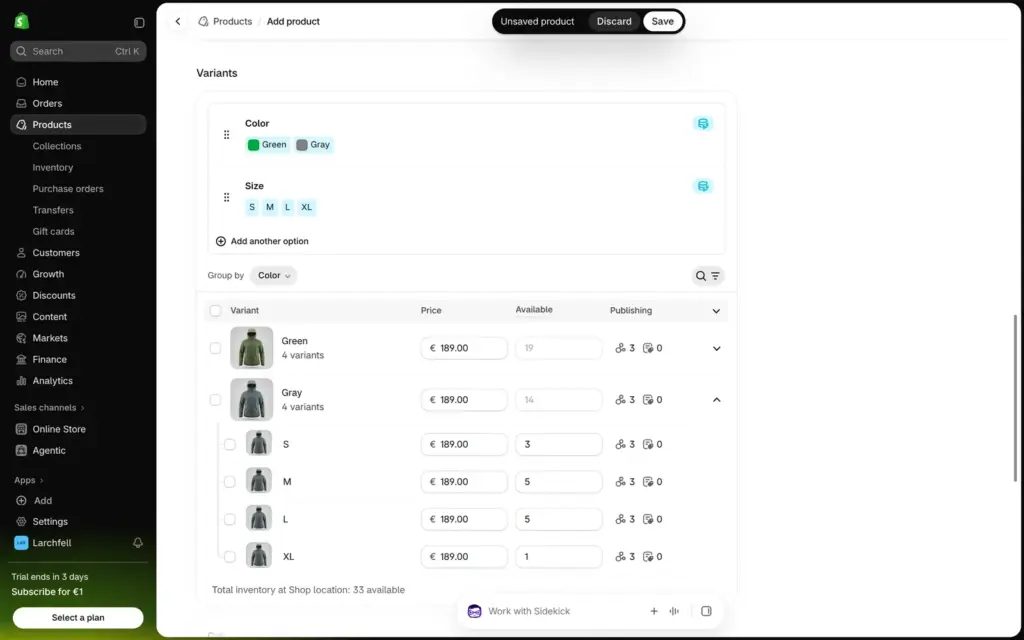
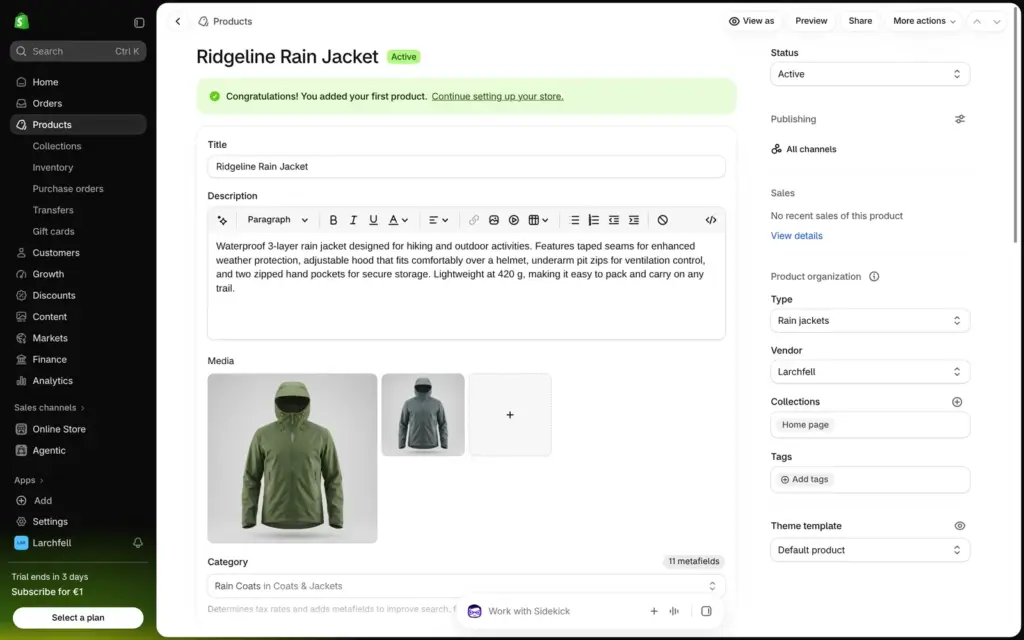
A product in Shopify is one long form. It holds the title, description, photos, price, stock and variants. I built the first one by hand, a rain jacket in green and gray in sizes S to XL.
The description field has a button that writes the text from a few facts. Its text was correct, but it added phrases like "enhanced weather protection". After I added the photos, Shopify picked the category by itself, rain coats, and filled in details like waterproof and hooded. The category also decides which options Shopify suggests for variants.
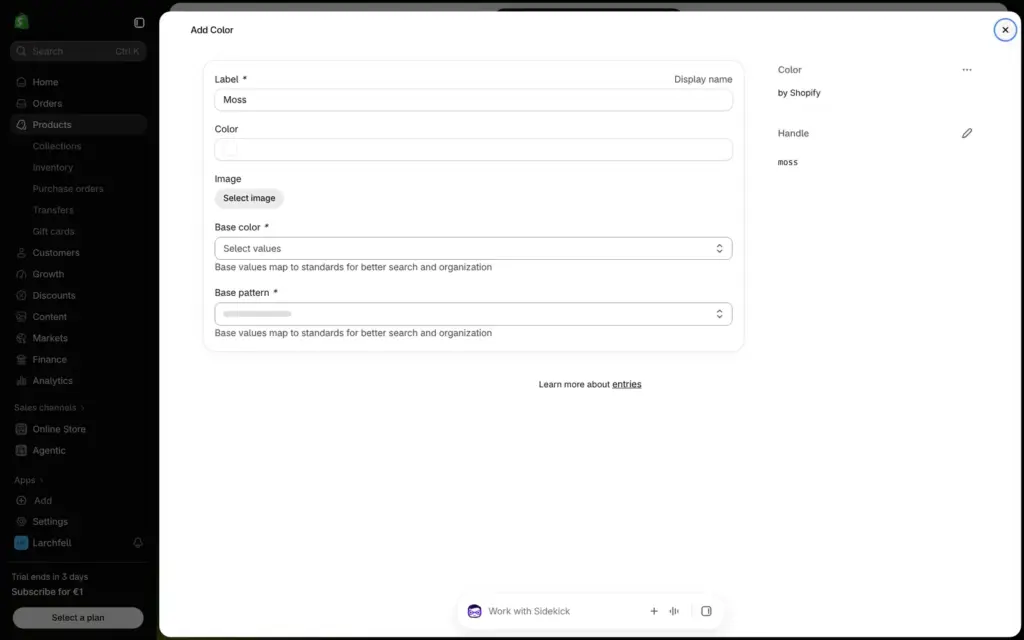
Colours come from a fixed list. A name of my own, like moss, opens an extra form that asks for a base colour and a pattern, so I used green and gray. With four sizes, that made eight variants. The table groups them by colour. I entered the stock for each size and gave each colour its own photo, so the photo in the shop changes when a customer picks a colour.
You can also enter what a product costs you, a SKU, a barcode and the country of origin. "Sell when out of stock" is off by default, so a size that runs out shows as sold out.
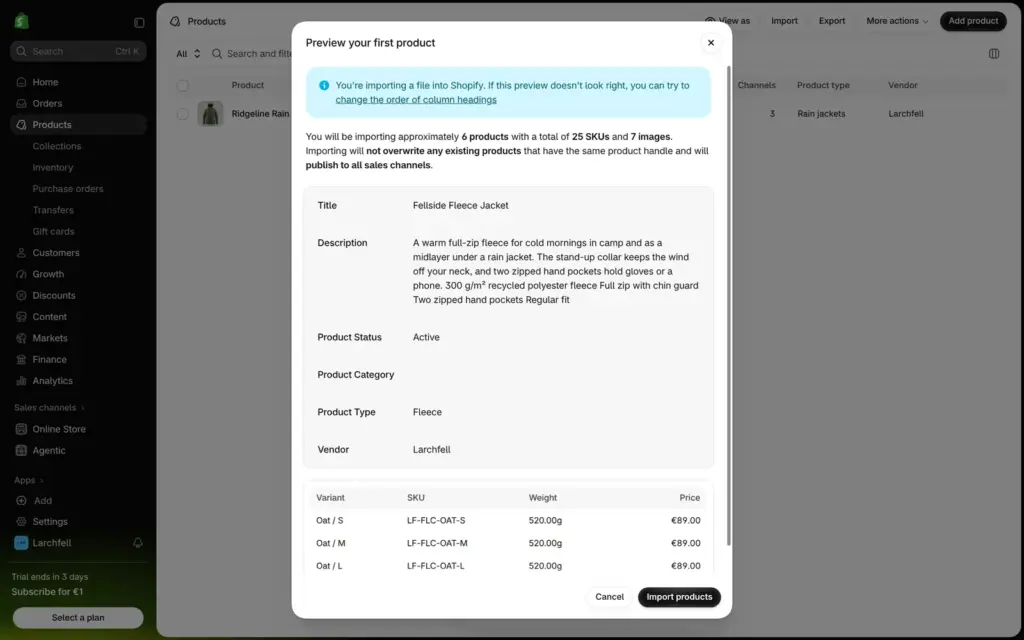
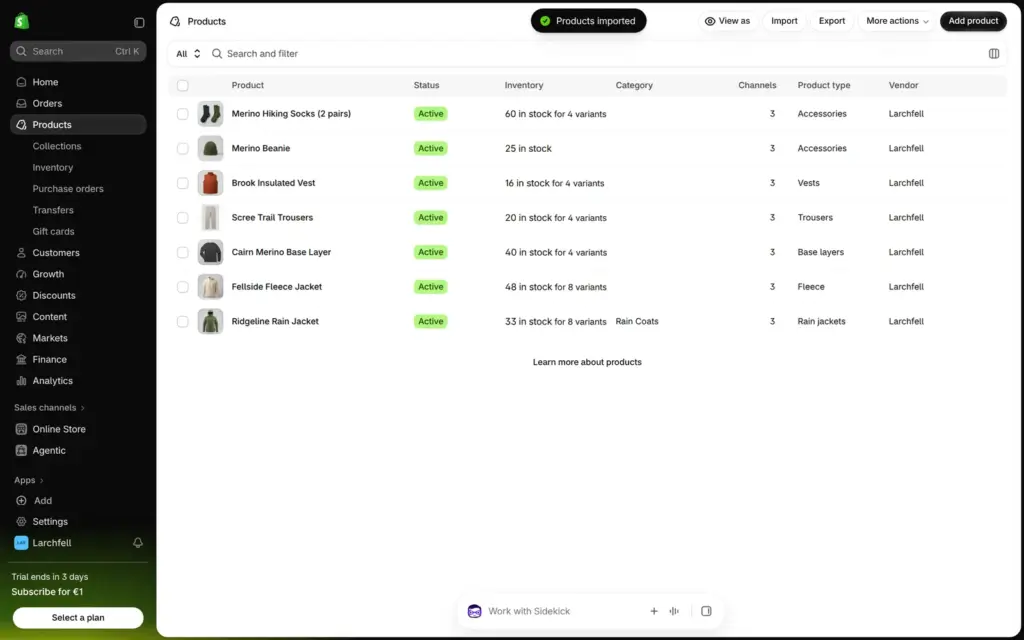
For the other six products, I used Shopify's CSV import, the way you would bring products over from another shop. The import window also lists apps for moving from Etsy, Amazon, WooCommerce and other platforms.
Before the import starts, a preview shows the first product with its variants and prices. Six products with 25 variants and seven photos were in the shop in less than a minute.
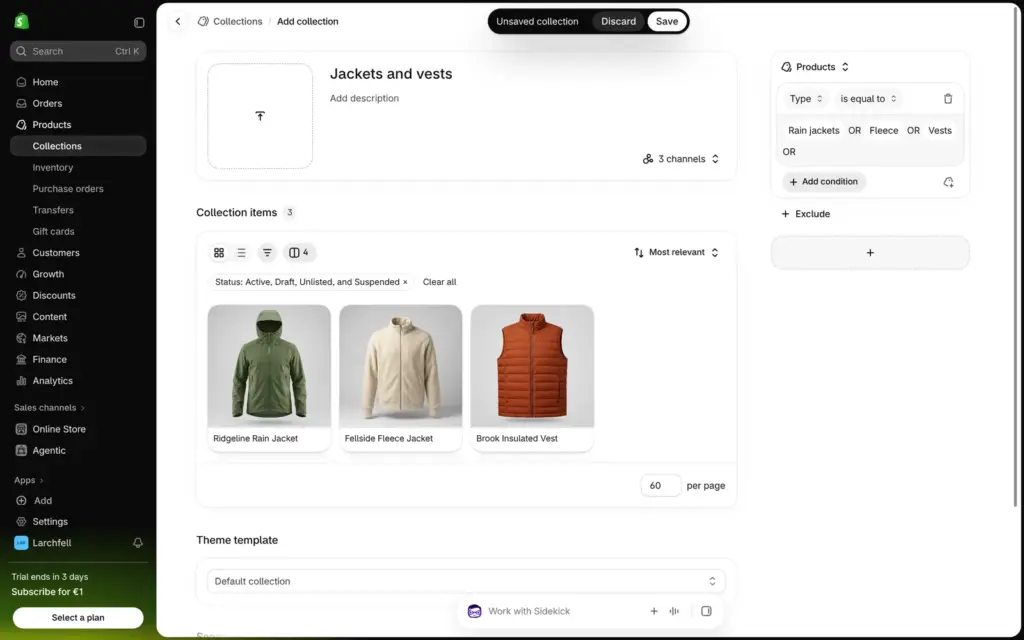
Collections are the shop's categories. They can be filled by hand or by rules. My collection "Jackets and vests" takes each product of the type rain jacket, fleece or vest, so new jackets will join it automatically. Shopify had also made a collection called "Home page" by itself.
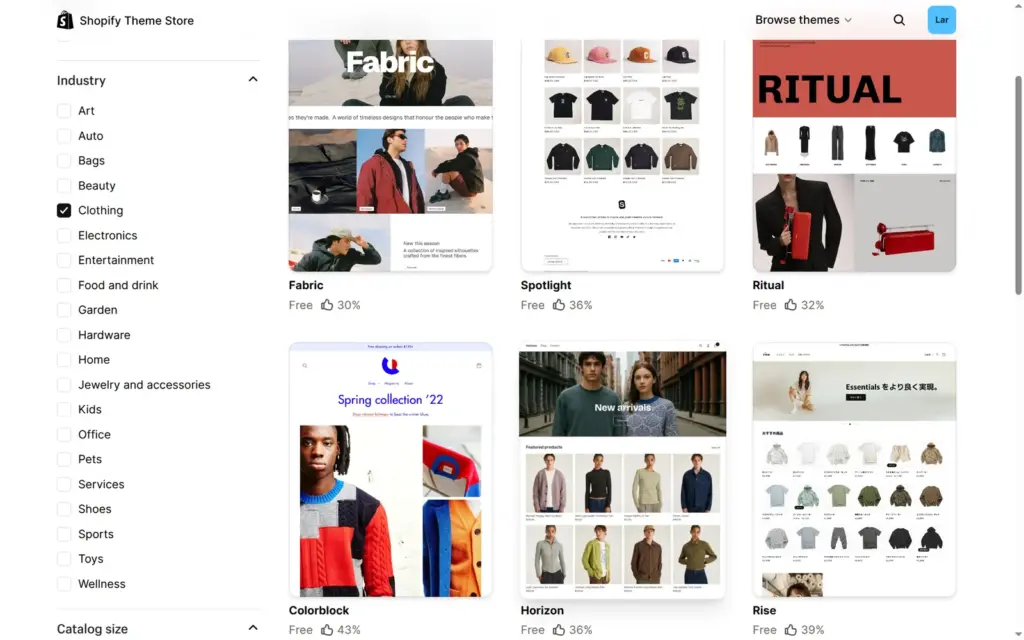
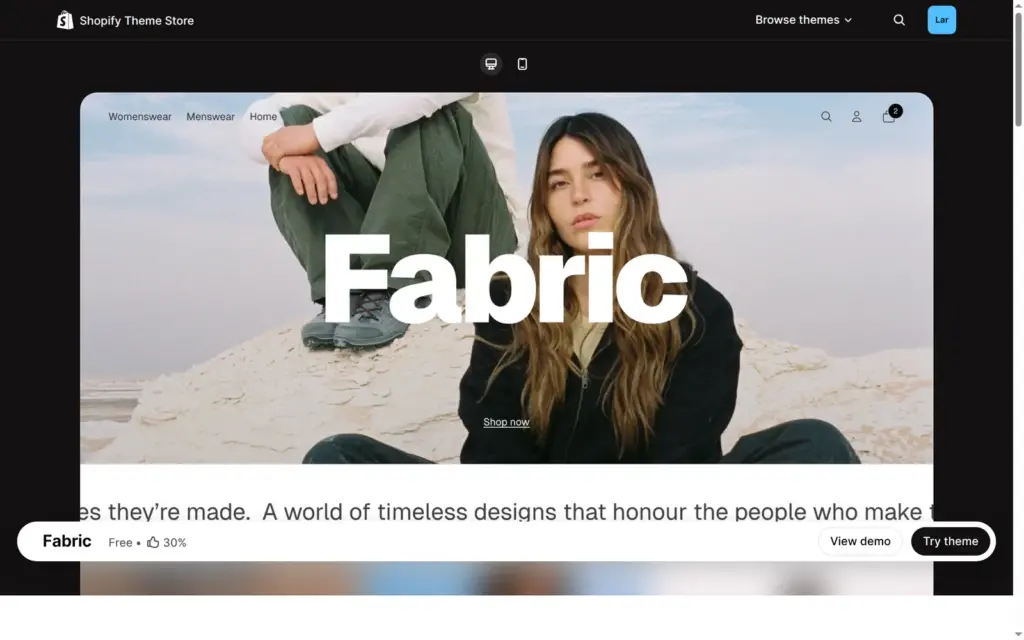
Every new store starts with Horizon, a free theme by Shopify. The Theme Store had 1,312 themes when I looked, and 24 of them were free. Seven free themes are tagged for clothing. I picked Fabric for its large product photos. In the Theme Store, 30 percent of its 67 reviews were positive, and recent reviews complained that updates broke things. I had no such problems.
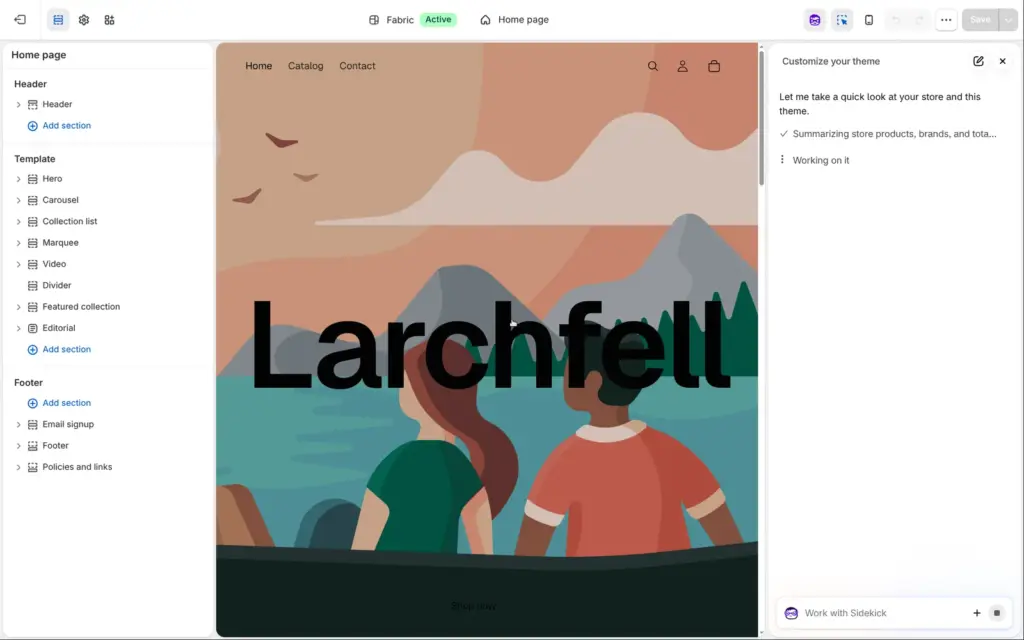
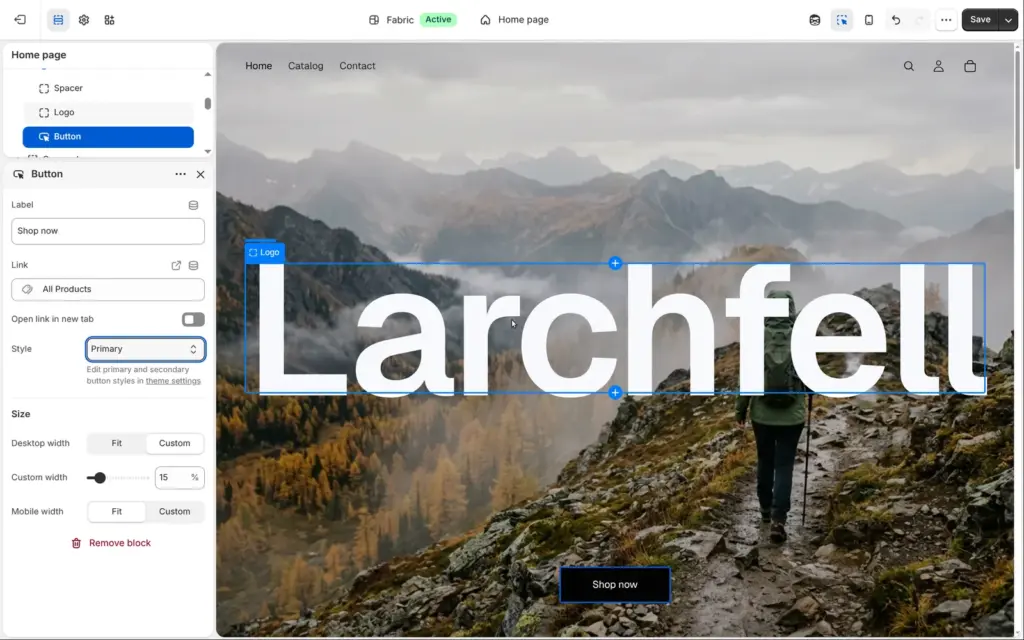
"Try theme" adds a theme next to the current one, and "Publish" makes it the store's design. The theme editor shows the page in the middle, its sections on the left and the settings of the selected part next to them.
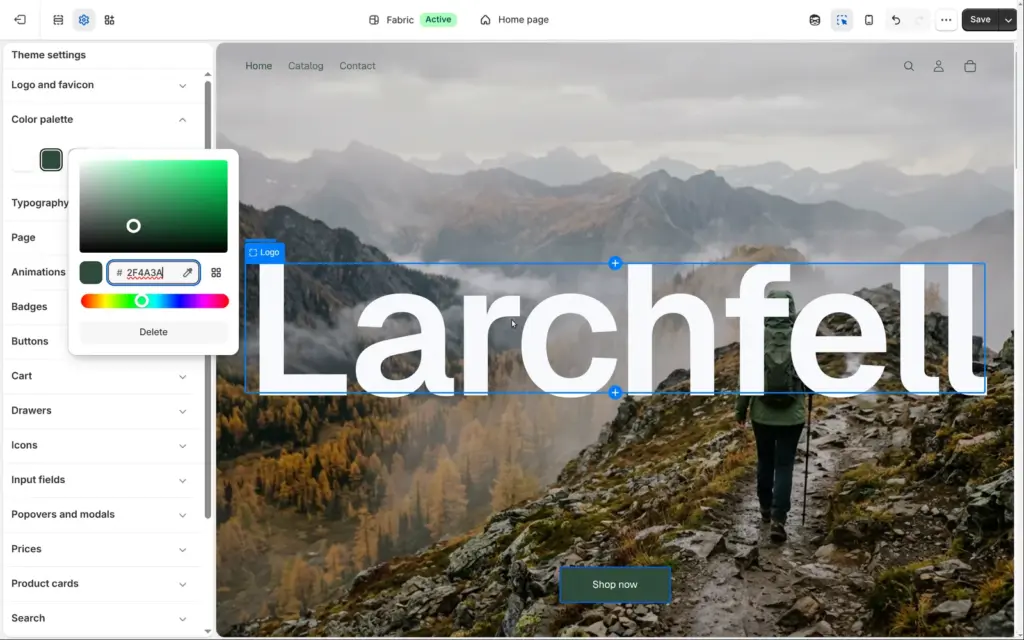
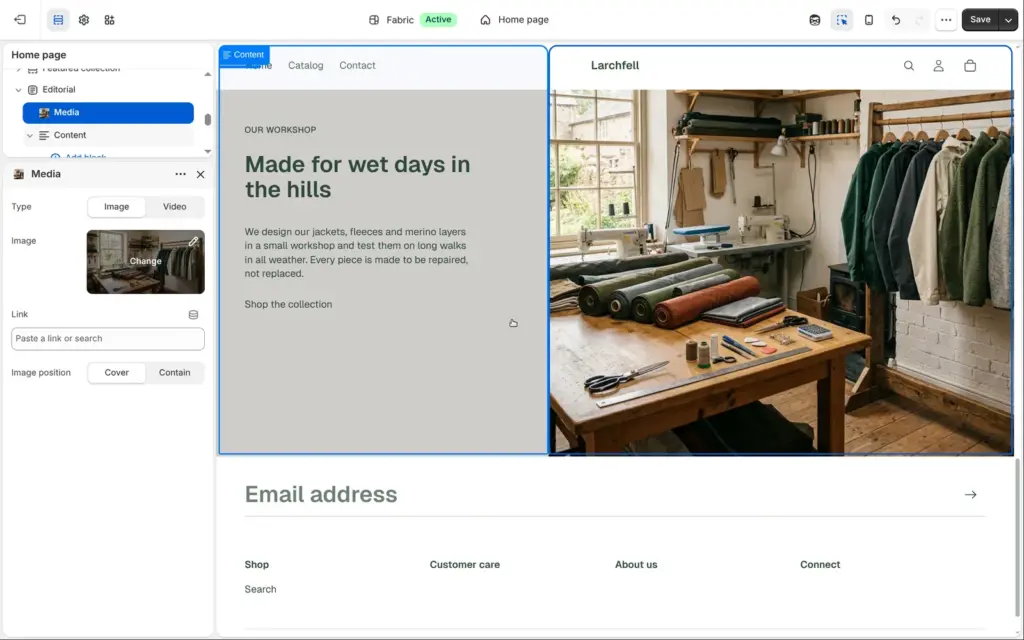
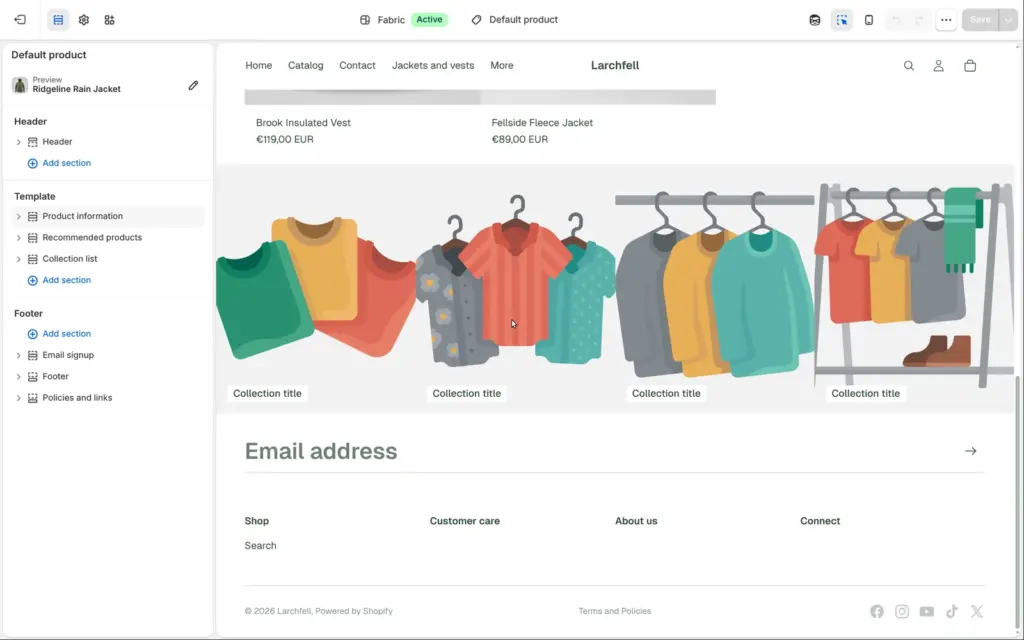
I replaced Fabric's illustration in the large first section with the misty ridge photo and made the store name white, so it stays readable on the photo. Then I changed the theme's darkest colour to pine green, and the buttons and headings followed. I hid the demo carousel, a scrolling text banner and a video with one click each. The collection section got my two collections, and a text section got my own words and a photo of a workshop.
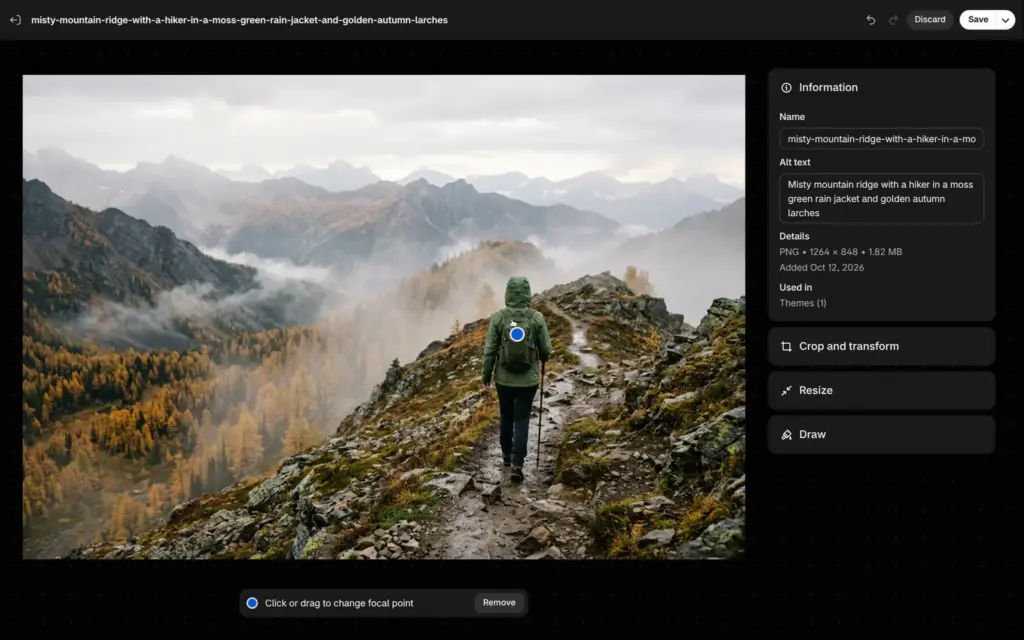
On phones, the photo is cut off at the sides. A focus point in Shopify's image editor keeps the hiker in the picture.
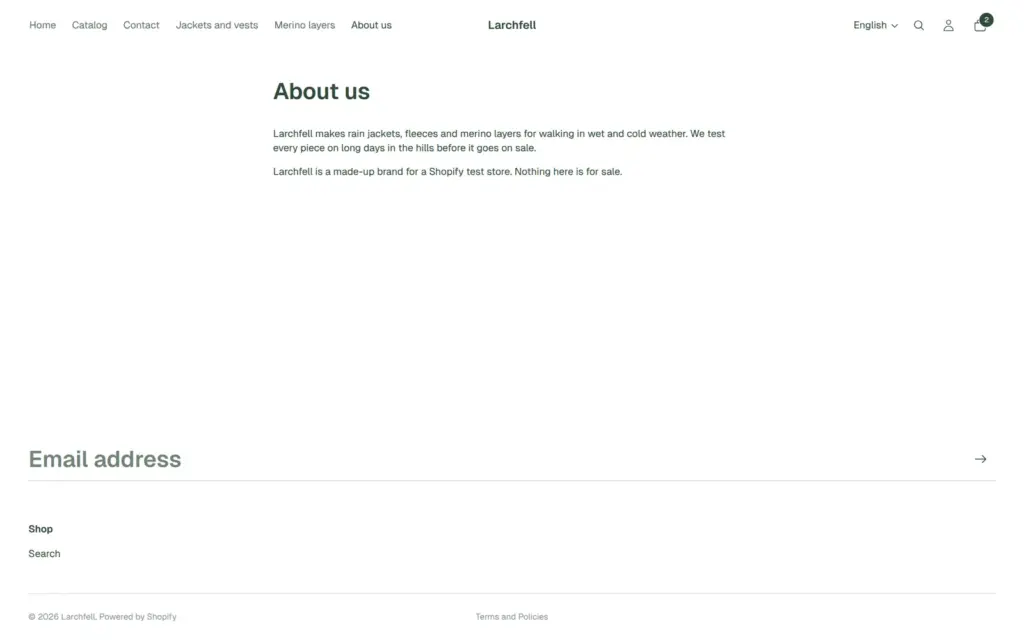
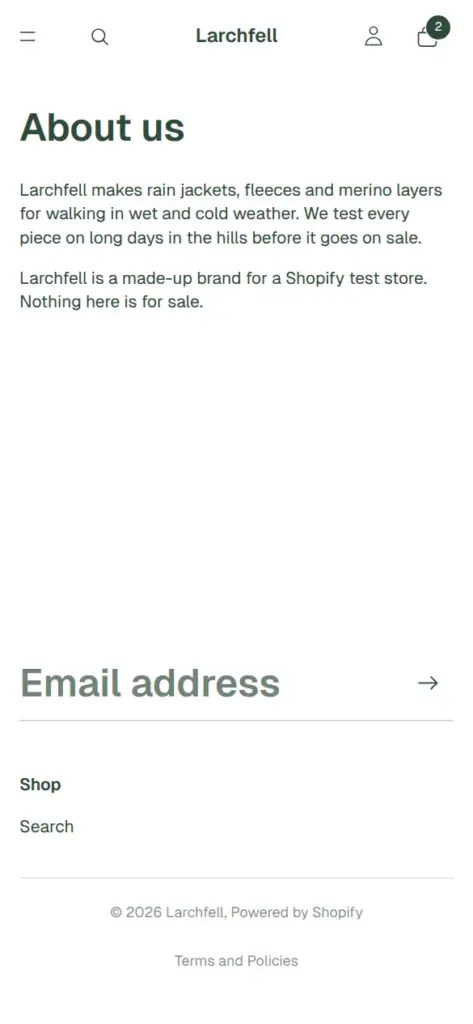
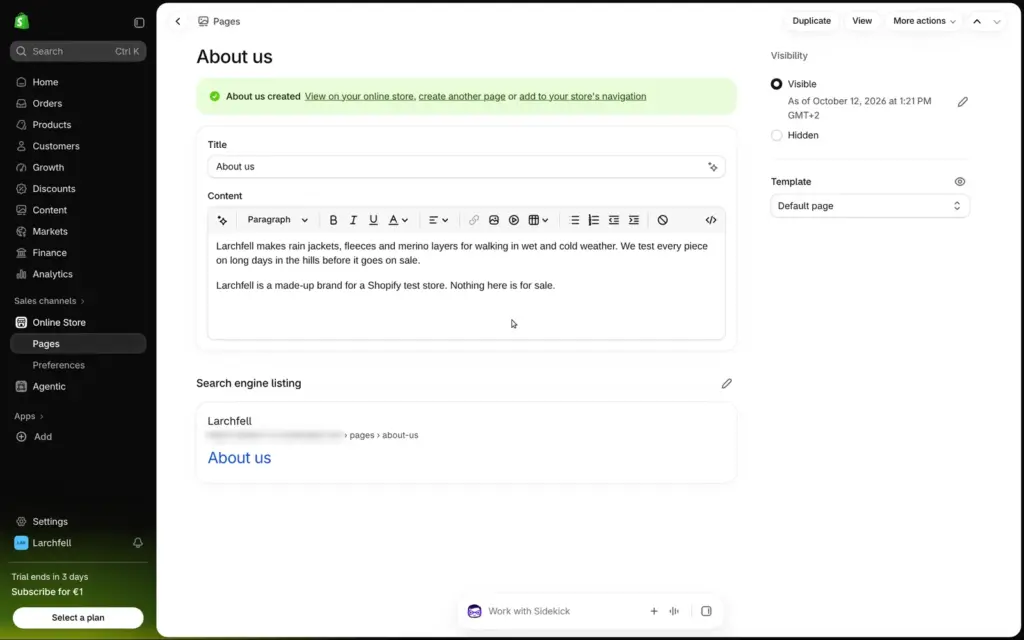
The store came with a contact page. I added an About page, which is a plain text page with a title. Shopify then offered to add it to the menu.
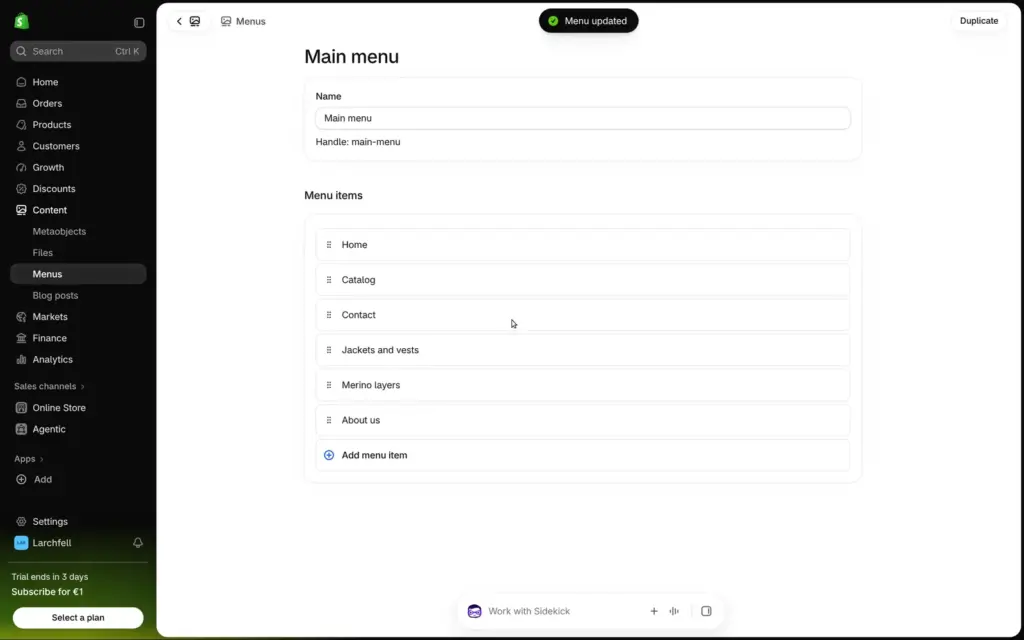
The main menu still had the theme's three links, Home, Catalog and Contact. I added both collections and the About page. The link field searches products, collections and pages, and the header showed the new links after saving.
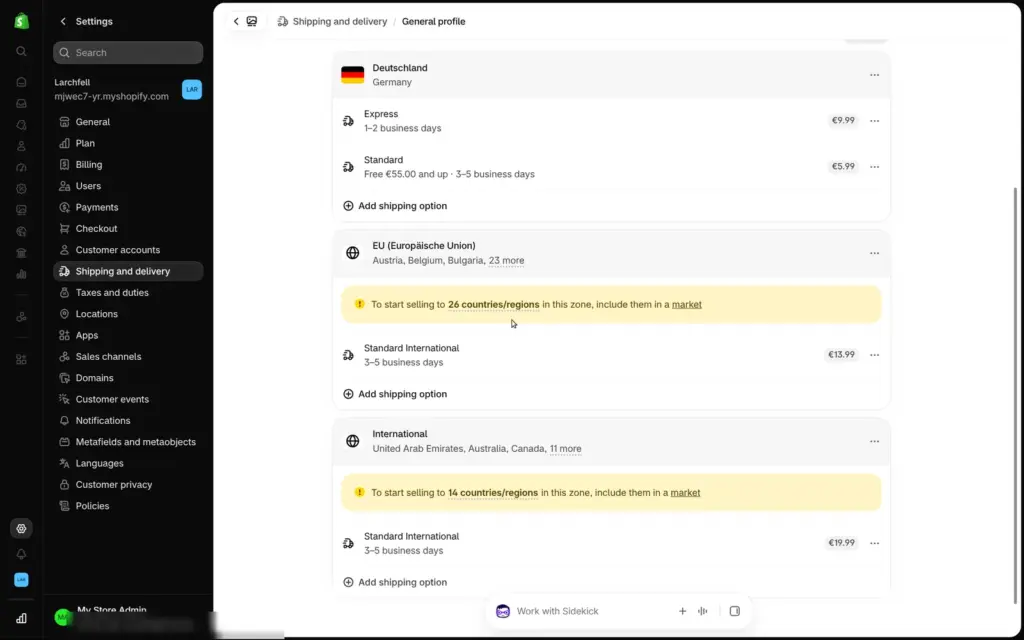
Shopify set up shipping based on the store's address in Germany. There were three zones: Germany, the EU and the rest of the world. In Germany, Express cost €9.99 and Standard €5.99, free from €55. The EU zone had €13.99 and the rest of the world €19.99. Both only work once you add those countries to a market, Shopify's word for a region you sell to.
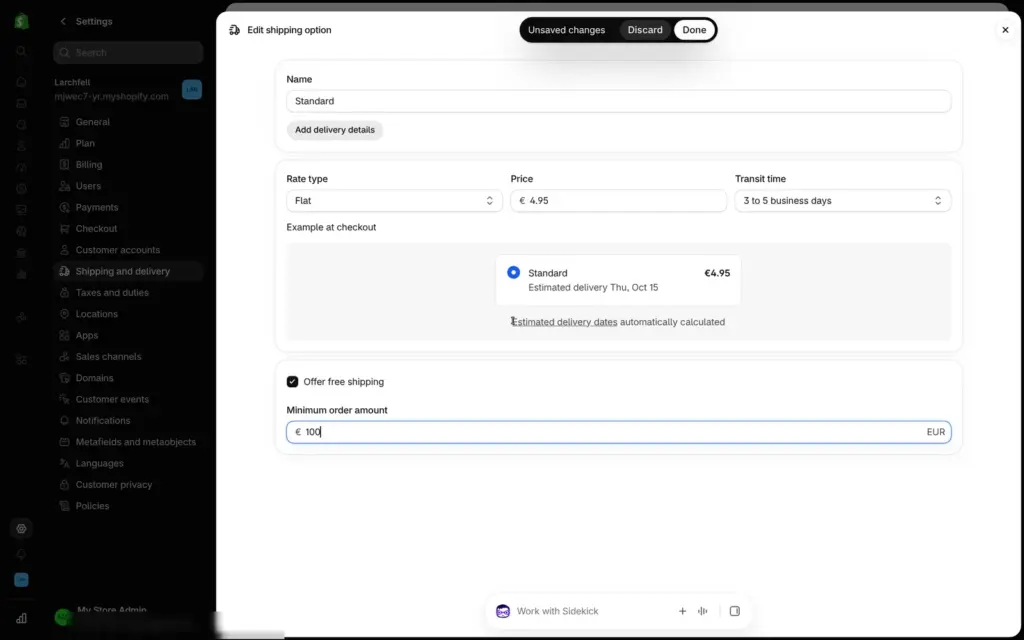
I changed Standard to €4.95 and made it free from €100. The edit form shows how the rate will look at checkout, with an estimated delivery date.
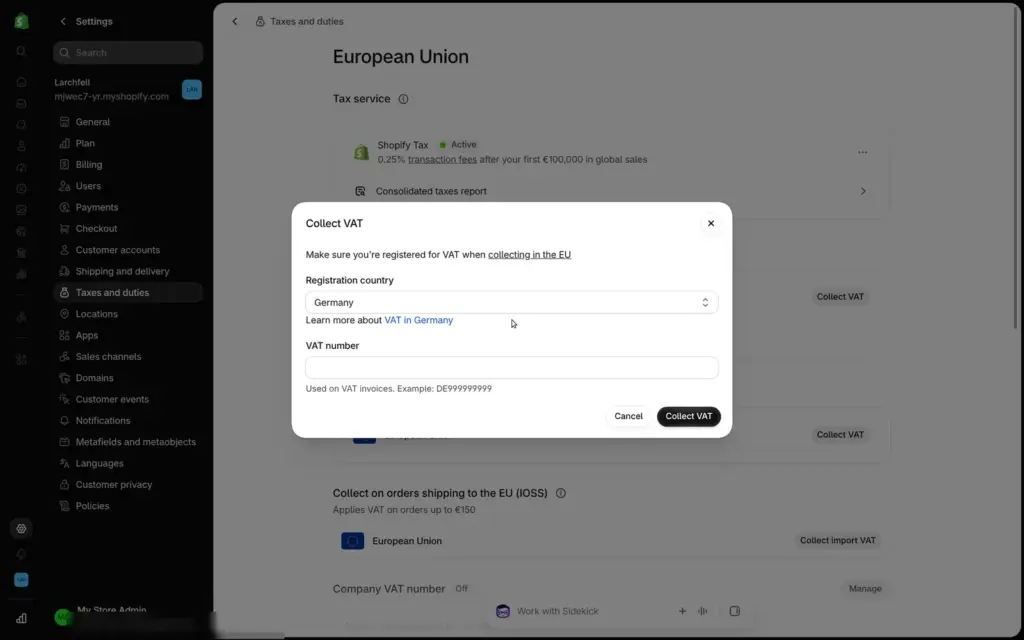
At first, the store collected no VAT at all. Under Taxes and duties, I switched on VAT for Germany. Shopify asked for a VAT number but let me continue without one. After that, prices include 19 percent VAT. There are also settings for EU-wide VAT (OSS), import VAT on orders up to €150 (IOSS) and reverse charge for business customers. Shopify's tax calculation is free for the first €100,000 in sales and costs 0.25 percent after that.
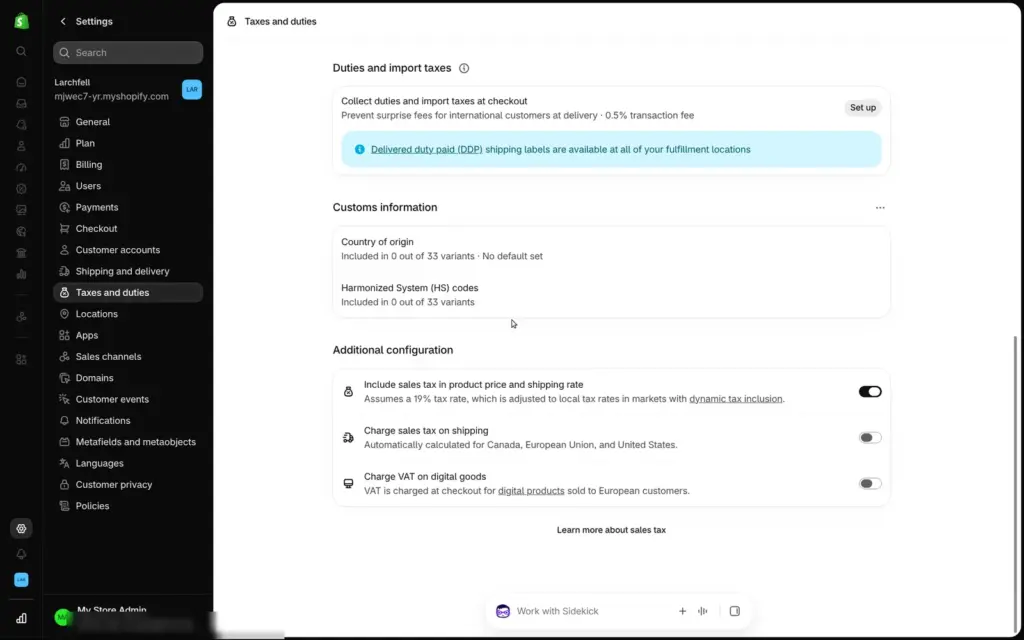
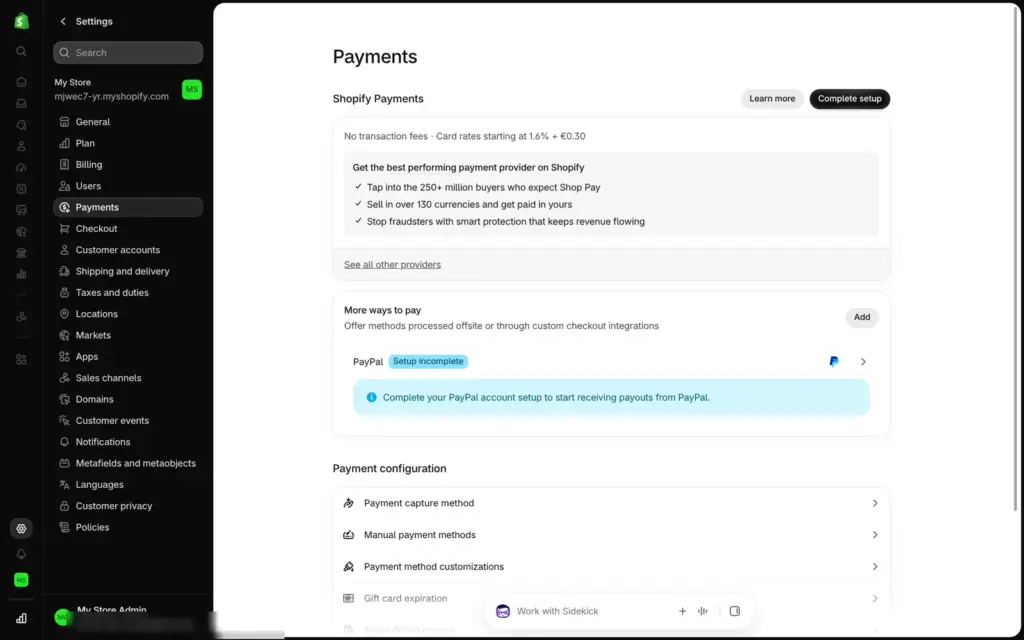
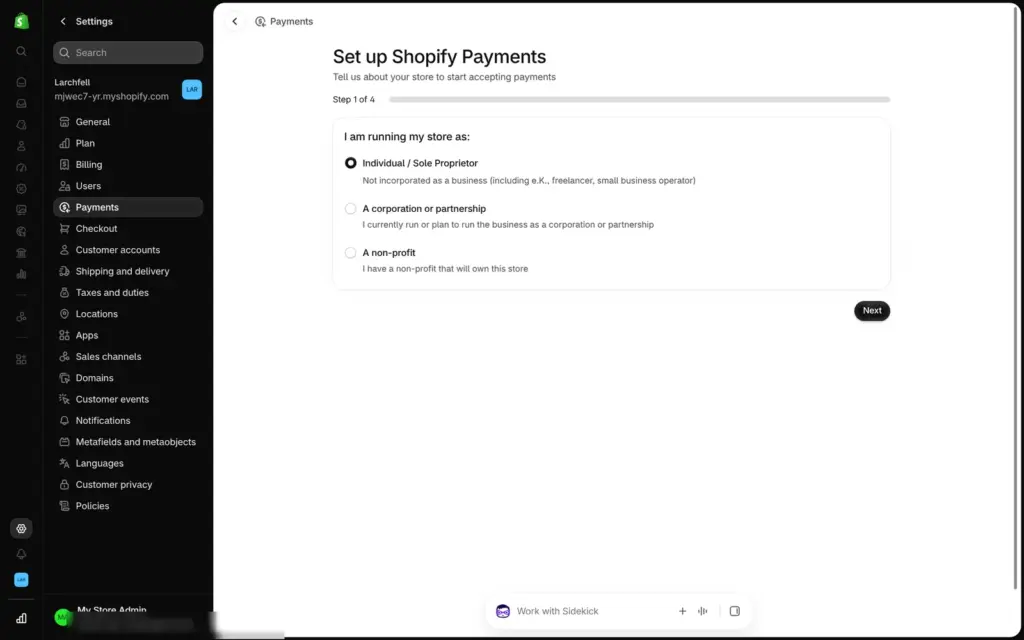
Shopify Payments is Shopify's own payment service. It takes cards, Shop Pay and local methods like Klarna and iDEAL. Setting it up starts with four steps of business details and needs a bank account for payouts. I stopped at the first step, because this test used no real payment details.
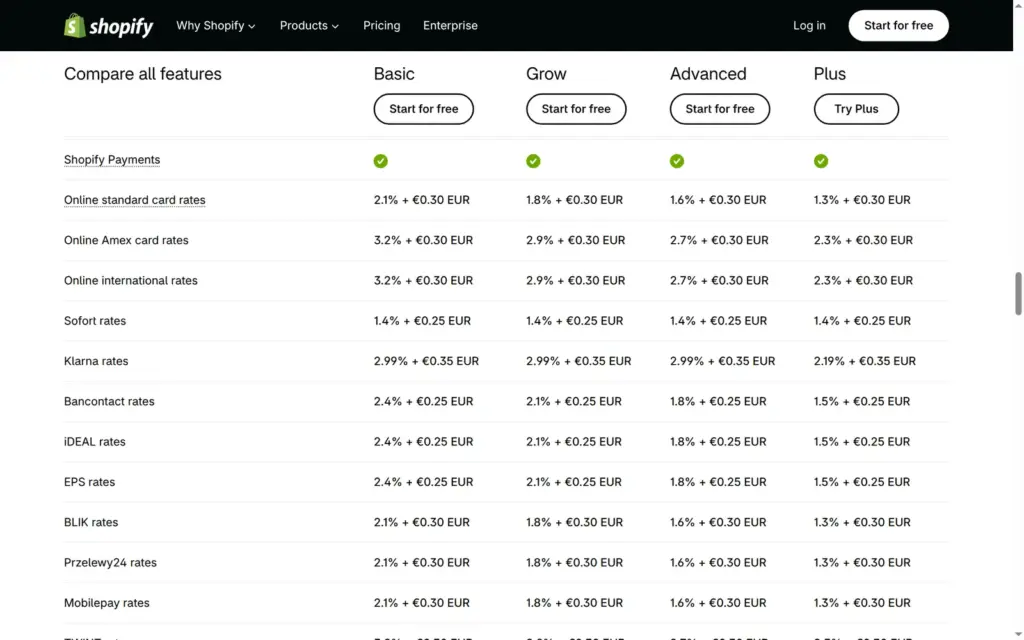
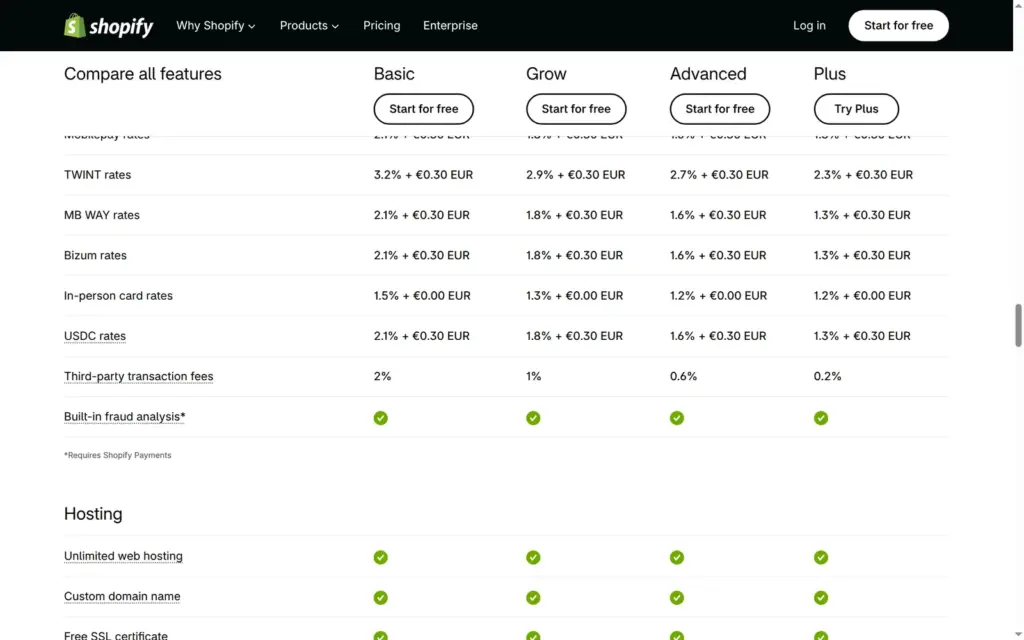
On the Basic plan, Shopify Payments costs 2.1 percent plus 30 cents for a standard card payment online, and 3.2 percent plus 30 cents for Amex and international cards. If you use another provider like PayPal or Mollie, Shopify adds its own fee per sale on top of that provider's fees. It's 2 percent on Basic, 1 percent on Grow, 0.6 percent on Advanced and 0.2 percent on Plus.
PayPal showed "Setup incomplete" in my settings, but its button still appeared in the cart.
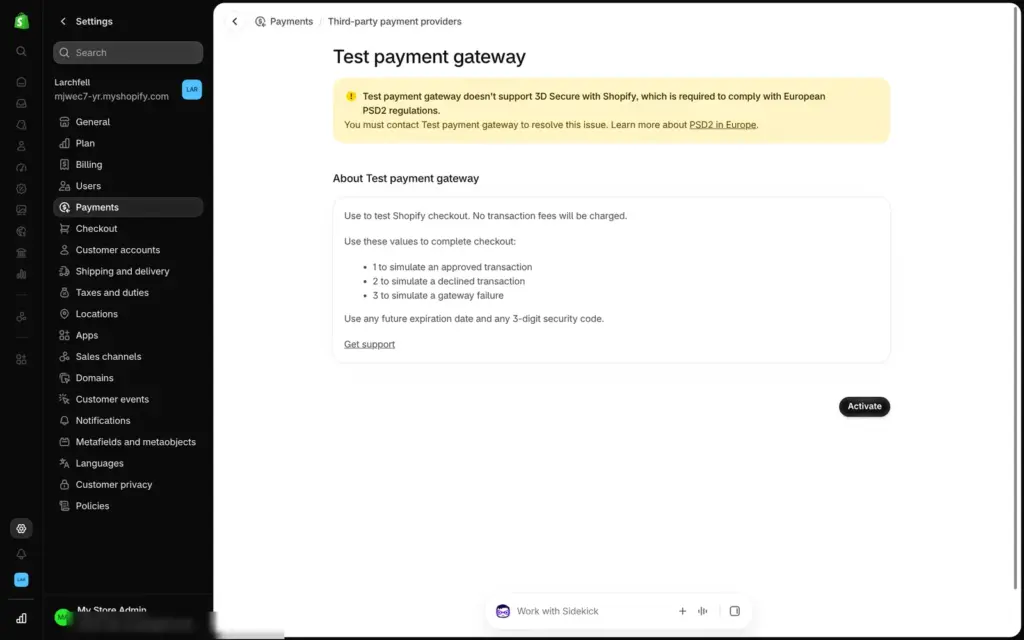
For tests, Shopify has a fake provider, "(for testing) Bogus Gateway". Card number 1 means approved, 2 declined and 3 a failure, and no money moves. It doesn't support 3D Secure, the extra check that European card payments need, so it only shows the flow of an order.
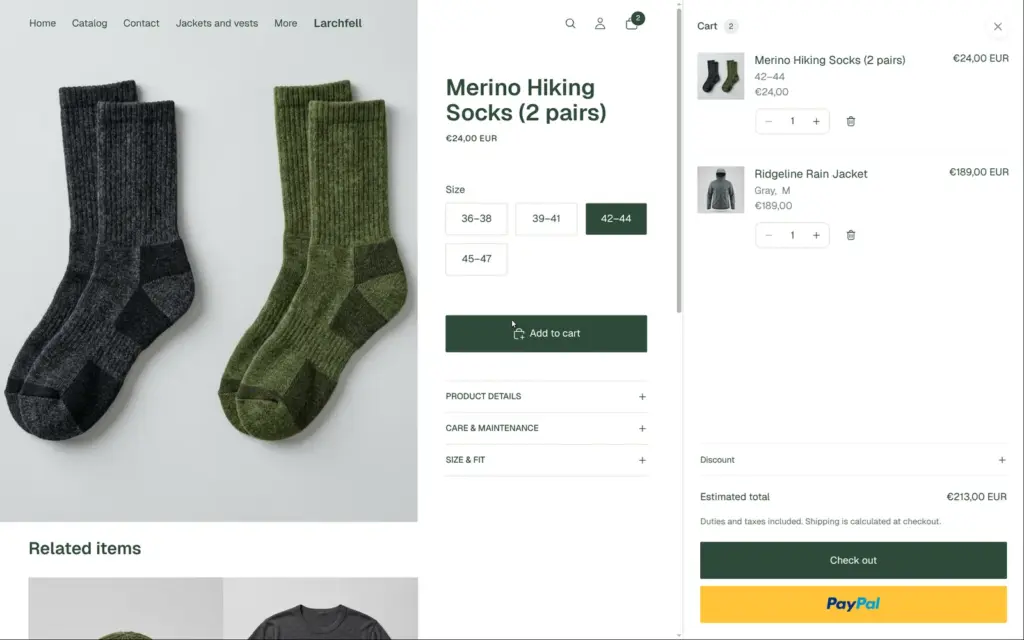
With the products, theme, shipping, VAT and the test payments in place, I tried to buy in my own shop. The password page came first. Inside, the cart showed the jacket and the socks with VAT included.
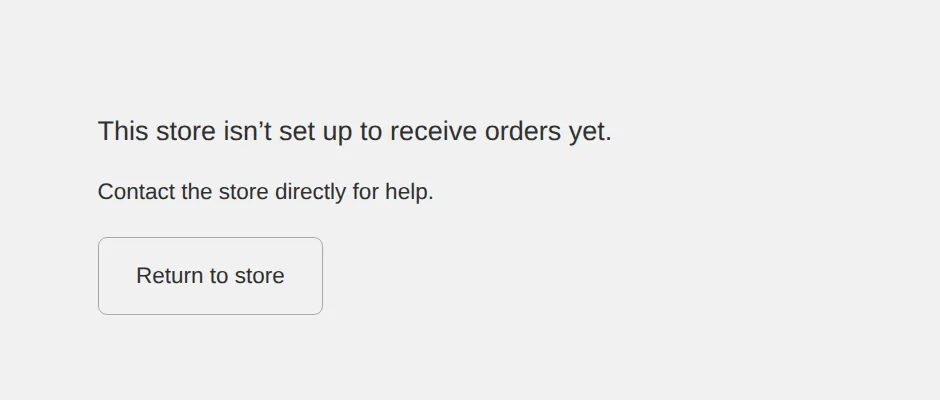
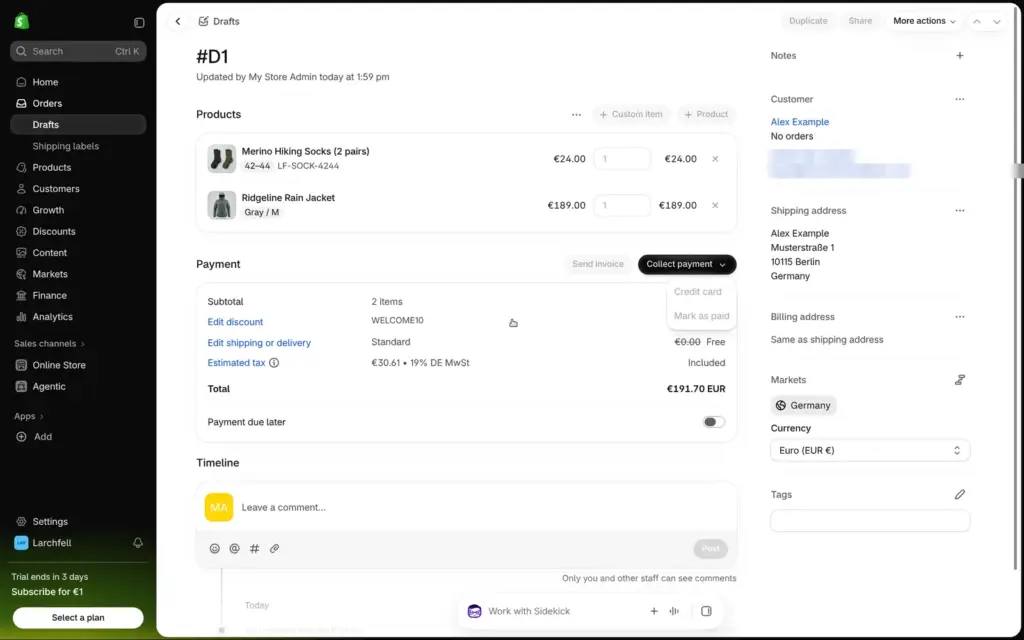
The checkout button led to a page that said "This store isn't set up to receive orders yet." Shopify keeps the checkout closed during the trial, even with the test payments. An order typed in by hand in the admin didn't work either. The discount, free shipping and VAT were calculated correctly, but all payment options were greyed out. Shopify's help page on test orders says: "You can test a payment gateway only after you've chosen a paid plan."
So you only see your checkout work after you pick a plan. The €1 offer for the first three months makes that cheaper, but it needs a card or a bank account.
To see the checkout from the customer's side, I used a free development store. Shopify offers these for testing, and I created one with the same login on Shopify's developer dashboard. It has the same admin and checkout, can't take real money and always stays behind a password. I copied the products, the theme and the settings over.
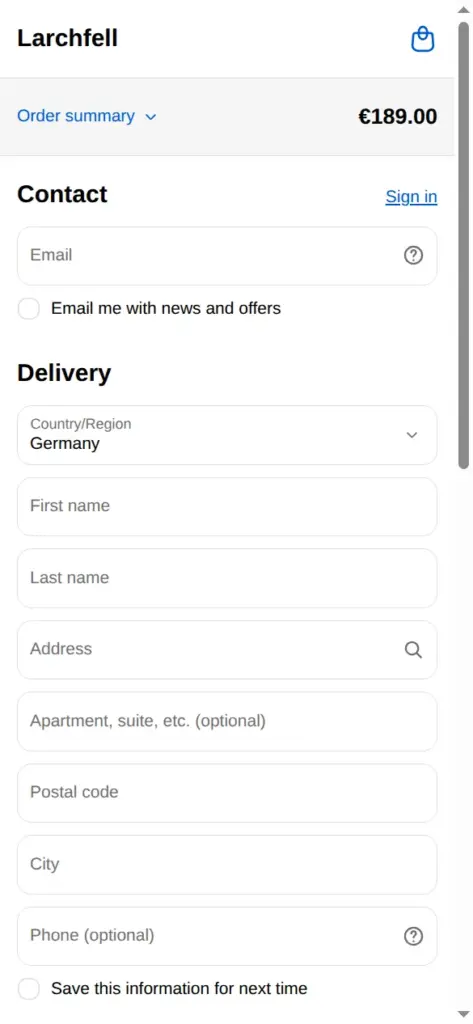
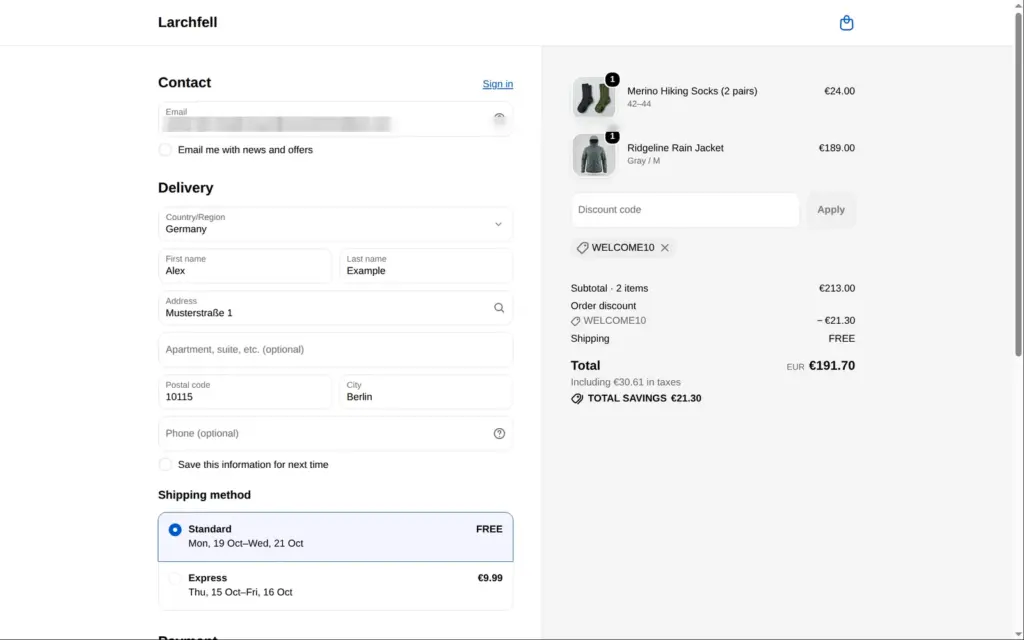
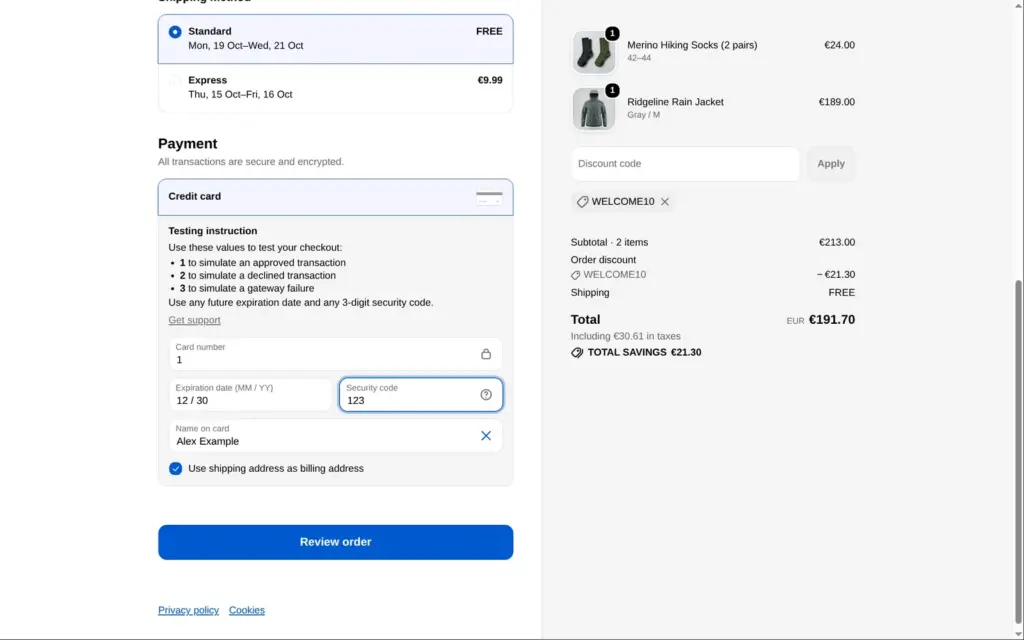
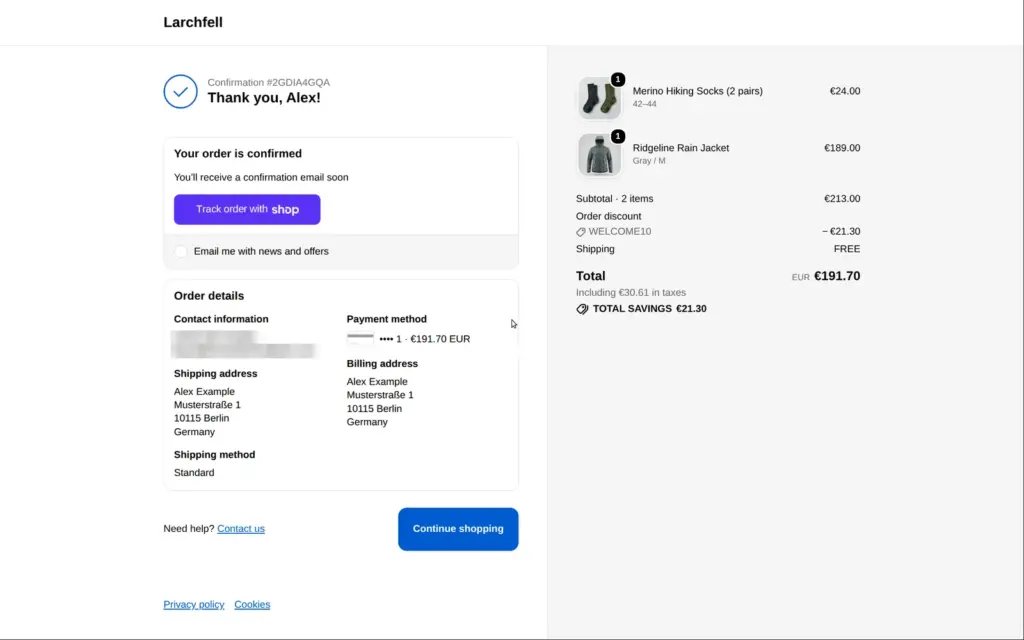
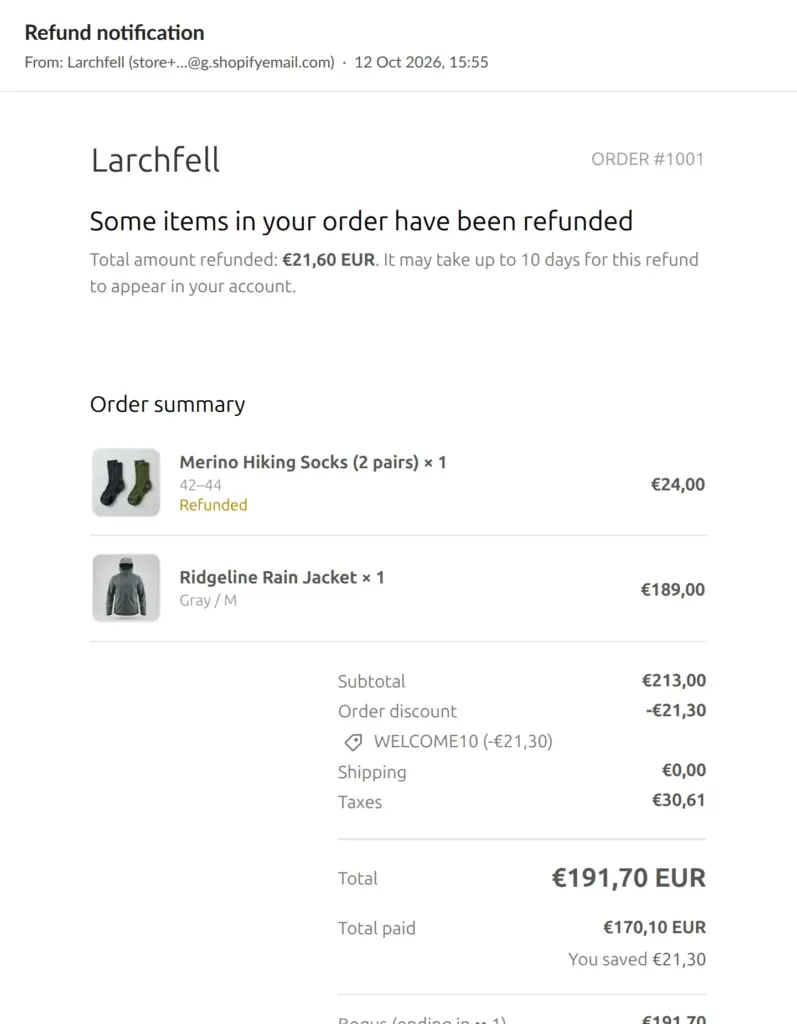
The checkout is Shopify's own and fits on one page, with email, delivery address, shipping method and payment on the left and the order summary on the right. The shipping options appear once the address is in, each with a delivery estimate. The code WELCOME10 took €21.30 off. The total was €191.70 including €30.61 VAT, and shipping was free. After "Review order" and "Pay now", the thank-you page offered to track the order in Shop, Shopify's shopping app.
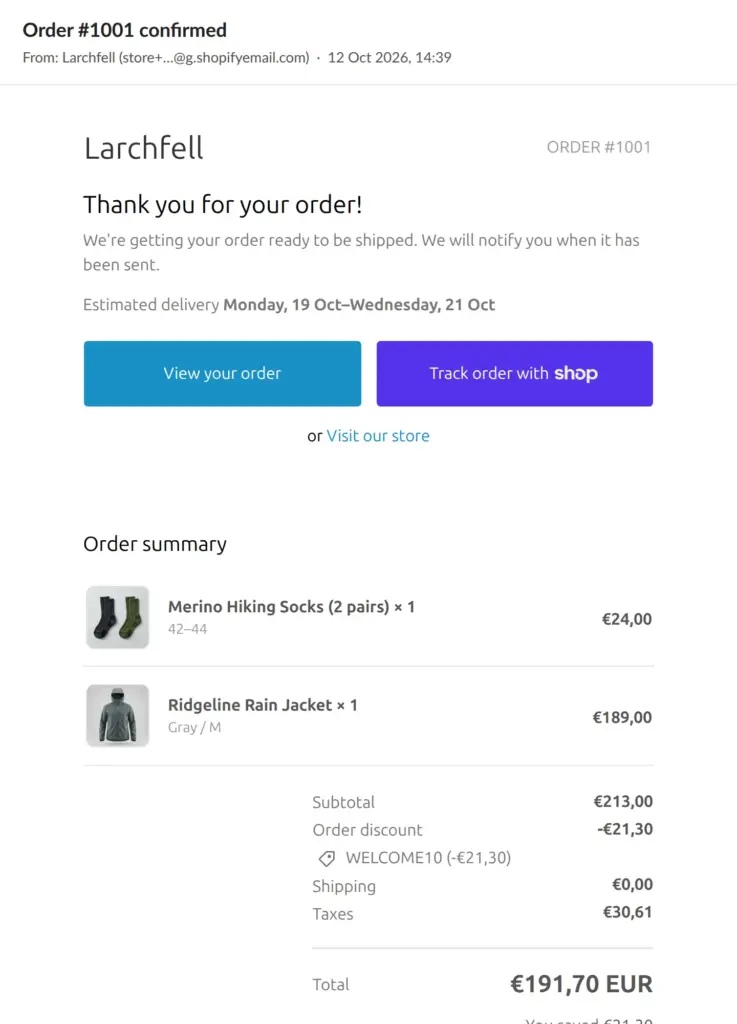
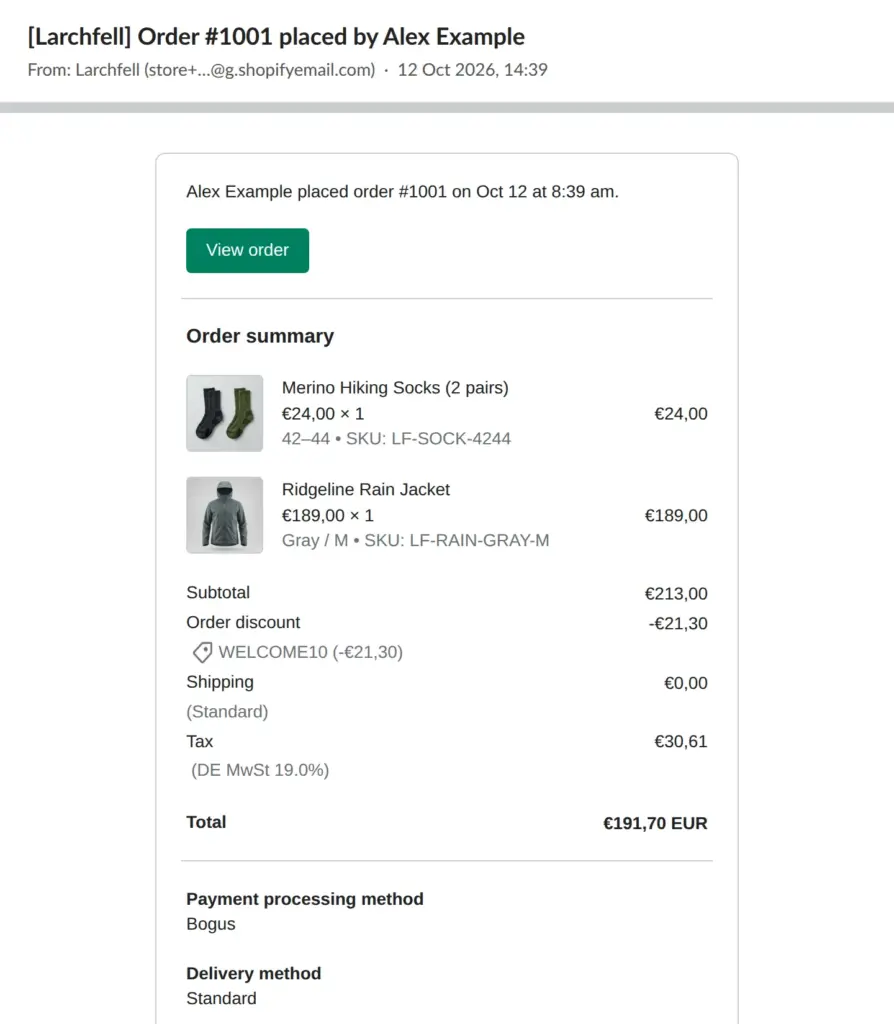
The confirmation email arrived a few seconds after paying, with photos, prices, VAT and the delivery estimate. The shop got its own email, "Order #1001 placed by Alex Example", with the SKUs and the payment method.
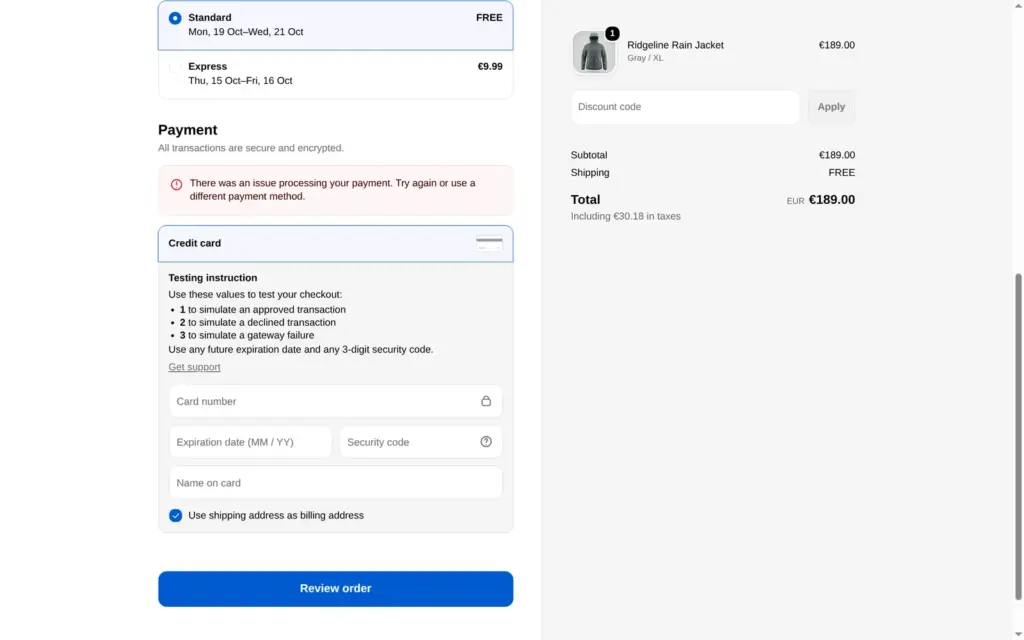
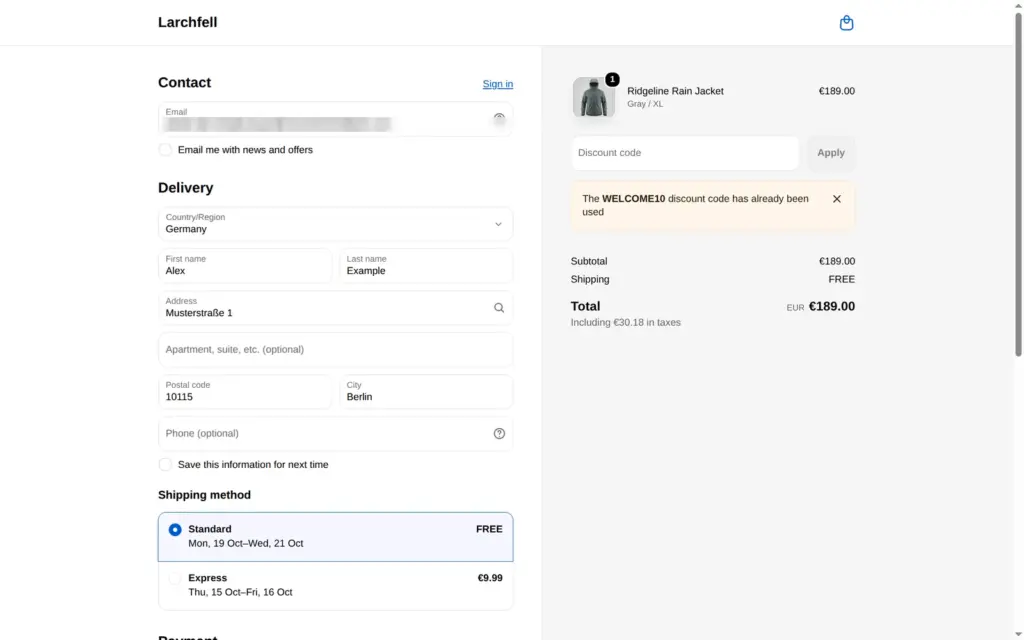
I also tried two things that should fail. The same discount code a second time showed "The WELCOME10 discount code has already been used". Test card 2 showed "There was an issue processing your payment." A second order took the last gray jacket in XL, and the shop then showed that size as sold out.
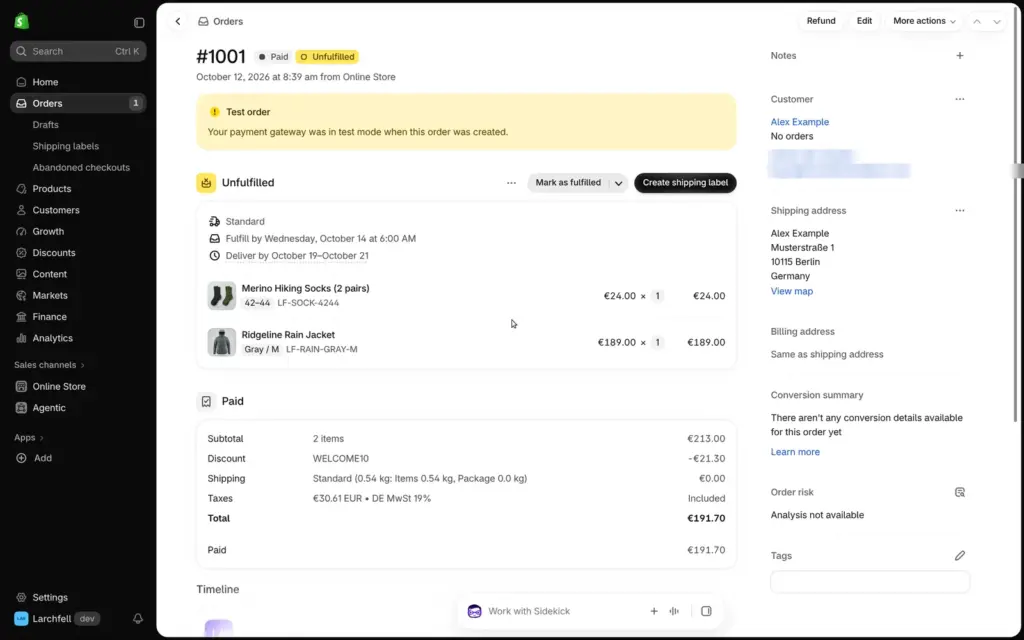
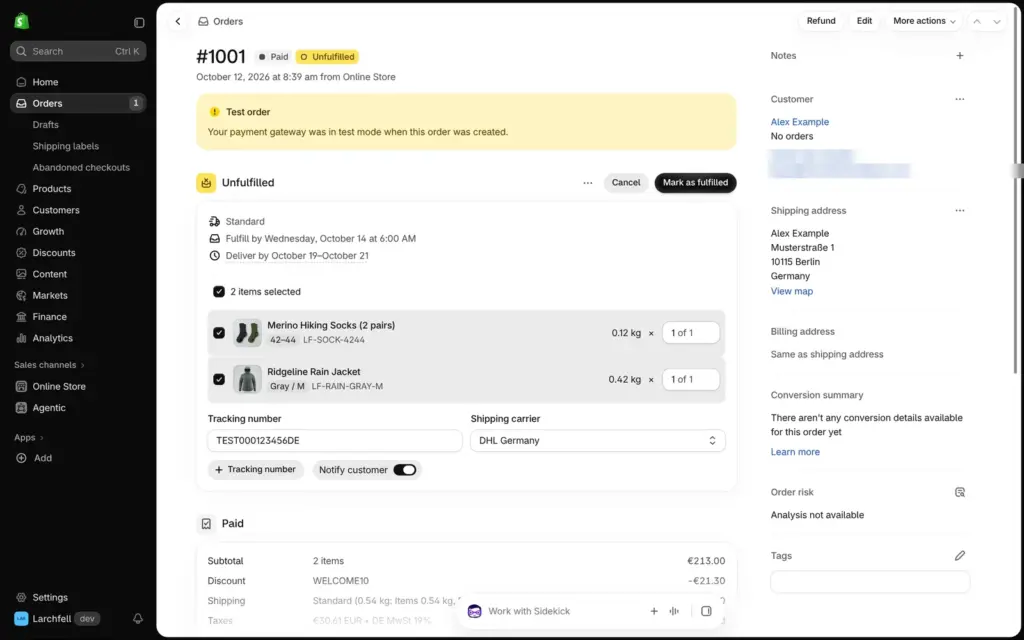
In the admin, the order showed as paid and not yet shipped, with a note that it was a test order. Shopify showed a date to ship by and the customer's delivery estimate.
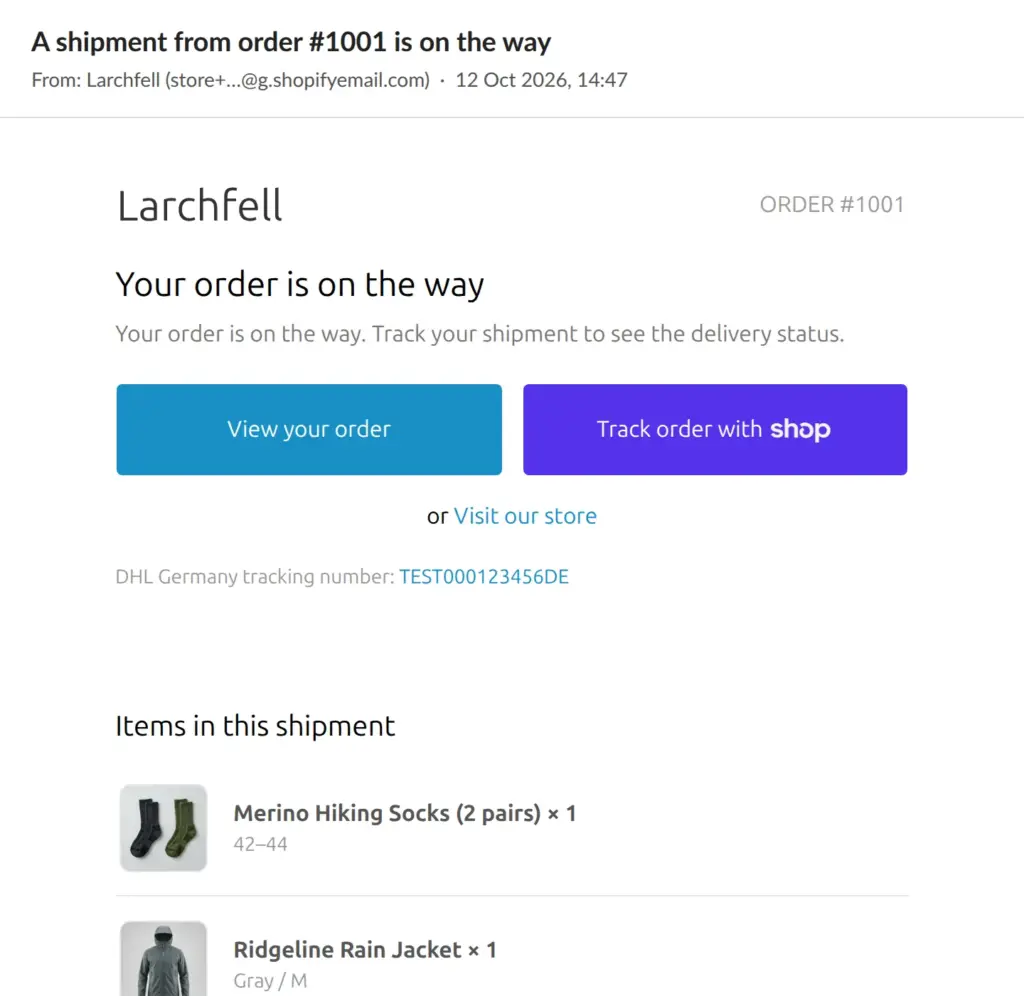
"Mark as fulfilled" asks for a tracking number and a carrier. I picked DHL Germany. The switch "Notify customer" was off, so I turned it on. The shipping email with the tracking number arrived within seconds.
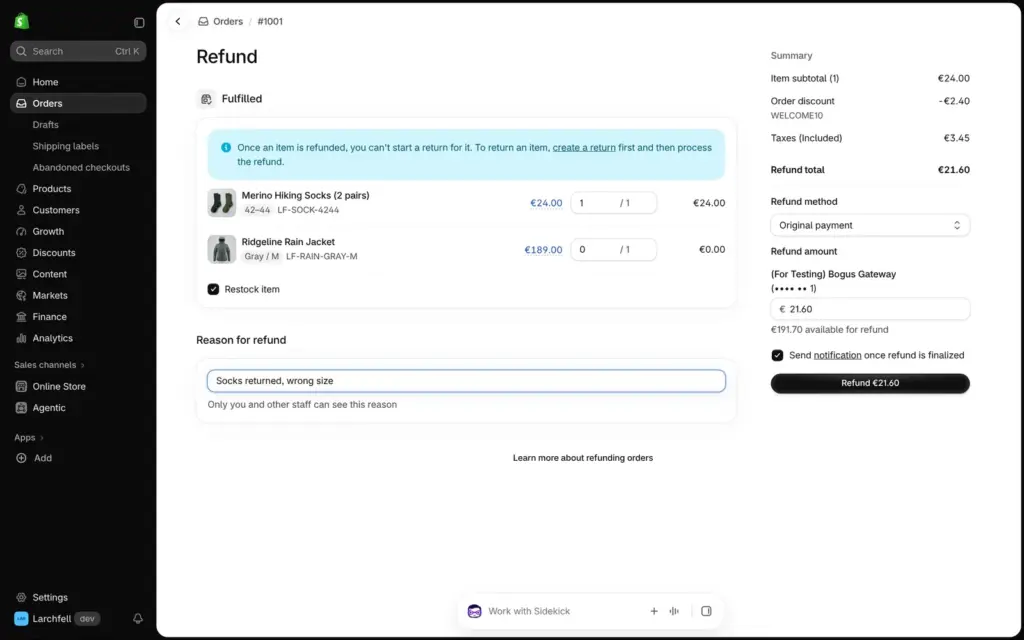
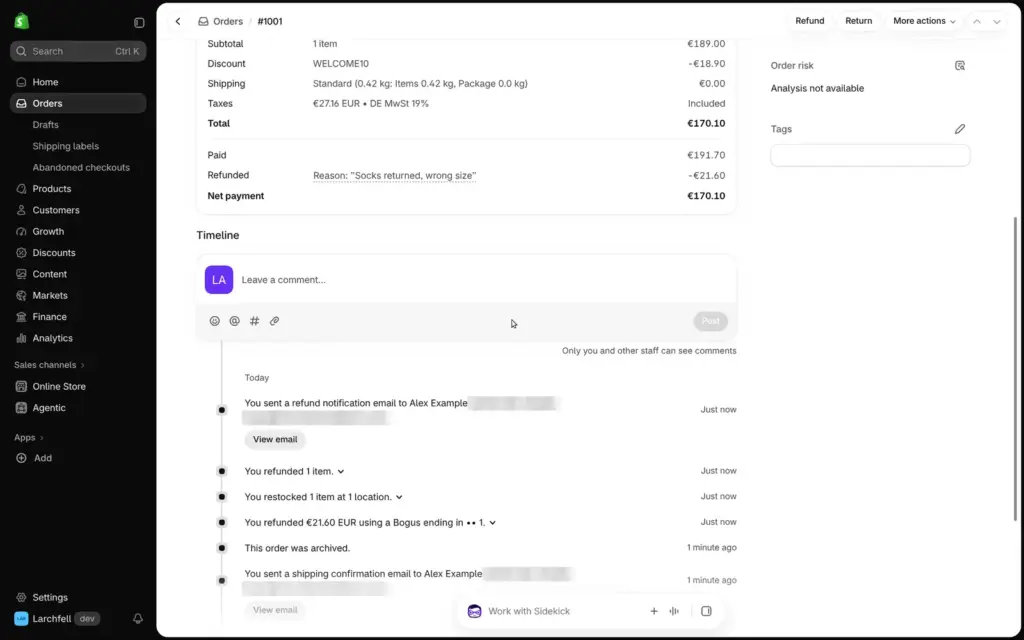
For the refund, I chose the socks. Shopify took off their share of the discount, €2.40, and refunded €21.60 to the original payment. "Restock item" was ticked, so the socks went back into stock. The refund email arrived 66 minutes later, while the other emails had come within seconds.
Shopify warns that you can't start a return for an item after refunding it, so for a real return you create the return first. The admin has return rules too, with 14 days by default.
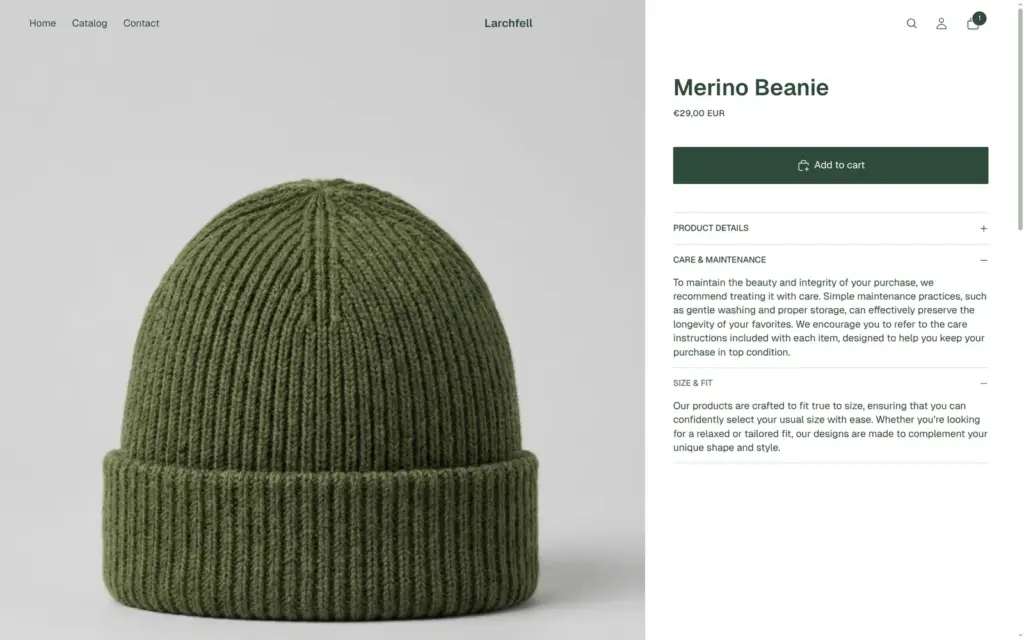
Clicking through the shop like a customer, I found leftovers from the theme's demo that the editor doesn't point out.
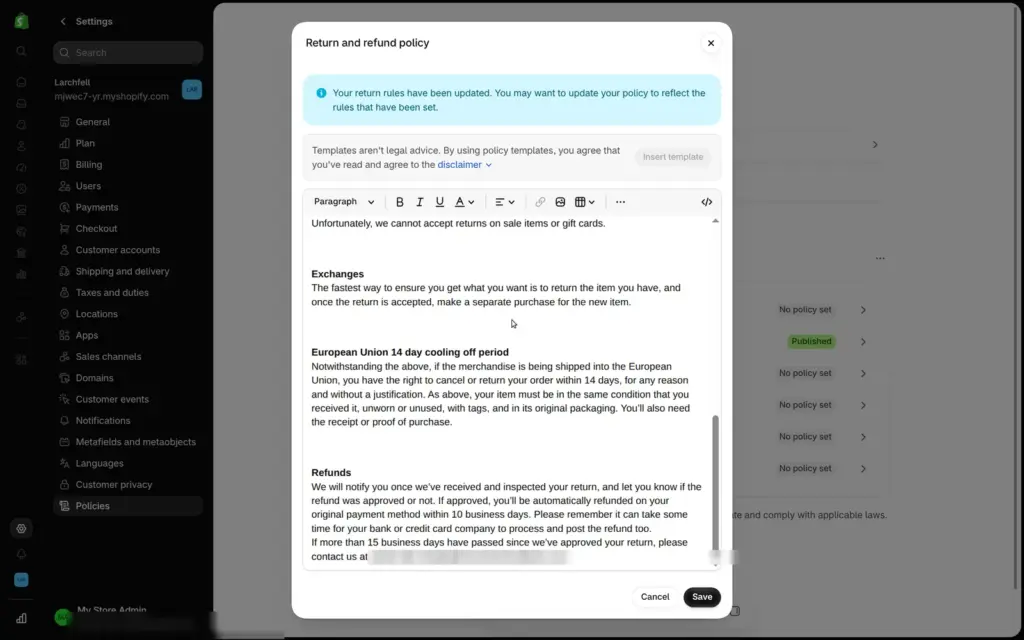
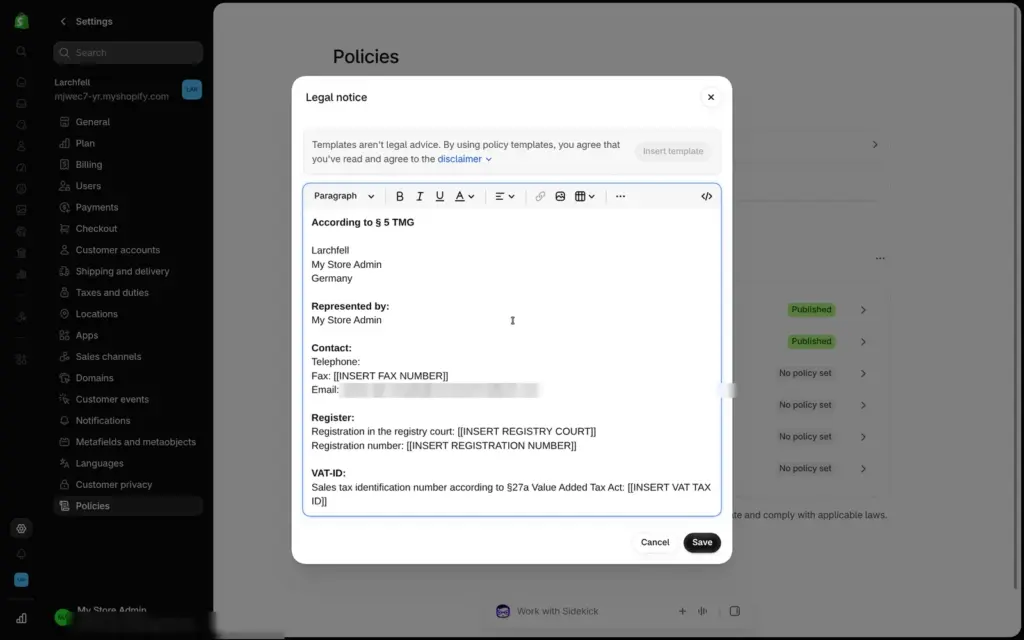
Shopify's templates for the legal pages needed more work. The refund policy promises 30 days for returns, while the store's return rule says 14. It contains "[INSERT RETURN ADDRESS]", and it uses the email address of my Shopify login as the contact address, which customers see. The German legal notice still cites § 5 TMG, a law that the Digitale-Dienste-Gesetz replaced in May 2024. It fills in "My Store Admin" as the owner's name, because Shopify never asked for a name, and leaves placeholders for the registry court and the VAT ID. Shopify says that its templates are not legal advice.
The order emails also showed my login email as the contact address. You change it in the store settings.
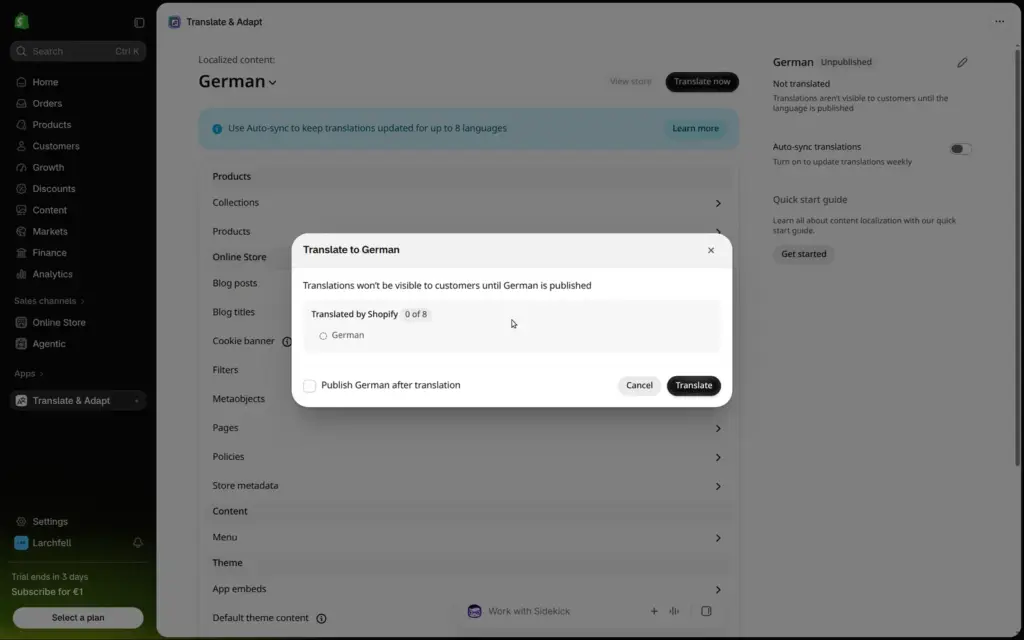
Adding a language installs Translate & Adapt, a free Shopify app. It can translate the store automatically and publish the language when it's done. For my small store it took about 15 minutes, and an email told me when the German version was live. Legal pages are not translated automatically.
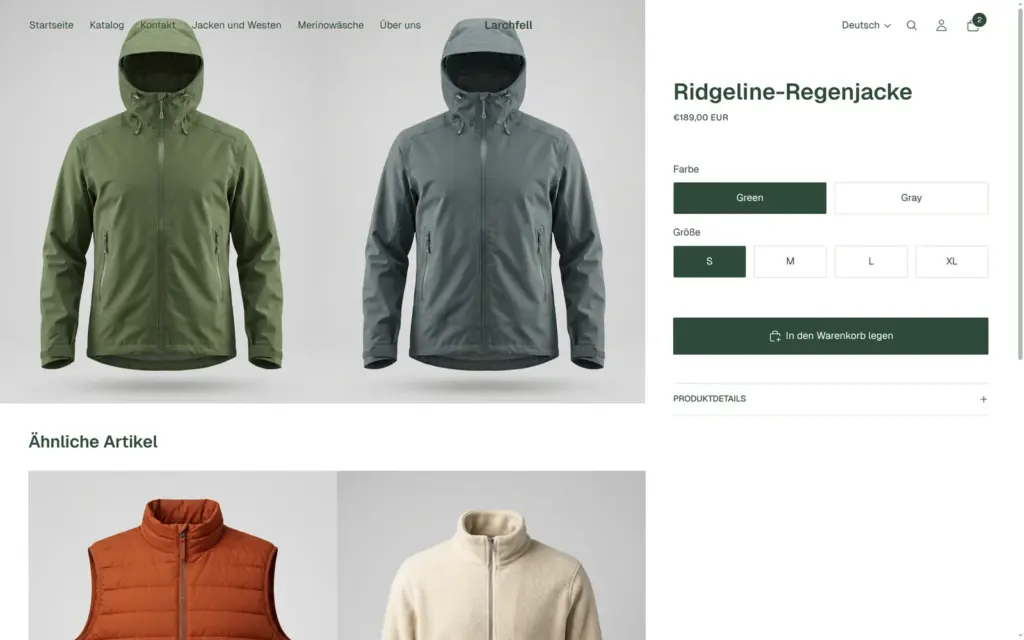
The German shop gets its own address on the same domain, and a language switch appears in the header. Menus, headings, buttons and product texts read well, and "Jackets and vests" became "Jacken und Westen". The colour names Green and Gray stayed in English, and one sentence about repairs changed its meaning a little.
Shopify's Markets page also suggested adding the EU and Switzerland as markets. I didn't set those up.

Sidekick sits at the bottom of the admin, and it's included in all plans.
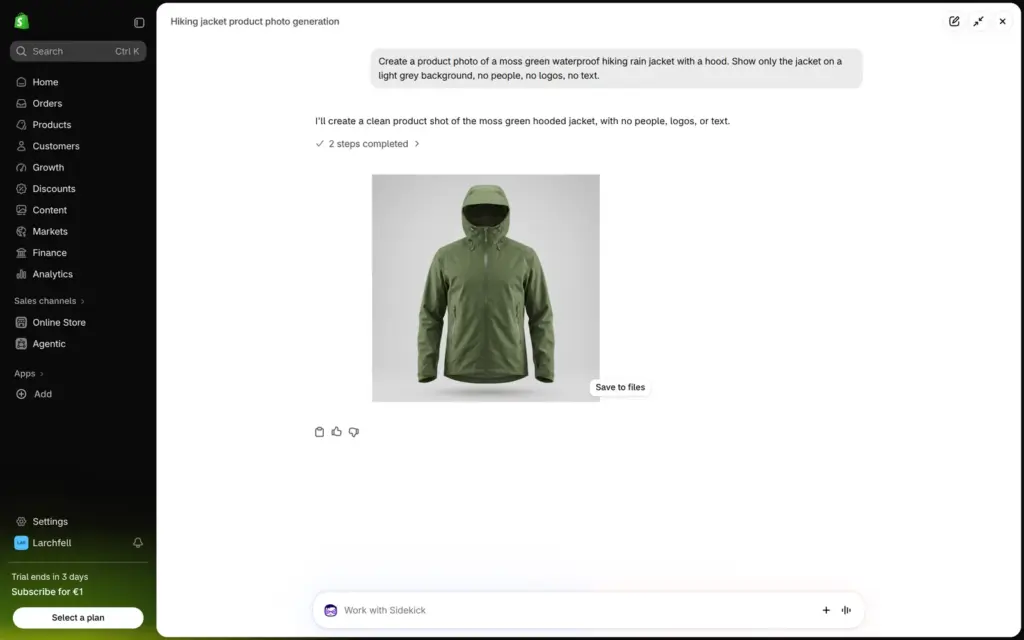
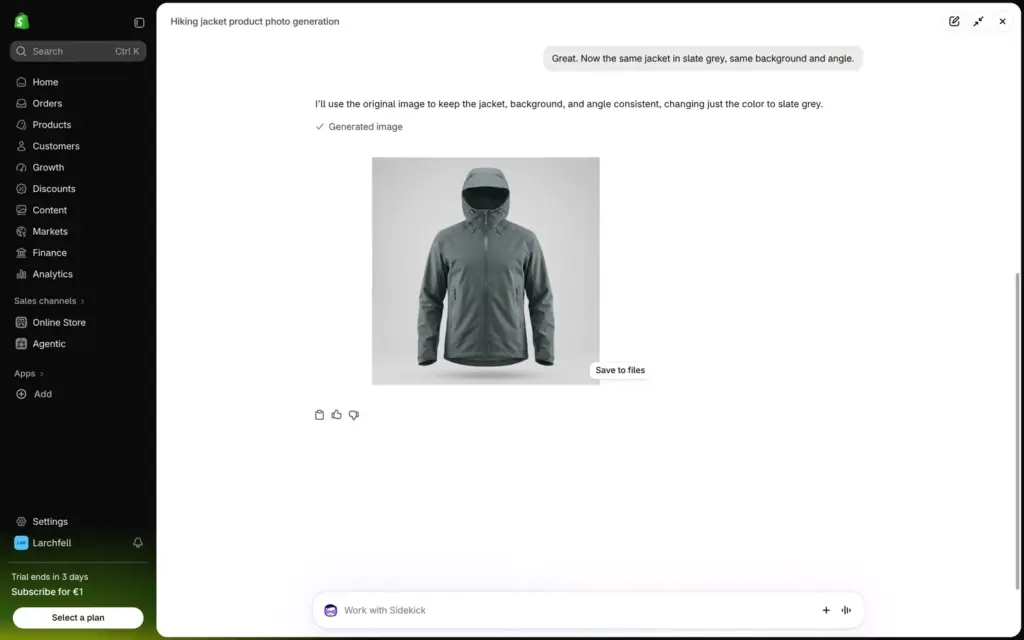
For the photos, I asked for a moss green rain jacket on a light grey background, without people, logos or text. After about half a minute, Sidekick showed a photo that looks like a studio shot. A follow-up asking for the same jacket in slate grey kept the angle and the background. I made all eleven photos for the shop this way, about 40 seconds each, and saved them to the store's files. I saw no limit or credit counter on the trial. Shopify's help center says that the plan sets a monthly limit.
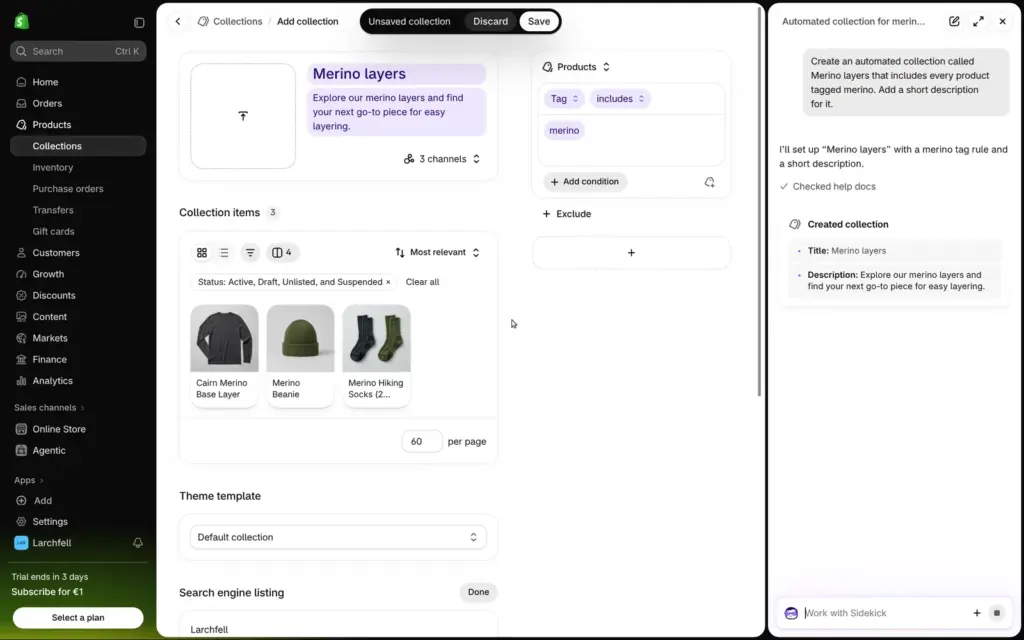
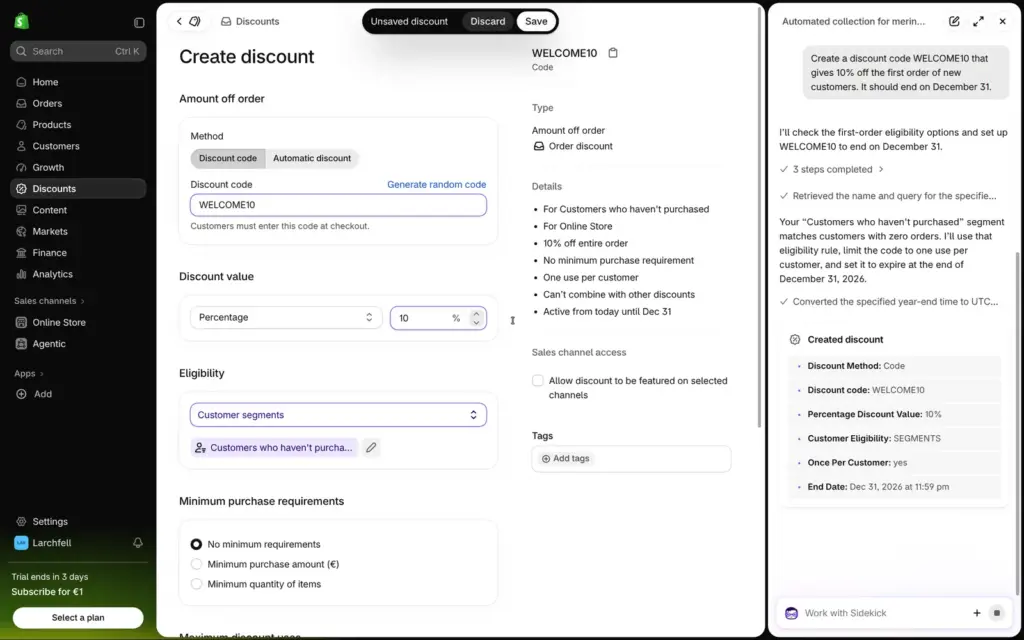
For admin jobs, I asked for an automated collection of everything tagged merino, and for a discount code with 10 percent off first orders until December 31. Sidekick filled in both forms correctly, and I only had to press Save. In the development store, the same discount request gave a different result. Sidekick found no customer group for first-time buyers there, so it made the code "once per customer" for everyone and said so.
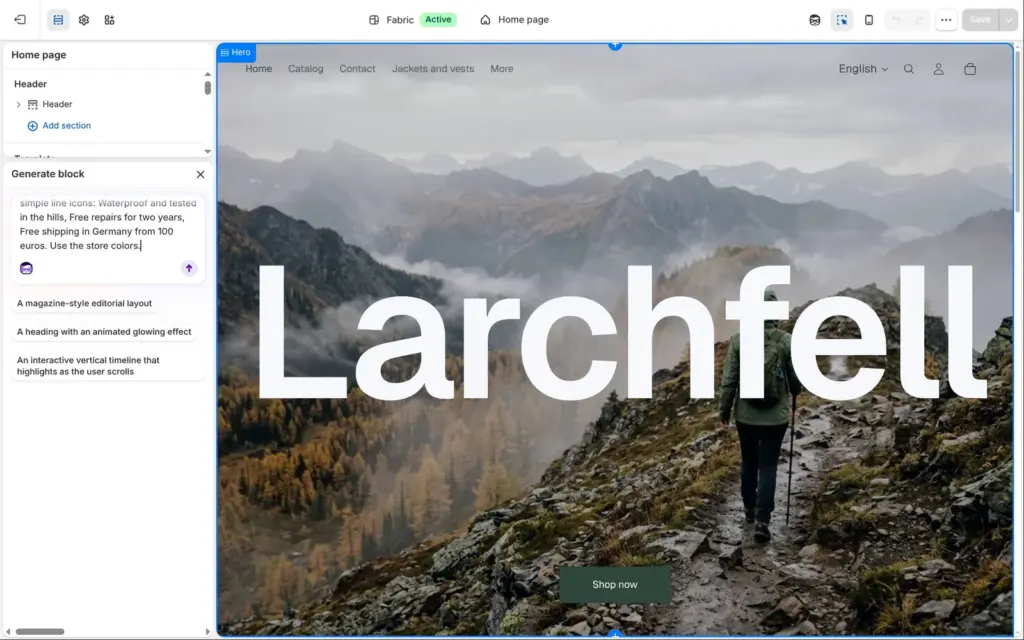
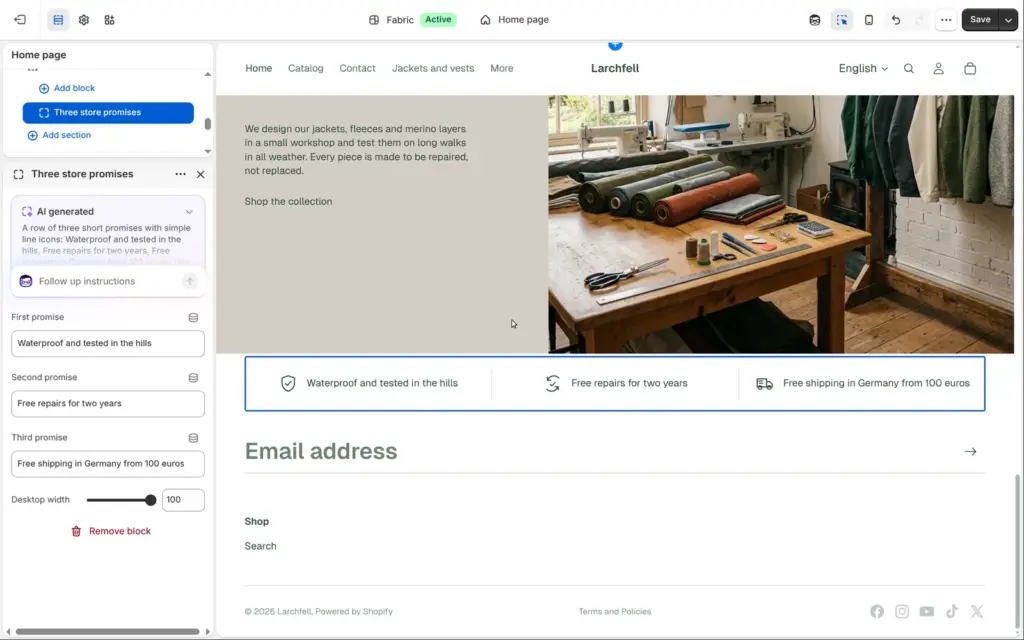
The theme editor can also build a new section from a description. I asked for a row of three promises with simple icons. The section was ready in about 20 seconds, used the theme's fonts and colours, and came with settings for the three texts.
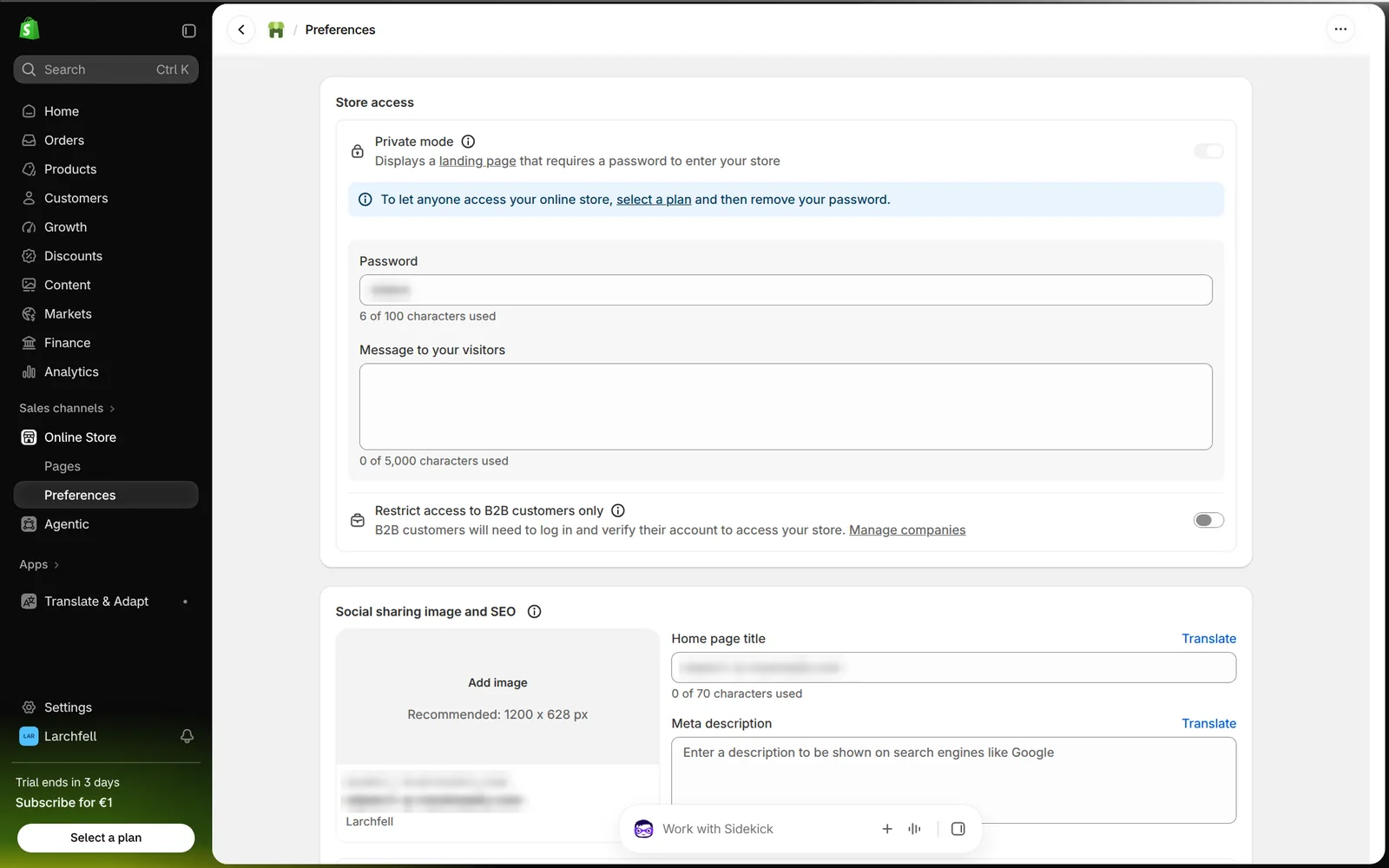
Shopify writes much of the search setup by itself. Product pages got titles like "Ridgeline Rain Jacket – Larchfell", a description taken from the product text, and structured data for products that search engines read. Shopify also creates the sitemap and the robots.txt file. The home page had no description until you write one in the online store preferences.
During the trial, the password page keeps search engines out. I also couldn't measure speed with Google's PageSpeed Insights, because it would only have tested the password page.
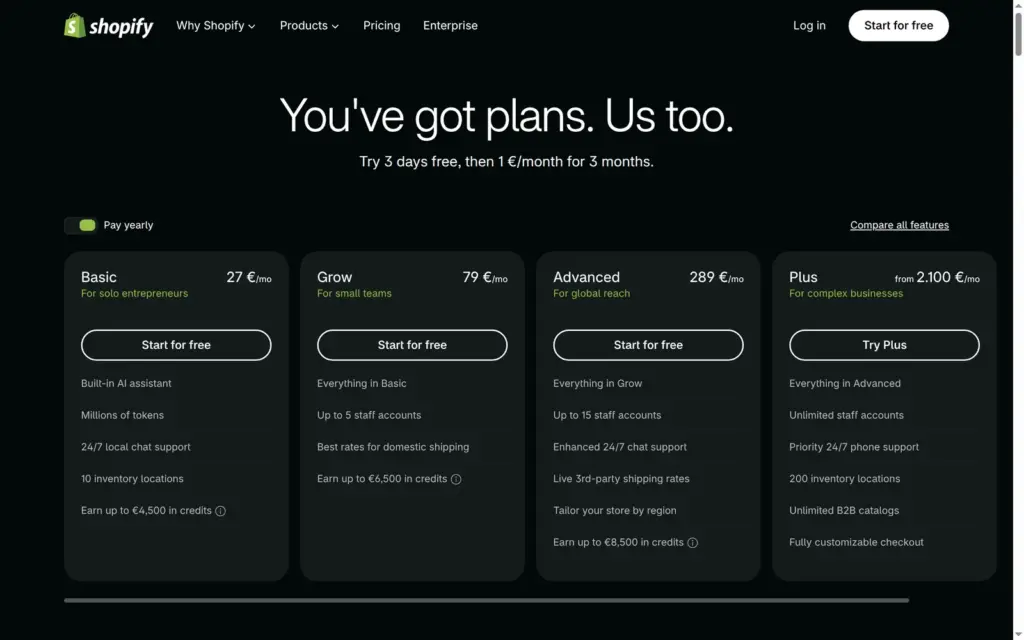
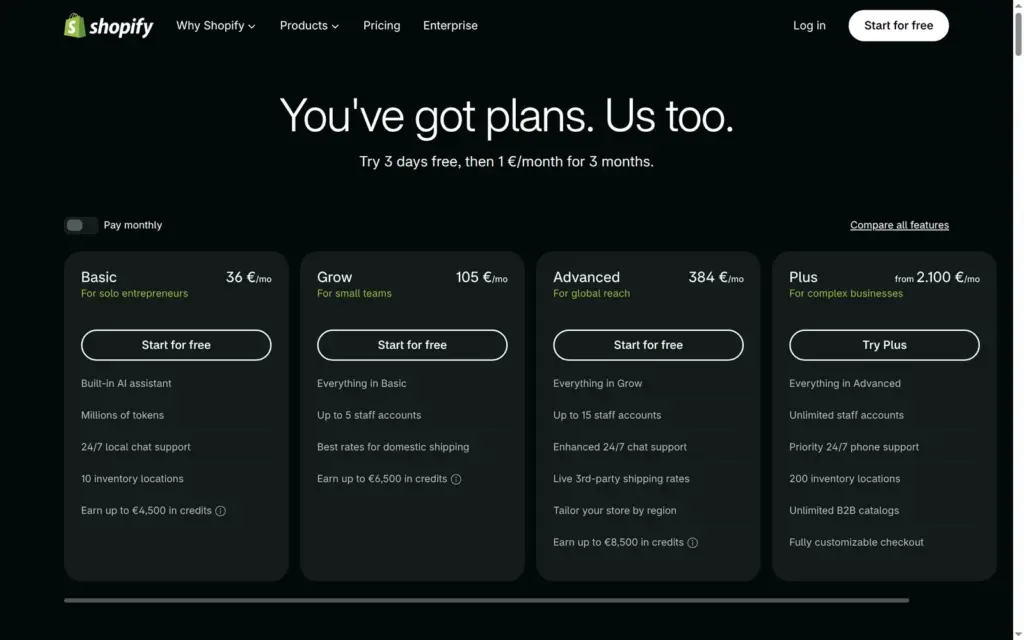
I checked Shopify's pricing page on October 12, 2026, from Germany. It showed prices in euros, even after I switched the site's region to the US. Shopify adds VAT to these prices.
| Basic | Grow | Advanced | Plus | |
|---|---|---|---|---|
| Billed yearly | €27a month, €324 a year | €79a month, €948 a year | €289a month, €3,468 a year | From €2,100a month |
| Billed monthly | €36a month | €105a month | €384a month | From €2,100a month |
| Offer when you pick a plan in the trial | €1 a month for 3 months | €1 a month for 3 months | €1 a month for 3 months | No offer |
| Additional staff accounts | None | 5 | 15 | Unlimited |
| Inventory locations | 10 | 10 | 10 | 200 |
| Support | 24/7 live chat | 24/7 live chat | Enhanced 24/7 live chat | Priority 24/7 support |
| Basic | Grow | Advanced | Plus | |
|---|---|---|---|---|
| Standard cards, online | 2.1% + €0.30 | 1.8% + €0.30 | 1.6% + €0.30 | 1.3% + €0.30 |
| Amex and international cards, online | 3.2% + €0.30 | 2.9% + €0.30 | 2.7% + €0.30 | 2.3% + €0.30 |
| Klarna | 2.99% + €0.35 | 2.99% + €0.35 | 2.99% + €0.35 | 2.19% + €0.35 |
| Cards in person | 1.5% | 1.3% | 1.2% | 1.2% |
| Shopify's fee when you use another payment provider | 2% | 1% | 0.6% | 0.2% |
For Larchfell, Basic on yearly billing costs €324 a year plus VAT. If the shop sells 40 orders a month at €100 each, paid with standard cards through Shopify Payments, the card fees are €2.40 per order, €96 a month or €1,152 a year. With PayPal or another provider instead, Shopify's 2 percent adds €80 a month on top of that provider's own fees. Grow lowers the card rate to 1.8 percent, which saves €12 a month at this size. It costs €52 a month more, so the step up is mainly about its five staff accounts.
Shopify's pricing also lists €79 a month per location for POS Pro, its tools for physical stores. Collecting duties and import taxes at checkout costs 0.5 percent, and synced marketplace orders cost 1 percent after the first 50 a month, up to $99 a month. Domains, apps and paid themes cost extra.
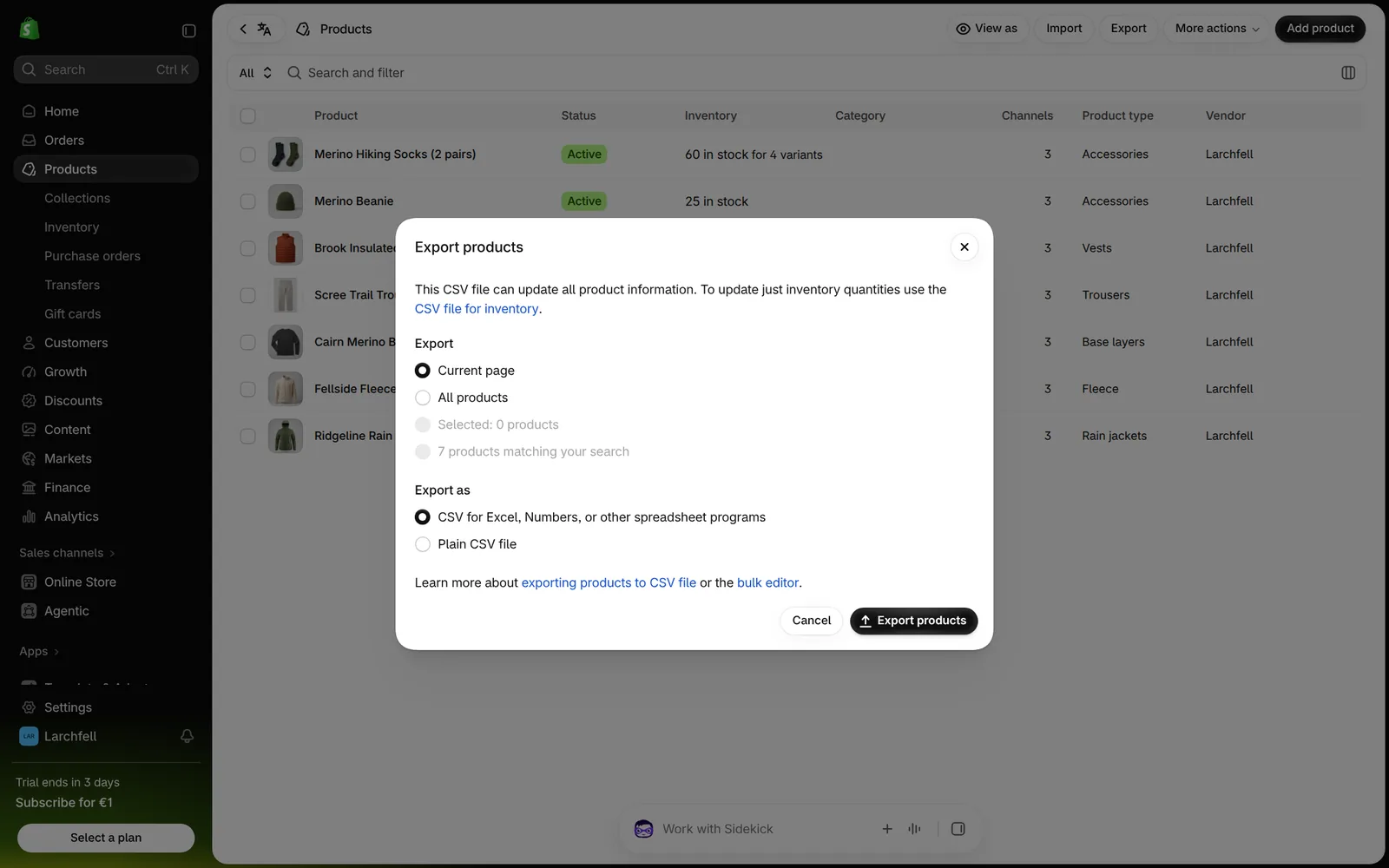
Shopify exports products as a CSV file, and its help center describes the same for orders and customers. My product export came by email as a download link after about a minute. The spreadsheet had all 33 variants with prices, stock, photo links and search texts. The theme only runs on Shopify, so a move also means a new design.
Shopify fits a small business that wants to sell physical products online and expects the shop to grow. For Larchfell, variants, VAT, shipping, the checkout and refunds all worked with Shopify's own tools. The free Fabric theme made the shop look like a real outdoor brand, and Sidekick made the photos.
It fits less well if you mainly need a website and only sell a few things on the side, because you pay for a full shop system and its pages are plain text. It also fits less well if you want to see real orders before you pay, or if a fee on each sale on top of the monthly price would hurt.
If you try it, build the shop in the trial, then pick a plan with the €1 offer and place a test order before you open the shop. Click through each page like a customer, change the store's contact email and rewrite the legal templates before the first customer sees them.
 What I'm building
Give Vroni a GitHub issue, bug report, spec, or rough idea. It reads the repo, plans the change, writes code, runs checks, and works toward a review-ready pull request.
Take a look at vroni.com