
Is Shopify’s barcode generator free?
Yes. Shopify's barcode generator is free, and it works without a Shopify account or a shop. You enter an email address and…
You start with Shopify's three-day trial, which needs no card. In the admin, you add your products and choose a theme for the design. Shopify sets up shipping for your country by itself, and you switch on VAT. Then you set up payments. Customers can only buy once you pick a paid plan and launch the store, which takes away its password page.
I set up a complete shop this way for my Shopify review. It's for Larchfell, a made-up outdoor clothing brand, and it sells seven products. The trial can't take any order, not even a test order, so I placed my test order in a free development store with the same setup.
I built the shop on October 12, 2026, and checked the launch steps and the prices again on November 3, 2026.
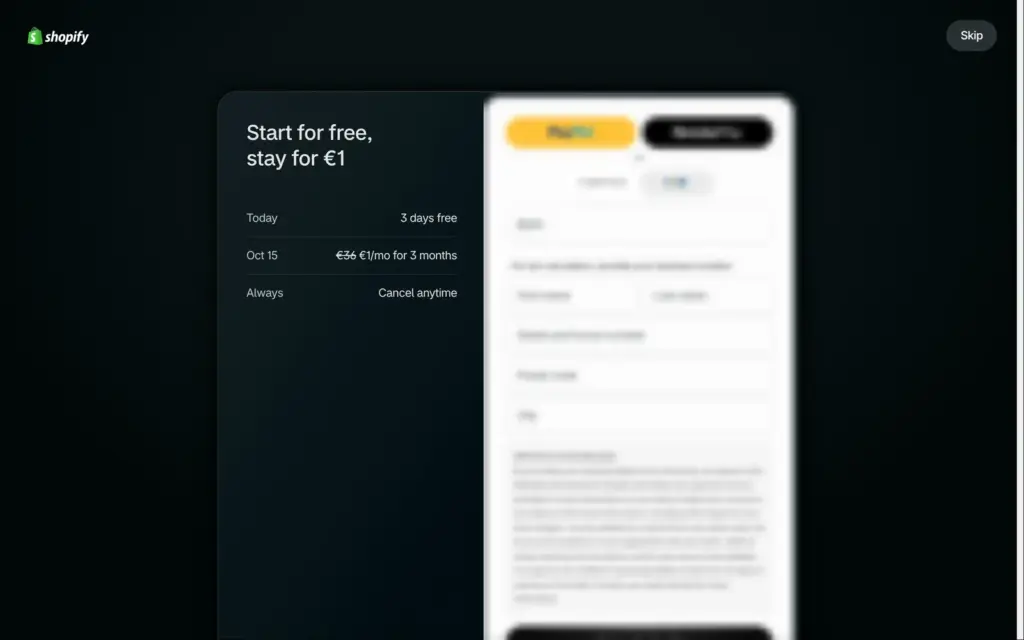
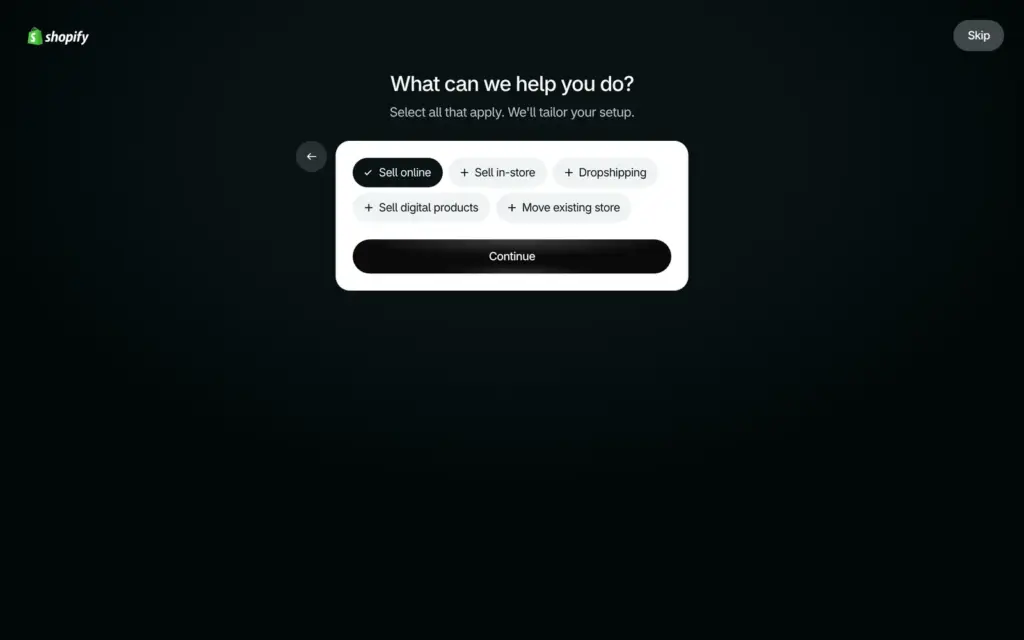
You sign up on shopify.com with an email address and a password. Right after that, Shopify shows a payment page that offers the first three months for €1 a month. A small Skip button in the top right corner leads past it without payment details. Then Shopify asks one question, what you want to do, and opens the admin.
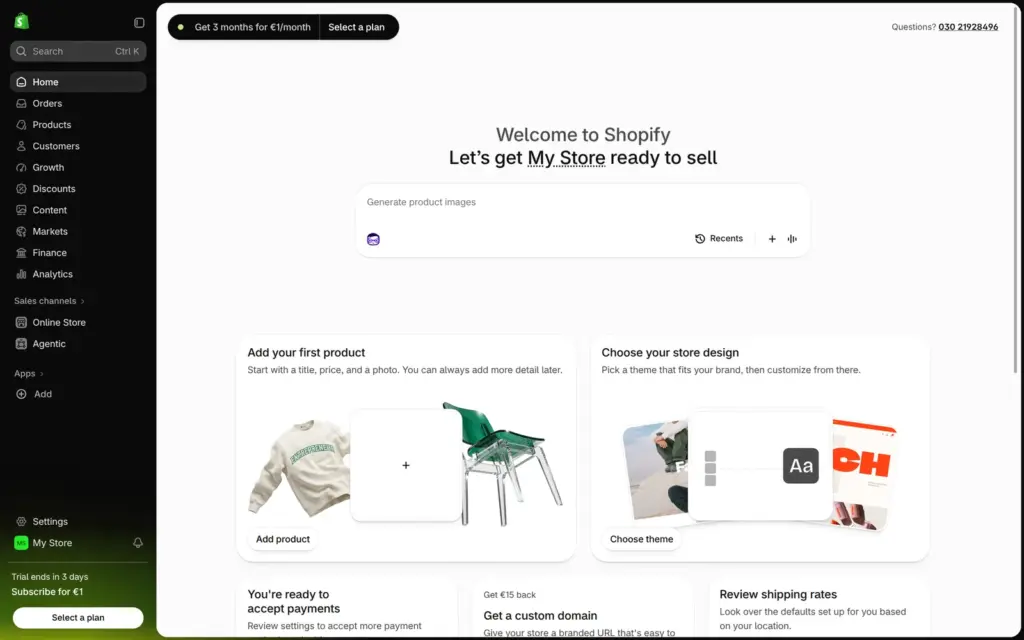
The new store is called My Store and gets a random web address. The admin home lists the first jobs, like adding a product and choosing a design. You change the store name in the settings. I called mine Larchfell.
Shopify pauses the store if the three days end without a plan, and it saves the store's data for two years. When I checked whether Shopify is free, my paused store still offered €1 a month.
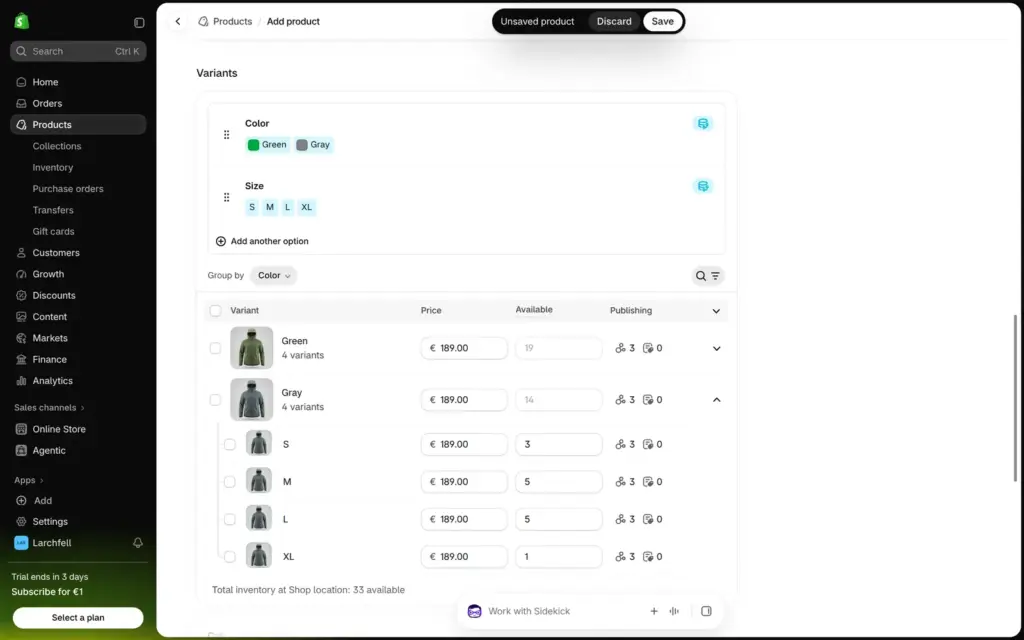
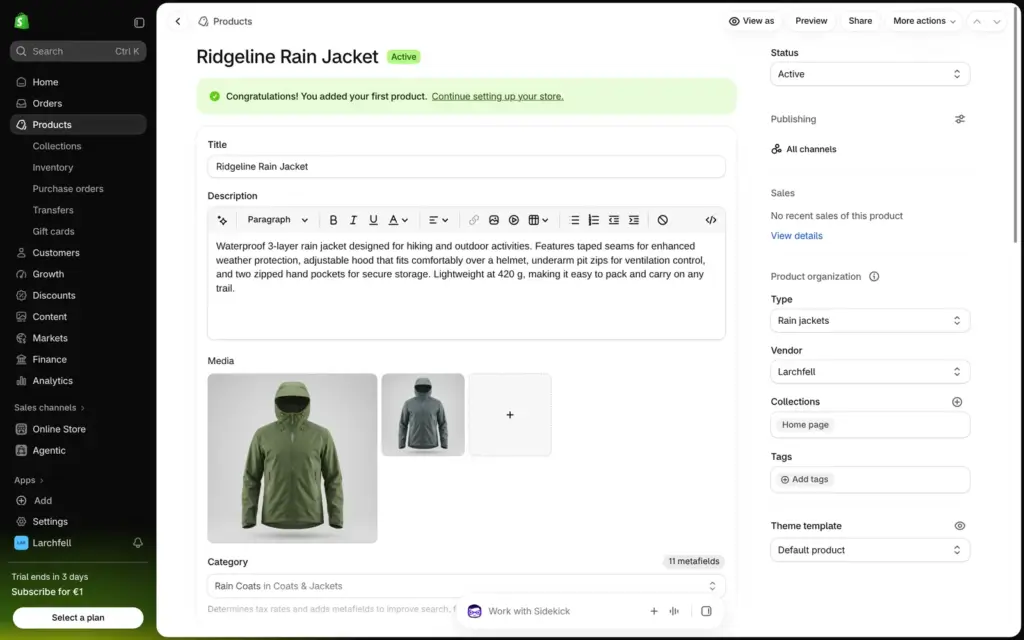
A product in Shopify is one long form. My first product was a rain jacket for €189 in green and gray, in sizes S to XL. Shopify made eight variants from the two colors and four sizes, and I entered the stock for each size. Each color can have its own photo, so the photo in the shop changes when a customer picks a color.
Colors come from a fixed list. A name of my own, like moss, needs a base color and a pattern, so I used green and gray. "Sell when out of stock" is off by default, so a size that runs out shows as sold out.
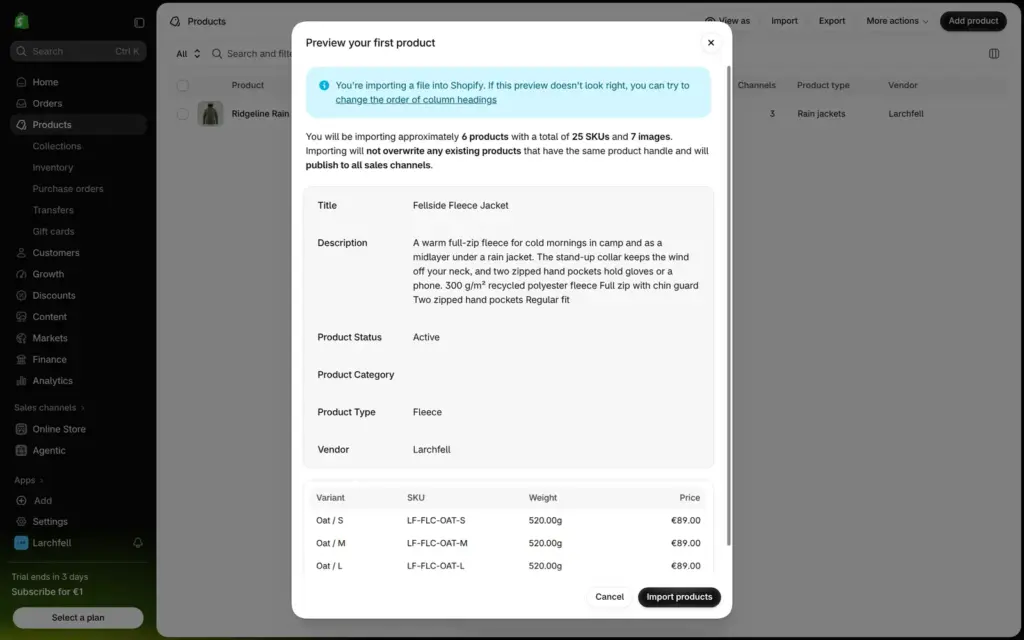
For more products, the CSV import is faster. My other six products came from a spreadsheet with 25 variants and seven photos. They were in the shop in less than a minute. The import window also lists apps for moving a shop over from Etsy or Amazon.
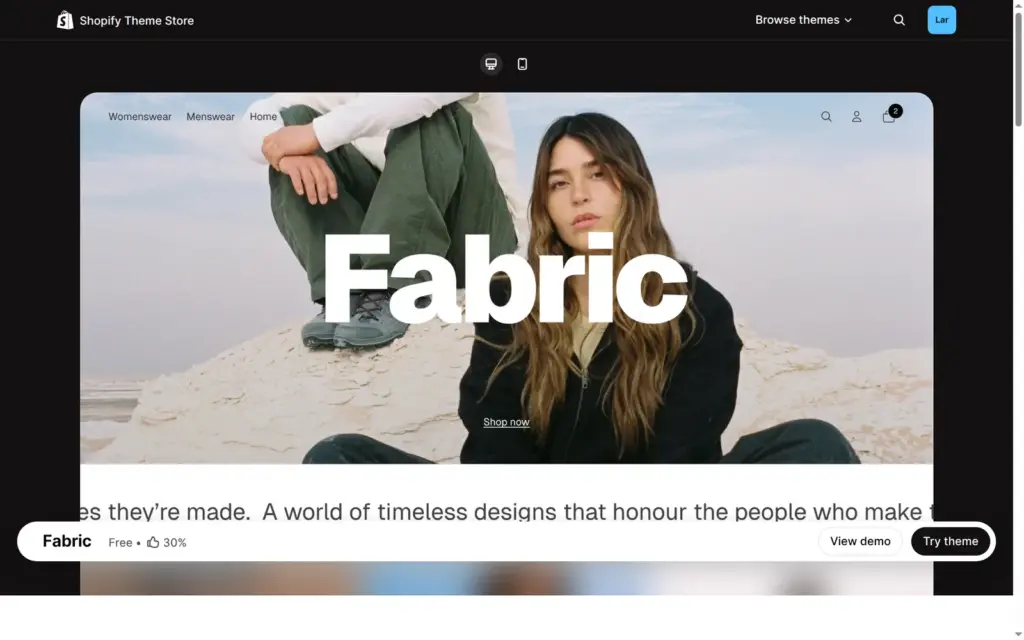
A new store starts with Horizon, a free theme by Shopify. The Theme Store has 24 free themes, all made by Shopify. Paid themes cost $100 to $500, and you pay once. I picked Fabric for its large product photos. "Try theme" adds a theme to your store, and Publish makes it the store's design. I tried a paid theme without buying it when I checked whether Shopify themes are free.
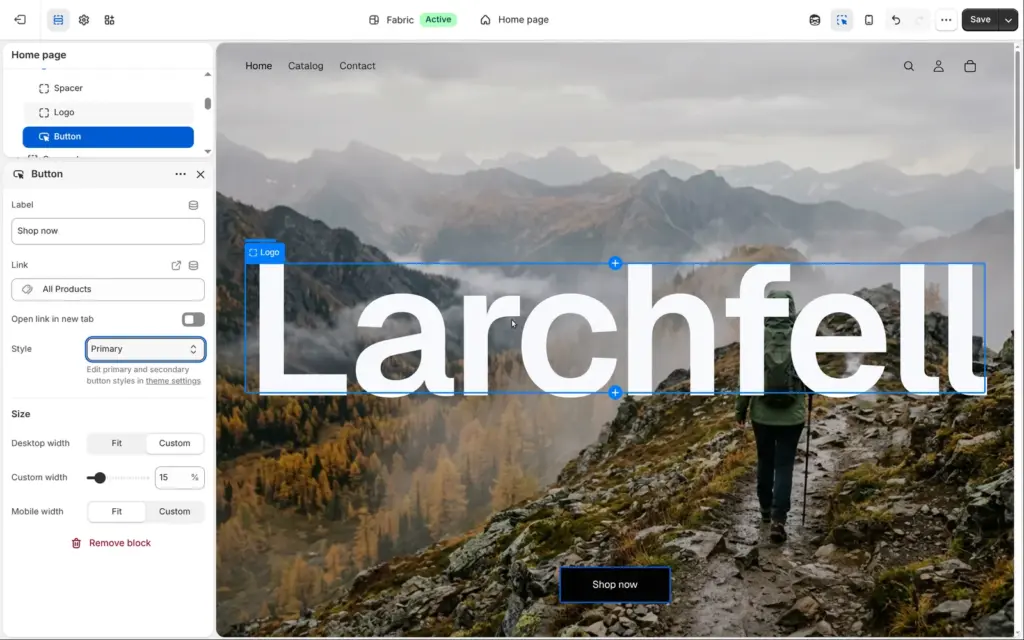
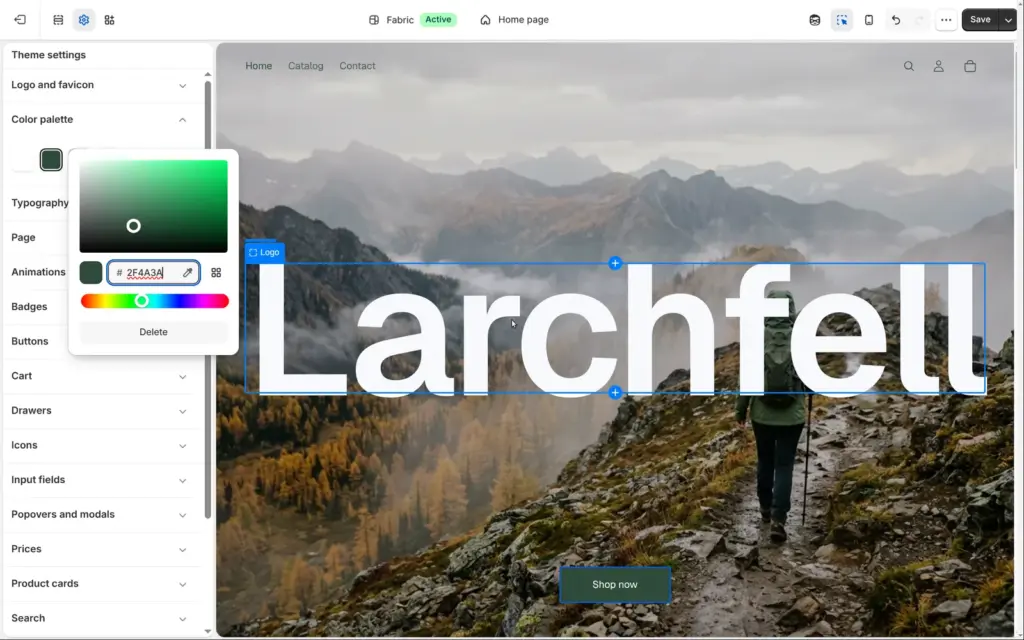
The theme editor shows the page in the middle and its sections on the left. I replaced Fabric's drawing in the first section with a photo of a hiker on a ridge. Then I changed the theme's darkest color to pine green, and the buttons and headings followed.
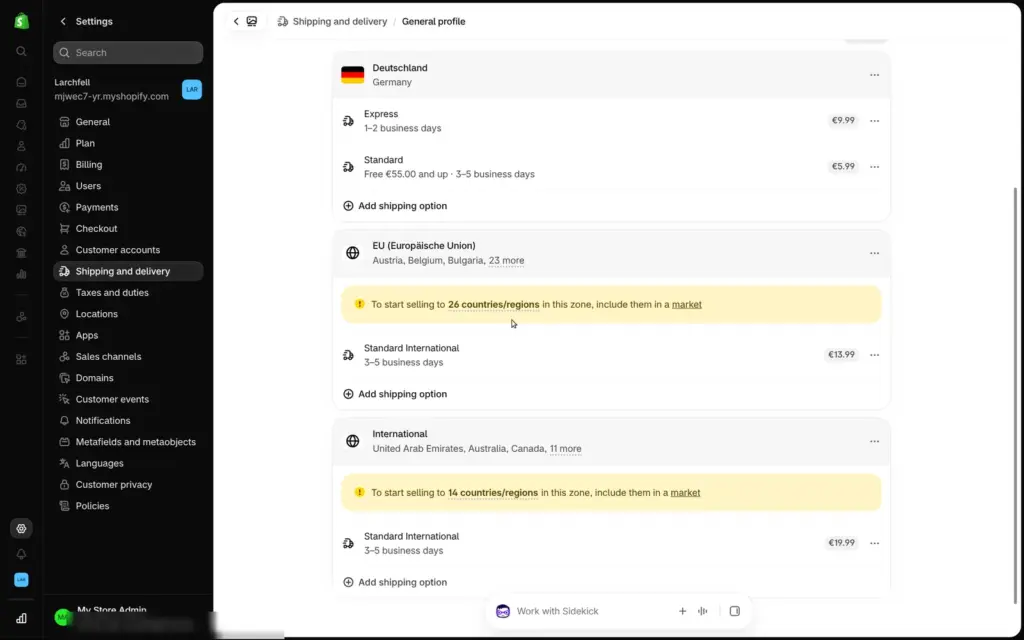
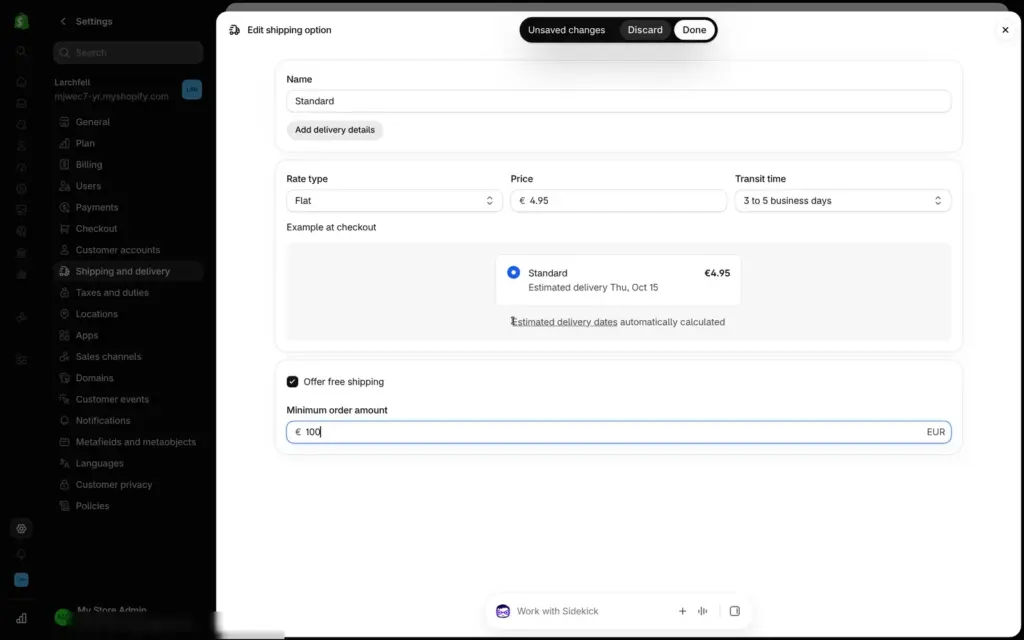
Shopify set up shipping based on the store's address in Germany. Standard shipping in Germany cost €5.99 and was free from €55. I changed it to €4.95, free from €100. The rates for other EU countries and the rest of the world only work once you add those countries to a market. A market is Shopify's word for a region you sell to.
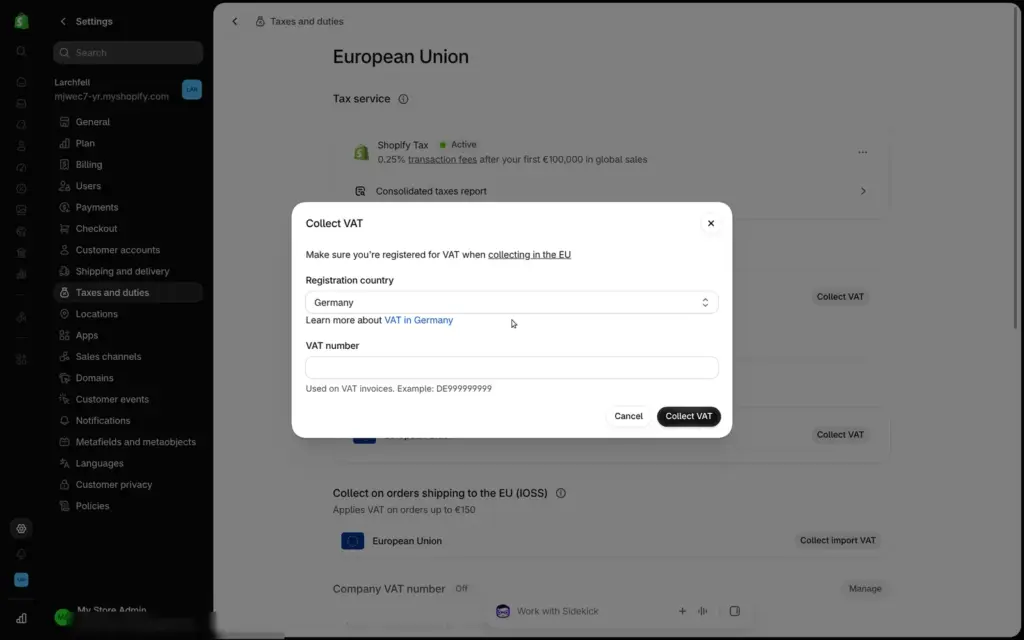
At first, the store collected no VAT. Under Taxes and duties, I switched on VAT for Germany. Shopify asked for a VAT number but let me continue without one. After that, the prices included 19 percent VAT.
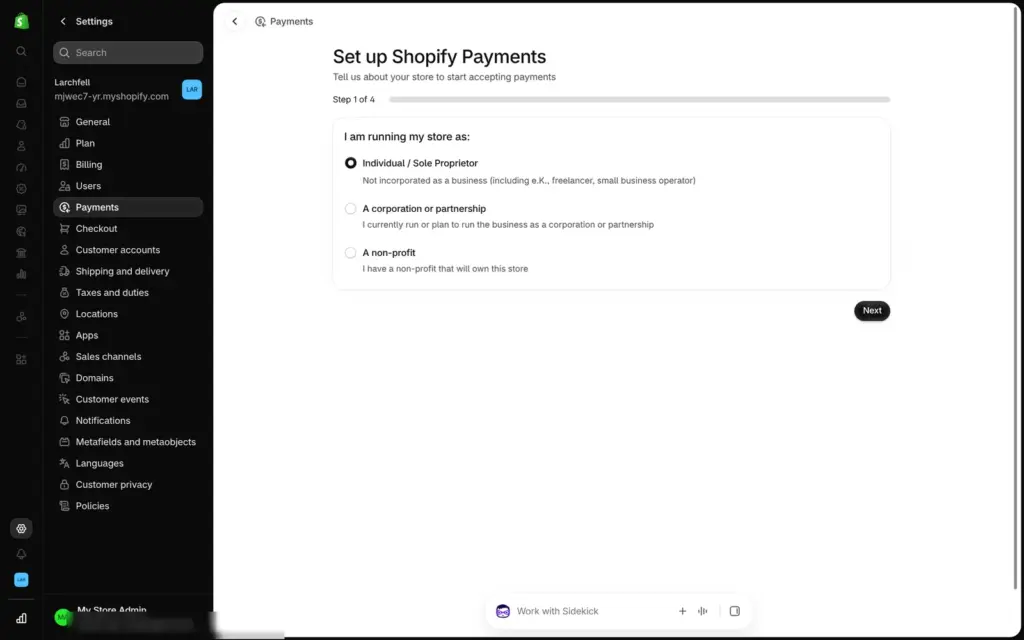
Shopify Payments is Shopify's own payment service. It takes cards and Shop Pay. Setting it up needs four steps of business details and a bank account for the payouts. On the Basic plan, a standard card payment costs 2.1 percent plus 30 cents. If you use another provider like PayPal, Shopify adds 2 percent per sale on top of that provider's own fees.
For tests, Shopify has a fake provider called Bogus Gateway. Card number 1 means approved and 2 means declined, and no money moves.
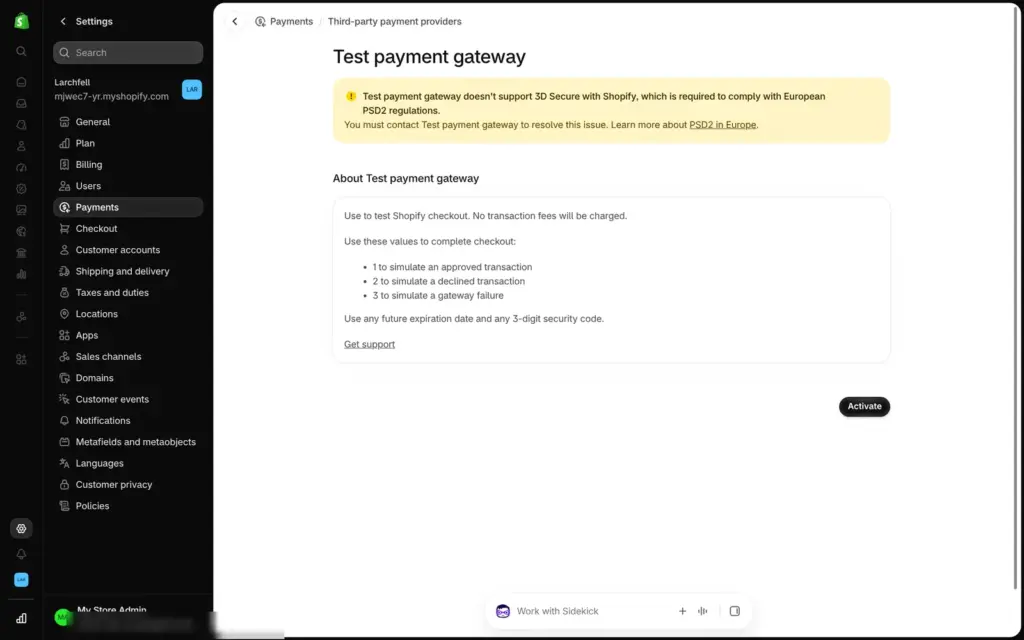
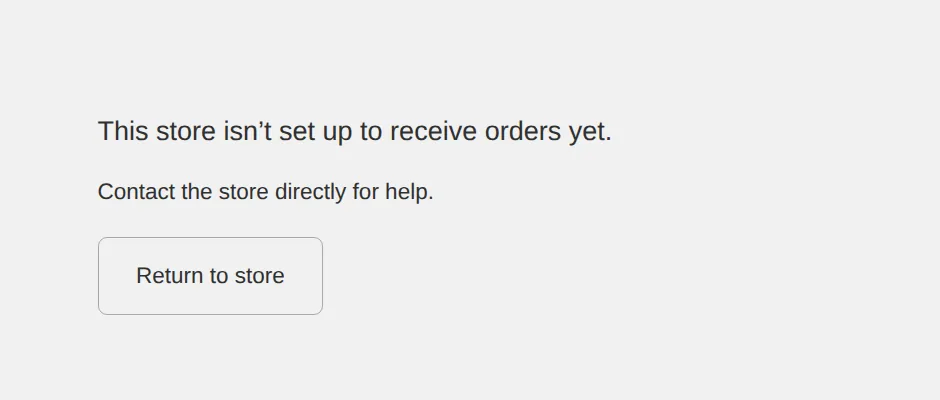
During the trial, the checkout stays closed. With the test provider set up, my checkout said "This store isn't set up to receive orders yet." An order I typed in by hand in the admin had all payment options greyed out. Shopify's help page on test orders says: "You can test a payment gateway only after you've chosen a paid plan."
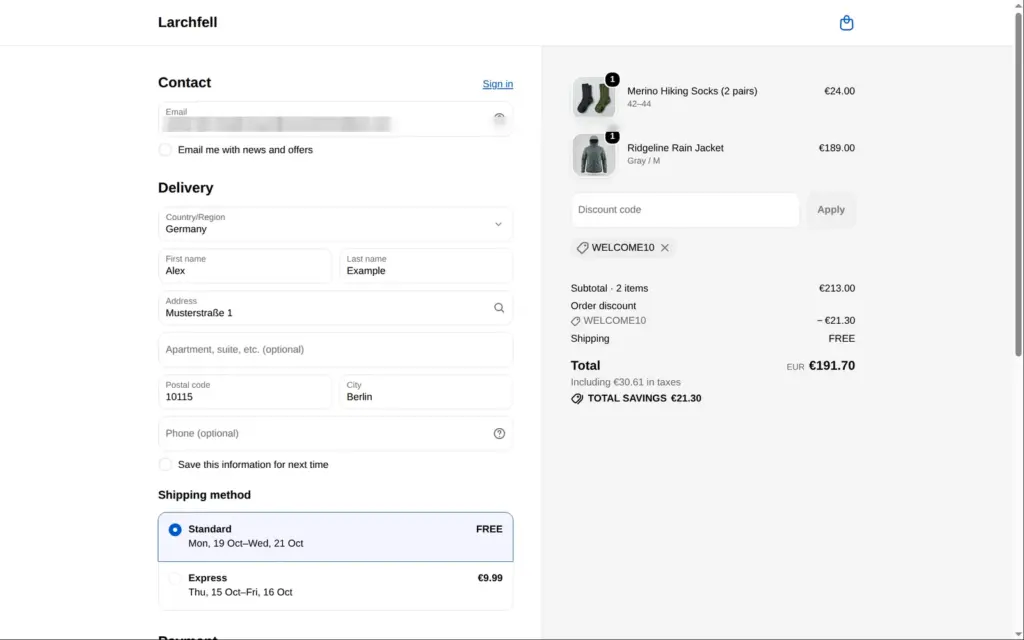
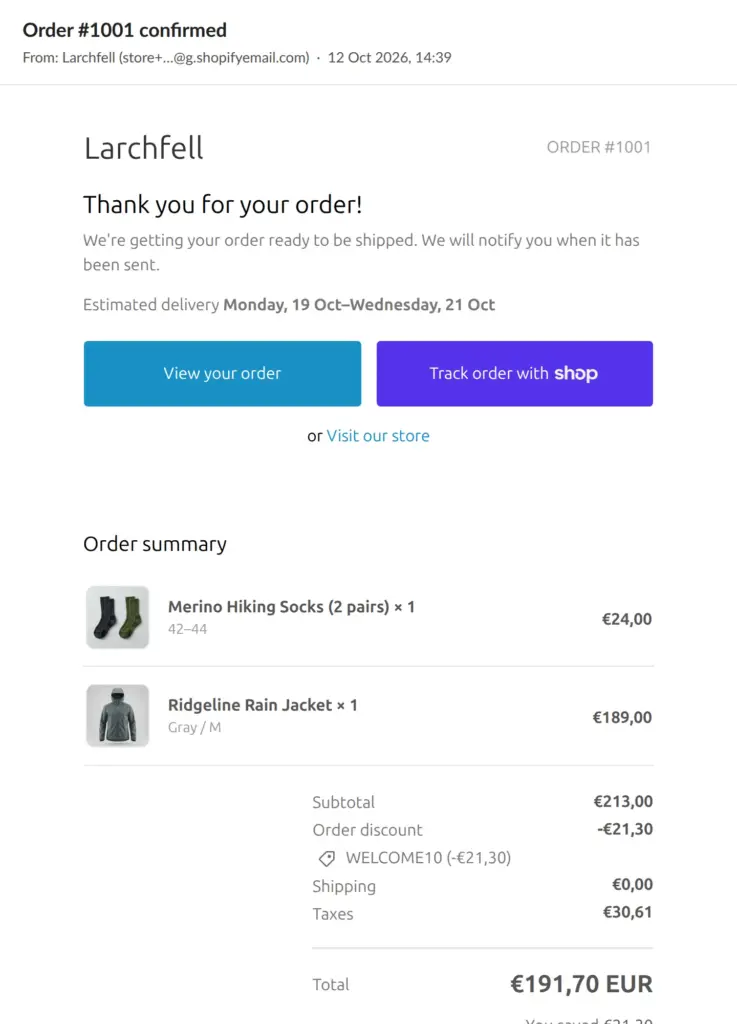
So I created a free development store with the same login on Shopify's developer dashboard. It has the same admin and checkout, but it only takes test payments and always stays behind a password. I copied the products and the theme over. There, the checkout worked on the first try. The welcome code took 10 percent off, and the confirmation email arrived a few seconds after I paid.
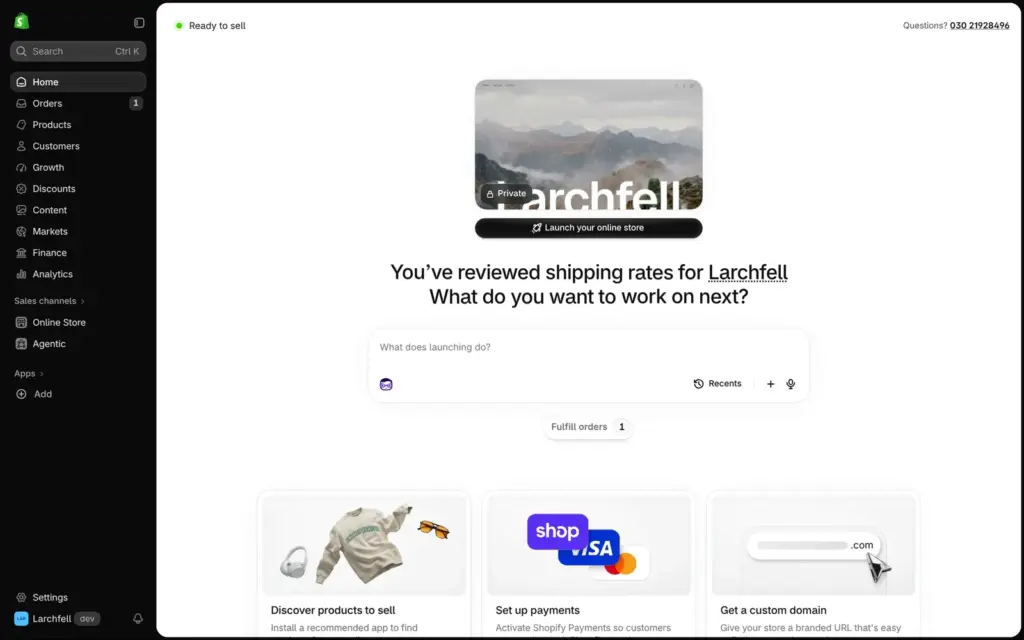
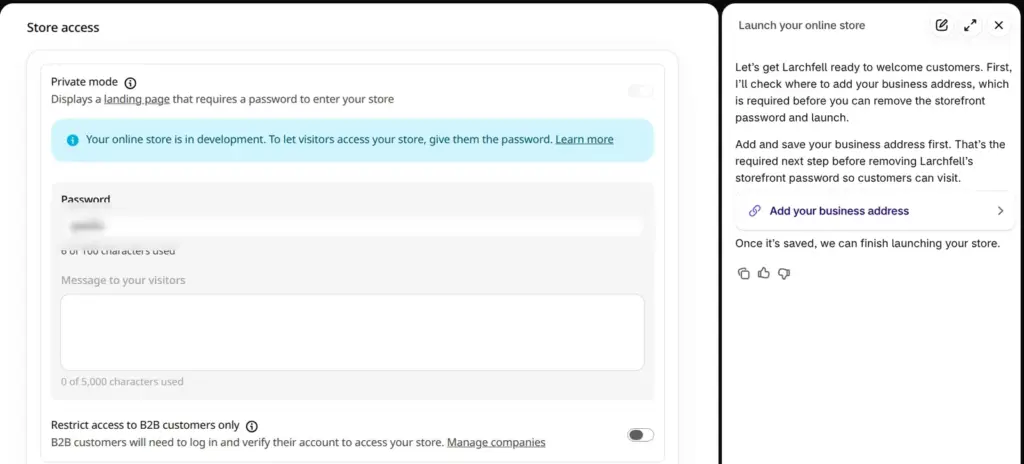
Once my development store was set up, its admin home said "Ready to sell". The store was still private, so visitors only saw a password page. Below the preview of the store, there was a button called "Launch your online store". It opened the store access settings, and Sidekick, Shopify's AI assistant, explained the next step. My business address was missing, and the password can't come off before it is saved.
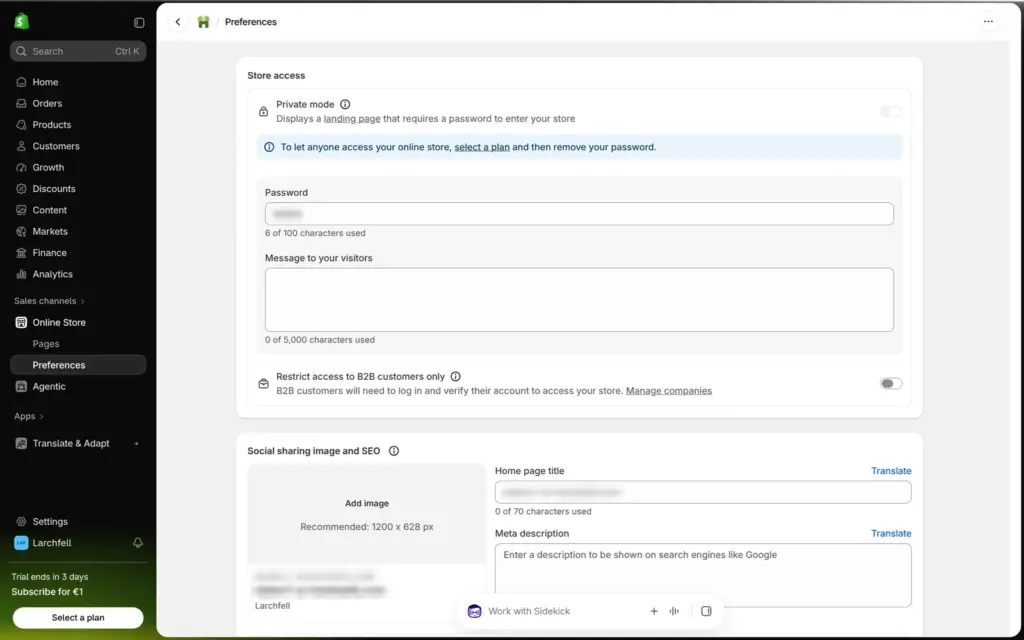
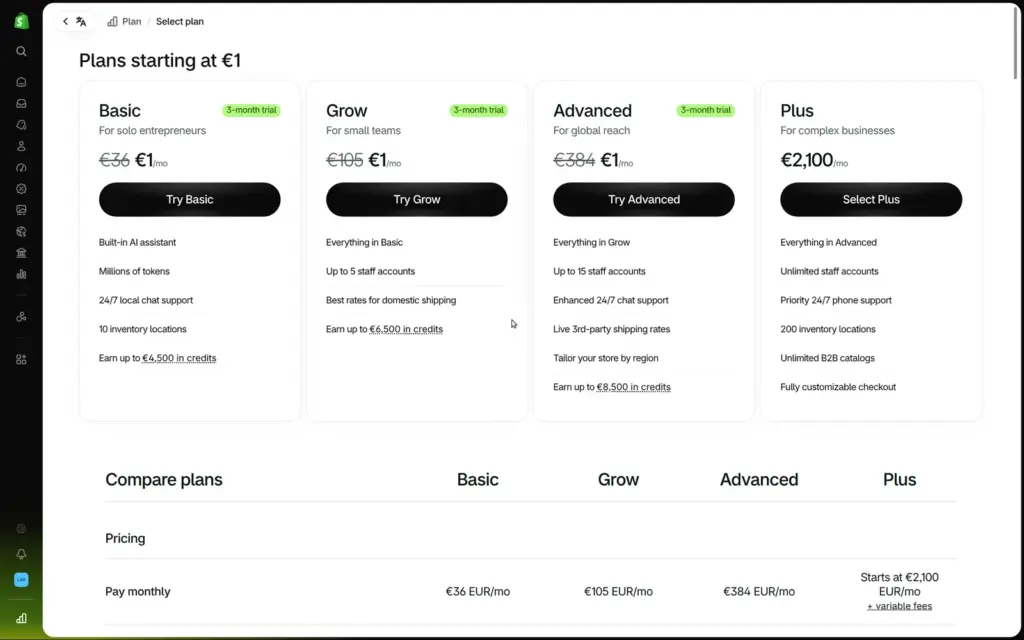
A development store can't go public. A normal store needs a paid plan first. In my trial store, the same settings said: "To let anyone access your online store, select a plan and then remove your password." If you pick a plan during the trial, the first three months cost €1 a month on all plans except Plus. After that, Basic costs €36 a month, or €27 a month on yearly billing, plus VAT.
Shopify's help center describes the last step. In the Online Store section, you click Private and switch the store to Public. The first time, the button for that says Launch store.
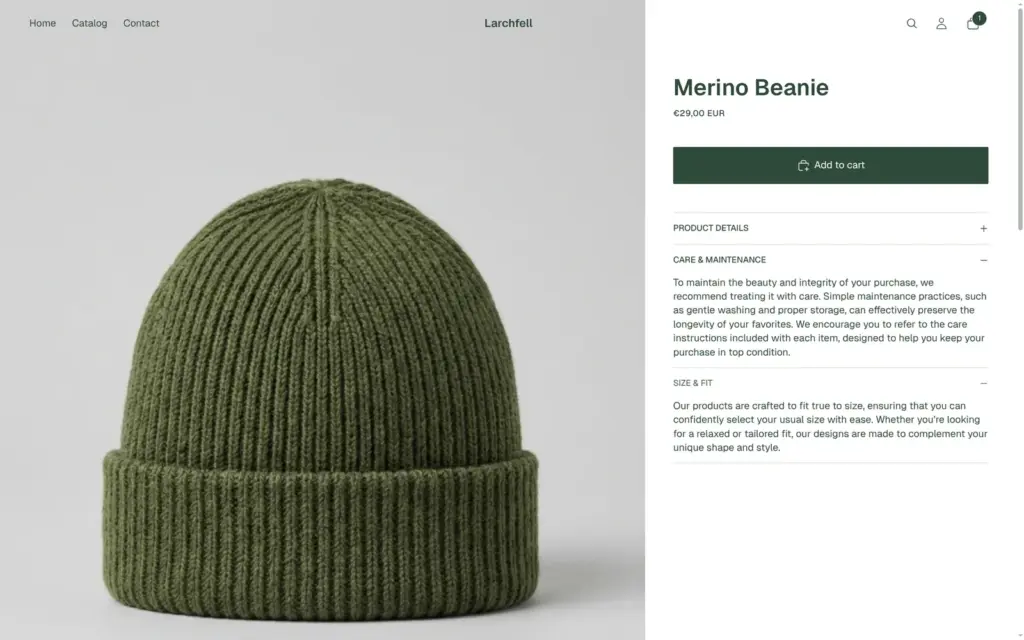
When I clicked through my shop like a customer, I found leftovers from the theme's demo. Each product page had four placeholder tiles called "Collection title". Two tabs showed the same demo text on each product. The beanie comes in one size, but it promised that "our products are crafted to fit true to size". I hid the tiles and removed the two tabs.
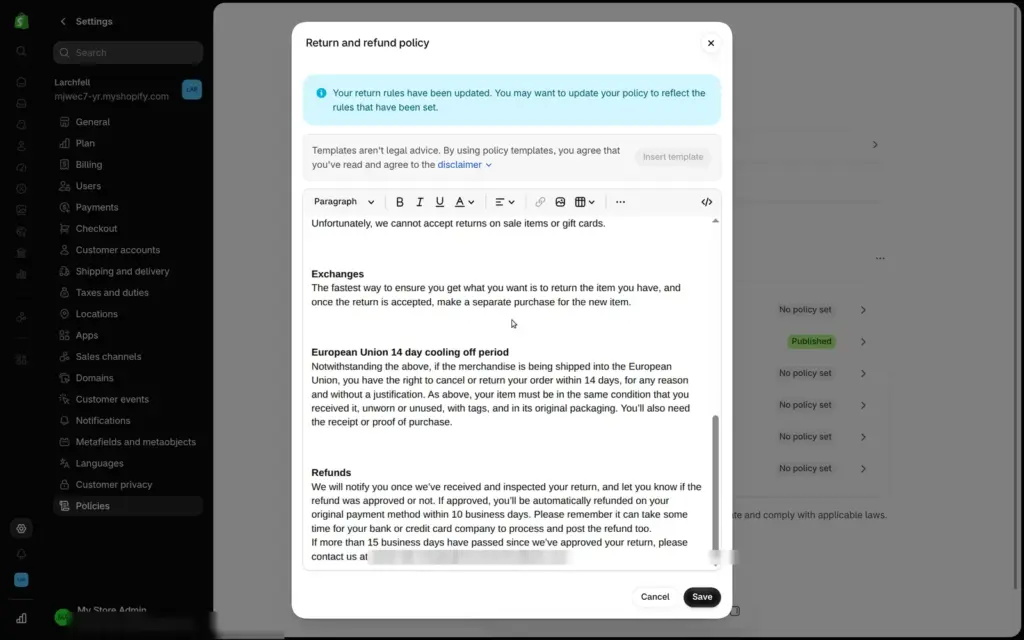
Shopify's templates for the legal pages also need work. The refund policy promised 30 days for returns, while the store's own return rule said 14. It also showed the email address of my Shopify login as the contact address for customers. You change that address in the store settings.
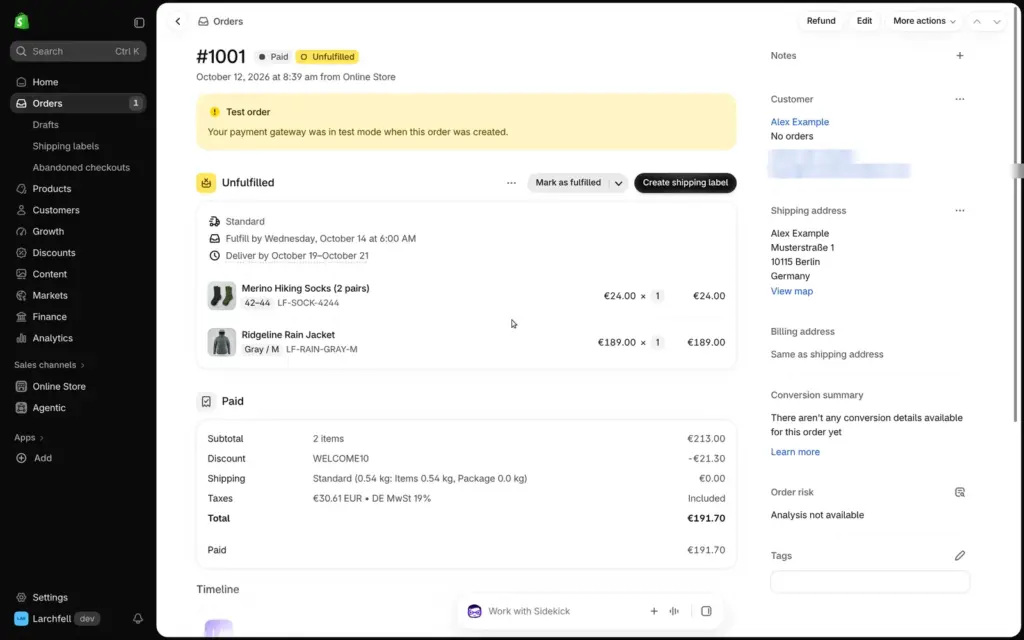
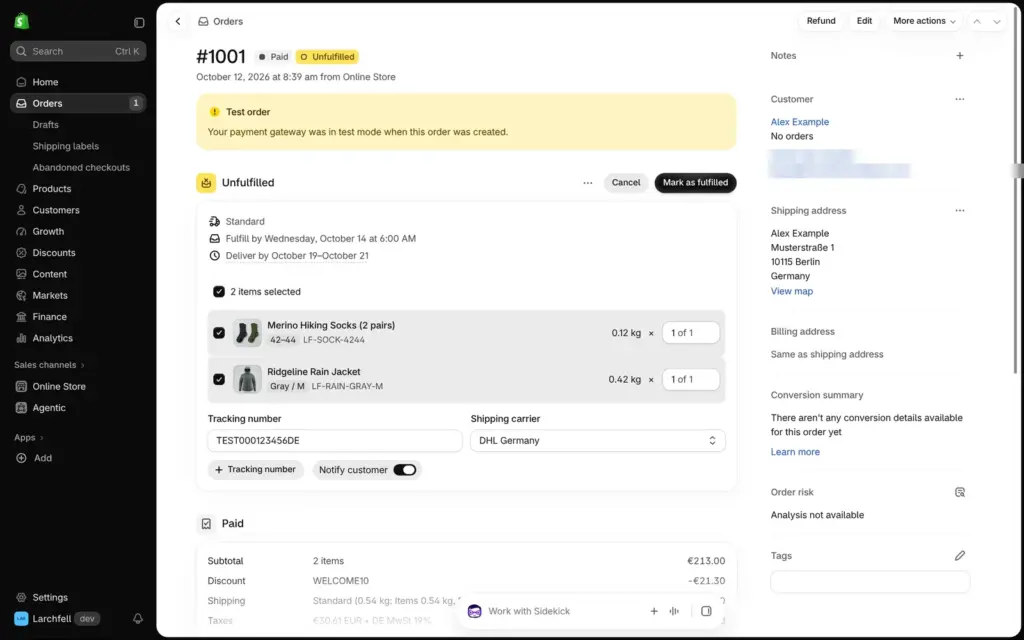
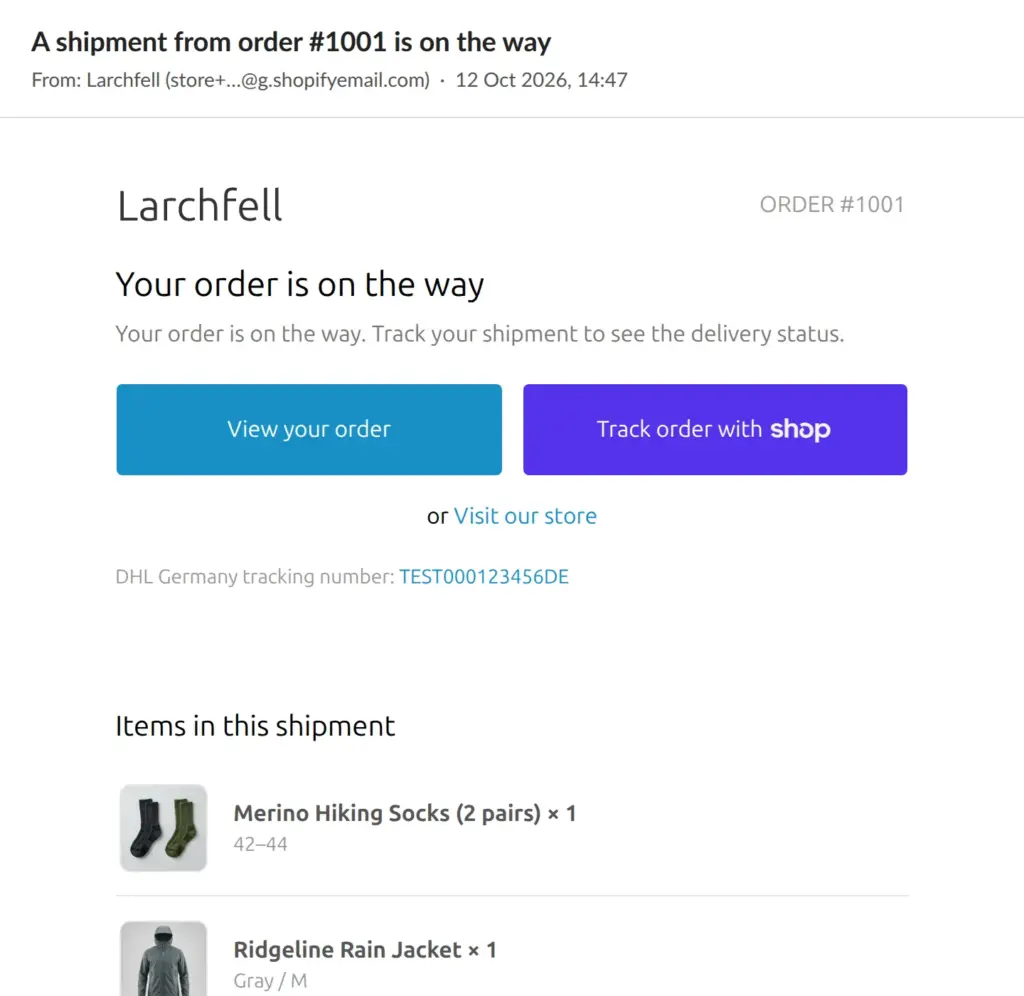
A new order shows in the admin as paid and not yet shipped. "Mark as fulfilled" asks for a tracking number and a carrier. The switch "Notify customer" was off, so I turned it on. The shipping email with the tracking number arrived within seconds.
Refunds take off the right share of a discount and can put the item back in stock. In my test, the refund email took over an hour to arrive.
My Shopify review has the whole test, including the German version of the shop and what Sidekick did in the admin.
 What I'm building
Give Vroni a GitHub issue, bug report, spec, or rough idea. It reads the repo, plans the change, writes code, runs checks, and works toward a review-ready pull request.
Take a look at vroni.com