
WebStarts review
WebStarts is a website builder with a free plan. You drag text and photos onto a page wherever you like, and WebStarts…
Hostinger is one of the big web hosts, and its website builder is a cheap way to get a website with hosting and a domain from one company. Inside your Hostinger account it's now called AI Builder. The drag-and-drop editor is its Manual mode, which Hostinger says was "previously called Hostinger Website Builder". If you're thinking about it for your business, you probably want to know how hard it is, what it costs after the first term and what can go wrong.
To find out, I built a website for a made-up kayak rental on Hostinger's free trial, which needs no card. I let the AI make the first version and fixed it in the editor. I set up bookings for the rentals and a small shop with one product in two sizes. I also let Hostinger's newer Agentic mode, where the AI writes the whole site as code, build a second version.
The AI had four pages and nine bookable rentals ready in about a minute and a half. It also made up details like an address and a wind limit, and its layout needed a few minutes of fixing. I could set up bookings and the shop without help, but the trial can't publish, so I couldn't take a real booking or a test order. The low monthly prices on the sales page only apply if you pay for four years upfront, and selling needs a separate Ecommerce plan.
I tested Hostinger Website Builder on November 3, 2026, and checked the prices the same day.
Hostinger Website Builder suits you if you want a cheap business site with a few pages and you're happy to fix the AI's first version by hand. It also suits you if customers should book time slots, like rentals or appointments.
Look elsewhere if you want to try everything before you pay, because the trial can't publish. Look elsewhere also if you want a site that looks finished without fixing layouts yourself.
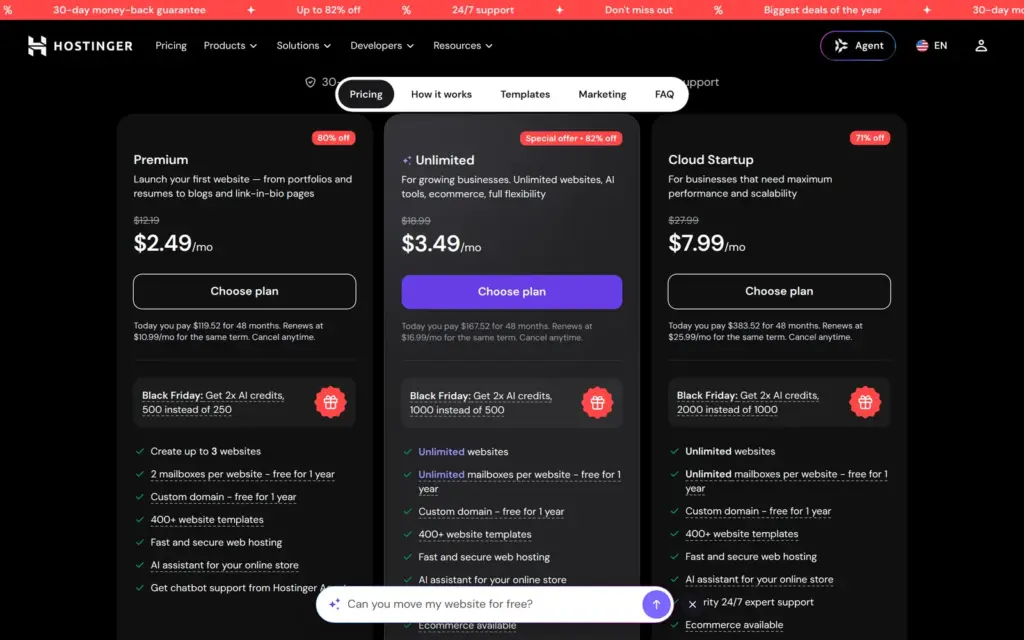
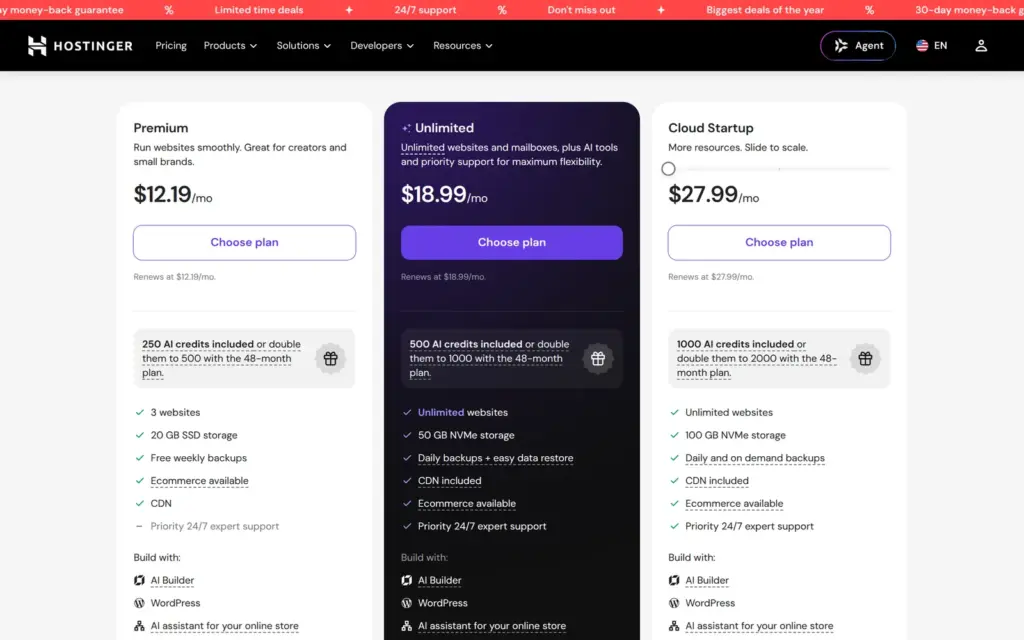
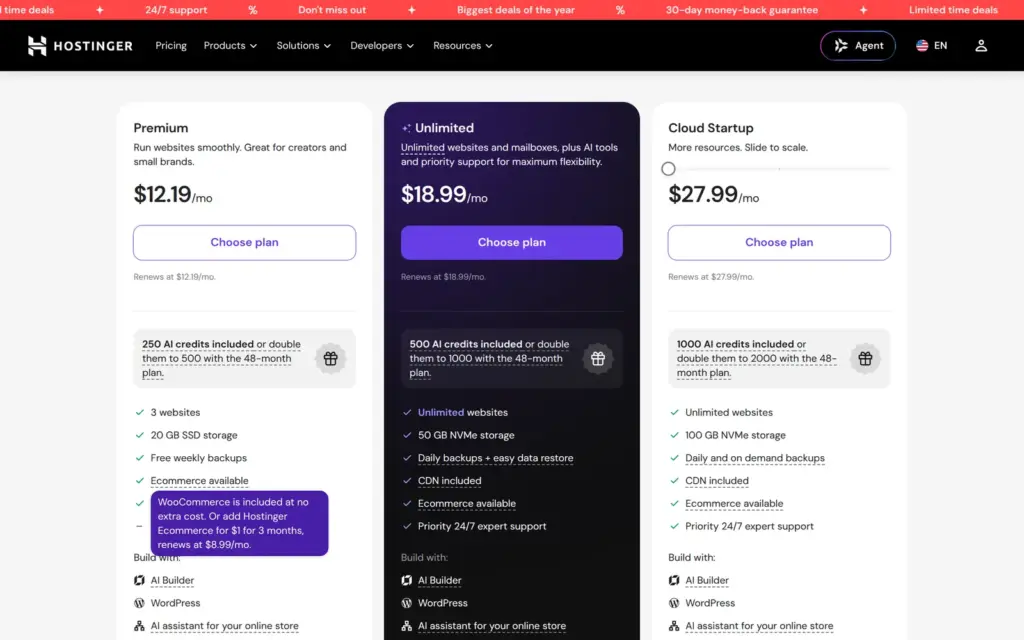
Price: there is no free plan. Premium costs $2.49 or €2.49 a month if you pay $119.52 or €119.52 for four years upfront. After that it renews at $10.99 or €9.99 a month. Paid month by month, it's $12.19 or €12.19. Selling through the built-in store needs Hostinger Ecommerce on top, from $4.99 or €4.99 a month on a yearly plan. Prices are without VAT or sales tax.
The shop: setting up a product in two sizes was quick, and so were shipping and VAT. In the trial I couldn't place a test order, and the shop page showed my product as sold out although 20 were in stock.
Not tested: publishing and everything that needs a live site, like form emails or a test order. Hostinger did not pay for this review, and there are no affiliate links.
What I liked:
What bothered me:
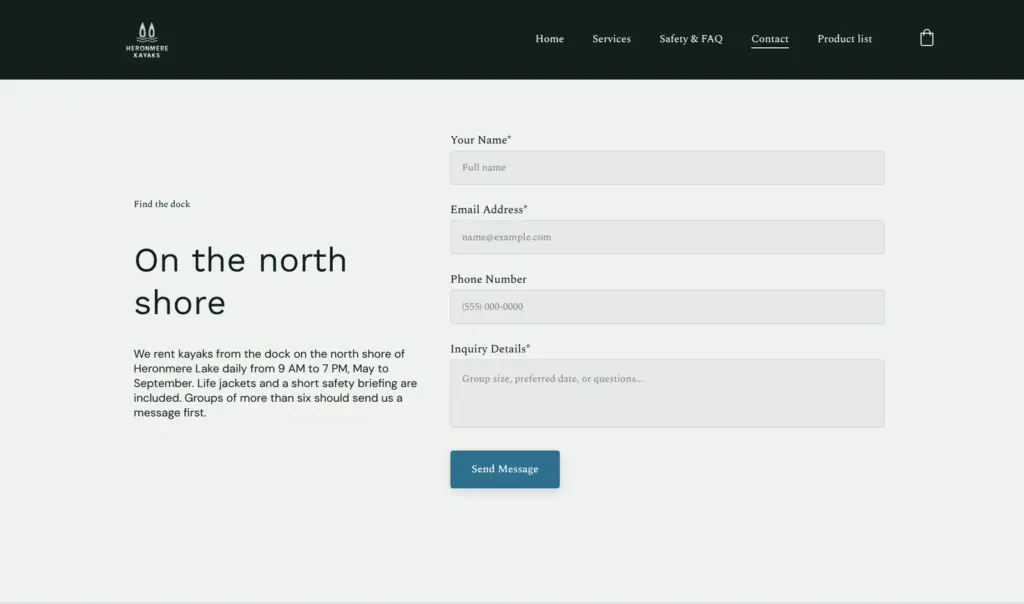
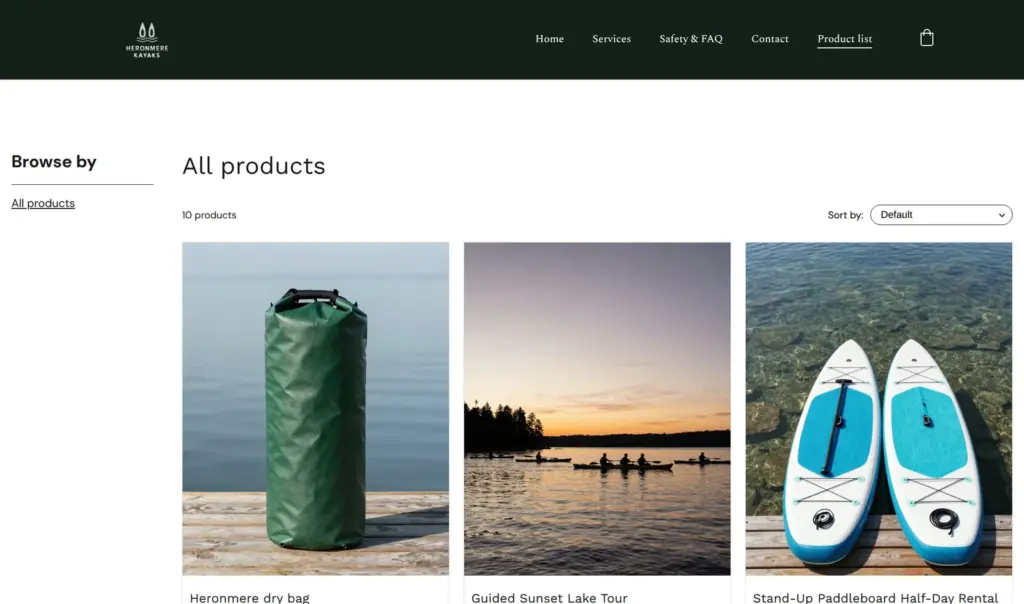
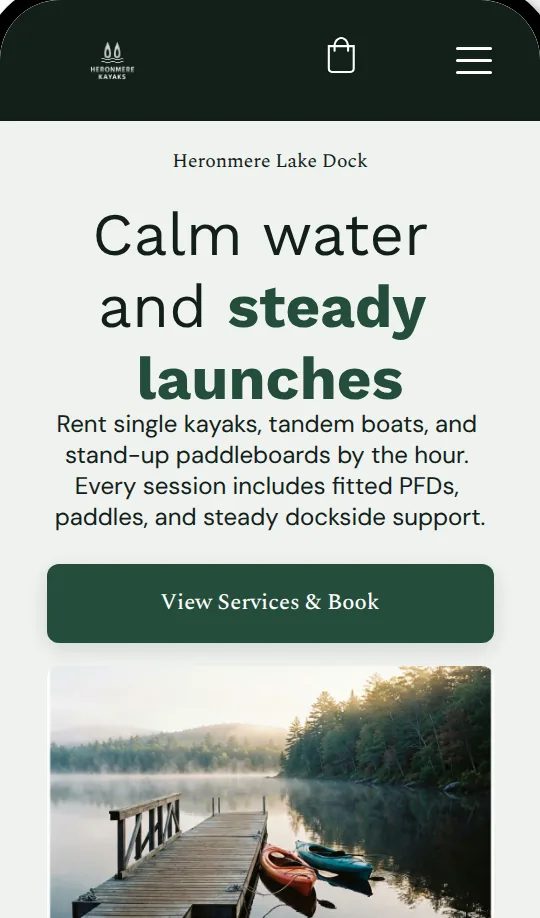
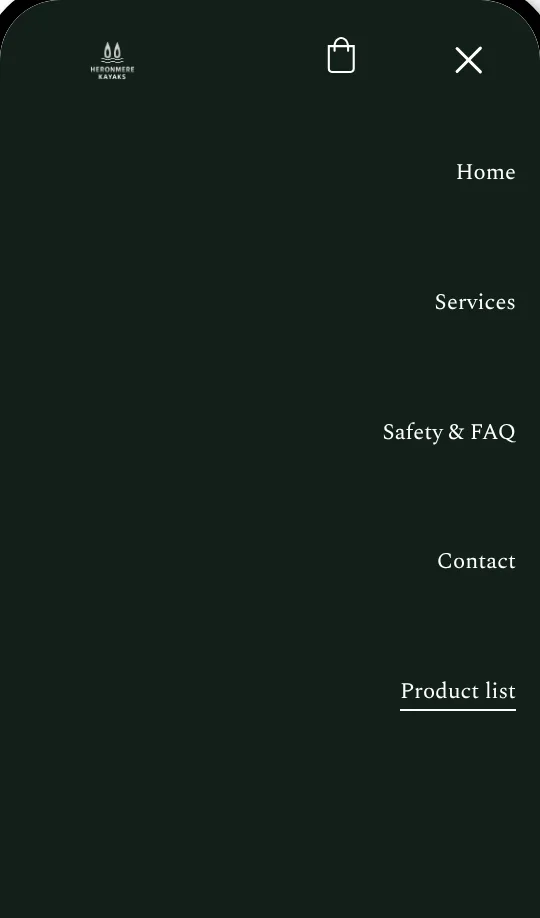
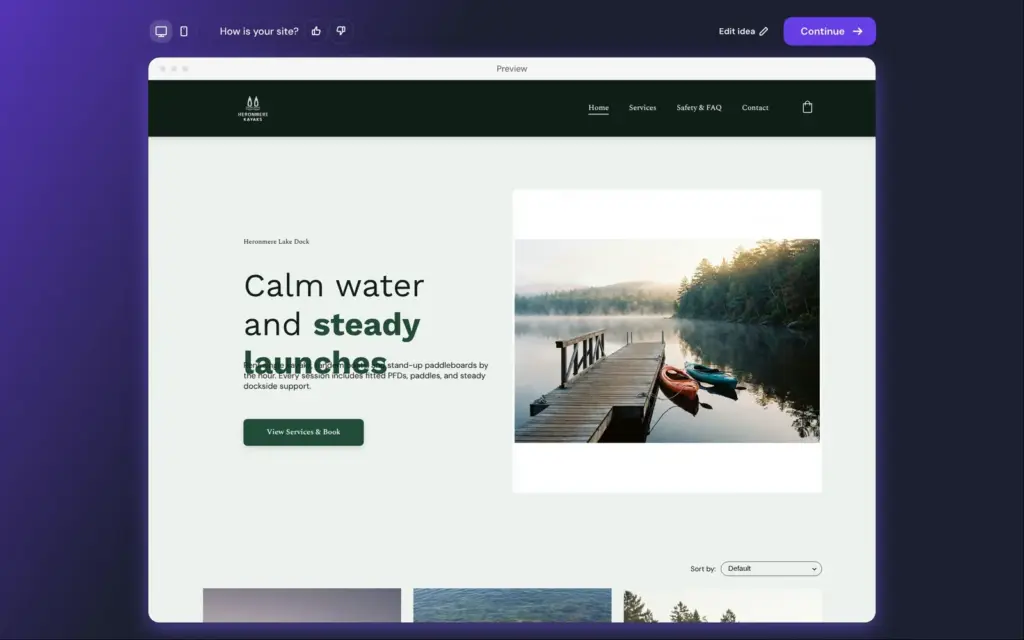
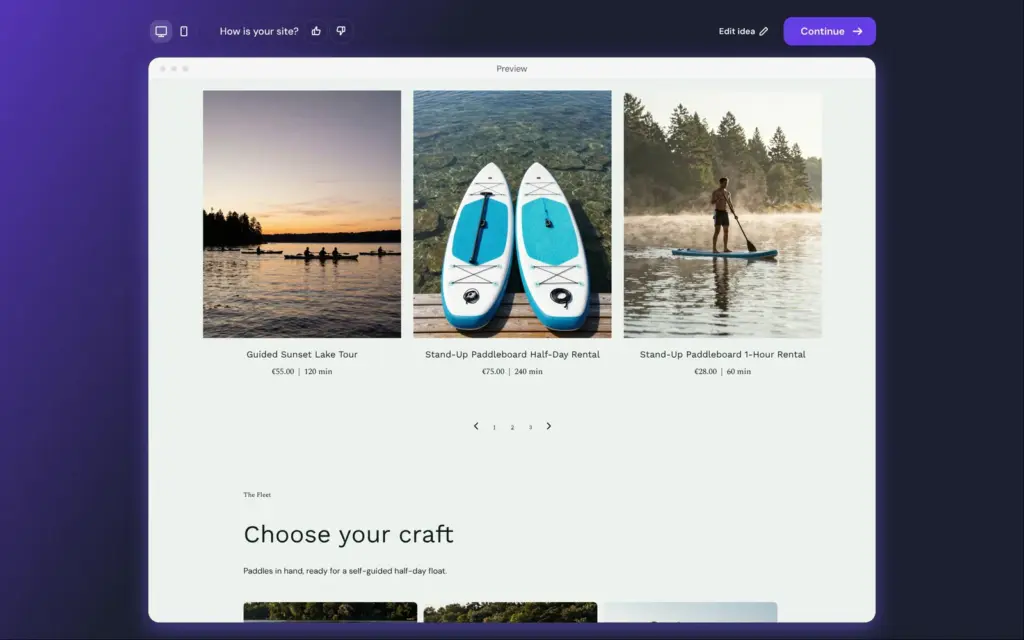
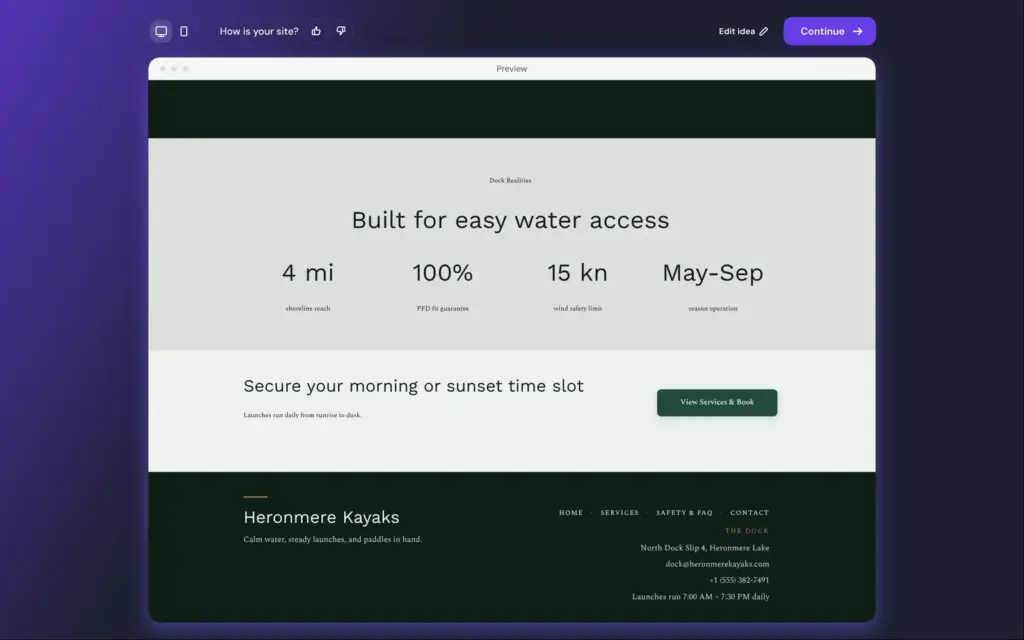
Heronmere Kayaks is a made-up kayak rental on a made-up lake, and its footer says so. The AI made four pages, and I added a shop page for the dry bag.
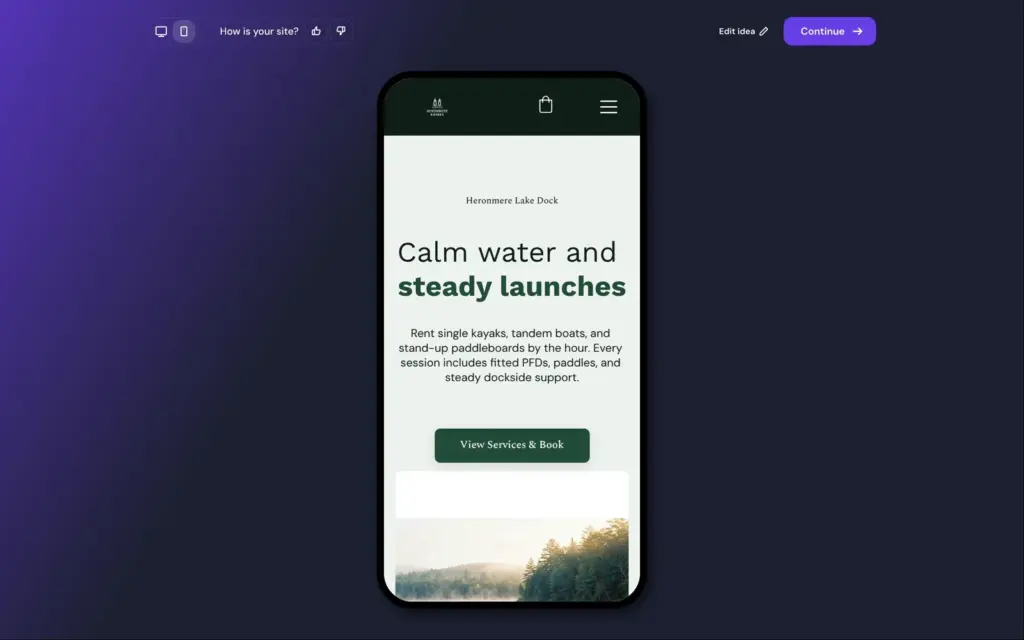
There's no live link, because the trial can't publish. These screenshots come from Hostinger's preview.
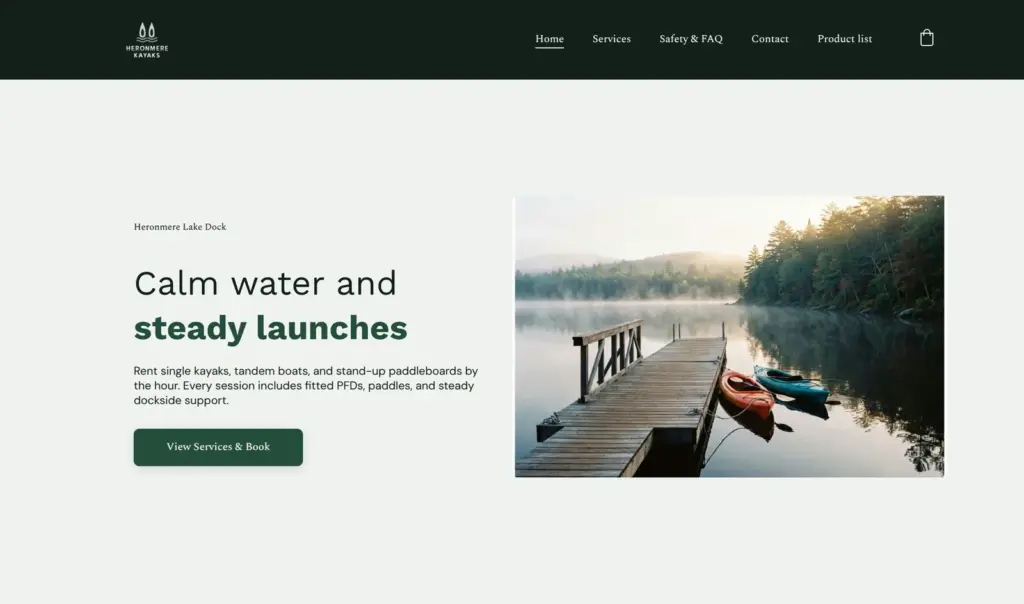
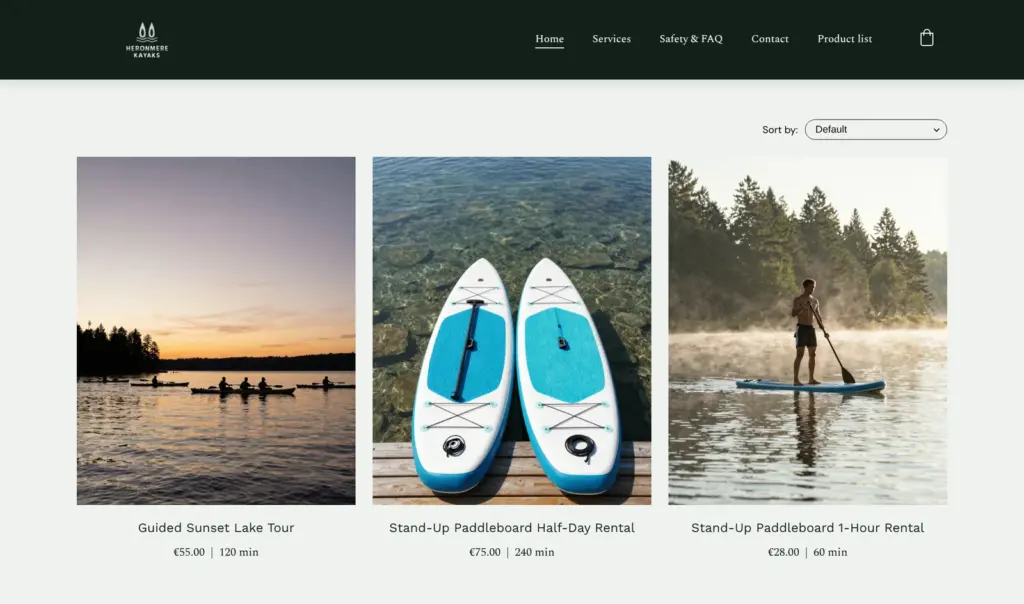
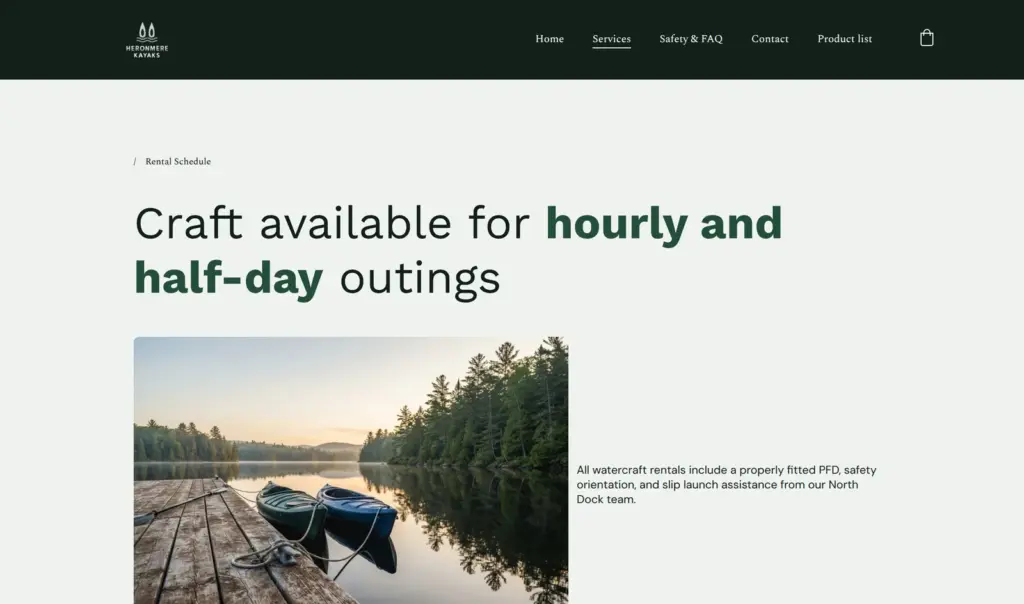
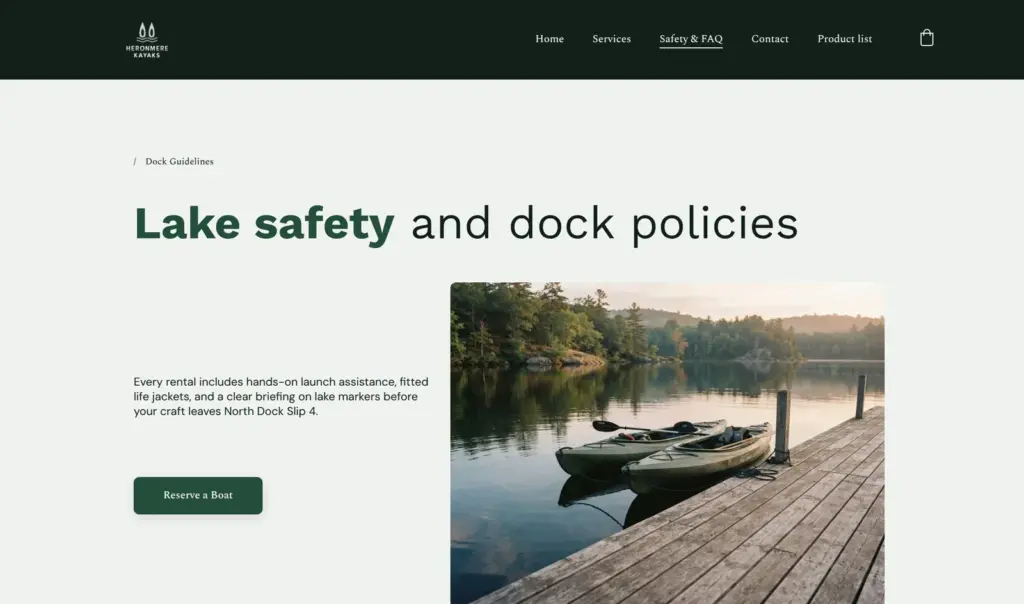
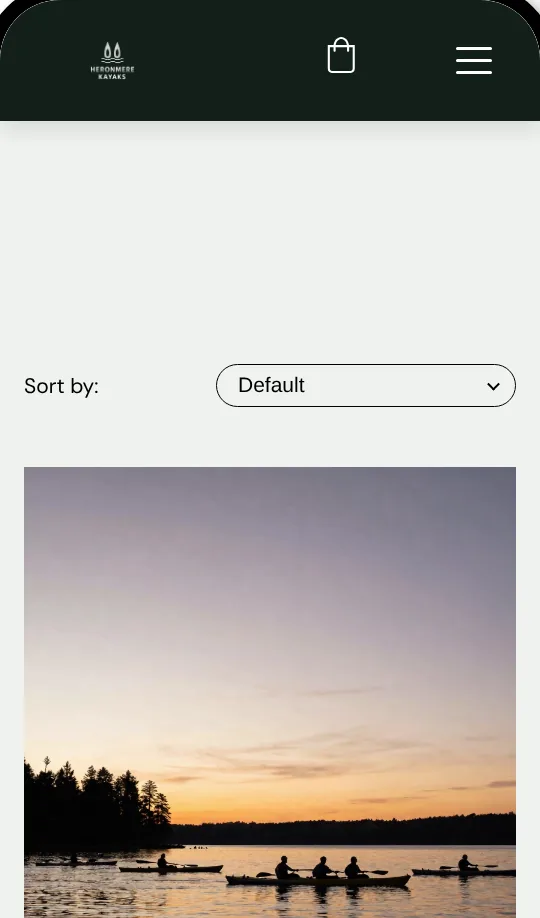
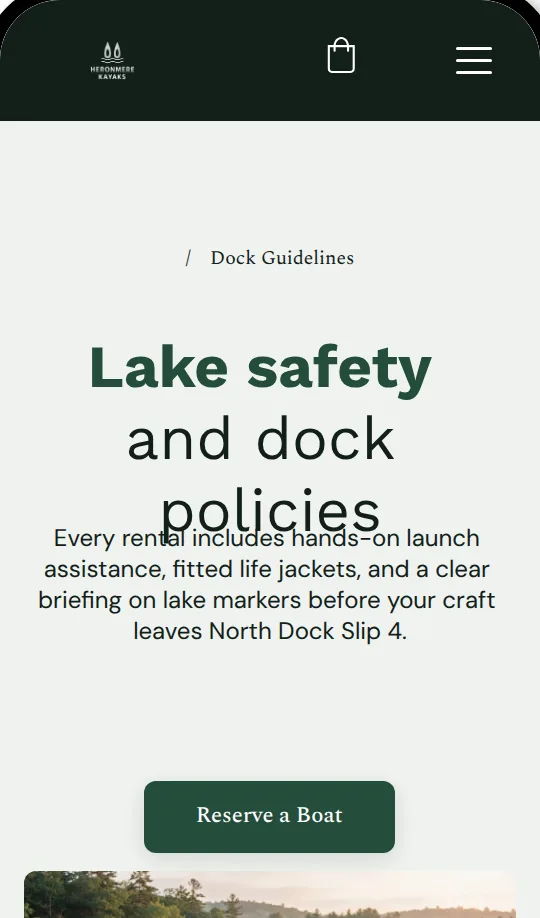
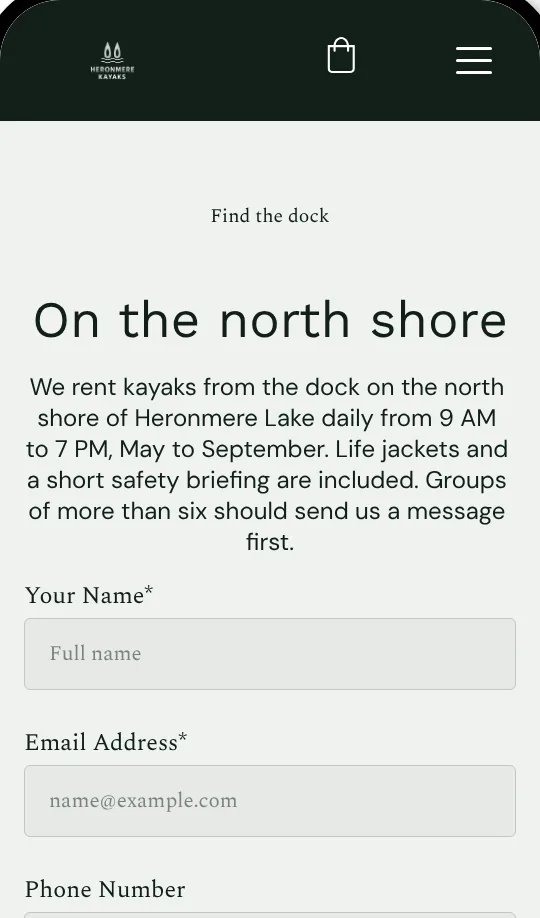
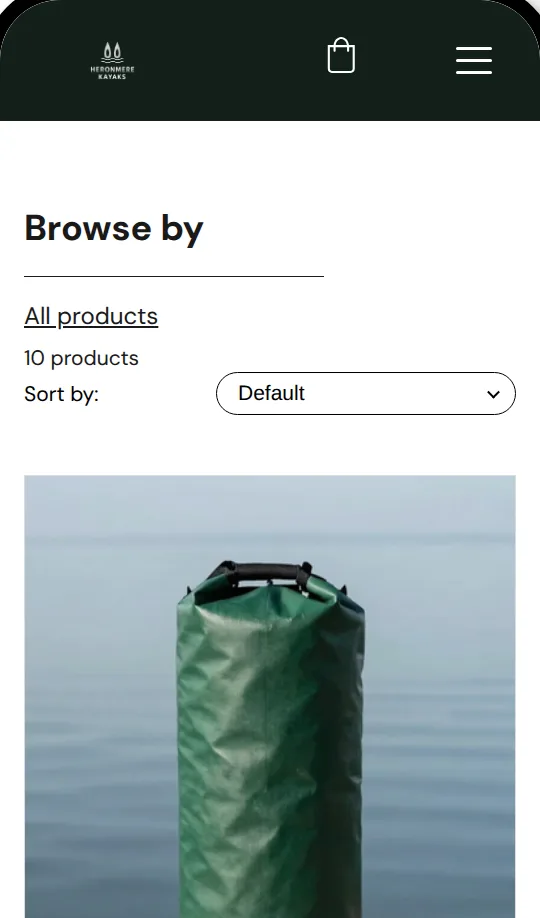
The free trial sits at the very bottom of the website builder page, as a Start for free button under the plans. Signing up needs an email address and a password. A phone number is optional, and you can also sign up with Google or GitHub. Hostinger sent a confirmation email, but I could start building without opening it.
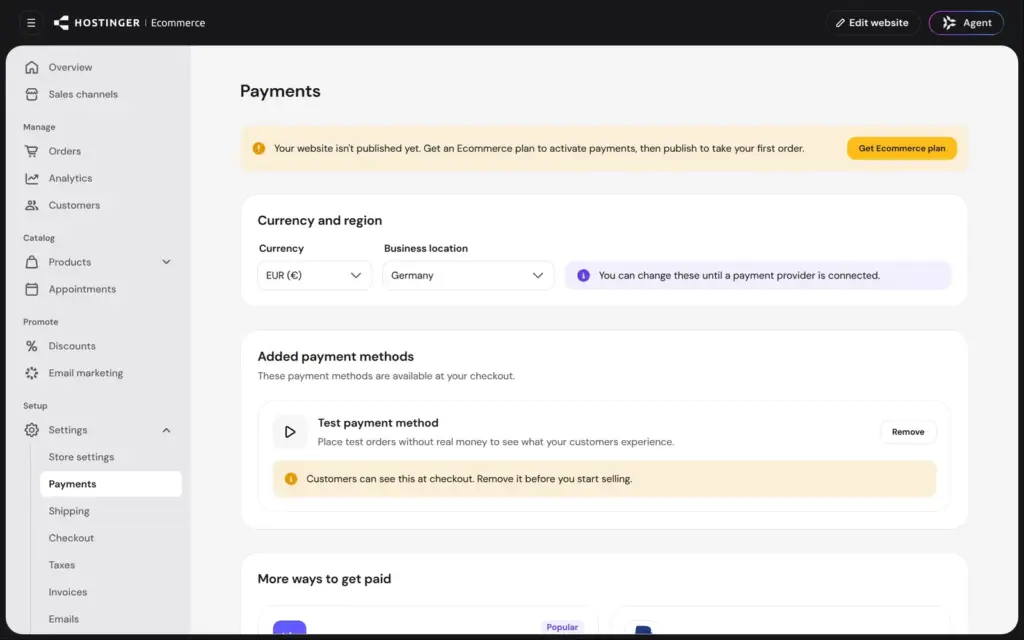
The sales page promises 14 days for free. The editor counted down 7 days, and Hostinger's help center also says 7 days. During the trial you can't publish, and the store can't connect a payment provider.
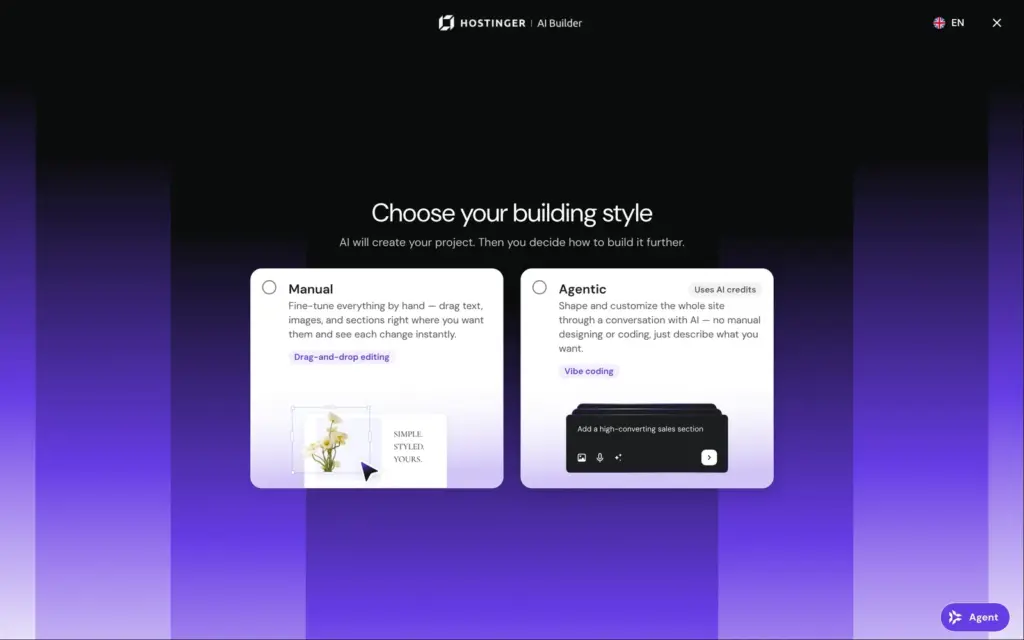
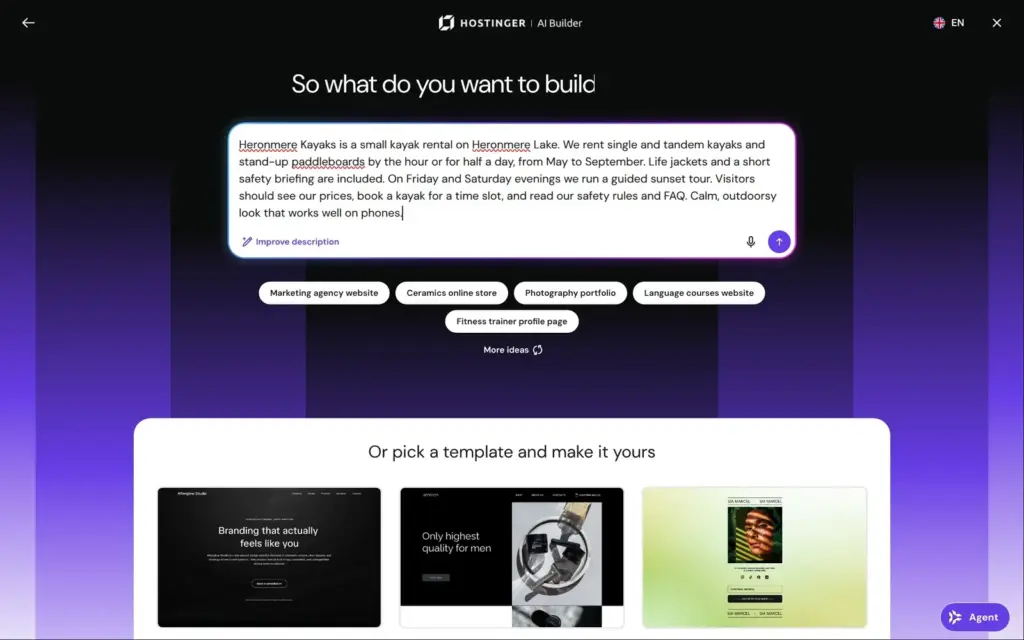
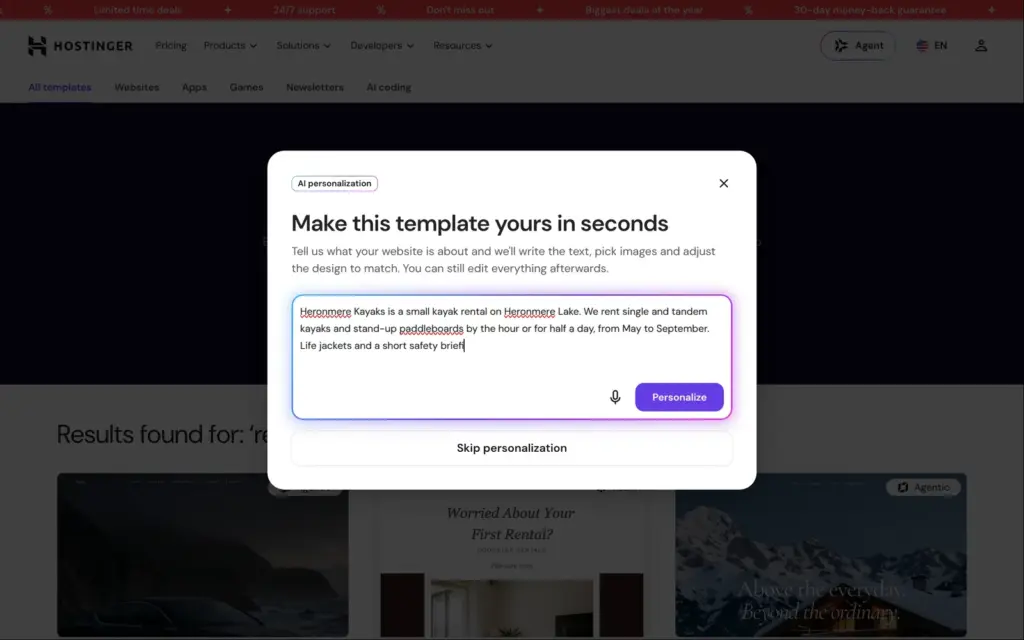
The first question after sign-up is how you want to build. Manual means the drag-and-drop editor. Agentic means you chat with the AI, and it writes and changes the site for you. I chose Manual and described the kayak rental in a few sentences. The box takes up to 700 characters. You can also start from one of Hostinger's templates instead.
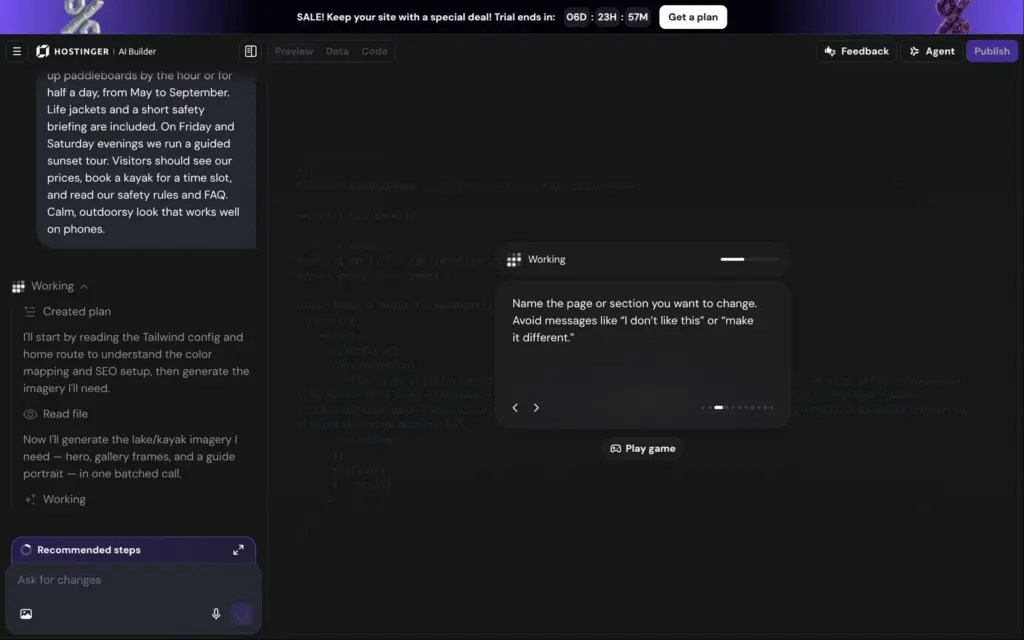
The AI needed about a minute and a half. While it works, Hostinger shows a small jumping game. The first version had four pages and nine services you can book, each with a price in euros and a length. They cover the kayaks and paddleboards by the hour or half day, and the sunset tour. I hadn't given it any prices.
It also made up details I never gave it:
A real owner would have to find and replace all of these. Some of them, like the parking passes, sound like promises.
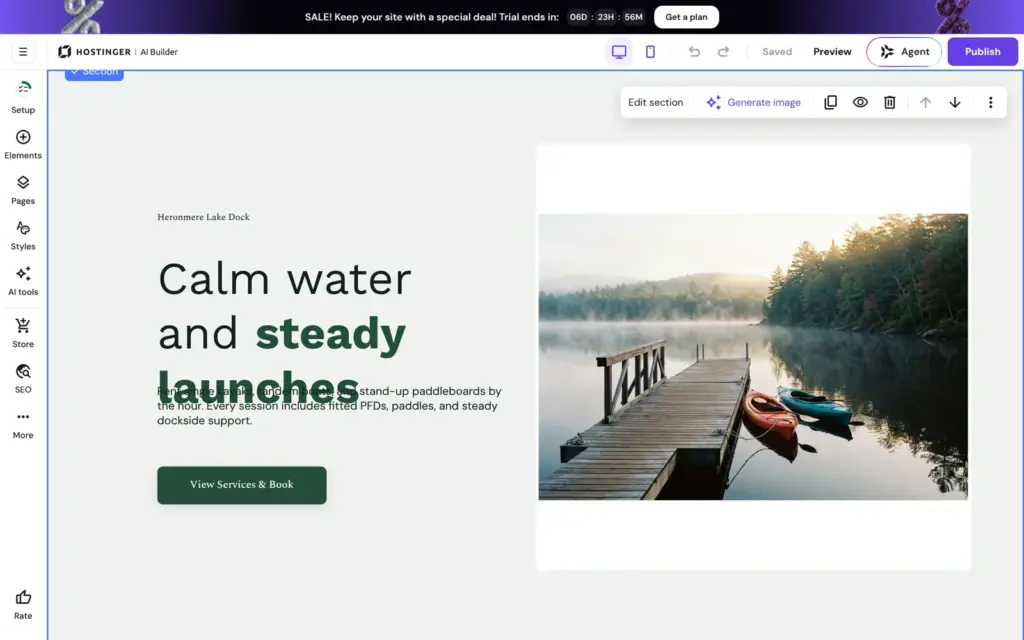
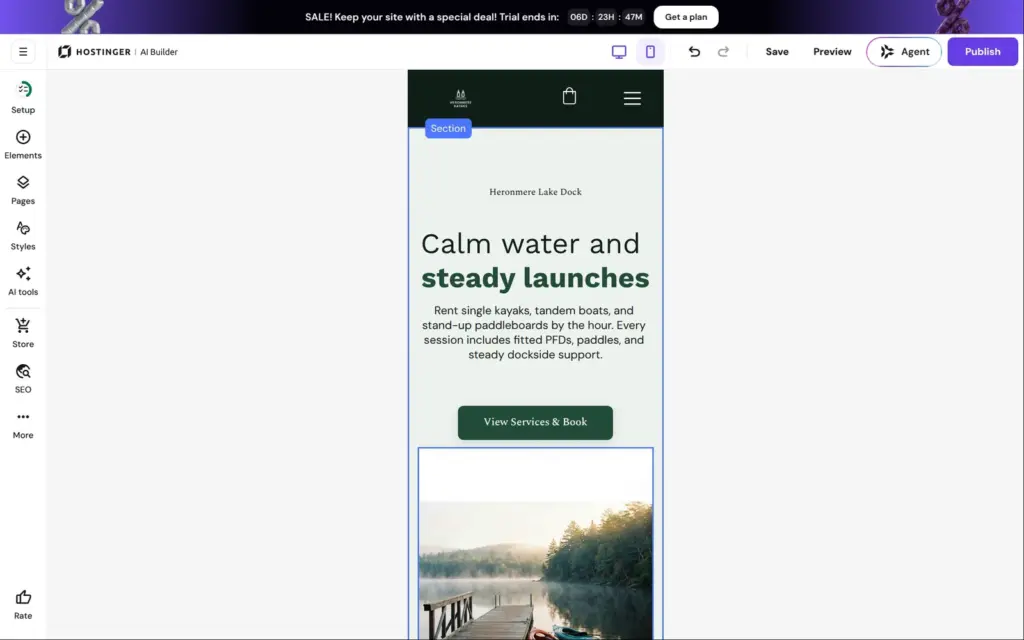
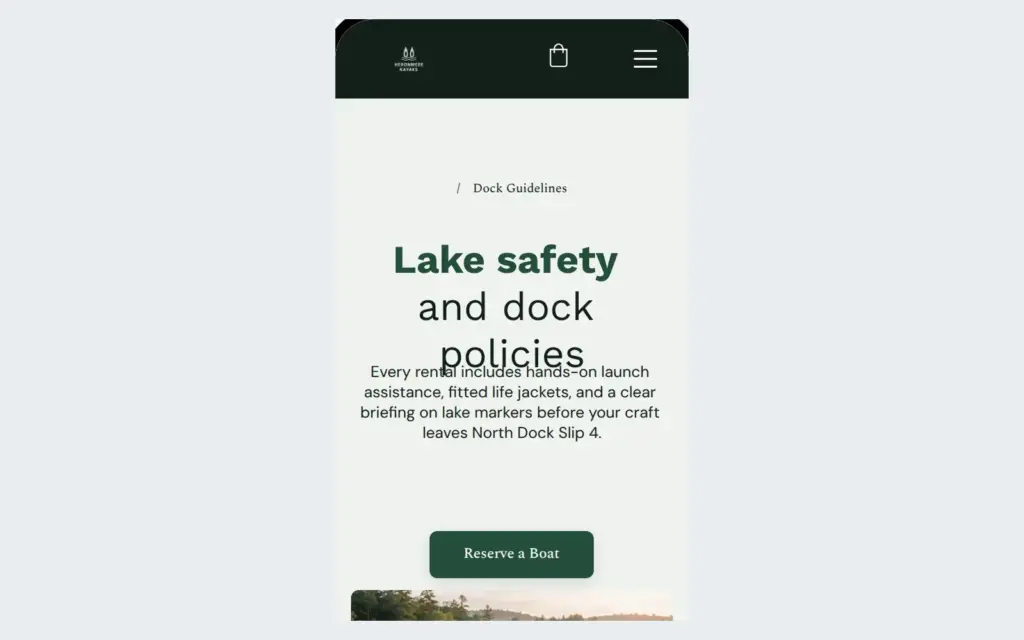
The layout had two problems. On a computer, the big heading ran into the paragraph below it. And the main photo sat in a white box. On the phone the heading fit, but the white box was also there.
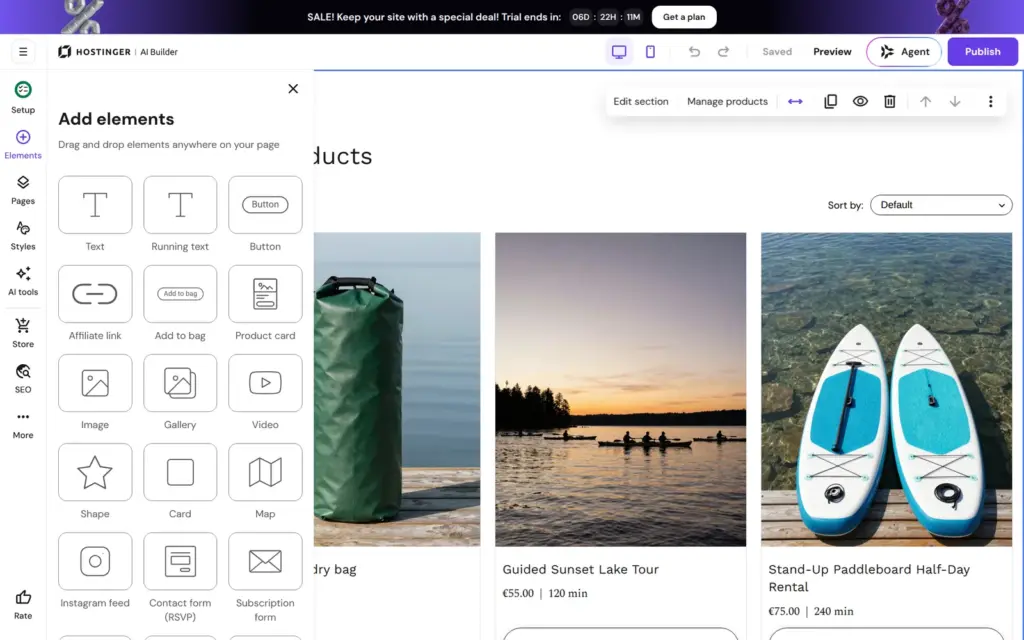
Everything in the editor opens from a bar on the left, including the store and the AI tools. Changes save on their own. Elements sit in a grid, and you drag them where you want them.
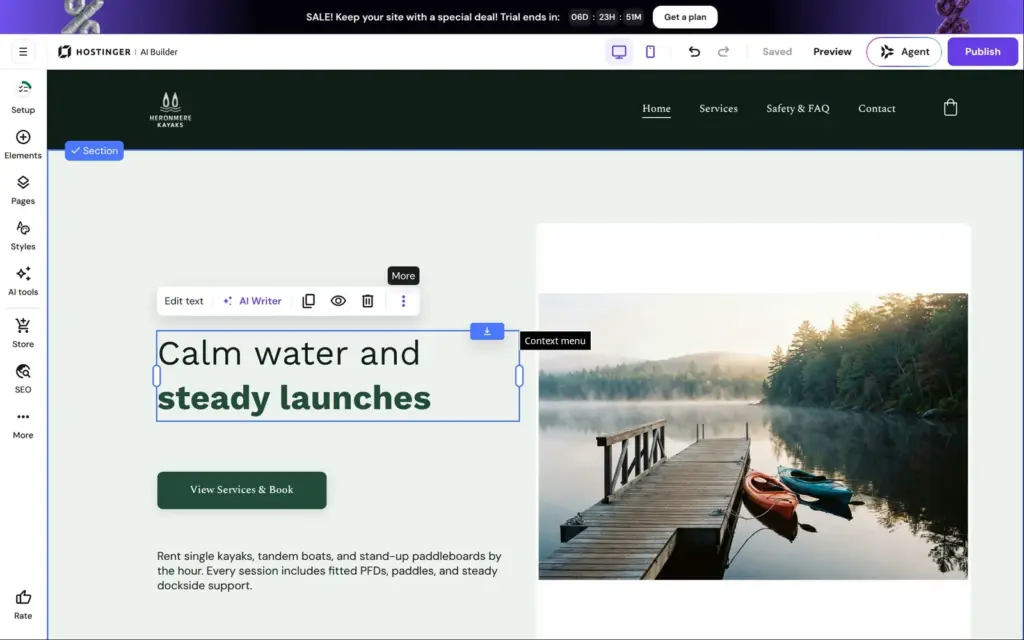
I made the heading smaller, from 64 to 48 pixels. It then fit on two lines, but the button jumped above the paragraph, so I dragged the paragraph and the button back into place.
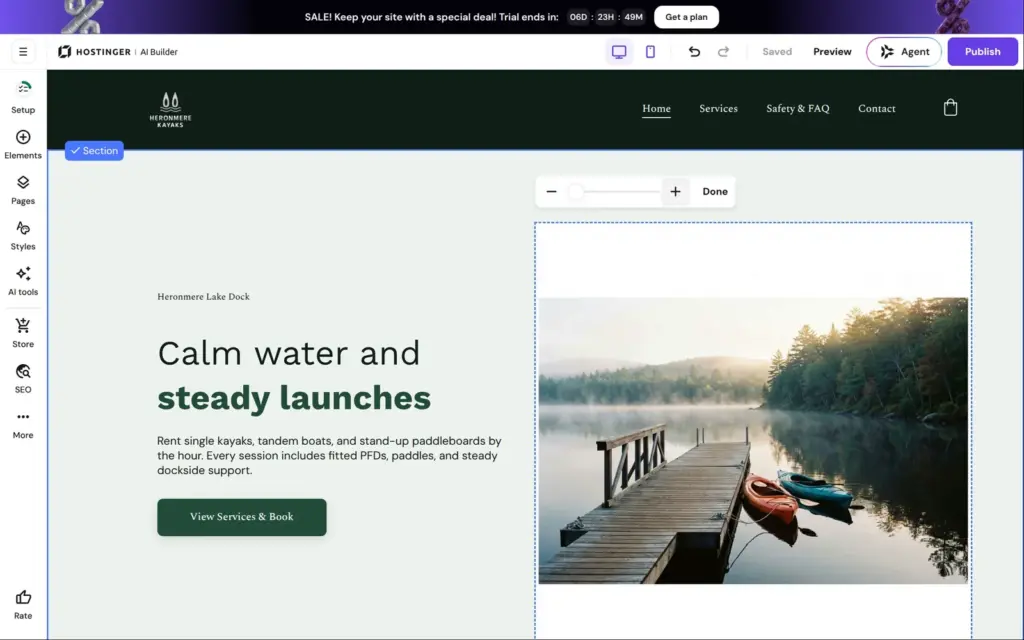
The white box around the photo took longer. Reset image proportions didn't help, and the zoom buttons of the crop tool changed nothing. The white bands turned out to be part of the image the AI had picked. I made the photo's frame lower, so the bands fell outside it. Fixing the top of the home page took me a few minutes.
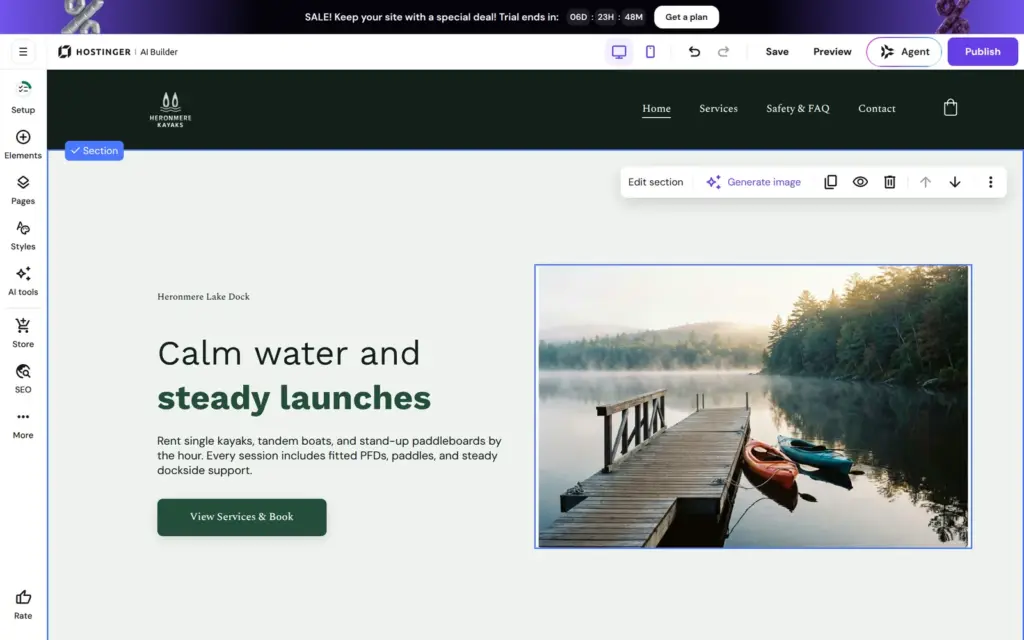
Hostinger has a separate layout for phones. My fixes on the computer version didn't reach it, so the white band around the photo was still there on the phone.
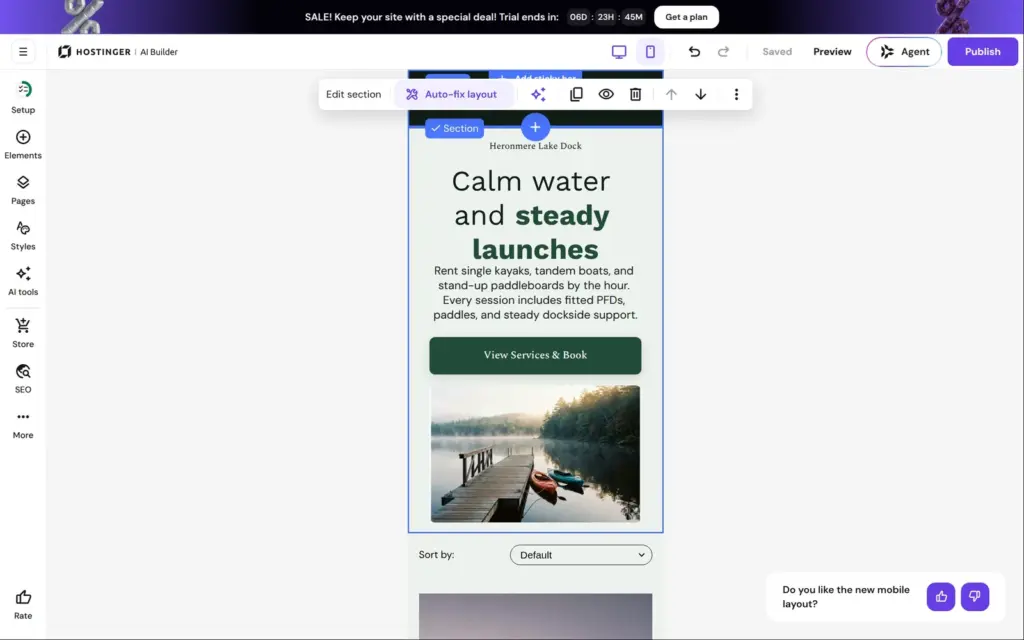
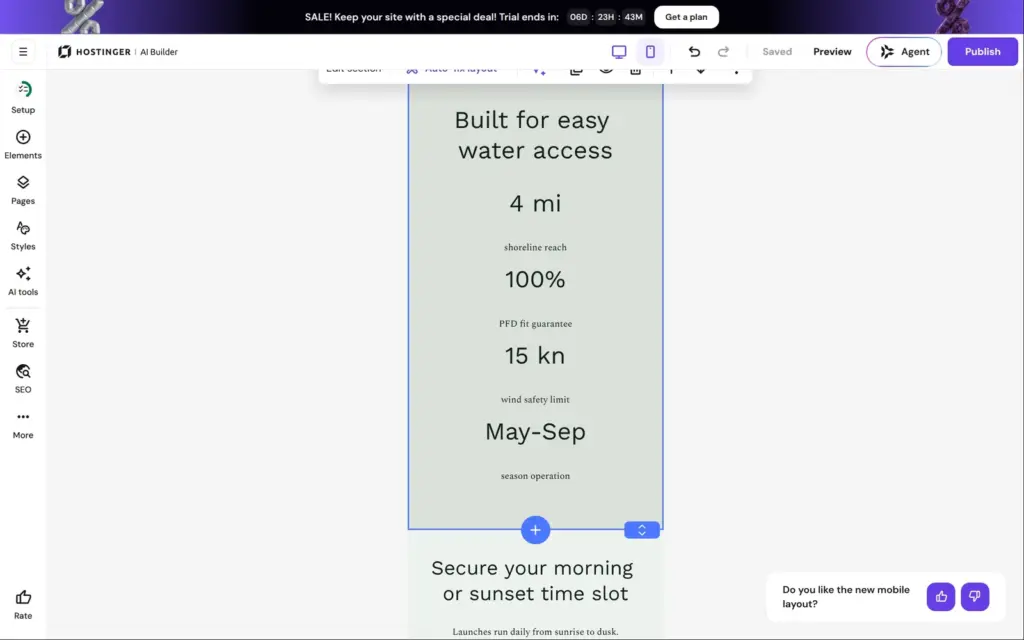
In the phone view, each section has an Auto-fix layout button. On the top section it worked after about 15 seconds. The white band was gone, and the button became full width. On the section with the numbers, Auto-fix changed nothing. Each number and its label share one text box with a big gap inside, so a label sits closer to the next number than to its own.
When I went through all pages in the preview at the end, I found two more phone problems. The safety page heading overlapped its paragraph, the same problem the home page had on a computer. And the booking list on the services page still had orange buttons, although I had changed the color everywhere else.
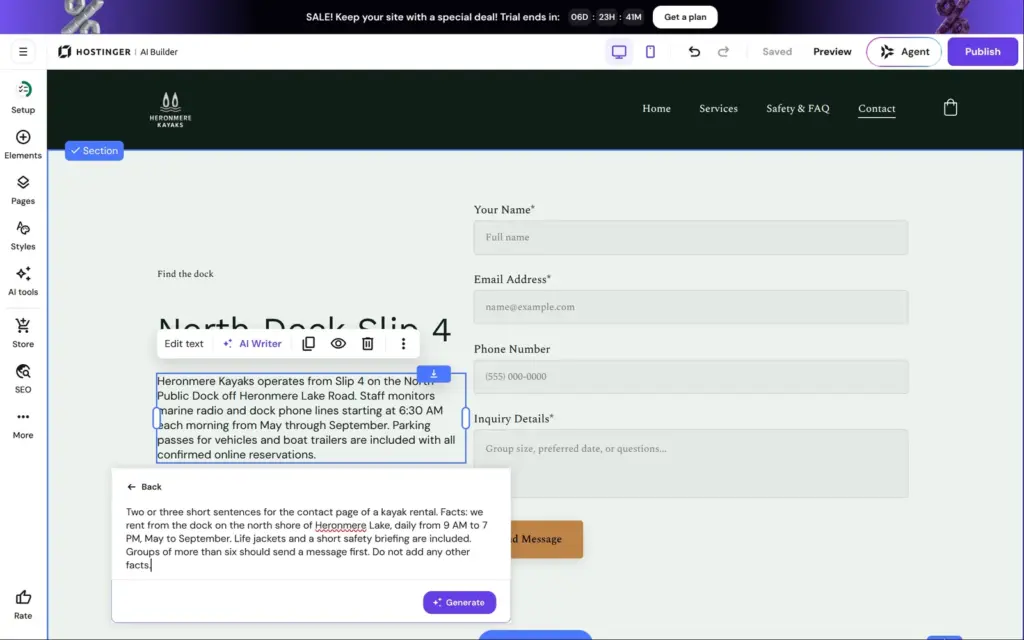
You change text by double-clicking it. Each text also has an AI Writer. It can rewrite the text in several ways or write new text.
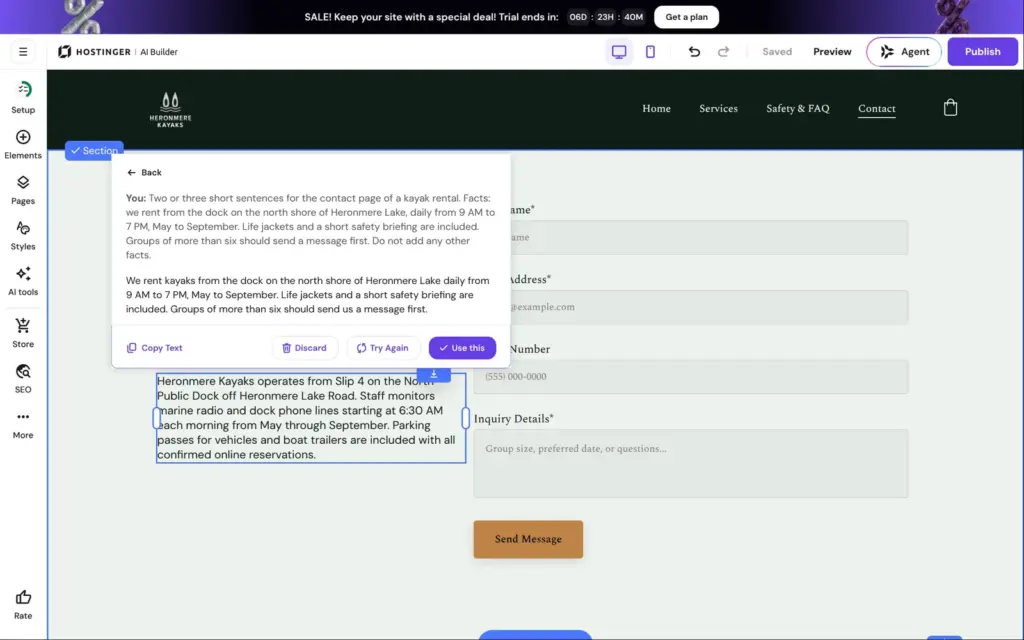
The contact page talked about marine radio and parking passes. I gave the AI Writer my own facts and asked for two or three sentences. Within a few seconds it wrote three sentences that stuck to what I gave it. I used them.
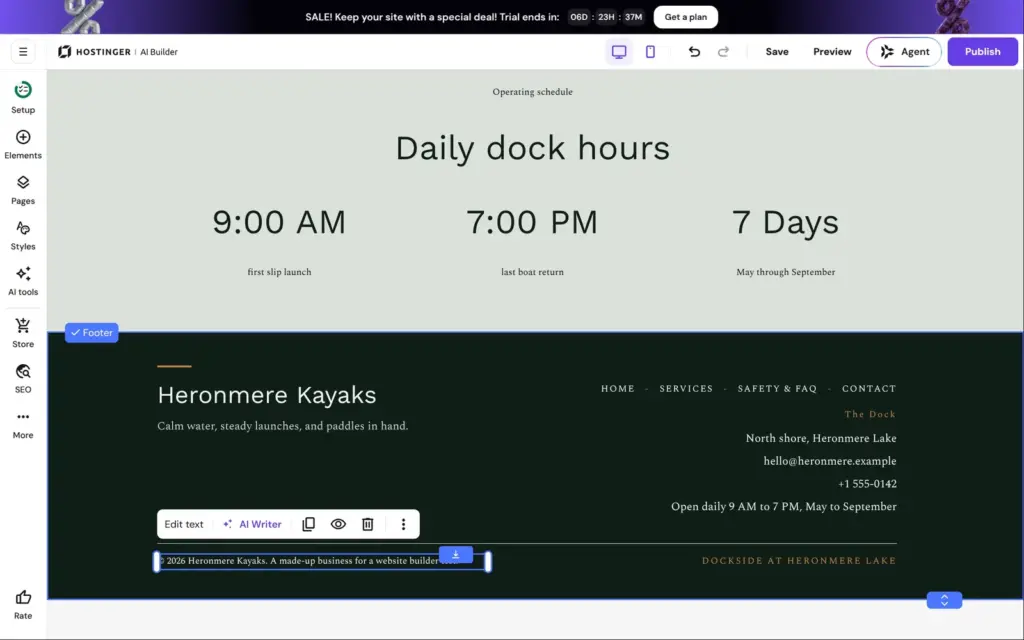
The footer is shared by all pages, so I replaced the made-up contact details there once. The opening hours were in three places, and I changed each of them by hand.
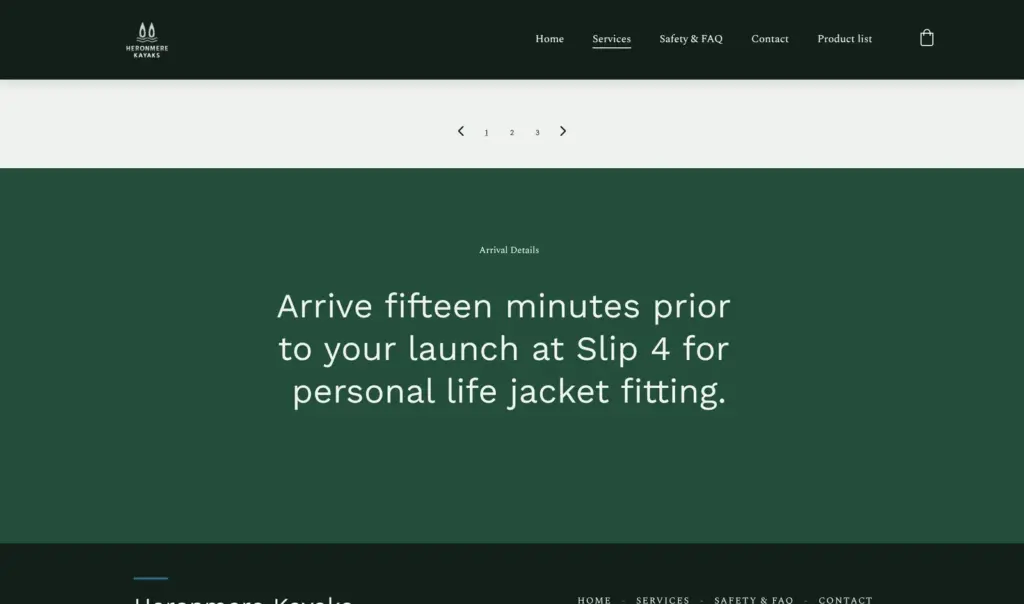
When I went through the preview at the end, the made-up dock "Slip 4" was still on the services page and the safety page. If you start from the AI's version, read every page once more before you publish.
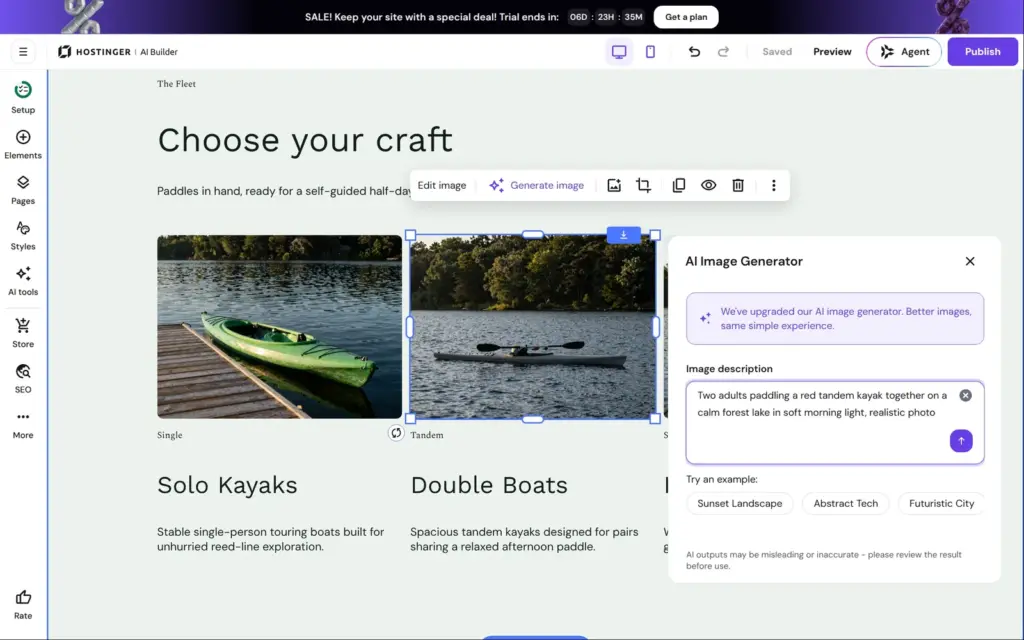
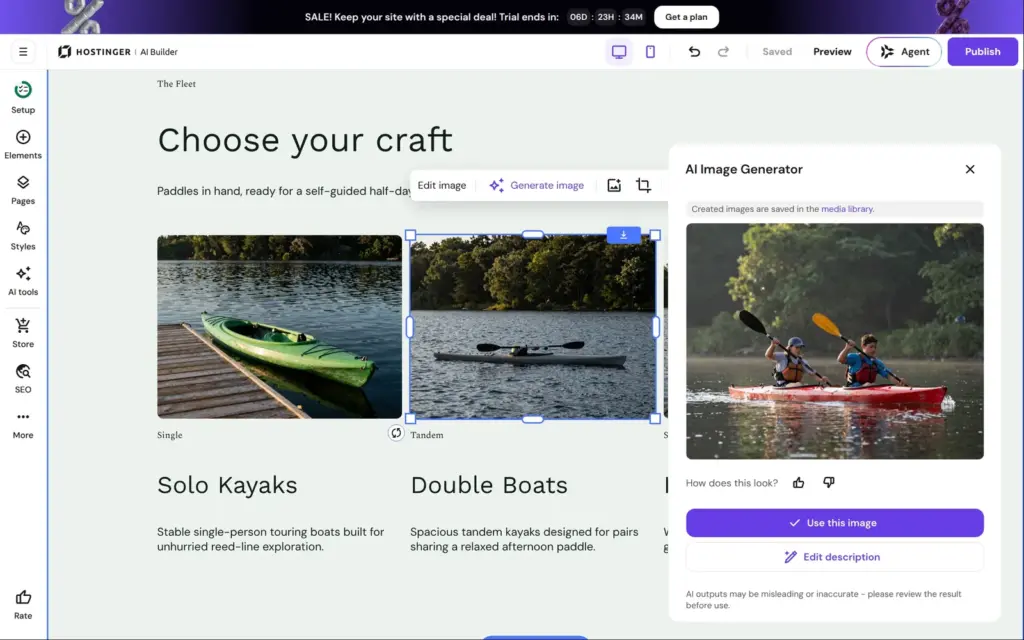
The AI had used a photo of a single kayak for the tandem boats. Each image has a Generate image button, so I described two people in a red tandem kayak on a calm lake. The image was ready in a few seconds and looked like a real photo. Hostinger saves generated images in the media library.
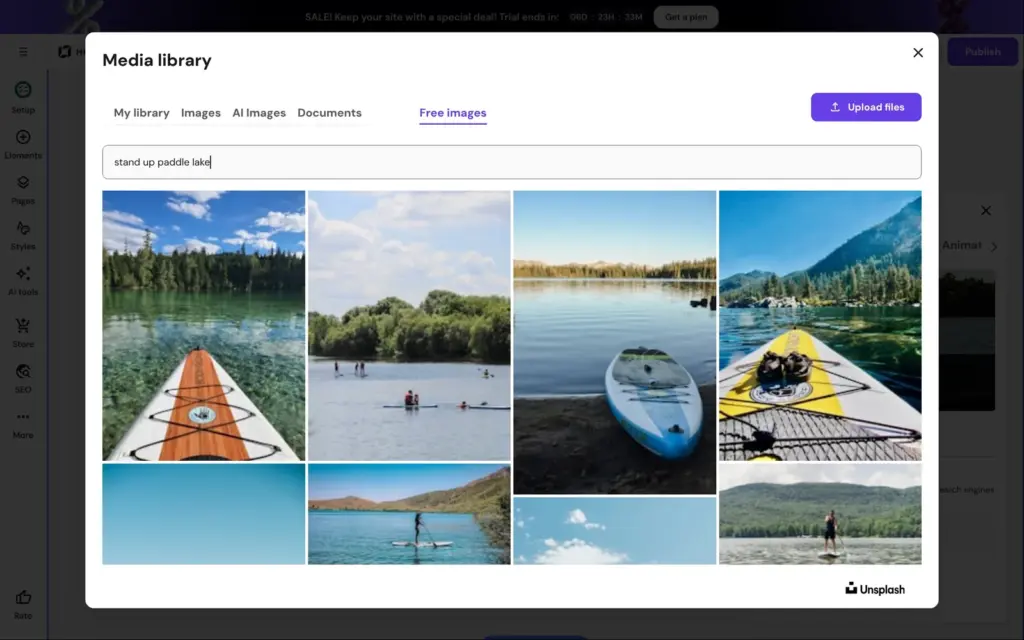
For the paddleboards I tried the free photos. The media library searches Unsplash and shows the photographer and the license. The photo came with a description for screen readers. For the AI image, the editor suggested the description "two people kayaking on a calm river". It's a lake, but that's close enough.
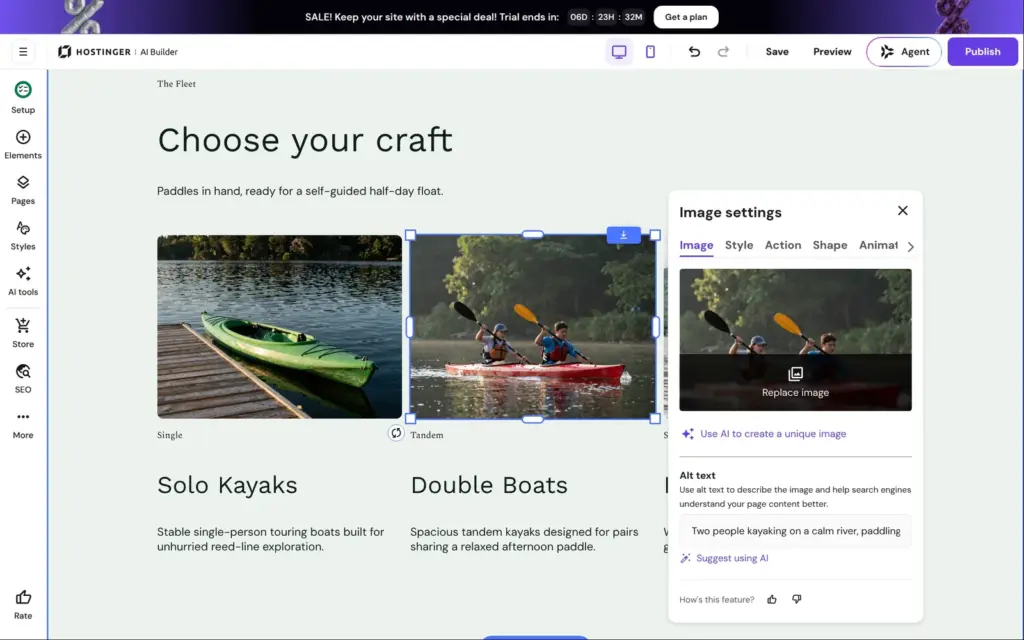
Styles holds the colors and fonts for the whole site. Each color is listed with how often the site uses it. I wanted to change the orange accent to a lake blue. The orange was listed twice, once with four uses and once with three, so I had to change both.
The Send button then turned blue, but its dark label was hard to read, so I made the label white. The Book now buttons in the booking lists stayed orange. Each booking list has its own button colors in its own settings. Changing one accent color took me three places, and the phone layout of the services page still showed orange at the end.
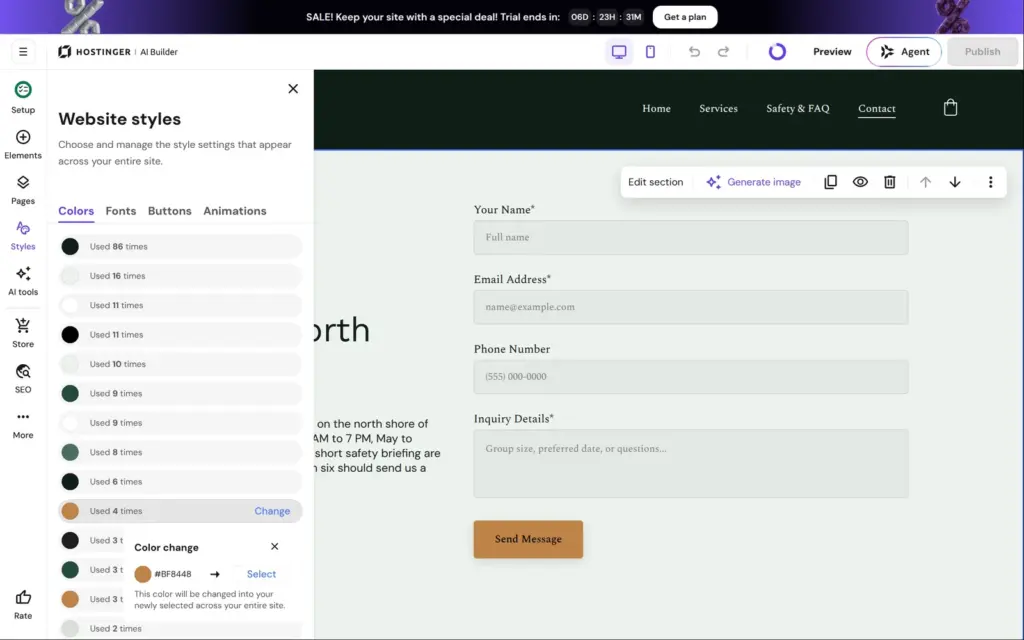
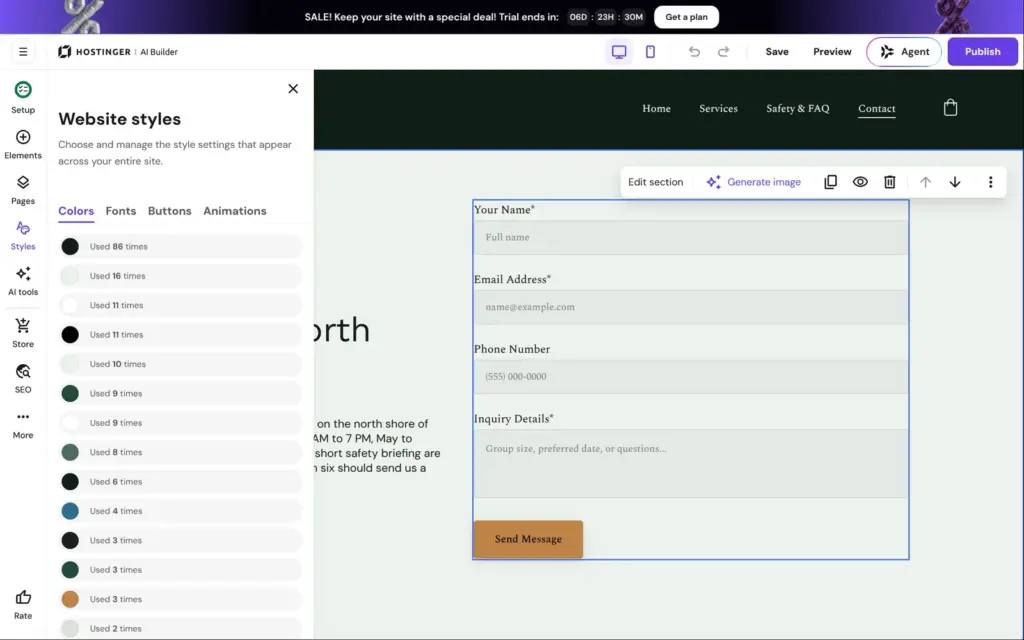
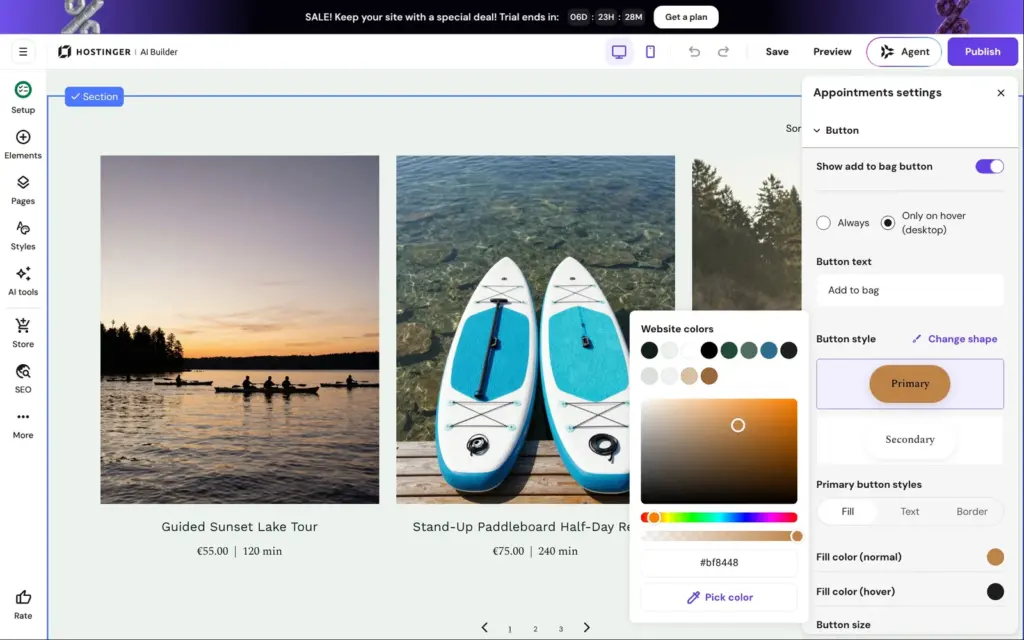
Bookings are part of Hostinger's store. Each bookable service is an appointment product, next to normal products, in a separate store dashboard. The AI had already created the nine rentals.
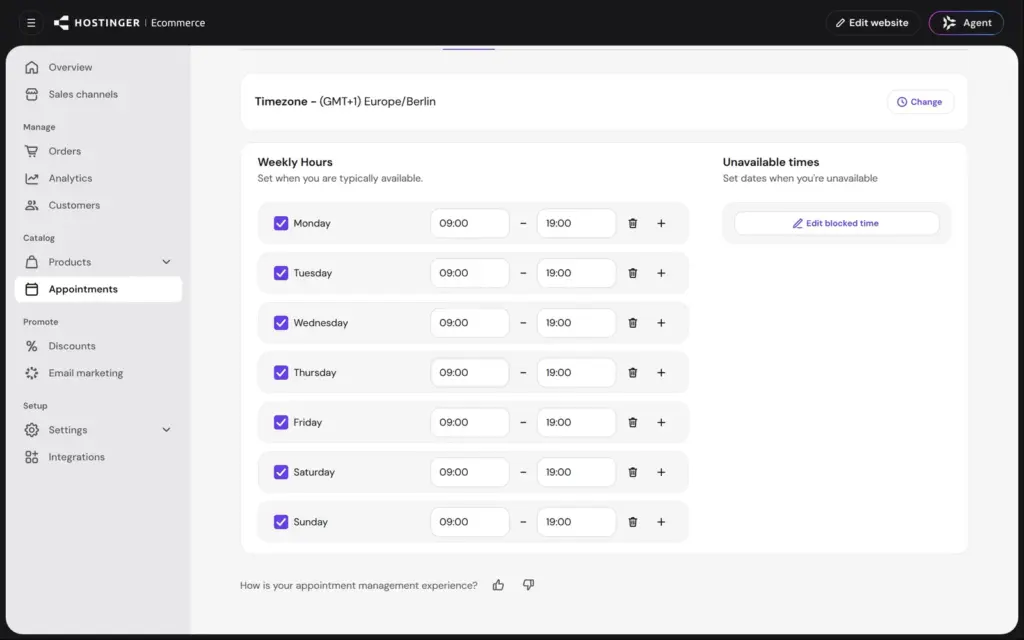
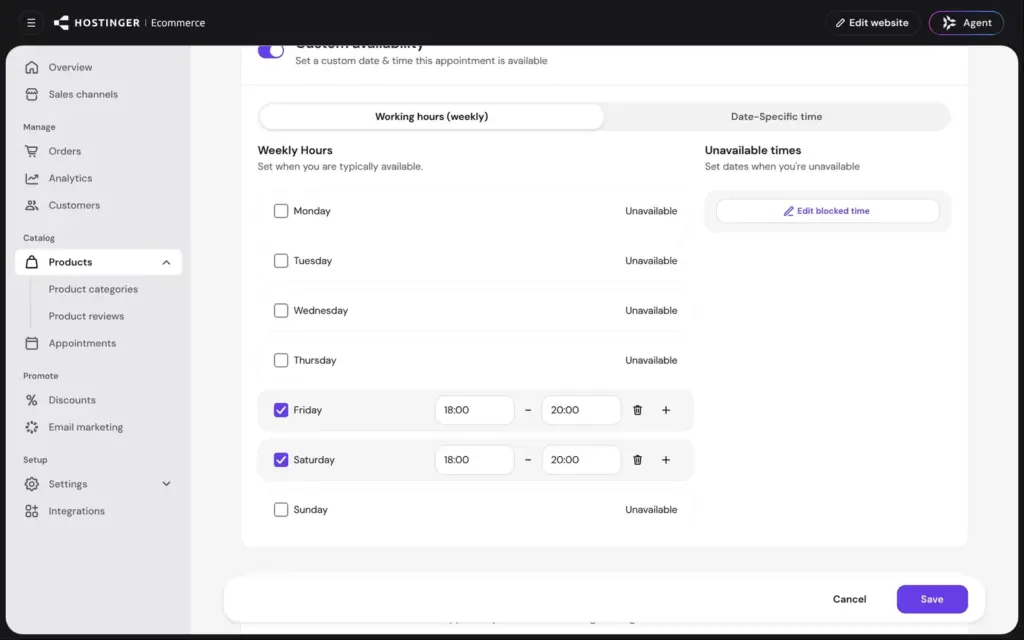
All bookings follow one weekly schedule. It started as Monday to Friday from 8 AM to 5 PM, with the weekend closed. My site said we're open every day, so I set every day to 9 AM to 7 PM. Each change saves on its own. The times are picked from long lists in 15-minute steps, which took me a while. You can also block single dates, for example for a holiday.
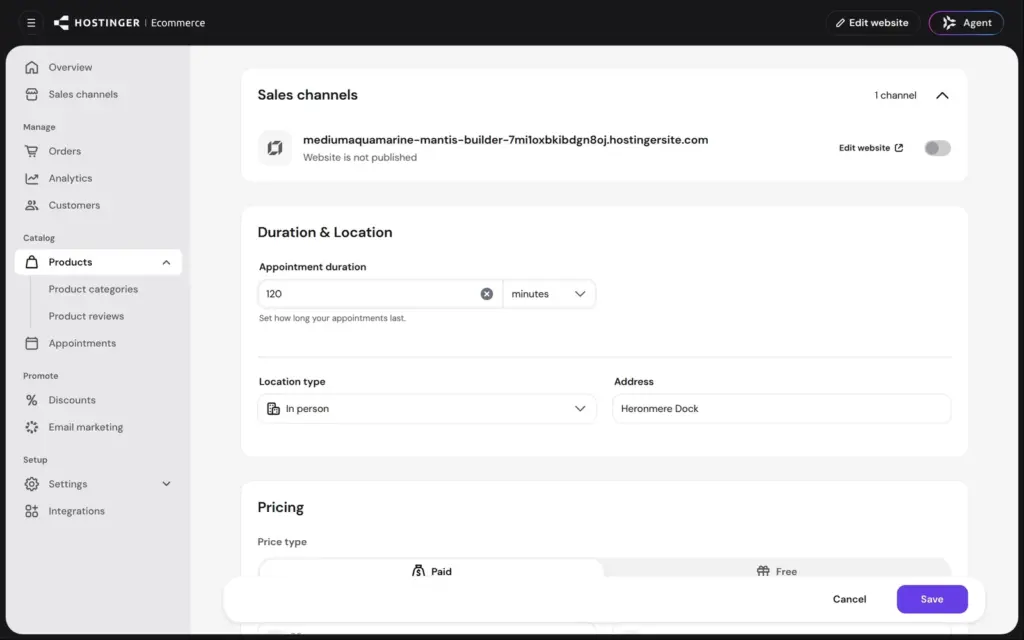
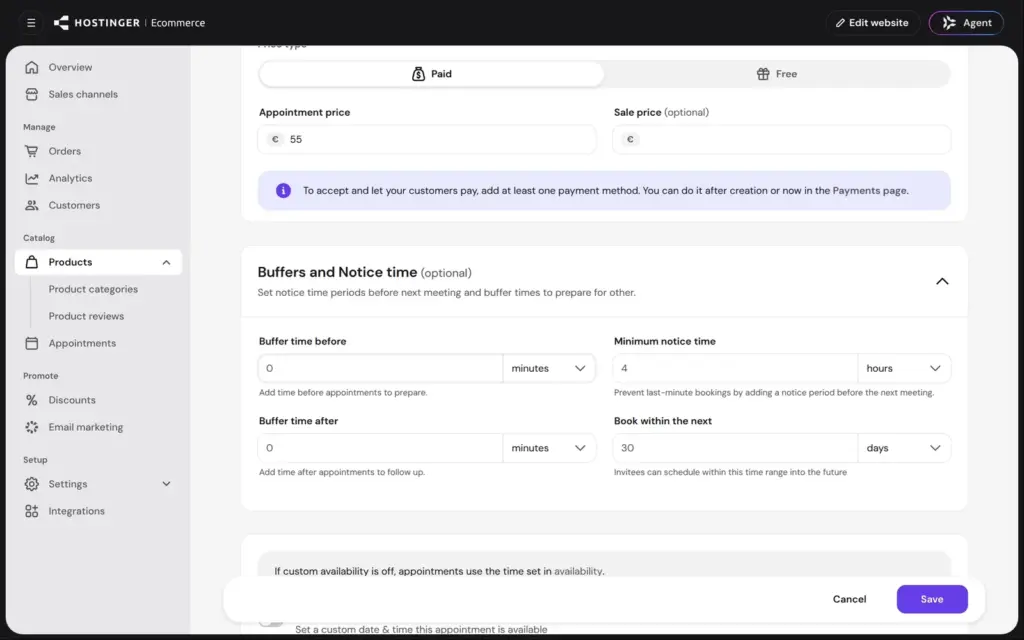
Each service has its own settings:
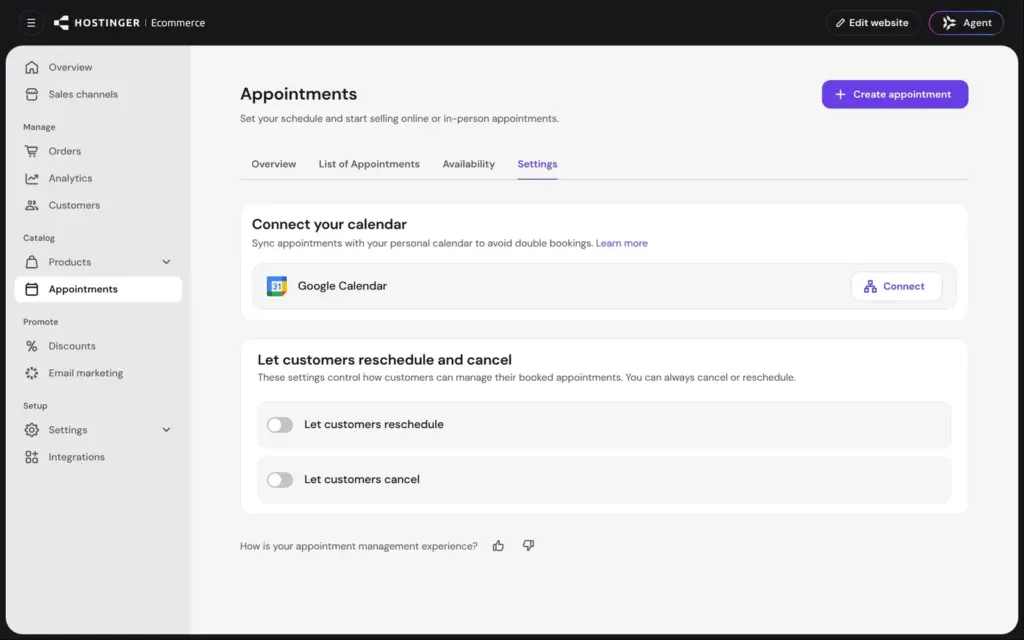
The sunset tour only runs on Friday and Saturday evenings, so I gave it its own hours from 6 PM to 8 PM. In the settings, bookings can sync with Google Calendar, and you can let customers reschedule or cancel. Both switches are off at the start.
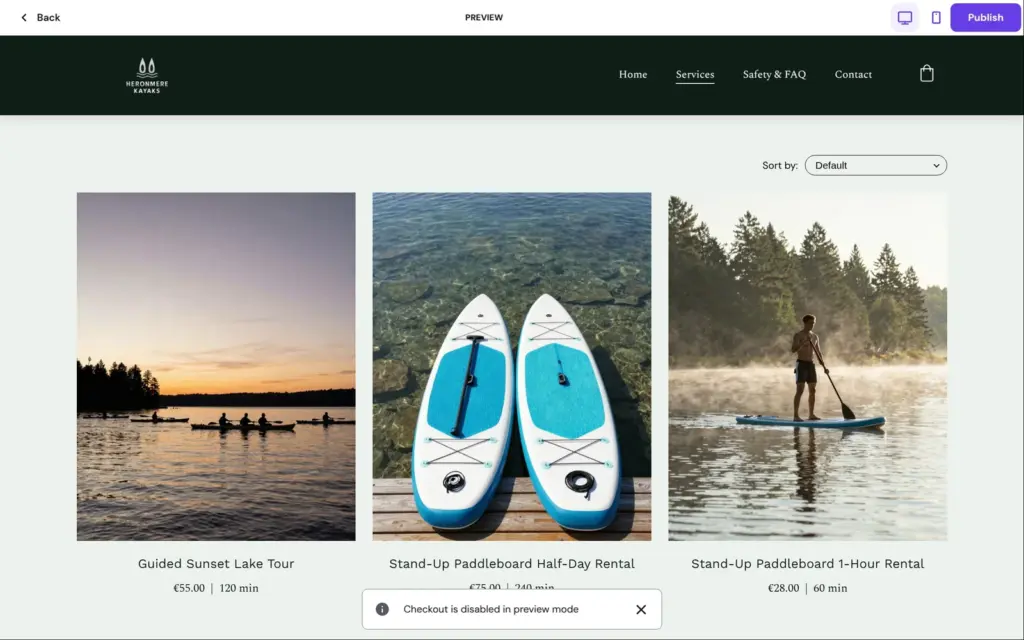
To book like a customer, the trial only has the editor's preview. There, Book now only showed "Checkout is disabled in preview mode". So I never saw the calendar a customer gets, and I couldn't make a test booking. Hostinger's Ecommerce pricing page has a footnote that says "Appointments only via quick links". I couldn't check what that means for a published site.
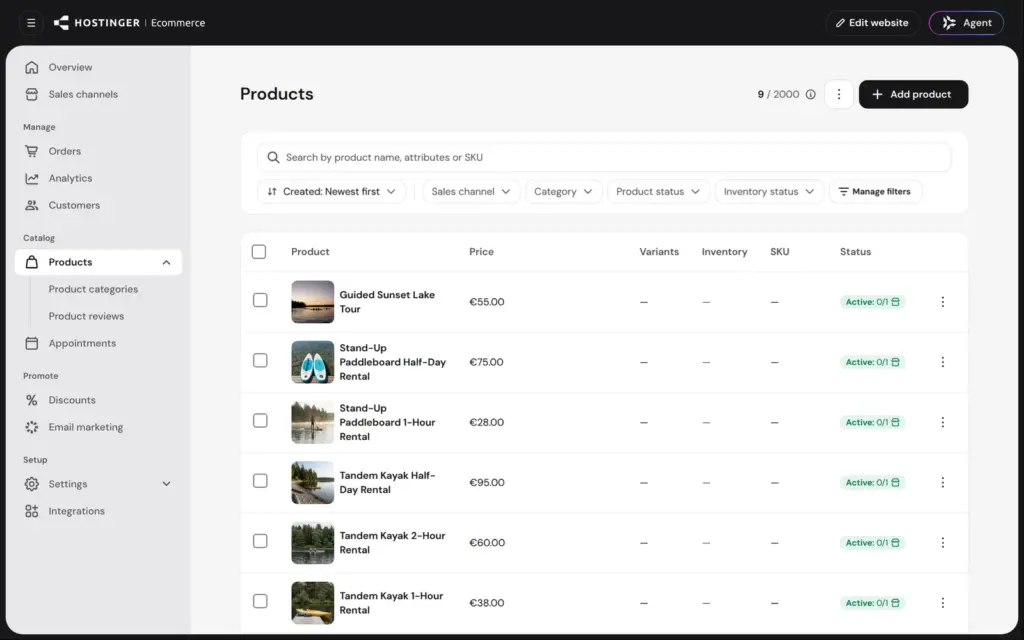
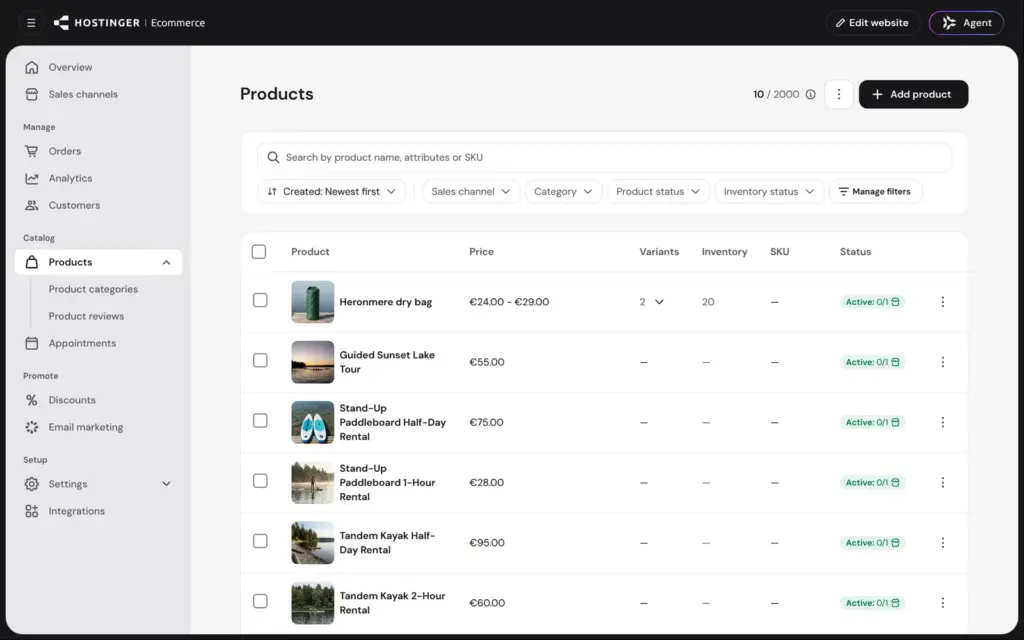
Besides the rentals, my kayak rental sells a dry bag in two sizes. The store can also sell digital products and gift cards. The trial allowed 2,000 products.
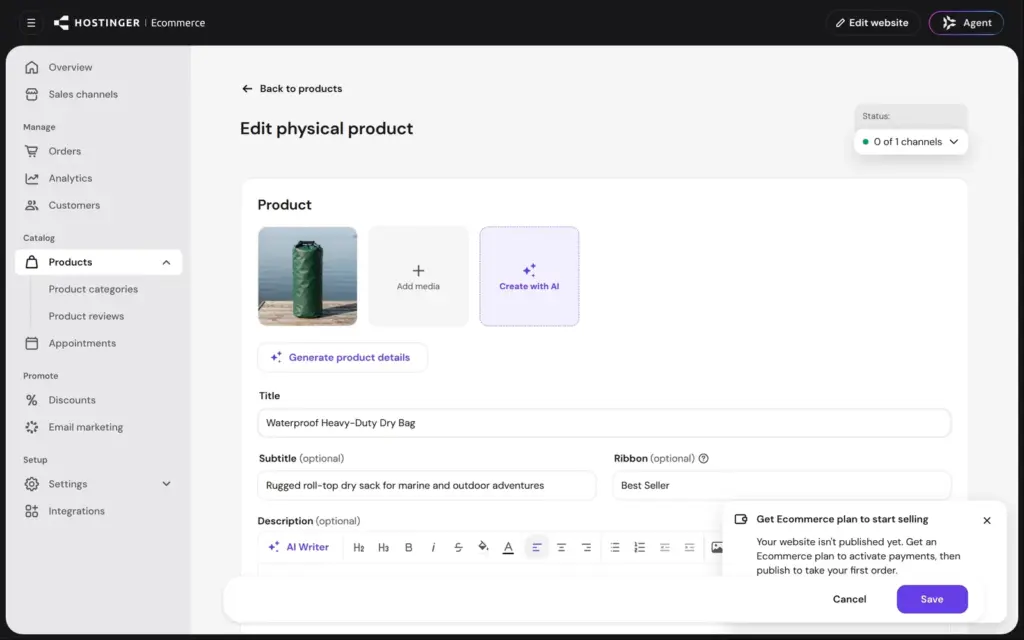
I tried the AI product helper first. I uploaded one photo of the bag, which I had made with Hostinger's image generator. About ten seconds later, the AI had filled in all the text fields. It also set a price of 39.99 and added a "Best Seller" ribbon. The description listed features you can't see in the photo, like quick-release buckles. I replaced the name and the description and removed the ribbon.
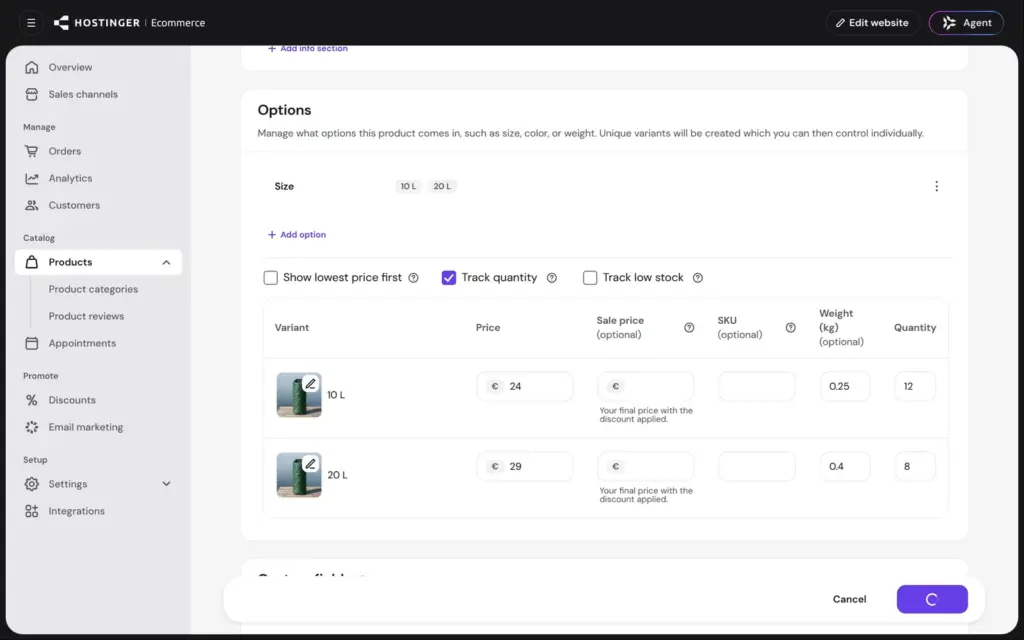
The small bag costs €24 and weighs 0.25 kg, and I had 12 in stock. I added a size option with 10 and 20 liters. Each size becomes a variant with its own price and stock, so the bigger bag got €29 and a stock of 8.
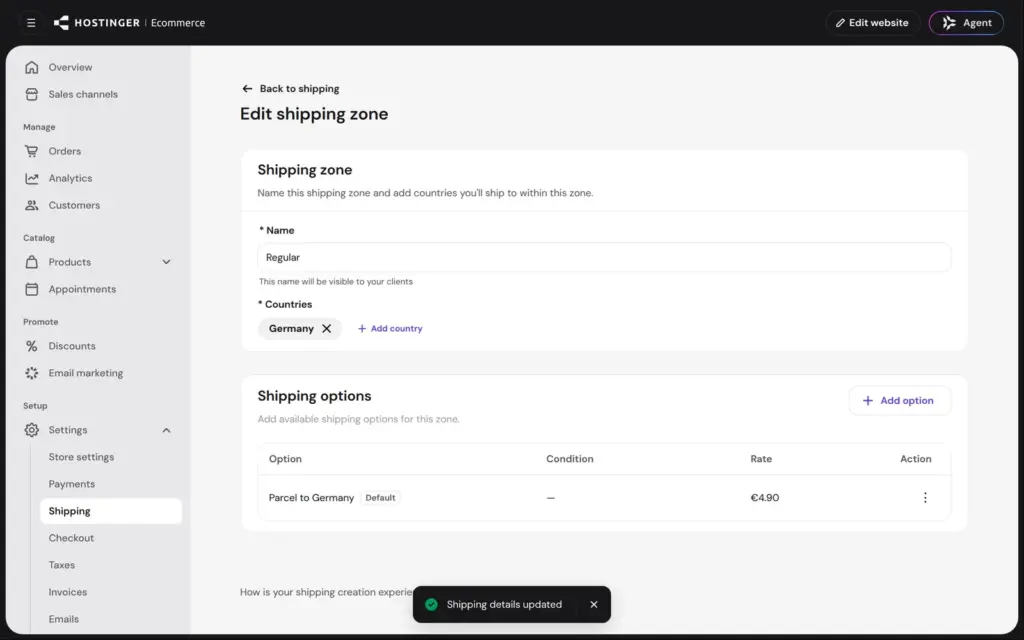
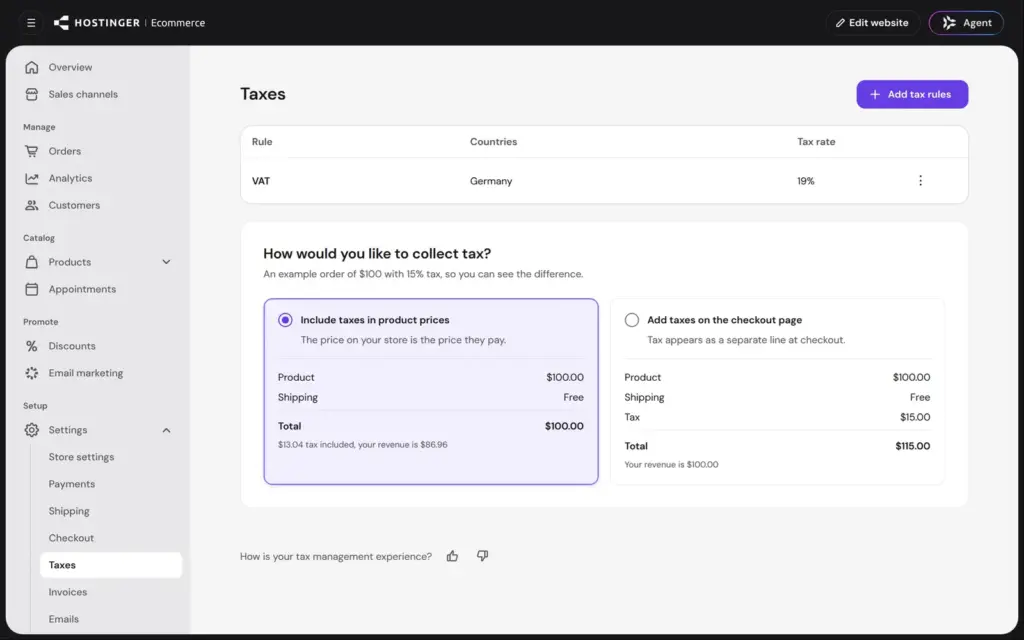
Shipping already had a zone for Germany with free shipping. I changed it to €4.90 per order. Conditions can add rates by order value or by weight. Tax wasn't set up, so I added a rule for German VAT at 19%, also on shipping. One rate covers all products. Prices include the tax by default, which is what German customers expect.
For payments, the store offers Stripe from 1.5% plus €0.25 per payment and PayPal from 3.4% plus €0.35. There's also a test payment method for orders without real money, and manual payments like a bank transfer. Adding the test payment method worked in the trial. Connecting a real provider needs the Ecommerce plan, and the store says so on every store page.
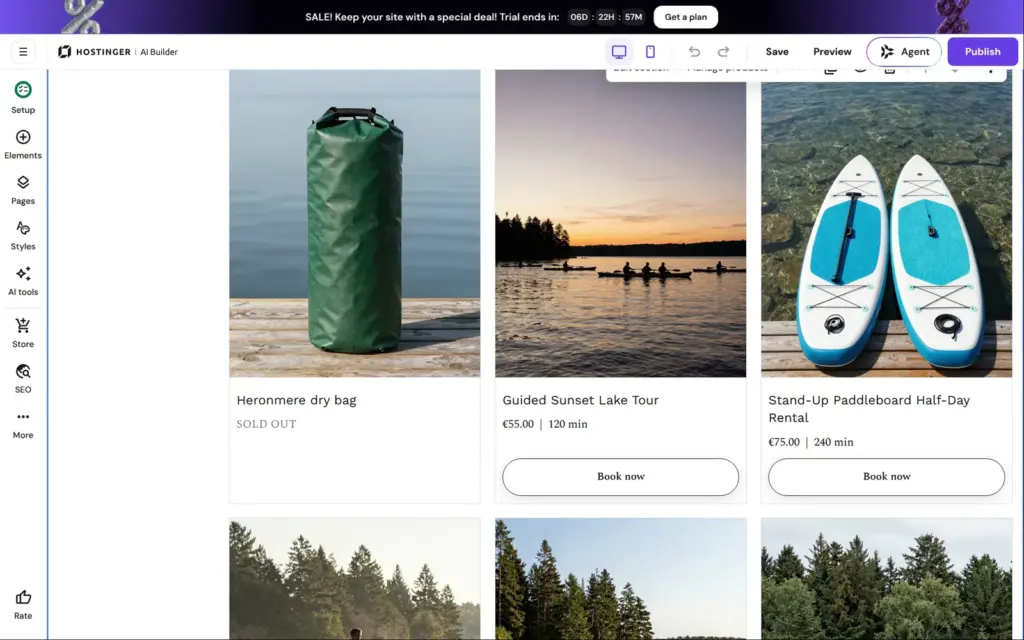
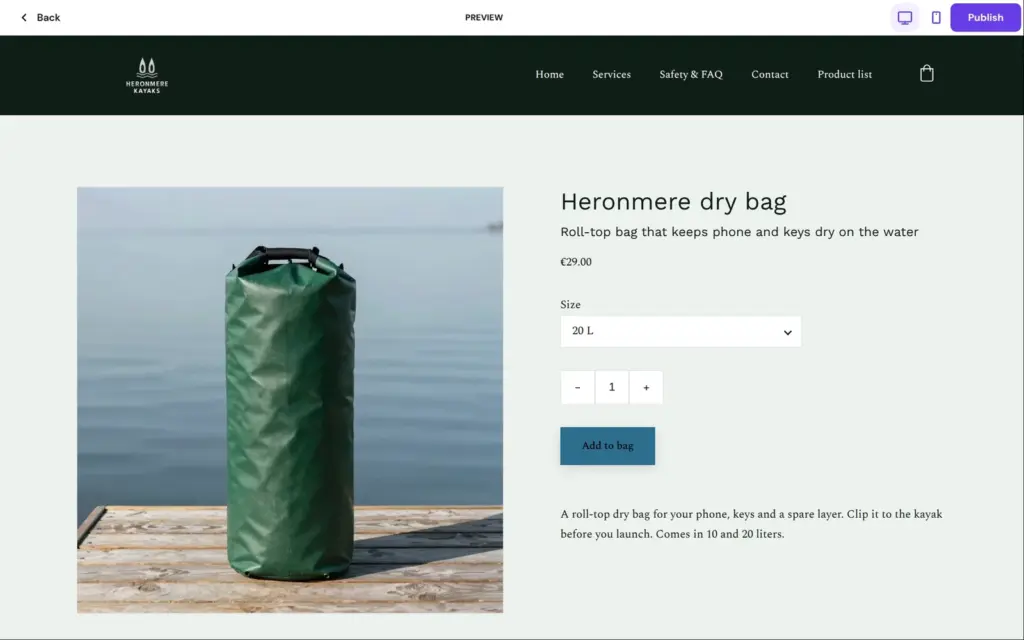
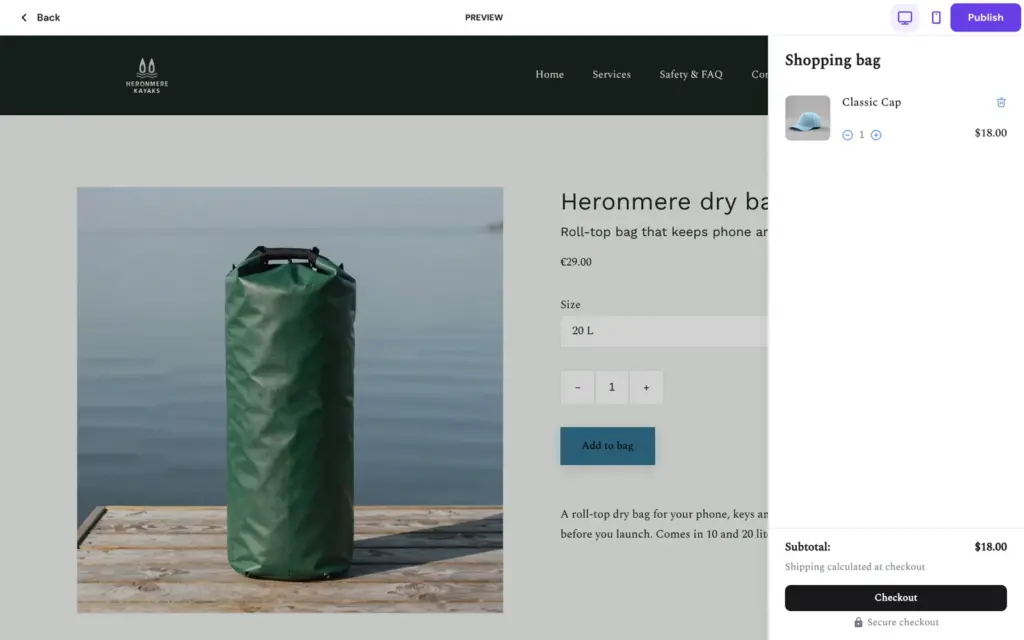
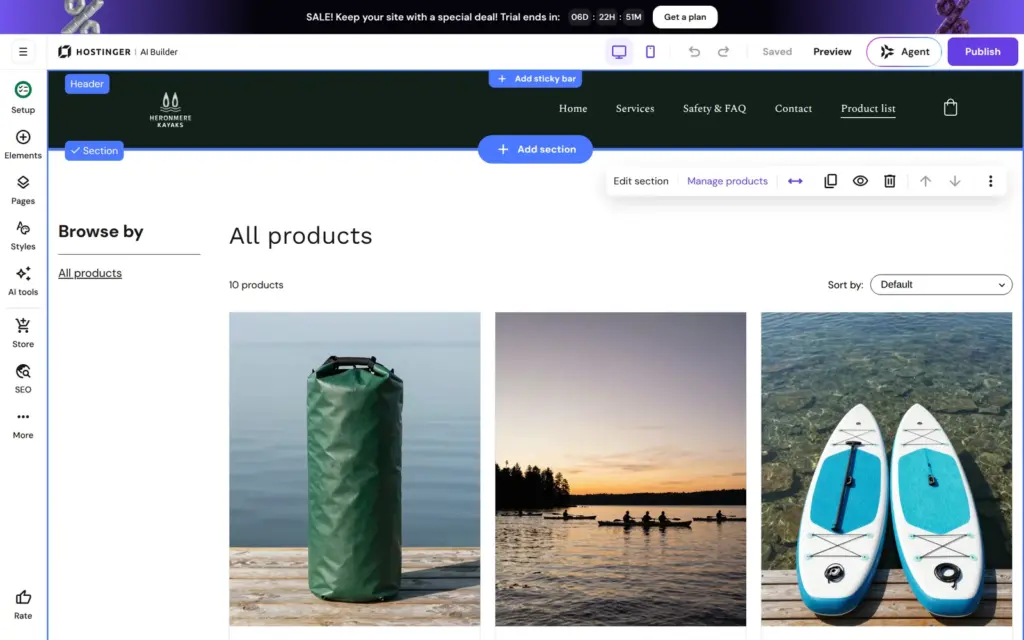
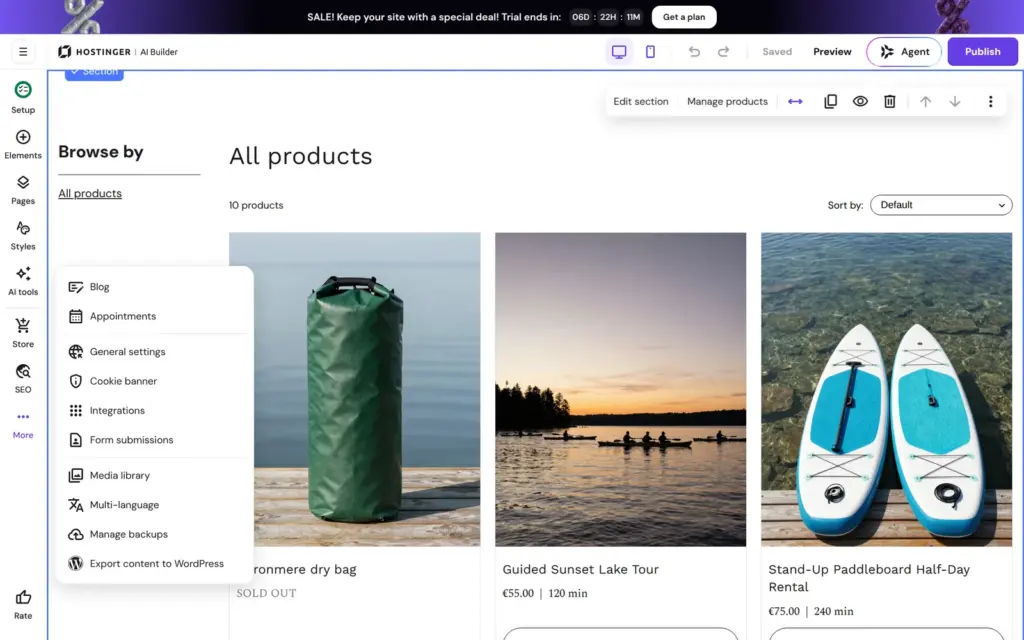
The site didn't show the bag yet, so I added a shop page in the editor. Its product list showed the bag as sold out, although 20 were in stock. The preview showed the same. The bag's own page worked. The size menu changed the price to €29, and the page had an Add to bag button. But Add to bag only said "Checkout is disabled in preview mode". The shopping bag held a sample "Classic Cap" for $18, not my bag. So I couldn't place a test order.
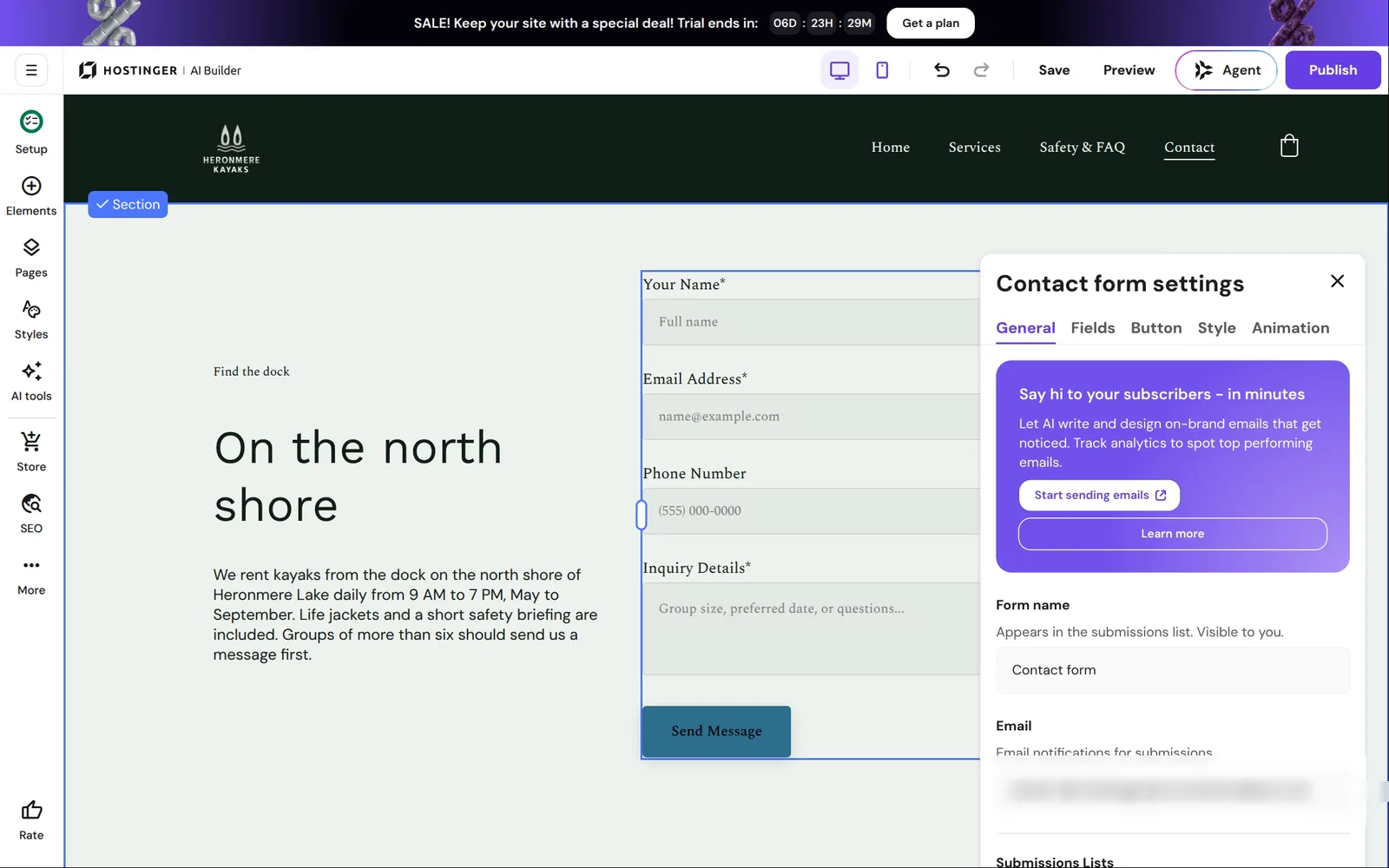
The AI had put a contact form on the contact page. In its settings you choose the email address for notifications, which starts as the account's address. After sending, visitors see a message or go to another page. Submissions also land in a list in the editor. I couldn't test the form, because it only works on a published site.
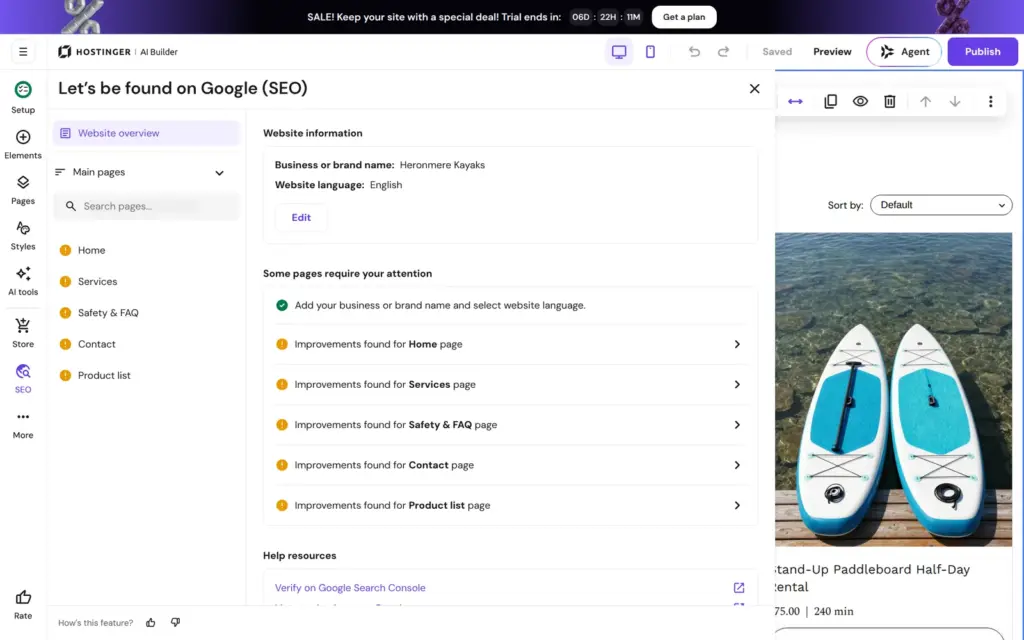
The search panel marked every page with a warning. On Google, the home page would have shown up as "Home", without a description.
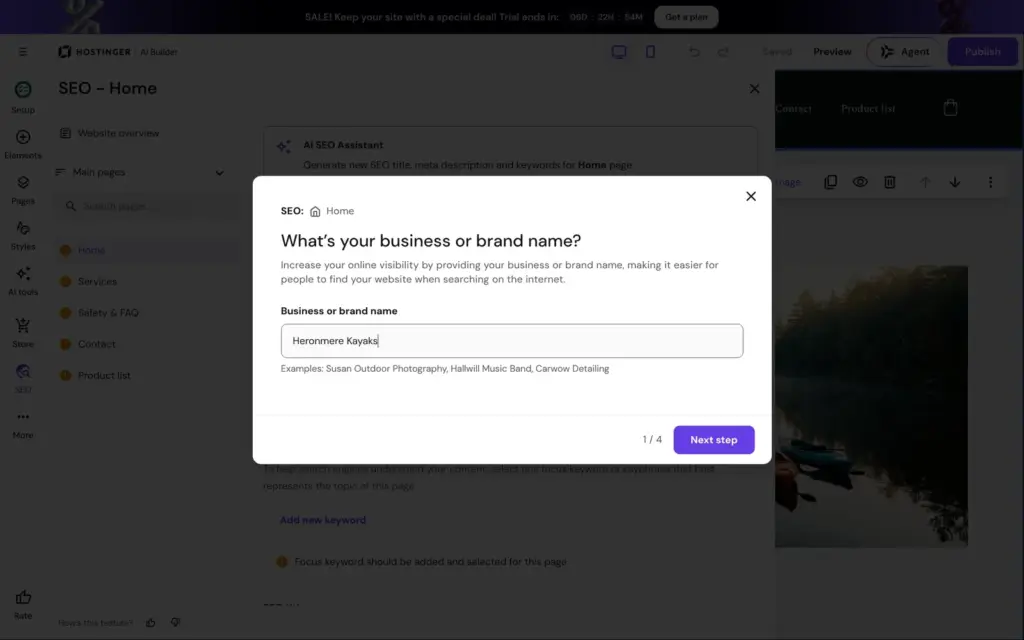
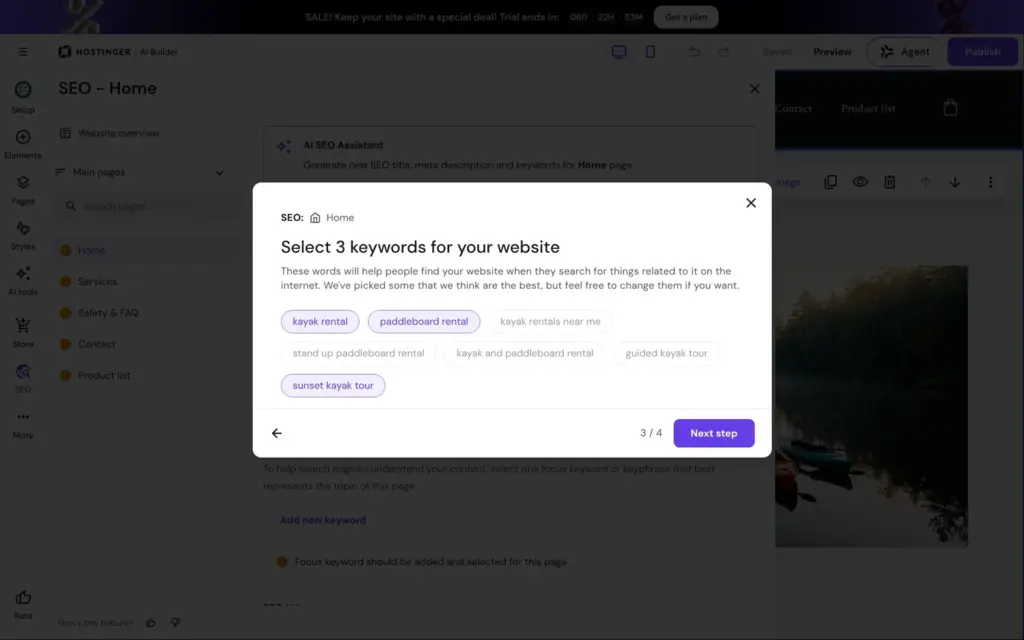
The AI SEO assistant asks four questions before it writes anything. One of them is the business name, although the site showed it everywhere. Its title, "Heronmere Lake Kayak & Paddleboard Rental | Sunset Tours", and its description stuck to what I wrote.
Each page has a switch to hide it from search results. My business is made up, so I switched it on for all five pages. I found no switch for the whole site at once.
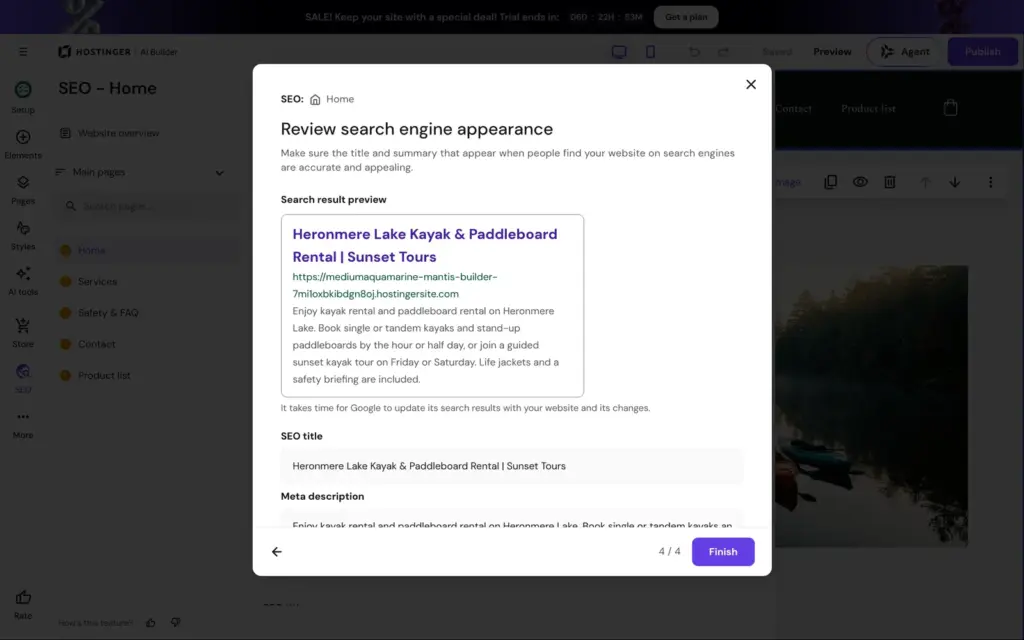
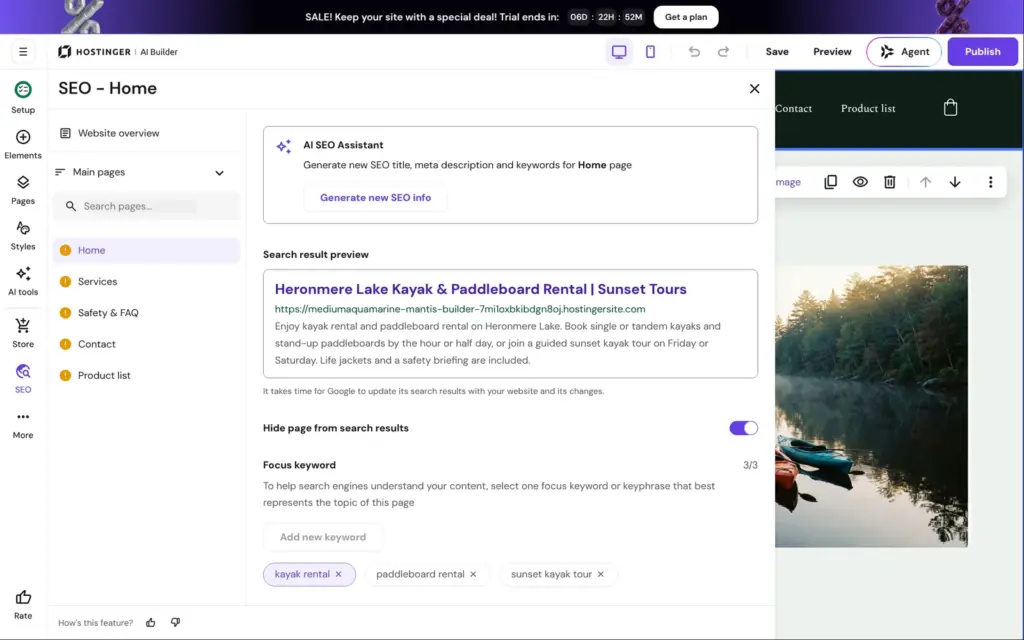
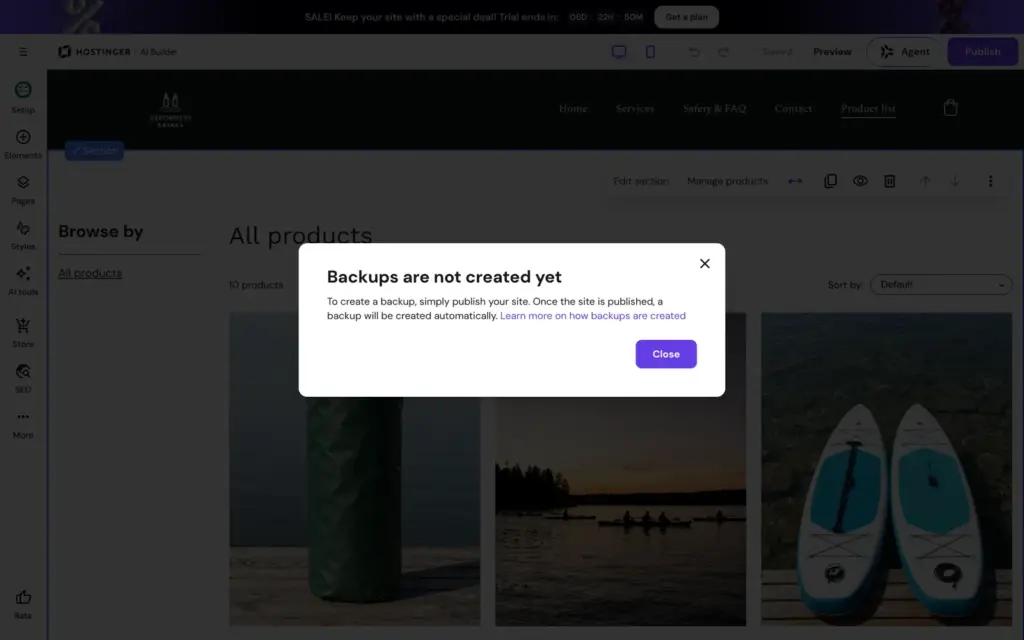
Publish opens "Get a plan to publish your project". Until then, the site only exists in the editor and its preview. The search preview already showed the temporary address the site would get, a long random name on hostingersite.com. Backups also start only after the first publish.
Agentic mode is Hostinger's other way to build. The AI writes the whole site as code, a React app with a small database, and you change it by chatting. The trial includes 250 AI credits for it. Hostinger's help center says the AI Builder page doesn't offer the trial during Black Friday, but a template still does. I took a car rental template from Hostinger's template gallery and gave it the same description of my kayak rental.
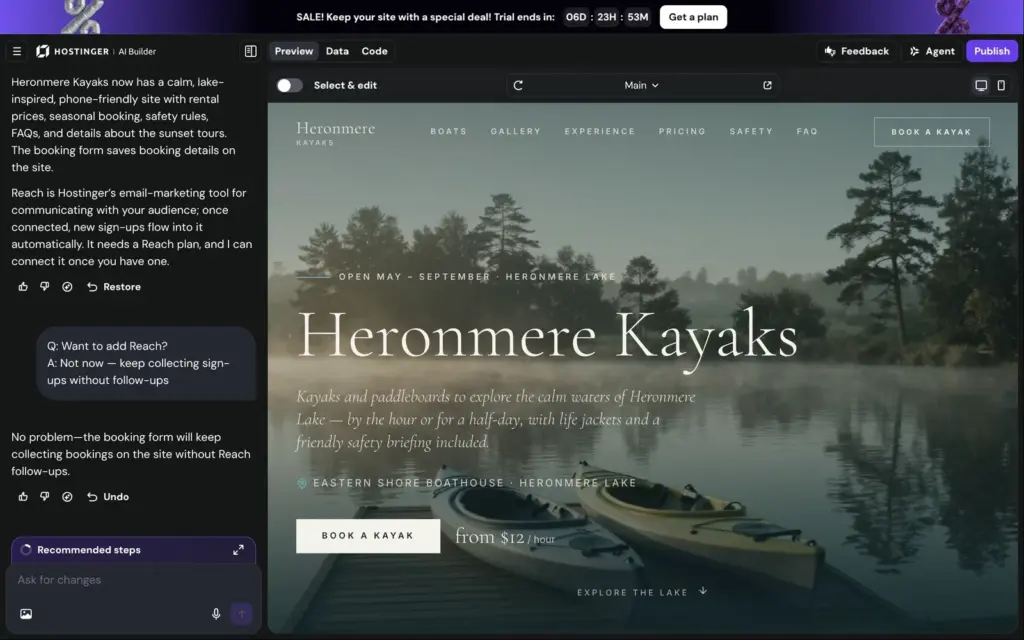
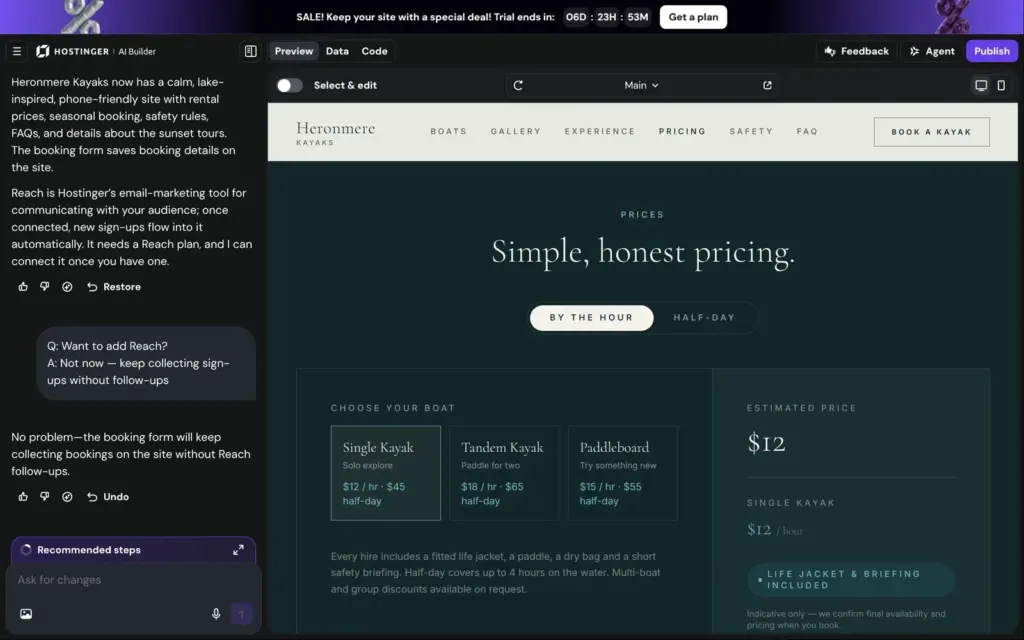
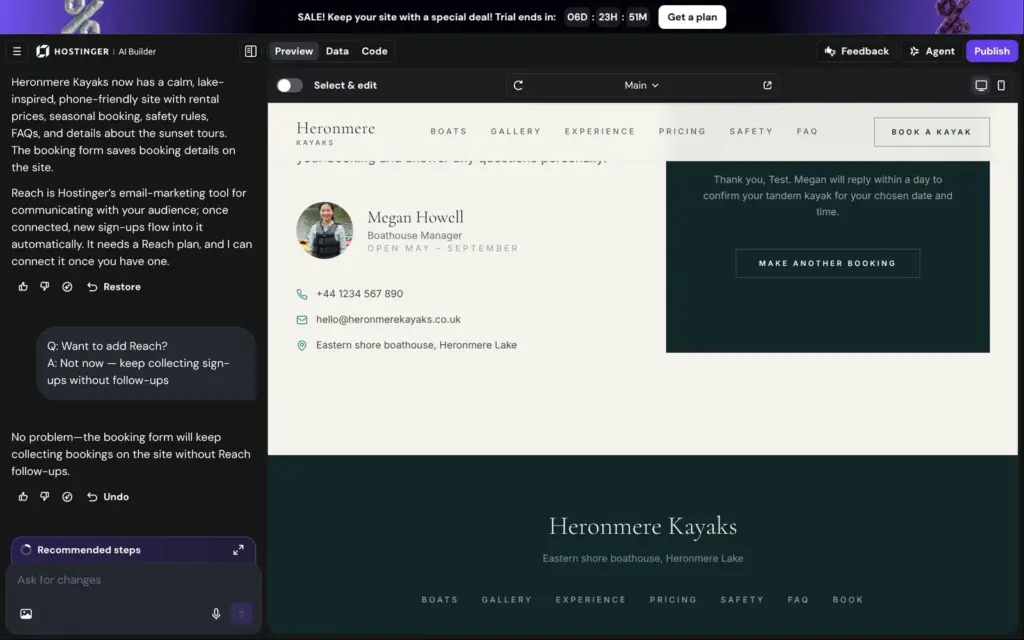
The site was ready about six minutes later. It looks more polished than my manual site. It's one long page that ends with a booking form. Like the manual version, it made things up:
At the end, the AI asked if I wanted Reach, Hostinger's paid email marketing tool. I said not now.
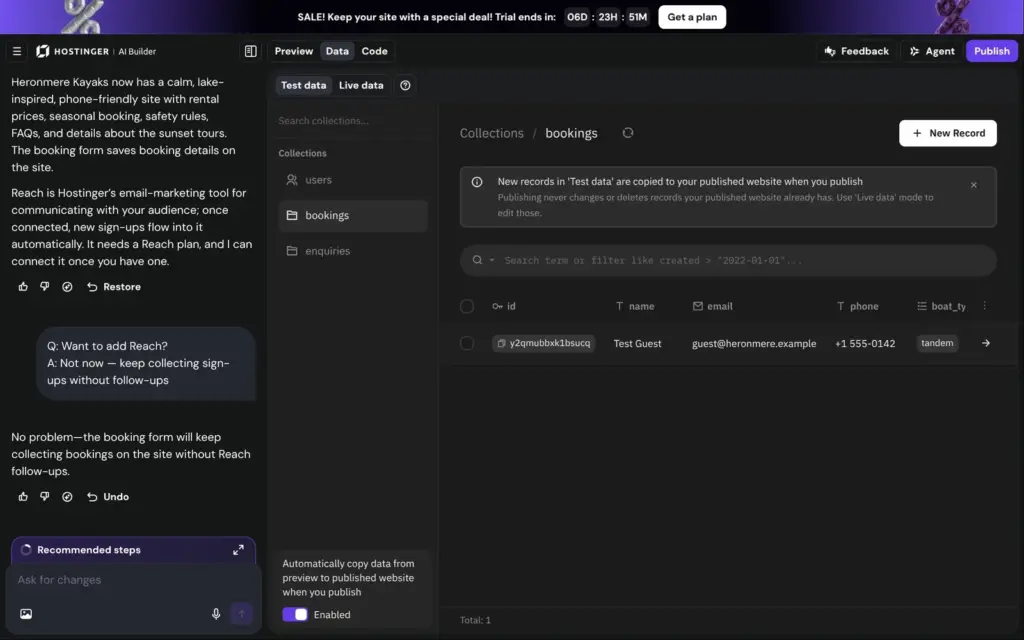
In the booking form, you pick a boat and a time slot. In the preview, my request went through, and it showed up in the site's database under Data. I found no email notice for new bookings and nothing that checks whether a boat is free.
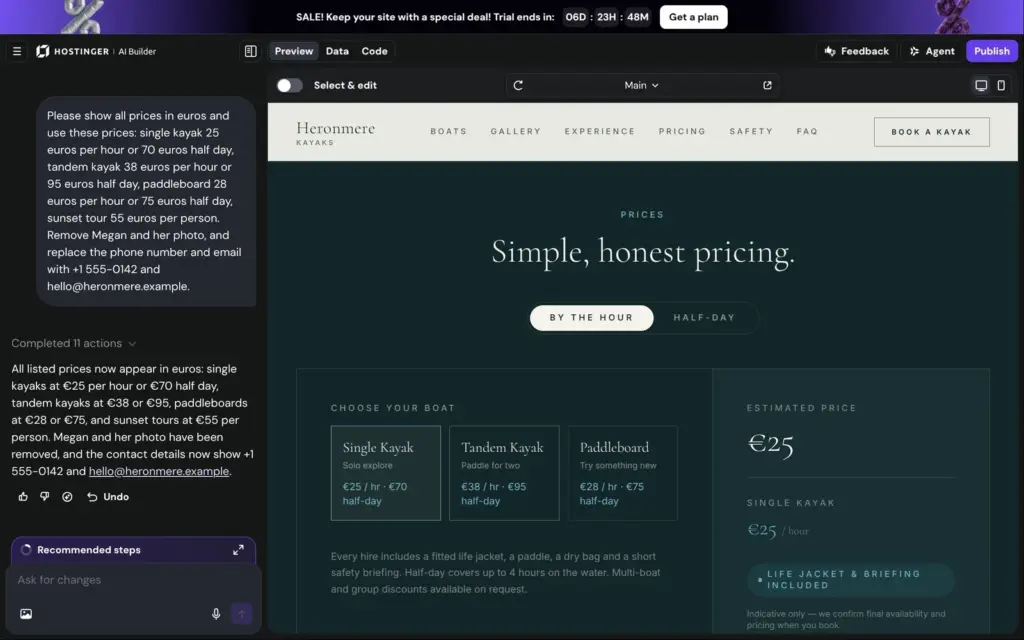
Then I asked for one fix. I wanted my own prices in euros, and my own contact details instead of Megan. It took about a minute and a half, and the preview showed every change. The tour stayed at 90 minutes, because I hadn't mentioned it.
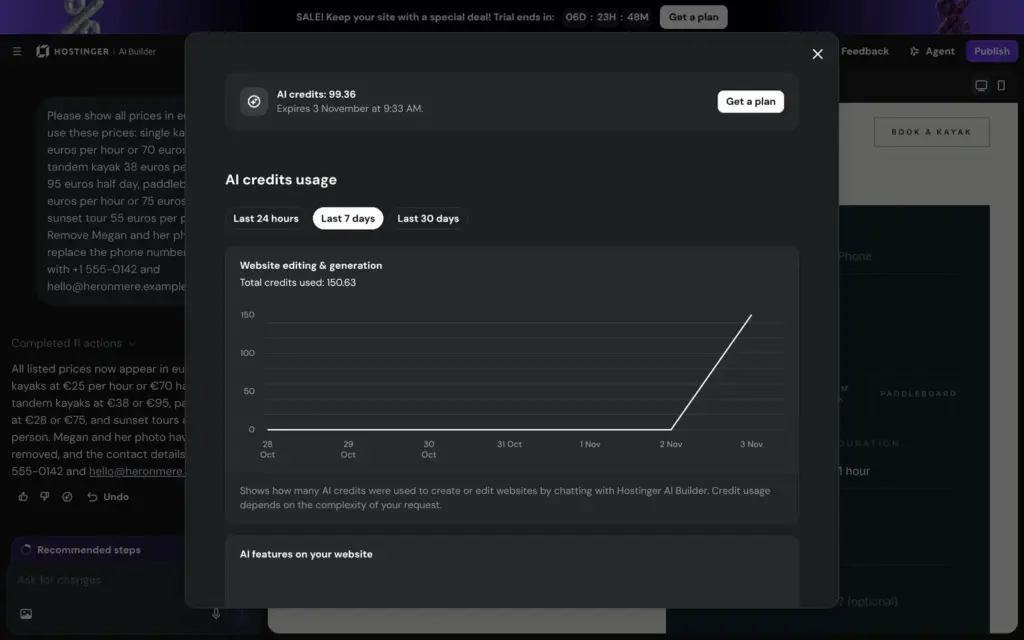
The build used 108 credits and the fix 42, so 99 of the 250 were left. On a paid plan, the Code tab lets you export the code. In the trial, Export code and Publish both ask for a plan.
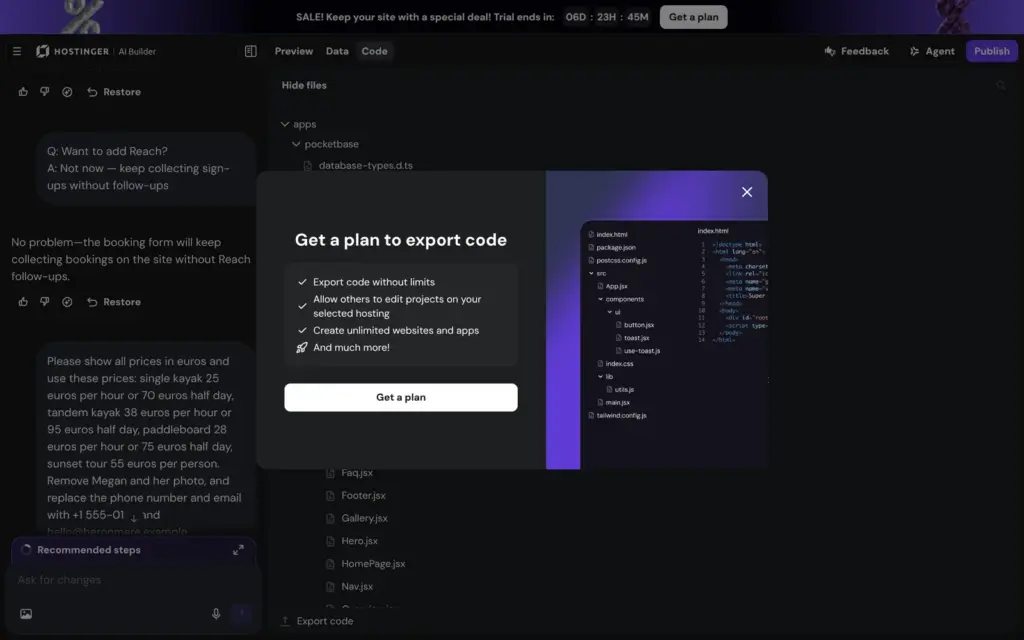
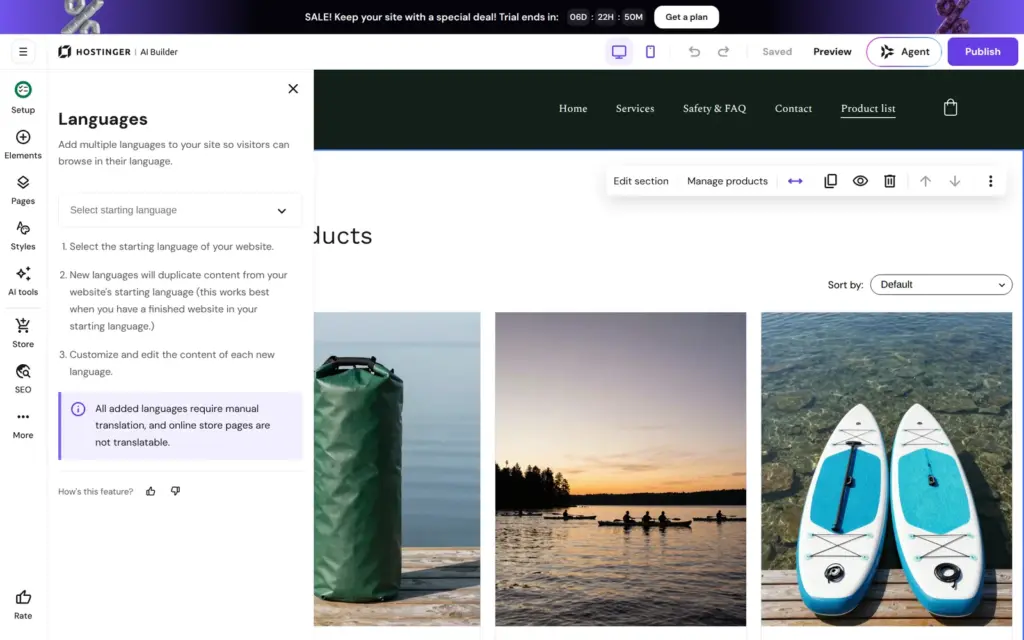
The More menu also holds a blog and other languages. I didn't test the blog. For other languages, Hostinger copies your pages, and you translate them yourself. Store pages can't be translated.
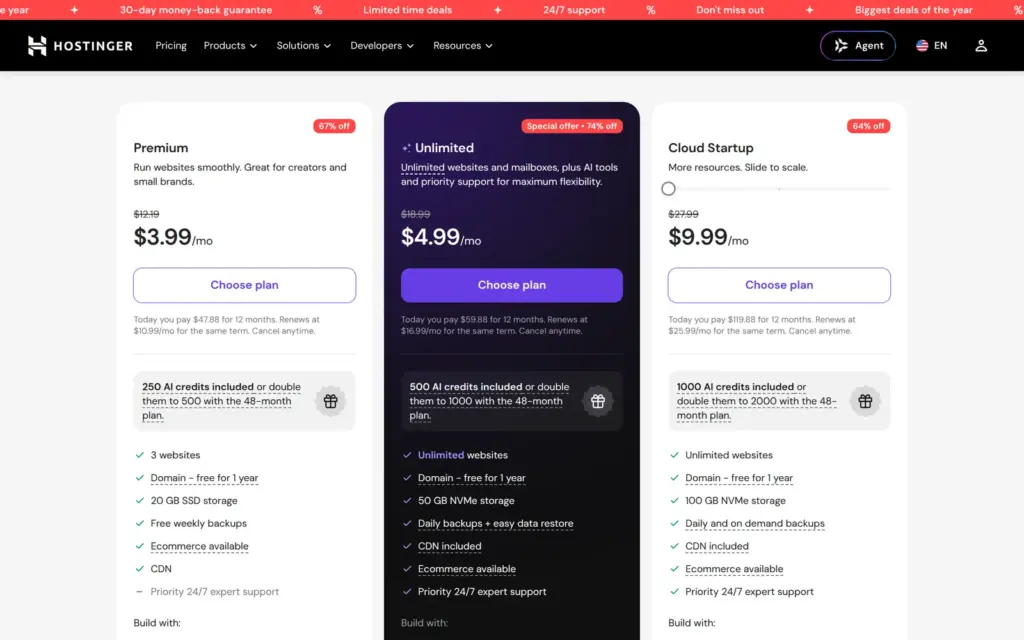
I checked the prices on November 3, 2026, during Hostinger's Black Friday sale. The English site shows US dollars. From Germany, I checked euros on Hostinger's German site. Some numbers are the same in both, some aren't. Prices are without VAT or sales tax.
Every plan includes hosting, and on yearly or longer billing a free domain for the first year. You pay the whole term upfront. The monthly price is that amount split over the months.
| Premium | Unlimited | Cloud Startup | |
|---|---|---|---|
| 48 months | $2.49 / €2.49a month, $119.52 / €119.52 for 48 months | $3.49 / €3.49a month, $167.52 / €167.52 for 48 months | $7.99 / €7.99a month, $383.52 / €383.52 for 48 months |
| 24 months | $3.49 / €3.09a month, $83.76 / €74.16 for 24 months | $4.49 / €4.29a month, $107.76 / €102.96 for 24 months | $8.99 / €8.99a month, $215.76 / €215.76 for 24 months |
| 12 months | $3.99 / €3.19a month, $47.88 / €38.28 for 12 months | $4.99 / €4.49a month, $59.88 / €53.88 for 12 months | $9.99 / €9.99a month, $119.88 / €119.88 for 12 months |
| 1 month | $12.19 / €12.19a month | $18.99 / €18.99a month | $27.99 / €25.99a month |
| Renews at | $10.99 / €9.99a month | $16.99 / €16.99a month | $25.99 / €23.99a month |
| Premium | Unlimited | Cloud Startup | |
|---|---|---|---|
| Websites | 3 | Unlimited | Unlimited |
| Storage | 20 GB | 50 GB | 100 GB |
| Backups | Weekly | Daily | Daily and on demand |
| AI credits | 250, or 500 on 48 months | 500, or 1,000 on 48 months | 1,000, or 2,000 on 48 months |
| Mailboxes, free for 1 year | 2 per website | Unlimited | Unlimited |
| Free domain for 1 year | On 12 months or longer | On 12 months or longer | On 12 months or longer |
| Support | Chatbot (Hostinger Agent) | Priority 24/7 | Priority 24/7 |
| Online store | Ecommerce plan on top | Ecommerce plan on top | Ecommerce plan on top |
The built-in store needs Hostinger Ecommerce on top. Hostinger says it takes no fee per sale, but Stripe and PayPal charge theirs.
| Price | Renews at | |
|---|---|---|
| 12 months | $4.99 / €4.99a month, $59.88 / €59.88 for 12 months | $8.99 / €7.99a month |
| 1 month | $11.99 / €10.99a month | $11.99 / €10.99a month |
| Add-on offer on the plan pages | $1for the first 3 months | $8.99a month |
For the kayak rental, Premium on four years costs $119.52 or €119.52, about $2.49 a month. To take payments for the rentals and the dry bag, Ecommerce adds $59.88 or €59.88 for the first year. From the second year, Ecommerce renews at $8.99 or €7.99 a month. After four years, Premium renews at $10.99 or €9.99 a month. Domain renewals and tax come on top.
Only the four-year term gets the lowest price and twice the AI credits. The renewal prices are three to five times the sale prices.
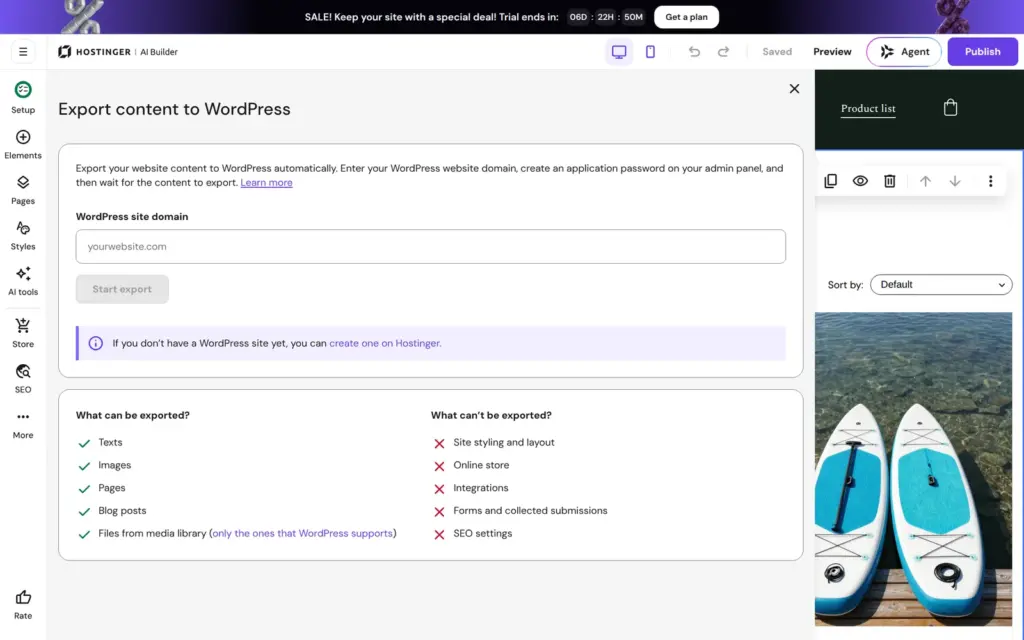
The manual editor can export your content to a WordPress site. It takes your pages and blog posts with their texts and images. The design and the online store stay behind, and so do the forms and the search settings. If you move, you rebuild the look and the shop. Agentic mode lets you export the code on a paid plan.
Hostinger fits a small business that wants a cheap site with a few pages, and an owner who doesn't mind fixing what the AI got wrong. For my kayak rental, the AI made a usable start in about a minute and a half. Its bookings fit a rental or any business that sells time slots.
It fits less well if you want to see everything working before you pay, because the trial can't publish. It also fits less well if the shop is the main part of your business. The store is a separate plan, and my product showed up as sold out. And if you compare prices, compare the renewal prices, not the four-year sale price.
If you try it, read every page the AI wrote and fix every made-up detail. Then check the phone version of each page before you pay.
 What I'm building
Give Vroni a GitHub issue, bug report, spec, or rough idea. It reads the repo, plans the change, writes code, runs checks, and works toward a review-ready pull request.
Take a look at vroni.com