
WebStarts review
WebStarts is a website builder with a free plan. You drag text and photos onto a page wherever you like, and WebStarts…
10Web is an AI website builder. You describe your business in a few sentences, and its AI builds a complete WordPress site with hosting included. It can also add an online shop and bookings. If you're thinking about it for your business, the main question is how much of the work the AI does. The second question is what it costs once the free trial ends.
To find out, I let 10Web's AI build a website for a made-up furniture workshop in Ireland, on the free three-day trial. I asked for a small shop and a form for custom orders. Then I edited the site by hand and with the AI chat. I also placed a test order and booked a visit, both as a visitor on the published site.
The AI was fast, and the design looked professional. It built the site, including a shop, in about six minutes. But it also made up facts like an address and a phone number, and some product photos showed the wrong furniture. Its first checkout couldn't take a single order until I asked the AI to fix it. And none of the emails the site sent reached my inbox.
10Web suits you if you want a good-looking site with a small shop or bookings, and you'd rather describe changes to an AI than design pages yourself. You need to check every page and test the shop before you share the site, because the AI fills gaps with made-up details.
Look elsewhere if you might want to move your site to another host later. 10Web says sites built by its AI only run on its own hosting.
The shop: it has what a small shop needs, like product variants and VAT rates. But the AI's first checkout couldn't place any order, and after a fix, its total didn't add up. Without a card payment provider, the shop takes cash on delivery.
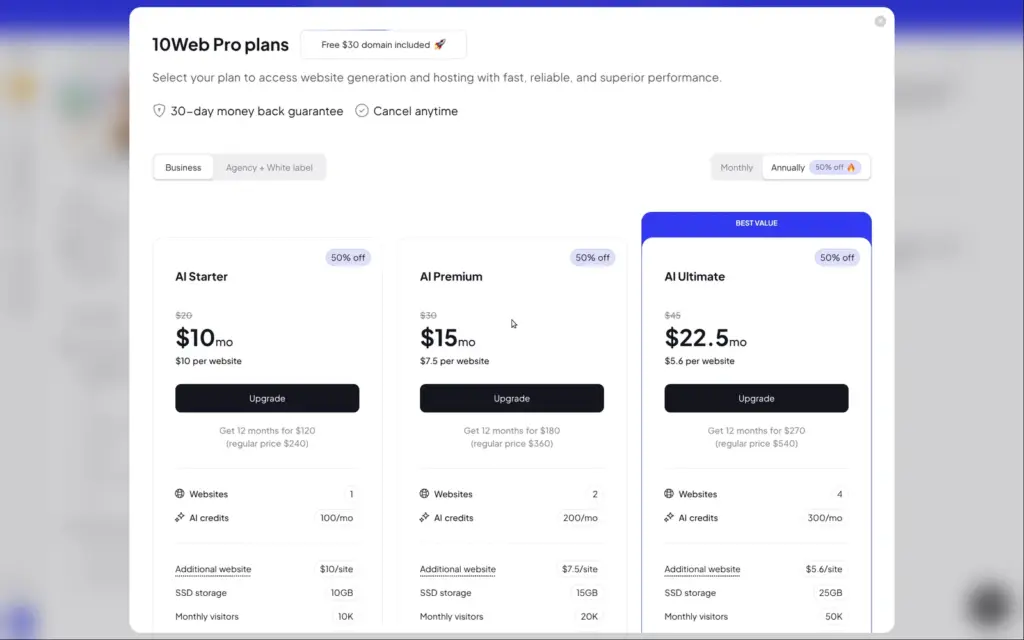
Price: a free trial runs for three days with 5 AI credits and needs no card. After that, AI Starter costs $10 a month on yearly billing ($120 a year) or $20 on monthly billing, for one site with 100 AI credits a month. I checked the prices on November 3, 2026, the day I tested.
Not tested: I didn't buy a plan, so I couldn't test a custom domain or card payments. I also didn't contact 10Web's support. 10Web did not pay for this review, and there are no affiliate links.
What I liked:
What bothered me:
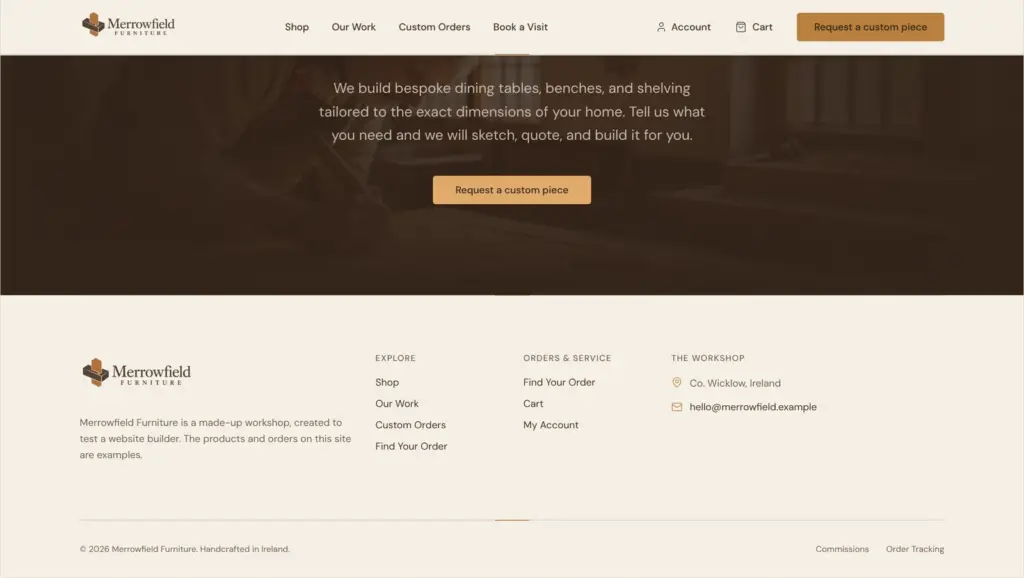
Merrowfield Furniture is a made-up workshop where two makers build furniture from oak and walnut. Its footer says that the business is made up.
The AI built ten pages. Besides the home page and the shop, the menu links to a gallery of past work and a page for custom orders. The other pages belong to the shop, like the cart and the checkout. Later I asked the AI for a booking page, and it added one to the menu. All photos on the site are AI images, except one workshop photo that I uploaded.
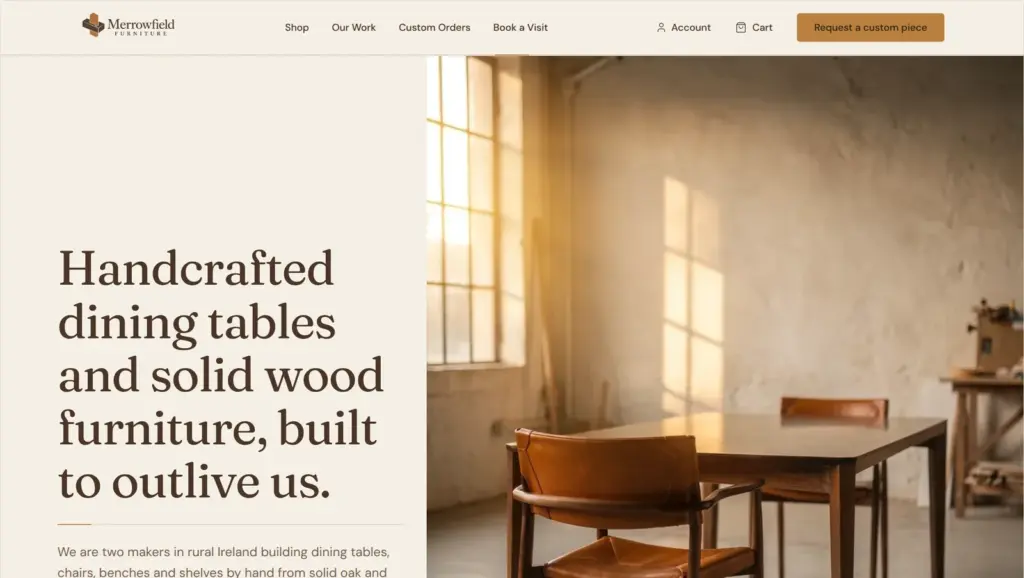
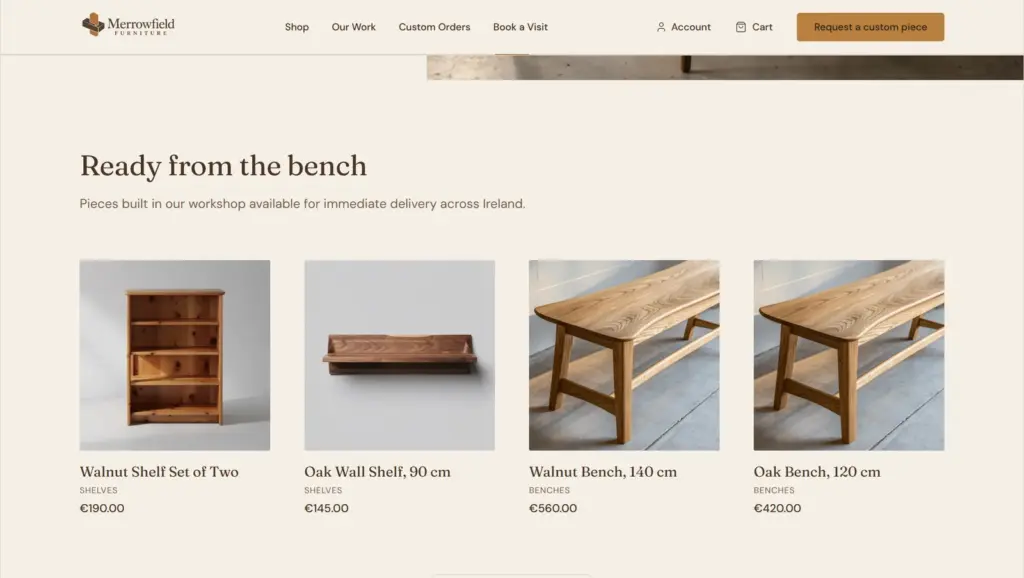
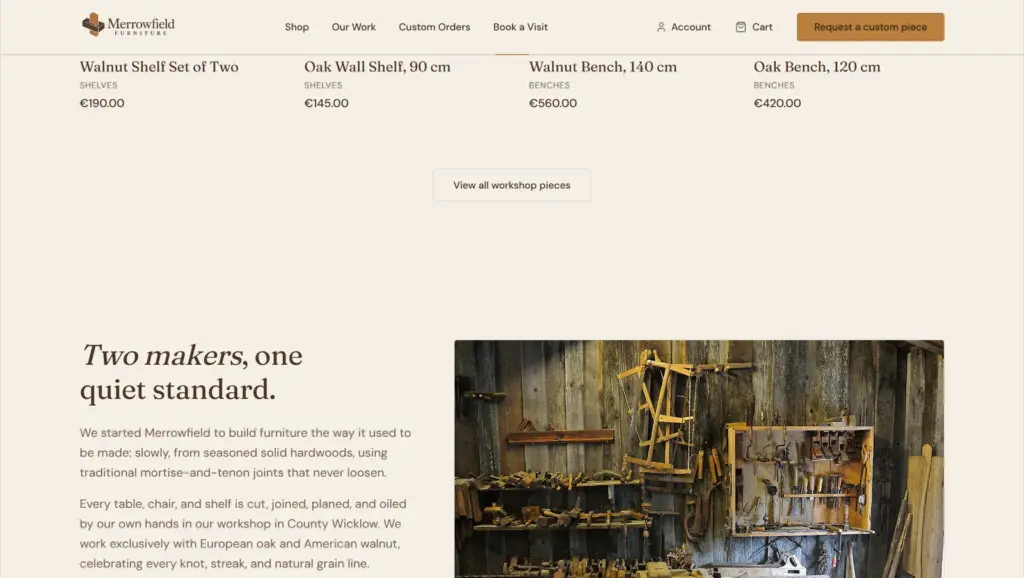
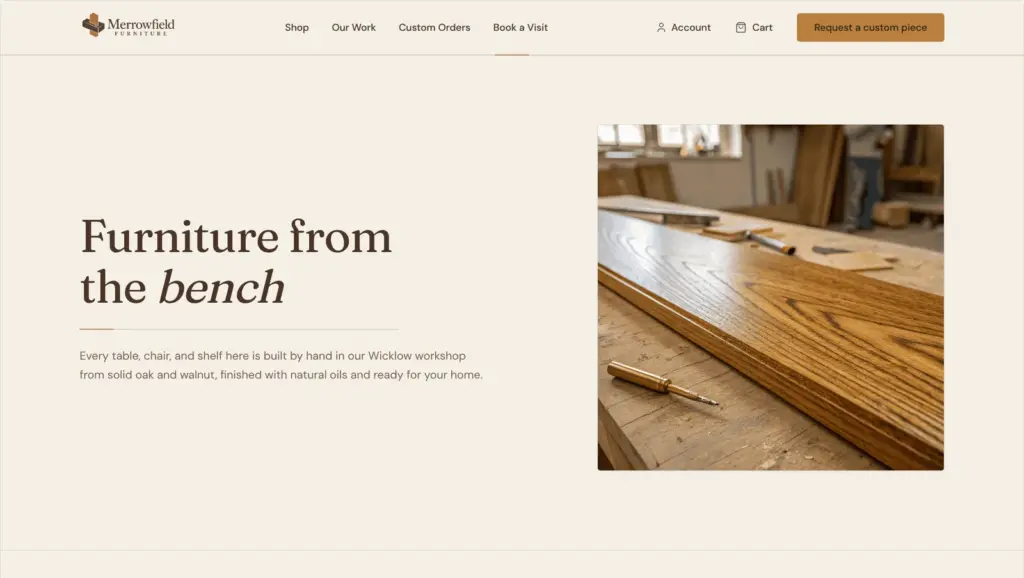
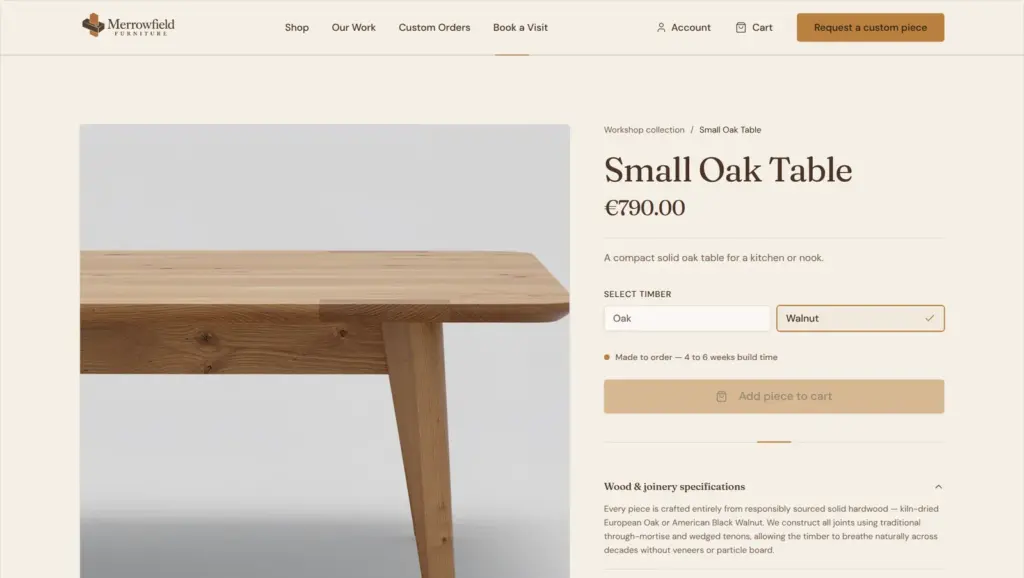
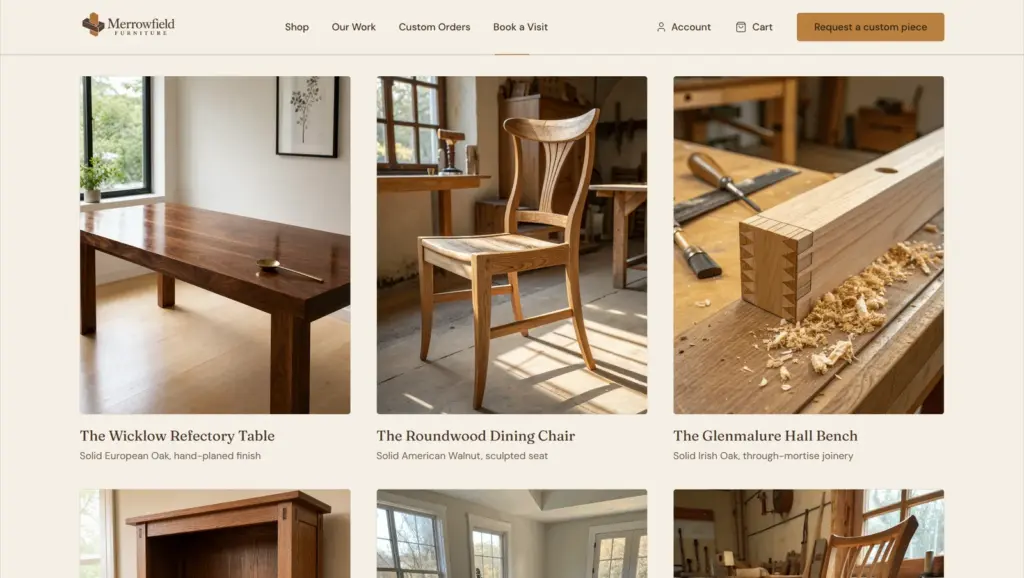
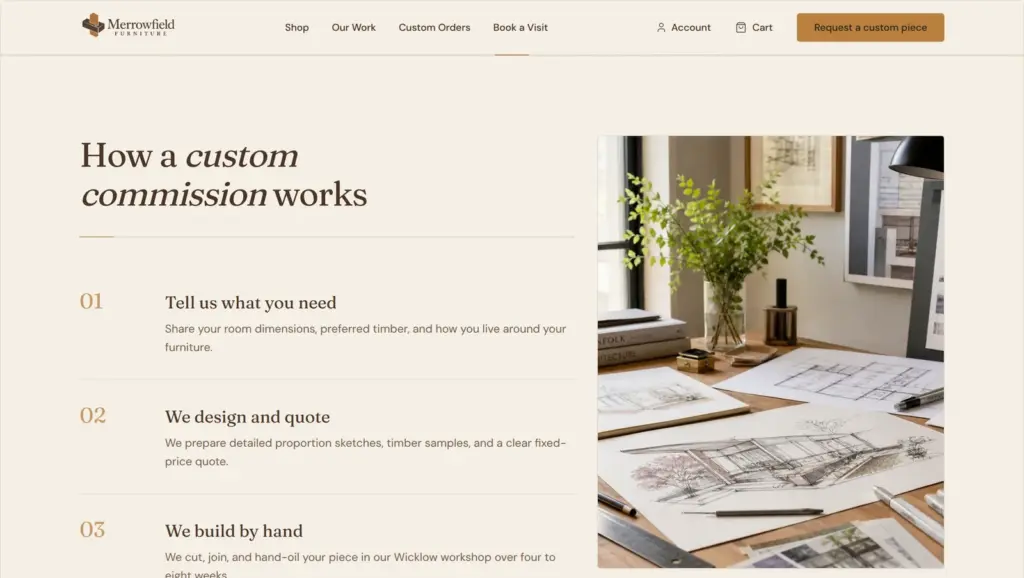
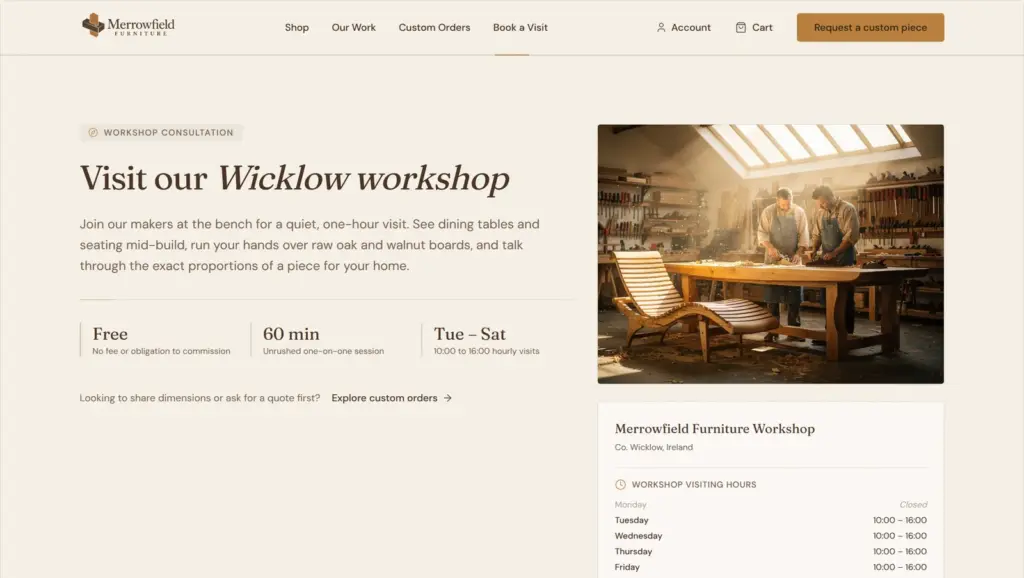
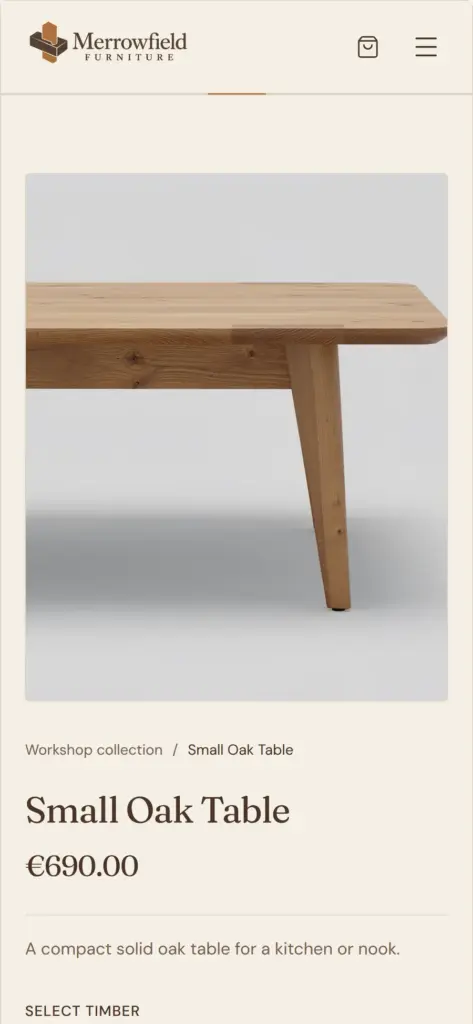
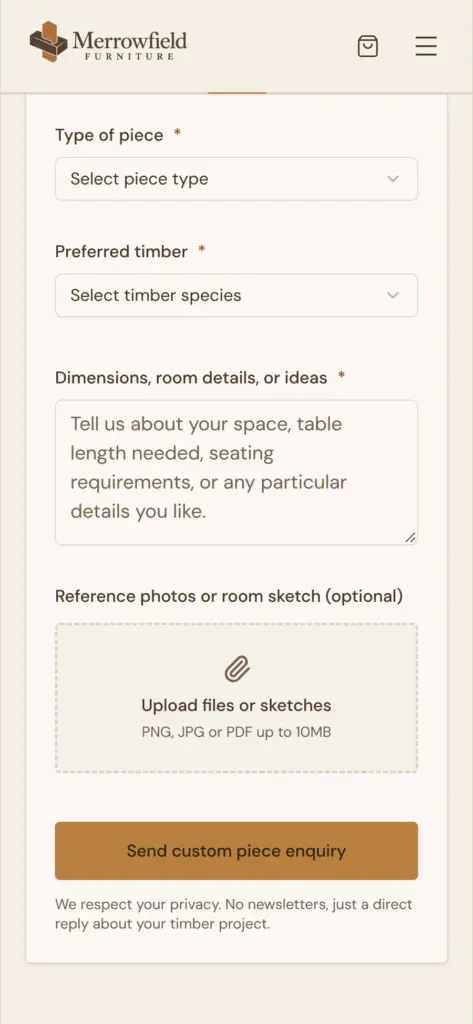
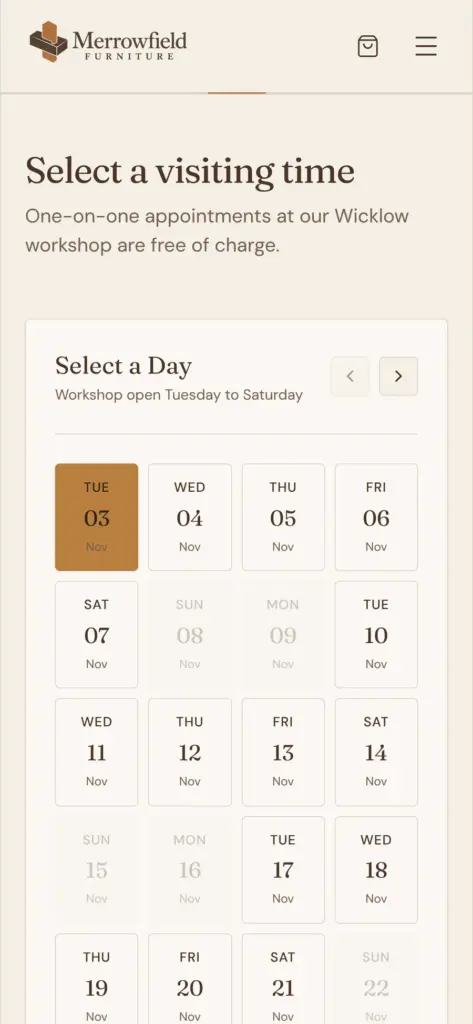
10Web's start page is a single box that asks what you want to build. I described the workshop in five sentences and asked for a warm, natural look. The site should sell a few ready-made pieces and let visitors request a custom piece.
Before the AI builds anything, 10Web wants an account. You can sign up with a Google or Facebook account, or with an email address and a password. It didn't ask for a card. A verification email arrived a little later, and the dashboard reminded me to click the link.
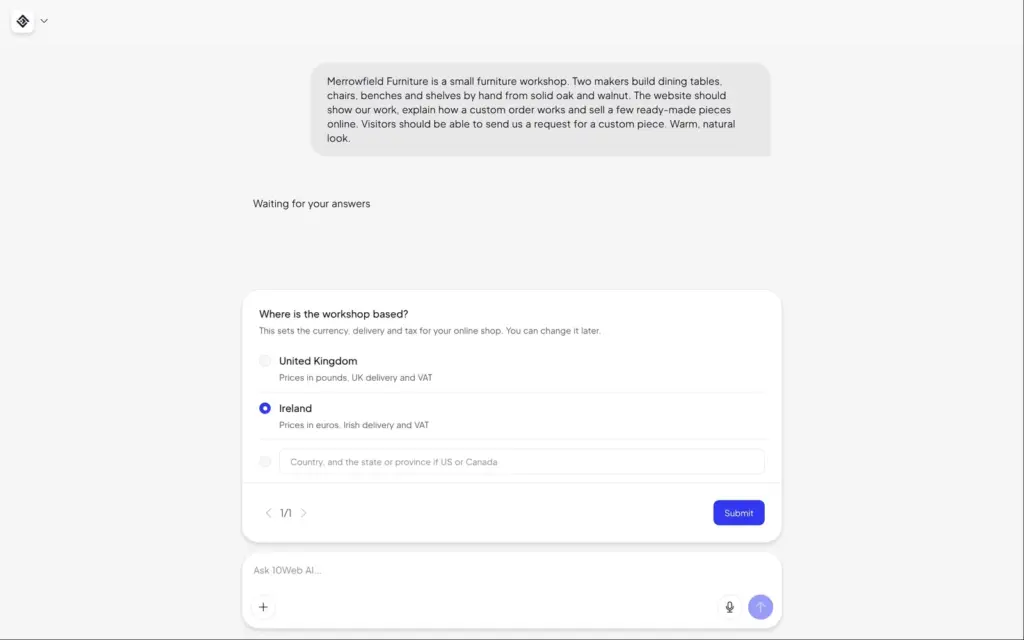
The AI then asked one question in a chat. It wanted to know where the workshop is based, because that sets the currency and the tax. I chose Ireland, so the prices are in euros.
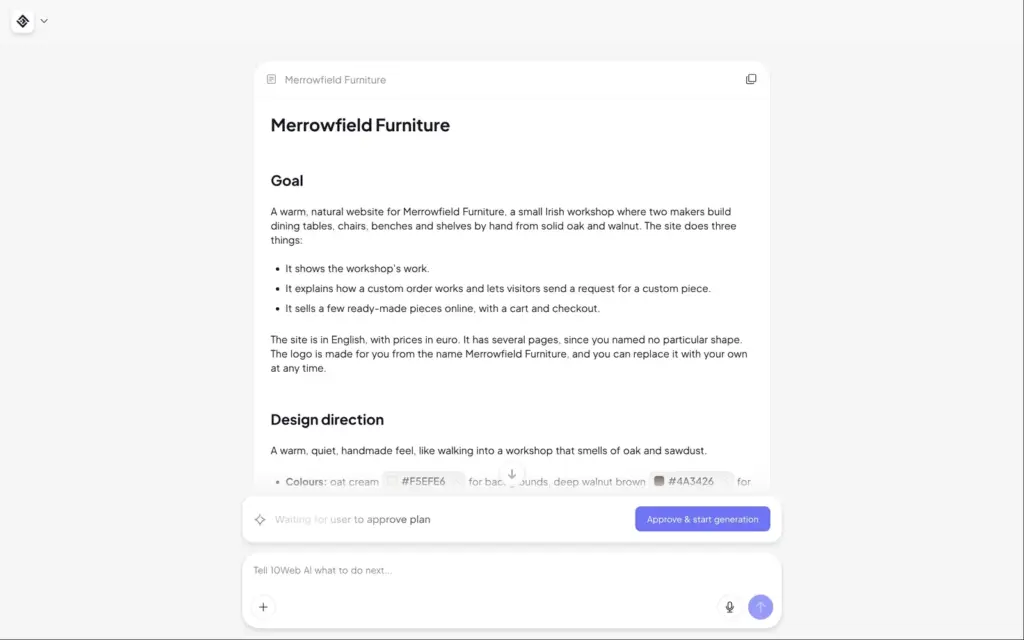
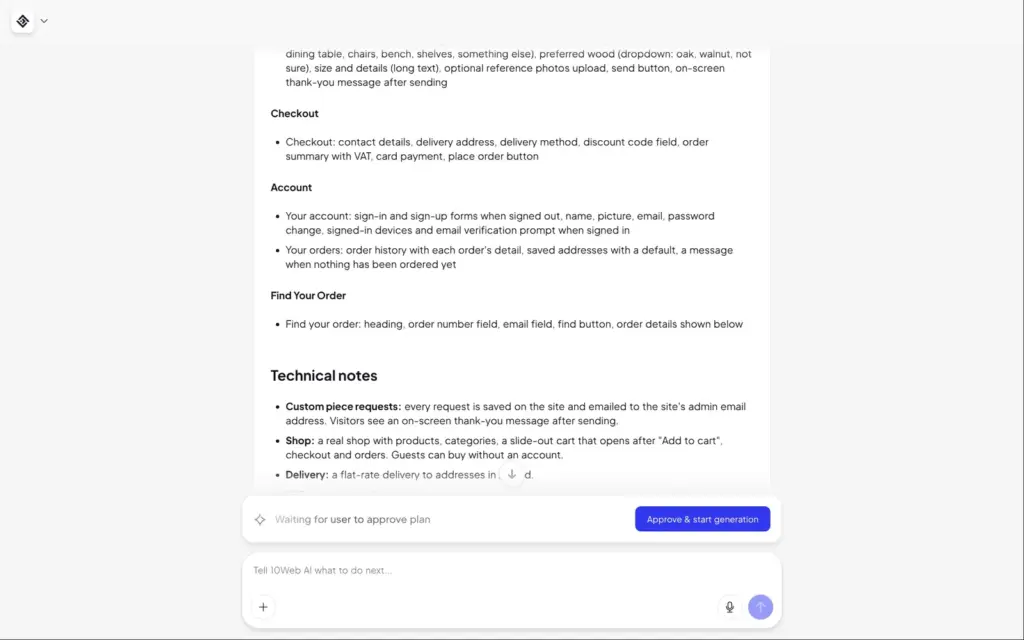
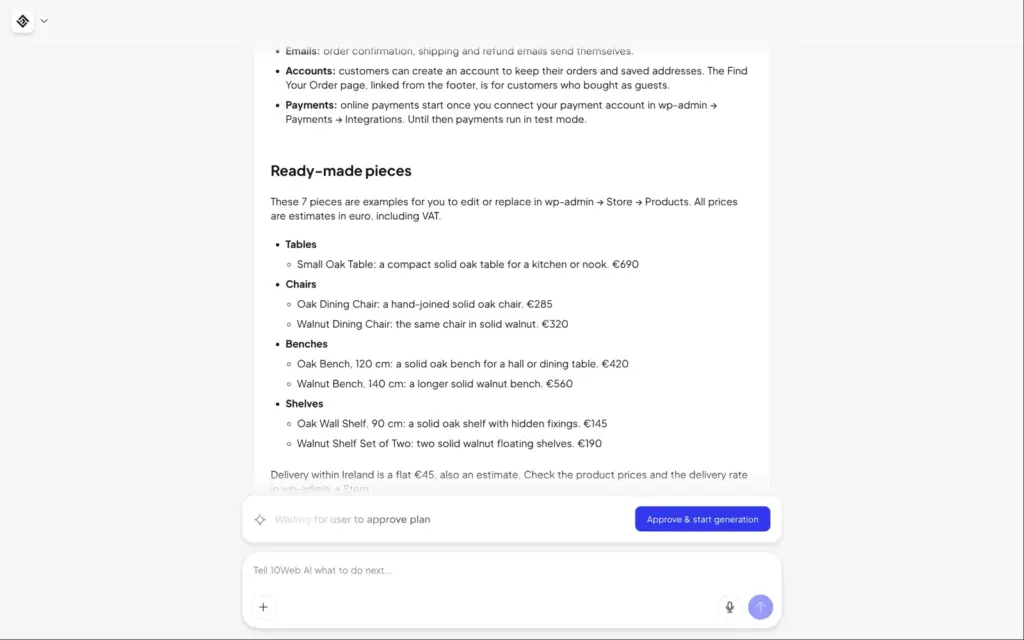
About a minute later, there was a written plan for the whole site. It named the colours and the fonts and described each page section by section. It also listed seven products with prices in euros and a flat delivery rate of €45. Nothing is built until you approve the plan.
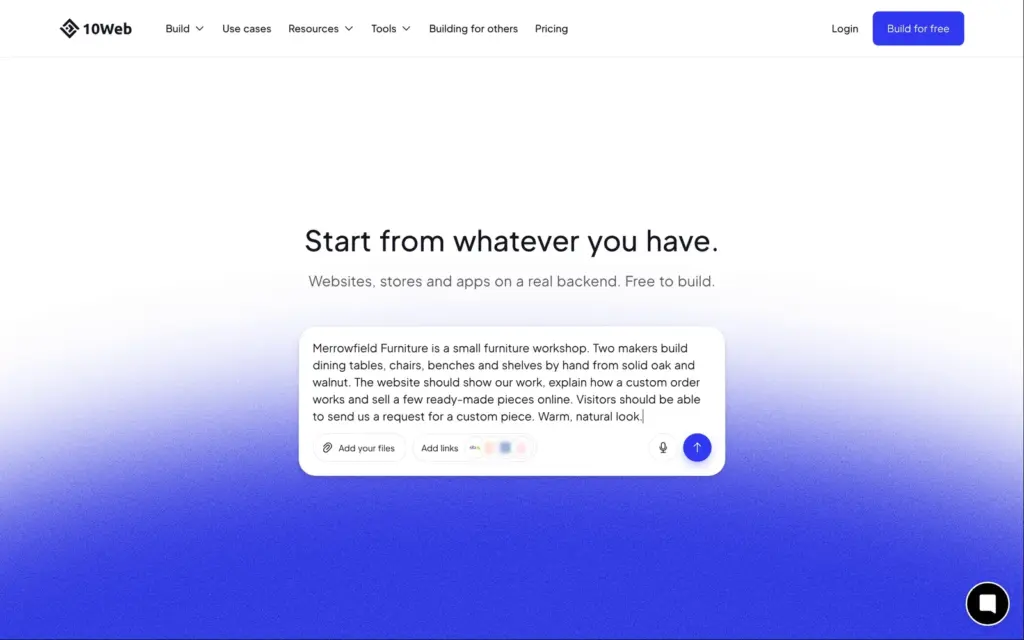
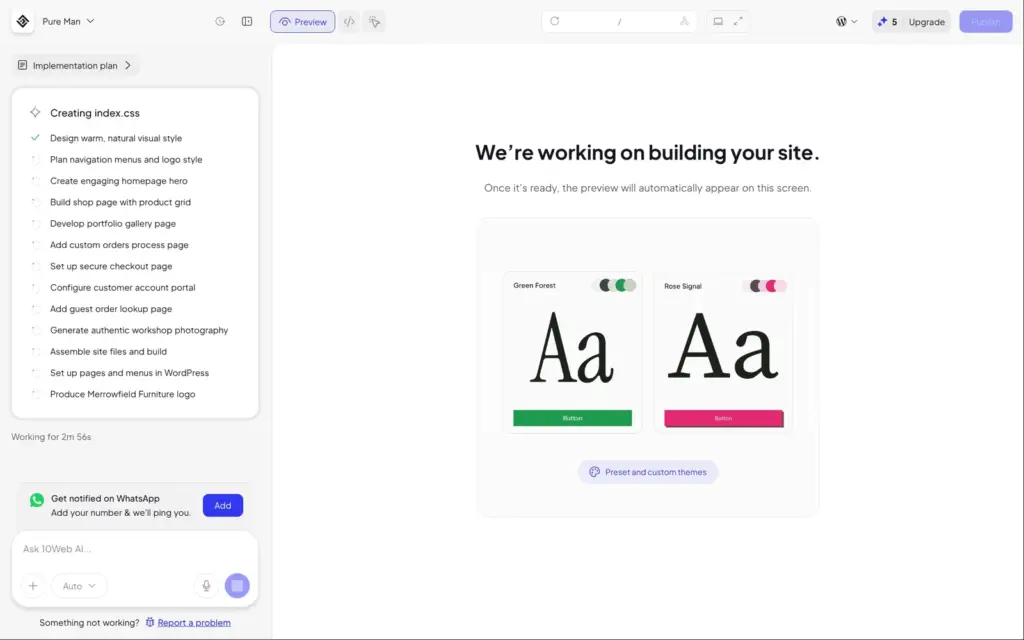
After I approved it, the editor opened with a to-do list of what the AI was building. About six minutes later, the site was ready. The trial comes with 5 AI credits, and the build didn't use any of them.
The site was online right away on a free address ending in 10web.cloud. It was hidden from search engines until you switch that on.
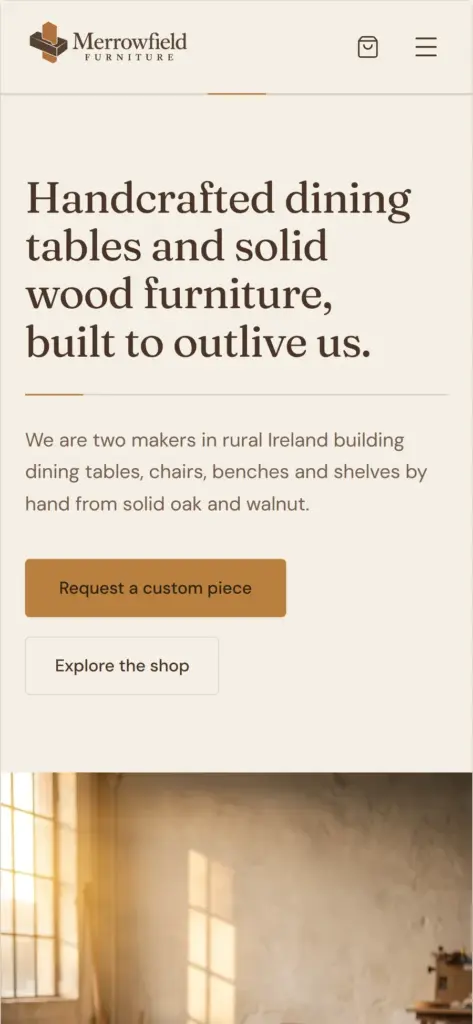
The design is the strong part. The colours and fonts suit a furniture workshop, and the layout works on a phone.
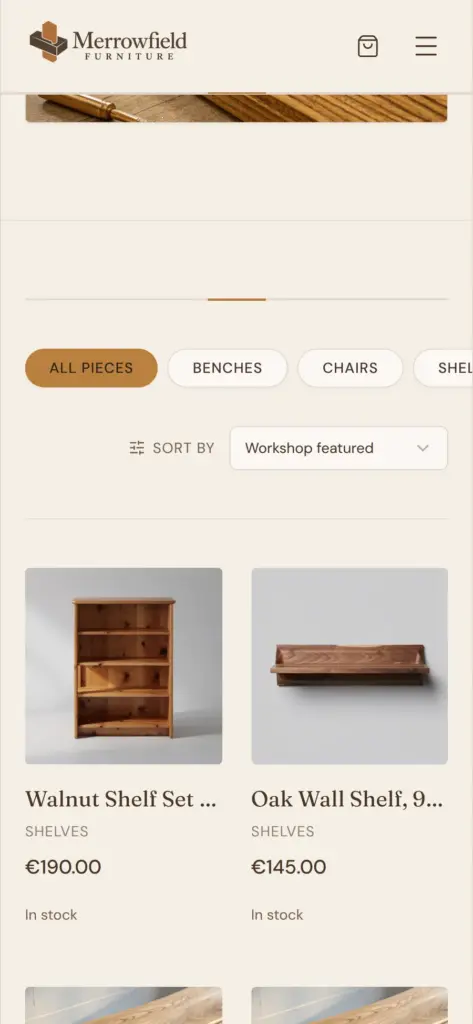
The content needs more checking. On the home page, the "Walnut Shelf Set of Two" shows a light pine bookcase. Both benches use the same photo of a light oak bench, and the photo for a set of walnut dining chairs shows a table.
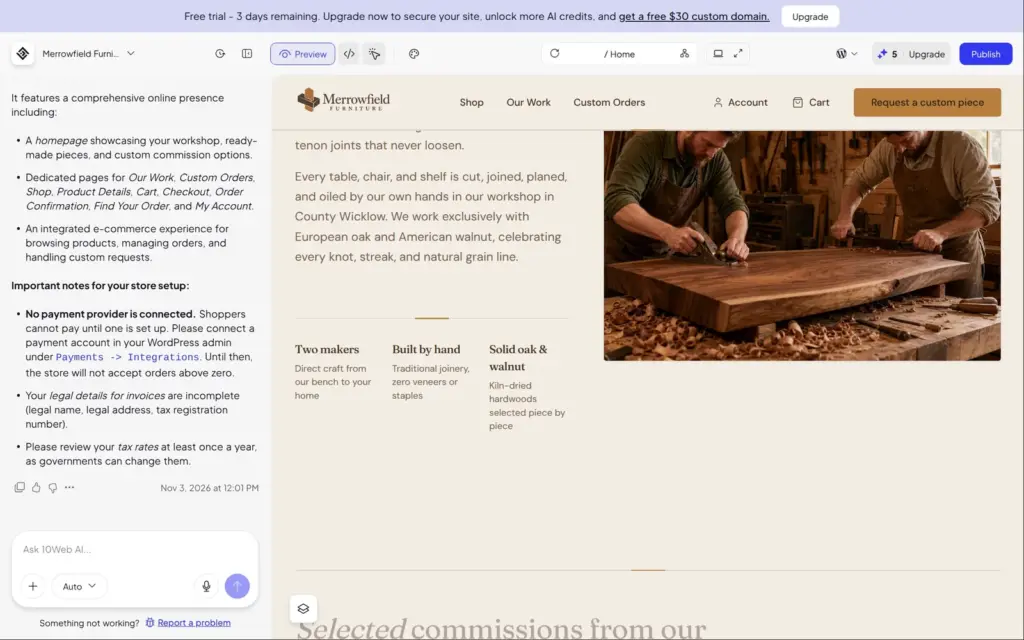
The AI also wrote a story about two makers in County Wicklow, with a photo of two men who don't exist. It also contradicts itself. The top of the page talks about Irish oak, and the story says the workshop works only with European oak and American walnut. The gallery shows nine past commissions with names of Wicklow places, all AI images.
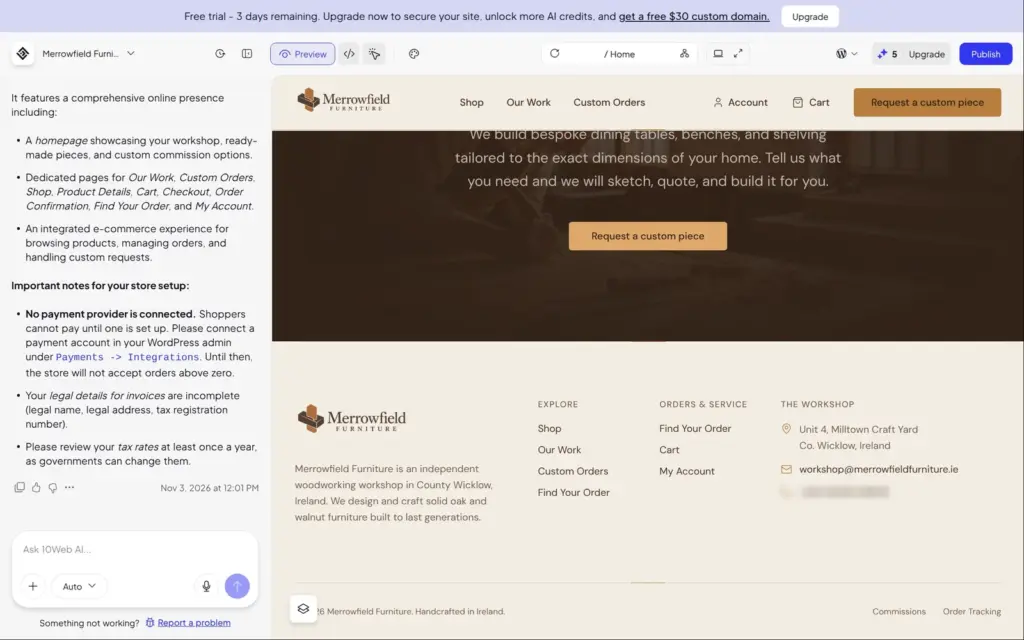
The footer had a full workshop address and an Irish phone number, and its email address was at a domain that doesn't exist. I didn't ask for any of these. The phone number uses the real area code for Wicklow, so it could belong to someone. A real owner has to find and replace all of it.
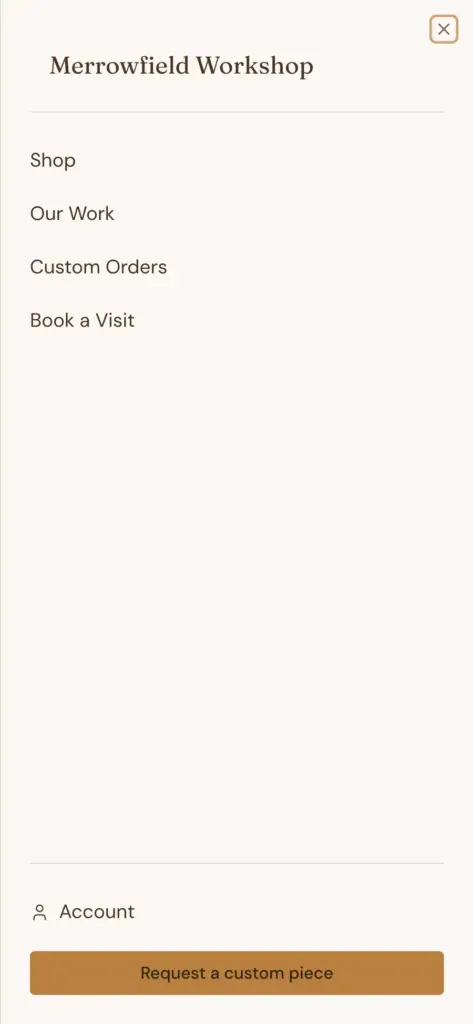
There was no privacy policy and no returns page. A shop that sells to people in the EU needs that information. On the phone, the menu's title said "Merrowfield Workshop" instead of the business name.
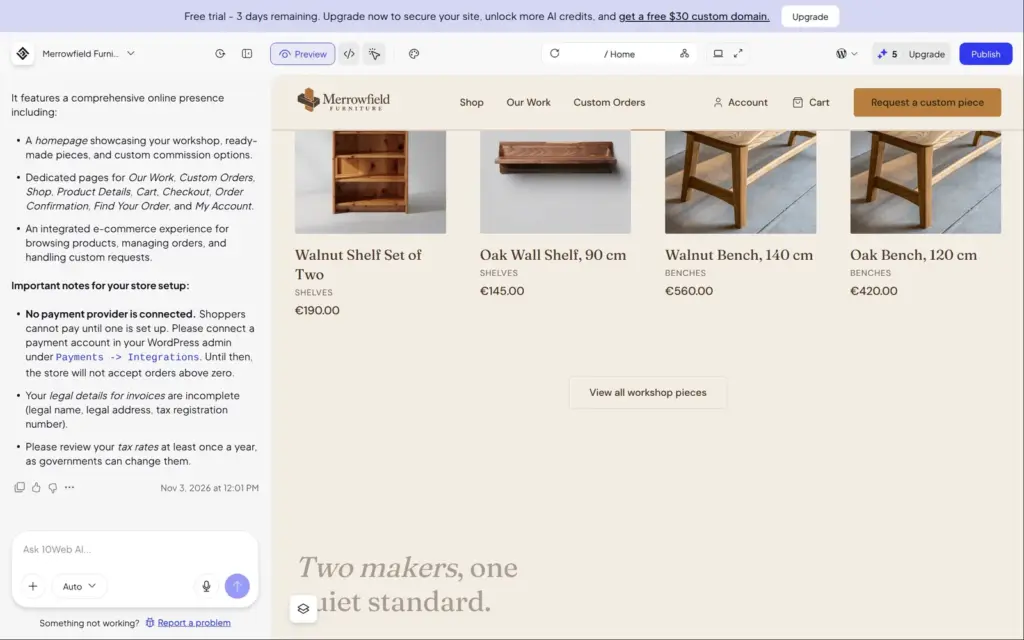
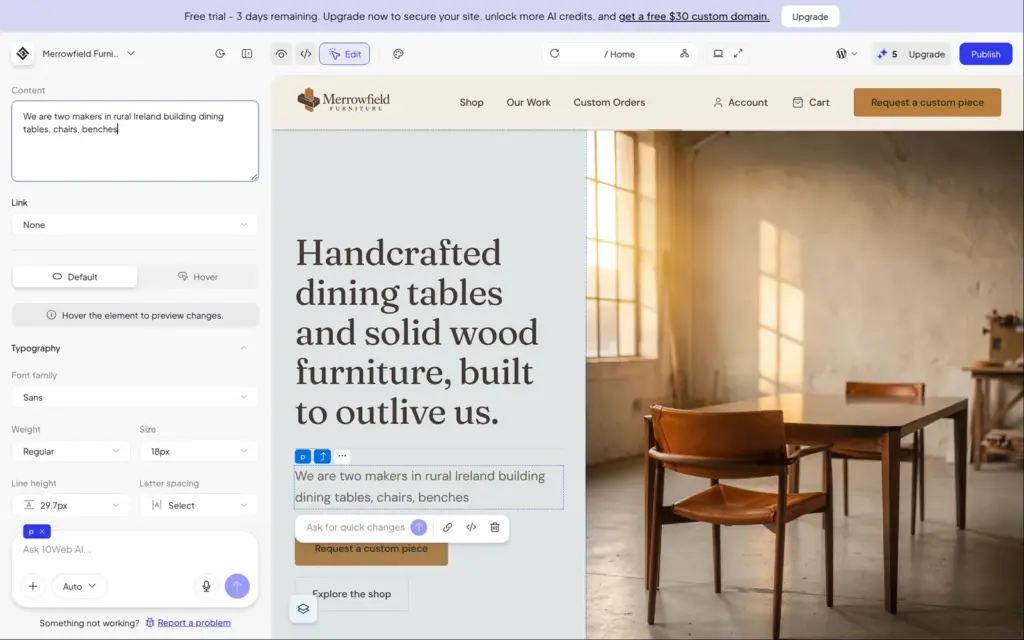
The editor has three modes. In Preview you see the site. In Edit you click any element to change it, and Code shows the files behind the site. In Edit mode, a panel on the left shows the settings of what you clicked, like its text and its font.
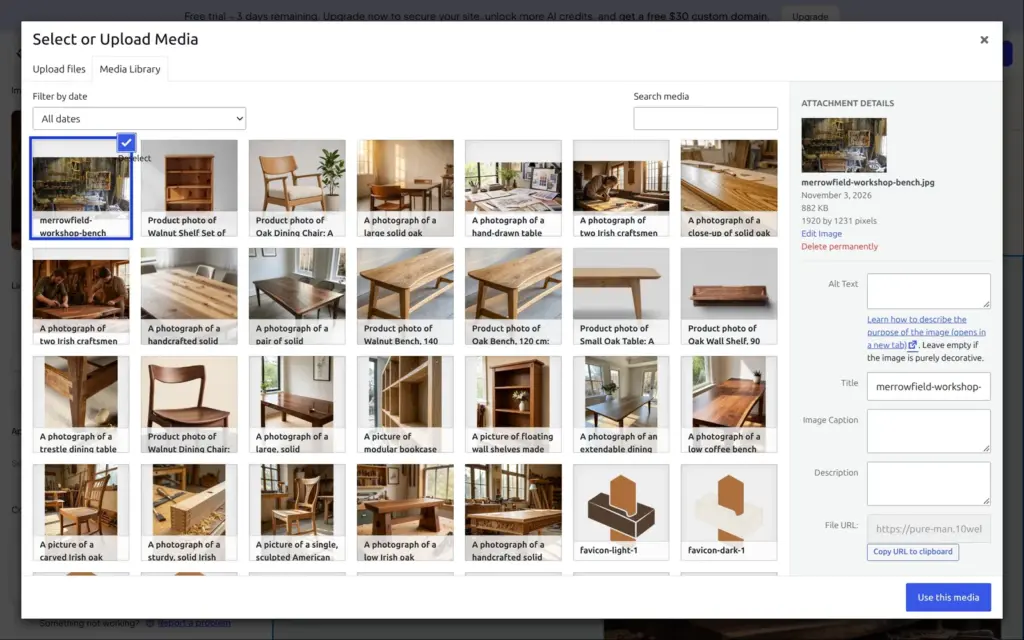
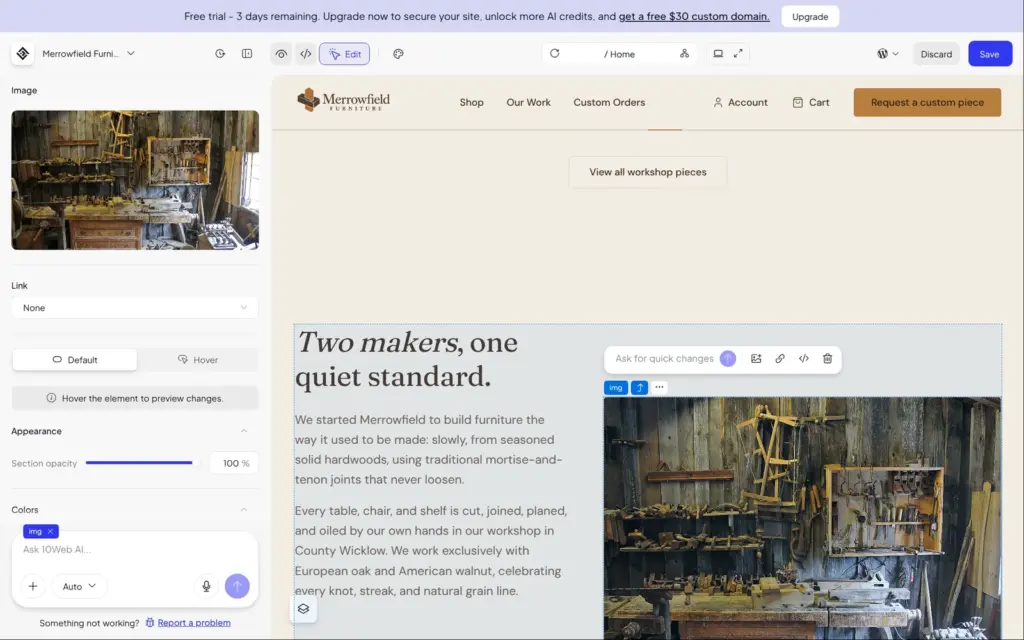
I changed a sentence at the top of the home page, and the page updated while I typed. For the photo of the two made-up makers, the image button opened the WordPress media library with all the AI images. I uploaded my own workshop photo and added a short description for screen readers. There's no built-in search for free stock photos.
Each saved change shows up in the chat as a manual edit. Manual edits didn't use any AI credits.
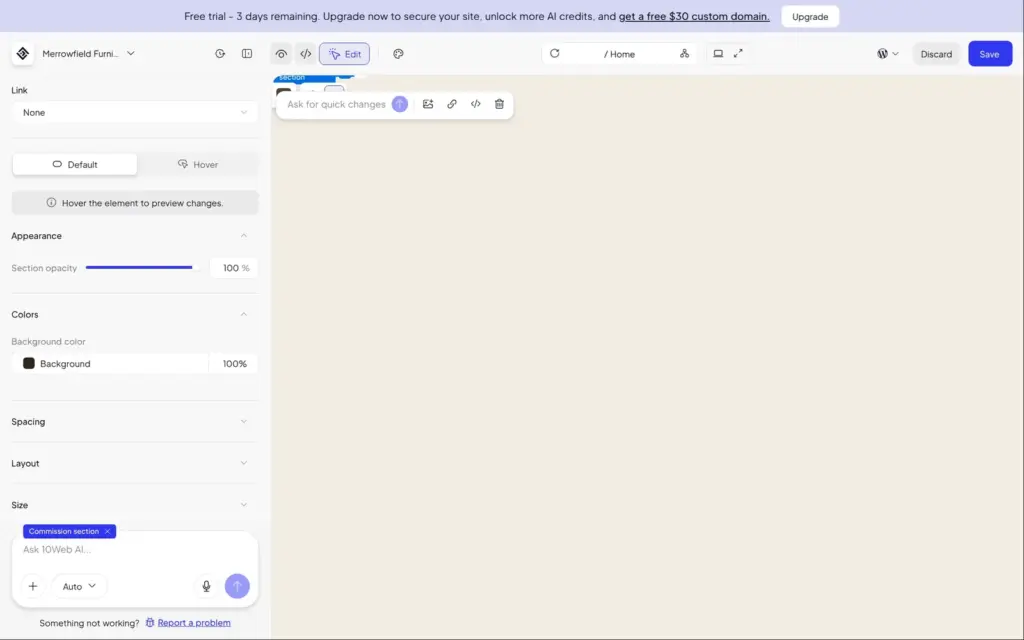
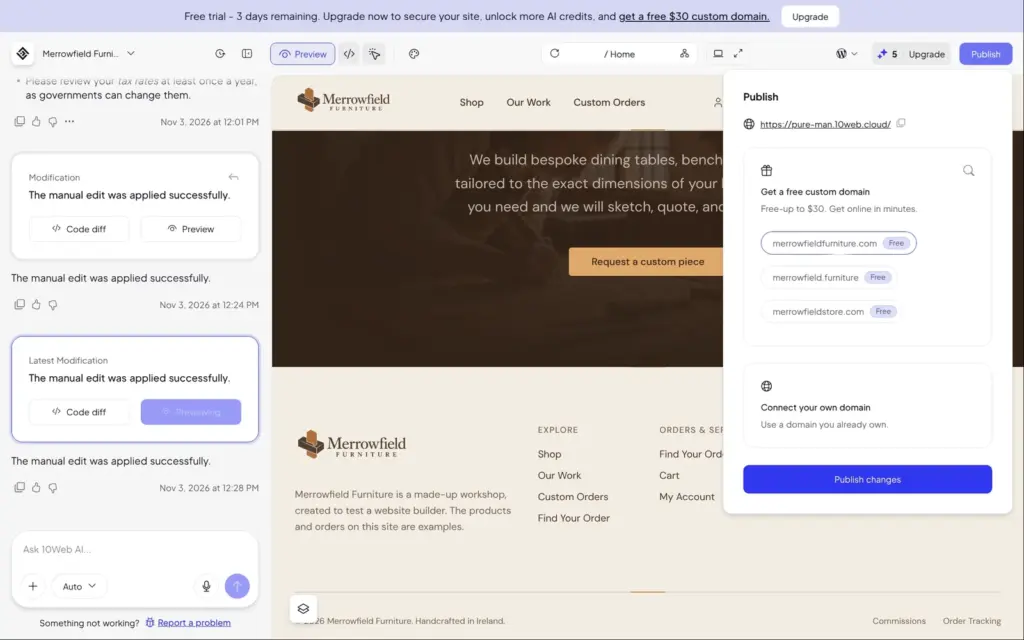
The footer was harder. I replaced the email address with a placeholder and the phone number with a line about visits. But the visual editor didn't let me change the links behind them. On the published site, the email link still opened a message to the made-up address, and tapping the line about visits would have called the made-up number.
When I edited the two-line address, the whole preview went blank. After a reload, my changes were still there, but the address had lost its first letter. The Custom Orders page also had its own copy of the address, so changing the footer didn't change it there.
Saving keeps a change in the editor. To put it on the live site, you click Publish, which took about half a minute. The Publish panel also offers a free custom domain, which you only get with a paid plan.
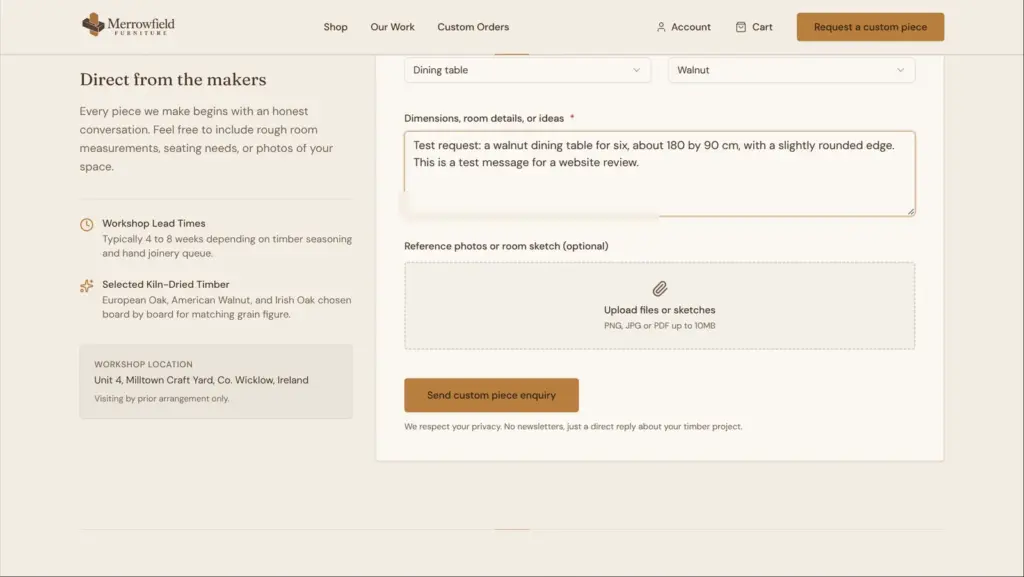
The AI built the request form on the Custom Orders page from my short description. Visitors pick the type of piece and the wood from lists and describe what they need. They can also upload a sketch or a photo. The form has a hidden field that catches spam bots, and no CAPTCHA.
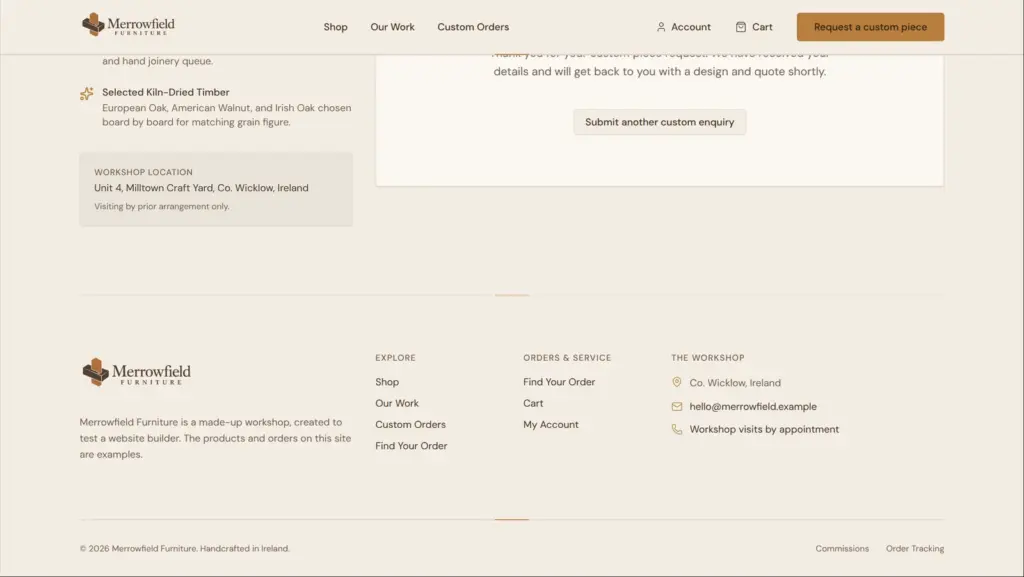
When I sent the form empty, nothing happened, and no message said which fields were missing. A filled-in test request showed a thank-you message on the page.
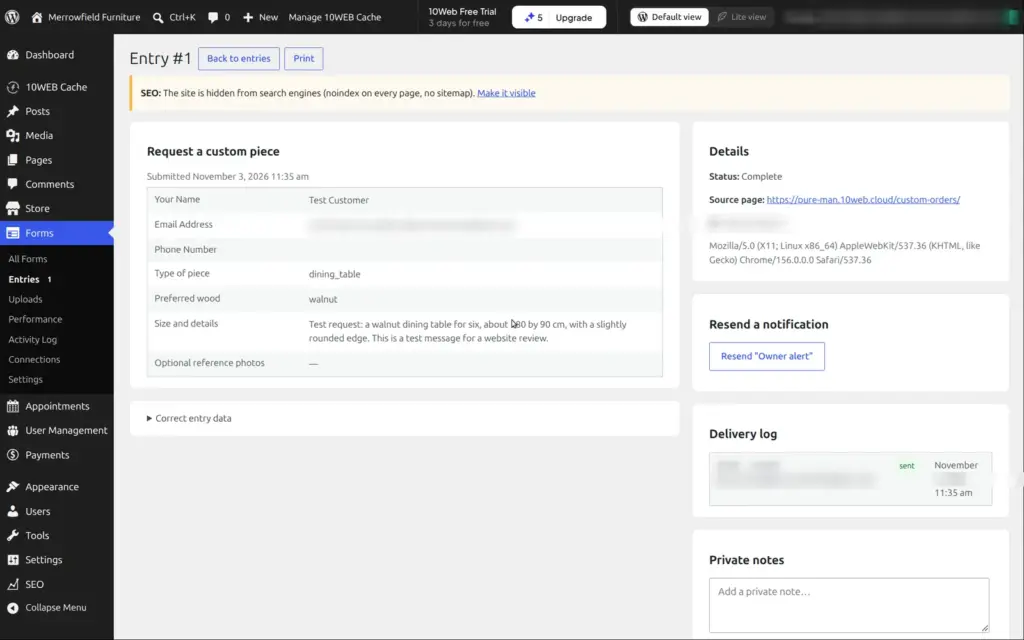
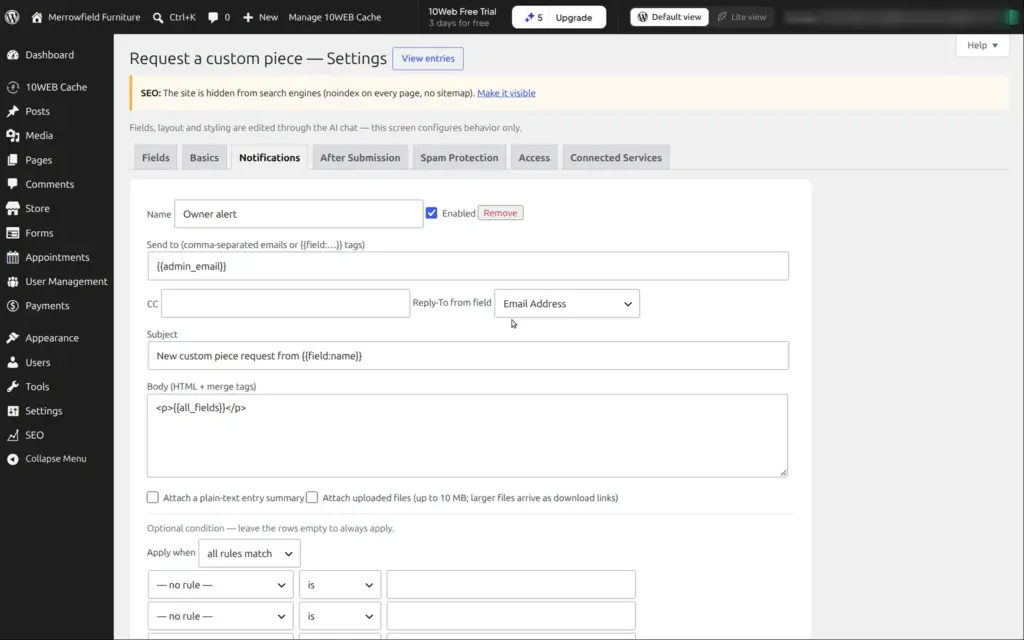
The request landed in the WordPress admin under Forms, with all the answers. The type of piece and the wood were saved as internal values like "dining_table" instead of the words visitors see. A notification called "Owner alert" goes to the account's email address, and its log says it was sent. It never arrived in my inbox.
10Web says forms are created and changed through the AI chat. The admin pages only change how a form behaves, like its notifications and its spam protection.
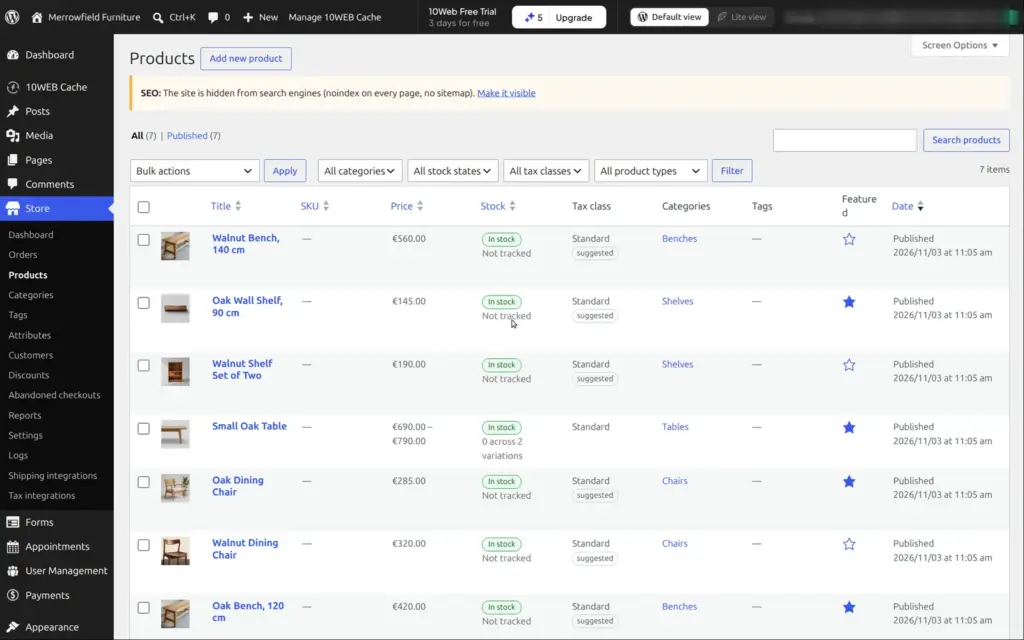
The shop doesn't use WooCommerce, the usual shop plugin for WordPress. 10Web has its own store plugin with its own admin pages. Besides products and orders, there are pages for discounts and tax.
A product can have a sale price and a stock count. It can also be a digital download, and each product gets its own search title. The AI set up the seven products from the plan without counting stock, which suits furniture that's made to order.
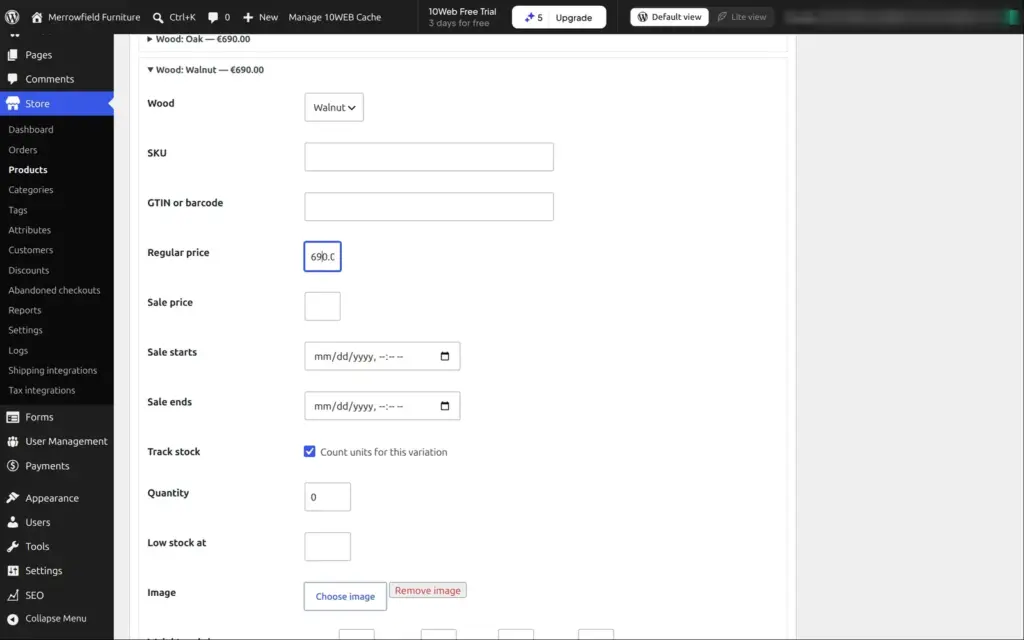
I gave the small oak table a choice of wood. I added an attribute called Wood with the values oak and walnut, and the store generated one version for each. I set walnut to €790 and counted one walnut table in stock. On the live product page, the choice of wood showed up by itself, and the price changed with it.
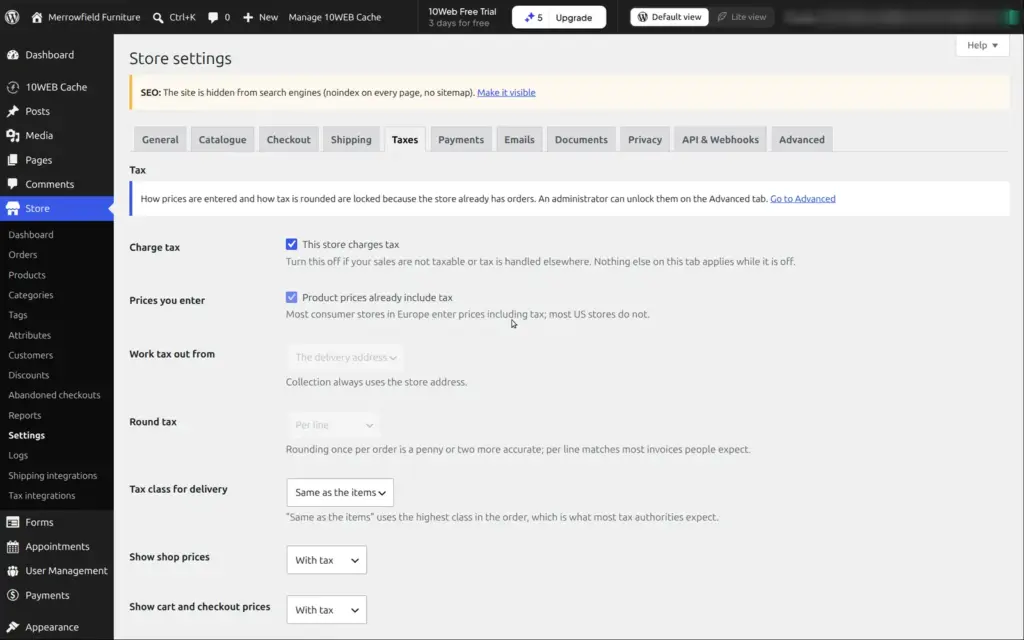
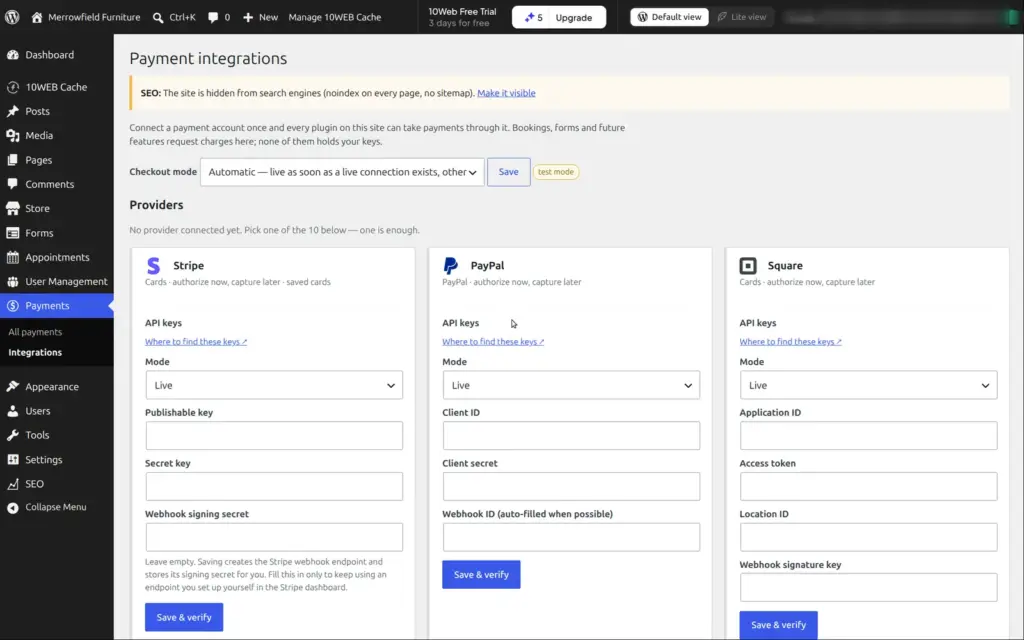
VAT was already set up for Ireland at 23%, with prices that include VAT. Delivery had two zones, €45 for Ireland and €95 for the rest of the world. For card payments, 10Web connects to ten providers through their API keys, Stripe and PayPal among them. I didn't connect one. The plan had said that payments would run in test mode until then. In fact, the shop lets customers pay in cash on collection or delivery, and you mark the order as paid when the money arrives.
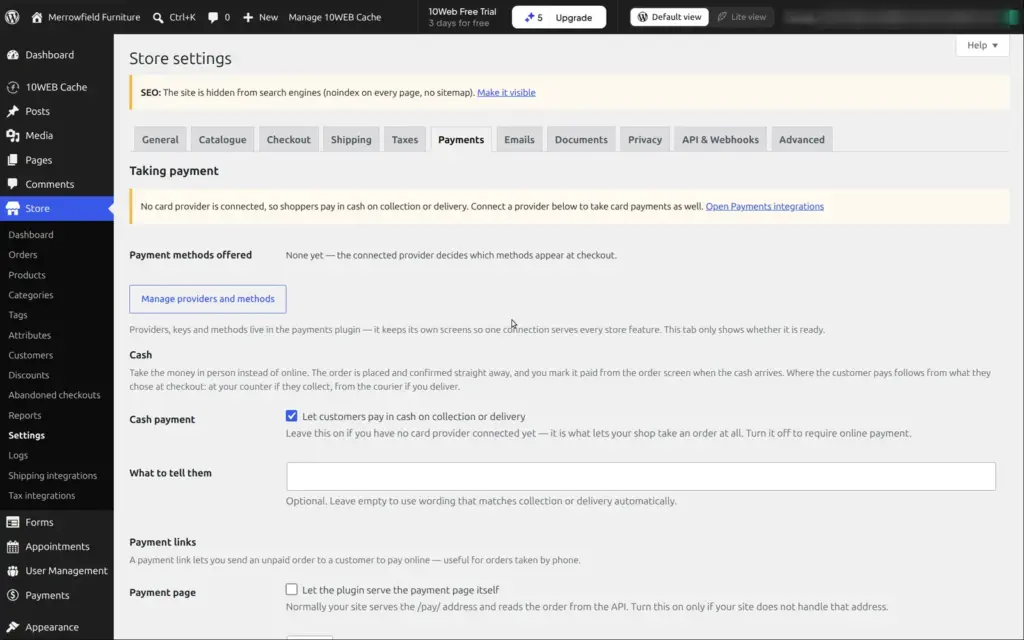
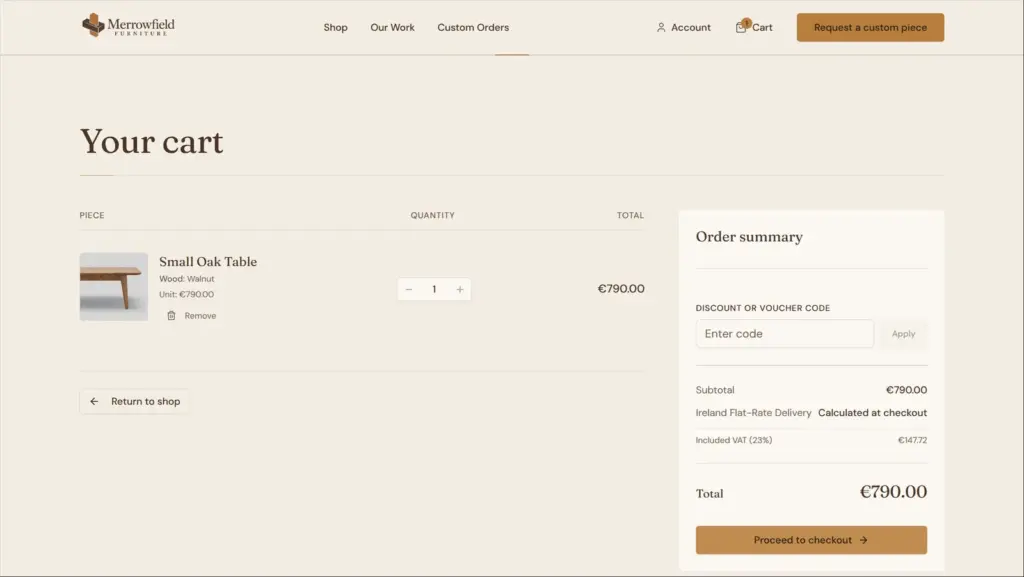
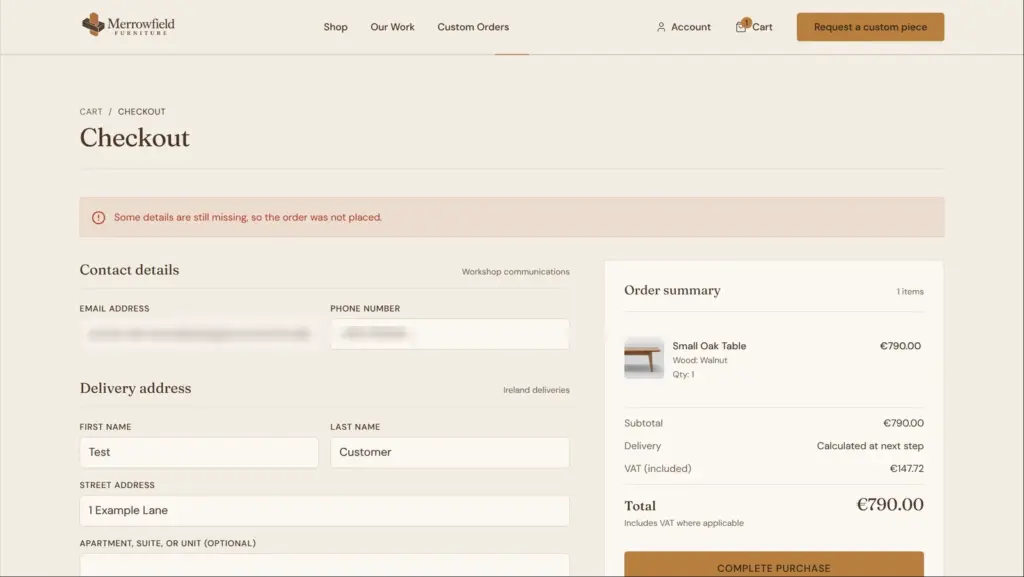
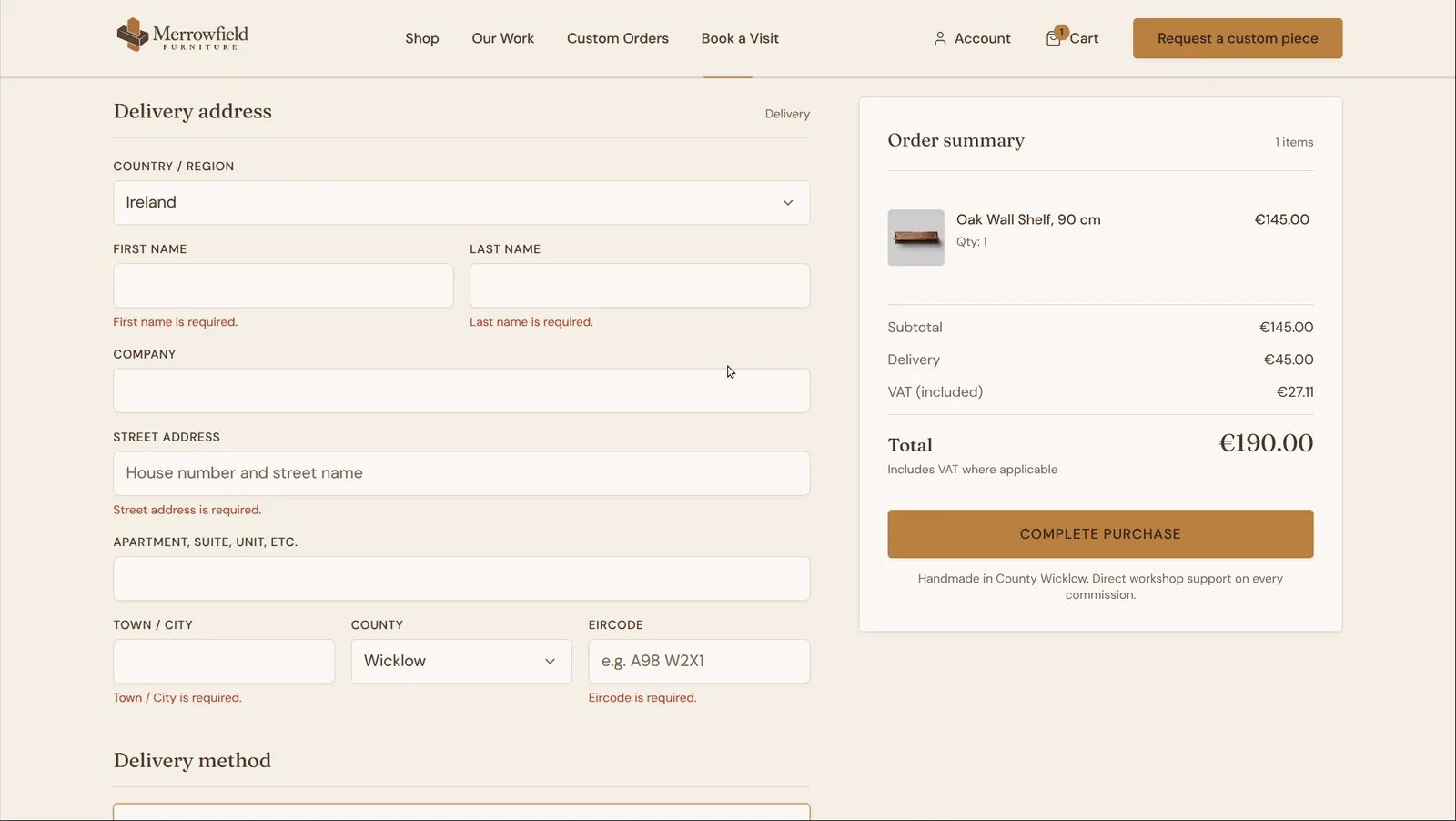
Then I bought the walnut table as a guest on the published site. The cart showed the walnut version and the VAT included in the price. At the checkout, I filled in all the required fields and clicked "Complete purchase". The page said that details were missing and placed no order.
The store's reply in the background said that the country was missing. The AI had built a checkout without a country field, so nobody could have bought anything.
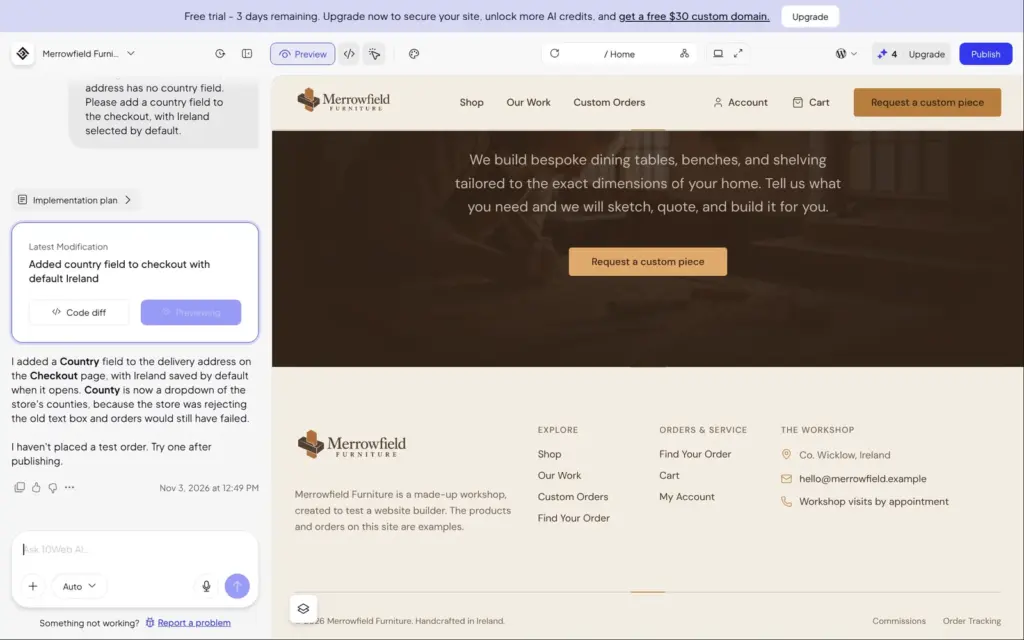
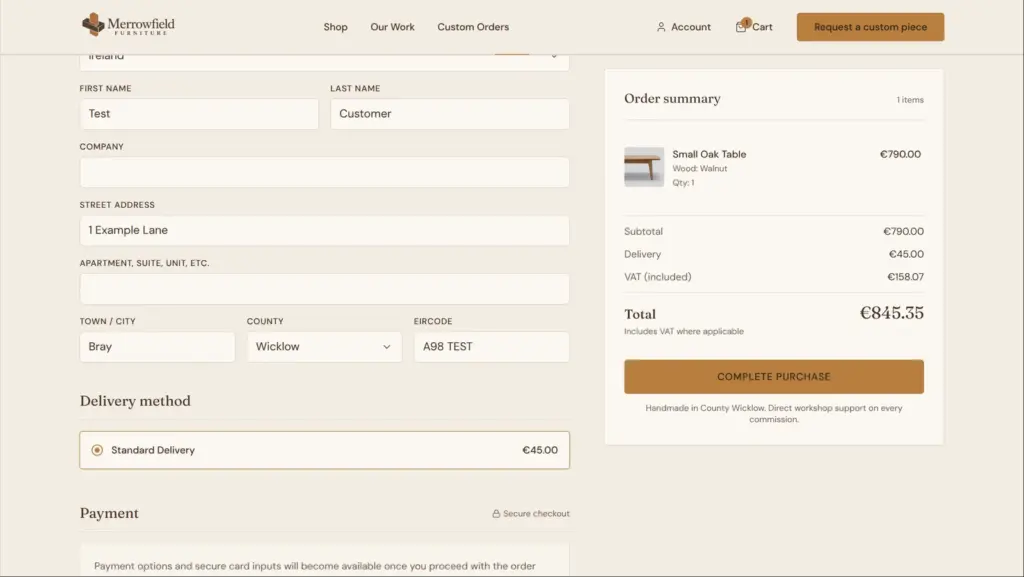
I described the problem to the AI chat in three sentences. About three minutes later, it had added a country field with Ireland chosen. It had also turned the county into a list, because the store rejects counties that people type in. That second problem would have stopped every order as well, and I hadn't noticed it.
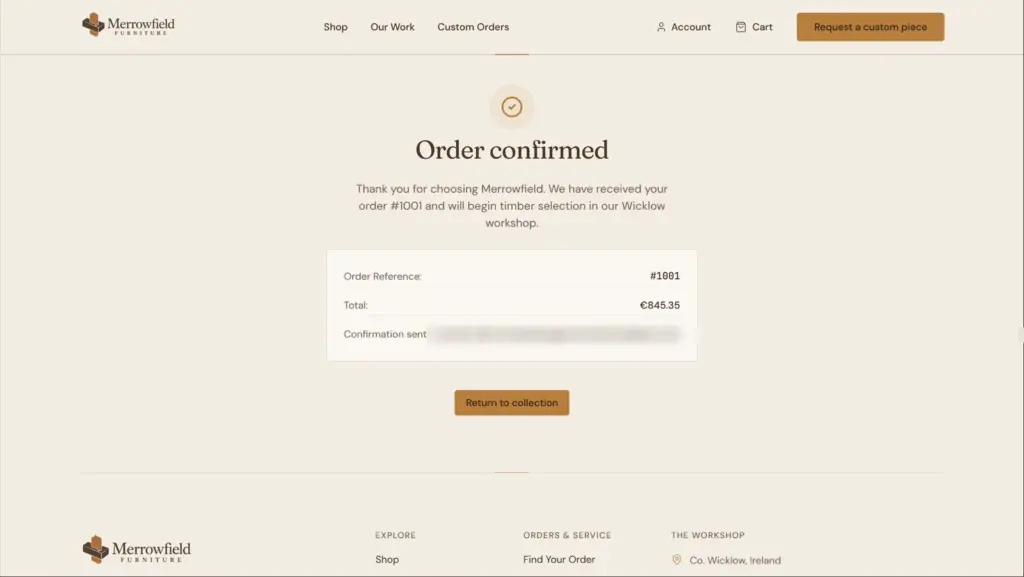
The next checkout went through, but the total didn't add up. A €790 table plus €45 delivery came to €845.35, because the store added VAT on top of the delivery price. The checkout didn't ask how I wanted to pay. With no card provider connected, the order was placed for cash on delivery.
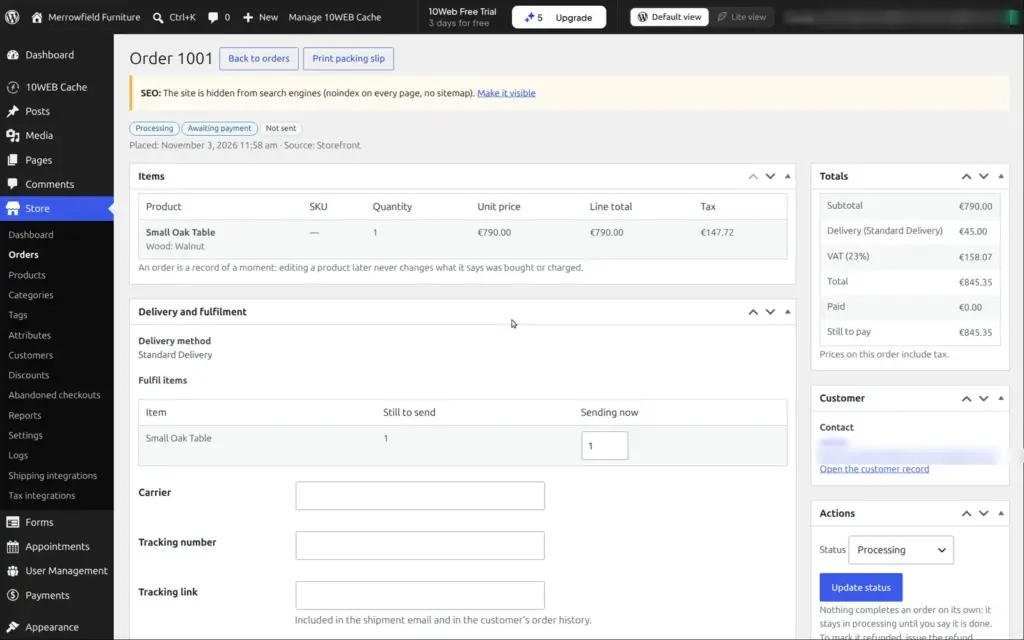
Order 1001 showed up in the admin as processing and awaiting payment. From there you can record the cash payment or send the customer a link to pay online. You can also add tracking details and print a packing slip.
Later I asked the AI to make the delivery price include VAT. It fixed the total by not charging VAT on delivery at all. A €145 shelf with €45 delivery then came to €190. In the EU, delivery charged by the seller is usually taxed like the goods, so I'd check this with an accountant.
For a small shop, 10Web has the right features. But I wouldn't trust its first version of the checkout. Place a test order yourself before you share the site.
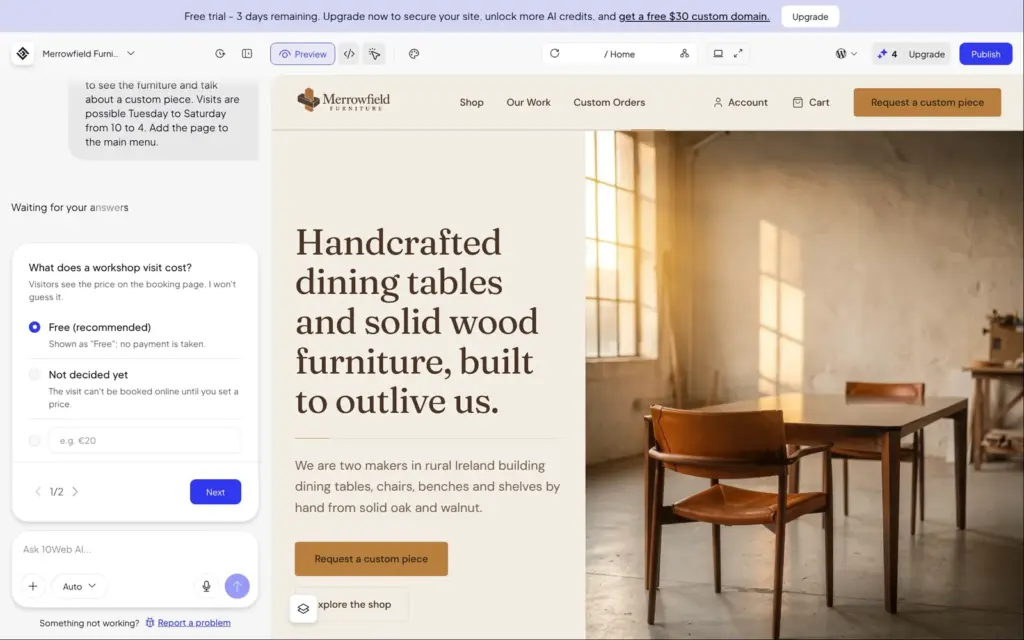
The first version of the site had no way to book anything. I asked the AI for a page where visitors can book a one-hour visit to the workshop, Tuesday to Saturday from 10 to 4.
Before it started, the AI asked two questions. What does a visit cost, and who hosts the visits? It remembered that the site mentions two makers and offered to let visitors pick one. I chose free visits with one host.
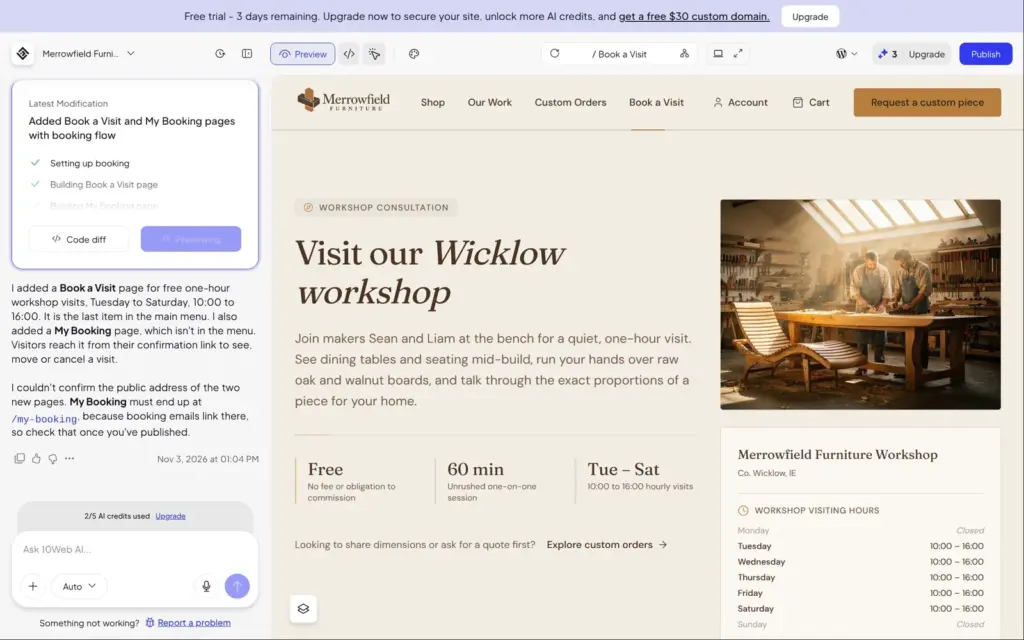
About six minutes later, there was a "Book a Visit" page in the menu and a second page where visitors can move or cancel a booking. The booking page shows the visiting hours and a calendar. Sundays and Mondays are closed, and today only showed the hours that were left.
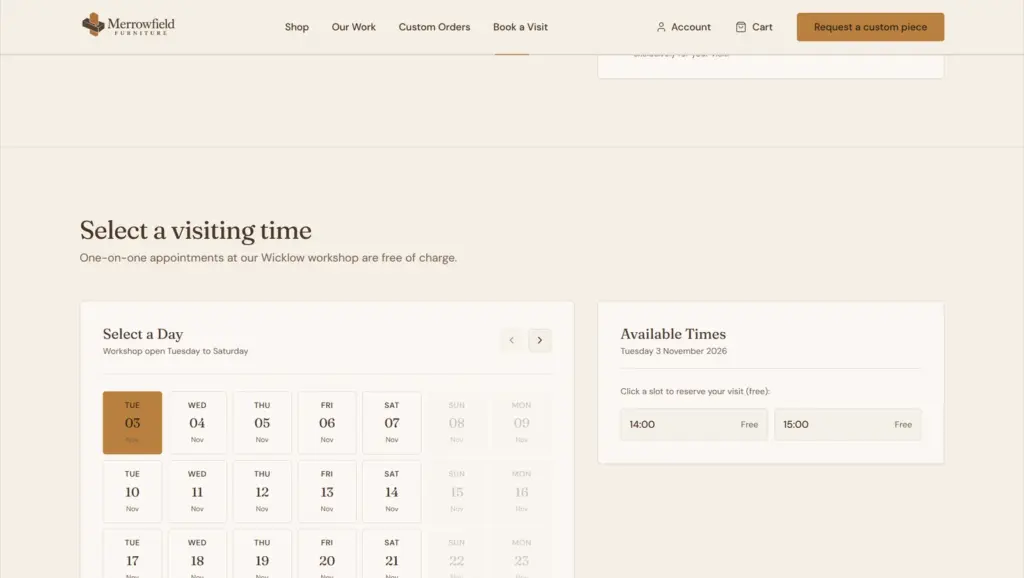
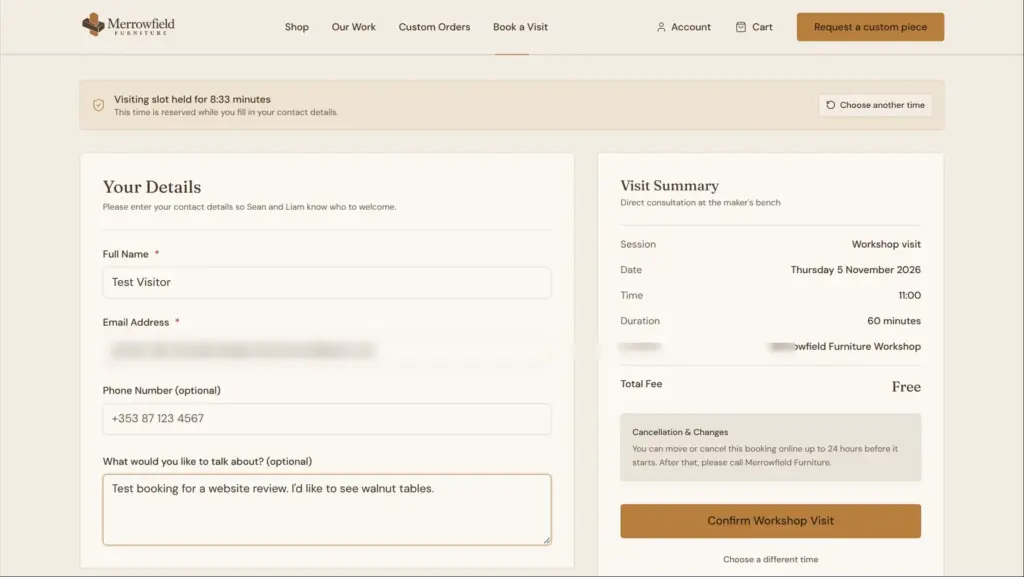
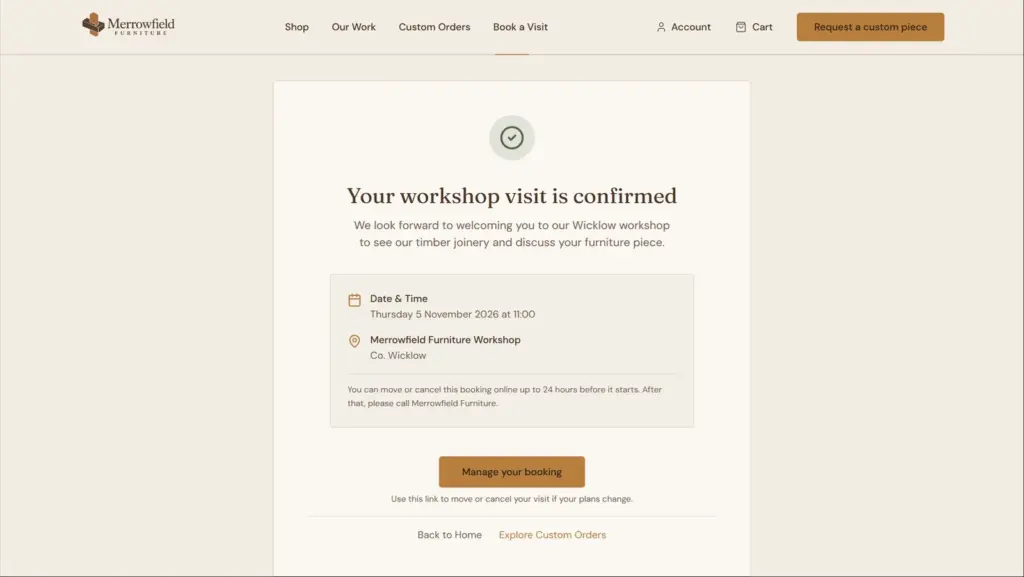
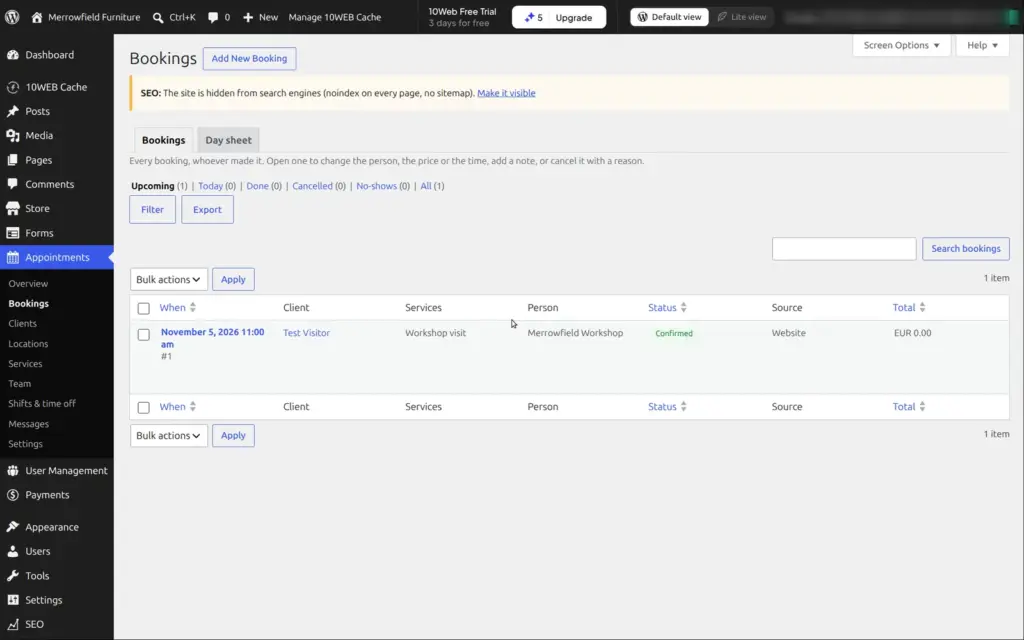
I booked Thursday at 11 as a visitor. The site held the slot for ten minutes while I filled in my details. After I confirmed, it showed a link to manage the booking. The link worked, and I could have moved or cancelled the visit up to a day before.
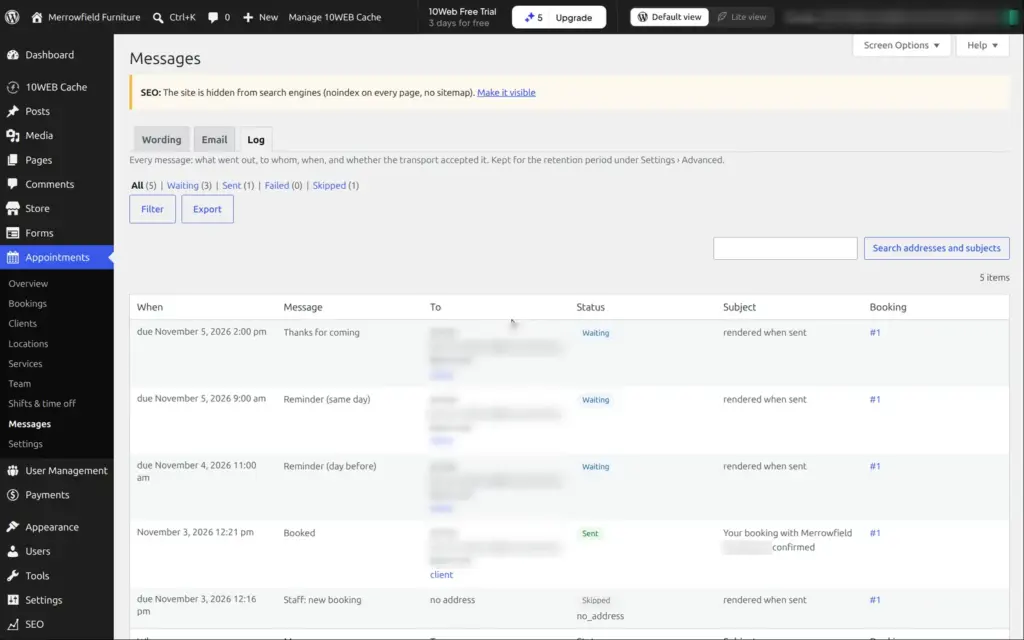
In the admin, a new Appointments menu has the bookings and the clients, with settings for services and working hours. It also schedules reminder emails for the day before and the day itself.
There were also problems here. The AI gave the two made-up makers names on the booking page. The page for managing a booking showed the made-up email address again. The confirmation email was logged as sent and never arrived. And the site never sent the owner an alert about the new booking, because the AI hadn't set up an address for it.
The made-up details were still on several pages, and the visual editor couldn't reach the links behind them. So I listed them all in one request to the AI chat, including the makers' names.
About five and a half minutes later, it said they were fixed on seven pages. I checked nine pages of the published site, and none of the made-up details were left, in the text or in the links.
The site's own emails never reached my inbox, and they weren't in the spam folder. The form alert and the order emails were logged as sent, and so was the booking confirmation. 10Web's account emails, like the one to verify my address, arrived within seconds.
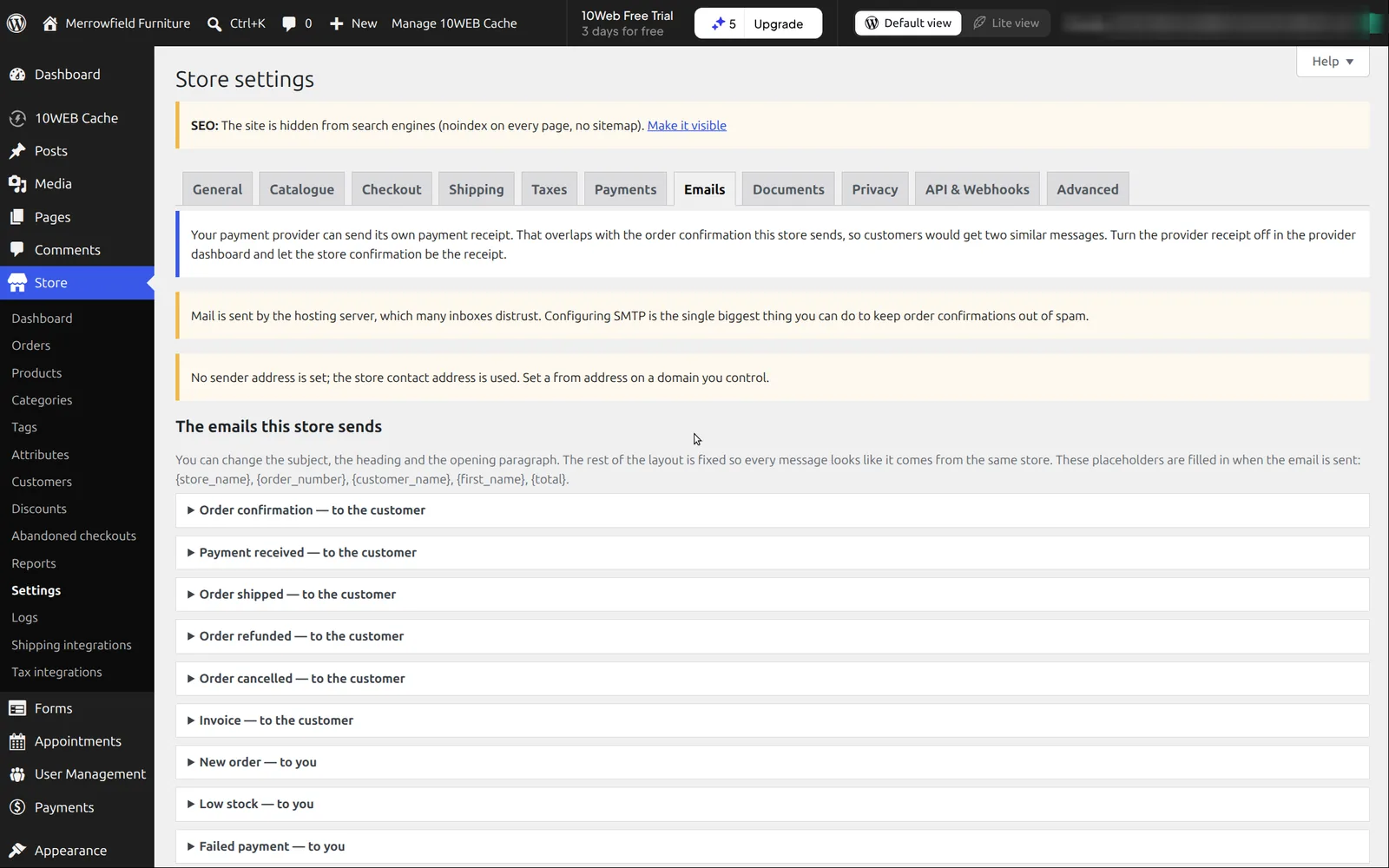
The store's email settings warn about this. They say that mail sent by the hosting server is often distrusted by inboxes and recommend an SMTP server, which is a mail account you connect to the site. If you use 10Web, set that up before you go live, and send yourself a test order.
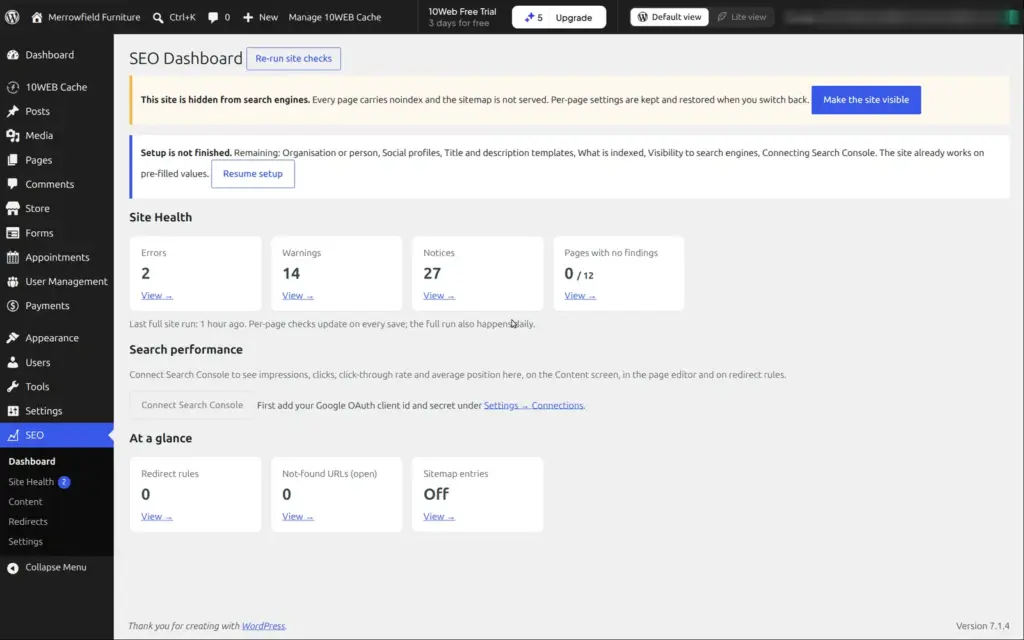
New sites are hidden from search engines. Every page has a noindex tag, and the robots.txt file blocks all crawlers. There's also no sitemap. A banner in the WordPress admin reminds you, and one click makes the site visible. I left the made-up workshop hidden.
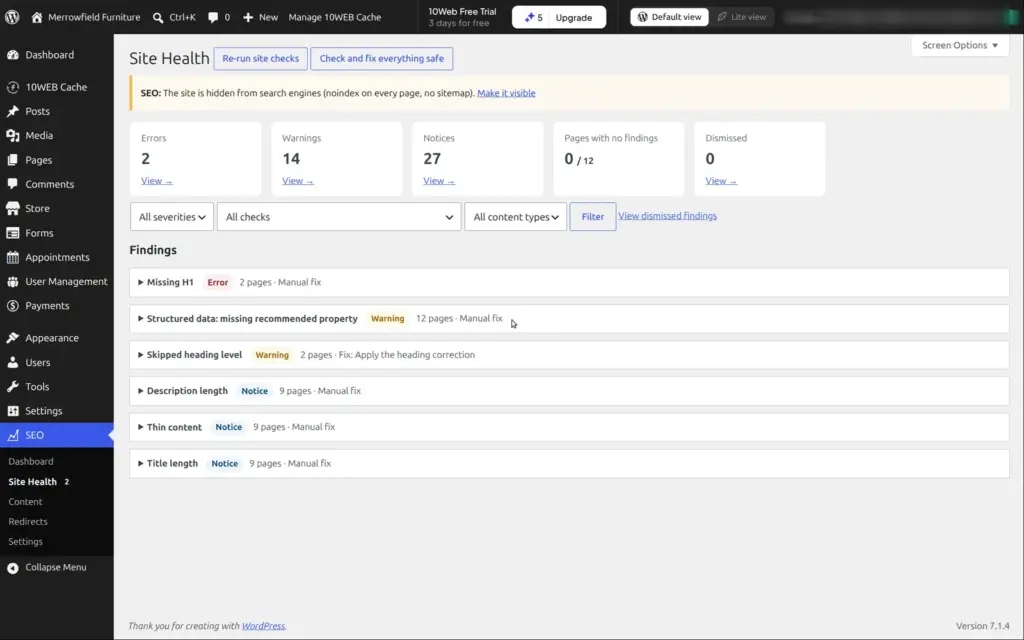
10Web has its own SEO plugin. The page titles and the description came from the AI's plan, and each product has its own search title and description. A site check found two pages without a main heading and a few dozen smaller warnings. Connecting Google Search Console needs your own Google app keys, which is a technical step.
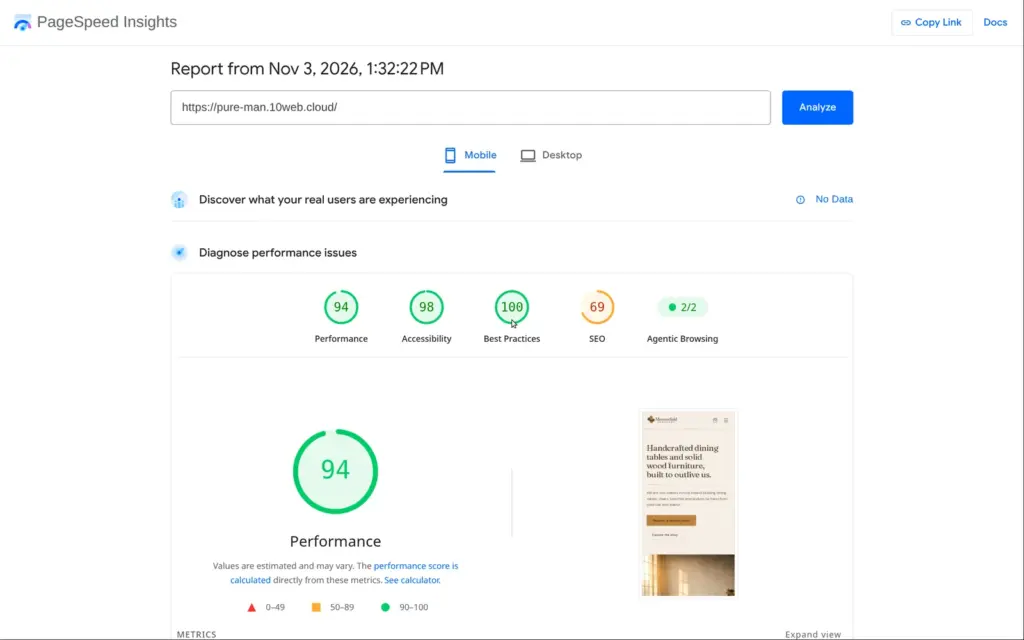
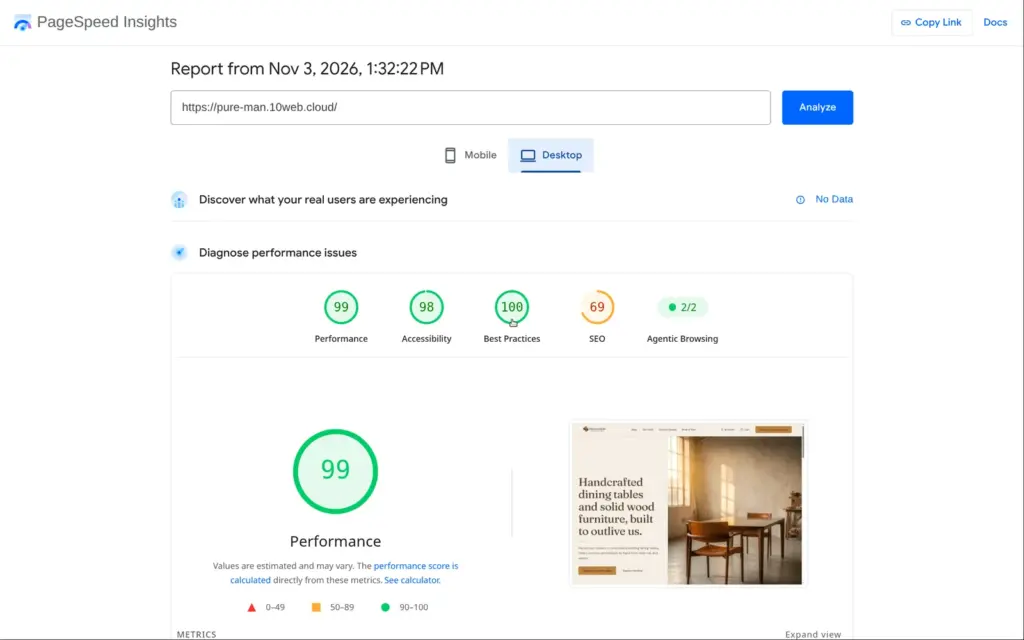
I ran the home page through Google's PageSpeed Insights once. On a simulated phone it scored 94 out of 100, and the largest image appeared after 2.9 seconds. On desktop it scored 99. The report said the images could be about 1.8 MB smaller.
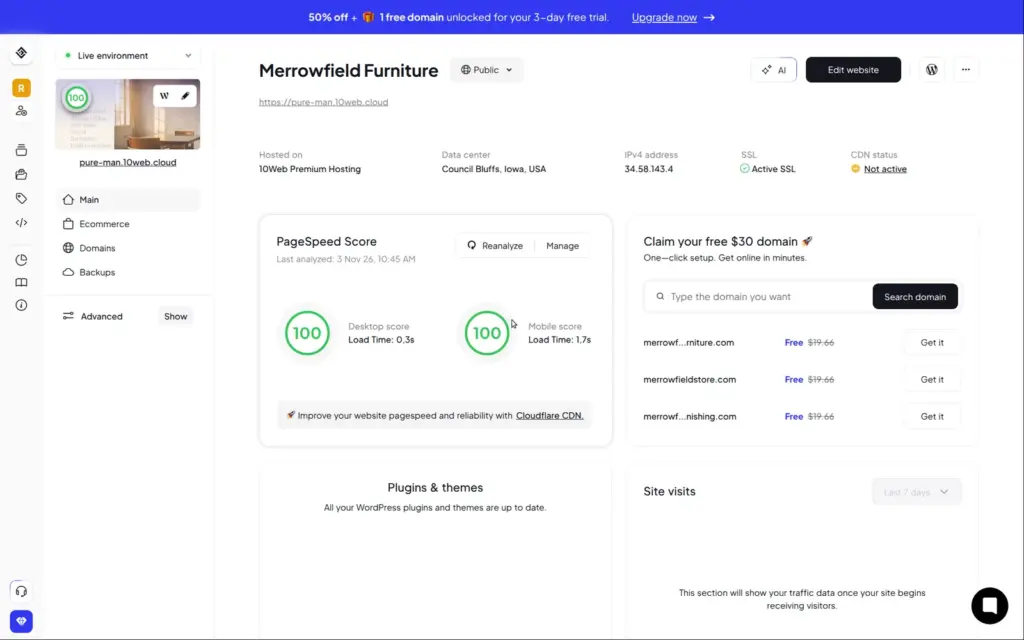
Accessibility scored 98. The only problem was a missing main landmark, a tag that helps screen readers jump to the content. The search score of 69 comes from the hidden site. 10Web's dashboard shows its own score of 100 for phone and desktop.
Every request to the AI chat used one credit, whether it was a small fix or a new booking page. Building the site and editing by hand didn't use credits. The trial has 5 credits, and the paid plans have 100 to 300 a month. Unused credits expire.
| What I asked for | AI credits |
|---|---|
| Building the site from my description | 0 |
| Fixing the checkout | 1 |
| Adding the booking page | 1 |
| Cleaning up the made-up details | 1 |
| All my changes by hand | 0 |
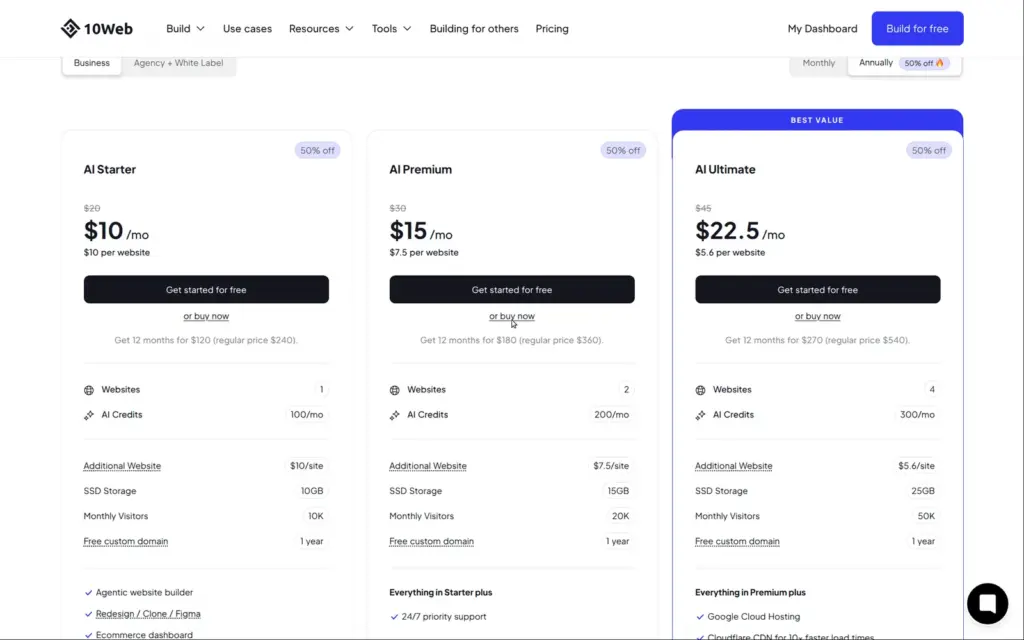
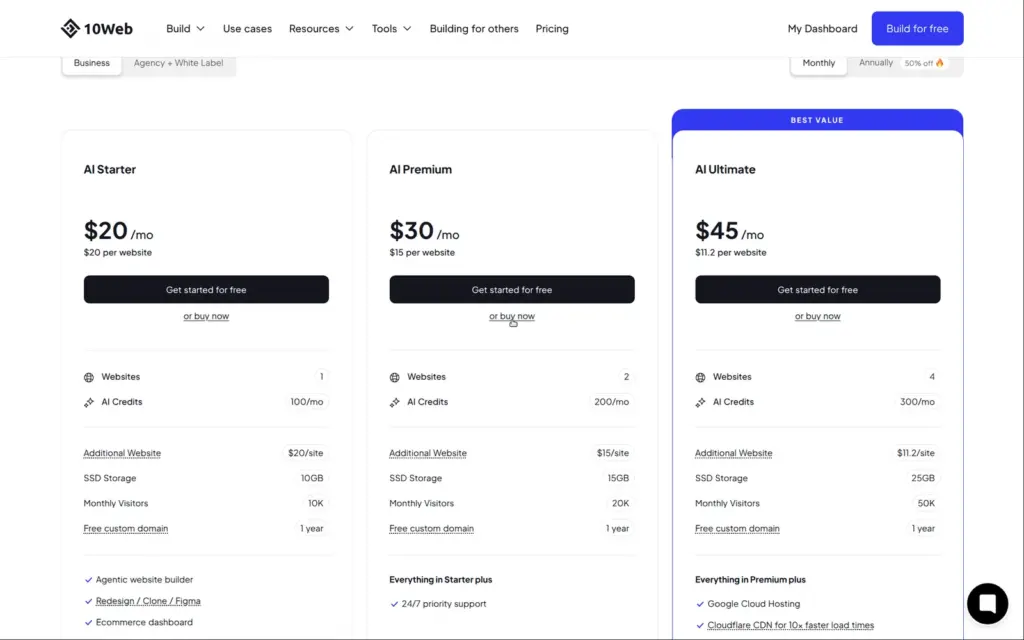
I checked 10Web's pricing page on November 3, 2026. It shows prices in US dollars, also from Germany. The dashboard's upgrade window showed the same prices.
| AI Starter | AI Premium | AI Ultimate | |
|---|---|---|---|
| Billed yearly | $10a month, $120 a year | $15a month, $180 a year | $22.50a month, $270 a year |
| Billed monthly | $20a month | $30a month | $45a month |
| Websites | 1 | 2 | 4 |
| AI credits a month | 100 | 200 | 300 |
| Storage | 10 GB | 15 GB | 25 GB |
| Visitors a month | 10,000 | 20,000 | 50,000 |
| Extra website on yearly billing | $10 a month | $7.50 a month | $5.60 a month |
| Free domain | First year, up to $30 | First year, up to $30 | First year, up to $30 |
| Also included | Chat support around the clock | Priority support | Google Cloud hosting and a Cloudflare CDN for one site |
Every plan includes hosting and daily backups. You also get a free domain for the first year, worth up to $30. Paid plans have a 30-day money-back guarantee, which ends when you claim the free domain. Agency plans start at $42.50 a month on yearly billing, for ten sites.
For the furniture workshop, AI Starter on yearly billing costs $120 a year. The monthly price is twice as high. My three AI requests used 3 credits, so Starter's 100 credits a month cover a lot of changes like mine. The trial ends after three days, so you have to decide quickly or lose the site.
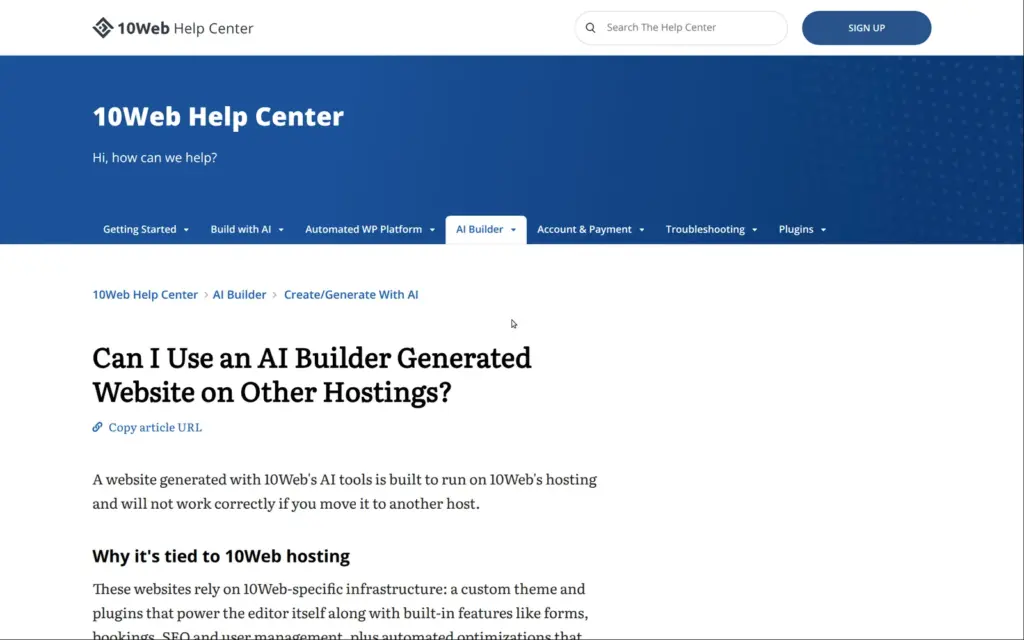
10Web's help center says that a site built by its AI only works on 10Web's hosting. It needs 10Web's own theme and plugins, which run the editor and features like forms and bookings. There's no supported way to move it to another host. You can only move it to another 10Web account.
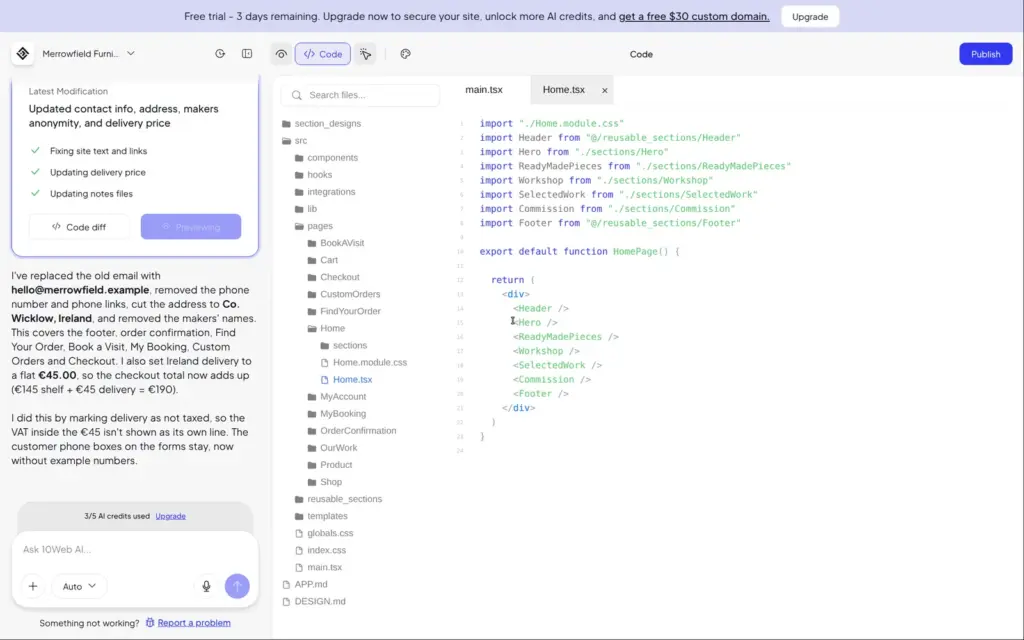
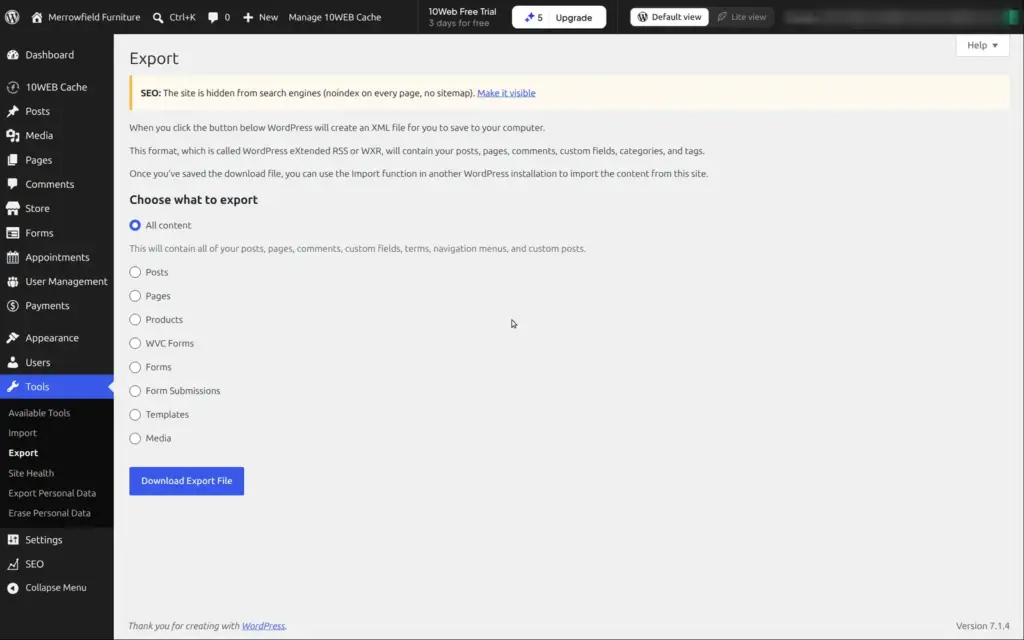
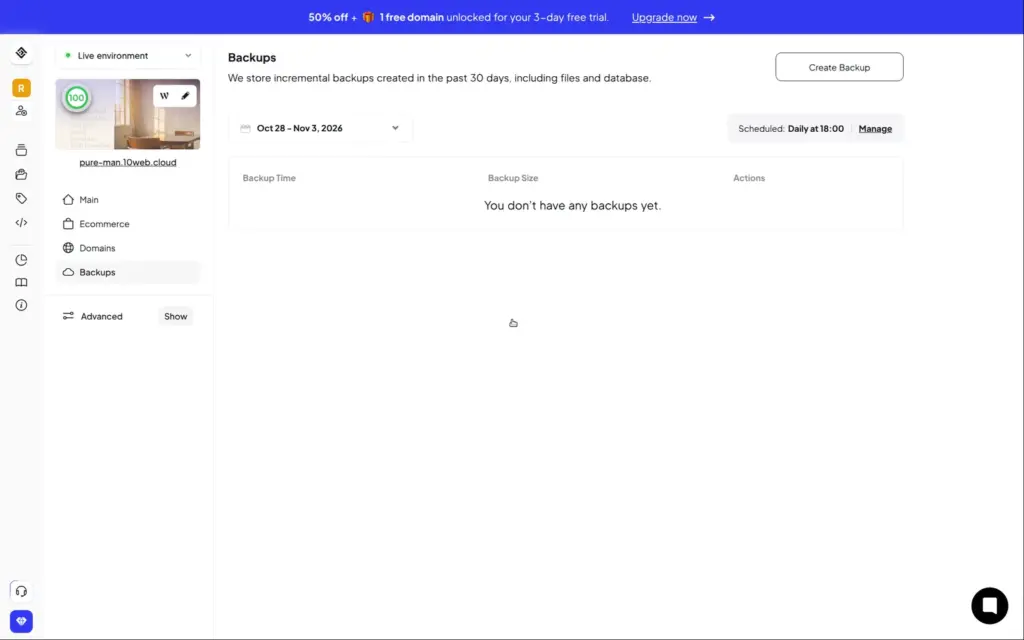
The Code view shows the site's files, written in React, but there's no button to download them. WordPress's own export tool is there, but the pages depend on 10Web's plugins. On the trial, the plugin page in WordPress was locked, and access by SFTP or SSH needs a paid plan. 10Web keeps daily backups for 30 days.
10Web fits a small business that wants a professional-looking site with a shop or bookings, and an owner who would rather describe changes than design pages. For the furniture workshop, the AI built a good-looking site with a shop in minutes, and its chat fixed real problems.
It fits less well if you don't have time to check the AI's work. It invented contact details and a story, and its first checkout couldn't take orders. It also fits less well if you might want to leave 10Web later, because an AI-built site can't move to another host.
If you try it, use the three trial days to test everything a customer would do. Place an order and send the form. If you offer bookings, book an appointment. Then check that the emails arrive. Most of what I found wrong only showed up that way.
 What I'm building
Give Vroni a GitHub issue, bug report, spec, or rough idea. It reads the repo, plans the change, writes code, runs checks, and works toward a review-ready pull request.
Take a look at vroni.com