
Is Softr free?
Yes. Softr has a free plan with no end date, and you don't need a card to sign up. You can build…
You can let Softr's AI build the portal from a description, or start from one of Softr's 19 templates for portals. Either way you get tables for your data and pages for your clients and your staff. User groups decide who can open which page. Before you invite anyone, look at the portal as one of your clients. Check that the pages and the search only show that client's own records. Then you invite your clients by email. The free plan allows 5 app users. Pro is the first plan with 50 client logins and separate groups for clients and staff. It costs $99 a month on yearly billing.
For my Softr review, I built a customer portal for a made-up cleaning company. Customers log in to see their cleanings and invoices, and they can book a new cleaning. The AI built the first version, and then I fixed the places where one customer could see another customer's data.
I built the portal on November 2, 2026, and looked at Softr's portal templates on November 3.
When you create an app in Softr Studio, you first get a box where you describe the app for the AI. Below it, you can copy a template instead.
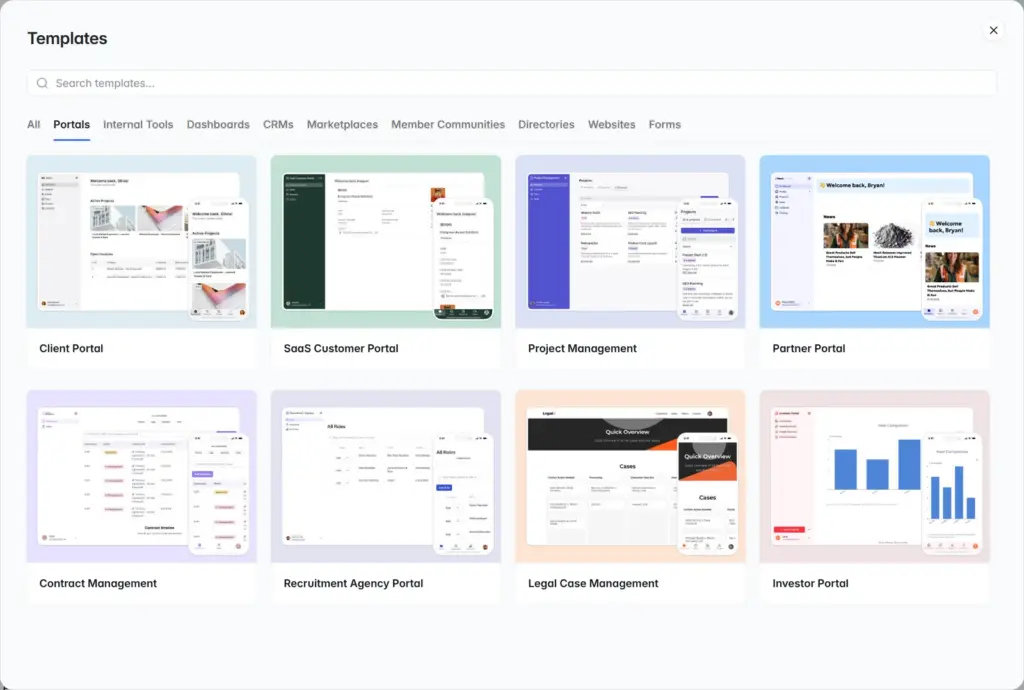
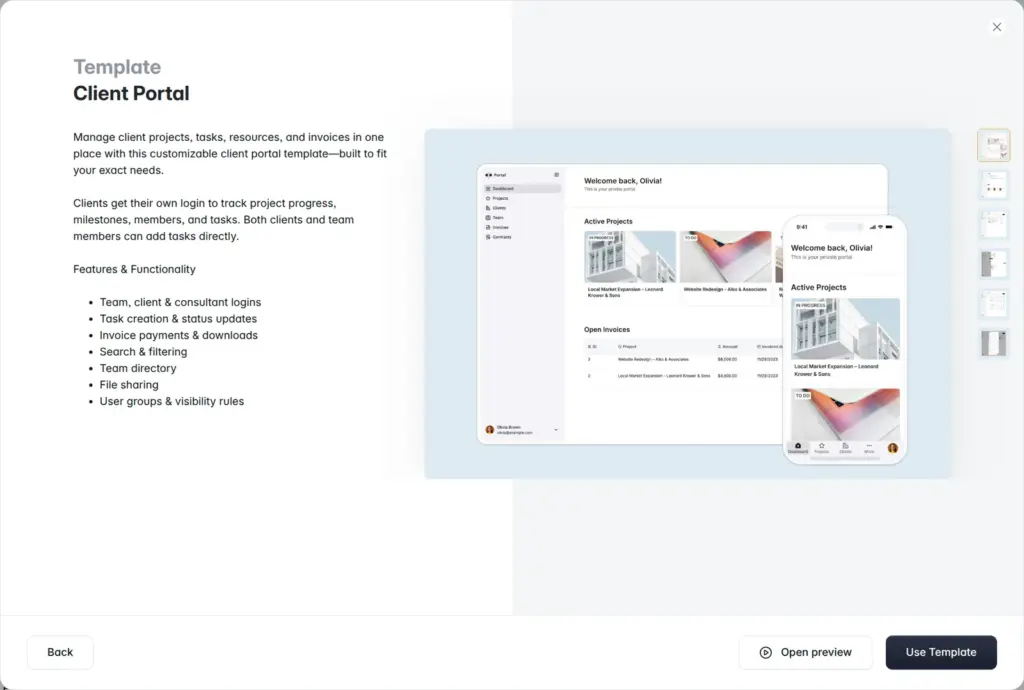
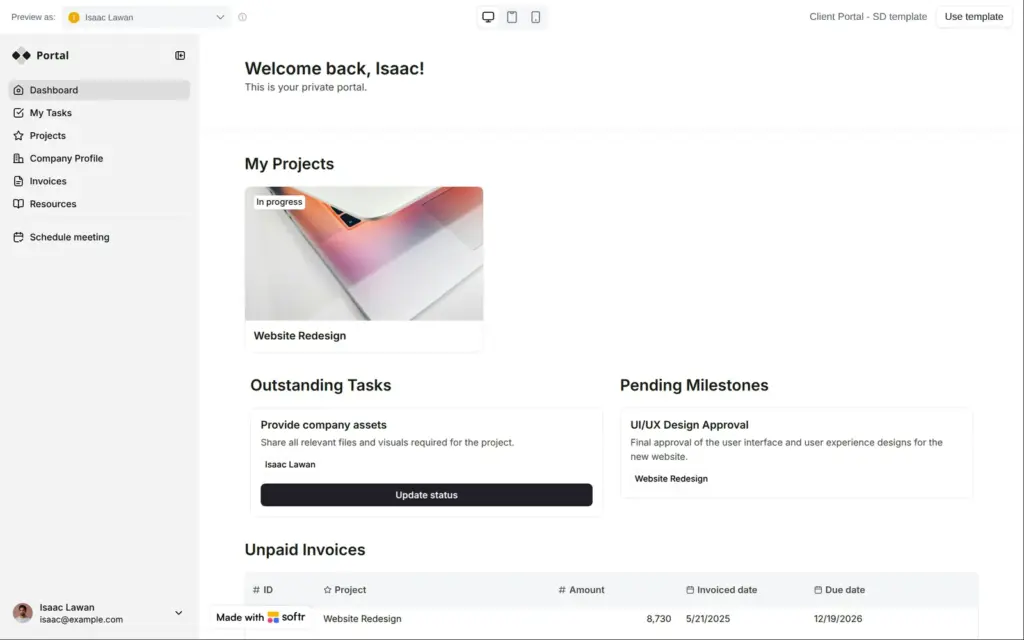
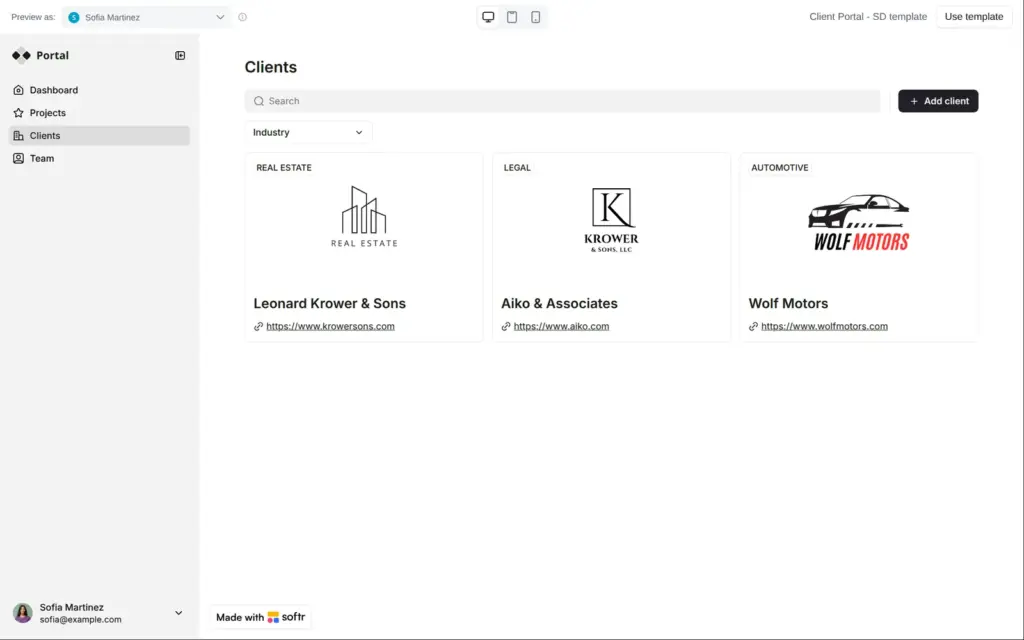
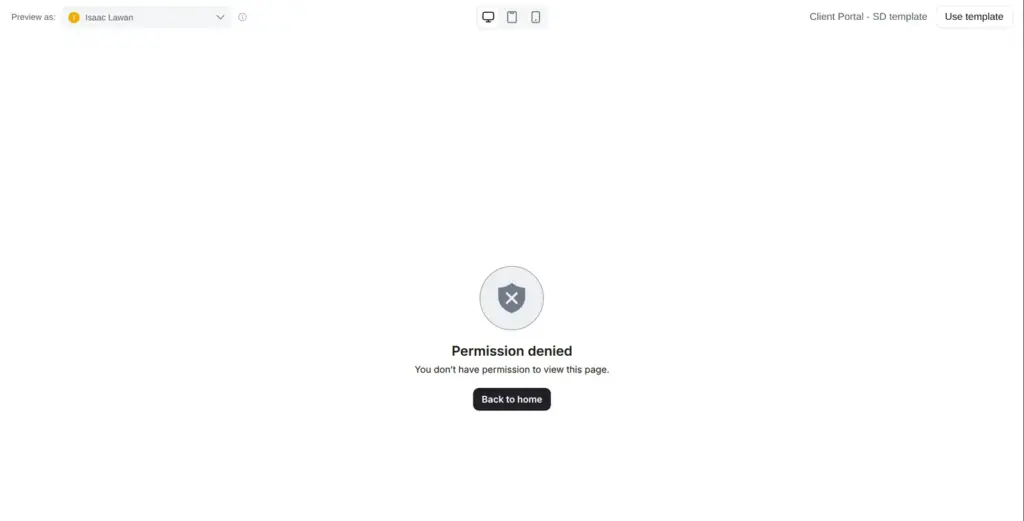
The template gallery has a Portals tab with 19 templates. Client Portal is the first one, made for an agency and its clients. Others are for tenants or investors, for example. The template's live preview comes with sample users, and you can switch between them. In the Client Portal template, Isaac is a client. He sees his own project and his unpaid invoices. Sofia is an employee of the agency. Her menu has pages for "Clients" and "Team", and she sees all three clients. When I switched to Isaac on the Clients page, Softr showed "Permission denied". The "Use Template" button copies the template into your account.
For my review I described the portal to the AI instead. Before it built anything, it asked me five questions. For a portal, the important ones were whether staff and customers need different access and whether people can sign up on their own. I said yes to separate access and chose to invite each customer myself. For the login I picked email. Google sign-in needs a paid plan.
The build took about two and a half minutes. The AI made four tables with sample records and nine sample users. It also made pages for customers and an admin page for the staff.
Every app has two built-in user groups, visitors who aren't logged in and logged-in users. A custom group gets its members by a condition or by hand. The AI gave my portal a Customer group and a Staff group, both based on a Role field in the users table. Custom groups need Pro or Business.
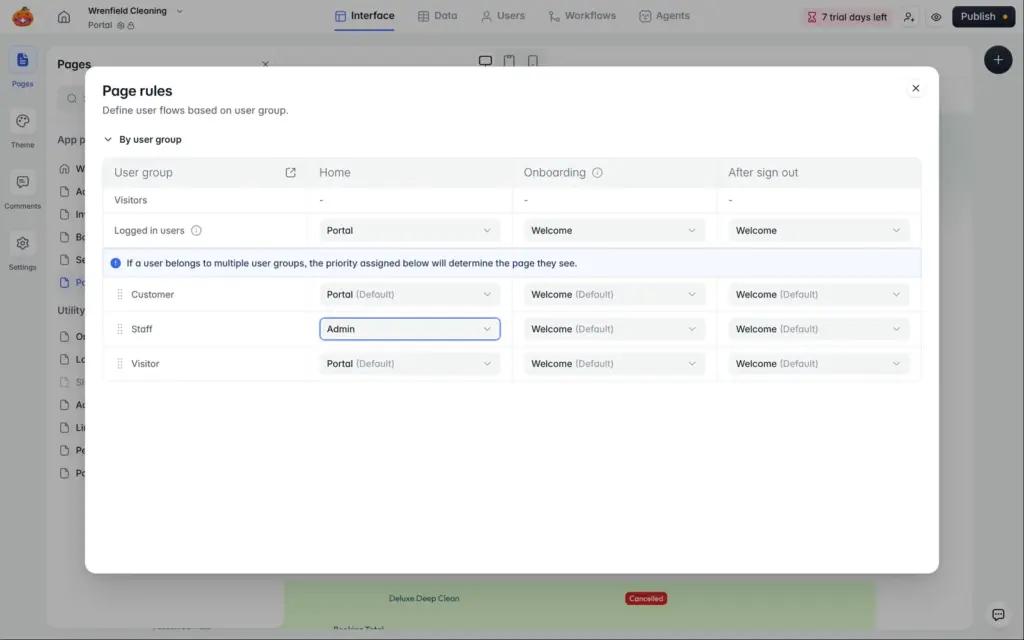
Each page can be limited to logged-in users or to some of your groups. Page rules pick where each group lands after the login. I set them so that customers land on their portal and staff on the admin page.
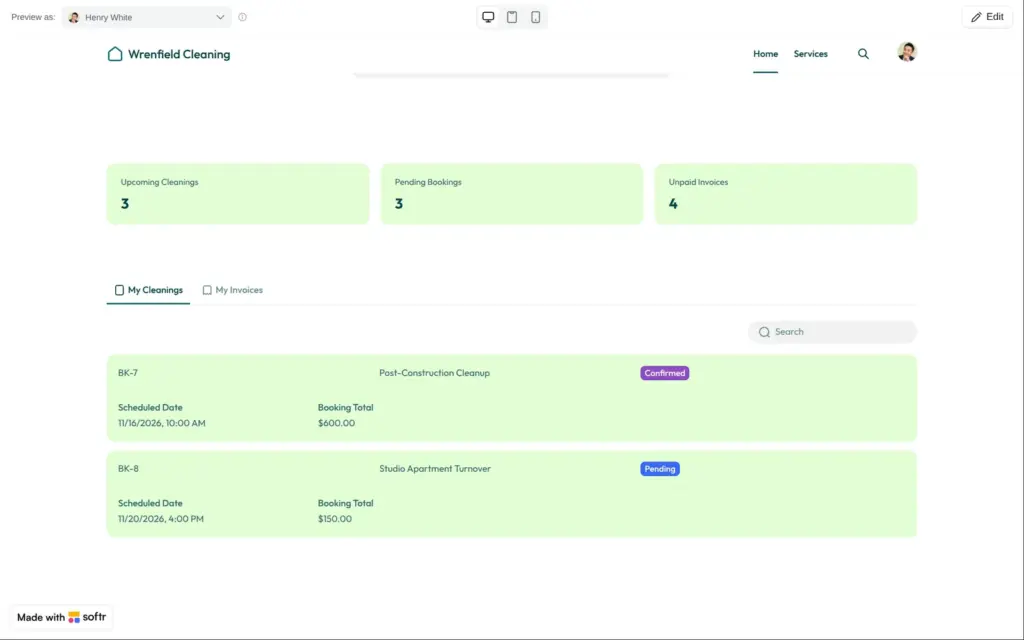
Softr lets you look at the app as any of your users. As Henry, a sample customer, I saw his own cleanings, and the Admin page was gone from the menu. But the three counters at the top showed the totals of all customers. I asked the AI to fix them, and it did on the second try. Henry's invoices also had a "Pay invoice" button that let him set an invoice to Paid without paying anything. I removed that button.
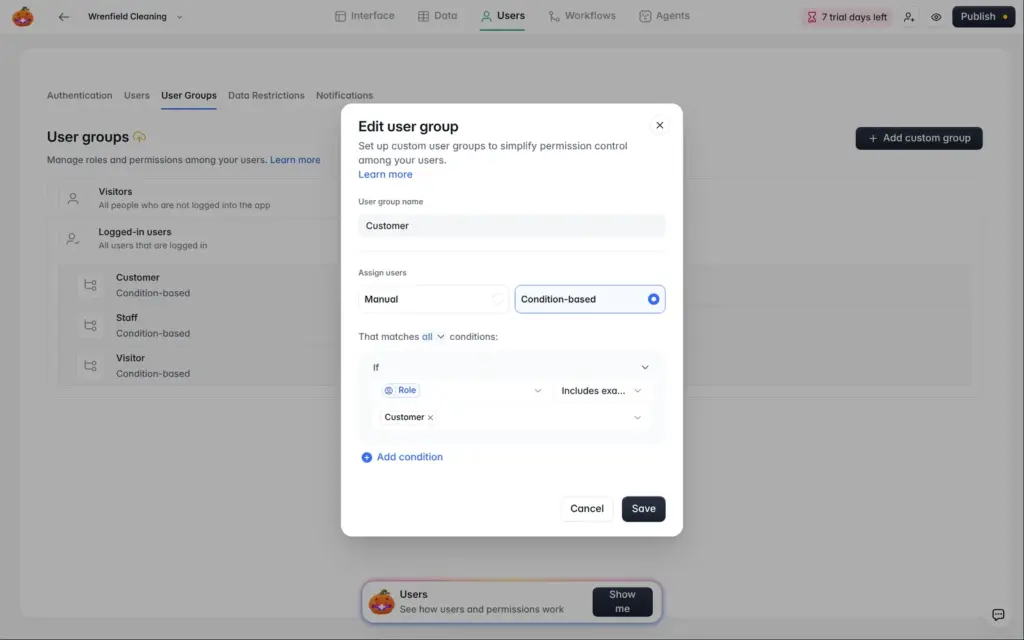
In the Users tab, you add clients one at a time with an email address and a name, or you import several at once. The form has no field for the role. I invited a made-up customer, Maya, and her Role stayed empty, so she wasn't in the Customer group. If your groups depend on a role, fill it in for each new client in the users table.
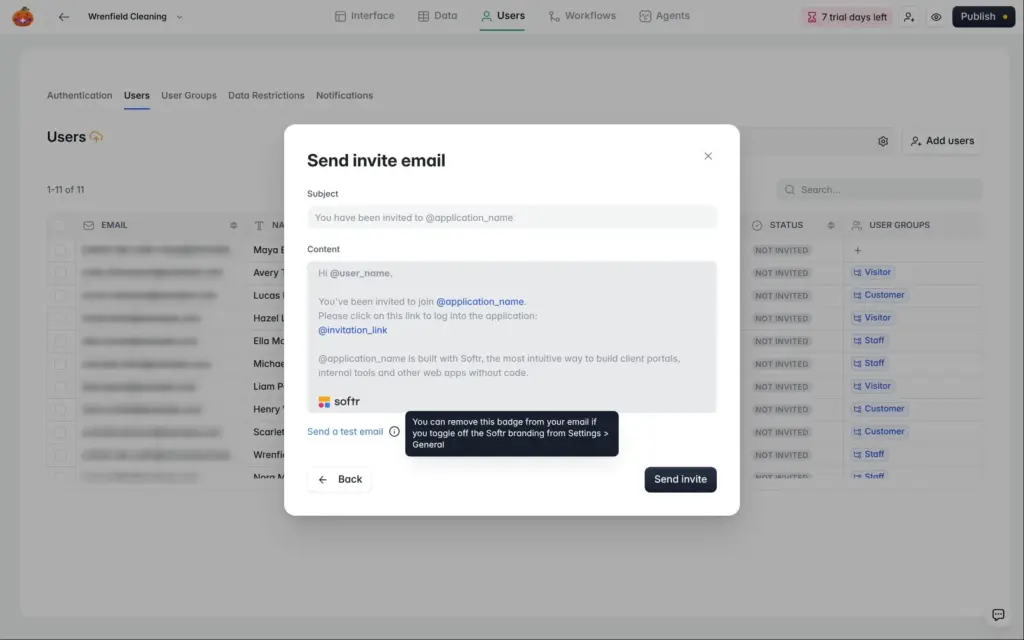
Softr can send the invitation right away. The email comes from a template you can edit, and it ends with a line about Softr. Maya's invitation arrived after about nine seconds.
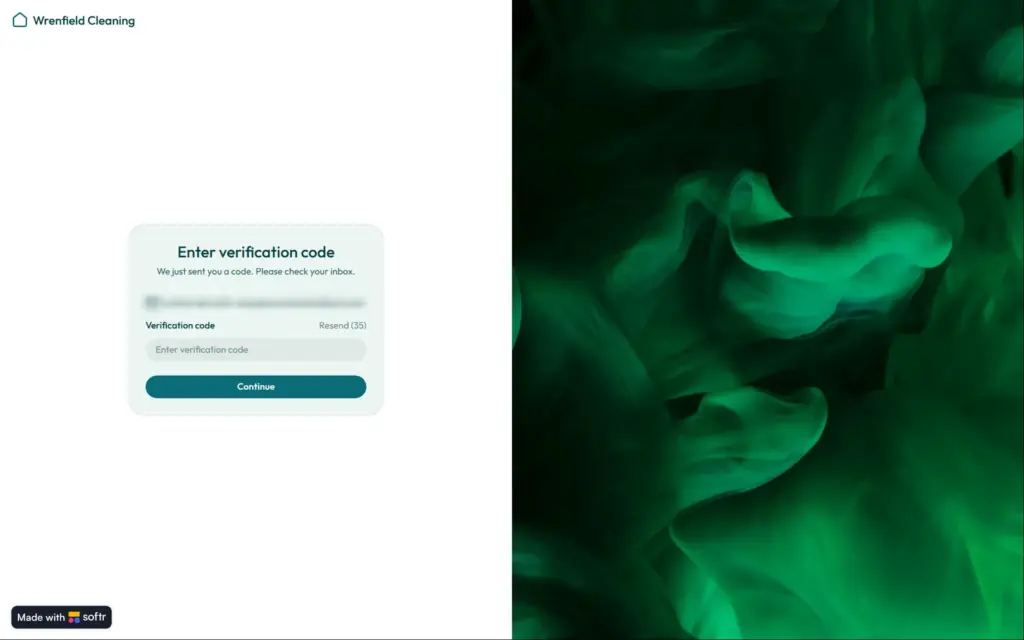
The link in the email opens the portal's login page. Then Softr sent Maya a six-character code by email. Softr's pricing page lists these codes from Pro.
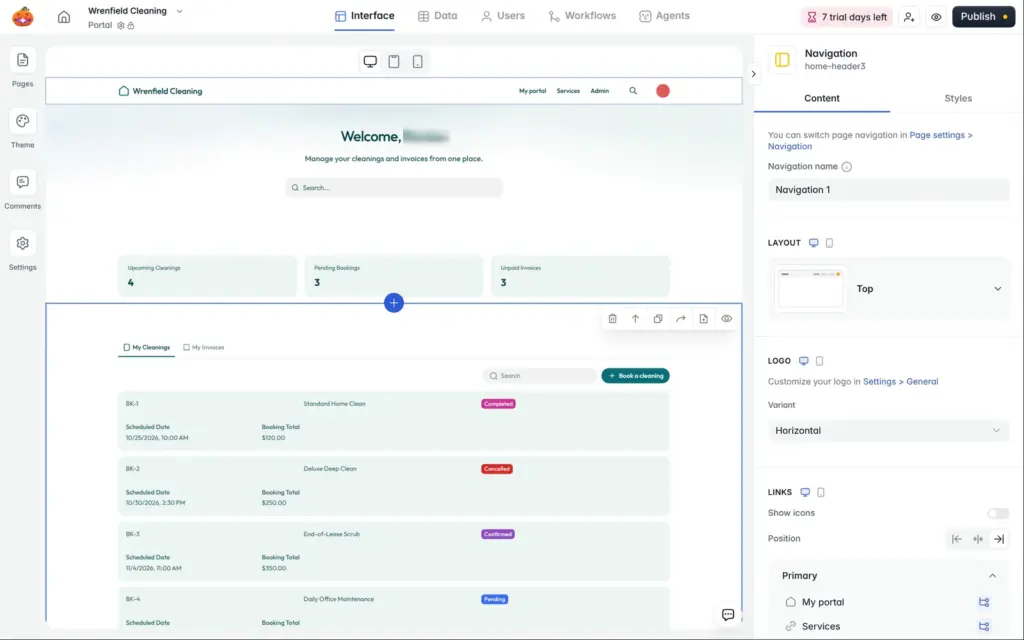
After the login, Maya landed on the public home page, and the menu had no link to her portal. I added a "My portal" link to the menu.
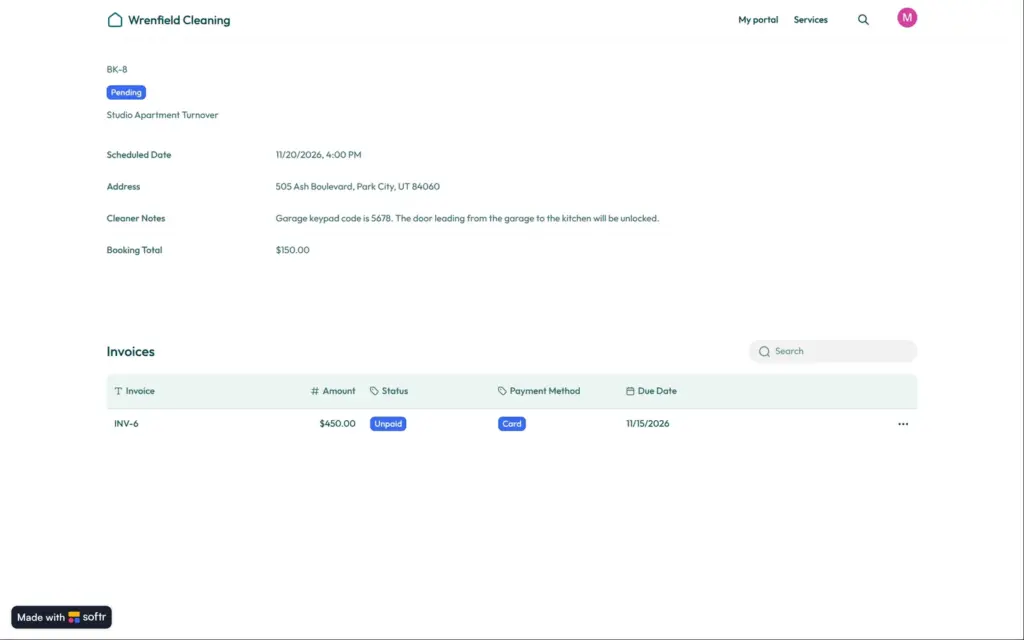
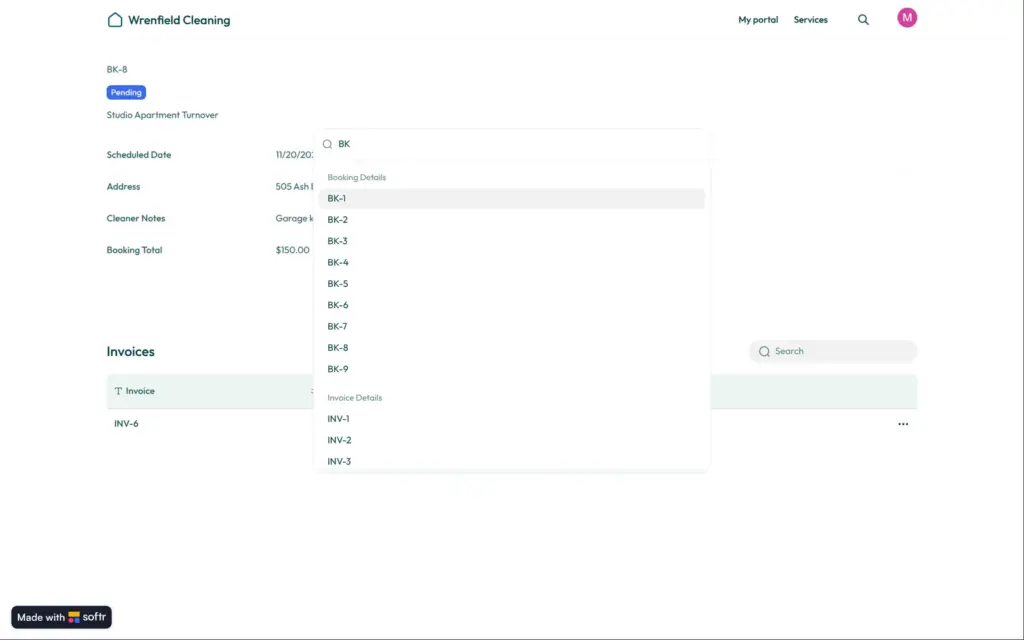
A booking page that only customers can open still shows whichever booking is in its link. As Maya, I opened the link to one of Henry's bookings. The page showed his address and the code for his garage. The links contain a long random code, so customers can't easily guess them. But the search box at the top listed every booking and every invoice of the company, and each result opened. This search is a Business feature, and it was on during the free trial.
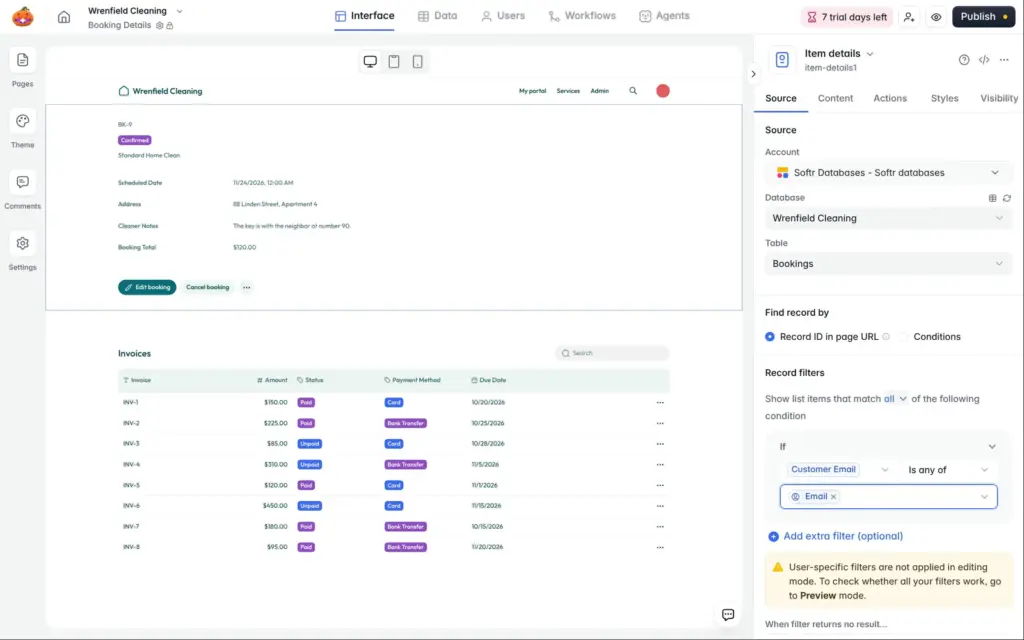
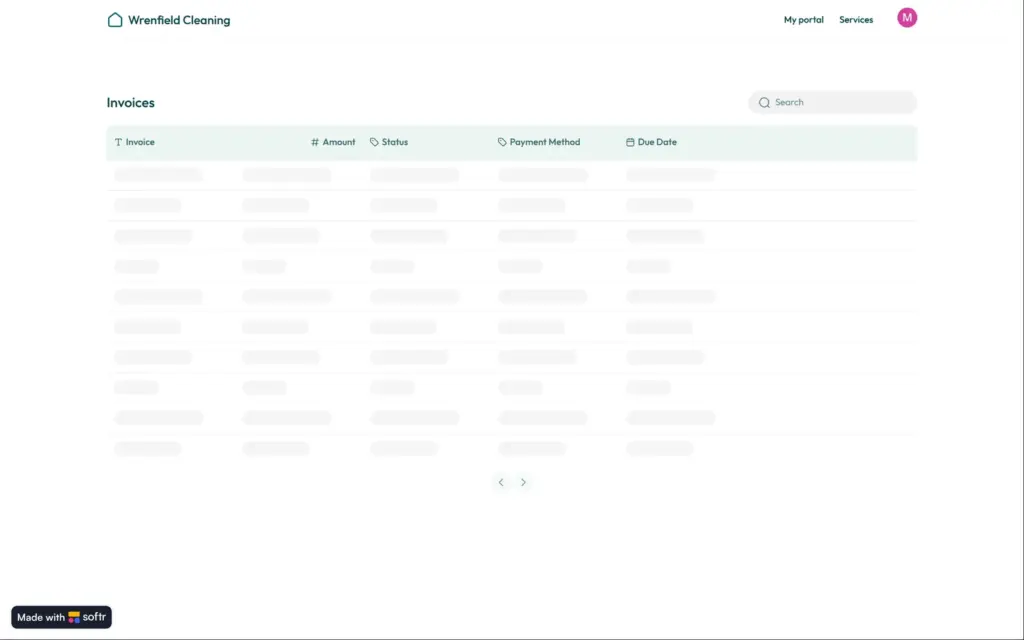
A Softr page is made of blocks, like a list of bookings or the details of one booking. I fixed the leak with a filter on each block that shows client data. It compares the record with the person who is logged in. For a booking, the customer's email in the booking has to match the email of the logged-in user. The filter doesn't offer a record ID for the logged-in user. I added this filter to the booking and invoice pages and switched the search off. After that, Henry's booking showed nothing for Maya, and her own bookings still opened. Staff also couldn't open bookings on these pages anymore. They would need pages of their own.
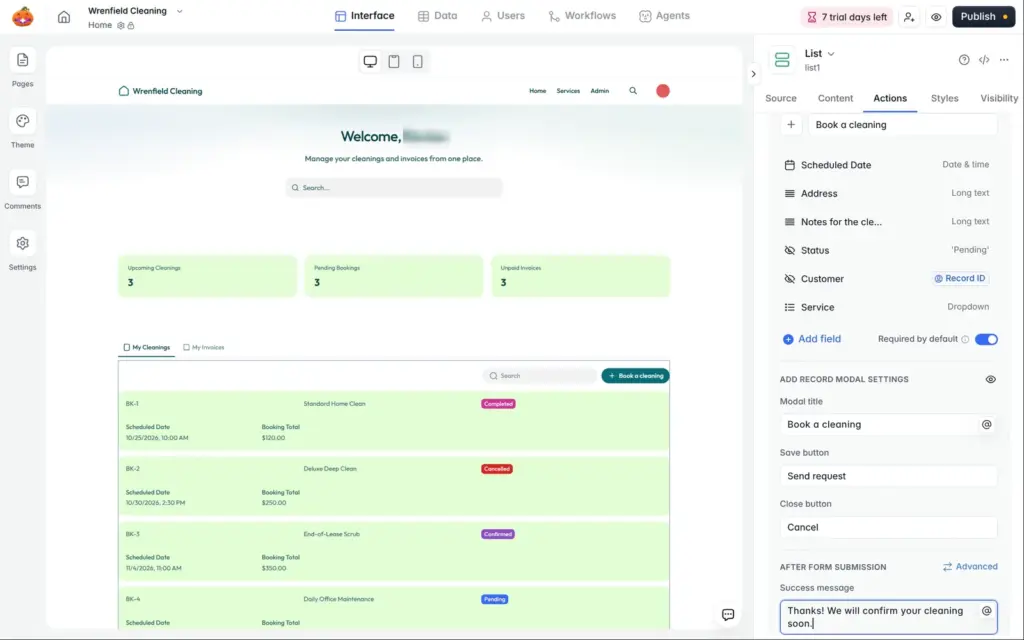
The AI had already filtered the customer's own list of cleanings by the logged-in user. When clients add records, a hidden form field can fill in the person who is logged in. My "Book a cleaning" button saves each new booking with the logged-in customer and the status Pending.
Softr also has global data restrictions in the Users tab. One rule covers a table and applies everywhere in the app. Softr's pricing page lists them under Business. Its help page, updated on October 30, says that rules for viewing records work on all plans, including Free. Rules that limit changes to records need Business. I didn't try them in my portal.
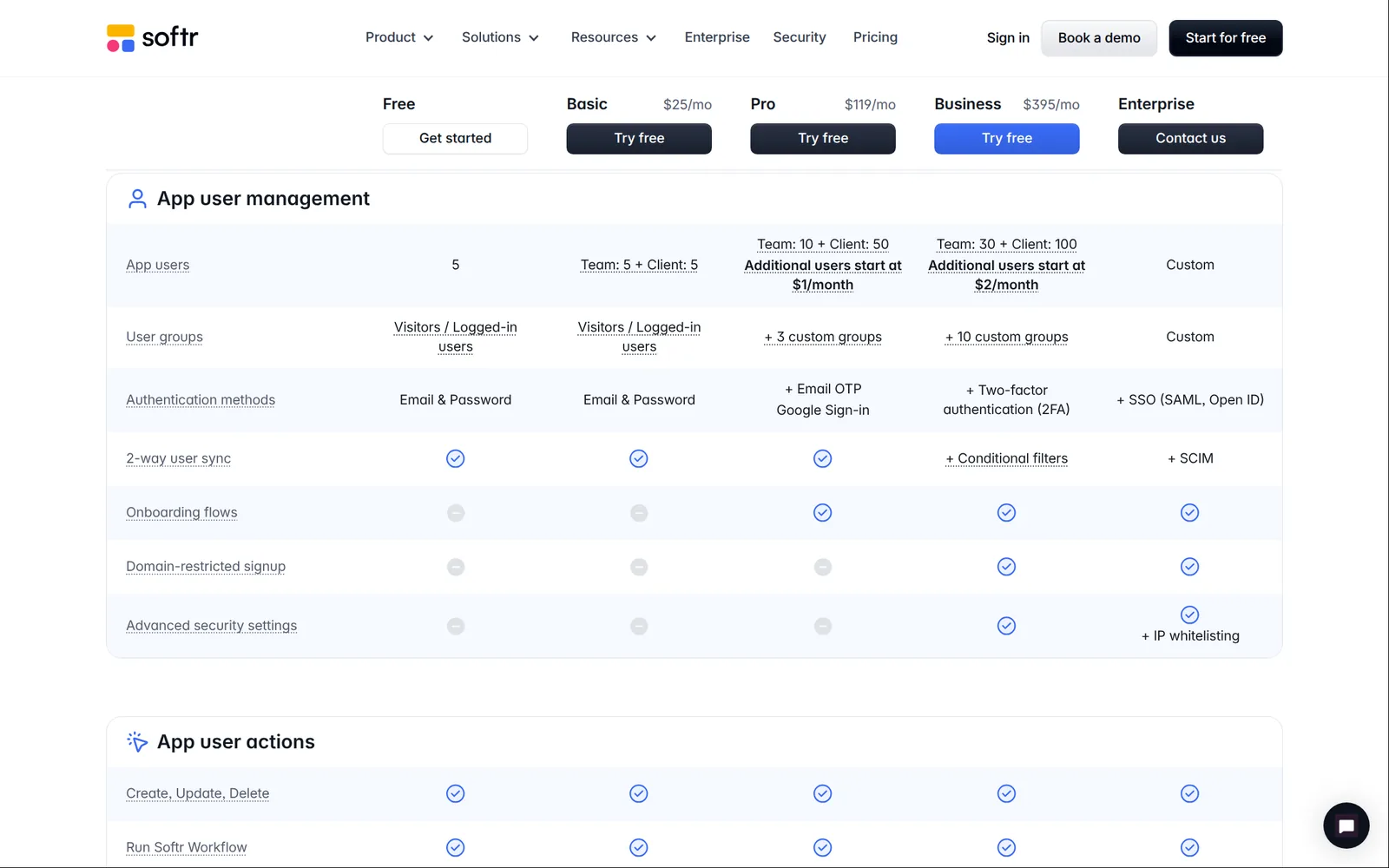
For a portal, the plans differ mostly in how many people can log in and which user groups you get.
| Free | Basic | Pro | Business | |
|---|---|---|---|---|
| Billed yearly | $0 | $19a month, $228 a year | $99a month, $1,188 a year | $329a month, $3,948 a year |
| Billed monthly | $0 | $25a month | $119a month | $395a month |
| App users | 5 | 5 team and 5 client users | 10 team and 50 client users | 30 team and 100 client users |
| Groups like staff and clients | No, only visitors and logged-in users | No, only visitors and logged-in users | Up to 3 | Up to 10 |
| How clients log in | Email and password | Email and password | Also a code by email or Google | Also two-factor login |
| Global data restrictions | No | No | No | Yes |
| Softr branding | Badge | Light branding | None | None |
Softr counts two kinds of app users. Team users share the email domain of the people who build the app. Everyone else counts as a client user, including anyone with a Gmail address. You and the others who build the app can also log in as app users for free. On Pro, extra app users start at $1 a month.
In my portal, the Softr badge covered half of the "Book a cleaning" button on phones. New accounts start with a free trial of a paid plan, without a card. Mine was Business for seven days.
Yes, if you run a small business and have your client data in tables. The AI or a template gives you a portal in minutes, and changing it in the editor is easy. But you have to be careful with who can see what.
 What I'm building
Give Vroni a GitHub issue, bug report, spec, or rough idea. It reads the repo, plans the change, writes code, runs checks, and works toward a review-ready pull request.
Take a look at vroni.com